Overview
Cursor Tab is our native autocomplete feature. It's a more powerful Copilot that suggests entire diffs with especially good memory.
Powered by a custom model, Cursor Tab can:
- Suggest edits around your cursor, not just insertions of additional code.
- Modify multiple lines at once.
- Make suggestions based on your recent changes and linter errors.
Free users receive 2000 suggestions at no cost. Pro and Business plans receive unlimited suggestions.
UI
When Cursor is only adding additional text, completions will appear as grey text. If a suggestion modifies existing code, it will appear as a diff popup to the right of your current line.
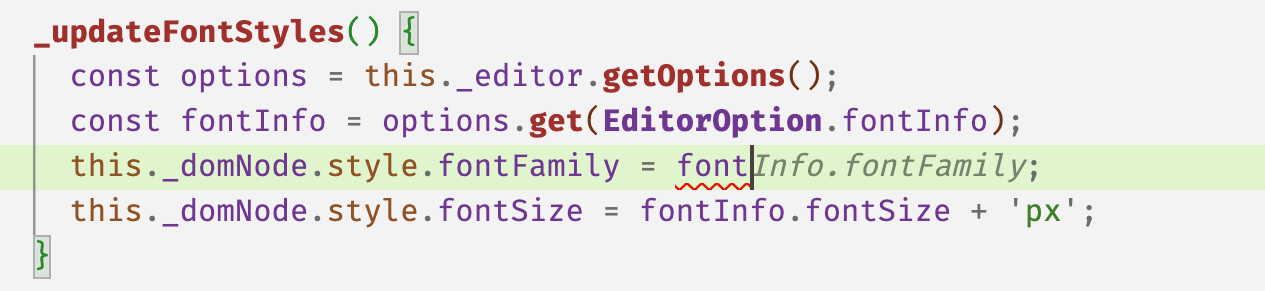

You can accept a suggestion by pressing Tab, or reject it by pressing Esc. To partially accept a suggestion word-by-word, press Ctrl/⌘ →.
To reject a suggestion, just keep typing, or use Escape to cancel/hide the suggestion.
Every keystroke or cursor movement, Cursor will attempt to make a suggestion based on your recent changes. However, Cursor will not always show a suggestion; sometimes the model has predicted that there's no change to be made.
Cursor can make changes from one line above to two lines below your current line.
Toggling
To turn the feature on or off, hover over "Cursor Tab" icon on the status bar in the bottom right of the application.