Customize Chat

Model Selection
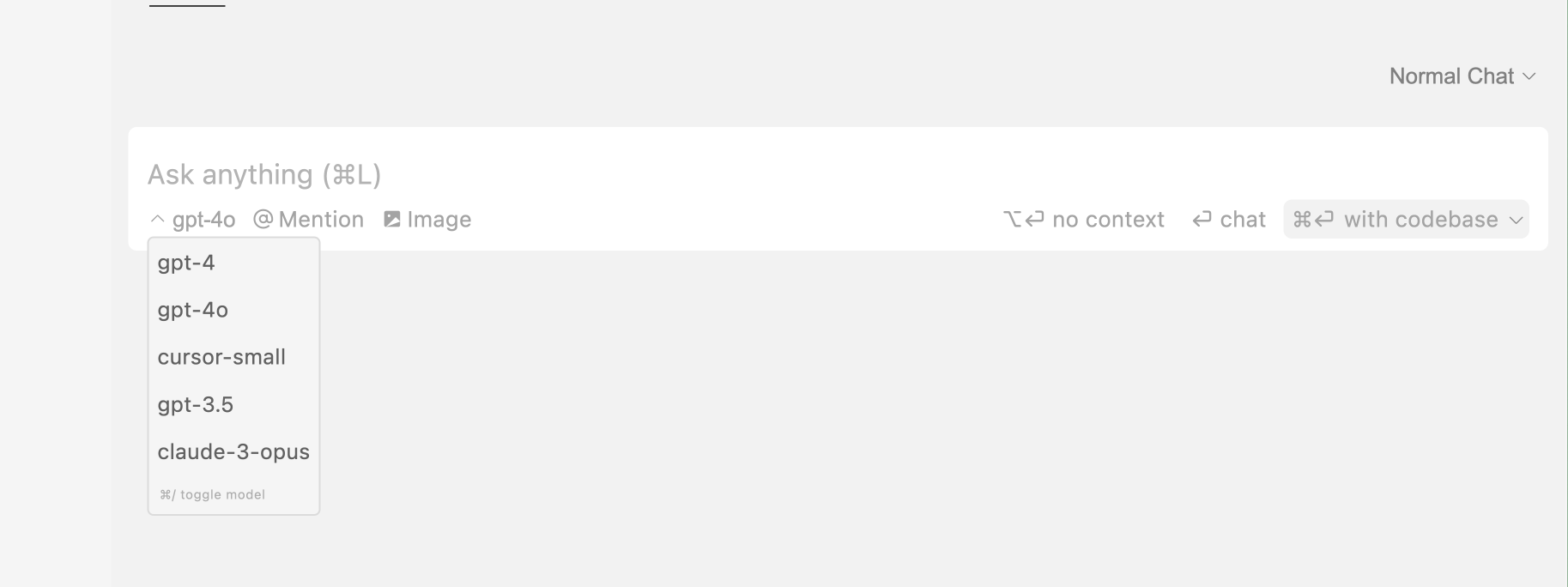
Pick your preferred AI model through the model toggle, and Cursor Chat will use that model to generate responses. You can toggle between models by pressing Ctrl/⌘ /.
By default, Cursor Chat uses OpenAI's GPT-4 for its AI model (specifically, the gpt-4 label points to our instance of GPT4-Turbo).
The AI model you choose for Chat will be saved for future sessions, so you don't have to change it every time you open Cursor Chat.
Settings
You can customize Cursor chat in Cursor Settings > Features > Chat.
These settings include:
- Always search web for answers
- This makes the AI model search the web for up-to-date information on each query.
- Add chat fade-in animation
- This adds a smooth animation when AI messages are generated.
- No context by default
- This makes the AI model only use your message as context, without including additional context like the current file.
- Auto-scroll chat
- This scrolls the chat automatically when AI generates text and you're at the end of the thread.
- Thin scrollbar in chat area
- Show chat history when starting new chat