توليد توثيق الكود في Cursor: دليل شامل
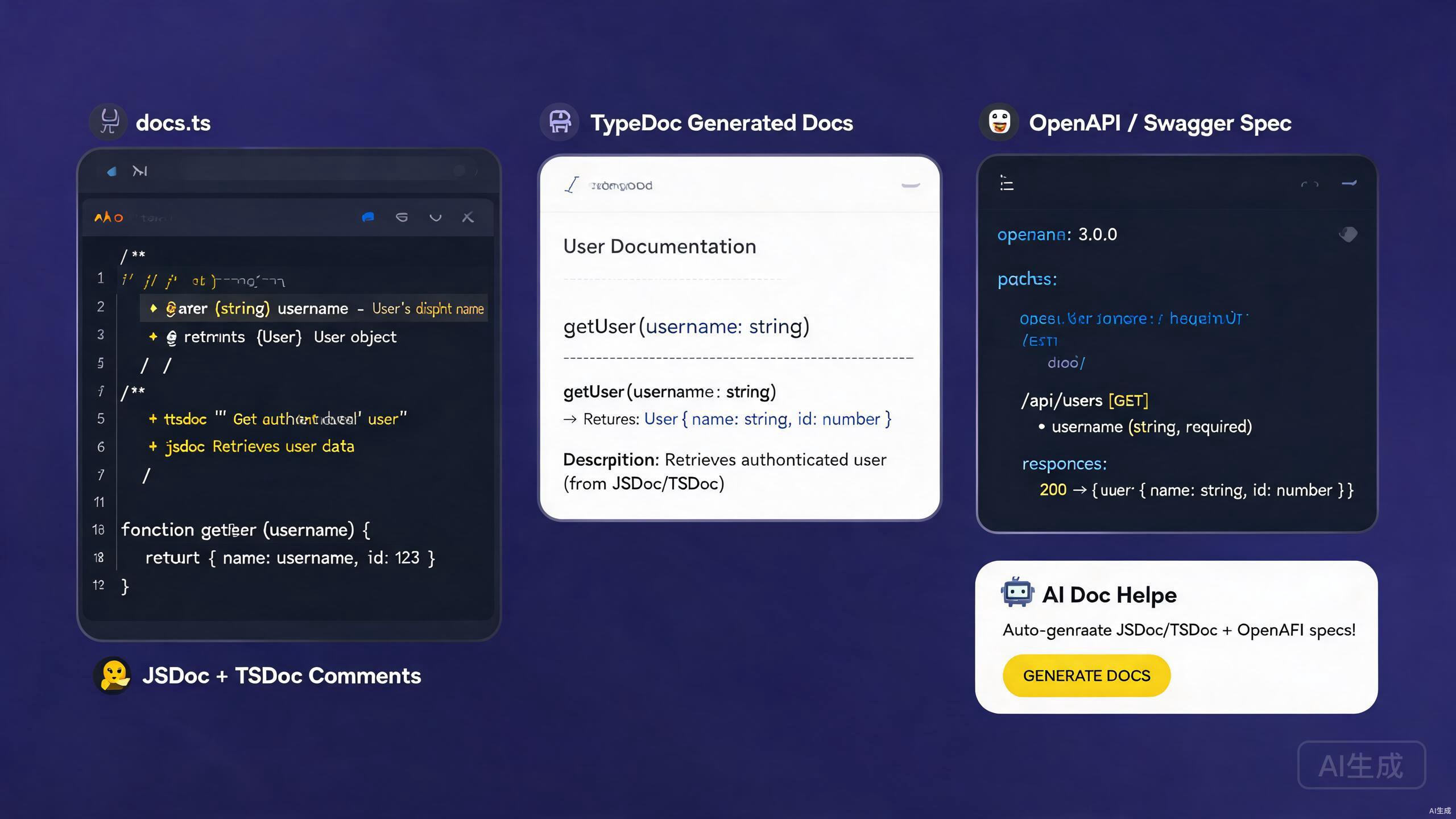
التوثيق الجيد هو الجسر بين الكود والأشخاص الذين يستخدمونه — سواء كانوا مطورين زملاء، أو مستهلكين لواجهة برمجة التطبيقات (API)، أو أنت في المستقبل. يشمل التوثيق التعليقات المضمّنة، ومراجع الـ API، وتعليقات الأنواع، والأدلة المستقلة. يُعد Cursor، بمساعده الذكي بالذكاء الاصطناعي ونظام الإضافات الغني، بيئةً متميزةً لتأليف وصيانة التوثيق. يمكنه توليد تعليقات JSDoc وTSDoc من الكود، وبناء هياكل مواصفات OpenAPI، وتصدير Markdown مصقول من قاعدة الشيفرة الحالية.
يغطي هذا الدليل سير عمل التوثيق الكامل في Cursor: كتابة JSDoc وTSDoc، وتوليد مواصفات OpenAPI/Swagger، والاستفادة من الذكاء الاصطناعي لتوليد التوثيق، وتصدير مخرجات Markdown. سواء كنت توثّق مكتبة، أو خدمة داخلية، أو واجهة برمجة تطبيقات عامة، فإن التقنيات أدناه ستساعدك على إنتاج توثيق واضح ودقيق وقابل للصيانة.
إعداد أدوات التوثيق في Cursor
الإضافات الأساسية
ثبّت هذه الإضافات لتعزيز عمل التوثيق في Cursor:
- Markdown All in One — اختصارات لوحة المفاتيح، وتوليد جدول المحتويات، وتحرير القوائم لملفات
.md. - Markdown Preview Enhanced — معاينة مباشرة مع الرياضيات والمخططات وتنفيذ الكود.
- Docs View — معاينة markdown جنبًا إلى جنب تتحدث أثناء الكتابة.
- OpenAPI (Swagger) Editor — التحقق من المخطط والمعاينة لـ OpenAPI YAML/JSON.
- Prettier — تنسيق متسق لـ Markdown وYAML.
توفر إضافة OpenAPI لوحة معاينة مباشرة تعرض ملف openapi.yaml الخاص بك كصفحة توثيق API تفاعلية، مشابهة لـ Redoc أو Swagger UI. يتيح لك هذا التكرار على مواصفاتك ورؤية النتيجة فورًا دون مغادرة Cursor.
هيكل المشروع للتوثيق
تخطيط مشروع ملائم للتوثيق:
project/
  ├── src/
  │   ├── index.ts
  │   ├── utils/
  │   └── handlers/
  ├── docs/
  │   ├── api/
  │   │   ├── openapi.yaml
  │   │   └── schemas/
  │   ├── guides/
  │   └── changelog.md
  ├── README.md
  └── tsconfig.json
JSDoc: توثيق كود JavaScript
صيغة JSDoc الأساسية
JSDoc هو المعيار لتوثيق كود JavaScript. يقوم الذكاء الاصطناعي في Cursor بتوليد تعليقات JSDoc تلقائيًا من توقيعات الدوال.
/**
 * Calculates the total price of items in a cart, applying any discount.
 *
 * @param {Array<{price: number, quantity: number}>} items - The cart items.
 * @param {number} [discount=0] - Optional discount rate between 0 and 1.
 * @returns {number} The total price after discount.
 * @throws {Error} If any item has a negative price.
 * @example
 * const total = calculateTotal([
 *   { price: 10, quantity: 2 },
 *   { price: 5, quantity: 1 },
 * ], 0.1);
 * // returns 22.5
 */
function calculateTotal(items, discount = 0) {
  if (items.some((item) => item.price < 0)) {
    throw new Error('Item price cannot be negative');
  }
  const subtotal = items.reduce(
    (sum, item) => sum + item.price * item.quantity,
    0
  );
  return subtotal * (1 - discount);
}
يقرأ IntelliSense في Cursor تعليقات JSDoc ويعرضها في تلميحات التمرير، واقتراحات الإكمال التلقائي، ومساعدة التوقيعات. تجعل تعليقات JSDoc الجيدة مشروع JavaScript يبدو آمنًا من ناحية الأنواع كما لو كان TypeScript بالنسبة للمستهلكين.
توثيق الفئات والوحدات
/**
 * Represents a shopping cart.
 *
 * @class Cart
 */
class Cart {
  /**
   * @private
   * @type {Array<{id: string, name: string, price: number, qty: number}>}
   */
  #items = [];

  /**
   * Adds a product to the cart.
   *
   * @param {string} id - Unique product identifier.
   * @param {string} name - Product display name.
   * @param {number} price - Unit price in USD.
   * @param {number} [qty=1] - Quantity to add.
   * @returns {void}
   * @fires Cart#itemAdded
   */
  add(id, name, price, qty = 1) {
    this.#items.push({ id, name, price, qty });
    /**
     * Item added event.
     *
     * @event Cart#itemAdded
     * @type {object}
     * @property {string} id - The product ID.
     * @property {number} qty - The quantity added.
     */
    this.emit('itemAdded', { id, qty });
  }

  /**
   * Returns the total value of the cart.
   *
   * @returns {number} Total price of all items.
   */
  total() {
    return this.#items.reduce((sum, i) => sum + i.price * i.qty, 0);
  }
}
تعريفات الأنواع المخصصة
عرّف الأنواع القابلة لإعادة الاستخدام باستخدام @typedef:
/**
 * @typedef {Object} Product
 * @property {string} id - Unique identifier.
 * @property {string} name - Display name.
 * @property {number} price - Unit price in USD.
 * @property {string[]} [tags] - Optional categorization tags.
 */

/**
 * @typedef {Object} CartItem
 * @property {Product} product - The product reference.
 * @property {number} qty - Quantity in the cart.
 */

/**
 * Creates a cart item from a product.
 * @param {Product} product - The product.
 * @param {number} qty - The quantity.
 * @returns {CartItem}
 */
function toCartItem(product, qty) {
  return { product, qty };
}
يجب أن تظهر تعريفات @typedef في JSDoc قبل الإشارة إليها. ضع الأنواع المشتركة في ملف types.js واحد واستخدم @see أو الاستيرادات للإشارة إليها عبر الوحدات. يؤدي خلط الموضع إلى عرض IntelliSense لـ "any" بدلاً من النوع الصحيح.
TSDoc: توثيق كود TypeScript
TSDoc مقابل JSDoc
TSDoc هو نسخة من JSDoc معيارية لـ TypeScript. يستخدم نفس صيغة التعليقات لكنه يركز على وصف الأنواع المُعلنة بالفعل في توقيعات TypeScript، لذا فهو يحذف تعليقات نوع @param الزائدة.
/**
 * Calculates the total price of items in a cart, applying any discount.
 *
 * @param items - The cart items.
 * @param discount - Optional discount rate between 0 and 1. Default is 0.
 * @returns The total price after discount.
 * @throws {Error} If any item has a negative price.
 *
 * @example
 * ```ts
 * const total = calculateTotal(
 *   [{ price: 10, quantity: 2 }, { price: 5, quantity: 1 }],
 *   0.1
 * );
 * ```
 */
function calculateTotal(
  items: Array<{ price: number; quantity: number }>,
  discount = 0
): number {
  if (items.some((item) => item.price < 0)) {
    throw new Error('Item price cannot be negative');
  }
  const subtotal = items.reduce(
    (sum, item) => sum + item.price * item.quantity,
    0
  );
  return subtotal * (1 - discount);
}
في TypeScript، أنواع المعلمات موجودة بالفعل في التوقيع. تكرارها في @param بصيغة {number} أمر زائد ويخلق انجرافًا. استخدم أسلوب TSDoc — صف المعنى، لا النوع.
توثيق الواجهات والأنواع
/**
 * Configuration options for the HTTP client.
 */
interface HttpClientOptions {
  /** Base URL prepended to all relative request paths. */
  baseUrl: string;

  /** Default timeout in milliseconds. Defaults to 30000. */
  timeout?: number;

  /** Maximum number of automatic retries on 5xx responses. */
  retries?: number;

  /** Custom headers applied to every request. */
  headers?: Record<string, string>;
}

/**
 * A typed HTTP client with retry and timeout support.
 *
 * @example
 * ```ts
 * const client = new HttpClient({ baseUrl: 'https://api.example.com' });
 * const data = await client.get<User>('/users/1');
 * ```
 */
class HttpClient {
  /**
   * @param options - Configuration for the client.
   */
  constructor(private options: HttpClientOptions) {}

  /**
   * Performs a GET request.
   *
   * @typeParam T - The expected response type.
   * @param path - The request path, relative to baseUrl.
   * @returns A promise resolving to the parsed response body.
   * @throws {HttpError} On non-2xx responses after retries.
   */
  async get<T>(path: string): Promise<T> {
    // implementation
    return {} as T;
  }
}
استخدام إضافة TSDoc
ثبّت إضافة TSDoc لدعم المقاطع والتحقق. توفر:
- مقاطع لـ
@paramو@returnsو@throwsو@example. - فحص لوسوم TSDoc غير الصحيحة.
- التوليد التلقائي لهياكل التعليقات من توقيعات TypeScript.
اكتب الأحرف /** فوق تعريف دالة واضغط Enter. يقوم Cursor (المدعوم بخادم لغة TypeScript) بتوليد هيكل TSDoc تلقائيًا مع عناصر @param و@returns النائبة لكل معلمة.
OpenAPI وSwagger
ما هو OpenAPI؟
OpenAPI (الاسم السابق Swagger) هو مواصفات المعيار الصناعي لوصف واجهات REST API. يوثّق ملف openapi.yaml واحد كل نقطة نهاية، ونص الطلب، ومخطط الاستجابة، وطريقة المصادقة، مما يمكّن من التوليد التلقائي لـ SDKs العملاء، والتوثيق التفاعلي، واختبارات العقد.
كتابة مواصفة OpenAPI
# docs/api/openapi.yaml
openapi: 3.1.0
info:
title: User Service API
version: 1.0.0
description: |
REST API for managing users in the application.
Supports CRUD operations and role-based access control.
contact:
name: API Support
license:
name: MIT
url: https://opensource.org/licenses/MIT
servers:
- url: https://api.example.com/v1
description: Production
- url: https://staging-api.example.com/v1
description: Staging
components:
securitySchemes:
bearerAuth:
type: http
scheme: bearer
bearerFormat: JWT
schemas:
User:
type: object
required: [id, name, email]
properties:
id:
type: string
format: uuid
description: Unique user identifier.
name:
type: string
minLength: 1
maxLength: 100
description: Display name.
email:
type: string
format: email
description: Email address.
age:
type: integer
minimum: 0
description: User age.
createdAt:
type: string
format: date-time
readOnly: true
description: ISO 8601 timestamp of creation.
CreateUserRequest:
type: object
required: [name, email]
properties:
name:
type: string
minLength: 1
email:
type: string
format: email
age:
type: integer
minimum: 0
Error:
type: object
properties:
message:
type: string
code:
type: string
paths:
/users:
get:
summary: List users
description: Returns a paginated list of users.
security:
- bearerAuth: []
parameters:
- name: page
in: query
schema:
type: integer
minimum: 1
default: 1
- name: limit
in: query
schema:
type: integer
minimum: 1
maximum: 100
default: 20
responses:
'200':
description: A paginated list of users.
content:
application/json:
schema:
type: object
properties:
data:
type: array
items:
$ref: '#/components/schemas/User'
total:
type: integer
page:
type: integer
'401':
description: Unauthorized.
content:
application/json:
schema:
$ref: '#/components/schemas/Error'
post:
summary: Create a user
security:
- bearerAuth: []
requestBody:
required: true
content:
application/json:
schema:
$ref: '#/components/schemas/CreateUserRequest'
responses:
'201':
description: User created.
content:
application/json:
schema:
$ref: '#/components/schemas/User'
'400':
description: Validation error.
content:
application/json:
schema:
$ref: '#/components/schemas/Error'
/users/{id}:
get:
summary: Get a user by ID
parameters:
- name: id
in: path
required: true
schema:
type: string
format: uuid
responses:
'200':
description: The user.
content:
application/json:
schema:
$ref: '#/components/schemas/User'
'404':
description: User not found.
delete:
summary: Delete a user
security:
- bearerAuth: []
parameters:
- name: id
in: path
required: true
schema:
type: string
format: uuid
responses:
'204':
description: User deleted.
'403':
description: Forbidden.
تعرض إضافة OpenAPI في Cursor ملف YAML هذا كمعاينة تفاعلية. انقر على أي نقطة نهاية لتوسيع معلماتها واستجاباتها، واستخدم زر "Try it out" لإرسال طلبات مباشرة من المحرر.
توليد OpenAPI من الكود
لتطبيقات Express، استخدم swagger-jsdoc لاستخراج OpenAPI من تعليقات JSDoc التوضيحية:
npm install swagger-jsdoc swagger-ui-express
// src/swagger.ts
import swaggerJsdoc from 'swagger-jsdoc';
import { writeFileSync } from 'fs';

const options = {
  definition: {
    openapi: '3.1.0',
    info: {
      title: 'User Service API',
      version: '1.0.0',
    },
  },
  apis: ['./src/routes/*.ts'],
};

const spec = swaggerJsdoc(options);
writeFileSync('./docs/api/openapi.json', JSON.stringify(spec, null, 2));
أضف التعليقات التوضيحية إلى مساراتك:
/**
 * @openapi
 * /users/{id}:
 *   get:
 *     summary: Get a user by ID
 *     parameters:
 *       - name: id
 *         in: path
 *         required: true
 *         schema:
 *           type: string
 *     responses:
 *       200:
 *         description: The user.
 */
router.get('/users/:id', getUserById);
ينحرف توليد OpenAPI المبني على الكود عن التنفيذ الفعلي عندما يغيّر المطورون المسارات دون تحديث التعليقات التوضيحية. شغّل اختبار عقد (باستخدام Dredd أو Schemathesis) في CI لرصد الانحراف مبكرًا.
التحقق من مواصفات OpenAPI
ثبّت @redocly/cli للفحص والتجميع:
npm install -D @redocly/cli
npx redocly lint docs/api/openapi.yaml
أضف خطوة CI:
- name: Validate OpenAPI spec
  run: npx redocly lint docs/api/openapi.yaml
توليد التوثيق بمساعدة الذكاء الاصطناعي
توليد JSDoc وTSDoc من الكود
يتفوق الذكاء الاصطناعي في Cursor على إنتاج تعليقات التوثيق من الكود الموجود. حدّد دالة، اضغط Ctrl+K، واستخدم الموجه التالي:
Generate TSDoc for this function. Include @param descriptions,
@returns, @throws, and an @example with a realistic code snippet.
يقرأ Cursor التوقيع وينتج تعليقًا كاملًا. راجع المخرجات للتحقق من الدقة، ثم اقبلها.
للتوليد بالجملة، حدد ملفًا كاملًا واطلب من Cursor "إضافة تعليقات TSDoc إلى كل دالة وفئة مُصدَّرة." يعالج الذكاء الاصطناعي كل تعريف بدوره، مما يوفر عليك دقائق من الكتابة اليدوية.
توليد OpenAPI من ملفات المسارات
اطلب من Cursor مع فتح ملف مسار:
Generate an OpenAPI 3.1 specification fragment for all the routes in
this file. Include request bodies, response schemas, query parameters,
and security requirements. Output as YAML.
يحلل الذكاء الاصطناعي كل معالج مسار وينتج كائن مسار OpenAPI مقابلًا. ادمج المخرجات في ملف openapi.yaml الرئيسي.
توثيق المنطق المعقد
للخوارزميات ذات السلوك غير الواضح، اطلب من Cursor كتابة تعليقات توضيحية:
Explain the retry-with-exponential-backoff logic in this function.
Add an inline comment above each step describing why it is necessary,
and a block comment summarizing the algorithm at the top.
توليد ملفات README
اطلب من Cursor توليد README للمشروع من قاعدة الشيفرة الخاصة بك:
Read the package.json, src/index.ts, and the docs/ folder. Generate a
README.md with: project title and description, installation instructions,
usage examples, API reference summary, configuration options, and a
contributing guide. Use badges for CI status and license.
تصدير Markdown ومواقع التوثيق
توليد مخرجات TypeDoc
ينتج TypeDoc مرجع API بصيغة HTML من TypeScript:
npm install -D typedoc
// typedoc.json
{
  "entryPoints": ["src/index.ts"],
  "out": "docs/api/reference",
  "theme": "default",
  "excludePrivate": true,
  "excludeInternal": true,
  "readme": "none",
  "githubPages": false
}
شغّله:
npx typedoc
يحترم TypeDoc تعليقات TSDoc. كلما كانت تعليقات TSDoc أغنى، كان المرجع المُولَّد أكثر فائدة. أضف كتل @example إلى كل دالة عامة لكي يتضمن التوثيق كودًا قابلًا للنسخ.
التصدير إلى Markdown
لموقع توثيق قائم على Markdown (متوافق مع Docusaurus أو VitePress أو MkDocs)، استخدم typedoc-plugin-markdown:
npm install -D typedoc typedoc-plugin-markdown
// typedoc.json
{
  "entryPoints": ["src/index.ts"],
  "out": "docs/api/markdown",
  "plugin": ["typedoc-plugin-markdown"],
  "readme": "none"
}
المخرجات عبارة عن مجموعة من ملفات .md، ملف واحد لكل وحدة، يمكنك إسقاطها مباشرة في موقع توثيق.
بناء موقع Docusaurus
npx create-docusaurus@latest my-docs classic
cd my-docs
npm install --save @docusaurus/preset-classic
أضف Markdown المُولَّد إلى docs/ وقم بتكوين الشريط الجانبي:
// sidebars.js
module.exports = {
  docs: [
    {
      type: 'category',
      label: 'API Reference',
      items: [
        'api/markdown/index',
        'api/markdown/modules/HttpClient',
        'api/markdown/modules/Cart',
      ],
    },
    {
      type: 'category',
      label: 'Guides',
      items: ['guides/getting-started', 'guides/configuration'],
    },
  ],
};
تصدير OpenAPI إلى Markdown
استخدم redoc-cli لتصدير مواصفة OpenAPI إلى صفحة HTML مستقلة:
npx redoc-cli build docs/api/openapi.yaml --output docs/api/index.html
لمخرجات Markdown، استخدم widdershins:
npm install -g widdershins
widdershins docs/api/openapi.yaml -o docs/api/markdown/api.md
مخرجات Widdershins مطولة. راجع وقم بتقليص Markdown المُولَّد، خاصة الأمثلة وجداول المخططات، للحفاظ على توثيقك قابلًا للقراءة. يمكن للذكاء الاصطناعي في Cursor تلخيص المخرجات: الصقها واطلب "لخّص توثيق واجهة برمجة التطبيقات هذا إلى صفحة مرجعية موجزة."
أفضل ممارسات التوثيق في Cursor
أبقِ التعليقات قريبة من الكود
التوثيق الذي يبتعد عن الكود يصبح قديمًا. فضّل TSDoc المضمّن على صفحات Wiki المنفصلة لمراجع API. استخدم Markdown الخارجي فقط للأدلة والدروس التي تمتد عبر وحدات متعددة.
وثّق القصد، لا التنفيذ
// BAD — restates the code
/** Sets i to i + 1 */
function increment(i: number): number {
  return i + 1;
}

// GOOD — explains why
/**
 * Increments a counter, wrapping at MAX_SAFE_INTEGER to prevent overflow.
 * Used by the rate limiter to count requests per window.
 */
function increment(i: number): number {
  return i === Number.MAX_SAFE_INTEGER ? 0 : i + 1;
}
استخدم الأمثلة بكثرة
يجب أن تمتلك كل دالة عامة كتلة @example واحدة على الأقل. تعمل الأمثلة كاختبارات قابلة للتنفيذ أيضًا عند استخدام أدوات مثل doctest أو doctest-ts.
حافظ على تحديث سجل التغييرات
حافظ على CHANGELOG.md باتباع اصطلاحات Keep a Changelog. يمكن للذكاء الاصطناعي في Cursor توليد إدخالات من رسائل الالتزام:
Read the git log since the last release tag and generate a CHANGELOG.md
entry following the Keep a Changelog format. Group changes into Added,
Changed, Fixed, and Removed sections.
فرض تحديثات سجل التغييرات في CI باستخدام أداة مثل changesets أو danger.js. فشل البناء عند غياب إدخال سجل التغييرات يبقي التوثيق صادقًا.
تحقق من الروابط
الروابط المعطوبة تُضعف الثقة في التوثيق. استخدم مدقق روابط في CI:
npx markdown-link-check docs/**/*.md
المزالق الشائعة وكيفية تجنبها
التوثيق القديم
أكثر مشاكل التوثيق شيوعًا هو الانحراف بين الكود والوثائق. خفّف من ذلك عبر:
- توليد مرجع API من الكود (TypeDoc، OpenAPI).
- تشغيل اختبارات العقد في CI.
- مراجعة التوثيق كجزء من قائمة فحص طلب السحب.
لا تقم أبدًا بتعطيل أداة فحص أو اختبار عقد فاشل بتعليق "أصلح التوثيق لاحقًا". التوثيق القديم أسوأ من عدم وجود توثيق لأنه يضلّل القرّاء بفعالية.
الإفراط في توثيق الكود البسيط
ليست كل سطر بحاجة إلى تعليق. وثّق:
- واجهات API العامة والدوال المُصدَّرة.
- الخوارزميات والقواعد التجارية غير الواضحة.
- الحلول البديلة والقيود المعروفة.
تخطَّ التعليقات لـ getters وsetters والأسطر الفردية الواضحة بذاتها.
التنسيق غير المتسق
تنسيق TSDoc غير المتسق يجعل التوثيق يبدو غير احترافي. ثبّت أداة تنسيق:
// .vscode/settings.json
{
  "editor.formatOnSave": true,
  "editor.defaultFormatter": "esbenp.prettier-vscode",
  "[markdown]": {
    "editor.wordWrap": "on"
  }
}
تجاهل الجمهور
اكتب التوثيق للقارئ، لا للمؤلف. مستهلك API لا يحتاج إلى معرفة هياكل البيانات الداخلية — بل يحتاج إلى أمثلة الطلب/الاستجابة، وتفاصيل المصادقة، وإرشادات معالجة الأخطاء. خصّص كل وثيقة لجمهورها المقصود.
عند توليد التوثيق بالذكاء الاصطناعي في Cursor، حدّد الجمهور في الموجه: "ولّد توثيق واجهة برمجة تطبيقات موجّهًا لمطوري الواجهة الأمامية الذين يدمجون مع هذه الخدمة لأول مرة." يضبط الذكاء الاصطناعي النبرة ومستوى التفاصيل وتعقيد الأمثلة وفقًا لذلك.
الخلاصة
Cursor بيئة قوية لتوليد وصيانة توثيق الكود. يوفر JSDoc وTSDoc توثيقًا مضمّنًا ومدركًا لـ IntelliSense لـ JavaScript وTypeScript. تصف مواصفات OpenAPI/Swagger واجهات REST API بشكل شامل وتُمكّن من المعاينات التفاعلية وتوليد العملاء واختبارات العقد. يسرّع مساعد الذكاء الاصطناعي في Cursor كل خطوة — توليد التعليقات من الكود، وبناء هياكل مواصفات OpenAPI، وتصدير مخرجات Markdown. ابدأ بتثبيت إضافات التوثيق، ووثّق واجهات API العامة بـ TSDoc، وابنِ هيكل مواصفة OpenAPI لنقاط نهاية REST لديك، ودع الذكاء الاصطناعي في Cursor يتولى التأليف المتكرر بينما تركز على الوضوح والدقة وتجربة قرّائك.