Cursor에서 코드 문서 생성: 완전한 가이드
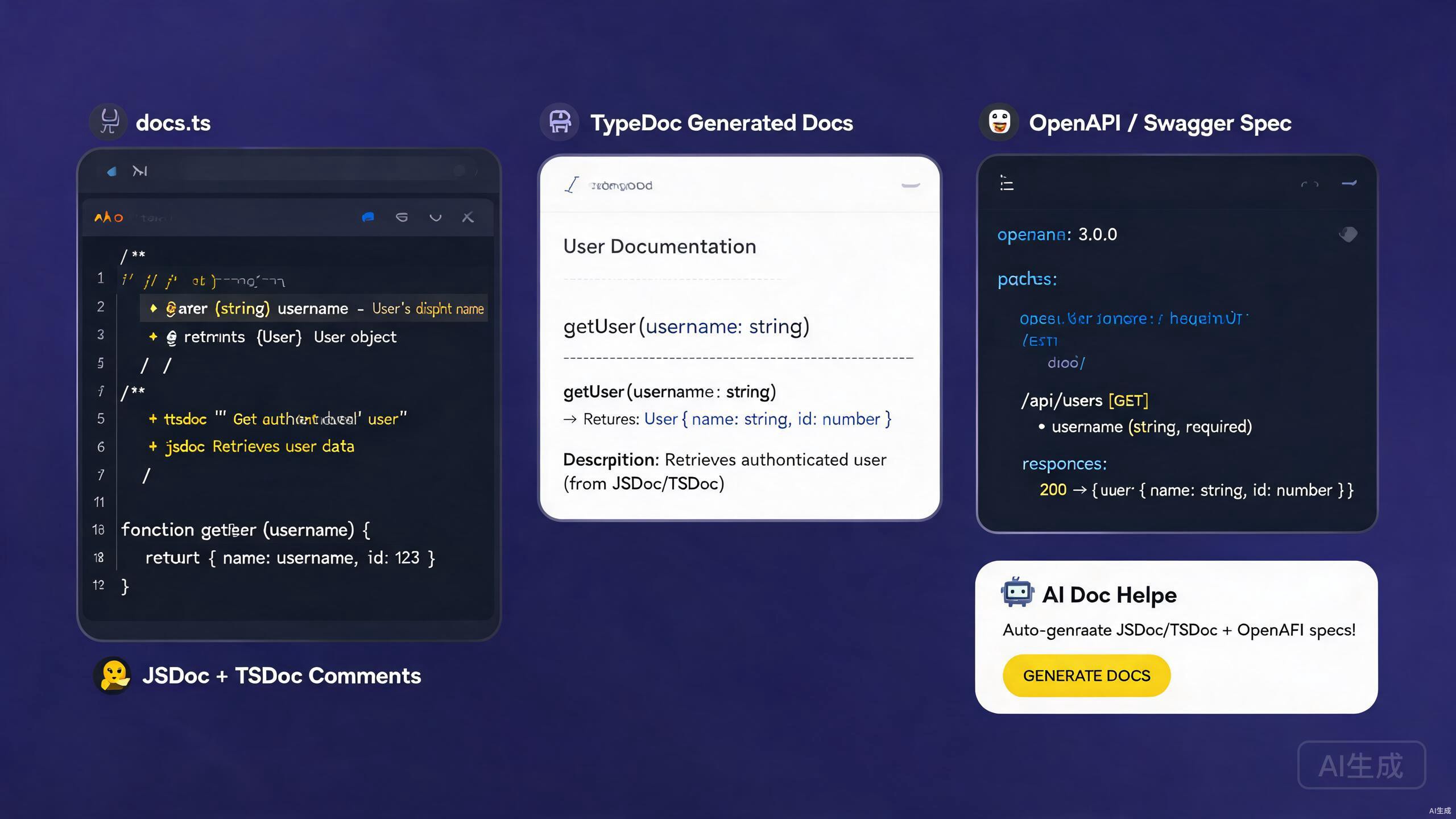
좋은 문서화는 코드와 이를 사용하는 사람들 — 동료 개발자, API 사용자, 미래의 자기 자신 — 사이의 다리입니다. 문서화는 인라인 주석, API 참조, 타입 어노테이션, 독립적인 가이드를 아우릅니다. Cursor는 AI 어시스턴트와 풍부한 확장 프로그램 생태계를 갖추고 있어 문서화 작성 및 유지 관리에 탁월한 환경입니다. 코드에서 JSDoc 및 TSDoc 주석을 생성하고, OpenAPI 사양을 스캐폴드하며, 기존 코드베이스에서 세련된 Markdown을 내보낼 수 있습니다.
이 가이드는 Cursor의 전체 문서화 워크플로우를 다룹니다: JSDoc 및 TSDoc 작성, OpenAPI/Swagger 사양 생성, 문서화 생성을 위한 AI 활용, Markdown 결과물 내보내기. 라이브러리, 내부 서비스 또는 공개 API를 문서화하든 관계없이 아래 기술은 명확하고 정확하며 유지 관리 가능한 문서를 작성하는 데 도움이 됩니다.
Cursor에서 문서화 도구 설정
필수 확장 프로그램
Cursor에서 문서화 작업을 강화하려면 다음 확장 프로그램을 설치하세요:
- Markdown All in One —
.md파일용 키보드 단축키, TOC 생성, 목록 편집. - Markdown Preview Enhanced — 수식, 다이어그램, 코드 실행이 포함된 실시간 미리보기.
- Docs View — 입력할 때 업데이트되는 나란히 보기 마크다운 미리보기.
- OpenAPI (Swagger) Editor — OpenAPI YAML/JSON용 스키마 검증 및 미리보기.
- Prettier — Markdown 및 YAML의 일관된 서식.
OpenAPI 확장 프로그램은 openapi.yaml을 Redoc이나 Swagger UI와 유사한 대화형 API 문서 페이지로 렌더링하는 실시간 미리보기 창을 제공합니다. 이를 통해 사양을 반복 작업하면서 Cursor를 떠나지 않고도 결과를 즉시 확인할 수 있습니다.
문서화를 위한 프로젝트 구조
문서화 친화적인 프로젝트 레이아웃:
project/
  ├── src/
  │   ├── index.ts
  │   ├── utils/
  │   └── handlers/
  ├── docs/
  │   ├── api/
  │   │   ├── openapi.yaml
  │   │   └── schemas/
  │   ├── guides/
  │   └── changelog.md
  ├── README.md
  └── tsconfig.json
JSDoc: JavaScript 코드 문서화
기본 JSDoc 구문
JSDoc은 JavaScript 코드를 문서화하는 표준입니다. Cursor의 AI는 함수 시그니처에서 JSDoc 주석을 자동으로 생성합니다.
/**
 * Calculates the total price of items in a cart, applying any discount.
 *
 * @param {Array<{price: number, quantity: number}>} items - The cart items.
 * @param {number} [discount=0] - Optional discount rate between 0 and 1.
 * @returns {number} The total price after discount.
 * @throws {Error} If any item has a negative price.
 * @example
 * const total = calculateTotal([
 *   { price: 10, quantity: 2 },
 *   { price: 5, quantity: 1 },
 * ], 0.1);
 * // returns 22.5
 */
function calculateTotal(items, discount = 0) {
  if (items.some((item) => item.price < 0)) {
    throw new Error('Item price cannot be negative');
  }
  const subtotal = items.reduce(
    (sum, item) => sum + item.price * item.quantity,
    0
  );
  return subtotal * (1 - discount);
}
Cursor의 IntelliSense는 JSDoc 주석을 읽고 호버 툴팁, 자동 완성 제안, 시그니처 도움말에 표시합니다. 잘 작성된 JSDoc은 JavaScript 프로젝트를 사용자에게 TypeScript만큼 타입 안전하게 느껴지게 합니다.
클래스 및 모듈 문서화
/**
 * Represents a shopping cart.
 *
 * @class Cart
 */
class Cart {
  /**
   * @private
   * @type {Array<{id: string, name: string, price: number, qty: number}>}
   */
  #items = [];

  /**
   * Adds a product to the cart.
   *
   * @param {string} id - Unique product identifier.
   * @param {string} name - Product display name.
   * @param {number} price - Unit price in USD.
   * @param {number} [qty=1] - Quantity to add.
   * @returns {void}
   * @fires Cart#itemAdded
   */
  add(id, name, price, qty = 1) {
    this.#items.push({ id, name, price, qty });
    /**
     * Item added event.
     *
     * @event Cart#itemAdded
     * @type {object}
     * @property {string} id - The product ID.
     * @property {number} qty - The quantity added.
     */
    this.emit('itemAdded', { id, qty });
  }

  /**
   * Returns the total value of the cart.
   *
   * @returns {number} Total price of all items.
   */
  total() {
    return this.#items.reduce((sum, i) => sum + i.price * i.qty, 0);
  }
}
사용자 정의 타입 정의
@typedef로 재사용 가능한 타입을 정의하세요:
/**
 * @typedef {Object} Product
 * @property {string} id - Unique identifier.
 * @property {string} name - Display name.
 * @property {number} price - Unit price in USD.
 * @property {string[]} [tags] - Optional categorization tags.
 */

/**
 * @typedef {Object} CartItem
 * @property {Product} product - The product reference.
 * @property {number} qty - Quantity in the cart.
 */

/**
 * Creates a cart item from a product.
 * @param {Product} product - The product.
 * @param {number} qty - The quantity.
 * @returns {CartItem}
 */
function toCartItem(product, qty) {
  return { product, qty };
}
JSDoc @typedef 정의는 참조되기 전에 나타나야 합니다. 공유 타입을 단일 types.js 파일에 배치하고 @see 또는 import를 사용하여 모듈 간에 참조하세요. 배치를 혼합하면 IntelliSense가 올바른 타입 대신 "any"를 표시합니다.
TSDoc: TypeScript 코드 문서화
TSDoc vs JSDoc
TSDoc은 TypeScript에 맞게 표준화된 JSDoc의 한 형태입니다. 동일한 주석 구문을 사용하지만 이미 TypeScript 시그니처에 선언된 타입을 설명하는 데 중점을 두므로 중복되는 @param 타입 어노테이션을 생략합니다.
/**
 * Calculates the total price of items in a cart, applying any discount.
 *
 * @param items - The cart items.
 * @param discount - Optional discount rate between 0 and 1. Default is 0.
 * @returns The total price after discount.
 * @throws {Error} If any item has a negative price.
 *
 * @example
 * ```ts
 * const total = calculateTotal(
 *   [{ price: 10, quantity: 2 }, { price: 5, quantity: 1 }],
 *   0.1
 * );
 * ```
 */
function calculateTotal(
  items: Array<{ price: number; quantity: number }>,
  discount = 0
): number {
  if (items.some((item) => item.price < 0)) {
    throw new Error('Item price cannot be negative');
  }
  const subtotal = items.reduce(
    (sum, item) => sum + item.price * item.quantity,
    0
  );
  return subtotal * (1 - discount);
}
TypeScript에서는 매개변수 타입이 이미 시그니처에 있습니다. @param에 {number}로 반복하는 것은 중복적이며 드리프트를 발생시킵니다. TSDoc 스타일을 사용하세요 — 타입이 아닌 의미를 설명하세요.
인터페이스 및 타입 문서화
/**
 * Configuration options for the HTTP client.
 */
interface HttpClientOptions {
  /** Base URL prepended to all relative request paths. */
  baseUrl: string;

  /** Default timeout in milliseconds. Defaults to 30000. */
  timeout?: number;

  /** Maximum number of automatic retries on 5xx responses. */
  retries?: number;

  /** Custom headers applied to every request. */
  headers?: Record<string, string>;
}

/**
 * A typed HTTP client with retry and timeout support.
 *
 * @example
 * ```ts
 * const client = new HttpClient({ baseUrl: 'https://api.example.com' });
 * const data = await client.get<User>('/users/1');
 * ```
 */
class HttpClient {
  /**
   * @param options - Configuration for the client.
   */
  constructor(private options: HttpClientOptions) {}

  /**
   * Performs a GET request.
   *
   * @typeParam T - The expected response type.
   * @param path - The request path, relative to baseUrl.
   * @returns A promise resolving to the parsed response body.
   * @throws {HttpError} On non-2xx responses after retries.
   */
  async get<T>(path: string): Promise<T> {
    // implementation
    return {} as T;
  }
}
TSDoc 확장 프로그램 사용
스니펫 지원과 검증을 위해 TSDoc 확장 프로그램을 설치하세요. 다음을 제공합니다:
@param,@returns,@throws,@example용 스니펫.- 잘못된 형식의 TSDoc 태그 린팅.
- TypeScript 시그니처에서 주석 스텁 자동 생성.
함수 선언 위에 /** 문자를 입력하고 Enter를 누르세요. Cursor(TypeScript 언어 서버 기반)가 각 매개변수에 대해 @param 및 @returns 자리 표시자가 포함된 TSDoc 스텁을 자동 생성합니다.
OpenAPI 및 Swagger
OpenAPI란?
OpenAPI(이전 Swagger)는 REST API를 설명하는 업계 표준 사양입니다. 단일 openapi.yaml 파일이 모든 엔드포인트, 요청 본문, 응답 스키마, 인증 방법을 문서화하여 클라이언트 SDK, 대화형 문서, 계약 테스트의 자동 생성을 가능하게 합니다.
OpenAPI 사양 작성
# docs/api/openapi.yaml
openapi: 3.1.0
info:
title: User Service API
version: 1.0.0
description: |
REST API for managing users in the application.
Supports CRUD operations and role-based access control.
contact:
name: API Support
license:
name: MIT
url: https://opensource.org/licenses/MIT
servers:
- url: https://api.example.com/v1
description: Production
- url: https://staging-api.example.com/v1
description: Staging
components:
securitySchemes:
bearerAuth:
type: http
scheme: bearer
bearerFormat: JWT
schemas:
User:
type: object
required: [id, name, email]
properties:
id:
type: string
format: uuid
description: Unique user identifier.
name:
type: string
minLength: 1
maxLength: 100
description: Display name.
email:
type: string
format: email
description: Email address.
age:
type: integer
minimum: 0
description: User age.
createdAt:
type: string
format: date-time
readOnly: true
description: ISO 8601 timestamp of creation.
CreateUserRequest:
type: object
required: [name, email]
properties:
name:
type: string
minLength: 1
email:
type: string
format: email
age:
type: integer
minimum: 0
Error:
type: object
properties:
message:
type: string
code:
type: string
paths:
/users:
get:
summary: List users
description: Returns a paginated list of users.
security:
- bearerAuth: []
parameters:
- name: page
in: query
schema:
type: integer
minimum: 1
default: 1
- name: limit
in: query
schema:
type: integer
minimum: 1
maximum: 100
default: 20
responses:
'200':
description: A paginated list of users.
content:
application/json:
schema:
type: object
properties:
data:
type: array
items:
$ref: '#/components/schemas/User'
total:
type: integer
page:
type: integer
'401':
description: Unauthorized.
content:
application/json:
schema:
$ref: '#/components/schemas/Error'
post:
summary: Create a user
security:
- bearerAuth: []
requestBody:
required: true
content:
application/json:
schema:
$ref: '#/components/schemas/CreateUserRequest'
responses:
'201':
description: User created.
content:
application/json:
schema:
$ref: '#/components/schemas/User'
'400':
description: Validation error.
content:
application/json:
schema:
$ref: '#/components/schemas/Error'
/users/{id}:
get:
summary: Get a user by ID
parameters:
- name: id
in: path
required: true
schema:
type: string
format: uuid
responses:
'200':
description: The user.
content:
application/json:
schema:
$ref: '#/components/schemas/User'
'404':
description: User not found.
delete:
summary: Delete a user
security:
- bearerAuth: []
parameters:
- name: id
in: path
required: true
schema:
type: string
format: uuid
responses:
'204':
description: User deleted.
'403':
description: Forbidden.
Cursor의 OpenAPI 확장 프로그램은 이 YAML을 대화형 미리보기로 렌더링합니다. 엔드포인트를 클릭하여 매개변수와 응답을 확장하고, "Try it out" 버튼을 사용하여 편집기에서 직접 라이브 요청을 보내세요.
코드에서 OpenAPI 생성
Express 애플리케이션의 경우 swagger-jsdoc을 사용하여 JSDoc 어노테이션에서 OpenAPI를 추출하세요:
npm install swagger-jsdoc swagger-ui-express
// src/swagger.ts
import swaggerJsdoc from 'swagger-jsdoc';
import { writeFileSync } from 'fs';

const options = {
  definition: {
    openapi: '3.1.0',
    info: {
      title: 'User Service API',
      version: '1.0.0',
    },
  },
  apis: ['./src/routes/*.ts'],
};

const spec = swaggerJsdoc(options);
writeFileSync('./docs/api/openapi.json', JSON.stringify(spec, null, 2));
라우트에 어노테이션을 추가하세요:
/**
 * @openapi
 * /users/{id}:
 *   get:
 *     summary: Get a user by ID
 *     parameters:
 *       - name: id
 *         in: path
 *         required: true
 *         schema:
 *           type: string
 *     responses:
 *       200:
 *         description: The user.
 */
router.get('/users/:id', getUserById);
코드 우선 OpenAPI 생성은 개발자가 어노테이션을 업데이트하지 않고 라우트를 변경할 때 실제 구현과 어긋납니다. CI에서 계약 테스트(Dredd 또는 Schemathesis 사용)를 실행하여 드리프트를 조기에 발견하세요.
OpenAPI 사양 검증
린팅 및 번들을 위해 @redocly/cli를 설치하세요:
npm install -D @redocly/cli
npx redocly lint docs/api/openapi.yaml
CI 단계를 추가하세요:
- name: Validate OpenAPI spec
  run: npx redocly lint docs/api/openapi.yaml
AI 지원 문서 생성
코드에서 JSDoc 및 TSDoc 생성
Cursor의 AI는 기존 코드에서 문서 주석을 생성하는 데 탁월합니다. 함수를 선택하고 Ctrl+K를 누른 후 다음 프롬프트를 입력하세요:
Generate TSDoc for this function. Include @param descriptions,
@returns, @throws, and an @example with a realistic code snippet.
Cursor가 시그니처를 읽고 완전한 주석을 생성합니다. 정확성을 검토한 후 수락하세요.
대량 생성을 위해 전체 파일을 선택하고 Cursor에게 "모든 내보낸 함수와 클래스에 TSDoc 주석을 추가"하라고 지시하세요. AI가 각 선언을 차례로 처리하여 수동 타이핑에 소요되는 시간을 절약해 줍니다.
라우트 파일에서 OpenAPI 생성
라우트 파일을 열어둔 상태에서 Cursor에게 다음 프롬프트를 입력하세요:
Generate an OpenAPI 3.1 specification fragment for all the routes in
this file. Include request bodies, response schemas, query parameters,
and security requirements. Output as YAML.
AI가 각 라우트 핸들러를 분석하고 해당하는 OpenAPI 경로 객체를 생성합니다. 출력을 메인 openapi.yaml에 병합하세요.
복잡한 로직 문서화
명확하지 않은 동작을 가진 알고리즘의 경우 Cursor에게 설명 주석을 작성하도록 요청하세요:
Explain the retry-with-exponential-backoff logic in this function.
Add an inline comment above each step describing why it is necessary,
and a block comment summarizing the algorithm at the top.
README 파일 생성
Cursor에게 코드베이스에서 프로젝트 README를 생성하도록 요청하세요:
Read the package.json, src/index.ts, and the docs/ folder. Generate a
README.md with: project title and description, installation instructions,
usage examples, API reference summary, configuration options, and a
contributing guide. Use badges for CI status and license.
Markdown 내보내기 및 문서 사이트
TypeDoc 출력 생성
TypeDoc은 TypeScript에서 API 참조 HTML을 생성합니다:
npm install -D typedoc
// typedoc.json
{
  "entryPoints": ["src/index.ts"],
  "out": "docs/api/reference",
  "theme": "default",
  "excludePrivate": true,
  "excludeInternal": true,
  "readme": "none",
  "githubPages": false
}
실행하세요:
npx typedoc
TypeDoc은 TSDoc 주석을 존중합니다. TSDoc이 풍부할수록 생성된 참조가 더 유용합니다. 문서에 복사 가능한 코드가 포함되도록 모든 공개 함수에 @example 블록을 추가하세요.
Markdown으로 내보내기
Markdown 기반 문서 사이트(Docusaurus, VitePress 또는 MkDocs와 호환)를 위해 typedoc-plugin-markdown을 사용하세요:
npm install -D typedoc typedoc-plugin-markdown
// typedoc.json
{
  "entryPoints": ["src/index.ts"],
  "out": "docs/api/markdown",
  "plugin": ["typedoc-plugin-markdown"],
  "readme": "none"
}
출력은 모듈당 하나씩 .md 파일의 집합이며, 문서 사이트에 바로 추가할 수 있습니다.
Docusaurus 사이트 구축
npx create-docusaurus@latest my-docs classic
cd my-docs
npm install --save @docusaurus/preset-classic
생성된 Markdown을 docs/에 추가하고 사이드바를 구성하세요:
// sidebars.js
module.exports = {
  docs: [
    {
      type: 'category',
      label: 'API Reference',
      items: [
        'api/markdown/index',
        'api/markdown/modules/HttpClient',
        'api/markdown/modules/Cart',
      ],
    },
    {
      type: 'category',
      label: 'Guides',
      items: ['guides/getting-started', 'guides/configuration'],
    },
  ],
};
OpenAPI를 Markdown으로 내보내기
redoc-cli를 사용하여 OpenAPI 사양을 독립형 HTML 페이지로 내보내세요:
npx redoc-cli build docs/api/openapi.yaml --output docs/api/index.html
Markdown 출력을 원하면 widdershins를 사용하세요:
npm install -g widdershins
widdershins docs/api/openapi.yaml -o docs/api/markdown/api.md
Widdershins 출력은 장황합니다. 문서를 읽기 쉽게 유지하려면 생성된 Markdown, 특히 예제와 스키마 표를 검토하고 다듬으세요. Cursor의 AI가 출력을 요약할 수 있습니다: 붙여넣고 "이 API 문서를 간결한 참조 페이지로 압축하세요"라고 프롬프트를 입력하세요.
Cursor에서의 문서화 모범 사례
주석을 코드 가까이 유지
코드에서 멀리 떨어진 문서는 오래됩니다. API 참조에는 별도의 위키 페이지보다 인라인 TSDoc을 선호하세요. 여러 모듈에 걸친 가이드와 튜토리얼에만 외부 Markdown을 사용하세요.
구현이 아닌 의도를 문서화
// BAD — restates the code
/** Sets i to i + 1 */
function increment(i: number): number {
  return i + 1;
}

// GOOD — explains why
/**
 * Increments a counter, wrapping at MAX_SAFE_INTEGER to prevent overflow.
 * Used by the rate limiter to count requests per window.
 */
function increment(i: number): number {
  return i === Number.MAX_SAFE_INTEGER ? 0 : i + 1;
}
예제를 적극적으로 사용
모든 공개 함수에는 최소한 하나의 @example 블록이 있어야 합니다. doctest나 doctest-ts 같은 도구를 사용하면 예제가 실행 가능한 테스트로도 작용합니다.
변경 이력 최신 유지
Keep a Changelog 관례에 따라 CHANGELOG.md를 유지하세요. Cursor의 AI는 커밋 메시지에서 항목을 생성할 수 있습니다:
Read the git log since the last release tag and generate a CHANGELOG.md
entry following the Keep a Changelog format. Group changes into Added,
Changed, Fixed, and Removed sections.
changesets나 danger.js 같은 도구로 CI에서 변경 이력 업데이트를 강제하세요. 변경 이력 항목이 누락되었을 때 빌드가 실패하면 문서를 정직하게 유지할 수 있습니다.
링크 검증
깨진 링크는 문서에 대한 신뢰를 훼손합니다. CI에서 링크 검사기를 사용하세요:
npx markdown-link-check docs/**/*.md
일반적인 함정과 피하는 방법
오래된 문서
가장 흔한 문서 문제는 코드와 문서 간의 드리프트입니다. 다음으로 완화하세요:
- 코드에서 API 참조 생성(TypeDoc, OpenAPI).
- CI에서 계약 테스트 실행.
- 풀 리퀘스트 체크리스트의 일부로 문서 검토.
"문서는 나중에 수정"이라는 주석으로 실패하는 린터나 계약 테스트를 비활성화하지 마세요. 오래된 문서는 독자를 적극적으로 오도하기 때문에 문서가 없는 것보다 더 나쁩니다.
사소한 코드 과잉 문서화
모든 줄에 주석이 필요한 것은 아닙니다. 다음을 문서화하세요:
- 공개 API 및 내보낸 함수.
- 명확하지 않은 알고리즘과 비즈니스 규칙.
- 우회 방법과 알려진 제한 사항.
자명한 getter, setter, 한 줄짜리 코드에는 주석을 생략하세요.
일관되지 않은 서식
일관되지 않은 TSDoc 서식은 문서를 비전문적으로 보이게 합니다. 포매터를 고정하세요:
// .vscode/settings.json
{
  "editor.formatOnSave": true,
  "editor.defaultFormatter": "esbenp.prettier-vscode",
  "[markdown]": {
    "editor.wordWrap": "on"
  }
}
대상 독자 무시
작성자가 아닌 독자를 위해 문서를 작성하세요. API 사용자는 내부 데이터 구조를 알 필요가 없습니다 — 그들에게는 요청/응답 예제, 인증 세부 정보, 오류 처리 안내가 필요합니다. 각 문서를 의도된 대상 독자에 맞게 조정하세요.
Cursor의 AI로 문서를 생성할 때 프롬프트에서 대상 독자를 명시하세요: "이 서비스를 처음 통합하는 프론트엔드 개발자를 대상으로 API 문서를 생성하세요." AI가 톤, 세부 수준, 예제 복잡도를 그에 맞게 조정합니다.
요약
Cursor는 코드 문서를 생성하고 유지 관리하는 강력한 환경입니다. JSDoc과 TSDoc은 JavaScript 및 TypeScript용 인라인, IntelliSense 인식 문서를 제공합니다. OpenAPI/Swagger 사양은 REST API를 포괄적으로 설명하며 대화형 미리보기, 클라이언트 생성, 계약 테스트를 가능하게 합니다. Cursor의 AI 어시스턴트는 모든 단계를 가속화합니다 — 코드에서 주석 생성, OpenAPI 사양 스캐폴드, Markdown 결과물 내보내기. 문서화 확장 프로그램을 설치하고, 공개 API를 TSDoc으로 문서화하고, REST 엔드포인트용 OpenAPI 사양을 스캐폴드하여 시작하세요. 그런 다음 명확성, 정확성, 독자 경험에 집중하는 동안 반복적인 작성 작업은 Cursor의 AI에 맡기세요.