在 Cursor 中生成代码文档:完整指南
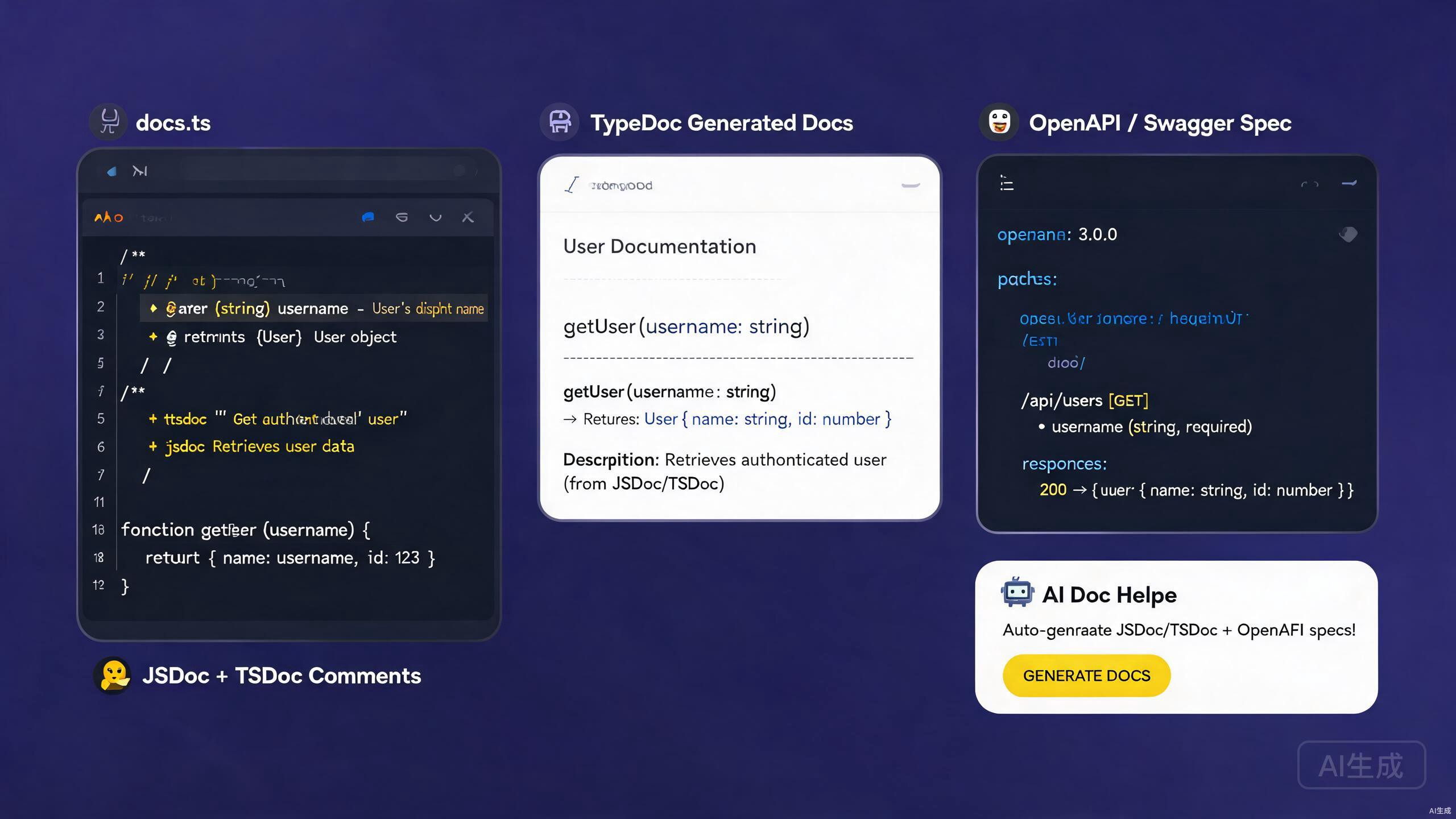
好的文档是连接代码和使用者的桥梁——无论他们是同事、API 消费者还是未来的你。文档涵盖内联注释、API 参考、类型注解和独立指南。Cursor 凭借其 AI 助手和丰富的扩展生态系统,是编写和维护文档的出色环境。它可以从代码生成 JSDoc 和 TSDoc 注释,搭建 OpenAPI 规范,并从现有代码库导出精美的 Markdown。
本指南涵盖在 Cursor 中的完整文档工作流:编写 JSDoc 和 TSDoc、生成 OpenAPI/Swagger 规范、利用 AI 生成文档,以及导出 Markdown 交付物。无论你是为库、内部服务还是公共 API 编写文档,以下技巧都将帮助你生成清晰、准确且可维护的文档。
在 Cursor 中设置文档工具
必备扩展
安装这些扩展以增强 Cursor 中的文档工作:
- Markdown All in One —
.md文件的快捷键、目录生成和列表编辑。 - Markdown Preview Enhanced — 带数学公式、图表和代码执行的实时预览。
- Docs View — 边输入边更新的并排 Markdown 预览。
- OpenAPI (Swagger) Editor — OpenAPI YAML/JSON 的架构验证和预览。
- Prettier — Markdown 和 YAML 的一致格式化。
OpenAPI 扩展提供实时预览面板,将你的 openapi.yaml 渲染为交互式 API 文档页面,类似于 Redoc 或 Swagger UI。这让你可以迭代规范并即时查看结果,而无需离开 Cursor。
文档友好的项目结构
适合文档的项目布局:
project/
  ├── src/
  │   ├── index.ts
  │   ├── utils/
  │   └── handlers/
  ├── docs/
  │   ├── api/
  │   │   ├── openapi.yaml
  │   │   └── schemas/
  │   ├── guides/
  │   └── changelog.md
  ├── README.md
  └── tsconfig.json
JSDoc:记录 JavaScript 代码
基本 JSDoc 语法
JSDoc 是记录 JavaScript 代码的标准。Cursor 的 AI 可以自动从函数签名生成 JSDoc 注释。
/**
 * Calculates the total price of items in a cart, applying any discount.
 *
 * @param {Array<{price: number, quantity: number}>} items - The cart items.
 * @param {number} [discount=0] - Optional discount rate between 0 and 1.
 * @returns {number} The total price after discount.
 * @throws {Error} If any item has a negative price.
 * @example
 * const total = calculateTotal([
 *   { price: 10, quantity: 2 },
 *   { price: 5, quantity: 1 },
 * ], 0.1);
 * // returns 22.5
 */
function calculateTotal(items, discount = 0) {
  if (items.some((item) => item.price < 0)) {
    throw new Error('Item price cannot be negative');
  }
  const subtotal = items.reduce(
    (sum, item) => sum + item.price * item.quantity,
    0
  );
  return subtotal * (1 - discount);
}
Cursor 的 IntelliSense 会读取 JSDoc 注释,并在悬停提示、自动补全建议和签名帮助中显示它们。编写良好的 JSDoc 让 JavaScript 项目对使用者来说感觉像 TypeScript 一样类型安全。
记录类和模块
/**
 * Represents a shopping cart.
 *
 * @class Cart
 */
class Cart {
  /**
   * @private
   * @type {Array<{id: string, name: string, price: number, qty: number}>}
   */
  #items = [];

  /**
   * Adds a product to the cart.
   *
   * @param {string} id - Unique product identifier.
   * @param {string} name - Product display name.
   * @param {number} price - Unit price in USD.
   * @param {number} [qty=1] - Quantity to add.
   * @returns {void}
   * @fires Cart#itemAdded
   */
  add(id, name, price, qty = 1) {
    this.#items.push({ id, name, price, qty });
    /**
     * Item added event.
     *
     * @event Cart#itemAdded
     * @type {object}
     * @property {string} id - The product ID.
     * @property {number} qty - The quantity added.
     */
    this.emit('itemAdded', { id, qty });
  }

  /**
   * Returns the total value of the cart.
   *
   * @returns {number} Total price of all items.
   */
  total() {
    return this.#items.reduce((sum, i) => sum + i.price * i.qty, 0);
  }
}
自定义类型定义
使用 @typedef 定义可复用的类型:
/**
 * @typedef {Object} Product
 * @property {string} id - Unique identifier.
 * @property {string} name - Display name.
 * @property {number} price - Unit price in USD.
 * @property {string[]} [tags] - Optional categorization tags.
 */

/**
 * @typedef {Object} CartItem
 * @property {Product} product - The product reference.
 * @property {number} qty - Quantity in the cart.
 */

/**
 * Creates a cart item from a product.
 * @param {Product} product - The product.
 * @param {number} qty - The quantity.
 * @returns {CartItem}
 */
function toCartItem(product, qty) {
  return { product, qty };
}
JSDoc @typedef 定义必须出现在引用之前。将共享类型放在单个 types.js 文件中,并使用 @see 或导入在模块间引用它们。位置混乱会导致 IntelliSense 显示 "any" 而非正确类型。
TSDoc:记录 TypeScript 代码
TSDoc 与 JSDoc 的区别
TSDoc 是为 TypeScript 标准化的 JSDoc 变体。它使用相同的注释语法,但专注于描述已在 TypeScript 签名中声明的类型,因此省略了冗余的 @param 类型注解。
/**
 * Calculates the total price of items in a cart, applying any discount.
 *
 * @param items - The cart items.
 * @param discount - Optional discount rate between 0 and 1. Default is 0.
 * @returns The total price after discount.
 * @throws {Error} If any item has a negative price.
 *
 * @example
 * ```ts
 * const total = calculateTotal(
 *   [{ price: 10, quantity: 2 }, { price: 5, quantity: 1 }],
 *   0.1
 * );
 * ```
 */
function calculateTotal(
  items: Array<{ price: number; quantity: number }>,
  discount = 0
): number {
  if (items.some((item) => item.price < 0)) {
    throw new Error('Item price cannot be negative');
  }
  const subtotal = items.reduce(
    (sum, item) => sum + item.price * item.quantity,
    0
  );
  return subtotal * (1 - discount);
}
在 TypeScript 中,参数类型已在签名中。在 @param 中重复为 {number} 是冗余的且会产生偏差。使用 TSDoc 风格——描述含义,而非类型。
记录接口和类型
/**
 * Configuration options for the HTTP client.
 */
interface HttpClientOptions {
  /** Base URL prepended to all relative request paths. */
  baseUrl: string;

  /** Default timeout in milliseconds. Defaults to 30000. */
  timeout?: number;

  /** Maximum number of automatic retries on 5xx responses. */
  retries?: number;

  /** Custom headers applied to every request. */
  headers?: Record<string, string>;
}

/**
 * A typed HTTP client with retry and timeout support.
 *
 * @example
 * ```ts
 * const client = new HttpClient({ baseUrl: 'https://api.example.com' });
 * const data = await client.get<User>('/users/1');
 * ```
 */
class HttpClient {
  /**
   * @param options - Configuration for the client.
   */
  constructor(private options: HttpClientOptions) {}

  /**
   * Performs a GET request.
   *
   * @typeParam T - The expected response type.
   * @param path - The request path, relative to baseUrl.
   * @returns A promise resolving to the parsed response body.
   * @throws {HttpError} On non-2xx responses after retries.
   */
  async get<T>(path: string): Promise<T> {
    // implementation
    return {} as T;
  }
}
使用 TSDoc 扩展
安装 TSDoc 扩展以获得片段支持和验证。它提供:
@param、@returns、@throws、@example的片段。- 格式错误的 TSDoc 标签的 lint 检查。
- 从 TypeScript 签名自动生成注释存根。
在函数声明上方输入 /** 并按 Enter。Cursor(由 TypeScript 语言服务器驱动)会自动生成 TSDoc 存根,为每个参数包含 @param 和 @returns 占位符。
OpenAPI 和 Swagger
什么是 OpenAPI?
OpenAPI(前身为 Swagger)是描述 REST API 的行业标准规范。单个 openapi.yaml 文件记录每个端点、请求体、响应架构和认证方法,支持自动生成客户端 SDK、交互式文档和契约测试。
编写 OpenAPI 规范
# docs/api/openapi.yaml
openapi: 3.1.0
info:
title: User Service API
version: 1.0.0
description: |
REST API for managing users in the application.
Supports CRUD operations and role-based access control.
contact:
name: API Support
license:
name: MIT
url: https://opensource.org/licenses/MIT
servers:
- url: https://api.example.com/v1
description: Production
- url: https://staging-api.example.com/v1
description: Staging
components:
securitySchemes:
bearerAuth:
type: http
scheme: bearer
bearerFormat: JWT
schemas:
User:
type: object
required: [id, name, email]
properties:
id:
type: string
format: uuid
description: Unique user identifier.
name:
type: string
minLength: 1
maxLength: 100
description: Display name.
email:
type: string
format: email
description: Email address.
age:
type: integer
minimum: 0
description: User age.
createdAt:
type: string
format: date-time
readOnly: true
description: ISO 8601 timestamp of creation.
CreateUserRequest:
type: object
required: [name, email]
properties:
name:
type: string
minLength: 1
email:
type: string
format: email
age:
type: integer
minimum: 0
Error:
type: object
properties:
message:
type: string
code:
type: string
paths:
/users:
get:
summary: List users
description: Returns a paginated list of users.
security:
- bearerAuth: []
parameters:
- name: page
in: query
schema:
type: integer
minimum: 1
default: 1
- name: limit
in: query
schema:
type: integer
minimum: 1
maximum: 100
default: 20
responses:
'200':
description: A paginated list of users.
content:
application/json:
schema:
type: object
properties:
data:
type: array
items:
$ref: '#/components/schemas/User'
total:
type: integer
page:
type: integer
'401':
description: Unauthorized.
content:
application/json:
schema:
$ref: '#/components/schemas/Error'
post:
summary: Create a user
security:
- bearerAuth: []
requestBody:
required: true
content:
application/json:
schema:
$ref: '#/components/schemas/CreateUserRequest'
responses:
'201':
description: User created.
content:
application/json:
schema:
$ref: '#/components/schemas/User'
'400':
description: Validation error.
content:
application/json:
schema:
$ref: '#/components/schemas/Error'
/users/{id}:
get:
summary: Get a user by ID
parameters:
- name: id
in: path
required: true
schema:
type: string
format: uuid
responses:
'200':
description: The user.
content:
application/json:
schema:
$ref: '#/components/schemas/User'
'404':
description: User not found.
delete:
summary: Delete a user
security:
- bearerAuth: []
parameters:
- name: id
in: path
required: true
schema:
type: string
format: uuid
responses:
'204':
description: User deleted.
'403':
description: Forbidden.
Cursor 中的 OpenAPI 扩展将此 YAML 渲染为交互式预览。点击任何端点以展开其参数和响应,并使用"Try it out"按钮直接从编辑器发送实时请求。
从代码生成 OpenAPI
对于 Express 应用程序,使用 swagger-jsdoc 从 JSDoc 注释中提取 OpenAPI:
npm install swagger-jsdoc swagger-ui-express
// src/swagger.ts
import swaggerJsdoc from 'swagger-jsdoc';
import { writeFileSync } from 'fs';

const options = {
  definition: {
    openapi: '3.1.0',
    info: {
      title: 'User Service API',
      version: '1.0.0',
    },
  },
  apis: ['./src/routes/*.ts'],
};

const spec = swaggerJsdoc(options);
writeFileSync('./docs/api/openapi.json', JSON.stringify(spec, null, 2));
为你的路由添加注解:
/**
 * @openapi
 * /users/{id}:
 *   get:
 *     summary: Get a user by ID
 *     parameters:
 *       - name: id
 *         in: path
 *         required: true
 *         schema:
 *           type: string
 *     responses:
 *       200:
 *         description: The user.
 */
router.get('/users/:id', getUserById);
代码优先的 OpenAPI 生成会在开发者更改路由而不更新注释时偏离实际实现。在 CI 中运行契约测试(使用 Dredd 或 Schemathesis)以尽早发现偏差。
验证 OpenAPI 规范
安装 @redocly/cli 进行 lint 和打包:
npm install -D @redocly/cli
npx redocly lint docs/api/openapi.yaml
添加 CI 步骤:
- name: Validate OpenAPI spec
  run: npx redocly lint docs/api/openapi.yaml
AI 辅助文档生成
从代码生成 JSDoc 和 TSDoc
Cursor 的 AI 擅长从现有代码生成文档注释。选中一个函数,按 Ctrl+K,并提示:
Generate TSDoc for this function. Include @param descriptions,
@returns, @throws, and an @example with a realistic code snippet.
Cursor 读取签名并生成完整的注释。检查输出的准确性,然后接受。
对于批量生成,选择整个文件并提示 Cursor 为"每个导出的函数和类添加 TSDoc 注释"。AI 会依次处理每个声明,为你节省大量手动输入时间。
从路由文件生成 OpenAPI
打开路由文件后提示 Cursor:
Generate an OpenAPI 3.1 specification fragment for all the routes in
this file. Include request bodies, response schemas, query parameters,
and security requirements. Output as YAML.
AI 分析每个路由处理程序并生成对应的 OpenAPI 路径对象。将输出合并到你的主 openapi.yaml 中。
记录复杂逻辑
对于行为不明显的算法,让 Cursor 编写解释性注释:
Explain the retry-with-exponential-backoff logic in this function.
Add an inline comment above each step describing why it is necessary,
and a block comment summarizing the algorithm at the top.
生成 README 文件
提示 Cursor 从你的代码库生成项目 README:
Read the package.json, src/index.ts, and the docs/ folder. Generate a
README.md with: project title and description, installation instructions,
usage examples, API reference summary, configuration options, and a
contributing guide. Use badges for CI status and license.
Markdown 导出和文档站点
生成 TypeDoc 输出
TypeDoc 从 TypeScript 生成 API 参考 HTML:
npm install -D typedoc
// typedoc.json
{
  "entryPoints": ["src/index.ts"],
  "out": "docs/api/reference",
  "theme": "default",
  "excludePrivate": true,
  "excludeInternal": true,
  "readme": "none",
  "githubPages": false
}
运行它:
npx typedoc
TypeDoc 遵循 TSDoc 注释。你的 TSDoc 越丰富,生成的参考就越有用。为每个公共函数添加 @example 块,使文档包含可复制粘贴的代码。
导出为 Markdown
对于基于 Markdown 的文档站点(兼容 Docusaurus、VitePress 或 MkDocs),使用 typedoc-plugin-markdown:
npm install -D typedoc typedoc-plugin-markdown
// typedoc.json
{
  "entryPoints": ["src/index.ts"],
  "out": "docs/api/markdown",
  "plugin": ["typedoc-plugin-markdown"],
  "readme": "none"
}
输出是一组 .md 文件,每个模块一个,可以直接放入文档站点。
构建 Docusaurus 站点
npx create-docusaurus@latest my-docs classic
cd my-docs
npm install --save @docusaurus/preset-classic
将生成的 Markdown 添加到 docs/ 并配置侧边栏:
// sidebars.js
module.exports = {
  docs: [
    {
      type: 'category',
      label: 'API Reference',
      items: [
        'api/markdown/index',
        'api/markdown/modules/HttpClient',
        'api/markdown/modules/Cart',
      ],
    },
    {
      type: 'category',
      label: 'Guides',
      items: ['guides/getting-started', 'guides/configuration'],
    },
  ],
};
将 OpenAPI 导出为 Markdown
使用 redoc-cli 将 OpenAPI 规范导出为独立 HTML 页面:
npx redoc-cli build docs/api/openapi.yaml --output docs/api/index.html
对于 Markdown 输出,使用 widdershins:
npm install -g widdershins
widdershins docs/api/openapi.yaml -o docs/api/markdown/api.md
Widdershins 输出很冗长。检查并修剪生成的 Markdown,尤其是示例和架构表,以保持文档可读。Cursor 中的 AI 可以汇总输出:粘贴并提示"将此 API 文档精简为简洁的参考页面。"
Cursor 中的文档最佳实践
注释靠近代码
远离代码的文档会过时。对于 API 参考,优先使用内联 TSDoc 而非单独的 Wiki 页面。仅对跨多个模块的指南和教程使用外部 Markdown。
记录意图,而非实现
// BAD — restates the code
/** Sets i to i + 1 */
function increment(i: number): number {
  return i + 1;
}

// GOOD — explains why
/**
 * Increments a counter, wrapping at MAX_SAFE_INTEGER to prevent overflow.
 * Used by the rate limiter to count requests per window.
 */
function increment(i: number): number {
  return i === Number.MAX_SAFE_INTEGER ? 0 : i + 1;
}
大量使用示例
每个公共函数都应至少有一个 @example 块。当你使用 doctest 或 doctest-ts 等工具时,示例兼作可执行测试。
保持更新日志
按照 Keep a Changelog 约定维护 CHANGELOG.md。Cursor 的 AI 可以从提交消息生成条目:
Read the git log since the last release tag and generate a CHANGELOG.md
entry following the Keep a Changelog format. Group changes into Added,
Changed, Fixed, and Removed sections.
使用 changesets 或 danger.js 等工具在 CI 中强制更新日志。缺少更新日志条目时构建失败可保持文档诚实。
验证链接
损坏的链接会侵蚀对文档的信任。在 CI 中使用链接检查器:
npx markdown-link-check docs/**/*.md
常见陷阱及如何避免
过时的文档
最常见的文档问题是代码和文档之间的偏差。通过以下方式缓解:
- 从代码生成 API 参考(TypeDoc、OpenAPI)。
- 在 CI 中运行契约测试。
- 在拉取请求检查清单中将文档审查纳入其中。
永远不要以"稍后修复文档"为借口禁用失败的 linter 或契约测试。过时的文档比没有文档更糟糕,因为它会主动误导读者。
过度记录简单代码
并非每行都需要注释。记录:
- 公共 API 和导出函数。
- 不明显的算法和业务规则。
- 变通方法和已知限制。
跳过不言自明的 getter、setter 和单行代码的注释。
格式不一致
TSDoc 格式不一致使文档看起来不专业。固定一个格式化器:
// .vscode/settings.json
{
  "editor.formatOnSave": true,
  "editor.defaultFormatter": "esbenp.prettier-vscode",
  "[markdown]": {
    "editor.wordWrap": "on"
  }
}
忽略受众
为读者而非作者编写文档。API 消费者不需要了解内部数据结构——他们需要请求/响应示例、认证详情和错误处理指南。为每份文档量身定制以适应目标受众。
使用 Cursor 的 AI 生成文档时,在提示中指定受众:"生成面向首次集成此服务的前端开发者的 API 文档。"AI 会相应调整语气、细节级别和示例复杂度。
总结
Cursor 是生成和维护代码文档的强大环境。JSDoc 和 TSDoc 为 JavaScript 和 TypeScript 提供内联的、IntelliSense 感知的文档。OpenAPI/Swagger 规范全面描述 REST API,支持交互式预览、客户端生成和契约测试。Cursor 的 AI 助手加速每一步——从代码生成注释、搭建 OpenAPI 规范、导出 Markdown 交付物。首先安装文档扩展,用 TSDoc 记录公共 API,为 REST 端点搭建 OpenAPI 规范,然后让 Cursor 的 AI 处理重复的编写工作,而你专注于清晰性、准确性和读者体验。