Code Documentation Generation in Cursor: A Complete Guide
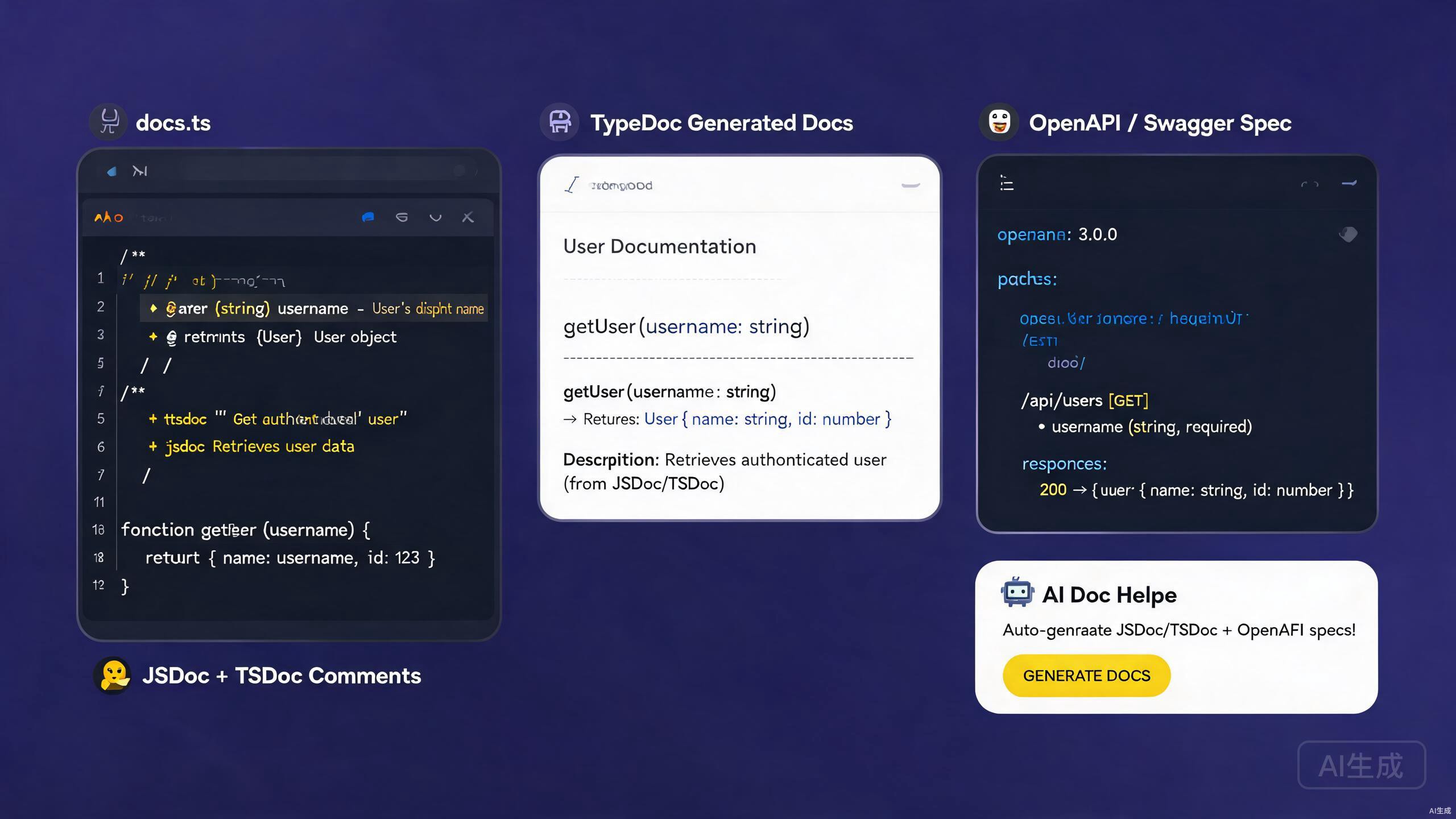
Good documentation is the bridge between code and the people who use it — whether they are fellow developers, API consumers, or future you. Documentation spans inline comments, API references, type annotations, and standalone guides. Cursor, with its AI assistant and rich extension ecosystem, is an outstanding environment for authoring and maintaining documentation. It can generate JSDoc and TSDoc comments from code, scaffold OpenAPI specifications, and export polished Markdown from your existing codebase.
This guide covers the complete documentation workflow in Cursor: writing JSDoc and TSDoc, generating OpenAPI/Swagger specs, leveraging AI for documentation generation, and exporting Markdown deliverables. Whether you are documenting a library, an internal service, or a public API, the techniques below will help you produce clear, accurate, and maintainable documentation.
Setting Up Documentation Tooling in Cursor
Essential Extensions
Install these extensions to supercharge documentation work in Cursor:
- Markdown All in One — keyboard shortcuts, TOC generation, and list editing for
.mdfiles. - Markdown Preview Enhanced — live preview with math, diagrams, and code execution.
- Docs View — side-by-side markdown preview that updates as you type.
- OpenAPI (Swagger) Editor — schema validation and preview for OpenAPI YAML/JSON.
- Prettier — consistent formatting for Markdown and YAML.
The OpenAPI extension provides a live preview pane that renders your openapi.yaml into an interactive API documentation page, similar to Redoc or Swagger UI. This lets you iterate on your spec and see the result instantly without leaving Cursor.
Project Structure for Documentation
A documentation-friendly project layout:
project/
  ├── src/
  │   ├── index.ts
  │   ├── utils/
  │   └── handlers/
  ├── docs/
  │   ├── api/
  │   │   ├── openapi.yaml
  │   │   └── schemas/
  │   ├── guides/
  │   └── changelog.md
  ├── README.md
  └── tsconfig.json
JSDoc: Documenting JavaScript Code
Basic JSDoc Syntax
JSDoc is the standard for documenting JavaScript code. Cursor's AI generates JSDoc comments from function signatures automatically.
/**
 * Calculates the total price of items in a cart, applying any discount.
 *
 * @param {Array<{price: number, quantity: number}>} items - The cart items.
 * @param {number} [discount=0] - Optional discount rate between 0 and 1.
 * @returns {number} The total price after discount.
 * @throws {Error} If any item has a negative price.
 * @example
 * const total = calculateTotal([
 *   { price: 10, quantity: 2 },
 *   { price: 5, quantity: 1 },
 * ], 0.1);
 * // returns 22.5
 */
function calculateTotal(items, discount = 0) {
  if (items.some((item) => item.price < 0)) {
    throw new Error('Item price cannot be negative');
  }
  const subtotal = items.reduce(
    (sum, item) => sum + item.price * item.quantity,
    0
  );
  return subtotal * (1 - discount);
}
Cursor's IntelliSense reads JSDoc comments and displays them in hover tooltips, autocompletion suggestions, and signature help. Well-written JSDoc makes a JavaScript project feel as type-safe as TypeScript for consumers.
Documenting Classes and Modules
/**
 * Represents a shopping cart.
 *
 * @class Cart
 */
class Cart {
  /**
   * @private
   * @type {Array<{id: string, name: string, price: number, qty: number}>}
   */
  #items = [];

  /**
   * Adds a product to the cart.
   *
   * @param {string} id - Unique product identifier.
   * @param {string} name - Product display name.
   * @param {number} price - Unit price in USD.
   * @param {number} [qty=1] - Quantity to add.
   * @returns {void}
   * @fires Cart#itemAdded
   */
  add(id, name, price, qty = 1) {
    this.#items.push({ id, name, price, qty });
    /**
     * Item added event.
     *
     * @event Cart#itemAdded
     * @type {object}
     * @property {string} id - The product ID.
     * @property {number} qty - The quantity added.
     */
    this.emit('itemAdded', { id, qty });
  }

  /**
   * Returns the total value of the cart.
   *
   * @returns {number} Total price of all items.
   */
  total() {
    return this.#items.reduce((sum, i) => sum + i.price * i.qty, 0);
  }
}
Custom Type Definitions
Define reusable types with @typedef:
/**
 * @typedef {Object} Product
 * @property {string} id - Unique identifier.
 * @property {string} name - Display name.
 * @property {number} price - Unit price in USD.
 * @property {string[]} [tags] - Optional categorization tags.
 */

/**
 * @typedef {Object} CartItem
 * @property {Product} product - The product reference.
 * @property {number} qty - Quantity in the cart.
 */

/**
 * Creates a cart item from a product.
 * @param {Product} product - The product.
 * @param {number} qty - The quantity.
 * @returns {CartItem}
 */
function toCartItem(product, qty) {
  return { product, qty };
}
JSDoc @typedef definitions must appear before they are referenced. Place shared types in a single types.js file and use @see or imports to reference them across modules. Mixing placement causes IntelliSense to show "any" instead of the proper type.
TSDoc: Documenting TypeScript Code
TSDoc vs JSDoc
TSDoc is a flavor of JSDoc standardized for TypeScript. It uses the same comment syntax but focuses on describing types that are already declared in the TypeScript signatures, so it omits redundant @param type annotations.
/**
 * Calculates the total price of items in a cart, applying any discount.
 *
 * @param items - The cart items.
 * @param discount - Optional discount rate between 0 and 1. Default is 0.
 * @returns The total price after discount.
 * @throws {Error} If any item has a negative price.
 *
 * @example
 * ```ts
 * const total = calculateTotal(
 *   [{ price: 10, quantity: 2 }, { price: 5, quantity: 1 }],
 *   0.1
 * );
 * ```
 */
function calculateTotal(
  items: Array<{ price: number; quantity: number }>,
  discount = 0
): number {
  if (items.some((item) => item.price < 0)) {
    throw new Error('Item price cannot be negative');
  }
  const subtotal = items.reduce(
    (sum, item) => sum + item.price * item.quantity,
    0
  );
  return subtotal * (1 - discount);
}
In TypeScript, the parameter types are already in the signature. Repeating them in @param as {number} is redundant and creates drift. Use TSDoc style — describe the meaning, not the type.
Documenting Interfaces and Types
/**
 * Configuration options for the HTTP client.
 */
interface HttpClientOptions {
  /** Base URL prepended to all relative request paths. */
  baseUrl: string;

  /** Default timeout in milliseconds. Defaults to 30000. */
  timeout?: number;

  /** Maximum number of automatic retries on 5xx responses. */
  retries?: number;

  /** Custom headers applied to every request. */
  headers?: Record<string, string>;
}

/**
 * A typed HTTP client with retry and timeout support.
 *
 * @example
 * ```ts
 * const client = new HttpClient({ baseUrl: 'https://api.example.com' });
 * const data = await client.get<User>('/users/1');
 * ```
 */
class HttpClient {
  /**
   * @param options - Configuration for the client.
   */
  constructor(private options: HttpClientOptions) {}

  /**
   * Performs a GET request.
   *
   * @typeParam T - The expected response type.
   * @param path - The request path, relative to baseUrl.
   * @returns A promise resolving to the parsed response body.
   * @throws {HttpError} On non-2xx responses after retries.
   */
  async get<T>(path: string): Promise<T> {
    // implementation
    return {} as T;
  }
}
Using the TSDoc Extension
Install the TSDoc extension for snippet support and validation. It provides:
- Snippets for
@param,@returns,@throws,@example. - Linting for malformed TSDoc tags.
- Auto-generation of comment stubs from TypeScript signatures.
Type the characters /** above a function declaration and press Enter. Cursor (powered by the TypeScript language server) auto-generates a TSDoc stub with @param and @returns placeholders for every parameter.
OpenAPI and Swagger
What Is OpenAPI?
OpenAPI (formerly Swagger) is the industry-standard specification for describing REST APIs. A single openapi.yaml file documents every endpoint, request body, response schema, and authentication method, enabling auto-generation of client SDKs, interactive docs, and contract testing.
Writing an OpenAPI Specification
# docs/api/openapi.yaml
openapi: 3.1.0
info:
title: User Service API
version: 1.0.0
description: |
REST API for managing users in the application.
Supports CRUD operations and role-based access control.
contact:
name: API Support
license:
name: MIT
url: https://opensource.org/licenses/MIT
servers:
- url: https://api.example.com/v1
description: Production
- url: https://staging-api.example.com/v1
description: Staging
components:
securitySchemes:
bearerAuth:
type: http
scheme: bearer
bearerFormat: JWT
schemas:
User:
type: object
required: [id, name, email]
properties:
id:
type: string
format: uuid
description: Unique user identifier.
name:
type: string
minLength: 1
maxLength: 100
description: Display name.
email:
type: string
format: email
description: Email address.
age:
type: integer
minimum: 0
description: User age.
createdAt:
type: string
format: date-time
readOnly: true
description: ISO 8601 timestamp of creation.
CreateUserRequest:
type: object
required: [name, email]
properties:
name:
type: string
minLength: 1
email:
type: string
format: email
age:
type: integer
minimum: 0
Error:
type: object
properties:
message:
type: string
code:
type: string
paths:
/users:
get:
summary: List users
description: Returns a paginated list of users.
security:
- bearerAuth: []
parameters:
- name: page
in: query
schema:
type: integer
minimum: 1
default: 1
- name: limit
in: query
schema:
type: integer
minimum: 1
maximum: 100
default: 20
responses:
'200':
description: A paginated list of users.
content:
application/json:
schema:
type: object
properties:
data:
type: array
items:
$ref: '#/components/schemas/User'
total:
type: integer
page:
type: integer
'401':
description: Unauthorized.
content:
application/json:
schema:
$ref: '#/components/schemas/Error'
post:
summary: Create a user
security:
- bearerAuth: []
requestBody:
required: true
content:
application/json:
schema:
$ref: '#/components/schemas/CreateUserRequest'
responses:
'201':
description: User created.
content:
application/json:
schema:
$ref: '#/components/schemas/User'
'400':
description: Validation error.
content:
application/json:
schema:
$ref: '#/components/schemas/Error'
/users/{id}:
get:
summary: Get a user by ID
parameters:
- name: id
in: path
required: true
schema:
type: string
format: uuid
responses:
'200':
description: The user.
content:
application/json:
schema:
$ref: '#/components/schemas/User'
'404':
description: User not found.
delete:
summary: Delete a user
security:
- bearerAuth: []
parameters:
- name: id
in: path
required: true
schema:
type: string
format: uuid
responses:
'204':
description: User deleted.
'403':
description: Forbidden.
The OpenAPI extension in Cursor renders this YAML into an interactive preview. Click any endpoint to expand its parameters and responses, and use the "Try it out" button to send live requests directly from the editor.
Generating OpenAPI from Code
For Express applications, use swagger-jsdoc to extract OpenAPI from JSDoc annotations:
npm install swagger-jsdoc swagger-ui-express
// src/swagger.ts
import swaggerJsdoc from 'swagger-jsdoc';
import { writeFileSync } from 'fs';

const options = {
  definition: {
    openapi: '3.1.0',
    info: {
      title: 'User Service API',
      version: '1.0.0',
    },
  },
  apis: ['./src/routes/*.ts'],
};

const spec = swaggerJsdoc(options);
writeFileSync('./docs/api/openapi.json', JSON.stringify(spec, null, 2));
Annotate your routes:
/**
 * @openapi
 * /users/{id}:
 *   get:
 *     summary: Get a user by ID
 *     parameters:
 *       - name: id
 *         in: path
 *         required: true
 *         schema:
 *           type: string
 *     responses:
 *       200:
 *         description: The user.
 */
router.get('/users/:id', getUserById);
Code-first OpenAPI generation drifts from the actual implementation when developers change routes without updating annotations. Run a contract test (with Dredd or Schemathesis) in CI to catch drift early.
Validating OpenAPI Specs
Install @redocly/cli for linting and bundling:
npm install -D @redocly/cli
npx redocly lint docs/api/openapi.yaml
Add a CI step:
- name: Validate OpenAPI spec
  run: npx redocly lint docs/api/openapi.yaml
AI-Assisted Documentation Generation
Generating JSDoc and TSDoc from Code
Cursor's AI excels at producing documentation comments from existing code. Highlight a function, press Ctrl+K, and prompt:
Generate TSDoc for this function. Include @param descriptions,
@returns, @throws, and an @example with a realistic code snippet.
Cursor reads the signature and produces a complete comment. Review the output for accuracy, then accept.
For bulk generation, select an entire file and prompt Cursor to "add TSDoc comments to every exported function and class." The AI processes each declaration in turn, saving you minutes of manual typing.
Generating OpenAPI from Route Files
Prompt Cursor with a route file open:
Generate an OpenAPI 3.1 specification fragment for all the routes in
this file. Include request bodies, response schemas, query parameters,
and security requirements. Output as YAML.
The AI analyzes each route handler and produces a corresponding OpenAPI path object. Merge the output into your main openapi.yaml.
Documenting Complex Logic
For algorithms with non-obvious behavior, ask Cursor to write explanatory comments:
Explain the retry-with-exponential-backoff logic in this function.
Add an inline comment above each step describing why it is necessary,
and a block comment summarizing the algorithm at the top.
Generating README Files
Prompt Cursor to generate a project README from your codebase:
Read the package.json, src/index.ts, and the docs/ folder. Generate a
README.md with: project title and description, installation instructions,
usage examples, API reference summary, configuration options, and a
contributing guide. Use badges for CI status and license.
Markdown Export and Documentation Sites
Generating TypeDoc Output
TypeDoc generates API reference HTML from TypeScript:
npm install -D typedoc
// typedoc.json
{
  "entryPoints": ["src/index.ts"],
  "out": "docs/api/reference",
  "theme": "default",
  "excludePrivate": true,
  "excludeInternal": true,
  "readme": "none",
  "githubPages": false
}
Run it:
npx typedoc
TypeDoc respects TSDoc comments. The richer your TSDoc, the more useful the generated reference. Add @example blocks to every public function so the docs include copy-pasteable code.
Exporting to Markdown
For a Markdown-based documentation site (compatible with Docusaurus, VitePress, or MkDocs), use typedoc-plugin-markdown:
npm install -D typedoc typedoc-plugin-markdown
// typedoc.json
{
  "entryPoints": ["src/index.ts"],
  "out": "docs/api/markdown",
  "plugin": ["typedoc-plugin-markdown"],
  "readme": "none"
}
The output is a set of .md files, one per module, that you can drop directly into a documentation site.
Building a Docusaurus Site
npx create-docusaurus@latest my-docs classic
cd my-docs
npm install --save @docusaurus/preset-classic
Add the generated Markdown to docs/ and configure the sidebar:
// sidebars.js
module.exports = {
  docs: [
    {
      type: 'category',
      label: 'API Reference',
      items: [
        'api/markdown/index',
        'api/markdown/modules/HttpClient',
        'api/markdown/modules/Cart',
      ],
    },
    {
      type: 'category',
      label: 'Guides',
      items: ['guides/getting-started', 'guides/configuration'],
    },
  ],
};
Exporting OpenAPI to Markdown
Use redoc-cli to export your OpenAPI spec to a standalone HTML page:
npx redoc-cli build docs/api/openapi.yaml --output docs/api/index.html
For Markdown output, use widdershins:
npm install -g widdershins
widdershins docs/api/openapi.yaml -o docs/api/markdown/api.md
Widdershins output is verbose. Review and trim the generated Markdown, especially the examples and schema tables, to keep your docs readable. AI in Cursor can summarize the output: paste it in and prompt "condense this API documentation into a concise reference page."
Documentation Best Practices in Cursor
Keep Comments Close to Code
Documentation that lives far from code goes stale. Prefer inline TSDoc over separate Wiki pages for API reference. Use external Markdown only for guides and tutorials that span multiple modules.
Document Intent, Not Implementation
// BAD — restates the code
/** Sets i to i + 1 */
function increment(i: number): number {
  return i + 1;
}

// GOOD — explains why
/**
 * Increments a counter, wrapping at MAX_SAFE_INTEGER to prevent overflow.
 * Used by the rate limiter to count requests per window.
 */
function increment(i: number): number {
  return i === Number.MAX_SAFE_INTEGER ? 0 : i + 1;
}
Use Examples Liberally
Every public function should have at least one @example block. Examples double as executable tests when you use tools like doctest or doctest-ts.
Keep the Changelog Updated
Maintain a CHANGELOG.md following Keep a Changelog conventions. Cursor's AI can generate entries from commit messages:
Read the git log since the last release tag and generate a CHANGELOG.md
entry following the Keep a Changelog format. Group changes into Added,
Changed, Fixed, and Removed sections.
Enforce changelog updates in CI with a tool like changesets or danger.js. A failing build when a changelog entry is missing keeps documentation honest.
Validate Links
Broken links erode trust in documentation. Use a link checker in CI:
npx markdown-link-check docs/**/*.md
Common Pitfalls and How to Avoid Them
Stale Documentation
The most common documentation problem is drift between code and docs. Mitigate by:
- Generating API reference from code (TypeDoc, OpenAPI).
- Running contract tests in CI.
- Reviewing documentation as part of the pull request checklist.
Never disable a failing linter or contract test with a "fix docs later" comment. Stale documentation is worse than no documentation because it actively misleads readers.
Over-Documenting Trivial Code
Not every line needs a comment. Document:
- Public APIs and exported functions.
- Non-obvious algorithms and business rules.
- Workarounds and known limitations.
Skip comments for self-explanatory getters, setters, and one-liners.
Inconsistent Formatting
Inconsistent TSDoc formatting makes docs look unprofessional. Pin a formatter:
// .vscode/settings.json
{
  "editor.formatOnSave": true,
  "editor.defaultFormatter": "esbenp.prettier-vscode",
  "[markdown]": {
    "editor.wordWrap": "on"
  }
}
Ignoring Audience
Write documentation for the reader, not the author. An API consumer does not need to know the internal data structures — they need request/response examples, authentication details, and error handling guidance. Tailor each document to its intended audience.
When generating docs with Cursor's AI, specify the audience in the prompt: "Generate API documentation aimed at frontend developers integrating with this service for the first time." The AI adjusts the tone, detail level, and example complexity accordingly.
Summary
Cursor is a powerful environment for generating and maintaining code documentation. JSDoc and TSDoc provide inline, IntelliSense-aware documentation for JavaScript and TypeScript. OpenAPI/Swagger specifications describe REST APIs comprehensively and enable interactive previews, client generation, and contract testing. Cursor's AI assistant accelerates every step — generating comments from code, scaffolding OpenAPI specs, and exporting Markdown deliverables. Start by installing the documentation extensions, document your public APIs with TSDoc, scaffold an OpenAPI spec for your REST endpoints, and let Cursor's AI handle the repetitive authoring while you focus on clarity, accuracy, and your readers' experience.