Cursor でのコードドキュメント生成:完全ガイド
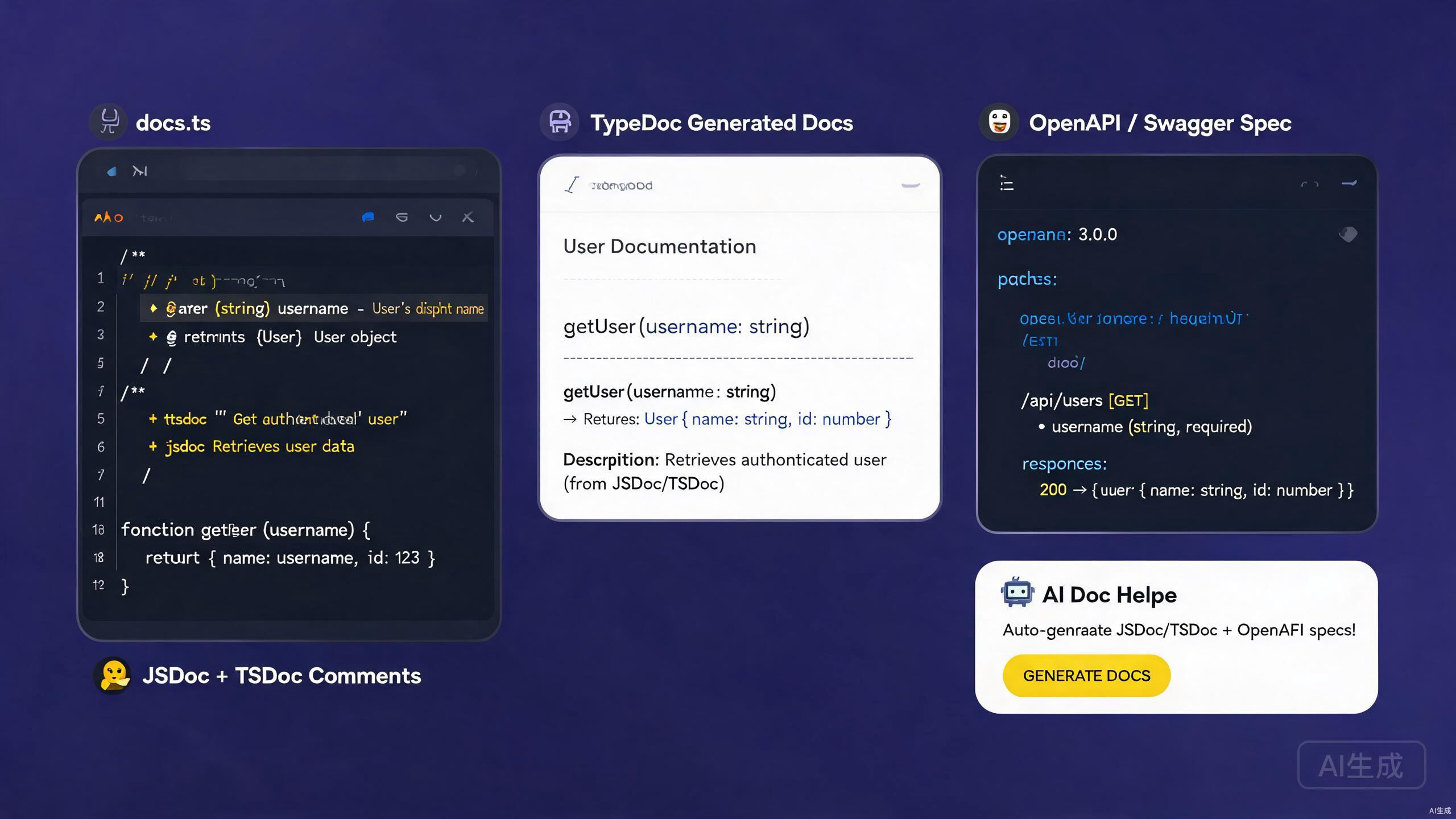
優れたドキュメントは、コードとそれを使用する人々をつなぐ架け橋です — それが同僚の開発者であれ、APIコンシューマーであれ、未来の自分であれ。ドキュメントは、インラインコメント、APIリファレンス、型注釈、スタンドアロンガイドにまたがります。Cursor は、AIアシスタントと豊富な拡張エコシステムにより、ドキュメントの作成と保守に優れた環境です。コードから JSDoc や TSDoc コメントを生成し、OpenAPI 仕様をスキャフォールドし、既存のコードベースから洗練された Markdown をエクスポートできます。
本ガイドでは、Cursor での完全なドキュメントワークフローをカバーします:JSDoc と TSDoc の作成、OpenAPI/Swagger 仕様の生成、AIを活用したドキュメント生成、Markdown成果物のエクスポート。ライブラリ、内部サービス、公開APIのいずれを文書化する場合でも、以下のテクニックは明確で正確、保守可能なドキュメントを作成するのに役立ちます。
Cursor でのドキュメントツールのセットアップ
必須の拡張機能
Cursor でのドキュメント作業を強化するために以下の拡張機能をインストールします:
- Markdown All in One —
.mdファイルのキーボードショートカット、TOC生成、リスト編集。 - Markdown Preview Enhanced — 数式、図、コード実行付きのライブプレビュー。
- Docs View — 入力に合わせて更新されるサイドバイサイドの Markdown プレビュー。
- OpenAPI (Swagger) Editor — OpenAPI YAML/JSON のスキーマ検証とプレビュー。
- Prettier — Markdown と YAML の一貫したフォーマット。
OpenAPI 拡張機能は、openapi.yaml を Redoc や Swagger UI のようなインタラクティブなAPIドキュメントページにレンダリングするライブプレビューペインを提供します。Cursor を離れることなく、仕様を反復し、結果を即座に確認できます。
ドキュメント用のプロジェクト構造
ドキュメントに適したプロジェクトレイアウト:
project/
  ├── src/
  │   ├── index.ts
  │   ├── utils/
  │   └── handlers/
  ├── docs/
  │   ├── api/
  │   │   ├── openapi.yaml
  │   │   └── schemas/
  │   ├── guides/
  │   └── changelog.md
  ├── README.md
  └── tsconfig.json
JSDoc:JavaScript コードの文書化
基本的な JSDoc 構文
JSDoc は JavaScript コードを文書化する標準です。Cursor の AI は関数シグネチャから JSDoc コメントを自動生成します。
/**
 * Calculates the total price of items in a cart, applying any discount.
 *
 * @param {Array<{price: number, quantity: number}>} items - The cart items.
 * @param {number} [discount=0] - Optional discount rate between 0 and 1.
 * @returns {number} The total price after discount.
 * @throws {Error} If any item has a negative price.
 * @example
 * const total = calculateTotal([
 *   { price: 10, quantity: 2 },
 *   { price: 5, quantity: 1 },
 * ], 0.1);
 * // returns 22.5
 */
function calculateTotal(items, discount = 0) {
  if (items.some((item) => item.price < 0)) {
    throw new Error('Item price cannot be negative');
  }
  const subtotal = items.reduce(
    (sum, item) => sum + item.price * item.quantity,
    0
  );
  return subtotal * (1 - discount);
}
Cursor の IntelliSense は JSDoc コメントを読み取り、ホバーツールチップ、自動補完の提案、シグネチャヘルプに表示します。よく書かれた JSDoc により、JavaScript プロジェクトがコンシューマーにとって TypeScript と同じように型安全に感じられます。
クラスとモジュールの文書化
/**
 * Represents a shopping cart.
 *
 * @class Cart
 */
class Cart {
  /**
   * @private
   * @type {Array<{id: string, name: string, price: number, qty: number}>}
   */
  #items = [];

  /**
   * Adds a product to the cart.
   *
   * @param {string} id - Unique product identifier.
   * @param {string} name - Product display name.
   * @param {number} price - Unit price in USD.
   * @param {number} [qty=1] - Quantity to add.
   * @returns {void}
   * @fires Cart#itemAdded
   */
  add(id, name, price, qty = 1) {
    this.#items.push({ id, name, price, qty });
    /**
     * Item added event.
     *
     * @event Cart#itemAdded
     * @type {object}
     * @property {string} id - The product ID.
     * @property {number} qty - The quantity added.
     */
    this.emit('itemAdded', { id, qty });
  }

  /**
   * Returns the total value of the cart.
   *
   * @returns {number} Total price of all items.
   */
  total() {
    return this.#items.reduce((sum, i) => sum + i.price * i.qty, 0);
  }
}
カスタム型定義
@typedef で再利用可能な型を定義します:
/**
 * @typedef {Object} Product
 * @property {string} id - Unique identifier.
 * @property {string} name - Display name.
 * @property {number} price - Unit price in USD.
 * @property {string[]} [tags] - Optional categorization tags.
 */

/**
 * @typedef {Object} CartItem
 * @property {Product} product - The product reference.
 * @property {number} qty - Quantity in the cart.
 */

/**
 * Creates a cart item from a product.
 * @param {Product} product - The product.
 * @param {number} qty - The quantity.
 * @returns {CartItem}
 */
function toCartItem(product, qty) {
  return { product, qty };
}
JSDoc の @typedef 定義は、参照される前に現れる必要があります。共有型を単一の types.js ファイルに配置し、@see またはインポートを使用してモジュール間で参照します。配置が混在すると、IntelliSense が適切な型の代わりに "any" を表示します。
TSDoc:TypeScript コードの文書化
TSDoc と JSDoc の違い
TSDoc は TypeScript 向けに標準化された JSDoc の一種です。同じコメント構文を使用しますが、TypeScript シグネチャで既に宣言されている型を記述することに焦点を当てているため、冗長な @param 型注釈を省略します。
/**
 * Calculates the total price of items in a cart, applying any discount.
 *
 * @param items - The cart items.
 * @param discount - Optional discount rate between 0 and 1. Default is 0.
 * @returns The total price after discount.
 * @throws {Error} If any item has a negative price.
 *
 * @example
 * ```ts
 * const total = calculateTotal(
 *   [{ price: 10, quantity: 2 }, { price: 5, quantity: 1 }],
 *   0.1
 * );
 * ```
 */
function calculateTotal(
  items: Array<{ price: number; quantity: number }>,
  discount = 0
): number {
  if (items.some((item) => item.price < 0)) {
    throw new Error('Item price cannot be negative');
  }
  const subtotal = items.reduce(
    (sum, item) => sum + item.price * item.quantity,
    0
  );
  return subtotal * (1 - discount);
}
TypeScript では、パラメータ型は既にシグネチャにあります。@param で {number} として繰り返すのは冗長であり、ドリフトを生み出します。TSDoc スタイルを使用してください — 型ではなく意味を記述します。
インターフェースと型の文書化
/**
 * Configuration options for the HTTP client.
 */
interface HttpClientOptions {
  /** Base URL prepended to all relative request paths. */
  baseUrl: string;

  /** Default timeout in milliseconds. Defaults to 30000. */
  timeout?: number;

  /** Maximum number of automatic retries on 5xx responses. */
  retries?: number;

  /** Custom headers applied to every request. */
  headers?: Record<string, string>;
}

/**
 * A typed HTTP client with retry and timeout support.
 *
 * @example
 * ```ts
 * const client = new HttpClient({ baseUrl: 'https://api.example.com' });
 * const data = await client.get<User>('/users/1');
 * ```
 */
class HttpClient {
  /**
   * @param options - Configuration for the client.
   */
  constructor(private options: HttpClientOptions) {}

  /**
   * Performs a GET request.
   *
   * @typeParam T - The expected response type.
   * @param path - The request path, relative to baseUrl.
   * @returns A promise resolving to the parsed response body.
   * @throws {HttpError} On non-2xx responses after retries.
   */
  async get<T>(path: string): Promise<T> {
    // implementation
    return {} as T;
  }
}
TSDoc 拡張機能の使用
スニペットサポートと検証のために TSDoc 拡張機能をインストールします。以下を提供します:
@param、@returns、@throws、@exampleのスニペット。- 不正な TSDoc タグのリント。
- TypeScript シグネチャからのコメントスタブの自動生成。
関数宣言の上に /** と入力し、Enter を押します。Cursor(TypeScript 言語サーバー搭載)は、各パラメータの @param と @returns プレースホルダーを含む TSDoc スタブを自動生成します。
OpenAPI と Swagger
OpenAPI とは?
OpenAPI(旧称 Swagger)は、REST API を記述するための業界標準仕様です。単一の openapi.yaml ファイルがすべてのエンドポイント、リクエストボディ、レスポンススキーマ、認証方式を文書化し、クライアント SDK の自動生成、インタラクティブドキュメント、コントラクトテストを可能にします。
OpenAPI 仕様の作成
# docs/api/openapi.yaml
openapi: 3.1.0
info:
title: User Service API
version: 1.0.0
description: |
REST API for managing users in the application.
Supports CRUD operations and role-based access control.
contact:
name: API Support
license:
name: MIT
url: https://opensource.org/licenses/MIT
servers:
- url: https://api.example.com/v1
description: Production
- url: https://staging-api.example.com/v1
description: Staging
components:
securitySchemes:
bearerAuth:
type: http
scheme: bearer
bearerFormat: JWT
schemas:
User:
type: object
required: [id, name, email]
properties:
id:
type: string
format: uuid
description: Unique user identifier.
name:
type: string
minLength: 1
maxLength: 100
description: Display name.
email:
type: string
format: email
description: Email address.
age:
type: integer
minimum: 0
description: User age.
createdAt:
type: string
format: date-time
readOnly: true
description: ISO 8601 timestamp of creation.
CreateUserRequest:
type: object
required: [name, email]
properties:
name:
type: string
minLength: 1
email:
type: string
format: email
age:
type: integer
minimum: 0
Error:
type: object
properties:
message:
type: string
code:
type: string
paths:
/users:
get:
summary: List users
description: Returns a paginated list of users.
security:
- bearerAuth: []
parameters:
- name: page
in: query
schema:
type: integer
minimum: 1
default: 1
- name: limit
in: query
schema:
type: integer
minimum: 1
maximum: 100
default: 20
responses:
'200':
description: A paginated list of users.
content:
application/json:
schema:
type: object
properties:
data:
type: array
items:
$ref: '#/components/schemas/User'
total:
type: integer
page:
type: integer
'401':
description: Unauthorized.
content:
application/json:
schema:
$ref: '#/components/schemas/Error'
post:
summary: Create a user
security:
- bearerAuth: []
requestBody:
required: true
content:
application/json:
schema:
$ref: '#/components/schemas/CreateUserRequest'
responses:
'201':
description: User created.
content:
application/json:
schema:
$ref: '#/components/schemas/User'
'400':
description: Validation error.
content:
application/json:
schema:
$ref: '#/components/schemas/Error'
/users/{id}:
get:
summary: Get a user by ID
parameters:
- name: id
in: path
required: true
schema:
type: string
format: uuid
responses:
'200':
description: The user.
content:
application/json:
schema:
$ref: '#/components/schemas/User'
'404':
description: User not found.
delete:
summary: Delete a user
security:
- bearerAuth: []
parameters:
- name: id
in: path
required: true
schema:
type: string
format: uuid
responses:
'204':
description: User deleted.
'403':
description: Forbidden.
Cursor の OpenAPI 拡張機能はこの YAML をインタラクティブなプレビューにレンダリングします。任意のエンドポイントをクリックしてパラメータとレスポンスを展開し、"Try it out" ボタンを使用してエディタから直接ライブリクエストを送信できます。
コードからの OpenAPI 生成
Express アプリケーションの場合、swagger-jsdoc を使用して JSDoc 注釈から OpenAPI を抽出します:
npm install swagger-jsdoc swagger-ui-express
// src/swagger.ts
import swaggerJsdoc from 'swagger-jsdoc';
import { writeFileSync } from 'fs';

const options = {
  definition: {
    openapi: '3.1.0',
    info: {
      title: 'User Service API',
      version: '1.0.0',
    },
  },
  apis: ['./src/routes/*.ts'],
};

const spec = swaggerJsdoc(options);
writeFileSync('./docs/api/openapi.json', JSON.stringify(spec, null, 2));
ルートに注釈を付けます:
/**
 * @openapi
 * /users/{id}:
 *   get:
 *     summary: Get a user by ID
 *     parameters:
 *       - name: id
 *         in: path
 *         required: true
 *         schema:
 *           type: string
 *     responses:
 *       200:
 *         description: The user.
 */
router.get('/users/:id', getUserById);
コードファーストの OpenAPI 生成は、開発者が注釈を更新せずにルートを変更すると、実際の実装からドリフトします。ドリフトを早期に発見するために、CI でコントラクトテスト(Dredd または Schemathesis)を実行してください。
OpenAPI 仕様の検証
lint とバンドリングのために @redocly/cli をインストールします:
npm install -D @redocly/cli
npx redocly lint docs/api/openapi.yaml
CI ステップを追加します:
- name: Validate OpenAPI spec
  run: npx redocly lint docs/api/openapi.yaml
AI 支援ドキュメント生成
コードからの JSDoc と TSDoc の生成
Cursor の AI は既存のコードからドキュメントコメントを生成するのに優れています。関数をハイライトし、Ctrl+K を押し、プロンプトを入力します:
Generate TSDoc for this function. Include @param descriptions,
@returns, @throws, and an @example with a realistic code snippet.
Cursor はシグネチャを読み取り、完全なコメントを生成します。正確性を確認してから受け入れます。
一括生成の場合、ファイル全体を選択し、Cursor に「すべてのエクスポートされた関数とクラスに TSDoc コメントを追加」とプロンプトします。AI は各宣言を順に処理し、手動入力の時間を節約します。
ルートファイルからの OpenAPI 生成
ルートファイルを開いた状態で Cursor にプロンプトします:
Generate an OpenAPI 3.1 specification fragment for all the routes in
this file. Include request bodies, response schemas, query parameters,
and security requirements. Output as YAML.
AI は各ルートハンドラを分析し、対応する OpenAPI パスオブジェクトを生成します。出力をメインの openapi.yaml にマージします。
複雑なロジックの文書化
動作が明確でないアルゴリズムの場合、Cursor に説明コメントの作成を依頼します:
Explain the retry-with-exponential-backoff logic in this function.
Add an inline comment above each step describing why it is necessary,
and a block comment summarizing the algorithm at the top.
README ファイルの生成
コードベースからプロジェクト README の生成を Cursor にプロンプトします:
Read the package.json, src/index.ts, and the docs/ folder. Generate a
README.md with: project title and description, installation instructions,
usage examples, API reference summary, configuration options, and a
contributing guide. Use badges for CI status and license.
Markdown エクスポートとドキュメントサイト
TypeDoc 出力の生成
TypeDoc は TypeScript から API リファレンス HTML を生成します:
npm install -D typedoc
// typedoc.json
{
  "entryPoints": ["src/index.ts"],
  "out": "docs/api/reference",
  "theme": "default",
  "excludePrivate": true,
  "excludeInternal": true,
  "readme": "none",
  "githubPages": false
}
実行します:
npx typedoc
TypeDoc は TSDoc コメントに従います。TSDoc が豊富であるほど、生成されるリファレンスが有用になります。すべてのパブリック関数に @example ブロックを追加して、ドキュメントにコピーペースト可能なコードを含めます。
Markdown へのエクスポート
Markdown ベースのドキュメントサイト(Docusaurus、VitePress、MkDocs と互換)には、typedoc-plugin-markdown を使用します:
npm install -D typedoc typedoc-plugin-markdown
// typedoc.json
{
  "entryPoints": ["src/index.ts"],
  "out": "docs/api/markdown",
  "plugin": ["typedoc-plugin-markdown"],
  "readme": "none"
}
出力はモジュールごとに1つの .md ファイルのセットで、ドキュメントサイトに直接ドロップできます。
Docusaurus サイトの構築
npx create-docusaurus@latest my-docs classic
cd my-docs
npm install --save @docusaurus/preset-classic
生成された Markdown を docs/ に追加し、サイドバーを設定します:
// sidebars.js
module.exports = {
  docs: [
    {
      type: 'category',
      label: 'API Reference',
      items: [
        'api/markdown/index',
        'api/markdown/modules/HttpClient',
        'api/markdown/modules/Cart',
      ],
    },
    {
      type: 'category',
      label: 'Guides',
      items: ['guides/getting-started', 'guides/configuration'],
    },
  ],
};
OpenAPI の Markdown エクスポート
redoc-cli を使用して OpenAPI 仕様をスタンドアロン HTML ページにエクスポートします:
npx redoc-cli build docs/api/openapi.yaml --output docs/api/index.html
Markdown 出力には widdershins を使用します:
npm install -g widdershins
widdershins docs/api/openapi.yaml -o docs/api/markdown/api.md
Widdershins の出力は冗長です。生成された Markdown、特に例とスキーマテーブルを確認してトリミングし、ドキュメントを読みやすく保ちます。Cursor の AI が出力を要約できます:貼り付けて「この API ドキュメントを簡潔なリファレンスページに圧縮」とプロンプトします。
Cursor でのドキュメントのベストプラクティス
コメントをコードの近くに配置
コードから遠く離れたドキュメントは古くなります。API リファレンスには別の Wiki ページよりもインライン TSDoc を優先します。複数のモジュールにまたがるガイドやチュートリアルにのみ外部 Markdown を使用します。
実装ではなく意図を記録
// BAD — restates the code
/** Sets i to i + 1 */
function increment(i: number): number {
  return i + 1;
}

// GOOD — explains why
/**
 * Increments a counter, wrapping at MAX_SAFE_INTEGER to prevent overflow.
 * Used by the rate limiter to count requests per window.
 */
function increment(i: number): number {
  return i === Number.MAX_SAFE_INTEGER ? 0 : i + 1;
}
例を積極的に使用
すべてのパブリック関数に少なくとも1つの @example ブロックが必要です。doctest や doctest-ts などのツールを使用する場合、例は実行可能なテストとしても機能します。
チェンジログの更新
Keep a Changelog の規約に従って CHANGELOG.md を維持します。Cursor の AI はコミットメッセージからエントリを生成できます:
Read the git log since the last release tag and generate a CHANGELOG.md
entry following the Keep a Changelog format. Group changes into Added,
Changed, Fixed, and Removed sections.
changesets や danger.js などのツールを使用して CI でチェンジログの更新を強制します。チェンジログエントリが欠落している場合にビルドを失敗させると、ドキュメントの信頼性が保たれます。
リンクの検証
壊れたリンクはドキュメントへの信頼を損ないます。CI でリンクチェッカーを使用します:
npx markdown-link-check docs/**/*.md
よくある落とし穴と回避方法
古いドキュメント
最も一般的なドキュメントの問題は、コードとドキュメント間のドリフトです。以下で軽減します:
- コードから API リファレンスを生成(TypeDoc、OpenAPI)。
- CI でコントラクトテストを実行。
- プルリクエストのチェックリストの一部としてドキュメントレビューを行う。
「後でドキュメントを修正」というコメントで失敗するリンターやコントラクトテストを無効にしないでください。古いドキュメントは、読者を積極的に誤解させるため、ドキュメントがないよりも悪いです。
簡単なコードの過剰な文書化
すべての行にコメントが必要なわけではありません。以下を文書化します:
- パブリック API とエクスポートされた関数。
- 自明でないアルゴリズムとビジネスルール。
- ワークアラウンドと既知の制限。
自明な getter、setter、ワンライナーのコメントはスキップします。
フォーマットの不整合
TSDoc のフォーマットが不整合だと、ドキュメントが素人臭く見えます。フォーマッターを固定します:
// .vscode/settings.json
{
  "editor.formatOnSave": true,
  "editor.defaultFormatter": "esbenp.prettier-vscode",
  "[markdown]": {
    "editor.wordWrap": "on"
  }
}
読者を無視
著者ではなく読者のためにドキュメントを書きます。API コンシューマーは内部データ構造を知る必要はありません — リクエスト/レスポンスの例、認証の詳細、エラー処理のガイダンスが必要です。各ドキュメントを意図する読者に合わせて調整します。
Cursor の AI でドキュメントを生成する場合、プロンプトで読者を指定します:「このサービスを初めて統合するフロントエンド開発者向けの API ドキュメントを生成。」AI はトーン、詳細レベル、例の複雑さをそれに応じて調整します。
まとめ
Cursor はコードドキュメントの生成と保守に強力な環境です。JSDoc と TSDoc は JavaScript と TypeScript にインラインの IntelliSense 対応ドキュメントを提供します。OpenAPI/Swagger 仕様は REST API を包括的に記述し、インタラクティブなプレビュー、クライアント生成、コントラクトテストを可能にします。Cursor の AI アシスタントはすべてのステップを加速します — コードからのコメント生成、OpenAPI 仕様のスキャフォールド、Markdown 成果物のエクスポート。まずドキュメント拡張機能をインストールし、TSDoc でパブリック API を文書化し、REST エンドポイントの OpenAPI 仕様をスキャフォールドし、Cursor の AI に反復的な作成を任せて、明確さ、正確さ、読者の体験に集中しましょう。