Cursor e Supabase: Desenvolvimento Full-Stack sem Backend
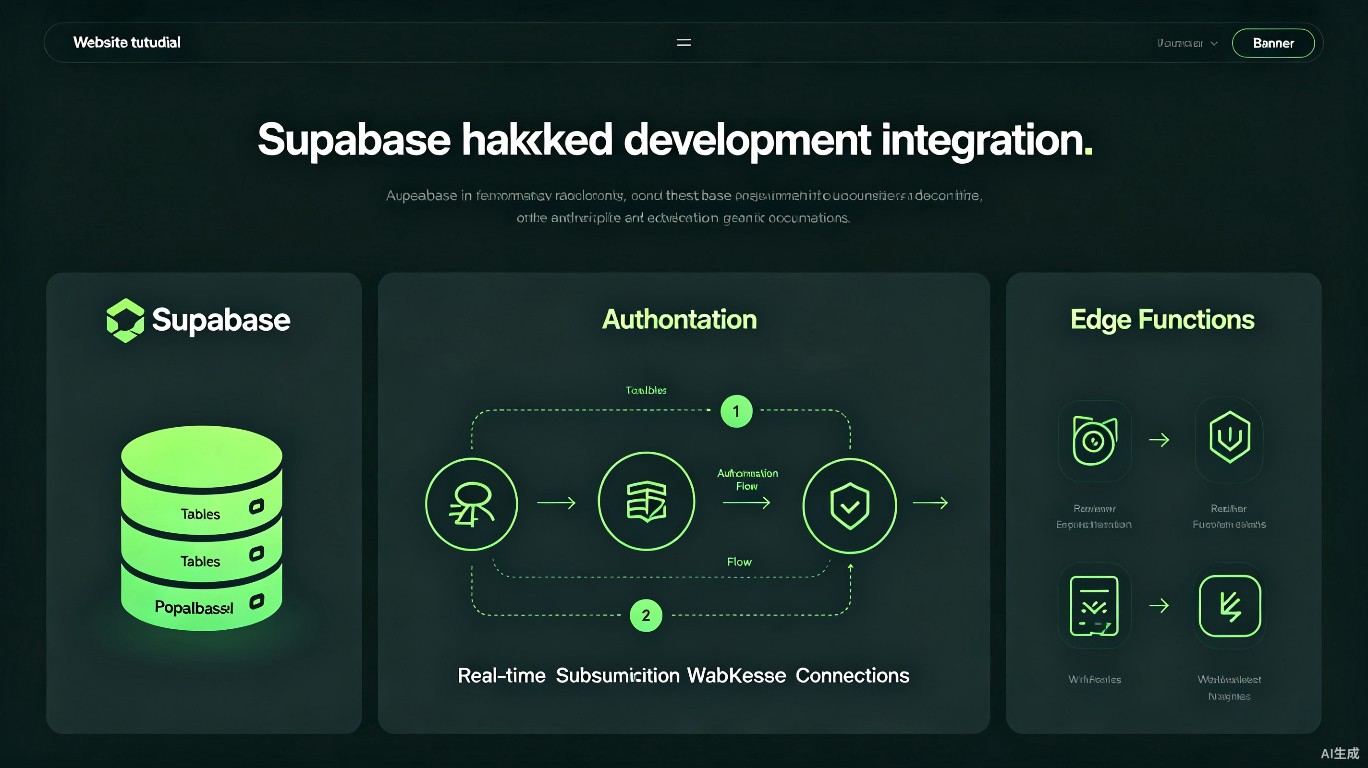
O Supabase é uma alternativa open-source ao Firebase que fornece PostgreSQL, subscriptions em tempo real, autenticação, storage e edge functions. Combinado com os recursos de IA do Cursor, você pode acelerar o design de schemas, geração de clientes type-safe e implementação de fluxos de autenticação complexos. Este guia aborda fluxos de trabalho práticos para construir aplicações full-stack com Supabase.
Pré-requisitos
Antes de começar, você precisará de:
- Cursor instalado (versão mais recente recomendada)
- Conta Supabase (projetos gratuitos disponíveis)
- Node.js instalado
- Noções básicas de conceitos PostgreSQL
Configurando o Projeto Supabase
Criando um Novo Projeto
- Vá para o Supabase Dashboard
- Clique em "New Project"
- Defina nome, senha do banco de dados e região
- Aguarde a criação do projeto
Configurando o Ambiente no Cursor
# Instale o CLI do Supabase
npm install -g supabase

# Inicialize o projeto
npx supabase init

# Conecte ao projeto
npx supabase link --project-ref your-project-ref

# Gere tipos
npx supabase gen types typescript --project-id your-project-ref --schema public > src/types/supabase.ts
# .env.local
NEXT_PUBLIC_SUPABASE_URL=https://your-project.supabase.co
NEXT_PUBLIC_SUPABASE_ANON_KEY=your-anon-key
SUPABASE_SERVICE_ROLE_KEY=your-service-role-key
Nunca commite a service role key no .env.local. Nunca a exponha no lado do cliente; use-a apenas para operações server-side.
Design de Schema com IA
Gerando DDL do Supabase
Peça ao Cursor para projetar seu schema de banco de dados:
Prompt: "Design a Supabase schema for a task management app with users, projects, tasks, and tags. Include proper foreign keys, row-level security policies, and indexes. Use the Supabase SQL format."
Resultado gerado pelo Cursor:
-- Extensão de usuários (adiciona perfil a auth.users)
create table public.profiles (
  id uuid references auth.users on delete cascade primary key,
  username text unique not null,
  full_name text,
  avatar_url text,
  updated_at timestamp with time zone default timezone('utc'::text, now())
);

-- Tabela de projetos
create table public.projects (
  id uuid default gen_random_uuid() primary key,
  name text not null,
  description text,
  owner_id uuid references public.profiles(id) not null,
  created_at timestamp with time zone default timezone('utc'::text, now()),
  updated_at timestamp with time zone default timezone('utc'::text, now())
);

-- Tabela de tarefas
create table public.tasks (
  id uuid default gen_random_uuid() primary key,
  title text not null,
  description text,
  status text default 'todo' check (status in ('todo', 'in_progress', 'done')),
  priority text default 'medium' check (priority in ('low', 'medium', 'high')),
  project_id uuid references public.projects(id) on delete cascade not null,
  assignee_id uuid references public.profiles(id),
  due_date timestamp with time zone,
  created_at timestamp with time zone default timezone('utc'::text, now()),
  updated_at timestamp with time zone default timezone('utc'::text, now())
);

-- Habilitar Row Level Security
alter table public.profiles enable row level security;
alter table public.projects enable row level security;
alter table public.tasks enable row level security;

-- Políticas RLS
create policy "Users can view their own profile"
  on public.profiles for select
  using (auth.uid() = id);

create policy "Users can update their own profile"
  on public.profiles for update
  using (auth.uid() = id);

create policy "Users can view their own projects"
  on public.projects for select
  using (auth.uid() = owner_id);

create policy "Users can create projects"
  on public.projects for insert
  with check (auth.uid() = owner_id);
Aplicando Migrações
# Execute migrações localmente
npx supabase db reset

# Push para remoto
npx supabase db push
Cliente Type-Safe
Criando o Cliente Supabase
Use o Cursor para gerar um cliente completamente tipado para seu app Next.js:
// lib/supabase/client.ts
import { createBrowserClient } from '@supabase/ssr';
import { Database } from '@/types/supabase';

export function createClient() {
  return createBrowserClient<Database>(
    process.env.NEXT_PUBLIC_SUPABASE_URL!,
    process.env.NEXT_PUBLIC_SUPABASE_ANON_KEY!
  );
}
// lib/supabase/server.ts
import { createServerClient, type CookieOptions } from '@supabase/ssr';
import { cookies } from 'next/headers';
import { Database } from '@/types/supabase';

export function createClient() {
  const cookieStore = cookies();

  return createServerClient<Database>(
    process.env.NEXT_PUBLIC_SUPABASE_URL!,
    process.env.NEXT_PUBLIC_SUPABASE_ANON_KEY!,
    {
      cookies: {
        get(name: string) {
          return cookieStore.get(name)?.value;
        },
        set(name: string, value: string, options: CookieOptions) {
          cookieStore.set({ name, value, ...options });
        },
        remove(name: string, options: CookieOptions) {
          cookieStore.set({ name, value: '', ...options });
        },
      },
    }
  );
}
Sempre regenere os tipos quando alterar o schema do banco de dados. Faça disso parte do seu processo de build para garantir type safety conforme o schema muda.
Autenticação Supabase
Auth com Email/Senha no Next.js
// app/auth/sign-up/page.tsx
'use client';

import { useState } from 'react';
import { createClient } from '@/lib/supabase/client';
import { useRouter } from 'next/navigation';

export default function SignUpPage() {
  const [email, setEmail] = useState('');
  const [password, setPassword] = useState('');
  const [error, setError] = useState('');
  const router = useRouter();
  const supabase = createClient();

  const handleSignUp = async (e: React.FormEvent) => {
    e.preventDefault();
    setError('');

    const { error } = await supabase.auth.signUp({
      email,
      password,
      options: {
        emailRedirectTo: `${location.origin}/auth/callback`,
      },
    });

    if (error) {
      setError(error.message);
      return;
    }

    router.push('/auth/verify-email');
  };

  return (
    <form onSubmit={handleSignUp} className="max-w-md mx-auto p-8">
      <h1 className="text-2xl font-bold mb-4">Sign Up</h1>
      {error && <p className="text-red-500 mb-4">{error}</p>}
      <input
        type="email"
        value={email}
        onChange={(e) => setEmail(e.target.value)}
        placeholder="Email"
        className="w-full border rounded px-3 py-2 mb-4"
        required
      />
      <input
        type="password"
        value={password}
        onChange={(e) => setPassword(e.target.value)}
        placeholder="Password"
        className="w-full border rounded px-3 py-2 mb-4"
        required
      />
      <button
        type="submit"
        className="w-full bg-blue-500 text-white py-2 rounded"
      >
        Sign Up
      </button>
    </form>
  );
}
Configurando Provedores OAuth
// app/auth/sign-in/page.tsx
const handleGoogleSignIn = async () => {
  const supabase = createClient();
  await supabase.auth.signInWithOAuth({
    provider: 'google',
    options: {
      redirectTo: `${location.origin}/auth/callback`,
    },
  });
};
Ative provedores OAuth no Supabase Dashboard:
- Vá para Authentication > Providers
- Ative Google
- Adicione Client ID e Secret
- Copie o Authorized redirect URI
Consultando Dados
Consultas Type-Safe
// app/projects/page.tsx
import { createClient } from '@/lib/supabase/server';

export default async function ProjectsPage() {
  const supabase = createClient();

  // Inferência completa de tipos
  const { data: projects, error } = await supabase
    .from('projects')
    .select(`
      *,
      tasks:tasks(
        id,
        title,
        status,
        priority
      )
    `)
    .order('created_at', { ascending: false });

  if (error) {
    throw new Error(error.message);
  }

  return (
    <div className="p-8">
      <h1 className="text-2xl font-bold mb-4">Projects</h1>
      {projects?.map((project) => (
        <div key={project.id} className="border rounded p-4 mb-4">
          <h2 className="text-xl font-semibold">{project.name}</h2>
          <p className="text-gray-600">{project.description}</p>
          <div className="mt-4">
            <h3 className="font-medium">Tasks ({project.tasks.length})</h3>
            {project.tasks.map((task) => (
              <div key={task.id} className="text-sm">
                {task.title} - {task.status}
              </div>
            ))}
          </div>
        </div>
      ))}
    </div>
  );
}
Com os tipos do Supabase gerados, você obtém autocomplete e type checking em project.tasks e project.name.
Subscriptions em Tempo Real
// hooks/useRealtimeTasks.ts
'use client';

import { useEffect, useState } from 'react';
import { createClient } from '@/lib/supabase/client';
import { Database } from '@/types/supabase';

type Task = Database['public']['Tables']['tasks']['Row'];

export function useRealtimeTasks(projectId: string) {
  const [tasks, setTasks] = useState<Task[]>([]);
  const supabase = createClient();

  useEffect(() => {
    // Fetch inicial
    const fetchTasks = async () => {
      const { data } = await supabase
        .from('tasks')
        .select('*')
        .eq('project_id', projectId)
        .order('created_at', { ascending: false });

      if (data) setTasks(data);
    };

    fetchTasks();

    // Subscription em tempo real
    const channel = supabase
      .channel(`project-${projectId}`)
      .on(
        'postgres_changes',
        {
          event: '*',
          schema: 'public',
          table: 'tasks',
          filter: `project_id=eq.${projectId}`,
        },
        (payload) => {
          if (payload.eventType === 'INSERT') {
            setTasks((prev) => [payload.new as Task, ...prev]);
          } else if (payload.eventType === 'UPDATE') {
            setTasks((prev) =>
              prev.map((t) => (t.id === payload.new.id ? (payload.new as Task) : t))
            );
          } else if (payload.eventType === 'DELETE') {
            setTasks((prev) => prev.filter((t) => t.id !== payload.old.id));
          }
        }
      )
      .subscribe();

    return () => {
      supabase.removeChannel(channel);
    };
  }, [projectId, supabase]);

  return tasks;
}
Storage
Upload de Arquivos
// app/upload/page.tsx
'use client';

import { useState } from 'react';
import { createClient } from '@/lib/supabase/client';

export default function UploadPage() {
  const [uploading, setUploading] = useState(false);
  const supabase = createClient();

  const handleUpload = async (e: React.ChangeEvent<HTMLInputElement>) => {
    const file = e.target.files?.[0];
    if (!file) return;

    setUploading(true);
    const fileExt = file.name.split('.').pop();
    const fileName = `${Math.random()}.${fileExt}`;

    const { error } = await supabase.storage
      .from('avatars')
      .upload(fileName, file);

    setUploading(false);

    if (error) {
      alert('Upload failed: ' + error.message);
      return;
    }

    alert('Upload successful!');
  };

  return (
    <div className="p-8">
      <h1 className="text-2xl font-bold mb-4">Upload Avatar</h1>
      <input
        type="file"
        accept="image/*"
        onChange={handleUpload}
        disabled={uploading}
      />
    </div>
  );
}
Configurando Bucket de Storage
Configure políticas RLS para buckets:
-- Criar bucket de storage
insert into storage.buckets (id, name, public)
values ('avatars', 'avatars', true);

-- Políticas RLS de storage
create policy "Anyone can view avatars"
  on storage.objects for select
  using (bucket_id = 'avatars');

create policy "Authenticated users can upload avatars"
  on storage.objects for insert
  with check (
    bucket_id = 'avatars' and
    auth.role() = 'authenticated'
  );
Edge Functions
Criando Edge Functions em TypeScript
Use o Cursor para gerar Edge Functions do Supabase:
// supabase/functions/send-notification/index.ts
import { createClient } from 'https://esm.sh/@supabase/supabase-js@2';
const corsHeaders = {
'Access-Control-Allow-Origin': '*',
'Access-Control-Allow-Headers': 'authorization, x-client-info, apikey, content-type',
};
serve(async (req) => {
if (req.method === 'OPTIONS') {
return new Response('ok', { headers: corsHeaders });
}
try {
const { userId, message } = await req.json();
const supabase = createClient(
Deno.env.get('SUPABASE_URL')!,
Deno.env.get('SUPABASE_SERVICE_ROLE_KEY')!
);
// Inserir notificação
const { data, error } = await supabase
.from('notifications')
.insert({ user_id: userId, message })
.select()
.single();
if (error) throw error;
return new Response(JSON.stringify(data), {
headers: { ...corsHeaders, 'Content-Type': 'application/json' },
status: 200,
});
} catch (error) {
return new Response(
JSON.stringify({ error: error.message }),
{
headers: { ...corsHeaders, 'Content-Type': 'application/json' },
status: 400,
}
);
}
});
Deploy de Functions
# Deploy edge function
npx supabase functions deploy send-notification

# Executar localmente
npx supabase functions serve
Checklist Supabase + Next.js
| Tarefa | Comando/Ação |
|---|---|
| Gerar tipos | npx supabase gen types typescript ... |
| Executar migrações | npx supabase db reset |
| Push de migrações | npx supabase db push |
| Deploy edge function | npx supabase functions deploy fn-name |
| Revisar políticas RLS | Supabase Dashboard > Authentication > Policies |
| Verificar connection string | Settings > Database > Connection string |
Referência Rápida
| Tarefa | Prompt do Cursor |
|---|---|
| Design de schema | "Design a Supabase schema for [feature] with RLS" |
| Implementar auth | "Add Supabase auth to my Next.js app with middleware" |
| Subscription em tempo real | "Create a real-time hook for [table] changes" |
| Gerar tipos | "Generate Supabase types for my schema" |
| Edge function | "Write a Supabase Edge Function for [task]" |
| Configurar storage | "Configure Supabase Storage with RLS policies" |
Recursos Relacionados
Última atualização: Julho de 2025. Os recursos do Supabase continuam evoluindo; consulte a documentação oficial para a API mais recente.