Cursor에서의 블록체인 및 Web3 개발: Solidity, Hardhat 및 ethers.js
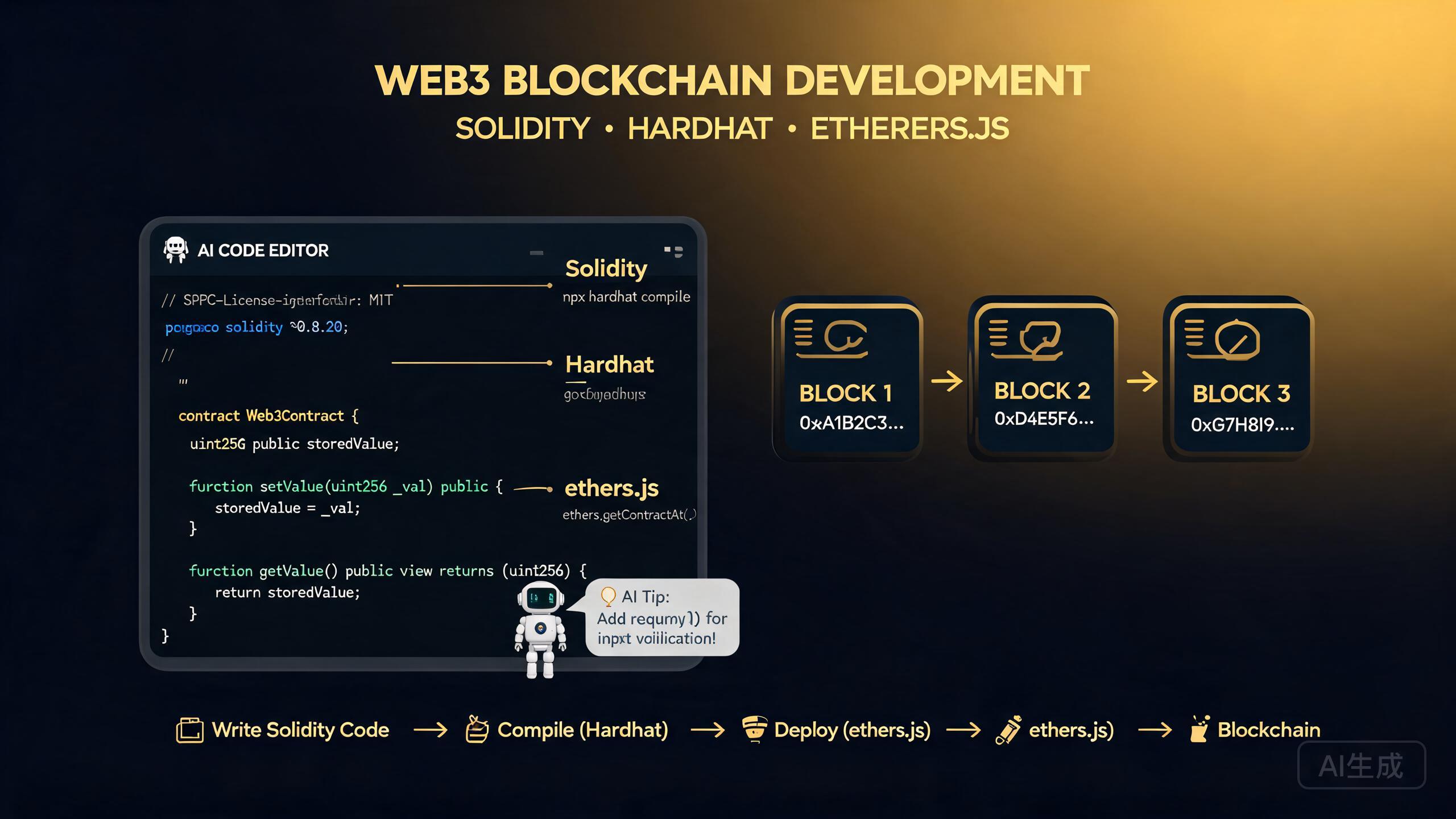
블록체인 개발은 스마트 컨트랙트 프로그래밍과 프론트엔드 통합을 결합하여 탈중앙화 애플리케이션(dApp)을 만듭니다. Cursor, AI 기반 IDE 에디터는 Web3 개발의 모든 계층을 가속화합니다: Solidity 컨트랙트 작성 및 감사, Hardhat 툴체인 구성, ethers.js 상호작용 계층 생성, wagmi 기반 React 프론트엔드 구축, 포괄적인 테스트 스위트 실행. 이 가이드는 Solidity 스마트 컨트랙트, Hardhat 개발 환경, ethers.js 및 wagmi 통합, 컨트랙트 테스트 전략, AI 지원 컨트랙트 생성 및 보안 감사를 다룹니다.
사전 요구 사항
시작하기 전에 다음이 있는지 확인하세요:
- Cursor (최신 버전 권장)를 IDE 에디터로 사용
- Node.js 18 이상
- JavaScript, TypeScript, React에 대한 기본적 이해
- 브라우저에 MetaMask 또는 다른 Web3 지갑 설치
- 배포 연습을 위한 테스트넷(Sepolia 또는 Holesky)의 테스트 ETH
블록체인 개발은 가파른 학습 곡선을 가집니다. 첫 번째 컨트랙트를 작성하기 전에 Cursor에게 Ethereum Virtual Machine(EVM), 가스 비용 및 트랜잭션 수명 주기를 설명해 달라고 요청하세요. 이러한 기본 사항을 이해하면 메인넷 배포 시 비용이 많이 드는 실수를 방지할 수 있습니다.
Solidity 스마트 컨트랙트
Solidity는 EVM 호환 블록체인에서 스마트 컨트랙트를 작성하는 데 가장 널리 사용되는 언어입니다. Cursor는 AI 지원 제안과 보안 분석으로 Solidity 코드를 작성, 검토 및 최적화하는 데 도움을 줍니다.
토큰 컨트랙트 작성
Cursor에게 ERC-20 토큰 컨트랙트를 생성해 달라고 요청하세요:
Create an ERC-20 token contract in Solidity using OpenZeppelin.
The token should be named "TutorialToken" with symbol "TUT",
18 decimals, and a total supply of 1,000,000 tokens minted to
the deployer. Include a public minting function with a per-transaction
cap and an emergency pause mechanism.
Cursor가 생성합니다:
// SPDX-License-Identifier: MIT
pragma solidity ^0.8.24;

import "@openzeppelin/contracts/token/ERC20/ERC20.sol";
import "@openzeppelin/contracts/access/AccessControl.sol";
import "@openzeppelin/contracts/utils/Pausable.sol";

contract TutorialToken is ERC20, AccessControl, Pausable {
    bytes32 public constant MINTER_ROLE = keccak256("MINTER_ROLE");

    // Maximum mint per transaction: 10,000 tokens (with 18 decimals)
    uint256 public constant MAX_MINT_PER_TX = 10_000 * 10 ** 18;
    // Total supply cap: 1,000,000 tokens
    uint256 public constant TOTAL_SUPPLY_CAP = 1_000_000 * 10 ** 18;
    uint256 public currentSupply;

    event Minted(address indexed to, uint256 amount);
    event EmergencyPaused(address indexed by);

    constructor() ERC20("TutorialToken", "TUT") {
        _grantRole(DEFAULT_ADMIN_ROLE, msg.sender);
        _grantRole(MINTER_ROLE, msg.sender);

        uint256 initialSupply = 1_000_000 * 10 ** 18;
        _mint(msg.sender, initialSupply);
        currentSupply = initialSupply;
    }

    function mint(address to, uint256 amount) external onlyRole(MINTER_ROLE) whenNotPaused {
        require(amount <= MAX_MINT_PER_TX, "Exceeds max mint per transaction");
        require(currentSupply + amount <= TOTAL_SUPPLY_CAP, "Exceeds total supply cap");

        _mint(to, amount);
        currentSupply += amount;

        emit Minted(to, amount);
    }

    function pause() external onlyRole(DEFAULT_ADMIN_ROLE) {
        _pause();
        emit EmergencyPaused(msg.sender);
    }

    function unpause() external onlyRole(DEFAULT_ADMIN_ROLE) {
        _unpause();
    }

    // Override required by Solidity for multiple inheritance
    function _update(address from, address to, uint256 amount) internal override(ERC20, Pausable) {
        Pausable._update(from, to, amount);
    }

    function supportsInterface(bytes4 interfaceId)
        public view override(AccessControl) returns (bool)
    {
        return super.supportsInterface(interfaceId);
    }
}
암호학적 또는 토큰 표준 로직을 처음부터 작성하는 대신 항상 OpenZeppelin의 감사받은 컨트랙트 라이브러리를 사용하세요. Cursor에게 최신 OpenZeppelin 컨트랙트를 가져오고 버전이 Solidity 컴파일러 버전과 일치하는지 확인해 달라고 요청하세요. 버전이 일치하지 않으면 컴파일 오류가 발생하고 미세한 보안 버그가 발생할 수 있습니다.
Solidity 정수 오버플로우 보호는 버전 0.8.0에서 변경되었습니다. 0.8.0 이전 버전에서는 산술 연산이 자동으로 오버플로우되어 치명적인 취약점이 발생할 수 있었습니다. 오래된 컨트랙트를 검토할 때는 Cursor에게 SafeMath 사용 여부를 확인하고 0.8.0 이전 동작에 의존하는 산술 연산을 표시해 달라고 요청하세요.
Hardhat 개발 환경
Hardhat은 Ethereum을 위한 가장 인기 있는 개발 환경입니다. 로컬 블록체인 시뮬레이션, 컨트랙트 컴파일, 테스트, 배포 스크립트 및 플러그인 확장성을 제공합니다.
프로젝트 설정
Cursor에게 Hardhat 프로젝트를 스캐폴드해 달라고 요청하세요:
Create a Hardhat TypeScript project with the following configuration:
- Solidity compiler version 0.8.24
- Hardhat toolbox plugin for testing and deployment
- A deployment script for the TutorialToken contract
- Environment variables for RPC URL and private key
- TypeChain for TypeScript contract bindings
Cursor가 프로젝트 구조를 생성합니다:
my-dapp/
  contracts/
    TutorialToken.sol
  scripts/
    deploy.ts
  test/
    TutorialToken.test.ts
  hardhat.config.ts
  package.json
  .env.example
Hardhat 구성
// hardhat.config.ts
import { HardhatUserConfig } from 'hardhat/config';
import '@nomicfoundation/hardhat-toolbox';
import * as dotenv from 'dotenv';

dotenv.config();

const config: HardhatUserConfig = {
  solidity: {
    version: '0.8.24',
    settings: {
      optimizer: {
        enabled: true,
        runs: 200,
      },
    },
  },
  networks: {
    hardhat: {
      chainId: 31337,
    },
    sepolia: {
      url: process.env.SEPOLIA_RPC_URL || '',
      accounts: process.env.PRIVATE_KEY ? [process.env.PRIVATE_KEY] : [],
    },
    mainnet: {
      url: process.env.MAINNET_RPC_URL || '',
      accounts: process.env.PRIVATE_KEY ? [process.env.PRIVATE_KEY] : [],
    },
  },
  typechain: {
    target: 'ethers-v6',
    outDir: 'typechain-types',
  },
  gasReporter: {
    enabled: true,
    currency: 'USD',
    coinmarketcap: process.env.COINMARKETCAP_API_KEY,
    token: 'ETH',
  },
};

export default config;
배포 스크립트
// scripts/deploy.ts
import { ethers } from 'hardhat';

async function main() {
  const [deployer] = await ethers.getSigners();
  console.log('Deploying contracts with account:', deployer.address);
  console.log('Account balance:', ethers.formatEther(await ethers.provider.getBalance(deployer.address)), 'ETH');

  const TutorialToken = await ethers.getContractFactory('TutorialToken');
  const token = await TutorialToken.deploy();
  await token.waitForDeployment();

  const tokenAddress = await token.getAddress();
  console.log('TutorialToken deployed to:', tokenAddress);

  // Verify the deployment
  const name = await token.name();
  const symbol = await token.symbol();
  const totalSupply = await token.totalSupply();
  console.log('Name:', name);
  console.log('Symbol:', symbol);
  console.log('Total Supply:', ethers.formatEther(totalSupply));
}

main().catch((error) => {
  console.error(error);
  process.exitCode = 1;
});
Cursor에게 여러 네트워크에 대한 배포 스크립트를 Etherscan 자동 컨트랙트 검증과 함께 생성해 달라고 요청하세요. "네트워크를 감지하고, 컨트랙트를 배포하고, 로컬호스트가 아닌 경우 Etherscan에서 검증하는 배포 스크립트를 만들어 줘"와 같은 프롬프트는 수시간의 수동 검증 작업을 절약합니다.
컨트랙트 테스트
배포된 컨트랙트는 변경할 수 없기 때문에 스마트 컨트랙트 테스트가 중요합니다. Cursor는 정상 경로, 엣지 케이스 및 보안 시나리오를 다루는 포괄적인 테스트 스위트를 생성합니다.
Hardhat과 Chai로 테스트 작성
// test/TutorialToken.test.ts
import { expect } from 'chai';
import { ethers, network } from 'hardhat';
import { TutorialToken } from '../typechain-types';
import { SignerWithAddress } from '@nomicfoundation/hardhat-network-signers';

describe('TutorialToken', () => {
  let token: TutorialToken;
  let owner: SignerWithAddress;
  let minter: SignerWithAddress;
  let alice: SignerWithAddress;
  let bob: SignerWithAddress;

  const MINTER_ROLE = ethers.keccak256(ethers.toUtf8Bytes('MINTER_ROLE'));
  const MAX_MINT = ethers.parseEther('10000');
  const TOTAL_CAP = ethers.parseEther('1000000');

  beforeEach(async () => {
    [owner, minter, alice, bob] = await ethers.getSigners();

    const TutorialToken = await ethers.getContractFactory('TutorialToken');
    token = await TutorialToken.deploy();
    await token.waitForDeployment();
  });

  describe('Deployment', () => {
    it('sets the correct name and symbol', async () => {
      expect(await token.name()).to.equal('TutorialToken');
      expect(await token.symbol()).to.equal('TUT');
    });

    it('mints the total supply to the deployer', async () => {
      const balance = await token.balanceOf(owner.address);
      expect(balance).to.equal(TOTAL_CAP);
    });

    it('grants DEFAULT_ADMIN_ROLE and MINTER_ROLE to deployer', async () => {
      expect(await token.hasRole(ethers.ZeroHash, owner.address)).to.be.true;
      expect(await token.hasRole(MINTER_ROLE, owner.address)).to.be.true;
    });
  });

  describe('Minting', () => {
    beforeEach(async () => {
      await token.grantRole(MINTER_ROLE, minter.address);
    });

    it('allows minter to mint within per-transaction cap', async () => {
      const mintAmount = ethers.parseEther('5000');
      await token.connect(minter).mint(alice.address, mintAmount);
      expect(await token.balanceOf(alice.address)).to.equal(mintAmount);
    });

    it('reverts when minting exceeds per-transaction cap', async () => {
      const mintAmount = ethers.parseEther('10001');
      await expect(
        token.connect(minter).mint(alice.address, mintAmount)
      ).to.be.revertedWith('Exceeds max mint per transaction');
    });

    it('reverts when non-minter tries to mint', async () => {
      await expect(
        token.connect(alice).mint(bob.address, ethers.parseEther('100'))
      ).to.be.revertedWithCustomError(token, 'AccessControlUnauthorizedAccount');
    });

    it('reverts when minting exceeds total supply cap', async () => {
      // Already minted 1,000,000 on deployment, so any additional mint should fail
      await expect(
        token.connect(minter).mint(alice.address, ethers.parseEther('1'))
      ).to.be.revertedWith('Exceeds total supply cap');
    });
  });

  describe('Pause Mechanism', () => {
    it('allows admin to pause and unpause', async () => {
      await token.pause();
      expect(await token.paused()).to.be.true;

      await token.unpause();
      expect(await token.paused()).to.be.false;
    });

    it('reverts minting when paused', async () => {
      await token.grantRole(MINTER_ROLE, minter.address);
      await token.pause();

      await expect(
        token.connect(minter).mint(alice.address, ethers.parseEther('100'))
      ).to.be.revertedWithCustomError(token, 'EnforcedPause');
    });

    it('reverts when non-admin tries to pause', async () => {
      await expect(token.connect(alice).pause())
        .to.be.revertedWithCustomError(token, 'AccessControlUnauthorizedAccount');
    });
  });

  describe('Transfers', () => {
    it('allows token transfers and reverts when paused', async () => {
      const amount = ethers.parseEther('100');
      await token.transfer(alice.address, amount);
      expect(await token.balanceOf(alice.address)).to.equal(amount);

      // Now pause and verify transfer is blocked
      await token.pause();
      await expect(token.transfer(alice.address, amount))
        .to.be.revertedWithCustomError(token, 'EnforcedPause');
    });
  });
});
Cursor에게 입력을 무작위화하는 퍼징 테스트를 생성해 달라고 요청하세요. "트랜잭션당 한도와 총 공급량 한도 논리의 엣지 케이스를 찾기 위해 0에서 100,000 사이의 무작위 금액으로 민팅을 시도하는 퍼즈 테스트를 만들어 줘"와 같은 프롬프트는 고정 값 테스트가 놓치는 오버플로우 및 경계 조건 버그를 드러낼 수 있습니다.
완전한 테스트 커버리지 없이 컨트랙트를 배포하지 마세요. 변경 불가능한 컨트랙트는 배포 후 패치할 수 없습니다. 놓친 엣지 케이스 하나가 영구적인 자금 손실로 이어질 수 있습니다. 전체 테스트 스위트를 실행하고 메인넷 배포 전에 Cursor에게 일반적인 취약점 패턴에 대한 컨트랙트 감사를 추가로 요청하세요.
ethers.js 통합
ethers.js는 Ethereum과 상호작용하는 가장 인기 있는 JavaScript 라이브러리입니다. Cursor는 컨트랙트 ABI를 래핑하는 타입 안전 상호작용 계층을 생성합니다.
컨트랙트 상호작용 계층
// src/lib/token.ts
import { ethers, Contract, formatEther, parseEther } from 'ethers';
import type { TutorialToken } from '../typechain-types';

export interface TokenInfo {
  name: string;
  symbol: string;
  decimals: number;
  totalSupply: string;
}

export class TokenService {
  private contract: TutorialToken;
  private provider: ethers.Provider;
  private signer?: ethers.Signer;

  constructor(
    address: string,
    abi: ethers.InterfaceAbi,
    provider: ethers.Provider,
    signer?: ethers.Signer
  ) {
    this.provider = provider;
    this.signer = signer;
    this.contract = (signer
      ? new Contract(address, abi, signer)
      : new Contract(address, abi, provider)) as unknown as TutorialToken;
  }

  async getInfo(): Promise<TokenInfo> {
    const [name, symbol, decimals, totalSupply] = await Promise.all([
      this.contract.name(),
      this.contract.symbol(),
      this.contract.decimals(),
      this.contract.totalSupply(),
    ]);

    return {
      name,
      symbol,
      decimals: Number(decimals),
      totalSupply: formatEther(totalSupply),
    };
  }

  async balanceOf(address: string): Promise<string> {
    const balance = await this.contract.balanceOf(address);
    return formatEther(balance);
  }

  async mint(to: string, amount: string): Promise<string> {
    if (!this.signer) throw new Error('Signer required for minting');
    const tx = await this.contract.mint(to, parseEther(amount));
    await tx.wait();
    return tx.hash;
  }

  async transfer(to: string, amount: string): Promise<string> {
    if (!this.signer) throw new Error('Signer required for transfers');
    const tx = await this.contract.transfer(to, parseEther(amount));
    await tx.wait();
    return tx.hash;
  }

  async isPaused(): Promise<boolean> {
    return this.contract.paused();
  }

  async hasMinterRole(address: string): Promise<boolean> {
    const MINTER_ROLE = ethers.keccak256(ethers.toUtf8Bytes('MINTER_ROLE'));
    return this.contract.hasRole(MINTER_ROLE, address);
  }
}
브라우저 지갑과 ethers.js 사용
// src/lib/wallet.ts
import { BrowserProvider } from 'ethers';

let provider: BrowserProvider | null = null;

export async function getProvider(): Promise<BrowserProvider> {
  if (!provider) {
    if (!window.ethereum) {
      throw new Error('No Web3 wallet found. Please install MetaMask.');
    }
    provider = new BrowserProvider(window.ethereum);
  }
  return provider;
}

export async function connectWallet(): Promise<string> {
  const provider = await getProvider();
  const accounts = await provider.send('eth_requestAccounts', []);
  return accounts[0];
}

export async function getSigner() {
  const provider = await getProvider();
  return provider.getSigner();
}

export function onAccountsChanged(callback: (accounts: string[]) => void): void {
  if (window.ethereum) {
    window.ethereum.on('accountsChanged', callback);
  }
}

export function onChainChanged(callback: (chainId: string) => void): void {
  if (window.ethereum) {
    window.ethereum.on('chainChanged', callback);
  }
}
트랜잭션을 보내기 전에 사용자가 예상 네트워크에 연결되어 있는지 항상 확인하세요. 테스트넷에 연결된 상태에서 메인넷 트랜잭션을 보내거나 그 반대의 경우 혼란스러운 오류가 발생합니다. 체인 ID를 확인하고 일치하지 않으면 사용자에게 네트워크 전환을 요청하세요.
wagmi 프론트엔드 구축
wagmi는 지갑 연결, 컨트랙트 읽기 및 쓰기를 단순화하는 Ethereum용 React Hooks 모음입니다. Cursor는 완전한 타입 안전성을 갖춘 wagmi 기반 React 컴포넌트를 생성합니다.
wagmi 구성
// src/lib/wagmi.ts
import { createConfig, http } from 'wagmi';
import { sepolia, mainnet } from 'wagmi/chains';
import { injected } from 'wagmi/connectors';

export const config = createConfig({
  chains: [sepolia, mainnet],
  connectors: [injected()],
  transports: {
    [sepolia.id]: http('https://rpc.sepolia.org'),
    [mainnet.id]: http(),
  },
});

// Contract address and ABI
export const TOKEN_ADDRESS = '0x...'; // Replace with your deployed address
export const TOKEN_ABI = [
  // ABI generated by TypeChain or hardhat
] as const;
토큰 대시보드 컴포넌트
// src/components/TokenDashboard.tsx
import { useAccount, useReadContract, useWriteContract, useWatchContractEvent } from 'wagmi';
import { parseEther, formatEther } from 'viem';
import { TOKEN_ADDRESS, TOKEN_ABI } from '../lib/wagmi';
import { useState } from 'react';

export function TokenDashboard() {
  const { address, isConnected } = useAccount();
  const { writeContractAsync } = useWriteContract();
  const [mintAmount, setMintAmount] = useState('100');
  const [transferTo, setTransferTo] = useState('');
  const [transferAmount, setTransferAmount] = useState('10');

  // Batch-read contract state
  const { data: name } = useReadContract({ address: TOKEN_ADDRESS, abi: TOKEN_ABI, functionName: 'name' });
  const { data: symbol } = useReadContract({ address: TOKEN_ADDRESS, abi: TOKEN_ABI, functionName: 'symbol' });
  const { data: balance } = useReadContract({ address: TOKEN_ADDRESS, abi: TOKEN_ABI, functionName: 'balanceOf', args: [address] });
  const { data: isPaused } = useReadContract({ address: TOKEN_ADDRESS, abi: TOKEN_ABI, functionName: 'paused' });

  // Listen for mint events
  useWatchContractEvent({ address: TOKEN_ADDRESS, abi: TOKEN_ABI, eventName: 'Minted', onLogs: (logs) => console.log('Mint:', logs) });

  const handleMint = () => writeContractAsync({ address: TOKEN_ADDRESS, abi: TOKEN_ABI, functionName: 'mint', args: [address, parseEther(mintAmount)] });
  const handleTransfer = () => writeContractAsync({ address: TOKEN_ADDRESS, abi: TOKEN_ABI, functionName: 'transfer', args: [transferTo, parseEther(transferAmount)] });

  if (!isConnected) {
    return <div className="p-8 text-center text-gray-500">Connect your wallet to view your token balance.</div>;
  }

  return (
    <div className="space-y-6 p-4">
      <div className="rounded-lg bg-gray-100 p-4">
        <h2 className="text-xl font-bold">{name} ({symbol})</h2>
        <p className="mt-1 text-sm">Balance: {balance ? formatEther(balance as bigint) : '0'} {symbol}</p>
        <p className="text-sm">Status: {isPaused ? 'Paused' : 'Active'}</p>
      </div>

      <div className="rounded-lg border p-4">
        <h3 className="mb-2 font-semibold">Mint Tokens</h3>
        <input type="number" value={mintAmount} onChange={(e) => setMintAmount(e.target.value)} className="mb-2 w-full rounded border px-3 py-2" disabled={isPaused} />
        <button onClick={handleMint} disabled={isPaused} className="w-full rounded bg-blue-600 px-4 py-2 text-white disabled:opacity-50">Mint</button>
      </div>

      <div className="rounded-lg border p-4">
        <h3 className="mb-2 font-semibold">Transfer Tokens</h3>
        <input type="text" placeholder="Recipient address (0x...)" value={transferTo} onChange={(e) => setTransferTo(e.target.value)} className="mb-2 w-full rounded border px-3 py-2" />
        <input type="number" placeholder="Amount" value={transferAmount} onChange={(e) => setTransferAmount(e.target.value)} className="mb-2 w-full rounded border px-3 py-2" disabled={isPaused} />
        <button onClick={handleTransfer} disabled={isPaused} className="w-full rounded bg-green-600 px-4 py-2 text-white disabled:opacity-50">Transfer</button>
      </div>
    </div>
  );
}
Cursor에게 컨트랙트의 모든 뷰 함수에 대한 wagmi Read 훅과 모든 상태 변경 함수에 대한 Write 훅을 생성해 달라고 요청하세요. "내 TutorialToken ABI의 모든 함수에 대해 wagmi useReadContract와 useWriteContract를 래핑하는 커스텀 React 훅을 만들어 줘"와 같은 프롬프트는 깔끔하고 재사용 가능한 상호작용 계층을 제공합니다.
AI 지원 컨트랙트 생성 및 감사
Cursor AI는 설명에서 전체 컨트랙트 시스템을 생성하고 기존 컨트랙트에서 일반적인 취약점 패턴을 감사할 수 있습니다.
전체 컨트랙트 시스템 생성
Create a decentralized marketplace contract system with:
1. An ERC-721 NFT contract for listing items
2. A marketplace contract that accepts ETH and the NFT
3. Royalty enforcement using ERC-2981
4. A 2.5% platform fee sent to a treasury address
5. Reentrancy protection on all withdrawal functions
6. Events for every state change
Use OpenZeppelin libraries and include full NatSpec comments.
취약점 감사
컨트랙트에 이 감사 프롬프트를 실행하세요:
Audit my Solidity contract for the following vulnerability classes:
1. Reentrancy attacks (check for CEI pattern and ReentrancyGuard)
2. Integer overflow/underflow
3. Access control bypass
4. Front-running susceptibility
5. Denial of service via gas limit
6. Timestamp dependence
7. Delegate call injection
8. Unchecked external calls
Rate the severity of each finding and provide a fix.
AI 지원 보안 감사는 첫 번째 방어선이지, 전문 감사를 대체하지 않습니다. 실제 가치를 처리하는 컨트랙트를 배포하기 전에 평판이 좋은 회체의 공식 감사를 의뢰하세요. AI는 숙련된 감사자가 잡아내는 미세한 취약점 패턴을 놓칠 수 있습니다.
요약
Cursor에서의 블록체인 및 Web3 개발은 AI 지원 코드 생성의 힘과 스마트 컨트랙트 엔지니어링의 엄격함을 결합합니다. 이 가이드의 패턴 — OpenZeppelin 기반 컨트랙트, 포괄적인 Hardhat 테스트 스위트, 타입 안전 ethers.js 상호작용 계층, wagmi 기반 React 프론트엔드, AI 기반 컨트랙트 감사 — 를 따라 자신감을 가지고 탈중앙화 애플리케이션을 구축하고 출시할 수 있습니다. 항상 철저히 테스트하고, 메인넷 배포 전에 취약점을 감사하며, 완전히 이해하지 못한 컨트랙트는 배포하지 마세요.