Cursor에서 웹 스크래핑: 완전한 가이드
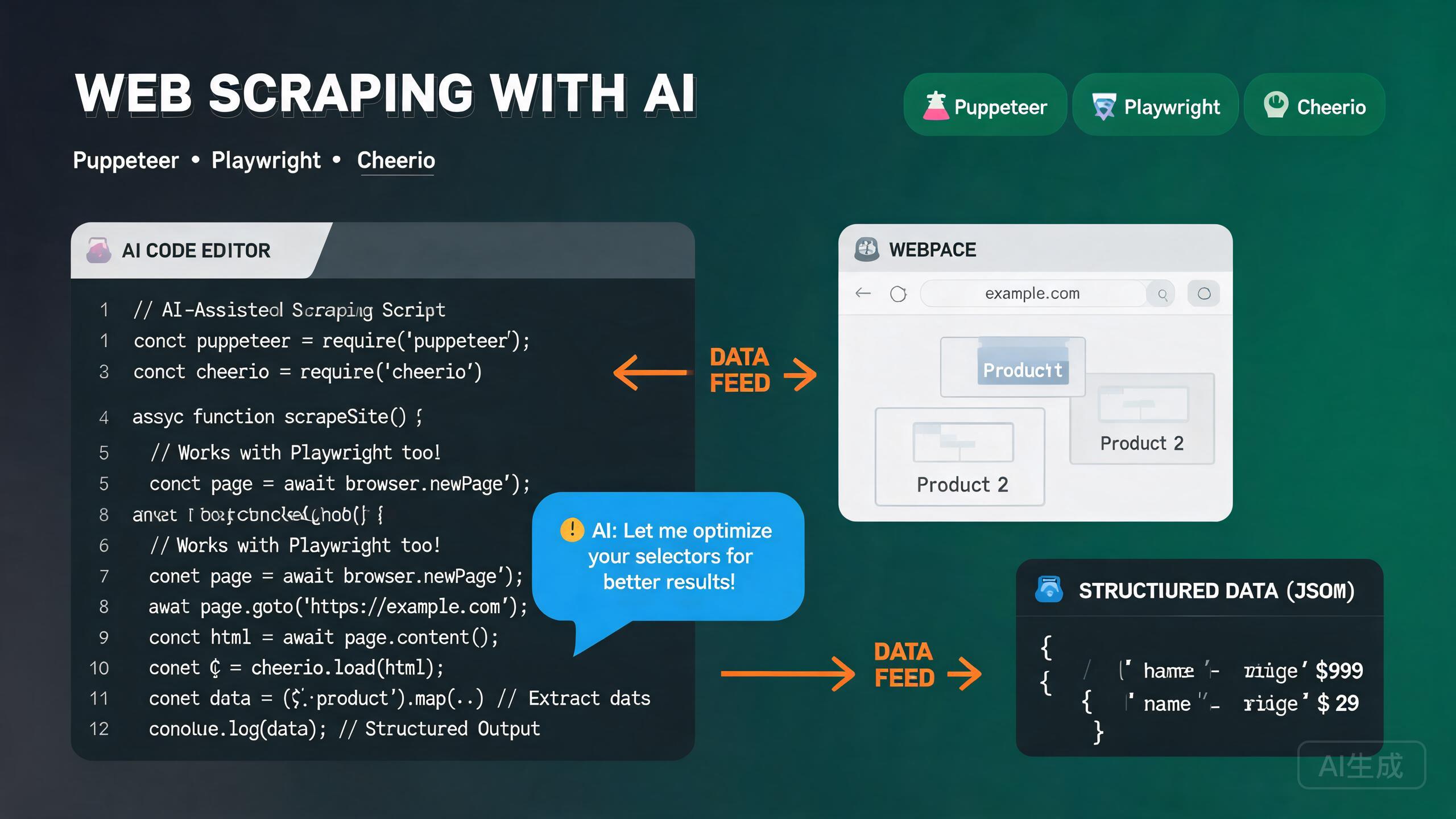
웹 스크래핑은 웹사이트에서 프로그래밍 방식으로 데이터를 추출하는 과정입니다. 가격 모니터링, 리드 생성, 뉴스 집계, 시장 조사 및 머신러닝을 위한 데이터 수집을 가능하게 합니다. Node.js 생태계는 세 가지 주요 도구를 제공합니다: 헤드리스 Chrome 자동화를 위한 Puppeteer, 브라우저 간 자동화를 위한 Playwright, 빠른 HTML 파싱을 위한 Cheerio. Cursor는 통합 AI 어시스턴트와 내장 TypeScript 언어 서버를 통해 스크래핑 프로젝트에 탁월한 편집기입니다 -- 브라우저 API에 대한 IntelliSense를 제공하고, 선택자 체인을 자동 완성하며, 웹 페이지의 자연어 설명에서 추출 로직을 생성할 수 있습니다.
이 가이드는 Cursor에서의 완전한 웹 스크래핑 워크플로우를 다룹니다: 올바른 도구 선택, Puppeteer와 Playwright 설정, Cheerio로 HTML 파싱, 추출 패턴 구현, 안티봇 조치 우회 및 AI 지원 추출 활용.
올바른 도구 선택
각 스크래핑 도구는 고유한 강점이 있습니다. 각 도구를 언제 사용해야 하는지 이해하는 것이 효과적인 스크래핑 전략의 기초입니다.
| 도구 | 용도 | 브라우저 | 속도 | 복잡성 |
|---|---|---|---|---|
| Cheerio | 정적 HTML, 빠른 파싱 | 없음 | 매우 빠름 | 낮음 |
| Puppeteer | 동적 JS 렌더링 페이지 | Chrome/Chromium | 중간 | 중간 |
| Playwright | 브라우저 간, 최신 SPA | Chrome, Firefox, WebKit | 중간 | 중간-높음 |
| Puppeteer + Cheerio | 하이브리드 접근 | Chrome | 빠름 | 중간 |
Cursor에게 요청하세요: "웹사이트를 스크래핑해야 해. 필요한 데이터가 페이지 로드 후 JavaScript로 렌더링돼. 어떤 도구를 사용해야 하고 왜인지 알려줘." Cursor가 Puppeteer 또는 Playwright를 추천하고 Cheerio만으로는 동적으로 렌더링된 콘텐츠를 캡처할 수 없는 이유를 설명합니다.
Cursor에서 스크래핑 프로젝트 설정
프로젝트 초기화
mkdir web-scraper && cd web-scraper
npm init -y
npm install typescript tsx @types/node --save-dev
npx tsc --init
tsx를 사용하여 별도의 빌드 단계 없이 TypeScript 스크래핑 스크립트를 직접 실행하세요. Cursor의 통합 터미널(Ctrl+`)에서 npx tsx scraper.ts를 실행하여 스크립트를 즉시 테스트하세요.
Puppeteer 설치
npm install puppeteer
Puppeteer는 기본적으로 번들된 Chromium을 다운로드합니다. 설치를 확인합니다:
// test-puppeteer.ts
import puppeteer from 'puppeteer';

const browser = await puppeteer.launch({ headless: true });
const page = await browser.newPage();
await page.goto('https://example.com');
console.log(await page.title());
await browser.close();
Playwright 설치
npm install playwright
npx playwright install  # 브라우저 바이너리 다운로드
확인:
// test-playwright.ts
import { chromium } from 'playwright';

const browser = await chromium.launch({ headless: true });
const page = await browser.newPage();
await page.goto('https://example.com');
console.log(await page.title());
await browser.close();
Cheerio 설치
npm install cheerio
Cheerio는 브라우저 없이 HTML 문자열을 파싱하여 정적 페이지에서 가장 빠른 옵션입니다:
// test-cheerio.ts
import * as cheerio from 'cheerio';

const html = '<div class="item"><h2>Title</h2><span class="price">$9.99</span></div>';
const $ = cheerio.load(html);
console.log($('.item h2').text());     // "Title"
console.log($('.item .price').text());  // "$9.99"
Cheerio는 JavaScript를 실행할 수 없습니다. 대상 페이지가 클라이언트 측 JS(React, Vue 등)를 통해 동적으로 콘텐츠를 렌더링하는 경우, Cheerio는 초기 HTML 골격만 보게 됩니다. 이러한 사이트에는 Puppeteer 또는 Playwright를 사용하세요.
Puppeteer로 스크래핑
Puppeteer는 Chrome 또는 Chromium을 제어하기 위한 고급 API를 제공합니다. JavaScript 렌더링 페이지 스크래핑, 로그인 처리 및 페이지 요소 상호작용에 이상적입니다.
기본 페이지 스크래핑
// scrape-products-puppeteer.ts
import puppeteer from 'puppeteer';
import * as cheerio from 'cheerio';

interface Product {
  name: string;
  price: string;
  rating: string;
  url: string;
}

async function scrapeProducts(): Promise<Product[]> {
  const browser = await puppeteer.launch({
    headless: true,
    args: ['--no-sandbox', '--disable-setuid-sandbox'],
  });

  try {
    const page = await browser.newPage();

    // 현실적인 뷰포트 설정
    await page.setViewport({ width: 1920, height: 1080 });

    // 현실적인 User Agent 설정
    await page.setUserAgent(
      'Mozilla/5.0 (Windows NT 10.0; Win64; x64) AppleWebKit/537.36 (KHTML, like Gecko) Chrome/125.0.0.0 Safari/537.36'
    );

    // 이동하고 제품 그리드가 렌더링될 때까지 대기
    await page.goto('https://example-store.com/products', {
      waitUntil: 'networkidle2',
      timeout: 30000,
    });

    // 제품 카드가 나타날 때까지 대기
    await page.waitForSelector('.product-card', { timeout: 10000 });

    // 지연 로드된 콘텐츠를 트리거하기 위해 스크롤
    await autoScroll(page);

    // 페이지에서 데이터 추출
    const products = await page.evaluate(() =>
      Array.from(document.querySelectorAll('.product-card')).map((card) => ({
        name: card.querySelector('.product-name')?.textContent?.trim() ?? '',
        price: card.querySelector('.product-price')?.textContent?.trim() ?? '',
        rating: card.querySelector('.product-rating')?.textContent?.trim() ?? '',
        url: card.querySelector('a')?.href ?? '',
      }))
    );

    return products;
  } finally {
    await browser.close();
  }
}

async function autoScroll(page: puppeteer.Page) {
  await page.evaluate(async () => {
    await new Promise<void>((resolve) => {
      let totalHeight = 0;
      const distance = 100;
      const timer = setInterval(() => {
        window.scrollBy(0, distance);
        totalHeight += distance;
        if (totalHeight >= document.body.scrollHeight) {
          clearInterval(timer);
          resolve();
        }
      }, 100);
    });
  });
}

const products = await scrapeProducts();
console.log(`Scraped ${products.length} products`);
console.log(products[0]);
autoScroll 함수는 무한 스크롤 페이지에 필수적입니다. 많은 사이트가 스크롤할 때 제품을 지연 로드합니다. 스크롤 없이 Puppeteer는 초기에 로드된 항목만 캡처합니다.
페이지네이션 처리
async function scrapeAllPages(baseUrl: string): Promise<Product[]> {
  const browser = await puppeteer.launch({ headless: true });
  const page = await browser.newPage();
  const allProducts: Product[] = [];
  let currentPage = 1;
  let hasNextPage = true;

  try {
    while (hasNextPage) {
      await page.goto(`${baseUrl}?page=${currentPage}`, { waitUntil: 'networkidle2' });
      await page.waitForSelector('.product-card', { timeout: 10000 });

      const products = await page.evaluate(() =>
        Array.from(document.querySelectorAll('.product-card')).map((card) => ({
          name: card.querySelector('.product-name')?.textContent?.trim() ?? '',
          price: card.querySelector('.product-price')?.textContent?.trim() ?? '',
          rating: card.querySelector('.product-rating')?.textContent?.trim() ?? '',
          url: card.querySelector('a')?.href ?? '',
        }))
      );
      allProducts.push(...products);

      hasNextPage = await page.evaluate(
        () => document.querySelector('.pagination .next:not(.disabled)') !== null
      );
      currentPage++;
      await new Promise((r) => setTimeout(r, 2000));
    }
  } finally {
    await browser.close();
  }
  return allProducts;
}
페이지 요청 사이에 항상 지연을 추가하세요. 너무 빠르게 스크래핑하면 속도 제한, IP 차단 또는 CAPTCHA 문제가 발생할 수 있습니다. 요청 간 1-3초 지연이 좋은 시작점입니다. 더 큰 크롤의 경우 프록시 회전 서비스를 사용하세요.
로그인 보호 페이지 처리
async function scrapeLoggedInPage(email: string, password: string) {
  const browser = await puppeteer.launch({ headless: false }); // 디버깅을 위해 브라우저 표시
  const page = await browser.newPage();

  try {
    await page.goto('https://example.com/login', { waitUntil: 'networkidle2' });
    await page.type('#email', email, { delay: 50 });
    await page.type('#password', password, { delay: 50 });

    await Promise.all([
      page.waitForNavigation({ waitUntil: 'networkidle2' }),
      page.click('#submit'),
    ]);

    // 로그인 성공 확인
    const isLoggedIn = await page.evaluate(() => !document.querySelector('.login-error'));
    if (!isLoggedIn) throw new Error('Login failed');

    // 보호된 페이지 스크래핑
    await page.goto('https://example.com/dashboard', { waitUntil: 'networkidle2' });
    return await page.evaluate(() => document.querySelector('.dashboard-data')?.textContent);
  } finally {
    await browser.close();
  }
}
Playwright로 스크래핑
Playwright는 Microsoft의 브라우저 간 자동화 도구입니다. Chromium, Firefox 및 WebKit을 지원하며 Puppeteer보다 최신 API를 가지고 있습니다.
기본 Playwright 스크래핑
// scrape-playwright.ts
import { chromium } from 'playwright';

interface Article {
  title: string;
  author: string;
  date: string;
  summary: string;
  url: string;
}

async function scrapeArticles(): Promise<Article[]> {
  const browser = await chromium.launch({ headless: true });
  const context = await browser.newContext({
    userAgent: 'Mozilla/5.0 (Windows NT 10.0; Win64; x64) AppleWebKit/537.36',
    viewport: { width: 1920, height: 1080 },
  });

  const page = await context.newPage();

  try {
    await page.goto('https://example-blog.com', {
      waitUntil: 'domcontentloaded',
      timeout: 30000,
    });

    // 기사가 로드될 때까지 대기
    await page.waitForSelector('.article-card', { timeout: 10000 });

    const articles = await page.$$eval('.article-card', (cards) =>
      cards.map((card) => ({
        title: card.querySelector('.article-title')?.textContent?.trim() ?? '',
        author: card.querySelector('.article-author')?.textContent?.trim() ?? '',
        date: card.querySelector('.article-date')?.textContent?.trim() ?? '',
        summary: card.querySelector('.article-summary')?.textContent?.trim() ?? '',
        url: card.querySelector('a')?.href ?? '',
      }))
    );

    return articles;
  } finally {
    await browser.close();
  }
}
네트워크 인터셉션으로 SPA 스크래핑
Playwright는 네트워크 요청을 가로채서 렌더링된 HTML을 파싱할 필요 없이 API 응답을 직접 캡처할 수 있습니다:
async function scrapeViaAPI() {
  const browser = await chromium.launch({ headless: true });
  const context = await browser.newContext();
  const page = await context.newPage();

  const apiResponses: any[] = [];

  // API 응답 가로채기
  page.on('response', async (response) => {
    if (response.url().includes('/api/products') && response.status() === 200) {
      const json = await response.json();
      apiResponses.push(json);
    }
  });

  await page.goto('https://example-store.com', { waitUntil: 'networkidle' });

  await browser.close();

  // 이제 원시 JSON 데이터가 있으므로 HTML 파싱 불필요
  return apiResponses;
}
네트워크 인터셉션은 최신 SPA를 스크래핑하는 가장 신뢰할 수 있는 방법입니다. 렌더링된 HTML을 파싱하는 대신, 페이지가 가져오는 JSON API 응답을 캡처합니다. Cursor에게 요청하세요: "이 페이지의 XHR 요청을 가로채서 API 응답에서 제품 데이터를 추출해줘." Cursor가 Playwright 응답 리스너를 생성합니다.
Cheerio로 HTML 파싱
Cheerio는 HTML 문자열을 파싱하기 위한 jQuery 유사 API를 제공합니다. 페이지를 렌더링하거나 JavaScript를 실행하지 않기 때문에 브라우저 기반 스크래핑보다 10-100배 빠릅니다.
가져오기 및 파싱
// scrape-cheerio.ts
import * as cheerio from 'cheerio';

interface Book {
  title: string;
  price: number;
  availability: string;
  rating: number;
}

async function scrapeBooks(): Promise<Book[]> {
  const response = await fetch('https://books.toscrape.com/', {
    headers: {
      'User-Agent': 'Mozilla/5.0 (Windows NT 10.0; Win64; x64) AppleWebKit/537.36',
    },
  });

  const html = await response.text();
  const $ = cheerio.load(html);

  const books: Book[] = [];

  $('.product_pod').each((_, element) => {
    const $el = $(element);
    const title = $el.find('h3 a').attr('title') ?? '';
    const priceText = $el.find('.price_color').text();
    const price = parseFloat(priceText.replace(/[^0-9.]/g, ''));
    const availability = $el.find('.instock').text().trim();

    // 클래스 이름에서 평점 파싱 (예: "star-rating Three" -> 3)
    const ratingClass = $el.find('.star-rating').attr('class') ?? '';
    const ratingMap: Record<string, number> = {
      One: 1, Two: 2, Three: 3, Four: 4, Five: 5,
    };
    const ratingWord = ratingClass.split(' ')[1];
    const rating = ratingMap[ratingWord] ?? 0;

    books.push({ title, price, availability, rating });
  });

  return books;
}
Cheerio 선택자 패턴
Cheerio는 jQuery 유사 선택자를 사용합니다: 클래스의 경우 $('.class'), ID의 경우 $('#id'), 속성 매칭의 경우 $('a[href*="/product/"]'), DOM 탐색 및 추출을 위한 .parent(), .siblings(), .children(), .text(), .html(), .attr() 등의 메서드.
jQuery 선택자를 알면 Cheerio를 아는 것입니다. Cursor에게 요청하세요: "이 HTML 구조에서 모든 제품 이름, 가격 및 이미지 URL을 추출하는 Cheerio 선택자 체인을 작성해줘" 그리고 HTML을 붙여넣으세요. Cursor가 올바른 선택자를 생성합니다.
데이터 추출 패턴
테이블에서 구조화된 데이터 추출
async function scrapeTable(): Promise<Record<string, string>[]> {
  const response = await fetch('https://example.com/data-table');
  const html = await response.text();
  const $ = cheerio.load(html);

  // 헤더 가져오기
  const headers: string[] = [];
  $('table thead th').each((_, el) => {
    headers.push($(el).text().trim().toLowerCase().replace(/\s+/g, '_'));
  });

  // 행 추출
  const rows: Record<string, string>[] = [];
  $('table tbody tr').each((_, rowEl) => {
    const cells: string[] = [];
    $(rowEl).find('td').each((_, cellEl) => {
      cells.push($(cellEl).text().trim());
    });

    const row: Record<string, string> = {};
    headers.forEach((header, index) => {
      row[header] = cells[index] ?? '';
    });
    rows.push(row);
  });

  return rows;
}
JSON-LD 데이터 추출
많은 웹사이트가 JSON-LD 형식으로 구조화된 데이터를 포함합니다. 이는 사용 가능한 경우 가장 신뢰할 수 있는 추출 방법입니다:
import * as cheerio from 'cheerio';

async function scrapeJsonLd(url: string) {
  const response = await fetch(url);
  const html = await response.text();
  const $ = cheerio.load(html);

  const jsonLdData: any[] = [];

  $('script[type="application/ld+json"]').each((_, el) => {
    try {
      const data = JSON.parse($(el).contents().text());
      if (Array.isArray(data)) {
        jsonLdData.push(...data);
      } else {
        jsonLdData.push(data);
      }
    } catch (e) {
      console.warn('Failed to parse JSON-LD:', e);
    }
  });

  return jsonLdData;
}

// 사용
const structuredData = await scrapeJsonLd('https://example.com/product/123');
// structuredData[0]에는 다음이 포함될 수 있음: { "@type": "Product", "name": "...", "offers": { "price": "..." } }
JSON-LD는 구조화된 데이터를 추출하는 가장 쉽고 신뢰할 수 있는 방법입니다. Cursor에게 요청하세요: "이 페이지에 JSON-LD 구조화된 데이터가 있는지 확인하고, 제품 정보를 추출해줘." 사이트가 schema.org 마크업을 사용하는 경우, Cursor가 불안정한 CSS 선택자 없이 파싱합니다.
추출된 데이터 저장
import { writeFileSync } from 'fs';

// JSON으로 저장
function saveToJson(data: any[], filename: string) {
  writeFileSync(filename, JSON.stringify(data, null, 2));
  console.log(`Saved ${data.length} records to ${filename}`);
}

// CSV로 저장
function saveToCsv(data: Record<string, any>[], filename: string) {
  if (data.length === 0) return;
  const headers = Object.keys(data[0]);
  const csvLines = [
    headers.join(','),
    ...data.map((row) =>
      headers.map((h) => `"${String(row[h] ?? '').replace(/"/g, '""')}"`).join(',')
    ),
  ];
  writeFileSync(filename, csvLines.join('\n'));
}
안티봇 우회 기술
최신 웹사이트는 자동화된 스크래핑을 감지하고 차단하기 위해 안티봇 보호(Cloudflare, reCAPTCHA, Datadome, PerimeterX)를 배포합니다. 일반적인 보호를 우회하기 위한 전략은 다음과 같습니다.
현실적인 헤더 설정
const headers = {
  'User-Agent': 'Mozilla/5.0 (Windows NT 10.0; Win64; x64) AppleWebKit/537.36 (KHTML, like Gecko) Chrome/125.0.0.0 Safari/537.36',
  'Accept': 'text/html,application/xhtml+xml,application/xml;q=0.9,*/*;q=0.8',
  'Accept-Language': 'en-US,en;q=0.9',
  'Accept-Encoding': 'gzip, deflate, br',
  'Connection': 'keep-alive',
  'Upgrade-Insecure-Requests': '1',
};

const response = await fetch(url, { headers });
Puppeteer-Stealth 사용
npm install puppeteer-extra puppeteer-extra-plugin-stealth
import puppeteer from 'puppeteer-extra';
import StealthPlugin from 'puppeteer-extra-plugin-stealth';

puppeteer.use(StealthPlugin());

const browser = await puppeteer.launch({ headless: true });
const page = await browser.newPage();

// 스텔스 플러그인은 일반적인 감지 벡터를 패치합니다:
// - navigator.webdriver = false
// - chrome.runtime object
// - permissions API
// - plugins array
// - languages array
// - WebGL vendor/renderer

await page.goto('https://bot-protected-site.com');
스텔스 플러그인은 도움이 되지만 만능이 아닙니다. Cloudflare Turnstile과 같은 정교한 안티봇 서비스는 단순한 navigator 속성 검사를 넘어 TLS 핑거프린팅, 행동 분석 및 챌린지-응답 메커니즘을 사용합니다. 강하게 보호된 사이트의 프로덕션 스크래핑을 위해 내장된 CAPTCHA 해결이 있는 상용 프록시 서비스를 고려하세요.
프록시 사용
// 프록시로 Puppeteer
const browser = await puppeteer.launch({
  headless: true,
  args: [
    `--proxy-server=http://${proxyHost}:${proxyPort}`,
    '--no-sandbox',
  ],
});

await page.authenticate({
  username: proxyUsername,
  password: proxyPassword,
});

// 프록시로 Playwright
const browser = await chromium.launch({
  headless: true,
  proxy: {
    server: `http://${proxyHost}:${proxyPort}`,
    username: proxyUsername,
    password: proxyPassword,
  },
});
User Agent 회전
const userAgents = [
  'Mozilla/5.0 (Windows NT 10.0; Win64; x64) AppleWebKit/537.36 (KHTML, like Gecko) Chrome/125.0.0.0 Safari/537.36',
  'Mozilla/5.0 (Macintosh; Intel Mac OS X 10_15_7) AppleWebKit/537.36 (KHTML, like Gecko) Chrome/124.0.0.0 Safari/537.36',
  'Mozilla/5.0 (Windows NT 10.0; Win64; x64; rv:126.0) Gecko/20100101 Firefox/126.0',
  'Mozilla/5.0 (Macintosh; Intel Mac OS X 10_15_7) AppleWebKit/605.1.15 (KHTML, like Gecko) Version/17.5 Safari/605.1.15',
];

const randomUA = userAgents[Math.floor(Math.random() * userAgents.length)];
await page.setUserAgent(randomUA);
지연 및 인간 같은 행동
async function humanLikeScroll(page: puppeteer.Page) {
  const totalHeight = await page.evaluate(() => document.body.scrollHeight);
  let scrolled = 0;
  while (scrolled < totalHeight) {
    const scrollAmount = Math.floor(Math.random() * 200) + 100;
    await page.evaluate((y) => window.scrollBy(0, y), scrollAmount);
    scrolled += scrollAmount;
    await new Promise((r) => setTimeout(r, Math.random() * 1500 + 500));
  }
}

async function randomMouseMovement(page: puppeteer.Page) {
  await page.mouse.move(Math.random() * 800, Math.random() * 600);
  await new Promise((r) => setTimeout(r, Math.random() * 500 + 200));
  await page.mouse.move(Math.random() * 800, Math.random() * 600);
}
Cursor에게 요청하세요: "내 Puppeteer 스크래퍼가 더 인간처럼 행동하게 만들어줘. 무작위 마우스 이동, 가변 스크롤 속도 및 동작 간 무작위 지연을 추가해줘." Cursor가 행동 모방 함수를 생성하고 스크래핑 흐름에 통합합니다.
Cursor에서 AI 지원 추출
Cursor의 AI 어시스턴트는 페이지 설명에서 스크래핑 로직을 생성하고, HTML 조각에서 선택자를 식별하고, 실패한 추출을 디버그할 수 있습니다.
HTML에서 선택자 생성
Cursor Chat(Ctrl+L)을 열고 HTML 조각을 붙여넣습니다:
Here is a product card's HTML structure:

<div class="product-item" data-id="123">
  <img src="/img/product.jpg" alt="Product Name" />
  <h3 class="product-title">Product Name</h3>
  <span class="price-current">$29.99</span>
  <span class="price-original">$49.99</span>
  <span class="rating" data-rating="4.5">4.5 stars</span>
  <span class="stock">In Stock</span>
</div>

Generate a Cheerio extraction function with a typed interface.
Include: productId, name, currentPrice, originalPrice, rating, stockStatus, imageUrl.
Cursor가 생성합니다:
interface ScrapedProduct {
  productId: string;
  name: string;
  currentPrice: number;
  originalPrice: number;
  rating: number;
  stockStatus: string;
  imageUrl: string;
}

function extractProduct($: cheerio.CheerioAPI, element: any): ScrapedProduct {
  const $el = $(element);
  const parsePrice = (sel: string) =>
    parseFloat($el.find(sel).text().replace(/[^0-9.]/g, '')) || 0;

  return {
    productId: $el.attr('data-id') ?? '',
    name: $el.find('.product-title').text().trim(),
    currentPrice: parsePrice('.price-current'),
    originalPrice: parsePrice('.price-original'),
    rating: parseFloat($el.find('.rating').attr('data-rating') ?? '0') || 0,
    stockStatus: $el.find('.stock').text().trim(),
    imageUrl: $el.find('img').attr('src') ?? '',
  };
}
Cursor에게 선택자 생성을 요청할 때 항상 대표적인 HTML 샘플을 붙여넣으세요. 이렇게 하면 선택자가 추측이 아닌 실제 DOM 구조와 일치하게 됩니다. Cursor는 또한 누락된 선택적 필드와 같은 예외 사례를 식별하고 폴백을 추가합니다.
AI 지원 디버깅
스크래퍼가 빈 결과를 반환할 때 Cursor에게 도움을 요청합니다:
My Puppeteer scraper is returning an empty array. The selector
".product-card" should match elements but page.evaluate returns [].
Here is my code. The page loads successfully and I can see the elements
in the browser. What could be wrong?
Cursor가 일반적인 문제를 식별합니다:
- 선택자가 Shadow DOM 내에 있을 수 있습니다.
- 콘텐츠가 iframe 내에 있을 수 있습니다.
- 최근 리디자인 이후 페이지가 다른 선택자를 사용할 수 있습니다.
waitUntil옵션이 충분하지 않을 수 있습니다.
웹사이트는 HTML 구조를 자주 변경합니다. 오늘 작동하는 스크래퍼가 내일 중단될 수 있습니다. 스크래퍼를 방어적으로 구축하세요: 여러 폴백 선택자를 사용하고, 추출 실패를 기록하고, 선택자가 일치하지 않을 때 감지하기 위한 모니터링을 설정하세요.
모범 사례 및 윤리
robots.txt 존중
async function checkRobotsTxt(url: string): Promise<boolean> {
  const robotsUrl = `${new URL(url).origin}/robots.txt`;
  try {
    const robotsTxt = await (await fetch(robotsUrl)).text();
    const path = new URL(url).pathname;
    for (const line of robotsTxt.split('\n')) {
      if (line.trim().toLowerCase().startsWith('disallow:')) {
        const disallowed = line.split(':')[1].trim();
        if (disallowed && path.startsWith(disallowed)) return false;
      }
    }
    return true;
  } catch {
    return true; // robots.txt가 없으면 허용된 것으로 간주
  }
}
스크래핑 전에 항상 robots.txt를 확인하세요. 이는 웹사이트가 어떤 페이지를 스크랩할 수 있는지 선언하는 표준 프로토콜입니다. robots.txt 위반은 IP 차단 및 법적 문제로 이어질 수 있습니다. 스크래핑 작업 전에 위의 checkRobotsTxt 함수를 사용하세요.
속도 제한
async function rateLimitedDelay() {
  const delay = Math.random() * 2000 + 1000; // 1-3초 지연
  await new Promise((r) => setTimeout(r, delay));
}

// 사용: 각 페이지 요청 사이에 호출
await rateLimitedDelay();
결론
Cursor에서의 웹 스크래핑은 Puppeteer, Playwright 및 Cheerio의 힘을 AI 지원 코드 생성과 결합합니다. Cheerio는 빠른 정적 HTML 파싱을 위한 도구이고, Puppeteer는 Chrome 자동화로 JavaScript 렌더링 페이지를 처리하며, Playwright는 브라우저 간 지원과 최신 SPA를 위한 네트워크 인터셉션을 제공합니다. 안티봇 기술 -- 스텔스 플러그인, 프록시 회전 및 인간 같은 행동 -- 이 보호된 사이트에 액세스하는 데 도움이 되며, Cursor의 AI 어시스턴트는 HTML 조각에서 선택자를 생성하고, 실패한 추출을 디버그하며, 자연어 설명에서 완전한 스크래핑 파이프라인을 작성합니다. 대상에 맞는 올바른 도구를 선택하고, 폴백 선택자와 속도 제한으로 방어적으로 구축하고, 항상 robots.txt를 존중하고, Cursor가 추출 로직을 생성하도록 하여 데이터 품질과 파이프라인 신뢰성에 집중하세요.