Cursor Cloud Agents API 및 SDK 사용
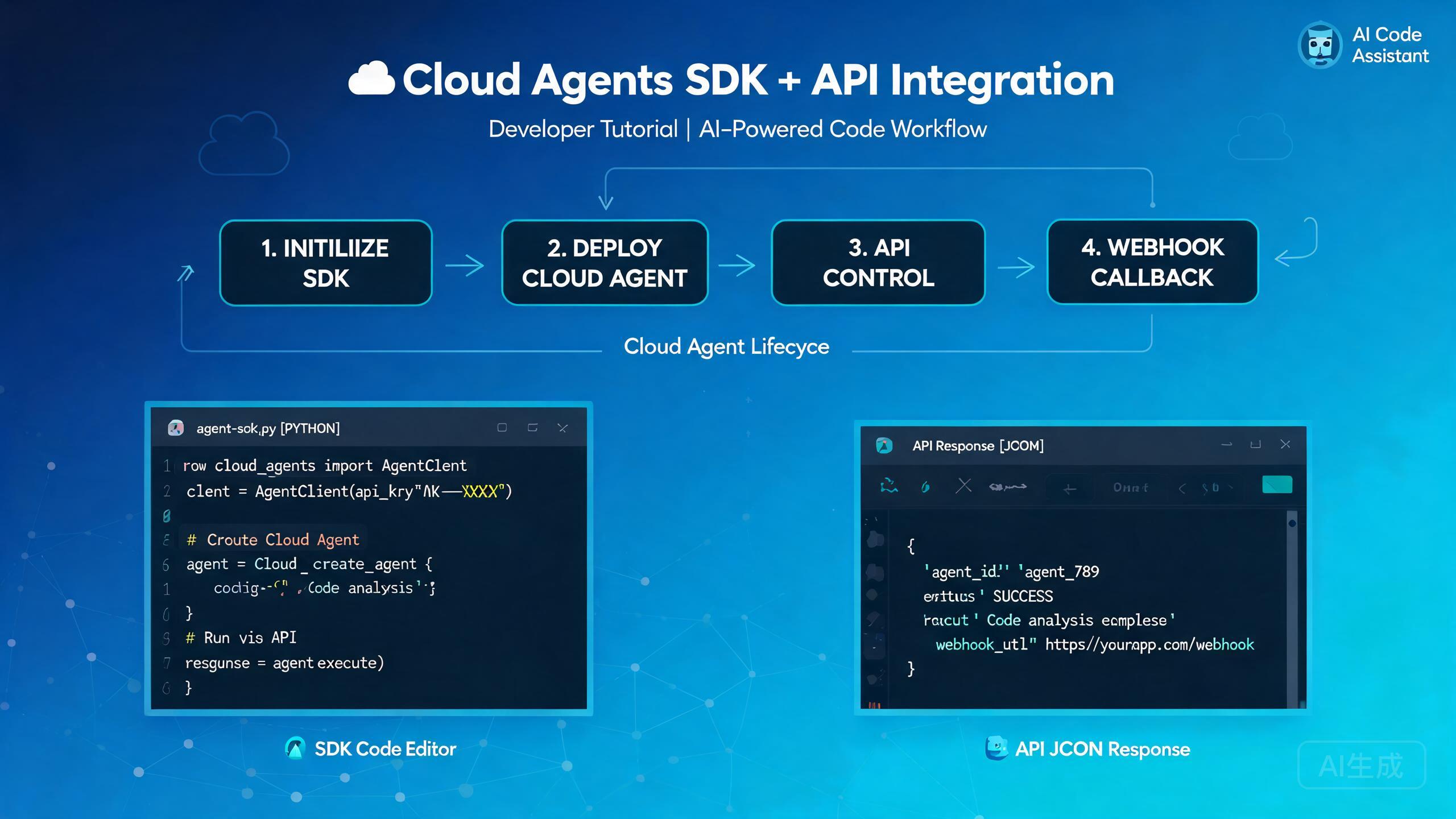
Cursor Cloud Agents API와 SDK는 클라우드 기반 코딩 에이전트를 프로그래밍 방식으로 제어할 수 있게 해줍니다. 에디터에서 수동으로 에이전트를 시작하고 모니터링하는 대신, 에이전트를 시작하고, 실행 중에 스티어링하고, 화면 출력을 캡처하고, 작업이 완료되면 웹훅 콜백을 받을 수 있습니다. 이 가이드는 인증, 수명 주기 관리, SDK 통합 패턴 및 실제 개발자 경험에서 수집한 문제 해결 팁을 안내합니다.
전제 조건 및 설정
Cloud Agents API와 통합하기 전에 다음 사항을 확인하세요:
- Cloud Agents 액세스가 활성화된 Cursor 계정
- Cursor 설정 대시보드에서 생성된 API 키
- Node.js 18 이상 (TypeScript/JavaScript SDK용)
- 비동기 프로그래밍 패턴에 대한 기본 이해
API 키를 코드에 하드코딩하지 말고 환경 변수에 저장하세요. 개발 중에는 .env 파일을 사용하고 프로덕션에서는 시크릿 관리자를 사용하세요.
SDK 설치
공개 레지스트리에서 Cursor Cloud Agents SDK를 설치합니다:
npm install @cursor/cloud-agents-sdk
# or
yarn add @cursor/cloud-agents-sdk
# or
pnpm add @cursor/cloud-agents-sdk
패키지 버전을 확인하여 설치를 검증합니다:
npx @cursor/cloud-agents-sdk --version
API 인증
Cloud Agents API에 대한 모든 요청에는 Bearer 토큰이 필요합니다. SDK는 클라이언트 초기화 시 이를 자동으로 처리합니다:
import { CursorCloudClient } from "@cursor/cloud-agents-sdk";

const client = new CursorCloudClient({
  apiKey: process.env.CURSOR_API_KEY,
  // 선택 사항: 기본 API 엔드포인트 재정의
  endpoint: "https://api.cursor.sh/v1",
  // 선택 사항: 모든 작업에 기본 타임아웃 설정
  timeout: 300000, // 5분
});
SDK 대신 원시 HTTP 호출을 선호하는 경우, 헤더를 수동으로 포함합니다:
import os
import requests

headers = {
    "Authorization": f"Bearer {os.environ['CURSOR_API_KEY']}",
    "Content-Type": "application/json",
}

response = requests.post(
    "https://api.cursor.sh/v1/agents",
    headers=headers,
    json={
        "repo": "https://github.com/my-org/my-repo",
        "branch": "feature/auth-refactor",
        "task": "Refactor the authentication module to use JWT",
    },
)
print(response.json())
API 키를 버전 관리에 커밋하지 마세요. 키가 노출된 경우, Cursor 대시보드에서 즉시 취소하고 새 키를 생성하세요. 정기적으로 키를 교체하세요.
클라우드 에이전트 수명 주기
클라우드 에이전트는 잘 정의된 수명 주기를 거칩니다. 각 상태를 이해하면 견고한 자동화 파이프라인을 구축하는 데 도움이 됩니다.
수명 주기 상태
| 상태 | 설명 |
|---|---|
queued | 에이전트가 생성되어 클라우드 슬롯을 대기 중 |
running | 에이전트가 작업을 활발히 실행 중 |
paused | 실행 중 스티어링 또는 수동 개입으로 에이전트가 일시 정지됨 |
completed | 에이전트가 작업을 성공적으로 완료 |
failed | 에이전트가 복구할 수 없는 오류를 만남 |
cancelled | 사용자 또는 타임아웃에 의해 에이전트가 취소됨 |
새 에이전트 생성
const agent = await client.agents.create({
  repo: "https://github.com/my-org/my-repo",
  branch: "feature/payment-gateway",
  task: "Integrate Stripe payment gateway with proper error handling",
  // 선택적 설정
  model: "cursor-agent-pro",
  maxSteps: 50,
  autoMerge: false,
  environment: {
    STRIPE_SECRET_KEY: process.env.STRIPE_SECRET_KEY,
  },
});

console.log(`Agent created with ID: ${agent.id}`);
console.log(`Initial status: ${agent.status}`);
에이전트 상태 모니터링
에이전트 상태를 폴링하거나 실시간 업데이트를 구독할 수 있습니다:
// 폴링 방식
async function waitForCompletion(agentId: string) {
  while (true) {
    const status = await client.agents.get(agentId);
    console.log(`[${new Date().toISOString()}] Status: ${status.state}`);

    if (status.state === "completed") {
      return status;
    }
    if (status.state === "failed" || status.state === "cancelled") {
      throw new Error(`Agent ended in state: ${status.state}`);
    }

    await new Promise((resolve) => setTimeout(resolve, 10000)); // 10초 폴링
  }
}

// 스트리밍 방식 (권장)
const stream = await client.agents.stream(agent.id, (event) => {
  console.log(`Event: ${event.type}`, event.data);
});

stream.on("step", (data) => {
  console.log(`Agent step: ${data.description}`);
});

stream.on("file_change", (data) => {
  console.log(`File modified: ${data.path}`);
});

stream.on("error", (data) => {
  console.error(`Agent error: ${data.message}`);
});
폴링보다 스트리밍 방식을 선호하세요. API 호출을 줄이고, 더 낮은 지연 시간의 업데이트를 제공하며, 장기 실행 작업 중 속도 제한 문제를 방지합니다.
실행 중 스티어링
Cloud Agents API의 가장 강력한 기능 중 하나는 에이전트가 활발히 실행되는 동안 스티어링할 수 있는 능력입니다. 이를 통해 처음부터 다시 시작하지 않고 방향을 수정하고, 컨텍스트를 추가하거나, 방향을 바꿀 수 있습니다.
스티어 메시지 보내기
const steerResult = await client.agents.steer(agent.id, {
  message: "Stop using the mock data approach. Please connect to the real database using the connection string in the .env file.",
  // 선택 사항: 파일 참조 첨부
  attachments: ["src/config/database.ts"],
  // 선택 사항: 실행 중 모델 변경
  model: "cursor-agent-pro",
});

console.log(`Steer accepted: ${steerResult.accepted}`);
console.log(`Agent now running with updated context`);
일반적인 스티어 시나리오
실행 중 스티어링은 여러 상황에서 유용합니다:
- 잘못된 접근 수정: 에이전트가 통합 테스트를 원할 때 모의 테스트를 작성하기 시작합니다.
- 누락된 컨텍스트 추가: 에이전트가 지난주에 만든 공유 유틸리티 모듈을 모릅니다.
- 범위 변경: 에이전트가 방금 작성한 코드에 대한 문서도 추가하길 원합니다.
- 제약 강제: 에이전트가 의도된 범위를 벗어난 파일을 수정하려고 합니다.
// 예: 문서 범위 추가를 위한 스티어링
await client.agents.steer(agent.id, {
  message: "Great progress on the API endpoints. Now also add JSDoc comments to every exported function and update the README with the new endpoint list.",
});

// 예: 보안 경계 강제를 위한 스티어링
await client.agents.steer(agent.id, {
  message: "Do not modify any files in the src/legacy/ directory. Those are deprecated modules scheduled for removal.",
});
스티어 메시지는 비동기적으로 처리됩니다. 스티어 전송과 에이전트 반영 사이에 짧은 시간 창이 있습니다. 빠르게 연속해서 충돌하는 스티어 메시지를 보내지 마세요. 에이전트가 혼란스러워하고 일관되지 않은 동작을 초래할 수 있습니다.
에이전트 일시 정지 및 재개
// 실행 중인 에이전트 일시 정지
await client.agents.pause(agent.id);
console.log("Agent paused");

// 현재 상태 검토
const state = await client.agents.get(agent.id);
console.log("Files changed so far:", state.filesChanged);

// 준비되면 재개
await client.agents.resume(agent.id);
console.log("Agent resumed");
RecordScreen API
RecordScreen API는 특정 순간에 클라우드 에이전트 화면의 시각적 스냅샷을 캡처합니다. 이는 디버깅, 감사 및 시각적 대시보드 구축에 매우 유용합니다.
스크린샷 캡처
// 단일 스크린샷 캡처
const screenshot = await client.agents.recordScreen(agent.id, {
  format: "png",
  // 선택 사항: 특정 영역만 캡처
  region: { x: 0, y: 0, width: 1920, height: 1080 },
  // 선택 사항: 커서 위치 오버레이 포함
  showCursor: true,
});

// 스크린샷은 base64 문자열로 반환됨
const fs = require("fs");
fs.writeFileSync(`agent-${agent.id}-screenshot.png`, Buffer.from(screenshot.data, "base64"));
console.log(`Screenshot saved. Size: ${screenshot.width}x${screenshot.height}`);
비디오 클립 녹화
// 화면 녹화 시작
const recording = await client.agents.recordScreen(agent.id, {
  mode: "video",
  duration: 30000, // 30초
  fps: 15,
  format: "webm",
});

// 녹화는 다운로드 가능한 URL을 반환
console.log(`Recording available at: ${recording.url}`);
console.log(`Recording expires at: ${recording.expiresAt}`);
RecordScreen 실패 문제 해결
RecordScreen 호출은 여러 이유로 실패할 수 있습니다. 가장 일반적인 문제와 해결 방법은 다음과 같습니다:
에이전트가 running 상태가 아닌 경우 RecordScreen은 409 Conflict 오류를 반환합니다. 화면을 캡처하기 전에 에이전트가 활발히 실행 중인지 확인하세요. 에이전트가 일시 정지되거나 완료된 경우 화면을 녹화할 수 없습니다.
// 오류 처리가 포함된 안전한 RecordScreen 래퍼
async function safeRecordScreen(agentId: string, options: any) {
  const agent = await client.agents.get(agentId);

  if (agent.state !== "running") {
    console.warn(`Cannot record screen: agent is in ${agent.state} state`);
    return null;
  }

  try {
    return await client.agents.recordScreen(agentId, options);
  } catch (error: any) {
    if (error.code === "SCREEN_CAPTURE_UNAVAILABLE") {
      console.error("Screen capture is not available for this agent configuration.");
      console.error("Make sure the agent was launched with screen capture enabled.");
    } else if (error.code === "RATE_LIMITED") {
      console.error("Too many screen capture requests. Please wait before retrying.");
      console.log(`Retry after: ${error.retryAfter} seconds`);
    } else {
      throw error;
    }
    return null;
  }
}
에이전트 생성 시 화면 캡처를 활성화하려면 screenCapture 옵션을 설정합니다:
const agent = await client.agents.create({
  repo: "https://github.com/my-org/my-repo",
  branch: "main",
  task: "Fix the flaky integration tests",
  screenCapture: {
    enabled: true,
    autoCapture: true, // 각 단계마다 자동 캡처
    captureInterval: 5000, // 5초마다 캡처
  },
});
autoCapture를 활성화하면 에이전트 작업의 시각적 타임라인이 생성됩니다. 디버깅이나 컴플라이언스 검토를 위해 나중에 전체 세션을 재생할 수 있습니다. 이는 저장소 사용량을 증가시키고 에이전트 성능에 약간의 영향을 미칠 수 있습니다.
웹훅 콜백
웹훅을 통해 에이전트 이벤트가 발생할 때 실시간 알림을 받을 수 있습니다. 이는 자동화된 CI/CD 파이프라인과 모니터링 대시보드를 구축하는 데 필수적입니다.
웹훅 등록
const webhook = await client.webhooks.create({
  url: "https://my-app.com/api/cursor-webhook",
  events: [
    "agent.created",
    "agent.step_completed",
    "agent.completed",
    "agent.failed",
    "agent.steer_received",
  ],
  // 선택 사항: 서명 검증을 위한 시크릿 추가
  secret: process.env.WEBHOOK_SECRET,
});

console.log(`Webhook registered with ID: ${webhook.id}`);
웹훅 페이로드 처리
다음은 웹훅 콜백을 수신하고 검증하는 Express 엔드포인트 예제입니다:
const express = require("express");
const crypto = require("crypto");
const app = express();
app.use(express.raw({ type: "application/json" }));

app.post("/api/cursor-webhook", (req, res) => {
  // 웹훅 서명 검증
  const signature = req.headers["x-cursor-signature"];
  const expectedSignature = crypto
    .createHmac("sha256", process.env.WEBHOOK_SECRET)
    .update(req.body)
    .digest("hex");

  if (signature !== expectedSignature) {
    return res.status(401).send("Invalid signature");
  }

  const event = JSON.parse(req.body.toString());

  switch (event.type) {
    case "agent.created":
      console.log(`Agent ${event.data.agentId} created for repo ${event.data.repo}`);
      break;

    case "agent.step_completed":
      console.log(`Agent ${event.data.agentId} completed step ${event.data.stepNumber}`);
      console.log(`  Files changed: ${event.data.filesChanged.join(", ")}`);
      break;

    case "agent.completed":
      console.log(`Agent ${event.data.agentId} completed successfully`);
      console.log(`  Pull request: ${event.data.pullRequestUrl}`);
      // 다운스트림 CI 파이프라인 트리거
      triggerCIPipeline(event.data.agentId);
      break;

    case "agent.failed":
      console.error(`Agent ${event.data.agentId} failed: ${event.data.error}`);
      // 팀 채널에 알림 전송
      sendAlert(event.data);
      break;
  }

  // 항상 200으로 응답하여 수신 확인
  res.status(200).send("OK");
});

app.listen(3000, () => {
  console.log("Webhook server listening on port 3000");
});
항상 웹훅 서명을 검증하세요. 서명 검증이 없으면 공격자가 위조된 웹훅 페이로드를 엔드포인트로 보낼 수 있습니다. x-cursor-signature 헤더에는 웹훅 시크릿으로 서명된 원시 요청 본문의 HMAC-SHA256 해시가 포함되어 있습니다.
웹훅 재시도 동작
엔드포인트가 10초 이내에 200 상태로 응답하지 않으면 API가 전송을 재시도합니다. 재시도 일정은 다음과 같습니다:
| 시도 | 지연 |
|---|---|
| 1차 재시도 | 1분 |
| 2차 재시도 | 5분 |
| 3차 재시도 | 30분 |
| 4차 재시도 | 2시간 |
| 최종 | 12시간 |
최종 시도 후 웹훅 전송이 실패로 표시되며 API를 통해 에이전트 상태를 수동으로 확인해야 합니다.
웹훅 처리가 장기 실행 작업을 포함하는 경우 즉시 200으로 응답하고 작업을 백그라운드 대기열로 푸시하세요. 이는 타임아웃을 방지하고 신뢰할 수 있는 웹훅 전송을 보장합니다.
SDK 통합 패턴
패턴 1: CI/CD 파이프라인 통합
Pull Request가 열릴 때 클라우드 에이전트를 자동으로 생성합니다:
import { CursorCloudClient } from "@cursor/cloud-agents-sdk";

const client = new CursorCloudClient({
  apiKey: process.env.CURSOR_API_KEY,
});

export async function onPullRequestOpened(pr: any) {
  const agent = await client.agents.create({
    repo: pr.repositoryUrl,
    branch: pr.headBranch,
    task: `Review and improve this pull request. Focus on: ${pr.description}`,
    autoMerge: false,
    screenCapture: { enabled: true },
  });

  // 에이전트 링크로 PR에 코멘트
  await pr.addComment(
    `A Cursor Cloud Agent is now reviewing this PR. ` +
    `Track progress: https://cursor.sh/agents/${agent.id}`
  );

  return agent;
}
패턴 2: 멀티 에이전트 오케스트레이션
다른 작업에서 여러 에이전트를 병렬로 실행합니다:
async function runParallelAgents(repo: string) {
  const tasks = [
    "Write unit tests for the authentication module",
    "Write unit tests for the payment module",
    "Write integration tests for the API endpoints",
    "Update API documentation with OpenAPI specs",
  ];

  const agents = await Promise.all(
    tasks.map((task) =>
      client.agents.create({
        repo,
        branch: "main",
        task,
        model: "cursor-agent-pro",
      })
    )
  );

  console.log(`Launched ${agents.length} agents in parallel`);

  // 모든 에이전트가 완료될 때까지 대기
  const results = await Promise.allSettled(
    agents.map((agent) => waitForCompletion(agent.id))
  );

  // 결과 요약
  results.forEach((result, index) => {
    if (result.status === "fulfilled") {
      console.log(`Task ${index + 1}: Completed - ${result.value.filesChanged.length} files changed`);
    } else {
      console.error(`Task ${index + 1}: Failed - ${result.reason.message}`);
    }
  });
}
여러 에이전트를 병렬로 실행하면 클라우드 리소스가 빠르게 소모됩니다. 사용량을 모니터링하고 비용을 제어하기 위해 각 에이전트에 합리적인 maxSteps 제한을 설정하세요. 대규모 배치를 실행하기 전에 플랜의 동시 에이전트 제한을 확인하세요.
패턴 3: 휴먼 인 더 루프 검토
웹훅과 실행 중 스티어링을 결합하여 휴먼 검토 체크포인트를 만듭니다:
// 에이전트가 특정 단계에 도달하면 휴먼 검토를 위해 일시 정지
const stream = await client.agents.stream(agent.id, async (event) => {
  if (event.type === "step" && event.data.stepNumber === 10) {
    // 휴먼 검토를 위해 에이전트 일시 정지
    await client.agents.pause(agent.id);

    // 검토 채널에 알림 전송
    await sendSlackNotification({
      channel: "#code-review",
      text: `Agent ${agent.id} has paused for review. Check the changes before resuming.`,
    });

    // 휴먼 검토자가 수동으로 에이전트를 재개하거나 스티어링합니다
  }
});
패턴 4: 자동 오류 복구
async function runWithRetry(repo: string, task: string, maxRetries = 3) {
  for (let attempt = 1; attempt <= maxRetries; attempt++) {
    const agent = await client.agents.create({
      repo,
      branch: "main",
      task,
      maxSteps: 30,
    });

    try {
      const result = await waitForCompletion(agent.id);

      if (result.state === "completed") {
        return result;
      }
    } catch (error) {
      console.error(`Attempt ${attempt} failed: ${error.message}`);

      if (attempt < maxRetries) {
        // 오류 컨텍스트로 다음 시도를 스티어링
        task = `${task}\n\nPrevious attempt failed with: ${error.message}. Please avoid this approach.`;
      }
    }
  }

  throw new Error(`Agent failed after ${maxRetries} attempts`);
}
일반적인 문제 해결
에이전트가 대기열 상태에서 멈춤
에이전트가 장시간 queued 상태로 남아 있는 경우, 일반적으로 모든 클라우드 슬롯이 점유되어 있음을 의미합니다.
// 계정의 현재 사용량 확인
const usage = await client.usage.get();
console.log(`Active agents: ${usage.activeAgents}/${usage.maxConcurrentAgents}`);
console.log(`Queue length: ${usage.queueLength}`);

if (usage.activeAgents >= usage.maxConcurrentAgents) {
  console.log("All slots are in use. Consider upgrading your plan or waiting for agents to complete.");
}
SDK 인증 오류
401 Unauthorized 오류를 받은 경우, 다음을 확인하세요:
- API 키가 유효하고 취소되지 않았는지
- 키에
cloud-agents스코프가 활성화되어 있는지 - 올바른 엔드포인트 URL을 사용하고 있는지
- 환경 변수가 올바르게 로드되었는지
// 인증 디버깅
const client = new CursorCloudClient({
  apiKey: process.env.CURSOR_API_KEY,
});

try {
  const me = await client.auth.verify();
  console.log("Authentication successful");
  console.log(`Account: ${me.accountName}`);
  console.log(`Plan: ${me.plan}`);
  console.log(`Scopes: ${me.scopes.join(", ")}`);
} catch (error) {
  console.error("Authentication failed:", error.message);
  console.log("Check your API key and ensure it has the 'cloud-agents' scope.");
}
웹훅 전송 실패
웹훅이 엔드포인트에 도달하지 않는 경우:
- 웹훅 URL이 공개적으로 접근 가능한지 확인 (localhost가 아님)
- 서버가 10초 이내에 200을 반환하는지 확인
- SSL 인증서가 유효한지 확인
- 방화벽이 Cursor의 IP 범위에서의 인바운드 연결을 허용하는지 확인
// 웹훅 엔드포인트 접근성 테스트
const test = await client.webhooks.test(webhook.id);
console.log(`Test result: ${test.status}`);
console.log(`Response time: ${test.responseTime}ms`);
if (test.error) {
  console.error(`Error: ${test.error}`);
}
개발 중에 webhook.site나 ngrok과 같은 서비스를 사용하여 전체 서버를 배포하지 않고 웹훅 전송을 빠르게 테스트하세요. 이는 문제가 엔드포인트에 있는지 웹훅 설정에 있는지 격리하는 데 도움이 됩니다.
모범 사례 요약
다음은 Cursor Cloud Agents API와 SDK로 구축할 때 따라야 할 모범 사례 체크리스트입니다:
- API 키는 항상 환경 변수나 시크릿 관리자에 저장
- 실시간 업데이트를 위해 폴링보다 스트리밍 사용
- 모든 엔드포인트에서 웹훅 서명 검증 구현
- 비용을 제어하고 통제 불능 에이전트를 방지하기 위해 합리적인
maxSteps제한 설정 - 에이전트를 재시작하는 대신 실행 중 스티어링으로 방향 수정
- 디버깅 및 감사 추적을 위해 중요 작업에서 화면 캡처 활성화
- 실패한 API 호출 재시도 시 지수 백오프 구현
- 대기열 기아 상태를 방지하기 위해 동시 에이전트 사용량 모니터링
- 라이브 전환 전에 내장 테스트 엔드포인트로 웹훅 엔드포인트 테스트
- 사후 분석 및 컴플라이언스를 위해 모든 에이전트 이벤트 로깅
속도 제한에 주의하세요. API는 분당 100개 요청의 기본 제한을 적용합니다. 이 제한을 초과하면 429 Too Many Requests 응답을 받습니다. 지터가 포함된 지수 백오프를 구현하여 속도 제한 재시도를 적절히 처리하세요.
결론
Cursor Cloud Agents API와 SDK는 대규모로 코딩 작업을 자동화하는 강력한 프로그래밍 인터페이스를 제공합니다. 에이전트 수명 주기 관리, 실행 중 스티어링, RecordScreen API 및 웹훅 콜백을 결합하여 기존 개발 워크플로와 원활하게 통합되는 정교한 자동화 파이프라인을 구축할 수 있습니다.
간단한 단일 에이전트 설정으로 시작한 다음, 자신감이 생기면 웹훅 통합, 병렬 오케스트레이션 및 휴먼 인 더 루프 검토 체크포인트를 점진적으로 추가하세요. SDK의 TypeScript 우선 설계는 현대 Node.js 애플리케이션에 쉽게 통합할 수 있으며, 원시 HTTP API는 모든 프로그래밍 언어를 지원합니다.