Cursor에서의 국제화(i18n) 및 현지화(l10n): react-intl, i18next 및 RTL 지원
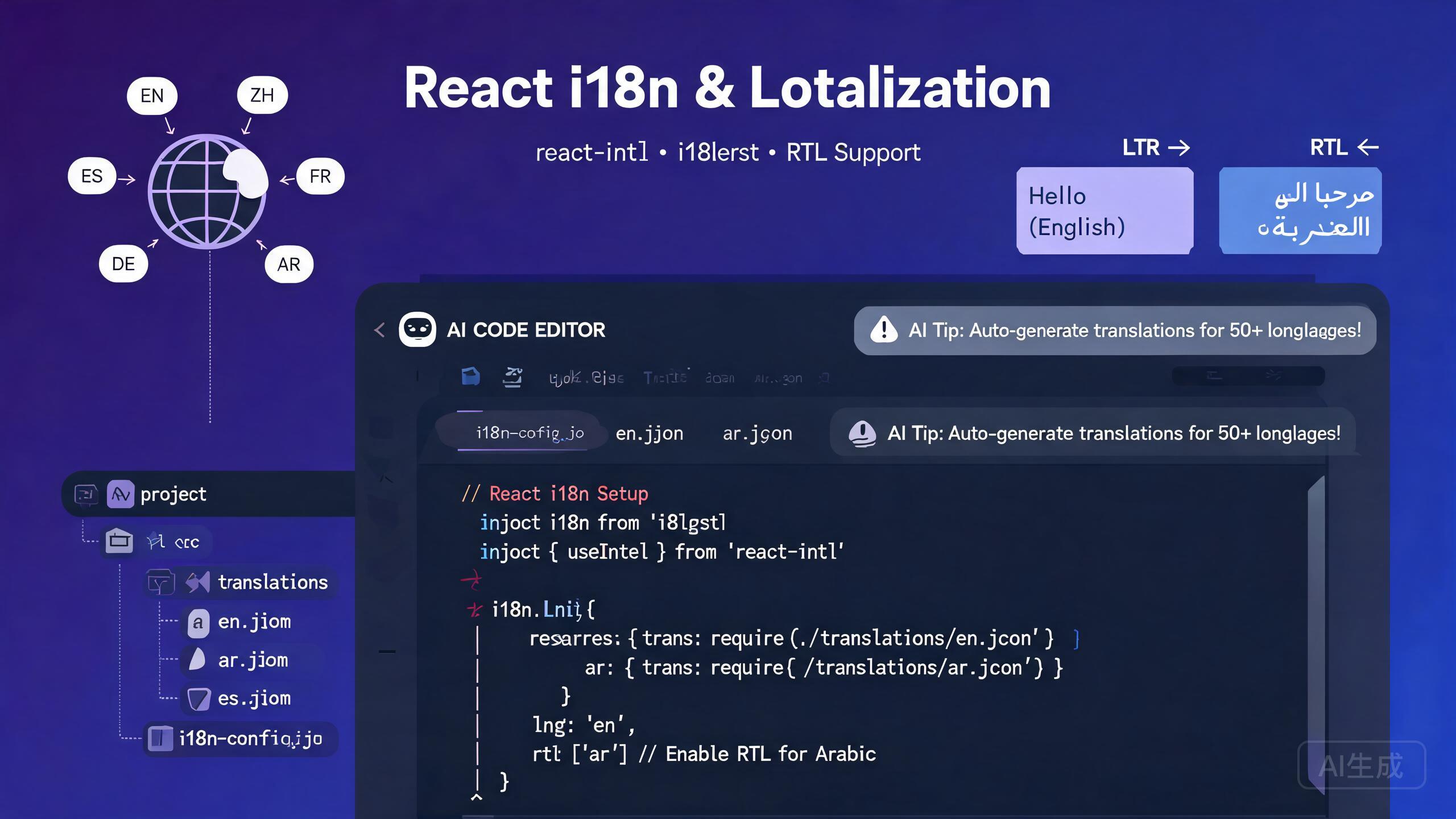
국제화(i18n)와 현지화(l10n)는 애플리케이션을 다른 언어, 지역 및 문화적 관습의 사용자가 접근할 수 있게 만듭니다. Cursor, AI 기반 IDE 에디터는 i18n 워크플로의 모든 단계를 가속화합니다: 번역 가능한 문자열 추출, 번역 라이브러리 구성, 로케일 파일 생성, RTL(오른쪽에서 왼쪽) 레이아웃 구현, AI 기반 파이프라인으로 번역 자동화. 이 가이드는 react-intl, i18next, 번역 파일 관리, RTL 지원, 로케일 인식 포맷팅, AI 지원 번역 워크플로를 다룹니다.
사전 요구 사항
시작하기 전에 다음이 있는지 확인하세요:
- Cursor (최신 버전 권장)를 IDE 에디터로 사용
- Node.js 18 이상
- React 프로젝트(Vite 또는 Next.js 권장)
- JSON 및 React 컴포넌트 패턴에 대한 기본적 친숙도
UI 코드를 작성하기 전에 i18n 전략을 계획하세요. 기존 애플리케이션에 i18n을 추가하는 것은 처음부터 통합하는 것보다 훨씬 어렵습니다. Cursor에게 첫 스프린트에서 번역 인프라를 설정해 달라고 요청하여 모든 컴포넌트가 첫날부터 국제화되도록 하세요.
i18n vs l10n 이해
- 국제화(i18n): 애플리케이션이 여러 언어를 지원하도록 준비하는 엔지니어링 작업입니다. 여기에는 문자열 추출, 로케일 인식 포매터 사용, RTL 레이아웃 지원, 유연한 UI 컴포넌트 설계가 포함됩니다.
- 현지화(l10n): 특정 로케일에 대한 콘텐츠의 실제 번역 및 문화적 적응입니다. 여기에는 문자열 번역, 날짜 및 통화 형식 적응, 현지 규범에 맞는 이미지 조정이 포함됩니다.
Cursor는 두 가지 모두에 도움을 줍니다: i18n 인프라를 생성하고 AI 기반 번역 및 로케일 파일 생성을 통해 l10n을 지원합니다.
i18next 설정
i18next는 JavaScript를 위한 가장 인기 있는 i18n 프레임워크입니다. React 동반자인 react-i18next는 원활한 통합을 위한 훅과 컴포넌트를 제공합니다.
설치 및 구성
Cursor에게 React 프로젝트에 i18next를 설정해 달라고 요청하세요:
Set up i18next with react-i18next in my Vite + React + TypeScript project.
Support English (en), Spanish (es), Japanese (ja), and Arabic (ar).
Include a language switcher component, lazy-loaded translation
namespaces, and locale-aware date formatting. Configure the
detector to remember the user's choice in localStorage.
Cursor가 구성을 생성합니다:
// src/i18n/index.ts
import i18n from 'i18next';
import { initReactI18next } from 'react-i18next';
import LanguageDetector from 'i18next-browser-languagedetector';
import HttpBackend from 'i18next-http-backend';

export const supportedLanguages = [
  { code: 'en', name: 'English', dir: 'ltr' as const },
  { code: 'es', name: 'Espanol', dir: 'ltr' as const },
  { code: 'ja', name: '日本語', dir: 'ltr' as const },
  { code: 'ar', name: 'العربية', dir: 'rtl' as const },
];

export const defaultLanguage = 'en';

i18n
  .use(HttpBackend)
  .use(LanguageDetector)
  .use(initReactI18next)
  .init({
    fallbackLng: defaultLanguage,
    supportedLngs: supportedLanguages.map((l) => l.code),
    ns: ['common', 'navigation', 'forms', 'errors'],
    defaultNS: 'common',
    backend: { loadPath: '/locales/{{lng}}/{{ns}}.json' },
    detection: {
      order: ['localStorage', 'navigator', 'htmlTag'],
      lookupLocalStorage: 'i18nextLng',
      caches: ['localStorage'],
    },
    interpolation: { escapeValue: false },
    react: { useSuspense: true, bindI18n: 'languageChanged loaded' },
  });

export default i18n;
번역 파일 구조
public/
  locales/
    en/
      common.json
      navigation.json
      forms.json
      errors.json
    es/
      common.json
      ...
    ja/
      common.json
      ...
    ar/
      common.json
      ...
영어 번역 예시:
// public/locales/en/common.json
{
  "app": {
    "title": "My Application",
    "tagline": "Build better, ship faster"
  },
  "welcome": "Welcome, {{name}}!",
  "items_count": "You have {{count}} item",
  "items_count_other": "You have {{count}} items",
  "lastUpdated": "Last updated: {{date}}"
}
// public/locales/en/forms.json
{
"labels": {
"email": "Email Address",
"password": "Password",
"firstName": "First Name",
"lastName": "Last Name"
},
"placeholders": {
"password": "Enter your password"
},
"buttons": {
"submit": "Submit",
"cancel": "Cancel"
},
"validation": {
"emailRequired": "Email is required",
"emailInvalid": "Please enter a valid email address",
"passwordMinLength": "Password must be at least {{min}} characters"
}
}
단일 모놀리식 파일 대신 네임스페이스(common, navigation, forms, errors)로 번역을 구성하세요. 네임스페이스를 사용하면 현재 페이지에 필요한 번역만 지연 로드할 수 있어 초기 번들 크기가 줄어듭니다. Cursor에게 라우트 구조를 기반으로 네임스페이스 경계를 제안해 달라고 요청하세요.
컴포넌트에서 사용자 대면 문자열을 하드코딩하지 마세요. 처음에 하나의 언어만 지원하더라도, 처음부터 문자열을 번역 파일로 추출하는 것은 나중에 수주의 리팩토링을 절약하는 10분의 투자입니다. 버튼 라벨, 오류 메시지, 툴팁을 포함한 모든 보이는 문자열에 t() 함수를 사용하세요.
react-i18next 훅 사용
useTranslation 훅은 함수 컴포넌트에서 번역에 접근하는 주요 방법입니다.
기본 사용
// src/components/LoginForm.tsx
import { useTranslation } from 'react-i18next';
import { useState } from 'react';

export function LoginForm() {
  const { t } = useTranslation(['forms', 'errors']);
  const [email, setEmail] = useState('');
  const [password, setPassword] = useState('');
  const [errors, setErrors] = useState<Record<string, string>>({});

  function handleSubmit(e: React.FormEvent) {
    e.preventDefault();
    const newErrors: Record<string, string> = {};

    if (!email) {
      newErrors.email = t('forms:validation.emailRequired');
    } else if (!/^[^\s@]+@[^\s@]+\.[^\s@]+$/.test(email)) {
      newErrors.email = t('forms:validation.emailInvalid');
    }

    if (password.length < 8) {
      newErrors.password = t('forms:validation.passwordMinLength', { min: 8 });
    }

    setErrors(newErrors);
  }

  return (
    <form onSubmit={handleSubmit} className="max-w-md space-y-4">
      <div>
        <label htmlFor="email" className="block text-sm font-medium">
          {t('forms:labels.email')}
        </label>
        <input
          id="email"
          type="email"
          value={email}
          onChange={(e) => setEmail(e.target.value)}
          placeholder={t('forms:placeholders.email')}
          className="mt-1 w-full rounded border px-3 py-2"
          aria-invalid={!!errors.email}
        />
        {errors.email && (
          <p className="mt-1 text-sm text-red-600" role="alert">
            {errors.email}
          </p>
        )}
      </div>

      <div>
        <label htmlFor="password" className="block text-sm font-medium">
          {t('forms:labels.password')}
        </label>
        <input
          id="password"
          type="password"
          value={password}
          onChange={(e) => setPassword(e.target.value)}
          placeholder={t('forms:placeholders.password')}
          className="mt-1 w-full rounded border px-3 py-2"
          aria-invalid={!!errors.password}
        />
        {errors.password && (
          <p className="mt-1 text-sm text-red-600" role="alert">
            {errors.password}
          </p>
        )}
      </div>

      <button type="submit" className="w-full rounded bg-blue-600 px-4 py-2 text-white">
        {t('forms:buttons.submit')}
      </button>
    </form>
  );
}
복수형 및 보간
i18next는 로케일에 따라 복수형 규칙을 자동으로 처리합니다. 언어마다 복수형이 다릅니다(영어는 2개, 아랍어는 6개, 일본어는 1개).
// src/components/ShoppingCart.tsx
import { useTranslation } from 'react-i18next';

export function ShoppingCart({ itemCount }: { itemCount: number }) {
  const { t } = useTranslation('common');

  return (
    <div className="p-4">
      <h2 className="text-lg font-bold">{t('shoppingCart')}</h2>
      {/* i18next automatically selects singular or plural form */}
      <p>{t('items_count', { count: itemCount })}</p>
    </div>
  );
}
아랍어 번역 파일은 6가지 복수형을 모두 처리합니다:
// public/locales/ar/common.json (Arabic has 6 plural forms per CLDR rules)
{
  "items_count_0": "لا توجد عناصر",
  "items_count_1": "لديك عنصر واحد",
  "items_count_2": "لديك عنصران",
  "items_count_3": "لديك {{count}} عناصر",
  "items_count_4": "لديك {{count}} عنصرًا",
  "items_count_5": "لديك {{count}} عنصر"
}
Cursor에게 지원하는 모든 로케일의 복수형 규칙을 생성해 달라고 요청하세요. "items_count 번역 키에 대해 아랍어, 러시아어, 폴란드어의 올바른 복수형 키를 CLDR 복수 규칙에 따라 만들어 줘"와 같은 프롬프트는 CLDR 규칙을 외울 필요 없이 로케일에 맞는 복수형을 생성합니다.
react-intl 설정
react-intl은 FormatJS 제품군의 대체 i18n 라이브러리입니다. 엔터프라이즈 애플리케이션에서 엄격한 타입 안전성과 ICU Message Format 지원으로 인해 인기 있습니다.
Provider 구성
// src/i18n/IntlProvider.tsx
import { IntlProvider } from 'react-intl';
import { useState, useEffect, ReactNode, createContext, useContext } from 'react';

export type Locale = 'en' | 'es' | 'ja' | 'ar';

const messages: Record<Locale, () => Promise<Record<string, string>>> = {
  en: () => import('../locales/en.json').then((m) => m.default),
  es: () => import('../locales/es.json').then((m) => m.default),
  ja: () => import('../locales/ja.json').then((m) => m.default),
  ar: () => import('../locales/ar.json').then((m) => m.default),
};

export function IntlAppProvider({ children }: { children: ReactNode }) {
  const storedLocale = localStorage.getItem('locale') as Locale | null;
  const browserLocale = navigator.language.split('-')[0] as Locale;
  const [locale, setLocale] = useState<Locale>(storedLocale || browserLocale || 'en');
  const [localeMessages, setLocaleMessages] = useState<Record<string, string>>({});

  useEffect(() => {
    messages[locale]().then((msgs) => {
      setLocaleMessages(msgs);
      document.documentElement.dir = locale === 'ar' ? 'rtl' : 'ltr';
      document.documentElement.lang = locale;
      localStorage.setItem('locale', locale);
    });
  }, [locale]);

  return (
    <IntlProvider
      locale={locale}
      messages={localeMessages}
      defaultLocale="en"
      onError={(err) => import.meta.env.DEV && console.warn('[Intl]', err.message)}
    >
      <LanguageContext.Provider value={{ locale, changeLocale: setLocale }}>
        {children}
      </LanguageContext.Provider>
    </IntlProvider>
  );
}

interface LanguageContextType { locale: Locale; changeLocale: (locale: Locale) => void; }
const LanguageContext = createContext<LanguageContextType | null>(null);
export function useLanguage() {
  const ctx = useContext(LanguageContext);
  if (!ctx) throw new Error('useLanguage must be used within IntlAppProvider');
  return ctx;
}
react-intl 컴포넌트 사용
react-intl은 포맷팅을 위한 선언적 컴포넌트를 제공합니다. FormattedMessage 컴포넌트는 ICU Message Format을 처리하고, FormattedNumber, FormattedDate, FormattedTime은 사용자의 로케일에 자동으로 적응합니다.
// src/components/ProductCard.tsx
import { FormattedMessage, FormattedNumber, FormattedDate } from 'react-intl';
import { useLanguage } from '../i18n/IntlProvider';

export function ProductCard({ product }: { product: Product }) {
  const { locale } = useLanguage();

  return (
    <div className="rounded-lg border p-4">
      <h3 className="text-lg font-bold">{product.name}</h3>
      {/* Currency adapts to locale automatically */}
      <p className="text-xl text-green-600">
        <FormattedNumber
          value={product.price}
          style="currency"
          currency={locale === 'ja' ? 'JPY' : locale === 'ar' ? 'SAR' : 'USD'}
        />
      </p>
      <p className="text-sm text-gray-500">
        <FormattedMessage
          id="product.addedOn"
          defaultMessage="Added on {date}"
          values={{
            date: <FormattedDate value={new Date(product.addedAt)} year="numeric" month="long" day="numeric" />,
          }}
        />
      </p>
      <div className="mt-2">
        <FormattedMessage
          id="product.reviews"
          defaultMessage="{count, plural, one {# review} other {# reviews}}"
          values={{ count: product.reviewCount }}
        />
      </div>
    </div>
  );
}
react-intl은 메시지 문자열에 복수형, 선택 및 포맷팅을 직접 내장하는 ICU Message Format을 사용합니다. 이는 번역자가 코드를 수정하지 않고도 문장 구조를 조정할 수 있음을 의미합니다. 단순한 키-값 번역 파일에서 마이그레이션하는 경우 Cursor에게 실용적인 예제로 ICU Message Format 구문을 설명해 달라고 요청하세요.
RTL(오른쪽에서 왼쪽) 지원
RTL 지원은 아랍어, 히브리어, 페르시아어와 같은 언어에 필수적입니다. Cursor는 양방향으로 올바르게 작동하는 RTL 인식 레이아웃을 구현하는 데 도움을 줍니다.
CSS 논리 속성
물리적 속성(margin-left) 대신 논리 속성(margin-inline-start)을 사용하여 레이아웃이 RTL 모드에서 자동으로 반전되도록 하세요.
/* src/styles/rtl.css */
.card {
  padding-inline-start: 1rem;
  padding-inline-end: 1rem;
  border-inline-start: 3px solid var(--accent);
}
.flex-container { display: flex; flex-direction: row; gap: 0.5rem; }
.nav-bar { inset-inline-start: 0; inset-inline-end: 0; }

/* Flip directional icons in RTL */
[dir="rtl"] .icon-rtl-flip { transform: scaleX(-1); }
RTL 인식 React 컴포넌트
// src/components/RTLNavigation.tsx
import { useTranslation } from 'react-i18next';
import { useMemo } from 'react';

export function RTLNavigation({ items }: { items: NavItem[] }) {
  const { i18n } = useTranslation();
  const isRTL = i18n.dir() === 'rtl';
  const flipIcons = useMemo(() => new Set(['arrow', 'chevron', 'back', 'forward']), []);

  return (
    <nav
      className="flex items-center gap-4 px-4 py-2"
      style={{ direction: isRTL ? 'rtl' : 'ltr' }}
      aria-label="Main navigation"
    >
      {items.map((item) => (
        <a key={item.id} href={item.href} className="flex items-center gap-2 rounded px-3 py-1 hover:bg-gray-100">
          {item.icon && (
            <span
              className="inline-block"
              style={{ transform: isRTL && flipIcons.has(item.icon) ? 'scaleX(-1)' : 'scaleX(1)' }}
            >
              <Icon name={item.icon} />
            </span>
          )}
          <span>{i18n.t(item.labelKey)}</span>
        </a>
      ))}
    </nav>
  );
}
CSS에서 text-align: left 또는 text-align: right를 사용하지 마세요. 대신 text-align: start와 text-align: end를 사용하세요. 물리적 속성은 RTL 모드에서 자동으로 반전되지 않아 잘못 정렬된 텍스트와 깨진 레이아웃이 발생합니다. Cursor에게 CSS에서 물리적 방향 속성을 스캔하고 논리적 등가물로 변환해 달라고 요청하세요.
아랍어를 개발 초기에 로케일로 추가하여 RTL 레이아웃을 테스트하세요. 레이아웃을 RTL로 반전하면 하드코딩된 물리적 속성, 미러링되지 않는 플렉스 레이아웃, 반전되어야 하는 아이콘이 드러납니다. 개발 중에 이러한 문제를 해결하는 것이 런칭 후 발견하는 것보다 훨씬 저렴합니다.
언어 전환 컴포넌트
// src/components/LanguageSwitcher.tsx
import { useTranslation } from 'react-i18next';
import { supportedLanguages } from '../i18n';

export function LanguageSwitcher() {
  const { i18n } = useTranslation();
  const currentLanguage = supportedLanguages.find((l) => l.code === i18n.language) || supportedLanguages[0];

  function changeLanguage(code: string) {
    i18n.changeLanguage(code);
    const lang = supportedLanguages.find((l) => l.code === code);
    document.documentElement.dir = lang?.dir || 'ltr';
    document.documentElement.lang = code;
  }

  return (
    <div className="flex items-center gap-2">
      <select
        id="language-select"
        value={currentLanguage.code}
        onChange={(e) => changeLanguage(e.target.value)}
        className="rounded border px-2 py-1 text-sm"
        aria-label="Select language"
      >
        {supportedLanguages.map((lang) => (
          <option key={lang.code} value={lang.code}>
            {lang.name}
          </option>
        ))}
      </select>
    </div>
  );
}
로케일 인식 포맷팅
날짜, 숫자, 통화 포맷팅은 사용자의 로케일에 적응해야 합니다. i18next와 react-intl 모두 포맷팅 유틸리티를 제공합니다.
Intl API 직접 사용
// src/lib/locale-formatters.ts

export function formatDate(date: Date, locale: string, options?: Intl.DateTimeFormatOptions): string {
  return new Intl.DateTimeFormat(locale, options || { year: 'numeric', month: 'long', day: 'numeric' }).format(date);
}

export function formatNumber(value: number, locale: string, options?: Intl.NumberFormatOptions): string {
  return new Intl.NumberFormat(locale, options).format(value);
}

export function formatCurrency(value: number, locale: string, currency: string): string {
  return new Intl.NumberFormat(locale, { style: 'currency', currency, minimumFractionDigits: 2 }).format(value);
}

export function formatRelativeTime(date: Date, locale: string): string {
  const diff = (date.getTime() - Date.now()) / 1000;
  const rtf = new Intl.RelativeTimeFormat(locale, { numeric: 'auto' });
  const units: Array<[Intl.RelativeTimeFormatUnit, number]> = [
    ['year', 60 * 60 * 24 * 365], ['month', 60 * 60 * 24 * 30],
    ['day', 60 * 60 * 24], ['hour', 60 * 60], ['minute', 60], ['second', 1],
  ];
  for (const [unit, secs] of units) {
    if (Math.abs(diff) >= secs) return rtf.format(Math.round(diff / secs), unit);
  }
  return rtf.format(0, 'second');
}
로케일 간 포맷팅 예시
// Dates adapt to locale conventions automatically:
formatDate(new Date('2026-09-02'), 'en-US'); // "September 2, 2026"
formatDate(new Date('2026-09-02'), 'es-ES'); // "2 de septiembre de 2026"
formatDate(new Date('2026-09-02'), 'ja-JP'); // "2026年9月2日"
formatDate(new Date('2026-09-02'), 'ar-SA'); // "٢ سبتمبر ٢٠٢٦"

// Currency formatting respects local symbols and decimal rules:
formatCurrency(1234.56, 'en-US', 'USD'); // "$1,234.56"
formatCurrency(1234.56, 'ja-JP', 'JPY'); // "¥1,235" (no decimals for JPY)
formatCurrency(1234.56, 'ar-SA', 'SAR'); // "١٬٢٣٤٫٥٦ ر.س"

// Relative time uses natural language per locale:
formatRelativeTime(new Date(Date.now() - 3600000), 'en'); // "1 hour ago"
formatRelativeTime(new Date(Date.now() - 3600000), 'ja'); // "1時間前"
formatRelativeTime(new Date(Date.now() - 3600000), 'ar'); // "منذ ساعة واحدة"
커스텀 포매터를 작성하는 대신 항상 네이티브 Intl API를 사용하세요. Intl API는 JavaScript 엔진에 내장된 CLDR(Common Locale Data Repository) 데이터를 사용하며, 플랫폼 공급업체가 유지 관리하고 비그레고리력 달력(일본 연호, 히지리 달력)과 같은 엣지 케이스를 자동으로 처리합니다.
AI 지원 번역 워크플로
Cursor는 AI를 사용하여 전체 로케일 파일의 번역을 생성할 수 있습니다. 이것은 전문 인간 번역가를 대체하는 것이 아니지만, 번역가가 검토하고 다듬을 수 있는 고품질의 초안을 생성합니다.
소스 파일에서 번역 생성
Read my English translation file at src/locales/en/common.json and
generate equivalent translations for Spanish (es), Japanese (ja),
and Arabic (ar). Preserve all interpolation variables like {{name}},
pluralization keys, and namespace structure exactly. Output three
separate JSON files in the correct locale directories.
Cursor는 소스 파일을 읽고 세 개의 번역된 JSON 파일을 생성합니다. AI는 ICU Message Format 변수, 복수형 접미사 및 JSON 구조를 보존합니다.
소스 코드에서 문자열 추출
Scan all .tsx files in my src/ directory and extract every hard-coded
user-facing string into a translation key. Create a new common.json
file with the extracted strings organized by component. Then replace
each hard-coded string in the source with a useTranslation() call.
Cursor는 코드베이스 전체 리팩토링을 수행합니다: JSX의 문자열 리터럴을 식별하고, 구조화된 번역 파일을 생성하며, 각 발생을 적절한 t() 호출로 대체합니다.
AI 생성 번역은 프로덕션 출시 전에 항상 원어민이 검토해야 합니다. AI는 컨텍스트 의존적 용어를 잘못 번역하고, 문화적 미묘함을 놓치며, 문법적으로는 맞지만 부자연스러운 표현을 생성할 수 있습니다. AI 번역을 최종 제품이 아닌 초안으로 사용하세요. 번역 관리 워크플로에서 AI 번역 파일에 "검토 필요" 상태를 표시하세요.
일괄 번역 스크립트
// scripts/translate.ts
import * as fs from 'fs/promises';
import * as path from 'path';

interface TranslationFile {
  [key: string]: string | TranslationFile;
}

const SOURCE_LOCALE = 'en';
const TARGET_LOCALES = ['es', 'ja', 'ar'];
const SOURCE_DIR = path.join(__dirname, '../public/locales', SOURCE_LOCALE);
const OUTPUT_BASE = path.join(__dirname, '../public/locales');

async function translateFile(
  source: TranslationFile,
  targetLocale: string
): Promise<TranslationFile> {
  const result: TranslationFile = {};
  for (const [key, value] of Object.entries(source)) {
    if (typeof value === 'string') {
      // Replace with actual AI translation API call
      result[key] = `[${targetLocale}] ${value}`;
    } else {
      result[key] = await translateFile(value, targetLocale);
    }
  }
  return result;
}

async function runBatchTranslation() {
  const namespaces = await fs.readdir(SOURCE_DIR);

  for (const locale of TARGET_LOCALES) {
    const outputDir = path.join(OUTPUT_BASE, locale);
    await fs.mkdir(outputDir, { recursive: true });

    for (const nsFile of namespaces.filter((f) => f.endsWith('.json'))) {
      const sourceData = JSON.parse(
        await fs.readFile(path.join(SOURCE_DIR, nsFile), 'utf-8')
      ) as TranslationFile;

      const translated = await translateFile(sourceData, locale);
      const outputPath = path.join(outputDir, nsFile);
      await fs.writeFile(outputPath, JSON.stringify(translated, null, 2), 'utf-8');
      console.log(`Translated ${nsFile} for ${locale} -> ${outputPath}`);
    }
  }
  console.log('Batch translation complete.');
}

runBatchTranslation().catch(console.error);
일괄 번역 스크립트를 CI 파이프라인에 추가하세요. 개발자가 새 영어 문자열을 추가하면 CI 작업이 모든 대상 로케일의 초안 번역을 자동으로 생성하고 검토 필요로 표시된 새 키와 함께 풀 리퀘스트를 만듭니다. 이렇게 하면 수동 조정 없이 모든 로케일 파일이 동기화 상태를 유지합니다.
누락된 번역 감지
이 컴포넌트를 애플리케이션의 루트에 한 번 렌더링하세요. 개발 중에는 누락된 키를 콘솔에 기록합니다. 프로덕션에서는 오류 추적 서비스로 보고서를 보냅니다.
// src/components/MissingTranslationLogger.tsx
import { useTranslation } from 'react-i18next';
import { useEffect, useRef } from 'react';

export function MissingTranslationLogger() {
  const { i18n } = useTranslation();
  const reportedKeys = useRef(new Set<string>());

  useEffect(() => {
    i18n.on('missingKey', (lngs: string[], ns: string, key: string) => {
      const fullKey = `${ns}:${key}`;
      if (reportedKeys.current.has(fullKey)) return;
      reportedKeys.current.add(fullKey);

      if (import.meta.env.DEV) {
        console.warn(`[i18n] Missing: ${fullKey} for ${lngs.join(', ')}`);
      }
      // In production: reportToErrorService({ type: 'missing_translation', key: fullKey, locales: lngs });
    });
  }, [i18n]);

  return null;
}
요약
Cursor에서의 국제화와 현지화는 진정으로 글로벌 애플리케이션을 구축할 수 있는 도구를 제공합니다. 이 가이드의 패턴 — i18next 또는 react-intl 구성, 네임스페이스 기반 번역 파일, ICU 인식 복수형, RTL 논리 CSS 속성, 네이티브 Intl API 포맷팅, AI 지원 번역 파이프라인 — 을 따라 첫날부터 모든 언어와 로케일을 지원할 수 있습니다. i18n 전략을 일찍 계획하고, 물리적 속성 대신 논리 CSS 속성을 사용하며, AI가 초안 번역을 생성하게 하고, 프로덕션 출시 전에 항상 원어민이 검토하게 하세요.