Cursor에서 AWS 배포: 완전 가이드
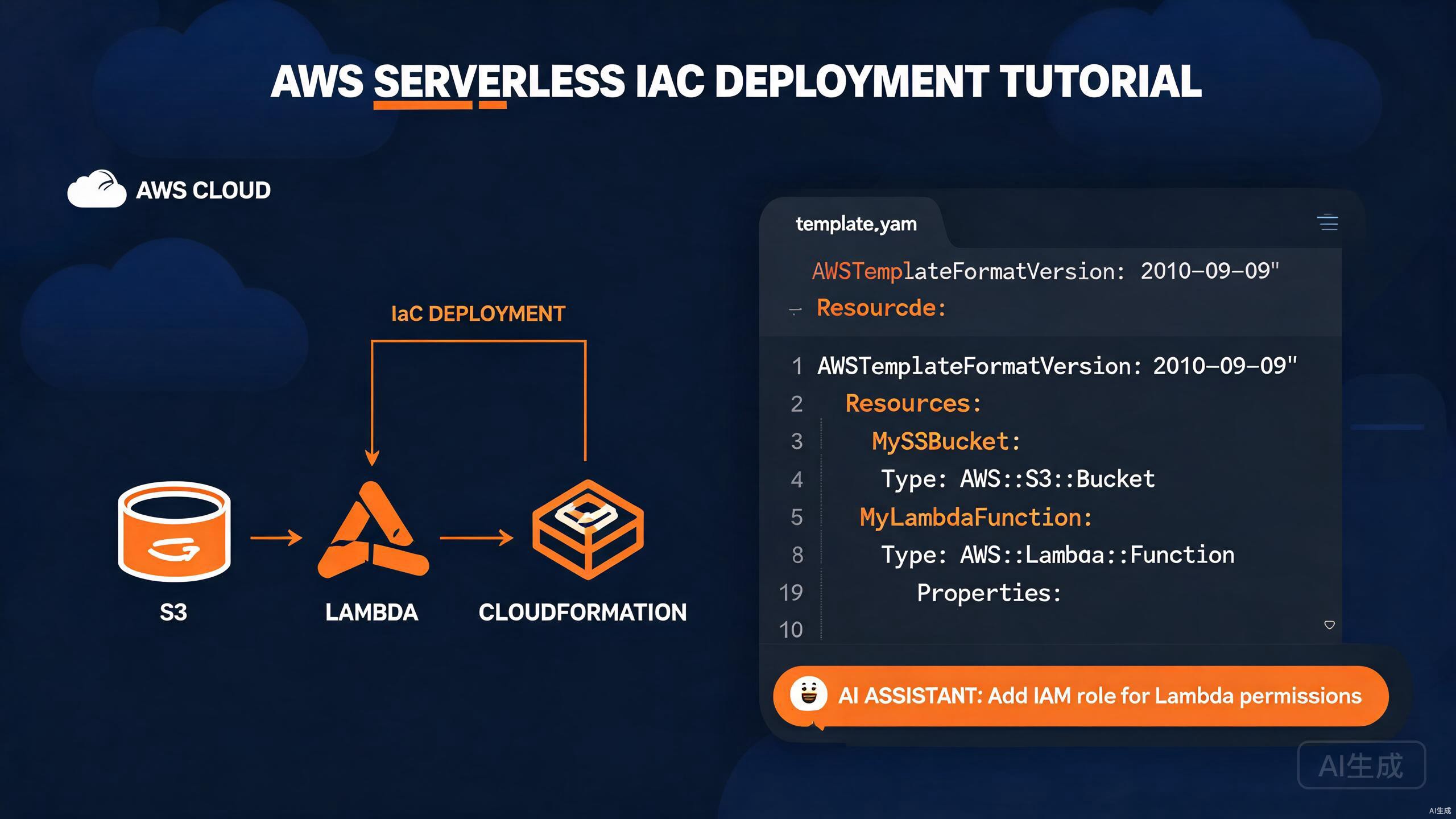
Amazon Web Services(AWS)는 가장 널리 채택된 클라우드 플랫폼으로, 컴퓨팅, 스토리지, 데이터베이스 및 수십 개의 고급 관리형 서비스를 제공합니다. AWS에 애플리케이션을 배포하려면 인프라 코드 작성, 함수 패키징, 스토리지 관리, 릴리스 워크플로 오케스트레이션이 필요합니다. Cursor는 AI 어시스턴트와 풍부한 확장 프로그램 생태계를 갖추고 있어 AWS 개발을 위한 강력한 환경입니다. 자연어 프롬프트에서 Lambda 핸들러, CloudFormation 템플릿, 배포 스크립트를 생성할 수 있습니다.
이 가이드는 Cursor에서의 완전한 AWS 배포 워크플로를 안내합니다: AWS SDK 통합, Lambda 함수 빌드 및 배포, S3를 활용한 스토리지, CloudFormation Infrastructure as Code 작성, 그리고 AI로 모든 단계를 가속화하는 방법.
Cursor에서 AWS 툴체인 설정
AWS Toolkit 확장 프로그램 설치
AWS Toolkit 확장 프로그램은 AWS 리소스 탐색, Lambda 로컬 실행, CloudWatch Logs 보기, SAM(Serverless Application Model) 지원을 Cursor에 직접 제공합니다.
- 확장 프로그램 보기 열기(
Ctrl+Shift+X). - "AWS Toolkit" 검색.
- Install 클릭.
설치 후 활동 표시줄에 AWS 아이콘이 나타납니다. 이 확장 프로그램은 다음을 제공합니다:
- Lambda, S3, CloudFormation, DynamoDB용 리소스 브라우저.
- SAM CLI를 사용한 로컬 Lambda 호출.
- Step Functions 시각화 도구.
- CloudWatch Logs 스트리밍.
- CDK 및 SAM 프로젝트 스캐폴딩.
AWS Toolkit은 머신에 AWS 자격 증명이 구성되어 있어야 합니다. Cursor는 AWS CLI와 동일한 자격 증명 파일(~/.aws/credentials)을 읽으므로 기존 프로필이 즉시 작동합니다.
AWS 자격 증명 구성
AWS CLI를 사용하여 자격 증명 프로필을 생성합니다:
npm install -g aws-cli
aws configure
대화형 프롬프트는 다음을 수집합니다:
AWS Access Key ID [None]: AKIAIOSFODNN7EXAMPLE
AWS Secret Access Key [None]: wJalrXUtnFEMI/K7MDENG/bPxRfiCYEXAMPLEKEY
Default region name [None]: us-east-1
Default output format [None]: json
멀티 계정 설정의 경우, 명명된 프로필을 생성합니다:
# ~/.aws/credentials
[default]
aws_access_key_id = AKIAIOSFODNN7EXAMPLE
aws_secret_access_key = wJalrXUtnFEMI/K7MDENG/bPxRfiCYEXAMPLEKEY

[production]
aws_access_key_id = AKIAPRODUCTIONKEY
aws_secret_access_key = productionsecretkeyexample
# ~/.aws/config
[profile production]
region = us-west-2
output = json
AWS 자격 증명을 버전 관리에 커밋하지 마세요. .aws/를 .gitignore에 추가하고, 장기 액세스 키보다 IAM 역할 또는 단기 STS 토큰을 선호하세요. 프로덕션의 경우 aws-vault를 사용하여 MFA로 자격 증명을 관리하세요.
AWS SAM CLI 설치
Serverless Application Model(SAM) CLI를 사용하면 Lambda 기반 애플리케이션을 빌드, 로컬 테스트 및 배포할 수 있습니다:
# Windows (winget 사용)
winget install AWS.SAM-CLI

# macOS (Homebrew 사용)
brew install aws-sam-cli

# 확인
sam --version
AWS SDK 통합
JavaScript용 SDK 설치
Node.js 애플리케이션의 경우, 모듈식 AWS SDK v3을 설치합니다:
npm install @aws-sdk/client-s3 @aws-sdk/client-lambda @aws-sdk/client-dynamodb
AWS SDK v3은 모듈식입니다 — 필요한 클라이언트만 설치하므로, 모놀리식 v2 SDK에 비해 번들 크기가 크게 줄어듭니다. 각 서비스는 @aws-sdk/client-* 아래의 별도 패키지입니다.
SDK 클라이언트 구성
// lib/aws/clients.ts
import { S3Client } from '@aws-sdk/client-s3';
import { LambdaClient } from '@aws-sdk/client-lambda';
import { DynamoDBClient } from '@aws-sdk/client-dynamodb';

const region = process.env.AWS_REGION ?? 'us-east-1';

export const s3Client = new S3Client({ region });
export const lambdaClient = new LambdaClient({ region });
export const dynamoClient = new DynamoDBClient({ region });
환경별 자격 증명(CI에서 유용)의 경우:
import { fromIni } from '@aws-sdk/credential-providers';

export const s3Client = new S3Client({
  region,
  credentials: fromIni({ profile: 'production' }),
});
Lambda 함수 빌드 및 배포
Lambda 핸들러 스캐폴딩
Cursor의 AI를 사용하여 Lambda 핸들러를 스캐폴딩합니다. Ctrl+K를 열고 프롬프트를 입력하세요:
Create an AWS Lambda handler in TypeScript using the @types/aws-lambda
package. It should accept an API Gateway proxy event, validate the JSON body
against a Zod schema, and return a 200 response with the processed result.
Include structured logging and error handling.
생성된 핸들러:
// src/handlers/createUser.ts
import { APIGatewayProxyEvent, APIGatewayProxyResult } from 'aws-lambda';
import { z } from 'zod';

const userSchema = z.object({
  name: z.string().min(1),
  email: z.string().email(),
  age: z.number().int().min(0).optional(),
});

export const handler = async (
  event: APIGatewayProxyEvent
): Promise<APIGatewayProxyResult> => {
  console.log('Received event:', JSON.stringify(event, null, 2));

  try {
    const body = JSON.parse(event.body ?? '{}');
    const parsed = userSchema.parse(body);

    const user = {
      id: crypto.randomUUID(),
      ...parsed,
      createdAt: new Date().toISOString(),
    };

    return {
      statusCode: 201,
      headers: { 'Content-Type': 'application/json' },
      body: JSON.stringify(user),
    };
  } catch (error) {
    console.error('Error processing request:', error);

    if (error instanceof z.ZodError) {
      return {
        statusCode: 400,
        body: JSON.stringify({ message: 'Validation failed', errors: error.errors }),
      };
    }

    return {
      statusCode: 500,
      body: JSON.stringify({ message: 'Internal server error' }),
    };
  }
};
SAM으로 로컬 테스트
SAM용 template.yaml을 생성합니다:
AWSTemplateFormatVersion: '2010-09-09'
Transform: AWS::Serverless-2016-10-31
Description: User service Lambda

Resources:
  CreateUserFunction:
    Type: AWS::Serverless::Function
    Properties:
      CodeUri: dist/handlers
      Handler: createUser.handler
      Runtime: nodejs20.x
      MemorySize: 256
      Timeout: 30
      Events:
        CreateUser:
          Type: Api
          Properties:
            Path: /users
            Method: POST
      Environment:
        Variables:
          TABLE_NAME: !Ref UsersTable

  UsersTable:
    Type: AWS::DynamoDB::Table
    Properties:
      TableName: users
      BillingMode: PAY_PER_REQUEST
      AttributeDefinitions:
        - AttributeName: id
          AttributeType: S
      KeySchema:
        - AttributeName: id
          KeyType: HASH

Outputs:
  ApiUrl:
    Value: !Sub 'https://${ServerlessRestApi}.execute-api.${AWS::Region}.amazonaws.com/Prod/users'
샘플 이벤트로 함수를 로컬 호출합니다:
sam build
sam local invoke CreateUserFunction --event events/createUser.json
샘플 이벤트 파일:
{
"httpMethod": "POST",
"headers": { "Content-Type": "application/json" }
}
Cursor의 AWS Toolkit 확장 프로그램은 Lambda 함수에 "Run Locally" 명령을 추가합니다. AWS Explorer 패널에서 함수를 우클릭하고 Invoke on AWS 또는 Run Locally를 선택하여 에디터를 떠나지 않고 테스트할 수 있습니다.
SAM으로 배포
# 첫 배포(가이드)
sam deploy --guided

# 이후 배포
sam deploy --stack-name user-service --capabilities CAPABILITY_IAM
가이드 프롬프트는 다음을 수집합니다:
Stack Name [sam-app]: user-service
AWS Region [us-east-1]: us-east-1
Confirm changes before deploy [Y/n]: Y
Allow SAM CLI IAM role creation [Y/n]: Y
Disable rollback [Y/n]: n
Save arguments to configuration file [Y/n]: Y
SAM 배포는 IAM 역할을 자동으로 생성합니다. 확인 전에 변경 세트 요약을 주의 깊게 검토하세요 — 잘못 구성된 역할은 프로덕션에서 최소 권한 원칙을 위반하는 지나치게 광범위한 권한을 부여할 수 있습니다.
S3를 활용한 스토리지
S3에 파일 업로드
// src/storage/upload.ts
import { s3Client } from '../aws/clients';
import { PutObjectCommand, GetObjectCommand } from '@aws-sdk/client-s3';
import { getSignedUrl } from '@aws-sdk/s3-request-presigner';

const BUCKET = process.env.UPLOAD_BUCKET ?? 'my-app-uploads';

export async function uploadFile(
  key: string,
  body: Buffer,
  contentType: string
): Promise<string> {
  const command = new PutObjectCommand({
    Bucket: BUCKET,
    Key: key,
    Body: body,
    ContentType: contentType,
  });

  await s3Client.send(command);
  return `s3://${BUCKET}/${key}`;
}

export async function getDownloadUrl(key: string, expiresIn = 3600): Promise<string> {
  const command = new GetObjectCommand({ Bucket: BUCKET, Key: key });
  return getSignedUrl(s3Client, command, { expiresIn });
}
대용량 파일 스트리밍
대용량 업로드의 경우 멀티파트 업로드를 사용합니다:
// src/storage/multipart.ts
import { s3Client } from '../aws/clients';
import {
  CreateMultipartUploadCommand,
  UploadPartCommand,
  CompleteMultipartUploadCommand,
} from '@aws-sdk/client-s3';
import { createReadStream } from 'fs';

const BUCKET = process.env.UPLOAD_BUCKET ?? 'my-app-uploads';

export async function uploadLargeFile(key: string, filePath: string): Promise<void> {
  const create = await s3Client.send(
    new CreateMultipartUploadCommand({ Bucket: BUCKET, Key: key })
  );
  const uploadId = create.UploadId!;

  const partSize = 5 * 1024 * 1024; // 5 MB minimum
  const stream = createReadStream(filePath, { highWaterMark: partSize });
  const parts: { ETag: string; PartNumber: number }[] = [];
  let partNumber = 1;

  for await (const chunk of stream) {
    const upload = await s3Client.send(
      new UploadPartCommand({
        Bucket: BUCKET,
        Key: key,
        UploadId: uploadId,
        PartNumber: partNumber,
        Body: chunk,
      })
    );
    parts.push({ ETag: upload.ETag!, PartNumber: partNumber });
    partNumber++;
  }

  await s3Client.send(
    new CompleteMultipartUploadCommand({
      Bucket: BUCKET,
      Key: key,
      UploadId: uploadId,
      MultipartUpload: { Parts: parts },
    })
  );
}
Cursor의 AI를 사용하여 사전 서명된 URL 플로우를 생성하세요. 프롬프트: "S3 업로드용 사전 서명된 URL을 생성하고, 파일 확장자를 검증하고, 메타데이터를 DynamoDB에 저장하는 Lambda 함수를 만들어주세요."
CloudFormation Infrastructure as Code
CloudFormation 템플릿 작성
CloudFormation을 사용하면 전체 인프라를 선언적 YAML 또는 JSON으로 정의할 수 있습니다. Cursor의 AI는 설명에서 템플릿을 생성하는 데 탁월합니다.
웹 애플리케이션 스택용 예제 템플릿:
# templates/webapp.yaml
AWSTemplateFormatVersion: '2010-09-09'
Description: Production web application stack

Parameters:
  Environment:
    Type: String
    Default: production
    AllowedValues: [staging, production]

  DomainName:
    Type: String
    Description: Custom domain name

Resources:
  ApplicationBucket:
    Type: AWS::S3::Bucket
    Properties:
      BucketName: !Sub '${AWS::StackName}-app-${Environment}'
      VersioningConfiguration:
        Status: Enabled
      LifecycleConfiguration:
        Rules:
          - Id: ExpireOldVersions
            Status: Enabled
            NoncurrentVersionExpirationInDays: 90
      PublicAccessBlockConfiguration:
        BlockPublicAcls: true
        BlockPublicPolicy: true
        IgnorePublicAcls: true
        RestrictPublicBuckets: true

  CloudFrontDistribution:
    Type: AWS::CloudFront::Distribution
    Properties:
      DistributionConfig:
        Enabled: true
        DefaultRootObject: index.html
        Origins:
          - DomainName: !GetAtt ApplicationBucket.RegionalDomainName
            Id: S3Origin
            S3OriginConfig: {}
        DefaultCacheBehavior:
          TargetOriginId: S3Origin
          ViewerProtocolPolicy: redirect-to-https
          AllowedMethods: [GET, HEAD]
          CachedMethods: [GET, HEAD]
          ForwardedValues:
            QueryString: false
        PriceClass: PriceClass_100
        ViewerCertificate:
          CloudFrontDefaultCertificate: true

  ApiGateway:
    Type: AWS::ApiGateway::RestApi
    Properties:
      Name: !Sub '${AWS::StackName}-api'
      EndpointConfiguration:
        Types: [REGIONAL]

Outputs:
  WebsiteUrl:
    Value: !Sub 'https://${CloudFrontDistribution.DomainName}'
    Description: URL of the deployed website
CloudFormation 스택 배포
# 템플릿 검증
aws cloudformation validate-template --template-body file://templates/webapp.yaml

# 스택 생성
aws cloudformation create-stack \
  --stack-name webapp-production \
  --template-body file://templates/webapp.yaml \
  --parameters ParameterKey=Environment,ParameterValue=production \
               ParameterKey=DomainName,ParameterValue=app.example.com \
  --capabilities CAPABILITY_NAMED_IAM

# 배포 모니터링
aws cloudformation describe-stacks --stack-name webapp-production

# 스택 업데이트
aws cloudformation update-stack \
  --stack-name webapp-production \
  --template-body file://templates/webapp.yaml \
  --parameters ParameterKey=Environment,ParameterValue=production \
               ParameterKey=DomainName,ParameterValue=app.example.com \
  --capabilities CAPABILITY_NAMED_IAM
CloudFormation 업데이트는 리소스를 교체할 수 있습니다. UpdateReplacePolicy: Retain이 있는 리소스는 교체 후에도 유지되지만, 이것이 없는 리소스는 스택 삭제 시 삭제됩니다. 적용 전에 항상 변경 세트를 검토하세요:
aws cloudformation create-change-set --stack-name webapp-production --change-set-name my-change --template-body file://templates/webapp.yaml
aws cloudformation describe-change-set --stack-name webapp-production --change-set-name my-change
대안으로 CDK 사용
AWS Cloud Development Kit(CDK)를 사용하면 TypeScript로 인프라를 작성할 수 있습니다. Cursor의 AI는 CDK 구성을 자연스럽게 생성합니다.
// lib/webapp-stack.ts
import * as cdk from 'aws-cdk-lib';
import * as s3 from 'aws-cdk-lib/aws-s3';
import * as cloudfront from 'aws-cdk-lib/aws-cloudfront';
import * as lambda from 'aws-cdk-lib/aws-lambda';
import * as apigateway from 'aws-cdk-lib/aws-apigateway';
import { Construct } from 'constructs';

export class WebappStack extends cdk.Stack {
  constructor(scope: Construct, id: string, props?: cdk.StackProps) {
    super(scope, id, props);

    const bucket = new s3.Bucket(this, 'AppBucket', {
      versioned: true,
      encryption: s3.BucketEncryption.S3_MANAGED,
      blockPublicAccess: s3.BlockPublicAccess.BLOCK_ALL,
      lifecycleRules: [
        { id: 'ExpireOldVersions', noncurrentVersionExpiration: cdk.Duration.days(90) },
      ],
    });

    const distribution = new cloudfront.CloudFrontWebDistribution(this, 'Distribution', {
      originConfigs: {
        s3: {
          s3OriginSource: { s3BucketSource: bucket },
          behaviors: [{ isDefaultBehavior: true }],
        },
      },
    });

    const api = new apigateway.LambdaRestApi(this, 'Api', {
      handler: new lambda.Function(this, 'Handler', {
        runtime: lambda.Runtime.NODEJS_20_X,
        code: lambda.Code.fromAsset('dist/handlers'),
        handler: 'index.handler',
      }),
    });

    new cdk.CfnOutput(this, 'WebsiteUrl', {
      value: `https://${distribution.distributionDomainName}`,
    });
  }
}
CDK로 배포:
cdk synth
cdk deploy
AI 지원 인프라 생성
프롬프트에서 템플릿 생성
Cursor는 자연어 설명을 인프라 코드로 변환하는 데 탁월합니다. 채팅을 열고(Ctrl+Shift+P → "Cursor: New Chat") 필요한 것을 설명하세요:
Generate a CloudFormation template for a serverless blog API. It should
include: an API Gateway with /posts and /posts/{id} routes, Lambda
functions for CRUD operations, a DynamoDB table with a GSI on the
authorId attribute, and an S3 bucket for media uploads with CORS
configured. Use least-privilege IAM roles.
Cursor가 완전한 YAML 템플릿을 생성합니다. IAM 정책을 주의 깊게 검토한 후, 더 엄격한 권한이나 추가 리소스를 요청하여 개선하세요.
AI로 IAM 정책을 생성할 때 항상 "최소 권한" 정책을 명시적으로 요청하세요. 모호한 프롬프트는 Resource: '*'에 대한 Action: '*' 정책을 생성하는 경향이 있으며, 이는 심각한 보안 위험입니다.
CDK 구성 생성
TypeScript 네이티브 팀의 경우, Cursor에 원시 CloudFormation 대신 CDK 코드를 생성하도록 지시합니다:
Create a CDK construct called ServerlessApi that provisions an API
Gateway, three Lambda functions (get, create, delete), and a DynamoDB
table with on-demand billing. Expose the API URL as a construct property.
인프라 리팩터링
Cursor는 기존 인프라를 리팩터링할 수 있습니다. 일반적인 변환:
- 원시 CloudFormation YAML을 CDK TypeScript로 변환.
- 모놀리식 템플릿을 중첩 스택으로 분할.
- 상태 저장 리소스에
DeletionPolicy: Retain을 추가하여 드리프트 감지 지원. - 인라인 IAM 정책을 관리형 정책으로 교체.
배포 워크플로 및 CI 통합
GitHub Actions 배포
main에 푸시할 때 배포하도록 .github/workflows/deploy.yml을 생성합니다:
name: Deploy to AWS

on:
  push:
    branches: [main]

jobs:
  deploy:
    runs-on: ubuntu-latest
    permissions:
      id-token: write
      contents: read

    steps:
      - uses: actions/checkout@v4

      - name: Configure AWS credentials
        uses: aws-actions/configure-aws-credentials@v4
        with:
          role-to-assume: arn:aws:iam::123456789012:role/github-actions-deploy
          aws-region: us-east-1

      - name: Setup Node.js
        uses: actions/setup-node@v4
        with:
          node-version: 20
          cache: npm

      - name: Install dependencies
        run: npm ci

      - name: Build
        run: npm run build

      - name: Run tests
        run: npm test

      - name: SAM build
        run: sam build

      - name: Deploy
        run: sam deploy --stack-name ${{ vars.STACK_NAME }} --no-confirm-changeset --no-fail-on-empty-changeset --capabilities CAPABILITY_IAM
AWS 액세스 키를 GitHub Actions 시크릿으로 저장하지 마세요. 위와 같이 OIDC 페더레이션과 role-to-assume을 사용하세요. 이는 장기 자격 증명을 제거하고 AWS 보안 모범 사례에 부합합니다.
Lambda 별칭을 사용한 블루-그린 배포
Lambda 별칭은 버전 간 트래픽 전환을 가능하게 하여 블루-그린 배포를 구현합니다:
# 새 버전 게시
aws lambda publish-version --function-name user-service

# 별칭을 업데이트하여 10%를 새 버전으로 전환
aws lambda update-alias \
  --function-name user-service \
  --name production \
  --routing-config AdditionalVersionWeights='{"2":0.1}'

# 검증 후 100%로 승격
aws lambda update-alias \
  --function-name user-service \
  --name production \
  --function-version 2 \
  --routing-config AdditionalVersionWeights='{}'
모니터링 및 디버깅
CloudWatch Logs 스트리밍
AWS Toolkit은 CloudWatch Logs를 Cursor로 스트리밍합니다. AWS Explorer에서:
- CloudWatch Logs를 확장합니다.
- 로그 그룹을 선택합니다(예:
/aws/lambda/user-service). - 우클릭하고 View Log Stream을 선택합니다.
로그가 실시간 업데이트와 함께 읽기 전용 에디터 탭에 나타납니다.
Lambda 핸들러에서 구조화된 로깅을 사용하세요 — JSON 형식의 로그는 CloudWatch Logs Insights에서 쿼리할 수 있습니다:
console.log(JSON.stringify({
  level: 'info',
  message: 'User created',
  userId: user.id,
  timestamp: new Date().toISOString(),
}));
X-Ray 추적
Lambda에서 X-Ray 추적을 활성화하여 요청 흐름을 시각화합니다:
Resources:
  CreateUserFunction:
    Type: AWS::Serverless::Function
    Properties:
      CodeUri: dist/handlers
      Handler: createUser.handler
      Runtime: nodejs20.x
      Tracing: Active
추적 SDK를 설치합니다:
npm install @aws-lambda-powertools/tracer
// src/handlers/createUser.ts
import { Tracer } from '@aws-lambda-powertools/tracer';
import { captureLambdaHandler } from '@aws-lambda-powertools/tracer/middleware';

const tracer = new Tracer({ serviceName: 'user-service' });

export const handler = captureLambdaHandler(tracer)(
  async (event) => {
    // ... handler logic
  }
);
Cursor에서 AWS 개발을 위한 모범 사례
프로젝트 구조
project/
  ├── src/
  │   ├── handlers/        # Lambda 진입점
  │   ├── lib/             # 공유 비즈니스 로직
  │   ├── aws/             # SDK 클라이언트 구성
  │   └── storage/         # S3 및 스토리지 유틸리티
  ├── templates/           # CloudFormation YAML
  ├── lib/                 # CDK 구성(CDK 사용 시)
  ├── events/              # 샘플 Lambda 이벤트 페이로드
  ├── tests/
  ├── template.yaml        # SAM 템플릿
  └── samconfig.toml       # SAM 구성
환경 관리
개발, 스테이징, 프로덕션에 별도의 AWS 계정을 사용합니다. 프로필로 관리합니다:
export AWS_PROFILE=production
sam deploy --stack-name webapp-production
비용 최적화
- 트래픽을 예측할 수 없는 DynamoDB 테이블에
PAY_PER_REQUEST청구를 사용합니다. - S3 수명 주기 규칙을 설정하여 자주 액세스하지 않는 객체를 더 저렴한 스토리지 클래스로 전환합니다.
- 지연 시간에 민감한 함수에만 Lambda Provisioned Concurrency를 활성화합니다.
Cursor의 AI는 CloudFormation 템플릿의 비용을 감사할 수 있습니다. 프롬프트: "이 템플릿을 검토하고 비용 최적화를 제안하세요. 과도하게 프로비저닝된 리소스를 식별하고 적정 규모를 권장하세요."
보안 체크리스트
- 모든 버킷에서 S3 Block Public Access를 활성화합니다.
- 저장 중인 민감한 데이터에 KMS 암호화를 사용합니다.
- 최소 권한 IAM 정책을 적용합니다 —
Action: '*'를 사용하지 마세요. - 감사 로깅을 위해 CloudTrail을 활성화합니다.
- 액세스 키를 90일마다 교체하거나, IAM 역할로 제거합니다.
일반적인 함정 및 회피 방법
ARN 및 리전 하드코딩
ARN을 코드에 직접 임베드하지 마세요 — 계정과 리전 간에 작동하지 않습니다:
// 잘못됨
const tableArn = 'arn:aws:dynamodb:us-east-1:123456789012:table/users';

// 올바름 — 환경 변수로 전달
const tableName = process.env.TABLE_NAME!;
IAM 권한 누락
일반적인 배포 실패는 Lambda 함수가 리소스에 액세스할 권한이 없는 것입니다. 함수는 배포에 성공하지만 런타임에 AccessDenied 오류로 실패합니다. 항상 SAM으로 로컬 테스트를 수행하고 배포 후 CloudWatch Logs를 확인하세요.
콜드 스타트 무시
Lambda 콜드 스타트는 유휴 후 첫 번째 요청에 지연을 추가할 수 있습니다. 다음으로 완화합니다:
- 더 작은 배포 패키지 사용.
- 지연 시간에 민감한 함수에 동시성 프로비저닝.
- 초기화 코드를 핸들러 함수 외부에 유지.
프로비저닝된 동시성은 요청이 처리되지 않아도 요금이 부과됩니다. 사용량을 주의 깊게 모니터링하고 개발 환경에서는 비활성화하세요.
요약
Cursor는 리소스 관리를 위한 AWS Toolkit, 로컬 테스트를 위한 SAM CLI, Infrastructure as Code를 위한 CloudFormation 및 CDK, 그리고 핸들러, 템플릿, 배포 워크플로를 생성하는 AI 어시스턴트를 결합하여 AWS 배포를 간소화합니다. AWS Toolkit과 SAM CLI를 설치하고, Lambda 함수를 스캐폴딩하고, Cursor의 AI로 인프라 작성을 가속화하세요. 항상 IAM 정책을 최소 권한으로 검토하고, CI 배포에 OIDC를 사용하며, CloudWatch Logs와 X-Ray로 모니터링하여 AWS 애플리케이션을 안전하고 관찰 가능하게 유지하세요.