Cursor에서의 머신 러닝: TensorFlow.js, ONNX 및 AI 지원 ML 파이프라인
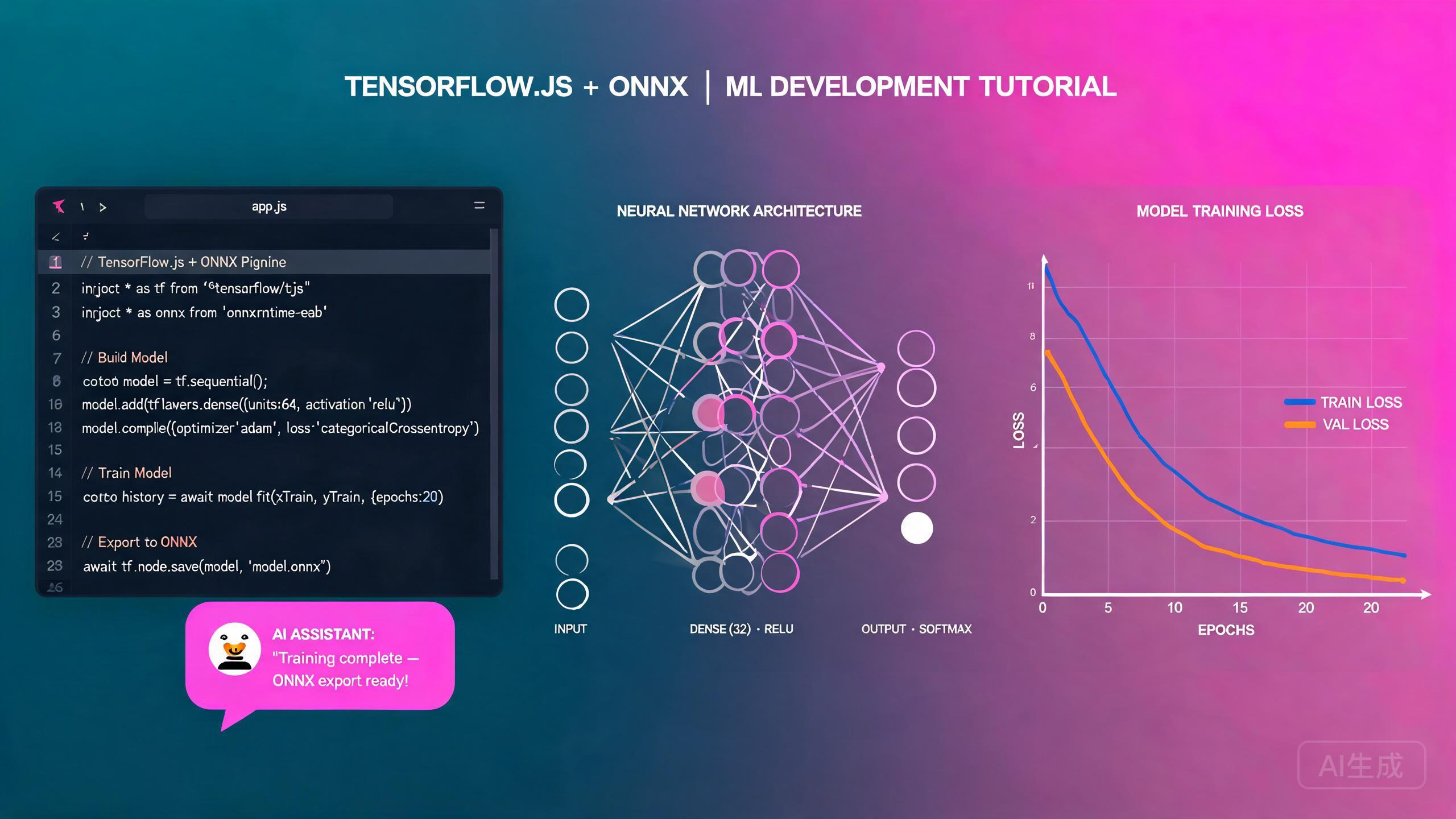
머신 러닝은 이미지 분류부터 자연어 처리 및 추천 시스템까지 애플리케이션에 예측 지능을 가져옵니다. Cursor, AI 기반 IDE 에디터는 ML 워크플로의 모든 단계를 가속화합니다: 데이터 전처리, 모델 설계, 훈련 루프, 평가 메트릭, 배포. 이 가이드는 브라우저 기반 추론 및 훈련을 위한 TensorFlow.js, 크로스 플랫폼 모델 실행을 위한 ONNX Runtime, 데이터 전처리 파이프라인, 모델 평가 전략, 자연어 설명을 작동하는 훈련 스크립트로 변환하는 AI 지원 ML 파이프라인 생성을 다룹니다.
사전 요구 사항
시작하기 전에 다음이 있는지 확인하세요:
- Cursor (최신 버전 권장)를 IDE 에디터로 사용
- Node.js 18 이상
- JavaScript, TypeScript, Python에 대한 기본적 친숙도
- 신경망, 손실 함수, 경사 하강법에 대한 개념적 이해
머신 러닝이 처음이라면, 코드를 작성하기 전에 Cursor에게 지도 학습, 비지도 학습, 강화 학습의 차이를 설명해 달라고 요청하세요. 문제가 어떤 패러다임에 속하는지 이해하는 것이 전체 접근 방식을 결정합니다: 데이터 라벨링, 모델 아키텍처, 평가 메트릭.
Cursor에서의 ML 워크플로 이해
전형적인 머신 러닝 프로젝트는 예측 가능한 파이프라인을 따릅니다. Cursor는 각 단계를 구현하고 연결하는 데 도움을 줍니다:
- 데이터 수집 및 전처리: 원시 데이터 정리, 누락된 값 처리, 특성 정규화, 학습/검증/테스트 세트로 분할.
- 모델 설계: 아키텍처 선택(밀집 네트워크, CNN, RNN, 트랜스포머) 및 계층 정의.
- 훈련: 선택한 옵티마이저와 손실 함수로 훈련 루프 실행, 메트릭 모니터링, 조기 종료 적용.
- 평가: 정밀도, 재현율, F1 점수, 혼동 행렬 및 기타 메트릭으로 성능 측정.
- 배포: 모델 내보내기, 필요시 ONNX로 변환, 브라우저 또는 서버에서 추론 실행.
프로젝트 스캐폴딩
Cursor에게 TensorFlow.js 프로젝트를 스캐폴드해 달라고 요청하세요:
Create a TypeScript project for machine learning with TensorFlow.js.
Set up Vite for the frontend, install @tensorflow/tfjs and
@tensorflow/tfjs-node, and create a folder structure for data,
models, training scripts, and evaluation utilities.
Cursor가 생성합니다:
my-ml-project/
  data/
    raw/
    processed/
  models/
  src/
    train.ts
    evaluate.ts
    predict.ts
  src-tauri/ (optional, for desktop deployment)
  package.json
  tsconfig.json
훈련에는 항상 @tensorflow/tfjs-node(네이티브 C++ TensorFlow 라이브러리에 바인딩)를 사용하고, 순수 @tensorflow/tfjs(브라우저에서 WebGL/WASM으로 실행)를 사용하지 마세요. Node.js에서의 훈련은 SIMD 명령과 네이티브 메모리 관리를 활용하여 브라우저 기반 훈련보다 10배에서 50배 빠릅니다. 브라우저 TF.js는 무거운 훈련이 아닌 추론용입니다.
데이터 전처리
데이터 전처리는 ML 개발 시간의 대부분을 차지합니다. Cursor는 정리, 정규화, 인코딩, 분할을 처리하는 완전한 전처리 파이프라인을 생성할 수 있습니다.
전처리 파이프라인
// src/preprocessing.ts
import * as tf from '@tensorflow/tfjs-node';

export interface DatasetStats {
  mean: number[];
  std: number[];
  min: number[];
  max: number[];
}

export class DataPreprocessor {
  private stats: DatasetStats | null = null;

  /**
   * Compute normalization statistics from training data.
   * Must be called before normalize() and applied identically
   * to training, validation, and test sets.
   */
  computeStats(data: number[][]): void {
    const tensor = tf.tensor2d(data);
    const mean = tensor.mean(0).dataSync();
    const std = tensor.sub(tensor.mean(0)).square().mean(0).sqrt().dataSync();
    const min = tensor.min(0).dataSync();
    const max = tensor.max(0).dataSync();

    this.stats = {
      mean: Array.from(mean),
      std: Array.from(std).map((s, i) => (s < 1e-8 ? 1 : s)), // Avoid division by zero
      min: Array.from(min),
      max: Array.from(max),
    };

    tensor.dispose();
  }

  /**
   * Apply Z-score normalization: (x - mean) / std
   */
  normalize(data: number[][]): number[][] {
    if (!this.stats) throw new Error('Call computeStats() first');
    return data.map((row) =>
      row.map((val, i) => (val - this.stats!.mean[i]) / this.stats!.std[i])
    );
  }

  /**
   * One-hot encode categorical labels
   */
  encodeLabels(labels: number[], numClasses: number): number[][] {
    return labels.map((label) => {
      const encoded = new Array(numClasses).fill(0);
      encoded[label] = 1;
      return encoded;
    });
  }

  /**
   * Split data into train, validation, and test sets
   */
  split(
    data: number[][],
    labels: number[][],
    trainRatio = 0.7,
    valRatio = 0.15
  ): { trainX: number[][]; trainY: number[]; valX: number[][]; valY: number[]; testX: number[][]; testY: number[] } {
    const n = data.length;
    const indices = Array.from({ length: n }, (_, i) => i);
    // Fisher-Yates shuffle
    for (let i = n - 1; i > 0; i--) {
      const j = Math.floor(Math.random() * (i + 1));
      [indices[i], indices[j]] = [indices[j], indices[i]];
    }
    const trainEnd = Math.floor(n * trainRatio);
    const valEnd = trainEnd + Math.floor(n * valRatio);
    const pick = (idx: number[]) => ({ x: idx.map((i) => data[i]), y: idx.map((i) => labels[i]) });
    const train = pick(indices.slice(0, trainEnd));
    const val = pick(indices.slice(trainEnd, valEnd));
    const test = pick(indices.slice(valEnd));
    return { trainX: train.x, trainY: train.y, valX: val.x, valY: val.y, testX: test.x, testY: test.y };
  }

  /**
   * Handle missing values by imputing the column mean
   */
  imputeMissing(data: (number | null)[][]): number[][] {
    const numCols = data[0].length;
    const colSums = new Array(numCols).fill(0);
    const colCounts = new Array(numCols).fill(0);

    data.forEach((row) => {
      row.forEach((val, col) => {
        if (val !== null && !isNaN(val)) { colSums[col] += val; colCounts[col]++; }
      });
    });

    const colMeans = colSums.map((sum, i) => (colCounts[i] > 0 ? sum / colCounts[i] : 0));

    return data.map((row) => row.map((val, col) => (val === null || isNaN(val) ? colMeans[col] : val)));
  }

  getStats(): DatasetStats | null {
    return this.stats;
  }
}
Cursor에게 전처리 파이프라인을 테스트하기 위한 합성 데이터셋을 생성해 달라고 요청하세요. "1000행, 8개의 수치 특성, 2개의 범주형 열, 5% 누락된 값이 있는 합성 CSV를 생성해 줘"와 같은 프롬프트는 실제 데이터셋을 찾고 다운로드할 필요 없이 현실적인 테스트 데이터를 제공합니다.
모델 설계 및 훈련
TensorFlow.js는 계층화된 API를 사용하여 신경망을 구축합니다. Cursor는 문제 설명에 따라 완전한 모델 아키텍처를 생성합니다.
분류 모델 구축
// src/models/classifier.ts
import * as tf from '@tensorflow/tfjs-node';

export interface ModelConfig {
  inputSize: number;
  numClasses: number;
  hiddenLayers: number[];
  learningRate: number;
  dropoutRate: number;
}

export function buildClassifier(config: ModelConfig): tf.LayersModel {
  const model = tf.sequential();

  // Input layer
  model.add(
    tf.layers.dense({
      inputShape: [config.inputSize],
      units: config.hiddenLayers[0],
      activation: 'relu',
      kernelInitializer: 'heNormal',
    })
  );

  model.add(tf.layers.batchNormalization());
  model.add(tf.layers.dropout({ rate: config.dropoutRate }));

  // Hidden layers
  for (let i = 1; i < config.hiddenLayers.length; i++) {
    model.add(
      tf.layers.dense({
        units: config.hiddenLayers[i],
        activation: 'relu',
        kernelInitializer: 'heNormal',
      })
    );
    model.add(tf.layers.batchNormalization());
    model.add(tf.layers.dropout({ rate: config.dropoutRate }));
  }

  // Output layer
  model.add(
    tf.layers.dense({
      units: config.numClasses,
      activation: 'softmax',
    })
  );

  model.compile({
    optimizer: tf.train.adam(config.learningRate),
    loss: 'categoricalCrossentropy',
    metrics: ['accuracy'],
  });

  return model;
}
콜백이 있는 훈련 루프
// src/train.ts
import * as tf from '@tensorflow/tfjs-node';
import { buildClassifier, ModelConfig } from './models/classifier';
import { DataPreprocessor } from './preprocessing';
import * as fs from 'fs/promises';
import * as path from 'path';

interface TrainingResult {
  finalAccuracy: number;
  finalLoss: number;
  epochsRun: number;
  modelPath: string;
}

export async function trainModel(
  dataPath: string,
  config: ModelConfig,
  outputDir: string
): Promise<TrainingResult> {
  // Load and preprocess data
  const rawData = await loadCSV(dataPath);
  const features = rawData.map((row) => row.slice(0, config.inputSize));
  const labels = rawData.map((row) => row[config.inputSize]);

  const preprocessor = new DataPreprocessor();
  preprocessor.computeStats(features);
  const normalizedFeatures = preprocessor.normalize(features);

  const encodedLabels = preprocessor.encodeLabels(labels, config.numClasses);

  const split = preprocessor.split(normalizedFeatures, labels);

  const trainXTensor = tf.tensor2d(split.trainX);
  const trainYTensor = tf.tensor2d(
    preprocessor.encodeLabels(split.trainY, config.numClasses)
  );
  const valXTensor = tf.tensor2d(split.valX);
  const valYTensor = tf.tensor2d(
    preprocessor.encodeLabels(split.valY, config.numClasses)
  );

  // Build model
  const model = buildClassifier(config);

  // Train with callbacks
  const history = await model.fit(trainXTensor, trainYTensor, {
    epochs: 100,
    batchSize: 32,
    validationData: [valXTensor, valYTensor],
    shuffle: true,
    callbacks: [
      tf.callbacks.earlyStopping({ monitor: 'val_loss', patience: 10, minDelta: 0.001, restoreBestWeight: true }),
      {
        onEpochEnd: async (epoch, logs) => {
          if (epoch > 0 && epoch % 20 === 0) {
            console.log(`Epoch ${epoch}: Consider reducing learning rate`);
          }
          console.log(`Epoch ${epoch + 1}: loss=${logs?.loss?.toFixed(4)}, acc=${logs?.acc?.toFixed(4)}, val_loss=${logs?.val_loss?.toFixed(4)}, val_acc=${logs?.val_acc?.toFixed(4)}`);
        },
      },
    ],
  });

  // Save model and preprocessor stats
  const modelPath = path.join(outputDir, 'model');
  await model.save(`file://${modelPath}`);
  await fs.writeFile(path.join(outputDir, 'preprocessor-stats.json'), JSON.stringify(preprocessor.getStats(), null, 2));

  // Cleanup tensors
  [trainXTensor, trainYTensor, valXTensor, valYTensor].forEach((t) => t.dispose());

  const lastEpoch = history.epoch.length;
  const finalAccuracy = history.history.val_acc?.[lastEpoch - 1] ?? 0;
  const finalLoss = history.history.val_loss?.[lastEpoch - 1] ?? 0;

  console.log(`\nTraining complete after ${lastEpoch} epochs`);
  console.log(`Best validation accuracy: ${finalAccuracy.toFixed(4)}`);
  console.log(`Model saved to: ${modelPath}`);

  return { finalAccuracy, finalLoss, epochsRun: lastEpoch, modelPath };
}

async function loadCSV(filePath: string): Promise<number[][]> {
  const lines = (await fs.readFile(filePath, 'utf-8')).trim().split('\n');
  const header = lines[0].split(',').length;
  return lines.slice(1)
    .map((line) => line.split(',').map((v) => parseFloat(v.trim())))
    .filter((row) => row.length === header && row.every((v) => !isNaN(v)));
}
훈련이 너무 오래 걸리면 Cursor에게 병목 현상을 프로파일링해 달라고 요청하세요. "내 훈련 스크립트의 성능 문제를 분석해 줘. 텐서 메모리 누수, 불필요한 동기 작업, 데이터 로딩 병목 현상을 확인해 줘"와 같은 프롬프트는 메모리 압력과 느려짐을 유발하는 해제되지 않은 텐서와 같은 문제를 식별합니다.
TensorFlow.js 텐서는 가비지 컬렉션되지 않습니다. 생성하는 모든 텐서는 .dispose()를 호출하거나 tf.tidy()로 래핑할 때까지 메모리에 남습니다. 훈련 루프에서 해제 없이 텐서를 생성하면 프로세스가 충돌할 때까지 메모리가 증가합니다. 사용 후 항상 텐서를 해제하고 수명이 짧은 계산에는 tf.tidy()를 사용하세요.
모델 평가
평가는 정확도 이상입니다. Cursor는 여러 메트릭을 계산하고 결과를 시각화하는 포괄적인 평가 코드를 생성합니다.
평가 메트릭
// src/evaluate.ts
import * as tf from '@tensorflow/tfjs-node';
import { DataPreprocessor } from './preprocessing';

export interface EvaluationResult {
  accuracy: number;
  precision: number;
  recall: number;
  f1Score: number;
  confusionMatrix: number[][];
  perClassMetrics: Array<{
    class: number;
    precision: number;
    recall: number;
    f1: number;
    support: number;
  }>;
}

export async function evaluateModel(
  model: tf.LayersModel,
  testX: number[][],
  testY: number[],
  numClasses: number,
  preprocessor: DataPreprocessor
): Promise<EvaluationResult> {
  const inputTensor = tf.tensor2d(preprocessor.normalize(testX));
  const predictions = model.predict(inputTensor) as tf.Tensor;
  const predicted = predictions.argMax(1).dataSync();
  const actual = tf.tensor1d(testY).dataSync();

  // Build confusion matrix
  const confusionMatrix: number[][] = Array.from({ length: numClasses }, () => new Array(numClasses).fill(0));
  for (let i = 0; i < predicted.length; i++) confusionMatrix[actual[i]][predicted[i]]++;

  // Per-class metrics
  const perClassMetrics: EvaluationResult['perClassMetrics'] = [];
  let totalCorrect = 0;
  let totalSamples = 0;

  for (let c = 0; c < numClasses; c++) {
    const tp = confusionMatrix[c][c];
    const fp = confusionMatrix.reduce((sum, row, idx) => sum + (idx !== c ? row[c] : 0), 0);
    const fn = confusionMatrix[c].reduce((sum, val, idx) => sum + (idx !== c ? val : 0), 0);
    const support = confusionMatrix[c].reduce((a, b) => a + b, 0);

    const precision = tp + fp > 0 ? tp / (tp + fp) : 0;
    const recall = tp + fn > 0 ? tp / (tp + fn) : 0;
    const f1 = precision + recall > 0 ? (2 * precision * recall) / (precision + recall) : 0;

    perClassMetrics.push({ class: c, precision, recall, f1, support });
    totalCorrect += tp;
    totalSamples += support;
  }

  // Macro-averaged metrics
  const macroPrecision = perClassMetrics.reduce((sum, m) => sum + m.precision, 0) / numClasses;
  const macroRecall = perClassMetrics.reduce((sum, m) => sum + m.recall, 0) / numClasses;
  const macroF1 = perClassMetrics.reduce((sum, m) => sum + m.f1, 0) / numClasses;

  inputTensor.dispose();
  predictions.dispose();

  return {
    accuracy: totalCorrect / totalSamples,
    precision: macroPrecision,
    recall: macroRecall,
    f1Score: macroF1,
    confusionMatrix,
    perClassMetrics,
  };
}

export function printEvaluation(result: EvaluationResult): void {
  console.log('\n=== Model Evaluation ===\n');
  console.log(`Accuracy: ${(result.accuracy * 100).toFixed(2)}%`);
  console.log(`Precision: ${(result.precision * 100).toFixed(2)}%`);
  console.log(`Recall:    ${(result.recall * 100).toFixed(2)}%`);
  console.log(`F1-Score:  ${(result.f1Score * 100).toFixed(2)}%`);

  console.log('\nPer-Class Metrics:');
  console.log('Class | Precision | Recall | F1    | Support');
  result.perClassMetrics.forEach((m) => {
    console.log(`  ${m.class}   |  ${(m.precision * 100).toFixed(1)}%   | ${(m.recall * 100).toFixed(1)}%  | ${(m.f1 * 100).toFixed(1)}% | ${m.support}`);
  });

  console.log('\nConfusion Matrix:');
  result.confusionMatrix.forEach((row, i) => {
    console.log(`  ${i}: ` + row.join('  '));
  });
}
Cursor에게 텍스트 기반 혼동 행렬 시각화 도구와 HTML 보고서를 생성해 달라고 요청하세요. "평가 결과를 혼동 행렬 히트맵, 클래스별 메트릭 막대, 요약 테이블이 있는 스타일된 보고서로 렌더링하는 HTML 템플릿을 만들어 줘"와 같은 프롬프트는 이해관계자를 위한 공유 가능한 평가 보고서를 제공합니다.
크로스 플랫폼 추론을 위한 ONNX Runtime
ONNX(Open Neural Network Exchange)는 여러 플랫폼에서 실행되는 ML 모델을 나타내는 표준 형식입니다. TensorFlow.js 모델을 ONNX로 변환하고 브라우저, 모바일 또는 엣지 디바이스에서 추론을 실행하세요.
ONNX로 변환
# scripts/convert_to_onnx.py
# Run this script to convert a saved TF model to ONNX format
import tensorflow as tf
import tf2onnx
import onnxruntime as ort
import numpy as np

# Load the saved TensorFlow model
model = tf.keras.models.load_model('models/saved_model')

# Convert to ONNX
spec = (tf.TensorSpec((None, 8), tf.float32, name='input'),)
onnx_model, _ = tf2onnx.convert.from_keras(model, input_signature=spec, opset=15)

# Save the ONNX model
with open('models/model.onnx', 'wb') as f:
    f.write(onnx_model.SerializeToString())

# Verify with ONNX Runtime
session = ort.InferenceSession('models/model.onnx')
print(f"ONNX model inputs: {session.get_inputs()[0].name}")
print(f"ONNX model outputs: {[o.name for o in session.get_outputs()]}")

# Quick sanity check with dummy data
dummy_input = np.random.randn(1, 8).astype(np.float32)
result = session.run(None, {'input': dummy_input})
print(f"Test inference output shape: {result[0].shape}")
브라우저에서 ONNX 추론 실행
// src/predict.ts
import * as ort from 'onnxruntime-web';

export interface PredictionResult {
  predictedClass: number;
  confidence: number;
  probabilities: number[];
}

export class OnnxPredictor {
  private session: ort.InferenceSession | null = null;
  private inputName: string = '';
  private outputName: string = '';

  async loadModel(modelPath: string): Promise<void> {
    this.session = await ort.InferenceSession.create(modelPath, {
      executionProviders: ['wasm'],
      graphOptimizationLevel: 'all',
    });

    this.inputName = this.session.inputNames[0];
    this.outputName = this.session.outputNames[0];
  }

  async predict(features: number[], mean: number[], std: number[]): Promise<PredictionResult> {
    if (!this.session) throw new Error('Model not loaded. Call loadModel() first.');

    // Normalize input
    const normalized = features.map((val, i) => (val - mean[i]) / std[i]);

    // Create ONNX tensor
    const input = new ort.Tensor('float32', Float32Array.from(normalized), [1, normalized.length]);

    // Run inference
    const outputs = await this.session.run({ [this.inputName]: input });
    const output = outputs[this.outputName];

    // Convert to probabilities
    const probabilities = Array.from(output.data as Float32Array);
    const maxIndex = probabilities.indexOf(Math.max(...probabilities));

    return {
      predictedClass: maxIndex,
      confidence: probabilities[maxIndex],
      probabilities,
    };
  }
}
브라우저에서 ONNX 모델을 로드할 때 wasm 실행 프로바이더와 함께 onnxruntime-web을 사용하세요. webgl 프로바이더는 더 빠르지만 일부 모델 아키텍처와 호환성 문제가 있습니다. Cursor에게 특정 모델에서 두 프로바이더를 벤치마크하고 최선을 추천해 달라고 요청하세요.
ONNX 모델 파일은 클 수 있습니다(10MB ~ 500MB). 브라우저에서 로드하면 UI 스레드가 차단됩니다. 애플리케이션의 응답성을 유지하기 위해 항상 ONNX 추론에 Web Worker를 사용하세요. Cursor에게 메시지 전달 API로 예측기를 Worker에 래핑해 달라고 요청하세요.
AI 지원 ML 파이프라인 생성
Cursor의 가장 강력한 ML 기능은 자연어 설명에서 전체 훈련 파이프라인을 생성하는 것입니다. 문제를 설명하면 Cursor가 전체 코드 스택을 생성합니다.
완전한 파이프라인 생성
Create a complete machine learning pipeline for customer churn prediction:
1. Load a CSV with columns: tenure, monthlyCharges, totalCharges, contractType, internetService, churn
2. Handle missing values in totalCharges (impute median)
3. One-hot encode contractType and internetService
4. Normalize all numeric features with Z-score
5. Split 70/15/15 train/val/test
6. Build a dense neural network with 3 hidden layers (64, 32, 16) and dropout
7. Train with Adam optimizer, binary crossentropy loss, early stopping
8. Evaluate with accuracy, precision, recall, F1, and confusion matrix
9. Save the model and preprocessor stats
10. Export to ONNX format

Write all code in TypeScript using @tensorflow/tfjs-node.
Cursor는 여러 파일에 걸쳐 연결되고 실행 준비가 된 완전한 파이프라인을 생성합니다. 이는 500줄 이상의 보일러플레이트 코드를 수동으로 작성하는 것과 같습니다.
Cursor에게 특정 부분을 수정해 달라고 요청하여 파이프라인을 반복하세요. 예: "각 Dense 계층 전에 BatchNorm을 사용하도록 모델 아키텍처를 변경해 줘" 또는 "이탈 클래스가 데이터의 20%에 불과하므로 클래스 가중치 균형을 추가해 줘." 이 점진적 접근 방식을 통해 전체 파이프라인을 다시 작성하지 않고도 빠르게 실험할 수 있습니다.
모델 배포 패턴
ONNX 모델 파일은 클 수 있습니다(10MB ~ 500MB). 브라우저에서 로드하면 UI 스레드가 차단됩니다. 애플리케이션의 응답성을 유지하기 위해 항상 추론에 Web Worker를 사용하세요.
Web Worker를 사용한 브라우저 추론
// src/worker/inference-worker.ts
import { OnnxPredictor } from '../lib/predict';

let predictor: OnnxPredictor | null = null;

self.onmessage = async (event: MessageEvent) => {
  const { type, modelPath, features, stats } = event.data;
  if (type === 'load' && modelPath) {
    predictor = new OnnxPredictor();
    await predictor.loadModel(modelPath);
    self.postMessage({ type: 'loaded' });
  } else if (type === 'predict' && features && stats && predictor) {
    const result = await predictor.predict(features, stats.mean, stats.std);
    self.postMessage({ type: 'result', result });
  }
};
메인 스레드에서 Worker 사용
// src/lib/inference-client.ts
import { PredictionResult } from './predict';

export class InferenceClient {
  private worker = new Worker(new URL('../worker/inference-worker.ts', import.meta.url));

  async loadModel(modelPath: string): Promise<void> {
    return new Promise((resolve) => {
      const handler = () => { this.worker.removeEventListener('message', handler); resolve(); };
      this.worker.addEventListener('message', handler);
      this.worker.postMessage({ type: 'load', modelPath });
    });
  }

  async predict(features: number[], stats: { mean: number[]; std: number[] }): Promise<PredictionResult> {
    return new Promise((resolve) => {
      const handler = (event: MessageEvent) => {
        if (event.data.type === 'result') {
          this.worker.removeEventListener('message', handler);
          resolve(event.data.result);
        }
      };
      this.worker.addEventListener('message', handler);
      this.worker.postMessage({ type: 'predict', features, stats });
    });
  }
}
Cursor에게 Worker에서 ONNX 모델을 로드하고, 폼을 통해 사용자 입력을 받고, 추론을 실행하고, 신뢰도 막대와 함께 예측을 표시하는 완전한 React 컴포넌트를 생성해 달라고 요청하세요. 이 엔드투엔드 패턴은 모델 파일에서 사용자 대면 UI까지의 전체 배포 워크플로를 보여줍니다.
요약
Cursor에서의 머신 러닝은 전체 ML 수명 주기를 단일 AI 기반 IDE 에디터로 가져옵니다. 이 가이드의 패턴 — 구조화된 데이터 전처리, 잘 설계된 TensorFlow.js 모델, 포괄적인 평가 메트릭, 크로스 플랫폼 ONNX 배포, AI 지원 파이프라인 생성 — 를 따라 그 어느 때보다 빠르게 머신 러닝 프로젝트를 개념에서 프로덕션까지 가져갈 수 있습니다. 텐서 메모리를 주의 깊게 관리하고, 정확도 이상의 여러 메트릭으로 항상 평가하며, 모델 아키텍처와 데이터 품질에 집중할 수 있도록 Cursor에게 보일러플레이트를 생성하게 하세요.