在 Cursor 中进行区块链与 Web3 开发:Solidity、Hardhat 与 ethers.js
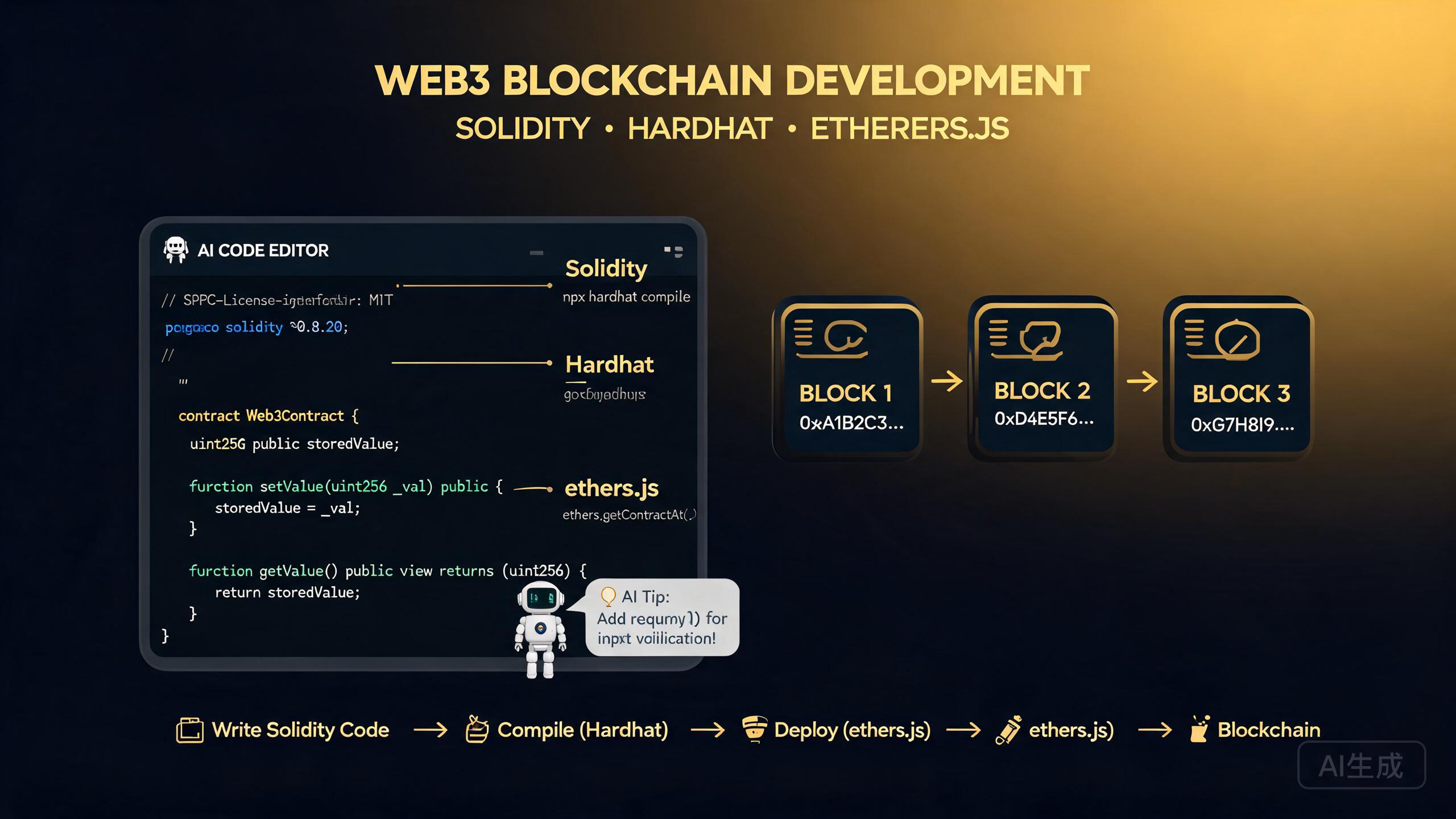
区块链开发将智能合约编程与前端集成相结合,创建去中心化应用(dApp)。Cursor 是一款 AI 驱动的 IDE 编辑器,加速 Web3 开发的每一层:编写和审查 Solidity 合约、配置 Hardhat 工具链、生成 ethers.js 交互层、构建基于 wagmi 的 React 前端以及运行全面的测试套件。本指南涵盖 Solidity 智能合约、Hardhat 开发环境、ethers.js 和 wagmi 集成、合约测试策略以及 AI 辅助的合约生成和安全审查。
前提条件
在开始之前,请确保你具备以下条件:
- Cursor(建议使用最新版本)作为你的 IDE 编辑器
- Node.js 18 或更高版本
- 对 JavaScript、TypeScript 和 React 有基本了解
- 浏览器中安装了 MetaMask 或其他 Web3 钱包
- 测试网(Sepolia 或 Holesky)上的测试 ETH,用于部署练习
区块链开发的学习曲线较陡。在编写第一个合约之前,请让 Cursor 解释以太坊虚拟机(EVM)、Gas 费用和交易生命周期。理解这些基础知识可以防止在部署到主网时犯下代价高昂的错误。
Solidity 智能合约
Solidity 是在 EVM 兼容区块链上编写智能合约最广泛使用的语言。Cursor 帮助你通过 AI 驱动的建议和安全分析来编写、审查和优化 Solidity 代码。
编写代币合约
让 Cursor 生成一个 ERC-20 代币合约:
Create an ERC-20 token contract in Solidity using OpenZeppelin.
The token should be named "TutorialToken" with symbol "TUT",
18 decimals, and a total supply of 1,000,000 tokens minted to
the deployer. Include a public minting function with a per-transaction
cap and an emergency pause mechanism.
Cursor 生成:
// SPDX-License-Identifier: MIT
pragma solidity ^0.8.24;

import "@openzeppelin/contracts/token/ERC20/ERC20.sol";
import "@openzeppelin/contracts/access/AccessControl.sol";
import "@openzeppelin/contracts/utils/Pausable.sol";

contract TutorialToken is ERC20, AccessControl, Pausable {
    bytes32 public constant MINTER_ROLE = keccak256("MINTER_ROLE");

    // Maximum mint per transaction: 10,000 tokens (with 18 decimals)
    uint256 public constant MAX_MINT_PER_TX = 10_000 * 10 ** 18;
    // Total supply cap: 1,000,000 tokens
    uint256 public constant TOTAL_SUPPLY_CAP = 1_000_000 * 10 ** 18;
    uint256 public currentSupply;

    event Minted(address indexed to, uint256 amount);
    event EmergencyPaused(address indexed by);

    constructor() ERC20("TutorialToken", "TUT") {
        _grantRole(DEFAULT_ADMIN_ROLE, msg.sender);
        _grantRole(MINTER_ROLE, msg.sender);

        uint256 initialSupply = 1_000_000 * 10 ** 18;
        _mint(msg.sender, initialSupply);
        currentSupply = initialSupply;
    }

    function mint(address to, uint256 amount) external onlyRole(MINTER_ROLE) whenNotPaused {
        require(amount <= MAX_MINT_PER_TX, "Exceeds max mint per transaction");
        require(currentSupply + amount <= TOTAL_SUPPLY_CAP, "Exceeds total supply cap");

        _mint(to, amount);
        currentSupply += amount;

        emit Minted(to, amount);
    }

    function pause() external onlyRole(DEFAULT_ADMIN_ROLE) {
        _pause();
        emit EmergencyPaused(msg.sender);
    }

    function unpause() external onlyRole(DEFAULT_ADMIN_ROLE) {
        _unpause();
    }

    // Override required by Solidity for multiple inheritance
    function _update(address from, address to, uint256 amount) internal override(ERC20, Pausable) {
        Pausable._update(from, to, amount);
    }

    function supportsInterface(bytes4 interfaceId)
        public view override(AccessControl) returns (bool)
    {
        return super.supportsInterface(interfaceId);
    }
}
始终使用 OpenZeppelin 经过审计的合约库,而不是从头编写加密或代币标准逻辑。让 Cursor 导入最新的 OpenZeppelin 合约并验证版本是否与你的 Solidity 编译器版本匹配。版本不匹配会导致编译错误,并可能引入微妙的安全漏洞。
Solidity 整数溢出保护在 0.8.0 版本中发生了变化。在 0.8.0 之前的版本中,算术运算可能会静默溢出,导致灾难性的漏洞。如果你在审查旧合约,请让 Cursor 检查 SafeMath 的使用并标记任何依赖 0.8.0 之前行为的算术运算。
Hardhat 开发环境
Hardhat 是以太坊最受欢迎的开发环境。它提供本地区块链模拟、合约编译、测试、部署脚本和插件扩展性。
项目设置
让 Cursor 搭建一个 Hardhat 项目:
Create a Hardhat TypeScript project with the following configuration:
- Solidity compiler version 0.8.24
- Hardhat toolbox plugin for testing and deployment
- A deployment script for the TutorialToken contract
- Environment variables for RPC URL and private key
- TypeChain for TypeScript contract bindings
Cursor 会生成项目结构:
my-dapp/
  contracts/
    TutorialToken.sol
  scripts/
    deploy.ts
  test/
    TutorialToken.test.ts
  hardhat.config.ts
  package.json
  .env.example
Hardhat 配置
// hardhat.config.ts
import { HardhatUserConfig } from 'hardhat/config';
import '@nomicfoundation/hardhat-toolbox';
import * as dotenv from 'dotenv';

dotenv.config();

const config: HardhatUserConfig = {
  solidity: {
    version: '0.8.24',
    settings: {
      optimizer: {
        enabled: true,
        runs: 200,
      },
    },
  },
  networks: {
    hardhat: {
      chainId: 31337,
    },
    sepolia: {
      url: process.env.SEPOLIA_RPC_URL || '',
      accounts: process.env.PRIVATE_KEY ? [process.env.PRIVATE_KEY] : [],
    },
    mainnet: {
      url: process.env.MAINNET_RPC_URL || '',
      accounts: process.env.PRIVATE_KEY ? [process.env.PRIVATE_KEY] : [],
    },
  },
  typechain: {
    target: 'ethers-v6',
    outDir: 'typechain-types',
  },
  gasReporter: {
    enabled: true,
    currency: 'USD',
    coinmarketcap: process.env.COINMARKETCAP_API_KEY,
    token: 'ETH',
  },
};

export default config;
部署脚本
// scripts/deploy.ts
import { ethers } from 'hardhat';

async function main() {
  const [deployer] = await ethers.getSigners();
  console.log('Deploying contracts with account:', deployer.address);
  console.log('Account balance:', ethers.formatEther(await ethers.provider.getBalance(deployer.address)), 'ETH');

  const TutorialToken = await ethers.getContractFactory('TutorialToken');
  const token = await TutorialToken.deploy();
  await token.waitForDeployment();

  const tokenAddress = await token.getAddress();
  console.log('TutorialToken deployed to:', tokenAddress);

  // Verify the deployment
  const name = await token.name();
  const symbol = await token.symbol();
  const totalSupply = await token.totalSupply();
  console.log('Name:', name);
  console.log('Symbol:', symbol);
  console.log('Total Supply:', ethers.formatEther(totalSupply));
}

main().catch((error) => {
  console.error(error);
  process.exitCode = 1;
});
让 Cursor 为多个网络生成部署脚本,并自动在 Etherscan 上验证合约。类似"创建一个部署脚本,检测网络、部署合约,如果不在 localhost 则在 Etherscan 上调用 verify"的提示可以节省数小时的手动验证工作。
合约测试
测试智能合约至关重要,因为部署后的合约是不可变的。Cursor 生成覆盖正常路径、边缘案例和安全场景的全面测试套件。
使用 Hardhat 和 Chai 编写测试
// test/TutorialToken.test.ts
import { expect } from 'chai';
import { ethers, network } from 'hardhat';
import { TutorialToken } from '../typechain-types';
import { SignerWithAddress } from '@nomicfoundation/hardhat-network-signers';

describe('TutorialToken', () => {
  let token: TutorialToken;
  let owner: SignerWithAddress;
  let minter: SignerWithAddress;
  let alice: SignerWithAddress;
  let bob: SignerWithAddress;

  const MINTER_ROLE = ethers.keccak256(ethers.toUtf8Bytes('MINTER_ROLE'));
  const MAX_MINT = ethers.parseEther('10000');
  const TOTAL_CAP = ethers.parseEther('1000000');

  beforeEach(async () => {
    [owner, minter, alice, bob] = await ethers.getSigners();

    const TutorialToken = await ethers.getContractFactory('TutorialToken');
    token = await TutorialToken.deploy();
    await token.waitForDeployment();
  });

  describe('Deployment', () => {
    it('sets the correct name and symbol', async () => {
      expect(await token.name()).to.equal('TutorialToken');
      expect(await token.symbol()).to.equal('TUT');
    });

    it('mints the total supply to the deployer', async () => {
      const balance = await token.balanceOf(owner.address);
      expect(balance).to.equal(TOTAL_CAP);
    });

    it('grants DEFAULT_ADMIN_ROLE and MINTER_ROLE to deployer', async () => {
      expect(await token.hasRole(ethers.ZeroHash, owner.address)).to.be.true;
      expect(await token.hasRole(MINTER_ROLE, owner.address)).to.be.true;
    });
  });

  describe('Minting', () => {
    beforeEach(async () => {
      await token.grantRole(MINTER_ROLE, minter.address);
    });

    it('allows minter to mint within per-transaction cap', async () => {
      const mintAmount = ethers.parseEther('5000');
      await token.connect(minter).mint(alice.address, mintAmount);
      expect(await token.balanceOf(alice.address)).to.equal(mintAmount);
    });

    it('reverts when minting exceeds per-transaction cap', async () => {
      const mintAmount = ethers.parseEther('10001');
      await expect(
        token.connect(minter).mint(alice.address, mintAmount)
      ).to.be.revertedWith('Exceeds max mint per transaction');
    });

    it('reverts when non-minter tries to mint', async () => {
      await expect(
        token.connect(alice).mint(bob.address, ethers.parseEther('100'))
      ).to.be.revertedWithCustomError(token, 'AccessControlUnauthorizedAccount');
    });

    it('reverts when minting exceeds total supply cap', async () => {
      // Already minted 1,000,000 on deployment, so any additional mint should fail
      await expect(
        token.connect(minter).mint(alice.address, ethers.parseEther('1'))
      ).to.be.revertedWith('Exceeds total supply cap');
    });
  });

  describe('Pause Mechanism', () => {
    it('allows admin to pause and unpause', async () => {
      await token.pause();
      expect(await token.paused()).to.be.true;

      await token.unpause();
      expect(await token.paused()).to.be.false;
    });

    it('reverts minting when paused', async () => {
      await token.grantRole(MINTER_ROLE, minter.address);
      await token.pause();

      await expect(
        token.connect(minter).mint(alice.address, ethers.parseEther('100'))
      ).to.be.revertedWithCustomError(token, 'EnforcedPause');
    });

    it('reverts when non-admin tries to pause', async () => {
      await expect(token.connect(alice).pause())
        .to.be.revertedWithCustomError(token, 'AccessControlUnauthorizedAccount');
    });
  });

  describe('Transfers', () => {
    it('allows token transfers and reverts when paused', async () => {
      const amount = ethers.parseEther('100');
      await token.transfer(alice.address, amount);
      expect(await token.balanceOf(alice.address)).to.equal(amount);

      // Now pause and verify transfer is blocked
      await token.pause();
      await expect(token.transfer(alice.address, amount))
        .to.be.revertedWithCustomError(token, 'EnforcedPause');
    });
  });
});
让 Cursor 生成随机化输入的模糊测试。类似"创建一个模糊测试,尝试铸造 0 到 100,000 之间的随机金额,以发现每笔交易上限和总供应量上限逻辑中的边缘情况"的提示可以揭示固定值测试遗漏的溢出和边界条件缺陷。
切勿在没有完整测试覆盖的情况下部署合约。不可变合约在部署后无法修补。一个被遗漏的边缘案例可能导致永久性的资金损失。在主网部署前运行完整测试套件,并让 Cursor 审查合约的常见漏洞模式。
ethers.js 集成
ethers.js 是与以太坊交互最受欢迎的 JavaScript 库。Cursor 生成类型安全的交互层来封装你的合约 ABI。
合约交互层
// src/lib/token.ts
import { ethers, Contract, formatEther, parseEther } from 'ethers';
import type { TutorialToken } from '../typechain-types';

export interface TokenInfo {
  name: string;
  symbol: string;
  decimals: number;
  totalSupply: string;
}

export class TokenService {
  private contract: TutorialToken;
  private provider: ethers.Provider;
  private signer?: ethers.Signer;

  constructor(
    address: string,
    abi: ethers.InterfaceAbi,
    provider: ethers.Provider,
    signer?: ethers.Signer
  ) {
    this.provider = provider;
    this.signer = signer;
    this.contract = (signer
      ? new Contract(address, abi, signer)
      : new Contract(address, abi, provider)) as unknown as TutorialToken;
  }

  async getInfo(): Promise<TokenInfo> {
    const [name, symbol, decimals, totalSupply] = await Promise.all([
      this.contract.name(),
      this.contract.symbol(),
      this.contract.decimals(),
      this.contract.totalSupply(),
    ]);

    return {
      name,
      symbol,
      decimals: Number(decimals),
      totalSupply: formatEther(totalSupply),
    };
  }

  async balanceOf(address: string): Promise<string> {
    const balance = await this.contract.balanceOf(address);
    return formatEther(balance);
  }

  async mint(to: string, amount: string): Promise<string> {
    if (!this.signer) throw new Error('Signer required for minting');
    const tx = await this.contract.mint(to, parseEther(amount));
    await tx.wait();
    return tx.hash;
  }

  async transfer(to: string, amount: string): Promise<string> {
    if (!this.signer) throw new Error('Signer required for transfers');
    const tx = await this.contract.transfer(to, parseEther(amount));
    await tx.wait();
    return tx.hash;
  }

  async isPaused(): Promise<boolean> {
    return this.contract.paused();
  }

  async hasMinterRole(address: string): Promise<boolean> {
    const MINTER_ROLE = ethers.keccak256(ethers.toUtf8Bytes('MINTER_ROLE'));
    return this.contract.hasRole(MINTER_ROLE, address);
  }
}
使用浏览器钱包与 ethers.js 交互
// src/lib/wallet.ts
import { BrowserProvider } from 'ethers';

let provider: BrowserProvider | null = null;

export async function getProvider(): Promise<BrowserProvider> {
  if (!provider) {
    if (!window.ethereum) {
      throw new Error('No Web3 wallet found. Please install MetaMask.');
    }
    provider = new BrowserProvider(window.ethereum);
  }
  return provider;
}

export async function connectWallet(): Promise<string> {
  const provider = await getProvider();
  const accounts = await provider.send('eth_requestAccounts', []);
  return accounts[0];
}

export async function getSigner() {
  const provider = await getProvider();
  return provider.getSigner();
}

export function onAccountsChanged(callback: (accounts: string[]) => void): void {
  if (window.ethereum) {
    window.ethereum.on('accountsChanged', callback);
  }
}

export function onChainChanged(callback: (chainId: string) => void): void {
  if (window.ethereum) {
    window.ethereum.on('chainChanged', callback);
  }
}
在发送交易之前,始终验证用户是否连接到了预期的网络。在连接到测试网时发送主网交易(或反之)会导致令人困惑的错误。检查链 ID 并提示用户在不匹配时切换网络。
构建 wagmi 前端
wagmi 是一组用于以太坊的 React Hooks,简化了钱包连接、合约读取和合约写入。Cursor 生成具有完整类型安全的基于 wagmi 的 React 组件。
wagmi 配置
// src/lib/wagmi.ts
import { createConfig, http } from 'wagmi';
import { sepolia, mainnet } from 'wagmi/chains';
import { injected } from 'wagmi/connectors';

export const config = createConfig({
  chains: [sepolia, mainnet],
  connectors: [injected()],
  transports: {
    [sepolia.id]: http('https://rpc.sepolia.org'),
    [mainnet.id]: http(),
  },
});

// Contract address and ABI
export const TOKEN_ADDRESS = '0x...'; // Replace with your deployed address
export const TOKEN_ABI = [
  // ABI generated by TypeChain or hardhat
] as const;
代币仪表板组件
// src/components/TokenDashboard.tsx
import { useAccount, useReadContract, useWriteContract, useWatchContractEvent } from 'wagmi';
import { parseEther, formatEther } from 'viem';
import { TOKEN_ADDRESS, TOKEN_ABI } from '../lib/wagmi';
import { useState } from 'react';

export function TokenDashboard() {
  const { address, isConnected } = useAccount();
  const { writeContractAsync } = useWriteContract();
  const [mintAmount, setMintAmount] = useState('100');
  const [transferTo, setTransferTo] = useState('');
  const [transferAmount, setTransferAmount] = useState('10');

  // Batch-read contract state
  const { data: name } = useReadContract({ address: TOKEN_ADDRESS, abi: TOKEN_ABI, functionName: 'name' });
  const { data: symbol } = useReadContract({ address: TOKEN_ADDRESS, abi: TOKEN_ABI, functionName: 'symbol' });
  const { data: balance } = useReadContract({ address: TOKEN_ADDRESS, abi: TOKEN_ABI, functionName: 'balanceOf', args: [address] });
  const { data: isPaused } = useReadContract({ address: TOKEN_ADDRESS, abi: TOKEN_ABI, functionName: 'paused' });

  // Listen for mint events
  useWatchContractEvent({ address: TOKEN_ADDRESS, abi: TOKEN_ABI, eventName: 'Minted', onLogs: (logs) => console.log('Mint:', logs) });

  const handleMint = () => writeContractAsync({ address: TOKEN_ADDRESS, abi: TOKEN_ABI, functionName: 'mint', args: [address, parseEther(mintAmount)] });
  const handleTransfer = () => writeContractAsync({ address: TOKEN_ADDRESS, abi: TOKEN_ABI, functionName: 'transfer', args: [transferTo, parseEther(transferAmount)] });

  if (!isConnected) {
    return <div className="p-8 text-center text-gray-500">Connect your wallet to view your token balance.</div>;
  }

  return (
    <div className="space-y-6 p-4">
      <div className="rounded-lg bg-gray-100 p-4">
        <h2 className="text-xl font-bold">{name} ({symbol})</h2>
        <p className="mt-1 text-sm">Balance: {balance ? formatEther(balance as bigint) : '0'} {symbol}</p>
        <p className="text-sm">Status: {isPaused ? 'Paused' : 'Active'}</p>
      </div>

      <div className="rounded-lg border p-4">
        <h3 className="mb-2 font-semibold">Mint Tokens</h3>
        <input type="number" value={mintAmount} onChange={(e) => setMintAmount(e.target.value)} className="mb-2 w-full rounded border px-3 py-2" disabled={isPaused} />
        <button onClick={handleMint} disabled={isPaused} className="w-full rounded bg-blue-600 px-4 py-2 text-white disabled:opacity-50">Mint</button>
      </div>

      <div className="rounded-lg border p-4">
        <h3 className="mb-2 font-semibold">Transfer Tokens</h3>
        <input type="text" placeholder="Recipient address (0x...)" value={transferTo} onChange={(e) => setTransferTo(e.target.value)} className="mb-2 w-full rounded border px-3 py-2" />
        <input type="number" placeholder="Amount" value={transferAmount} onChange={(e) => setTransferAmount(e.target.value)} className="mb-2 w-full rounded border px-3 py-2" disabled={isPaused} />
        <button onClick={handleTransfer} disabled={isPaused} className="w-full rounded bg-green-600 px-4 py-2 text-white disabled:opacity-50">Transfer</button>
      </div>
    </div>
  );
}
让 Cursor 为合约中的每个 view 函数生成一个 wagmi Read hook,为每个修改状态的函数生成一个 Write hook。类似"为我的 TutorialToken ABI 中的每个函数创建封装 wagmi useReadContract 和 useWriteContract 的自定义 React hooks"的提示可以给你一个干净、可复用的交互层。
AI 辅助的合约生成与审查
Cursor 的 AI 可以从描述中生成整个合约系统,并审查现有合约的常见漏洞模式。
生成完整的合约系统
Create a decentralized marketplace contract system with:
1. An ERC-721 NFT contract for listing items
2. A marketplace contract that accepts ETH and the NFT
3. Royalty enforcement using ERC-2981
4. A 2.5% platform fee sent to a treasury address
5. Reentrancy protection on all withdrawal functions
6. Events for every state change
Use OpenZeppelin libraries and include full NatSpec comments.
审查漏洞
对你的合约运行此审查提示:
Audit my Solidity contract for the following vulnerability classes:
1. Reentrancy attacks (check for CEI pattern and ReentrancyGuard)
2. Integer overflow/underflow
3. Access control bypass
4. Front-running susceptibility
5. Denial of service via gas limit
6. Timestamp dependence
7. Delegate call injection
8. Unchecked external calls
Rate the severity of each finding and provide a fix.
AI 辅助的安全审查是第一道防线,不能替代专业审查。在部署任何处理真实价值的合约之前,请委托一家信誉良好的公司进行正式审计。AI 可能遗漏经验丰富的审计师能发现的微妙漏洞模式。
总结
在 Cursor 中进行区块链与 Web3 开发将 AI 辅助代码生成的力量与智能合约工程的严谨性相结合。遵循本指南中的模式——基于 OpenZeppelin 的合约、全面的 Hardhat 测试套件、类型安全的 ethers.js 交互层、基于 wagmi 的 React 前端以及 AI 驱动的合约审查——你可以自信地构建和发布去中心化应用。始终进行充分测试,在主网部署前审查漏洞,绝不部署你不完全理解的合约。