Cursor での国際化(i18n)とローカライゼーション(l10n):react-intl、i18next、RTLサポート
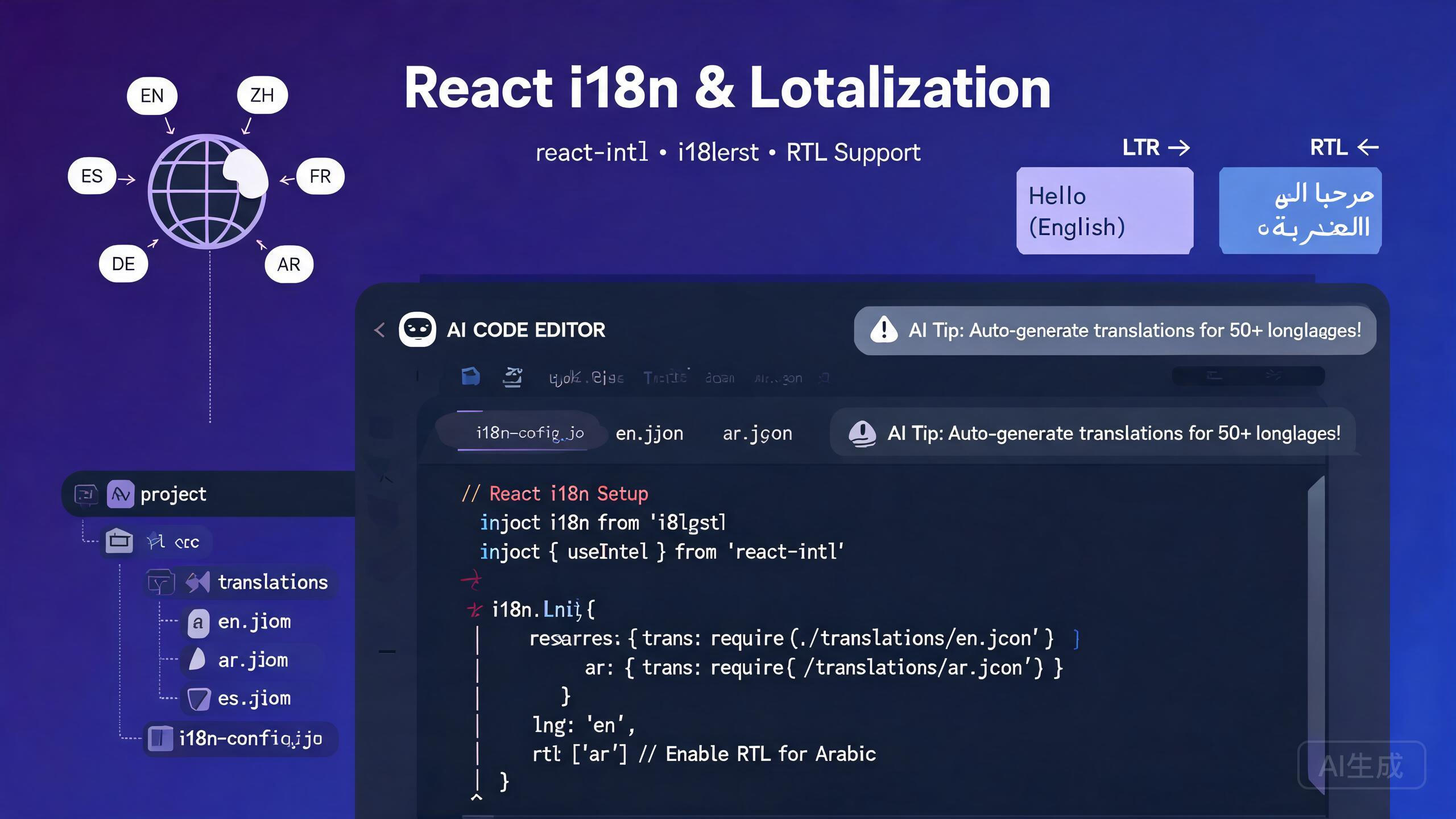
国際化(i18n)とローカライゼーション(l10n)は、異なる言語、地域、文化的慣習のユーザーがアプリケーションを利用できるようにします。Cursor は AI 駆動の IDE エディターとして、翻訳可能な文字列の抽出、翻訳ライブラリの設定、ロケールファイルの生成、右から左へ(RTL)レイアウトの実装、AI 駆動パイプラインによる翻訳の自動化など、i18n ワークフローのすべてのフェーズを加速します。本ガイドでは、react-intl、i18next、翻訳ファイル管理、RTLサポート、ロケール対応フォーマッティング、AI支援による翻訳ワークフローをカバーします。
前提条件
開始する前に、以下の条件を満たしていることを確認してください:
- Cursor(最新バージョン推奨)を IDE エディターとして使用
- Node.js 18 以上
- React プロジェクト(Vite または Next.js を推奨)
- JSON と React コンポーネントパターンの基本的な理解
UI コードを書く前に i18n 戦略を計画してください。既存のアプリケーションに i18n を後から追加するのは、最初から組み込むよりもはるかに困難です。最初のスプリントで Cursor に翻訳インフラを設定させ、すべてのコンポーネントを初日から国際化しましょう。
i18n と l10n の違いを理解する
- 国際化(i18n):アプリケーションが複数の言語をサポートできるように準備するエンジニアリング作業。文字列の抽出、ロケール対応フォーマッターの使用、RTLレイアウトのサポート、柔軟な UI コンポーネントの設計が含まれます。
- ローカライゼーション(l10n):特定のロケール向けの実際の翻訳と文化的適応。文字列の翻訳、日付と通貨フォーマットの適応、現地の規範に合わせた画像の調整が含まれます。
Cursor は両方を支援します。i18n インフラを生成し、AI 駆動の翻訳とロケールファイル生成を通じて l10n を支援します。
i18next のセットアップ
i18next は JavaScript 向けの最も人気のある i18n フレームワークです。React 用のコンパニオン react-i18next はシームレスな統合のための hooks とコンポーネントを提供します。
インストールと設定
Cursor に React プロジェクトでの i18next セットアップを依頼します:
Set up i18next with react-i18next in my Vite + React + TypeScript project.
Support English (en), Spanish (es), Japanese (ja), and Arabic (ar).
Include a language switcher component, lazy-loaded translation
namespaces, and locale-aware date formatting. Configure the
detector to remember the user's choice in localStorage.
Cursor が設定を生成します:
// src/i18n/index.ts
import i18n from 'i18next';
import { initReactI18next } from 'react-i18next';
import LanguageDetector from 'i18next-browser-languagedetector';
import HttpBackend from 'i18next-http-backend';

export const supportedLanguages = [
  { code: 'en', name: 'English', dir: 'ltr' as const },
  { code: 'es', name: 'Espanol', dir: 'ltr' as const },
  { code: 'ja', name: '日本語', dir: 'ltr' as const },
  { code: 'ar', name: 'العربية', dir: 'rtl' as const },
];

export const defaultLanguage = 'en';

i18n
  .use(HttpBackend)
  .use(LanguageDetector)
  .use(initReactI18next)
  .init({
    fallbackLng: defaultLanguage,
    supportedLngs: supportedLanguages.map((l) => l.code),
    ns: ['common', 'navigation', 'forms', 'errors'],
    defaultNS: 'common',
    backend: { loadPath: '/locales/{{lng}}/{{ns}}.json' },
    detection: {
      order: ['localStorage', 'navigator', 'htmlTag'],
      lookupLocalStorage: 'i18nextLng',
      caches: ['localStorage'],
    },
    interpolation: { escapeValue: false },
    react: { useSuspense: true, bindI18n: 'languageChanged loaded' },
  });

export default i18n;
翻訳ファイル構造
public/
  locales/
    en/
      common.json
      navigation.json
      forms.json
      errors.json
    es/
      common.json
      ...
    ja/
      common.json
      ...
    ar/
      common.json
      ...
英語翻訳の例:
// public/locales/en/common.json
{
  "app": {
    "title": "My Application",
    "tagline": "Build better, ship faster"
  },
  "welcome": "Welcome, {{name}}!",
  "items_count": "You have {{count}} item",
  "items_count_other": "You have {{count}} items",
  "lastUpdated": "Last updated: {{date}}"
}
// public/locales/en/forms.json
{
"labels": {
"email": "Email Address",
"password": "Password",
"firstName": "First Name",
"lastName": "Last Name"
},
"placeholders": {
"password": "Enter your password"
},
"buttons": {
"submit": "Submit",
"cancel": "Cancel"
},
"validation": {
"emailRequired": "Email is required",
"emailInvalid": "Please enter a valid email address",
"passwordMinLength": "Password must be at least {{min}} characters"
}
}
単一の巨大ファイルではなく、名前空間(common、navigation、forms、errors)に翻訳を整理してください。名前空間により、現在のページに必要な翻訳のみを遅延読み込みでき、初期バンドルサイズを削減できます。Cursor にルート構造に基づく名前空間の境界を提案させてください。
コンポーネントにユーザー向けの文字列をハードコードしないでください。最初に1つの言語しかサポートしない場合でも、最初から文字列を翻訳ファイルに抽出することは10分の投資で、後週のリファクタリングを節約します。ボタンラベル、エラーメッセージ、ツールチップを含むすべての可視文字列に t() 関数を使用してください。
react-i18next Hooks の使用
useTranslation hook は関数コンポーネントで翻訳にアクセスする主要な方法です。
基本的な使用方法
// src/components/LoginForm.tsx
import { useTranslation } from 'react-i18next';
import { useState } from 'react';

export function LoginForm() {
  const { t } = useTranslation(['forms', 'errors']);
  const [email, setEmail] = useState('');
  const [password, setPassword] = useState('');
  const [errors, setErrors] = useState<Record<string, string>>({});

  function handleSubmit(e: React.FormEvent) {
    e.preventDefault();
    const newErrors: Record<string, string> = {};

    if (!email) {
      newErrors.email = t('forms:validation.emailRequired');
    } else if (!/^[^\s@]+@[^\s@]+\.[^\s@]+$/.test(email)) {
      newErrors.email = t('forms:validation.emailInvalid');
    }

    if (password.length < 8) {
      newErrors.password = t('forms:validation.passwordMinLength', { min: 8 });
    }

    setErrors(newErrors);
  }

  return (
    <form onSubmit={handleSubmit} className="max-w-md space-y-4">
      <div>
        <label htmlFor="email" className="block text-sm font-medium">
          {t('forms:labels.email')}
        </label>
        <input
          id="email"
          type="email"
          value={email}
          onChange={(e) => setEmail(e.target.value)}
          placeholder={t('forms:placeholders.email')}
          className="mt-1 w-full rounded border px-3 py-2"
          aria-invalid={!!errors.email}
        />
        {errors.email && (
          <p className="mt-1 text-sm text-red-600" role="alert">
            {errors.email}
          </p>
        )}
      </div>

      <div>
        <label htmlFor="password" className="block text-sm font-medium">
          {t('forms:labels.password')}
        </label>
        <input
          id="password"
          type="password"
          value={password}
          onChange={(e) => setPassword(e.target.value)}
          placeholder={t('forms:placeholders.password')}
          className="mt-1 w-full rounded border px-3 py-2"
          aria-invalid={!!errors.password}
        />
        {errors.password && (
          <p className="mt-1 text-sm text-red-600" role="alert">
            {errors.password}
          </p>
        )}
      </div>

      <button type="submit" className="w-full rounded bg-blue-600 px-4 py-2 text-white">
        {t('forms:buttons.submit')}
      </button>
    </form>
  );
}
複数形と補間
i18next はロケールに基づいて複数形ルールを自動的に処理します。言語によって異なる複数形があります(英語は2つ、アラビア語は6つ、日本語は1つ)。
// src/components/ShoppingCart.tsx
import { useTranslation } from 'react-i18next';

export function ShoppingCart({ itemCount }: { itemCount: number }) {
  const { t } = useTranslation('common');

  return (
    <div className="p-4">
      <h2 className="text-lg font-bold">{t('shoppingCart')}</h2>
      {/* i18next automatically selects singular or plural form */}
      <p>{t('items_count', { count: itemCount })}</p>
    </div>
  );
}
アラビア語翻訳ファイルは6つの複数形をすべて処理します:
// public/locales/ar/common.json (Arabic has 6 plural forms per CLDR rules)
{
  "items_count_0": "لا توجد عناصر",
  "items_count_1": "لديك عنصر واحد",
  "items_count_2": "لديك عنصران",
  "items_count_3": "لديك {{count}} عناصر",
  "items_count_4": "لديك {{count}} عنصرًا",
  "items_count_5": "لديك {{count}} عنصر"
}
Cursor にサポートする各ロケールの複数形ルールの生成を依頼してください。「CLDR 複数形ルールに従い、items_count 翻訳キーのアラビア語、ロシア語、ポルトガル語の正しい複数形キーを作成して」というプロンプトで、CLDR ルールを暗記することなくロケールに正しい複数形が生成されます。
react-intl のセットアップ
react-intl は FormatJS スイートのもう一つの i18n ライブラリです。厳密な型安全性と ICU Message Format のサポートにより、エンタープライズアプリケーションで人気があります。
Provider 設定
// src/i18n/IntlProvider.tsx
import { IntlProvider } from 'react-intl';
import { useState, useEffect, ReactNode, createContext, useContext } from 'react';

export type Locale = 'en' | 'es' | 'ja' | 'ar';

const messages: Record<Locale, () => Promise<Record<string, string>>> = {
  en: () => import('../locales/en.json').then((m) => m.default),
  es: () => import('../locales/es.json').then((m) => m.default),
  ja: () => import('../locales/ja.json').then((m) => m.default),
  ar: () => import('../locales/ar.json').then((m) => m.default),
};

export function IntlAppProvider({ children }: { children: ReactNode }) {
  const storedLocale = localStorage.getItem('locale') as Locale | null;
  const browserLocale = navigator.language.split('-')[0] as Locale;
  const [locale, setLocale] = useState<Locale>(storedLocale || browserLocale || 'en');
  const [localeMessages, setLocaleMessages] = useState<Record<string, string>>({});

  useEffect(() => {
    messages[locale]().then((msgs) => {
      setLocaleMessages(msgs);
      document.documentElement.dir = locale === 'ar' ? 'rtl' : 'ltr';
      document.documentElement.lang = locale;
      localStorage.setItem('locale', locale);
    });
  }, [locale]);

  return (
    <IntlProvider
      locale={locale}
      messages={localeMessages}
      defaultLocale="en"
      onError={(err) => import.meta.env.DEV && console.warn('[Intl]', err.message)}
    >
      <LanguageContext.Provider value={{ locale, changeLocale: setLocale }}>
        {children}
      </LanguageContext.Provider>
    </IntlProvider>
  );
}

interface LanguageContextType { locale: Locale; changeLocale: (locale: Locale) => void; }
const LanguageContext = createContext<LanguageContextType | null>(null);
export function useLanguage() {
  const ctx = useContext(LanguageContext);
  if (!ctx) throw new Error('useLanguage must be used within IntlAppProvider');
  return ctx;
}
react-intl コンポーネントの使用
react-intl はフォーマッティングのための宣言的コンポーネントを提供します。FormattedMessage コンポーネントは ICU Message Format を処理し、FormattedNumber、FormattedDate、FormattedTime はユーザーのロケールに自動的に適応します。
// src/components/ProductCard.tsx
import { FormattedMessage, FormattedNumber, FormattedDate } from 'react-intl';
import { useLanguage } from '../i18n/IntlProvider';

export function ProductCard({ product }: { product: Product }) {
  const { locale } = useLanguage();

  return (
    <div className="rounded-lg border p-4">
      <h3 className="text-lg font-bold">{product.name}</h3>
      {/* Currency adapts to locale automatically */}
      <p className="text-xl text-green-600">
        <FormattedNumber
          value={product.price}
          style="currency"
          currency={locale === 'ja' ? 'JPY' : locale === 'ar' ? 'SAR' : 'USD'}
        />
      </p>
      <p className="text-sm text-gray-500">
        <FormattedMessage
          id="product.addedOn"
          defaultMessage="Added on {date}"
          values={{
            date: <FormattedDate value={new Date(product.addedAt)} year="numeric" month="long" day="numeric" />,
          }}
        />
      </p>
      <div className="mt-2">
        <FormattedMessage
          id="product.reviews"
          defaultMessage="{count, plural, one {# review} other {# reviews}}"
          values={{ count: product.reviewCount }}
        />
      </div>
    </div>
  );
}
react-intl は ICU Message Format を使用し、複数形、選択、フォーマッティングをメッセージ文字列に直接埋め込みます。これにより、翻訳者はコードを修正することなく文の構造を調整できます。シンプルなキーと値の翻訳ファイルから移行する場合は、Cursor に実践的な例で ICU Message Format 構文の説明を依頼してください。
右から左(RTL)サポート
RTL サポートはアラビア語、ヘブライ語、ペルシャ語などの言語に不可欠です。Cursor は両方向で正しく動作する RTL 対応レイアウトの実装を支援します。
CSS 論理プロパティ
物理プロパティ(margin-left)の代わりに論理プロパティ(margin-inline-start)を使用すると、RTL モードでレイアウトが自動的に反転します。
/* src/styles/rtl.css */
.card {
  padding-inline-start: 1rem;
  padding-inline-end: 1rem;
  border-inline-start: 3px solid var(--accent);
}
.flex-container { display: flex; flex-direction: row; gap: 0.5rem; }
.nav-bar { inset-inline-start: 0; inset-inline-end: 0; }

/* Flip directional icons in RTL */
[dir="rtl"] .icon-rtl-flip { transform: scaleX(-1); }
RTL 対応 React コンポーネント
// src/components/RTLNavigation.tsx
import { useTranslation } from 'react-i18next';
import { useMemo } from 'react';

export function RTLNavigation({ items }: { items: NavItem[] }) {
  const { i18n } = useTranslation();
  const isRTL = i18n.dir() === 'rtl';
  const flipIcons = useMemo(() => new Set(['arrow', 'chevron', 'back', 'forward']), []);

  return (
    <nav
      className="flex items-center gap-4 px-4 py-2"
      style={{ direction: isRTL ? 'rtl' : 'ltr' }}
      aria-label="Main navigation"
    >
      {items.map((item) => (
        <a key={item.id} href={item.href} className="flex items-center gap-2 rounded px-3 py-1 hover:bg-gray-100">
          {item.icon && (
            <span
              className="inline-block"
              style={{ transform: isRTL && flipIcons.has(item.icon) ? 'scaleX(-1)' : 'scaleX(1)' }}
            >
              <Icon name={item.icon} />
            </span>
          )}
          <span>{i18n.t(item.labelKey)}</span>
        </a>
      ))}
    </nav>
  );
}
CSS で text-align: left や text-align: right を使用しないでください。代わりに text-align: start と text-align: end を使用してください。物理プロパティは RTL モードで自動的に反転せず、テキストの不整列やレイアウトの崩れを引き起こします。Cursor に CSS の物理方向プロパティをスキャンさせ、論理的等価物に変換させてください。
開発の早い段階でアラビア語をロケールとして追加して RTL レイアウトをテストしてください。レイアウトを RTL に反転することで、ハードコードされた物理プロパティ、ミラーリングされない flex レイアウト、反転すべきアイコンが明らかになります。開発中にこれらの問題を修正するのは、リリース後に発見するよりもはるかに低コストです。
言語切り替えコンポーネント
// src/components/LanguageSwitcher.tsx
import { useTranslation } from 'react-i18next';
import { supportedLanguages } from '../i18n';

export function LanguageSwitcher() {
  const { i18n } = useTranslation();
  const currentLanguage = supportedLanguages.find((l) => l.code === i18n.language) || supportedLanguages[0];

  function changeLanguage(code: string) {
    i18n.changeLanguage(code);
    const lang = supportedLanguages.find((l) => l.code === code);
    document.documentElement.dir = lang?.dir || 'ltr';
    document.documentElement.lang = code;
  }

  return (
    <div className="flex items-center gap-2">
      <select
        id="language-select"
        value={currentLanguage.code}
        onChange={(e) => changeLanguage(e.target.value)}
        className="rounded border px-2 py-1 text-sm"
        aria-label="Select language"
      >
        {supportedLanguages.map((lang) => (
          <option key={lang.code} value={lang.code}>
            {lang.name}
          </option>
        ))}
      </select>
    </div>
  );
}
ロケール対応フォーマッティング
日付、数値、通貨のフォーマッティングはユーザーのロケールに適応する必要があります。i18next と react-intl の両方がフォーマッティングユーティリティを提供します。
Intl API の直接使用
// src/lib/locale-formatters.ts

export function formatDate(date: Date, locale: string, options?: Intl.DateTimeFormatOptions): string {
  return new Intl.DateTimeFormat(locale, options || { year: 'numeric', month: 'long', day: 'numeric' }).format(date);
}

export function formatNumber(value: number, locale: string, options?: Intl.NumberFormatOptions): string {
  return new Intl.NumberFormat(locale, options).format(value);
}

export function formatCurrency(value: number, locale: string, currency: string): string {
  return new Intl.NumberFormat(locale, { style: 'currency', currency, minimumFractionDigits: 2 }).format(value);
}

export function formatRelativeTime(date: Date, locale: string): string {
  const diff = (date.getTime() - Date.now()) / 1000;
  const rtf = new Intl.RelativeTimeFormat(locale, { numeric: 'auto' });
  const units: Array<[Intl.RelativeTimeFormatUnit, number]> = [
    ['year', 60 * 60 * 24 * 365], ['month', 60 * 60 * 24 * 30],
    ['day', 60 * 60 * 24], ['hour', 60 * 60], ['minute', 60], ['second', 1],
  ];
  for (const [unit, secs] of units) {
    if (Math.abs(diff) >= secs) return rtf.format(Math.round(diff / secs), unit);
  }
  return rtf.format(0, 'second');
}
各ロケールでのフォーマッティング例
// Dates adapt to locale conventions automatically:
formatDate(new Date('2026-09-02'), 'en-US'); // "September 2, 2026"
formatDate(new Date('2026-09-02'), 'es-ES'); // "2 de septiembre de 2026"
formatDate(new Date('2026-09-02'), 'ja-JP'); // "2026年9月2日"
formatDate(new Date('2026-09-02'), 'ar-SA'); // "٢ سبتمبر ٢٠٢٦"

// Currency formatting respects local symbols and decimal rules:
formatCurrency(1234.56, 'en-US', 'USD'); // "$1,234.56"
formatCurrency(1234.56, 'ja-JP', 'JPY'); // "¥1,235" (no decimals for JPY)
formatCurrency(1234.56, 'ar-SA', 'SAR'); // "١٬٢٣٤٫٥٦ ر.س"

// Relative time uses natural language per locale:
formatRelativeTime(new Date(Date.now() - 3600000), 'en'); // "1 hour ago"
formatRelativeTime(new Date(Date.now() - 3600000), 'ja'); // "1時間前"
formatRelativeTime(new Date(Date.now() - 3600000), 'ar'); // "منذ ساعة واحدة"
カスタムフォーマッターを書く代わりに、常にネイティブ Intl API を使用してフォーマッティングしてください。Intl API は JavaScript エンジンに組み込まれた CLDR(Common Locale Data Repository)データを使用し、プラットフォームベンダーが維持し、非グレゴリオ暦(和暦、ヒジュラ暦)などのエッジケースを自動的に処理します。
AI 支援による翻訳ワークフロー
Cursor は AI を使用してロケールファイル全体の翻訳を生成できます。これはプロの人力翻訳を置き換えるものではありませんが、翻訳者がレビューして洗練できる高品質な初稿を生成します。
ソースファイルからの翻訳生成
Read my English translation file at src/locales/en/common.json and
generate equivalent translations for Spanish (es), Japanese (ja),
and Arabic (ar). Preserve all interpolation variables like {{name}},
pluralization keys, and namespace structure exactly. Output three
separate JSON files in the correct locale directories.
Cursor はソースファイルを読み込み、3つの翻訳された JSON ファイルを生成します。AI は ICU Message Format 変数、複数形接尾辞、JSON 構造を保持します。
ソースコードからの文字列抽出
Scan all .tsx files in my src/ directory and extract every hard-coded
user-facing string into a translation key. Create a new common.json
file with the extracted strings organized by component. Then replace
each hard-coded string in the source with a useTranslation() call.
Cursor はコードベース全体のリファクタリングを実行します。JSX 内の文字列リテラルを特定し、構造化された翻訳ファイルを生成し、各出現箇所を適切な t() 呼び出しに置き換えます。
AI 生成の翻訳は、本番環境に公開する前に常にネイティブスピーカーがレビューすべきです。AI は文脈依存の用語を誤訳したり、文化的なニュアンスを見逃したり、文法的には正しいが不自然な表現を生成する可能性があります。AI の翻訳は初稿として使用し、最終製品として扱わないでください。翻訳管理ワークフローで AI 翻訳ファイルに「要レビュー」ステータスを付けてください。
バッチ翻訳スクリプト
// scripts/translate.ts
import * as fs from 'fs/promises';
import * as path from 'path';

interface TranslationFile {
  [key: string]: string | TranslationFile;
}

const SOURCE_LOCALE = 'en';
const TARGET_LOCALES = ['es', 'ja', 'ar'];
const SOURCE_DIR = path.join(__dirname, '../public/locales', SOURCE_LOCALE);
const OUTPUT_BASE = path.join(__dirname, '../public/locales');

async function translateFile(
  source: TranslationFile,
  targetLocale: string
): Promise<TranslationFile> {
  const result: TranslationFile = {};
  for (const [key, value] of Object.entries(source)) {
    if (typeof value === 'string') {
      // Replace with actual AI translation API call
      result[key] = `[${targetLocale}] ${value}`;
    } else {
      result[key] = await translateFile(value, targetLocale);
    }
  }
  return result;
}

async function runBatchTranslation() {
  const namespaces = await fs.readdir(SOURCE_DIR);

  for (const locale of TARGET_LOCALES) {
    const outputDir = path.join(OUTPUT_BASE, locale);
    await fs.mkdir(outputDir, { recursive: true });

    for (const nsFile of namespaces.filter((f) => f.endsWith('.json'))) {
      const sourceData = JSON.parse(
        await fs.readFile(path.join(SOURCE_DIR, nsFile), 'utf-8')
      ) as TranslationFile;

      const translated = await translateFile(sourceData, locale);
      const outputPath = path.join(outputDir, nsFile);
      await fs.writeFile(outputPath, JSON.stringify(translated, null, 2), 'utf-8');
      console.log(`Translated ${nsFile} for ${locale} -> ${outputPath}`);
    }
  }
  console.log('Batch translation complete.');
}

runBatchTranslation().catch(console.error);
バッチ翻訳スクリプトを CI パイプラインに追加してください。開発者が新しい英語の文字列を追加すると、CI ジョブがすべてのターゲットロケールのドラフト翻訳を自動的に生成し、要レビューとしてマークされた新しいキーでプルリクエストを作成します。これにより手動調整なしにすべてのロケールファイルを同期させることができます。
翻訳欠落の検出
アプリケーションのルートでこのコンポーネントを一度レンダリングします。開発環境では、欠落したキーをコンソールにログ出力します。本番環境では、エラートラッキングサービスに報告します。
// src/components/MissingTranslationLogger.tsx
import { useTranslation } from 'react-i18next';
import { useEffect, useRef } from 'react';

export function MissingTranslationLogger() {
  const { i18n } = useTranslation();
  const reportedKeys = useRef(new Set<string>());

  useEffect(() => {
    i18n.on('missingKey', (lngs: string[], ns: string, key: string) => {
      const fullKey = `${ns}:${key}`;
      if (reportedKeys.current.has(fullKey)) return;
      reportedKeys.current.add(fullKey);

      if (import.meta.env.DEV) {
        console.warn(`[i18n] Missing: ${fullKey} for ${lngs.join(', ')}`);
      }
      // In production: reportToErrorService({ type: 'missing_translation', key: fullKey, locales: lngs });
    });
  }, [i18n]);

  return null;
}
まとめ
Cursor での国際化とローカライゼーションは、真にグローバルなアプリケーションを構築するためのツールを提供します。本ガイドのパターンに従うことで、i18next または react-intl の設定、名前空間ベースの翻訳ファイル、ICU 対応の複数形、RTL 論理 CSS プロパティ、ネイティブ Intl API フォーマッティング、AI 支援による翻訳パイプラインにより、初日からあらゆる言語とロケールをサポートできます。i18n 戦略を早く計画し、物理プロパティの代わりに論理 CSS プロパティを使用し、AI に初稿翻訳を生成させ、本番環境に公開する前に常にネイティブスピーカーにレビューさせてください。