Machine Learning in Cursor: TensorFlow.js, ONNX, and AI-Assisted ML Pipelines
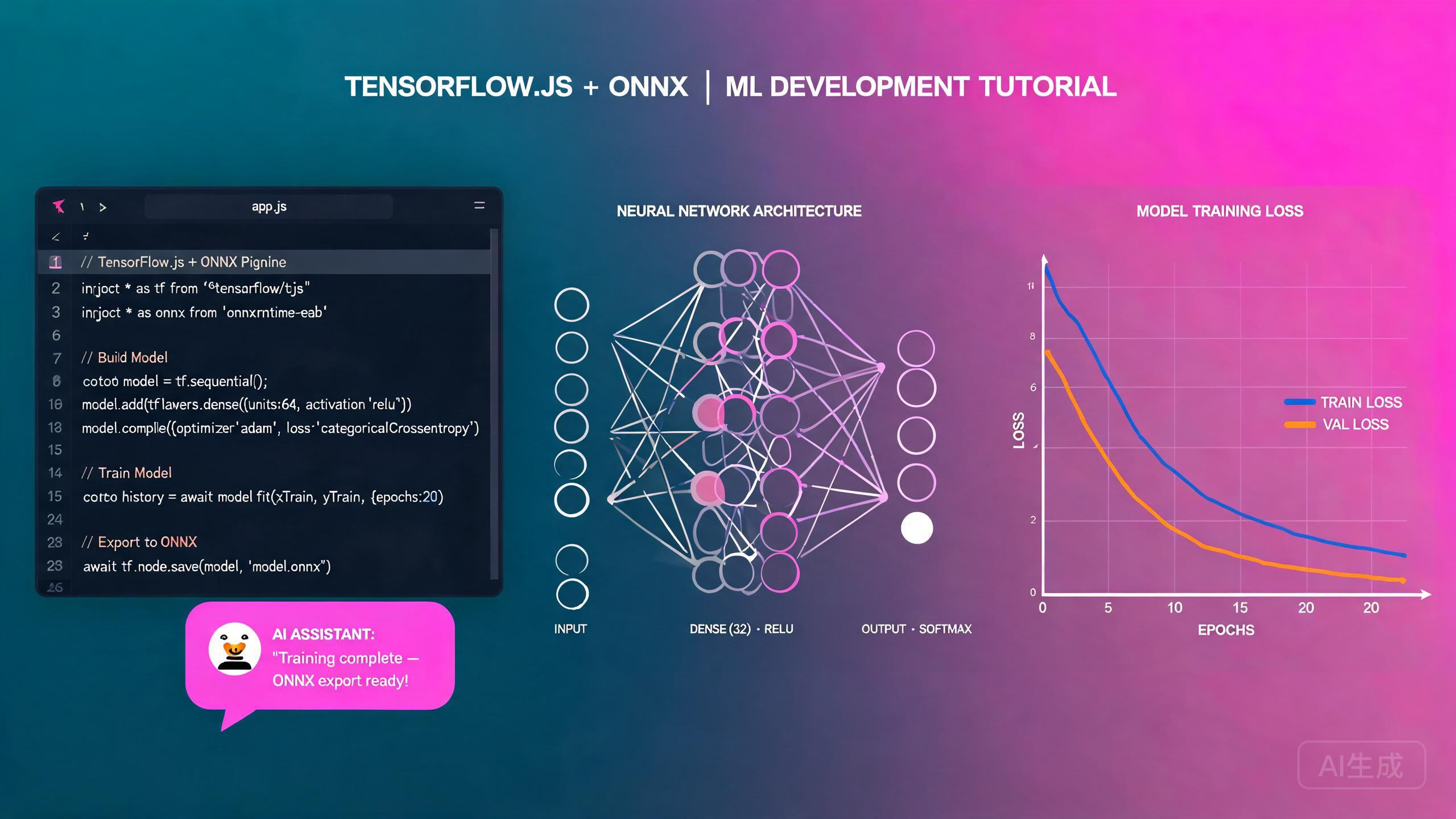
Machine learning brings predictive intelligence to applications, from image classification to natural language processing and recommendation systems. Cursor, an AI-powered IDE editor, accelerates every phase of the ML workflow: data preprocessing, model design, training loops, evaluation metrics, and deployment. This guide covers TensorFlow.js for browser-based inference and training, ONNX Runtime for cross-platform model execution, data preprocessing pipelines, model evaluation strategies, and AI-assisted ML pipeline generation that turns natural language descriptions into working training scripts.
Prerequisites
Before you begin, make sure you have the following:
- Cursor (latest version recommended) as your IDE editor
- Node.js 18 or higher
- Basic familiarity with JavaScript, TypeScript, and Python
- A conceptual understanding of neural networks, loss functions, and gradient descent
If you are new to machine learning, ask Cursor to explain the difference between supervised, unsupervised, and reinforcement learning before writing any code. Understanding which paradigm your problem falls into determines your entire approach: data labeling, model architecture, and evaluation metrics.
Understanding the ML Workflow in Cursor
A typical machine learning project follows a predictable pipeline. Cursor helps you implement and connect each stage:
- Data collection and preprocessing: Clean raw data, handle missing values, normalize features, and split into train/validation/test sets.
- Model design: Choose an architecture (dense network, CNN, RNN, transformer) and define layers.
- Training: Run the training loop with a chosen optimizer and loss function, monitor metrics, and apply early stopping.
- Evaluation: Measure performance with precision, recall, F1-score, confusion matrices, and other metrics.
- Deployment: Export the model, convert it to ONNX if needed, and run inference in the browser or on a server.
Project Scaffolding
Ask Cursor to scaffold a TensorFlow.js project:
Create a TypeScript project for machine learning with TensorFlow.js.
Set up Vite for the frontend, install @tensorflow/tfjs and
@tensorflow/tfjs-node, and create a folder structure for data,
models, training scripts, and evaluation utilities.
Cursor generates:
my-ml-project/
  data/
    raw/
    processed/
  models/
  src/
    train.ts
    evaluate.ts
    predict.ts
  src-tauri/ (optional, for desktop deployment)
  package.json
  tsconfig.json
Always use @tensorflow/tfjs-node (which binds to the native C++ TensorFlow library) for training, not pure @tensorflow/tfjs (which runs on WebGL/WASM in the browser). Training on Node.js is 10x to 50x faster than browser-based training because it leverages SIMD instructions and native memory management. Browser TF.js is for inference, not heavy training.
Data Preprocessing
Data preprocessing consumes the majority of ML development time. Cursor can generate complete preprocessing pipelines that handle cleaning, normalization, encoding, and splitting.
Preprocessing Pipeline
// src/preprocessing.ts
import * as tf from '@tensorflow/tfjs-node';

export interface DatasetStats {
  mean: number[];
  std: number[];
  min: number[];
  max: number[];
}

export class DataPreprocessor {
  private stats: DatasetStats | null = null;

  /**
   * Compute normalization statistics from training data.
   * Must be called before normalize() and applied identically
   * to training, validation, and test sets.
   */
  computeStats(data: number[][]): void {
    const tensor = tf.tensor2d(data);
    const mean = tensor.mean(0).dataSync();
    const std = tensor.sub(tensor.mean(0)).square().mean(0).sqrt().dataSync();
    const min = tensor.min(0).dataSync();
    const max = tensor.max(0).dataSync();

    this.stats = {
      mean: Array.from(mean),
      std: Array.from(std).map((s, i) => (s < 1e-8 ? 1 : s)), // Avoid division by zero
      min: Array.from(min),
      max: Array.from(max),
    };

    tensor.dispose();
  }

  /**
   * Apply Z-score normalization: (x - mean) / std
   */
  normalize(data: number[][]): number[][] {
    if (!this.stats) throw new Error('Call computeStats() first');
    return data.map((row) =>
      row.map((val, i) => (val - this.stats!.mean[i]) / this.stats!.std[i])
    );
  }

  /**
   * One-hot encode categorical labels
   */
  encodeLabels(labels: number[], numClasses: number): number[][] {
    return labels.map((label) => {
      const encoded = new Array(numClasses).fill(0);
      encoded[label] = 1;
      return encoded;
    });
  }

  /**
   * Split data into train, validation, and test sets
   */
  split(
    data: number[][],
    labels: number[][],
    trainRatio = 0.7,
    valRatio = 0.15
  ): { trainX: number[][]; trainY: number[]; valX: number[][]; valY: number[]; testX: number[][]; testY: number[] } {
    const n = data.length;
    const indices = Array.from({ length: n }, (_, i) => i);
    // Fisher-Yates shuffle
    for (let i = n - 1; i > 0; i--) {
      const j = Math.floor(Math.random() * (i + 1));
      [indices[i], indices[j]] = [indices[j], indices[i]];
    }
    const trainEnd = Math.floor(n * trainRatio);
    const valEnd = trainEnd + Math.floor(n * valRatio);
    const pick = (idx: number[]) => ({ x: idx.map((i) => data[i]), y: idx.map((i) => labels[i]) });
    const train = pick(indices.slice(0, trainEnd));
    const val = pick(indices.slice(trainEnd, valEnd));
    const test = pick(indices.slice(valEnd));
    return { trainX: train.x, trainY: train.y, valX: val.x, valY: val.y, testX: test.x, testY: test.y };
  }

  /**
   * Handle missing values by imputing the column mean
   */
  imputeMissing(data: (number | null)[][]): number[][] {
    const numCols = data[0].length;
    const colSums = new Array(numCols).fill(0);
    const colCounts = new Array(numCols).fill(0);

    data.forEach((row) => {
      row.forEach((val, col) => {
        if (val !== null && !isNaN(val)) { colSums[col] += val; colCounts[col]++; }
      });
    });

    const colMeans = colSums.map((sum, i) => (colCounts[i] > 0 ? sum / colCounts[i] : 0));

    return data.map((row) => row.map((val, col) => (val === null || isNaN(val) ? colMeans[col] : val)));
  }

  getStats(): DatasetStats | null {
    return this.stats;
  }
}
Ask Cursor to generate synthetic datasets for testing your preprocessing pipeline. A prompt like "Generate a synthetic CSV with 1000 rows, 8 numeric features, 2 categorical columns, and 5% missing values" gives you realistic test data without needing to find and download a real dataset first.
Model Design and Training
TensorFlow.js uses a layered API to build neural networks. Cursor generates complete model architectures based on your problem description.
Building a Classification Model
// src/models/classifier.ts
import * as tf from '@tensorflow/tfjs-node';

export interface ModelConfig {
  inputSize: number;
  numClasses: number;
  hiddenLayers: number[];
  learningRate: number;
  dropoutRate: number;
}

export function buildClassifier(config: ModelConfig): tf.LayersModel {
  const model = tf.sequential();

  // Input layer
  model.add(
    tf.layers.dense({
      inputShape: [config.inputSize],
      units: config.hiddenLayers[0],
      activation: 'relu',
      kernelInitializer: 'heNormal',
    })
  );

  model.add(tf.layers.batchNormalization());
  model.add(tf.layers.dropout({ rate: config.dropoutRate }));

  // Hidden layers
  for (let i = 1; i < config.hiddenLayers.length; i++) {
    model.add(
      tf.layers.dense({
        units: config.hiddenLayers[i],
        activation: 'relu',
        kernelInitializer: 'heNormal',
      })
    );
    model.add(tf.layers.batchNormalization());
    model.add(tf.layers.dropout({ rate: config.dropoutRate }));
  }

  // Output layer
  model.add(
    tf.layers.dense({
      units: config.numClasses,
      activation: 'softmax',
    })
  );

  model.compile({
    optimizer: tf.train.adam(config.learningRate),
    loss: 'categoricalCrossentropy',
    metrics: ['accuracy'],
  });

  return model;
}
Training Loop with Callbacks
// src/train.ts
import * as tf from '@tensorflow/tfjs-node';
import { buildClassifier, ModelConfig } from './models/classifier';
import { DataPreprocessor } from './preprocessing';
import * as fs from 'fs/promises';
import * as path from 'path';

interface TrainingResult {
  finalAccuracy: number;
  finalLoss: number;
  epochsRun: number;
  modelPath: string;
}

export async function trainModel(
  dataPath: string,
  config: ModelConfig,
  outputDir: string
): Promise<TrainingResult> {
  // Load and preprocess data
  const rawData = await loadCSV(dataPath);
  const features = rawData.map((row) => row.slice(0, config.inputSize));
  const labels = rawData.map((row) => row[config.inputSize]);

  const preprocessor = new DataPreprocessor();
  preprocessor.computeStats(features);
  const normalizedFeatures = preprocessor.normalize(features);

  const encodedLabels = preprocessor.encodeLabels(labels, config.numClasses);

  const split = preprocessor.split(normalizedFeatures, labels);

  const trainXTensor = tf.tensor2d(split.trainX);
  const trainYTensor = tf.tensor2d(
    preprocessor.encodeLabels(split.trainY, config.numClasses)
  );
  const valXTensor = tf.tensor2d(split.valX);
  const valYTensor = tf.tensor2d(
    preprocessor.encodeLabels(split.valY, config.numClasses)
  );

  // Build model
  const model = buildClassifier(config);

  // Train with callbacks
  const history = await model.fit(trainXTensor, trainYTensor, {
    epochs: 100,
    batchSize: 32,
    validationData: [valXTensor, valYTensor],
    shuffle: true,
    callbacks: [
      tf.callbacks.earlyStopping({ monitor: 'val_loss', patience: 10, minDelta: 0.001, restoreBestWeight: true }),
      {
        onEpochEnd: async (epoch, logs) => {
          if (epoch > 0 && epoch % 20 === 0) {
            console.log(`Epoch ${epoch}: Consider reducing learning rate`);
          }
          console.log(`Epoch ${epoch + 1}: loss=${logs?.loss?.toFixed(4)}, acc=${logs?.acc?.toFixed(4)}, val_loss=${logs?.val_loss?.toFixed(4)}, val_acc=${logs?.val_acc?.toFixed(4)}`);
        },
      },
    ],
  });

  // Save model and preprocessor stats
  const modelPath = path.join(outputDir, 'model');
  await model.save(`file://${modelPath}`);
  await fs.writeFile(path.join(outputDir, 'preprocessor-stats.json'), JSON.stringify(preprocessor.getStats(), null, 2));

  // Cleanup tensors
  [trainXTensor, trainYTensor, valXTensor, valYTensor].forEach((t) => t.dispose());

  const lastEpoch = history.epoch.length;
  const finalAccuracy = history.history.val_acc?.[lastEpoch - 1] ?? 0;
  const finalLoss = history.history.val_loss?.[lastEpoch - 1] ?? 0;

  console.log(`\nTraining complete after ${lastEpoch} epochs`);
  console.log(`Best validation accuracy: ${finalAccuracy.toFixed(4)}`);
  console.log(`Model saved to: ${modelPath}`);

  return { finalAccuracy, finalLoss, epochsRun: lastEpoch, modelPath };
}

async function loadCSV(filePath: string): Promise<number[][]> {
  const lines = (await fs.readFile(filePath, 'utf-8')).trim().split('\n');
  const header = lines[0].split(',').length;
  return lines.slice(1)
    .map((line) => line.split(',').map((v) => parseFloat(v.trim())))
    .filter((row) => row.length === header && row.every((v) => !isNaN(v)));
}
When training takes too long, ask Cursor to profile the bottleneck. A prompt like "Analyze my training script for performance issues. Check for tensor memory leaks, unnecessary synchronous operations, and data loading bottlenecks" identifies problems like undisposed tensors that cause memory pressure and slowdowns.
TensorFlow.js tensors are not garbage collected. Every tensor you create remains in memory until you call .dispose() or wrap it in tf.tidy(). In a training loop, creating tensors without disposal causes memory to grow until the process crashes. Always dispose tensors after use and use tf.tidy() for short-lived computations.
Model Evaluation
Evaluation goes beyond accuracy. Cursor generates comprehensive evaluation code that computes multiple metrics and visualizes results.
Evaluation Metrics
// src/evaluate.ts
import * as tf from '@tensorflow/tfjs-node';
import { DataPreprocessor } from './preprocessing';

export interface EvaluationResult {
  accuracy: number;
  precision: number;
  recall: number;
  f1Score: number;
  confusionMatrix: number[][];
  perClassMetrics: Array<{
    class: number;
    precision: number;
    recall: number;
    f1: number;
    support: number;
  }>;
}

export async function evaluateModel(
  model: tf.LayersModel,
  testX: number[][],
  testY: number[],
  numClasses: number,
  preprocessor: DataPreprocessor
): Promise<EvaluationResult> {
  const inputTensor = tf.tensor2d(preprocessor.normalize(testX));
  const predictions = model.predict(inputTensor) as tf.Tensor;
  const predicted = predictions.argMax(1).dataSync();
  const actual = tf.tensor1d(testY).dataSync();

  // Build confusion matrix
  const confusionMatrix: number[][] = Array.from({ length: numClasses }, () => new Array(numClasses).fill(0));
  for (let i = 0; i < predicted.length; i++) confusionMatrix[actual[i]][predicted[i]]++;

  // Per-class metrics
  const perClassMetrics: EvaluationResult['perClassMetrics'] = [];
  let totalCorrect = 0;
  let totalSamples = 0;

  for (let c = 0; c < numClasses; c++) {
    const tp = confusionMatrix[c][c];
    const fp = confusionMatrix.reduce((sum, row, idx) => sum + (idx !== c ? row[c] : 0), 0);
    const fn = confusionMatrix[c].reduce((sum, val, idx) => sum + (idx !== c ? val : 0), 0);
    const support = confusionMatrix[c].reduce((a, b) => a + b, 0);

    const precision = tp + fp > 0 ? tp / (tp + fp) : 0;
    const recall = tp + fn > 0 ? tp / (tp + fn) : 0;
    const f1 = precision + recall > 0 ? (2 * precision * recall) / (precision + recall) : 0;

    perClassMetrics.push({ class: c, precision, recall, f1, support });
    totalCorrect += tp;
    totalSamples += support;
  }

  // Macro-averaged metrics
  const macroPrecision = perClassMetrics.reduce((sum, m) => sum + m.precision, 0) / numClasses;
  const macroRecall = perClassMetrics.reduce((sum, m) => sum + m.recall, 0) / numClasses;
  const macroF1 = perClassMetrics.reduce((sum, m) => sum + m.f1, 0) / numClasses;

  inputTensor.dispose();
  predictions.dispose();

  return {
    accuracy: totalCorrect / totalSamples,
    precision: macroPrecision,
    recall: macroRecall,
    f1Score: macroF1,
    confusionMatrix,
    perClassMetrics,
  };
}

export function printEvaluation(result: EvaluationResult): void {
  console.log('\n=== Model Evaluation ===\n');
  console.log(`Accuracy: ${(result.accuracy * 100).toFixed(2)}%`);
  console.log(`Precision: ${(result.precision * 100).toFixed(2)}%`);
  console.log(`Recall:    ${(result.recall * 100).toFixed(2)}%`);
  console.log(`F1-Score:  ${(result.f1Score * 100).toFixed(2)}%`);

  console.log('\nPer-Class Metrics:');
  console.log('Class | Precision | Recall | F1    | Support');
  result.perClassMetrics.forEach((m) => {
    console.log(`  ${m.class}   |  ${(m.precision * 100).toFixed(1)}%   | ${(m.recall * 100).toFixed(1)}%  | ${(m.f1 * 100).toFixed(1)}% | ${m.support}`);
  });

  console.log('\nConfusion Matrix:');
  result.confusionMatrix.forEach((row, i) => {
    console.log(`  ${i}: ` + row.join('  '));
  });
}
Ask Cursor to generate a text-based confusion matrix visualizer and also an HTML report. A prompt like "Create an HTML template that renders the evaluation results as a styled report with a confusion matrix heatmap, per-class metric bars, and a summary table" gives you shareable evaluation reports for stakeholders.
ONNX Runtime for Cross-Platform Inference
ONNX (Open Neural Network Exchange) is a standard format for representing ML models that runs on many platforms. Convert your TensorFlow.js model to ONNX and run inference in the browser, on mobile, or on edge devices.
Converting to ONNX
# scripts/convert_to_onnx.py
# Run this script to convert a saved TF model to ONNX format
import tensorflow as tf
import tf2onnx
import onnxruntime as ort
import numpy as np

# Load the saved TensorFlow model
model = tf.keras.models.load_model('models/saved_model')

# Convert to ONNX
spec = (tf.TensorSpec((None, 8), tf.float32, name='input'),)
onnx_model, _ = tf2onnx.convert.from_keras(model, input_signature=spec, opset=15)

# Save the ONNX model
with open('models/model.onnx', 'wb') as f:
    f.write(onnx_model.SerializeToString())

# Verify with ONNX Runtime
session = ort.InferenceSession('models/model.onnx')
print(f"ONNX model inputs: {session.get_inputs()[0].name}")
print(f"ONNX model outputs: {[o.name for o in session.get_outputs()]}")

# Quick sanity check with dummy data
dummy_input = np.random.randn(1, 8).astype(np.float32)
result = session.run(None, {'input': dummy_input})
print(f"Test inference output shape: {result[0].shape}")
Running ONNX Inference in the Browser
// src/predict.ts
import * as ort from 'onnxruntime-web';

export interface PredictionResult {
  predictedClass: number;
  confidence: number;
  probabilities: number[];
}

export class OnnxPredictor {
  private session: ort.InferenceSession | null = null;
  private inputName: string = '';
  private outputName: string = '';

  async loadModel(modelPath: string): Promise<void> {
    this.session = await ort.InferenceSession.create(modelPath, {
      executionProviders: ['wasm'],
      graphOptimizationLevel: 'all',
    });

    this.inputName = this.session.inputNames[0];
    this.outputName = this.session.outputNames[0];
  }

  async predict(features: number[], mean: number[], std: number[]): Promise<PredictionResult> {
    if (!this.session) throw new Error('Model not loaded. Call loadModel() first.');

    // Normalize input
    const normalized = features.map((val, i) => (val - mean[i]) / std[i]);

    // Create ONNX tensor
    const input = new ort.Tensor('float32', Float32Array.from(normalized), [1, normalized.length]);

    // Run inference
    const outputs = await this.session.run({ [this.inputName]: input });
    const output = outputs[this.outputName];

    // Convert to probabilities
    const probabilities = Array.from(output.data as Float32Array);
    const maxIndex = probabilities.indexOf(Math.max(...probabilities));

    return {
      predictedClass: maxIndex,
      confidence: probabilities[maxIndex],
      probabilities,
    };
  }
}
When loading ONNX models in the browser, use onnxruntime-web with the wasm execution provider. The webgl provider is faster but has compatibility issues with some model architectures. Ask Cursor to benchmark both providers on your specific model and recommend the best one.
ONNX model files can be large (10MB to 500MB). Loading them in the browser blocks the UI thread. Always use a Web Worker for ONNX inference to keep your application responsive. Ask Cursor to wrap the predictor in a Worker with message-passing API.
AI-Assisted ML Pipeline Generation
Cursor's most powerful ML feature is generating entire training pipelines from a natural language description. Describe your problem, and Cursor produces the full code stack.
Generating a Complete Pipeline
Create a complete machine learning pipeline for customer churn prediction:
1. Load a CSV with columns: tenure, monthlyCharges, totalCharges, contractType, internetService, churn
2. Handle missing values in totalCharges (impute median)
3. One-hot encode contractType and internetService
4. Normalize all numeric features with Z-score
5. Split 70/15/15 train/val/test
6. Build a dense neural network with 3 hidden layers (64, 32, 16) and dropout
7. Train with Adam optimizer, binary crossentropy loss, early stopping
8. Evaluate with accuracy, precision, recall, F1, and confusion matrix
9. Save the model and preprocessor stats
10. Export to ONNX format

Write all code in TypeScript using @tensorflow/tfjs-node.
Cursor generates the complete pipeline in multiple files, connected and ready to run. This is equivalent to writing 500+ lines of boilerplate code manually.
Iterate on your pipeline by asking Cursor to modify specific parts. For example: "Change the model architecture to use BatchNorm before each Dense layer" or "Add class weight balancing because the churn class is only 20% of the data." This incremental approach lets you experiment quickly without rewriting the entire pipeline.
Model Deployment Patterns
ONNX model files can be large (10MB to 500MB). Loading them in the browser blocks the UI thread. Always use a Web Worker for inference to keep the application responsive.
Browser Inference with a Web Worker
// src/worker/inference-worker.ts
import { OnnxPredictor } from '../lib/predict';

let predictor: OnnxPredictor | null = null;

self.onmessage = async (event: MessageEvent) => {
  const { type, modelPath, features, stats } = event.data;
  if (type === 'load' && modelPath) {
    predictor = new OnnxPredictor();
    await predictor.loadModel(modelPath);
    self.postMessage({ type: 'loaded' });
  } else if (type === 'predict' && features && stats && predictor) {
    const result = await predictor.predict(features, stats.mean, stats.std);
    self.postMessage({ type: 'result', result });
  }
};
Using the Worker in the Main Thread
// src/lib/inference-client.ts
import { PredictionResult } from './predict';

export class InferenceClient {
  private worker = new Worker(new URL('../worker/inference-worker.ts', import.meta.url));

  async loadModel(modelPath: string): Promise<void> {
    return new Promise((resolve) => {
      const handler = () => { this.worker.removeEventListener('message', handler); resolve(); };
      this.worker.addEventListener('message', handler);
      this.worker.postMessage({ type: 'load', modelPath });
    });
  }

  async predict(features: number[], stats: { mean: number[]; std: number[] }): Promise<PredictionResult> {
    return new Promise((resolve) => {
      const handler = (event: MessageEvent) => {
        if (event.data.type === 'result') {
          this.worker.removeEventListener('message', handler);
          resolve(event.data.result);
        }
      };
      this.worker.addEventListener('message', handler);
      this.worker.postMessage({ type: 'predict', features, stats });
    });
  }
}
Ask Cursor to generate a complete React component that loads the ONNX model in a Worker, accepts user input through a form, runs inference, and displays the prediction with a confidence bar. This end-to-end pattern demonstrates the full deployment workflow from model file to user-facing UI.
Summary
Machine learning in Cursor brings the full ML lifecycle into a single AI-powered IDE editor. By following the patterns in this guide, structured data preprocessing, well-architected TensorFlow.js models, comprehensive evaluation metrics, ONNX cross-platform deployment, and AI-assisted pipeline generation, you can take a machine learning project from concept to production faster than ever. Remember to manage tensor memory carefully, always evaluate with multiple metrics beyond accuracy, and let Cursor generate your boilerplate so you can focus on model architecture and data quality.