Cursor での Remix フレームワーク開発:完全ガイド
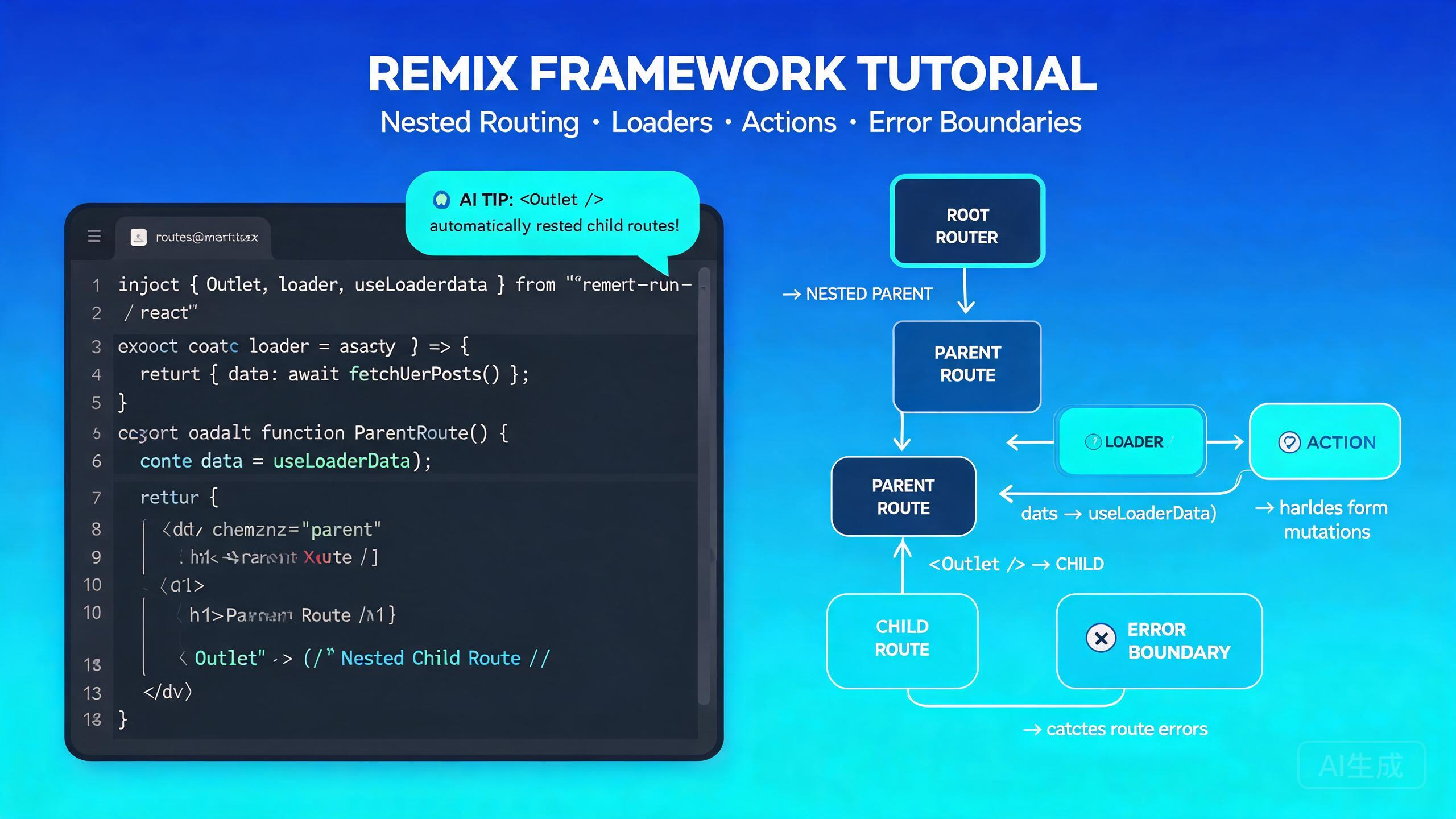
Remix は React Router 上に構築されたフルスタック Web フレームワークで、プログレッシブエンハンスメント、Web 標準、サーバーサイドレンダリングを重視しています。Remix v2 ではフラットルート、改善されたエラー処理、簡素化されたデータロードモデルが導入されました。Cursor は、VS Code 互換の基盤と統合された AI アシスタントにより、Remix 開発に理想的なエディタです。.tsx ルートファイルを理解し、loader の戻り値型の IntelliSense を提供し、自然言語のプロンプトからルートモジュール全体を生成できます。
このガイドでは、Cursor での完全な Remix 開発ワークフローをカバーします:プロジェクトのセットアップ、ルーティング規約、loader と action、ネストされたルート、エラーバウンダリー、AI 支援ルート生成。
Cursor での Remix 開発のセットアップ
前提条件
Remix v2 には Node.js 18 以上が必要です(Node 20 LTS を推奨)。インストールを確認:
node --version
npm --version
Cursor の統合ターミナル(Ctrl+`)はエクスプローラーパネルと同期するため、プロジェクトをスキャフォールドしてコードから移動することなく生成されたファイルをすぐに編集できます。
Remix 拡張機能のインストール
Cursor は VS Code 拡張機能の互換性を引き継ぎます。Remix 開発には、拡張機能ビュー(Ctrl+Shift+X)から以下の拡張機能をインストール:
- ES7 React/Redux/GraphQL/React-Native snippets -- React コンポーネントのスキャフォールドに便利。
- Tailwind CSS IntelliSense -- Tailwind をスタイリングに使用する場合。
- Prisma -- Remix アプリで Prisma をデータに使用する場合。
Cursor の組み込み TypeScript サポートは、MetaFunction、LoaderFunction、ActionFunction 型を含む Remix の型推論を標準で処理します。
非推奨の "Remix" シンタックスハイライト拡張機能をインストールしないでください。Remix ファイルは Cursor が標準でサポートする通常の .tsx/.ts ファイルです。非推奨の拡張機能は Cursor の TypeScript 言語サーバーと競合する可能性があります。
Remix プロジェクトのスキャフォールド
公式 Remix CLI を使用して新しいプロジェクトを作成:
npx create-remix@latest my-remix-app --template remix-run/default --no-install --no-git

cd my-remix-app
npm install
Cursor でプロジェクトを開く:
cursor .
デフォルトのプロジェクト構造:
my-remix-app/
├── app/
│   ├── components/
│   ├── routes/
│   │   └── _index.tsx
│   ├── entry.client.tsx
│   ├── entry.server.tsx
│   ├── root.tsx
│   ├── tailwind.css
│   └── entry.client.tsx
├── public/
├── vite.config.ts
├── tsconfig.json
└── package.json
Cursor に完全なプロジェクトのスキャフォールドを依頼:「TypeScript、Tailwind CSS、Prisma を使った Remix v2 プロジェクトを作成して。vite 設定とナビゲーションバー付きのルートレイアウトをセットアップして。」Cursor がすべての設定ファイルと初期ルート構造を生成します。
ルーティング規約
Remix v2 はフラットファイルベースのルーティングを使用します。app/routes/ ディレクトリのルートファイルは URL パスに直接マッピングされます。
基本ルート
| ファイル | URL パス |
|---|---|
app/routes/_index.tsx | / |
app/routes/about.tsx | /about |
app/routes/blog.tsx | /blog |
app/routes/blog.$slug.tsx | /blog/:slug |
フラットルートでのネストされたルート
ネストされたレイアウトはドット記法を使用します。app/routes/blog._index.tsx という名前のファイルは app/routes/blog.tsx レイアウト内にレンダリングされます:
app/routes/
├── _index.tsx              → /
├── about.tsx               → /about
├── blog.tsx                → /blog (layout)
├── blog._index.tsx         → /blog (index, renders in blog layout)
├── blog.$slug.tsx          → /blog/:slug (renders in blog layout)
├── blog.new.tsx            → /blog/new
└── blog.edit.$id.tsx       → /blog/edit/:id
パスレスレイアウトルート
URL セグメントを追加しないレイアウトルートにはアンダースコアプレフィックスを使用:
app/routes/
├── _auth.tsx               → Layout wrapper (no URL segment)
├── _auth.login.tsx         → /login (renders inside _auth layout)
├── _auth.register.tsx      → /register (renders inside _auth layout)
└── _auth.forgot-password.tsx → /forgot-password
括弧を使ったルートグループ
括弧を使用して URL に影響を与えずにルートをグループ化:
app/routes/
├── (marketing)/
│   ├── _index.tsx          → /
│   ├── pricing.tsx         → /pricing
│   └── features.tsx        → /features
├── (app)/
│   ├── dashboard.tsx       → /dashboard
│   └── settings.tsx       → /settings
Cursor に依頼:「公開マーケティングページ(ホーム、料金、概要)、認証アプリセクション(ダッシュボード、設定、プロフィール)、個別記事ページ付きブログを含む Remix アプリのフラットルートファイル構造を生成して。」Cursor が正しい命名規約ですべての必要なファイルを作成します。
Loader と Action
Loader はページがレンダリングされる前にサーバーでデータを取得します。Action はフォーム送信とミューテーションを処理します。どちらもサーバーで実行され、データベースと API に直接アクセスできます。
Loader の定義
// app/routes/blog.$slug.tsx
import type { LoaderFunctionArgs, MetaFunction } from '@remix-run/node';
import { json } from '@remix-run/node';
import { useLoaderData } from '@remix-run/react';
import { getPost } from '~/models/post.server';

export const meta: MetaFunction<typeof loader> = ({ data }) => {
  if (!data?.post) {
    return [{ title: 'Post not found' }];
  }
  return [
    { title: data.post.title },
    { name: 'description', content: data.post.excerpt },
  ];
};

export async function loader({ params }: LoaderFunctionArgs) {
  const post = await getPost(params.slug!);

  if (!post) {
    throw new Response('Not Found', { status: 404 });
  }

  return json({ post });
}

export default function BlogPost() {
  const { post } = useLoaderData<typeof loader>();

  return (
    <article>
      <h1>{post.title}</h1>
      <p>{post.content}</p>
    </article>
  );
}
常に typeof loader で useLoaderData に型を付けてください。これによりコンポーネント内のデータ構造に対する完全な IntelliSense が得られます。ジェネリックがないと、Cursor は post.title、post.content などに対する正確な自動補完を提供できません。
Action の定義
Action は非 GET リクエスト(POST、PUT、DELETE、PATCH)を処理します。HTML フォームと自然にペアになります:
// app/routes/blog.$slug.tsx (continued)
import { Form, redirect, useActionData } from '@remix-run/react';
import type { ActionFunctionArgs } from '@remix-run/node';
import { createComment } from '~/models/comment.server';

interface ActionData {
  errors?: {
    name?: string;
    body?: string;
  };
}

export async function action({ params, request }: ActionFunctionArgs) {
  const formData = await request.formData();
  const name = formData.get('name');
  const body = formData.get('body');

  const errors: ActionData['errors'] = {};

  if (!name || typeof name !== 'string' || name.trim().length < 2) {
    errors.name = 'Name must be at least 2 characters';
  }

  if (!body || typeof body !== 'string' || body.trim().length < 5) {
    errors.body = 'Comment must be at least 5 characters';
  }

  if (Object.keys(errors).length > 0) {
    return json<ActionData>({ errors }, { status: 400 });
  }

  await createComment({
    postId: params.slug!,
    authorName: name as string,
    body: body as string,
  });

  return redirect(`/blog/${params.slug}`);
}

export default function BlogPost() {
  const actionData = useActionData<typeof action>();

  return (
    <article>
      {/* Post content */}
      <section>
        <h2>Leave a comment</h2>
        <Form method="post">
          <div>
            <label htmlFor="name">Name</label>
            <input type="text" name="name" id="name" />
            {actionData?.errors?.name && (
              <p className="error">{actionData.errors.name}</p>
            )}
          </div>
          <div>
            <label htmlFor="body">Comment</label>
            <textarea name="body" id="body" rows={4} />
            {actionData?.errors?.body && (
              <p className="error">{actionData.errors.body}</p>
            )}
          </div>
          <button type="submit">Submit</button>
        </Form>
      </section>
    </article>
  );
}
Cursor に依頼:「Prisma データベースから製品リストを取得する loader と、クエリとカテゴリフィルター付きの検索フォームを処理する action を持つ Remix ルートを作成して。」Cursor が loader、action、適切なバリデーション付きのフォーム UI を生成します。
ルートごとの複数 Action
intent フィールドを使用して単一ルートで複数の action を処理:
export async function action({ request }: ActionFunctionArgs) {
  const formData = await request.formData();
  const intent = formData.get('intent');

  switch (intent) {
    case 'create':
      return handleCreate(formData);
    case 'update':
      return handleUpdate(formData);
    case 'delete':
      return handleDelete(formData);
    default:
      return json({ error: 'Unknown intent' }, { status: 400 });
  }
}
<Form method="post">
  <input type="hidden" name="intent" value="create" />
  <button type="submit">Create</button>
</Form>

<Form method="post">
  <input type="hidden" name="intent" value="delete" />
  <input type="hidden" name="id" value={item.id} />
  <button type="submit">Delete</button>
</Form>
ネストされたルート
ネストされたルートでは、親レイアウトと子コンテンツからページを構成できます。親ルートは <Outlet /> をレンダリングし、子ルートがそこに表示されます。
Outlet を使ったレイアウトの作成
// app/routes/blog.tsx
import { Outlet, NavLink, useLoaderData } from '@remix-run/react';
import type { LoaderFunctionArgs } from '@remix-run/node';
import { json } from '@remix-run/node';
import { getCategories } from '~/models/category.server';

export async function loader({}: LoaderFunctionArgs) {
  const categories = await getCategories();
  return json({ categories });
}

export default function BlogLayout() {
  const { categories } = useLoaderData<typeof loader>();

  return (
    <div className="blog-layout">
      <nav className="sidebar">
        <h2>Categories</h2>
        <ul>
          {categories.map((cat) => (
            <li key={cat.id}>
              <NavLink to={`/blog/category/${cat.slug}`}>
                {cat.name}
              </NavLink>
            </li>
          ))}
        </ul>
      </nav>
      <main className="content">
        <Outlet />
      </main>
    </div>
  );
}
ネストされたルートで空白ページがレンダリングされる場合、親レイアウトに <Outlet /> コンポーネントが含まれているか確認してください。ないと、子ルートのコンテンツがレンダリングされる場所がありません。
ネストされたデータロード
ネストされた階層の各ルートは loader を並行実行します。これにより親と子の loader が同時に実行され、体感パフォーマンスが向上します:
// app/routes/blog.$slug.tsx
export async function loader({ params }: LoaderFunctionArgs) {
  const post = await getPost(params.slug!);
  return json({ post });
}

// app/routes/blog.tsx (parent)
export async function loader() {
  const categories = await getCategories();
  return json({ categories });
}
useNavigation を使ったオプティミスティック UI
ナビゲーション状態を追跡して送信中にオプティミスティック UI を表示:
import { useNavigation, Form } from '@remix-run/react';

export default function CreatePost() {
  const navigation = useNavigation();
  const isSubmitting = navigation.state === 'submitting';

  return (
    <Form method="post">
      <input name="title" placeholder="Title" disabled={isSubmitting} />
      <textarea name="content" placeholder="Content" disabled={isSubmitting} />
      <button type="submit" disabled={isSubmitting}>
        {isSubmitting ? 'Creating...' : 'Create Post'}
      </button>
    </Form>
  );
}
Cursor に依頼:「Remix フォームにオプティミスティック UI を追加して、送信ボタンがローディング状態を表示し、フォームフィールドが送信中に無効化されるようにして。」Cursor が useNavigation を接続し、無効化状態を正しく処理します。
エラーバウンダリー
Remix v2 ではルートごとのエラーバウンダリーが導入されました。ルートがエラーをスローした場合、そのルートのエラーバウンダリーのみがレンダリングされ、ページの残りの部分はそのまま維持されます。
ルートレベルのエラーバウンダリー
// app/routes/blog.$slug.tsx
import { isRouteErrorResponse, useRouteError } from '@remix-run/react';

export function ErrorBoundary() {
  const error = useRouteError();

  if (isRouteErrorResponse(error)) {
    if (error.status === 404) {
      return (
        <div>
          <h1>Post not found</h1>
          <p>The blog post you are looking for does not exist.</p>
          <a href="/blog">Back to blog</a>
        </div>
      );
    }
    return (
      <div>
        <h1>Error {error.status}</h1>
        <p>{error.statusText}</p>
      </div>
    );
  }

  if (error instanceof Error) {
    return (
      <div>
        <h1>Unexpected Error</h1>
        <p>{error.message}</p>
      </div>
    );
  }

  return <h1>Unknown error occurred</h1>;
}
エラーバウンダリーは名前付きエクスポート(export function ErrorBoundary)としてエクスポートする必要があります。デフォルトエクスポートはルートコンポーネント専用です。デフォルトとしてエクスポートすると、Remix はエラーバウンダリーとして認識しません。
ルートエラーバウンダリー
ルートレイアウト(app/root.tsx)にも ErrorBoundary をエクスポートして、バブルアップするエラーをキャッチする必要があります:
// app/root.tsx
import { Links, Meta, Outlet, Scripts, useRouteError } from '@remix-run/react';

export function ErrorBoundary() {
  const error = useRouteError();

  return (
    <html lang="en">
      <head>
        <meta charSet="utf-8" />
        <meta name="viewport" content="width=device-width, initial-scale=1" />
        <title>Application Error</title>
        <Links />
      </head>
      <body>
        <main>
          <h1>Something went wrong</h1>
          <p>Please try refreshing the page.</p>
        </main>
        <Scripts />
      </body>
    </html>
  );
}
Loader でのエラー処理
export async function loader({ params }: LoaderFunctionArgs) {
  const user = await getUser(params.id);

  if (!user) {
    throw new Response('User not found', {
      status: 404,
      statusText: 'Not Found',
    });
  }

  const posts = await getUserPosts(user.id);

  if (posts.length === 0) {
    throw new Response('No posts found', {
      status: 404,
    });
  }

  return json({ user, posts });
}
Cursor に依頼:「Remix ルートに包括的なエラー処理を追加して。リソースが見つからない場合の 404 レスポンス、データベースエラーの 500、各ケースに適切な UI を持つルートレベルのエラーバウンダリーを含めて。」Cursor が loader のエラーロジックとエラーバウンダリーコンポーネントを生成します。
Cursor での AI 支援ルート生成
Cursor の AI アシスタントは、単一のプロンプトから loader、action、コンポーネント、meta 関数、エラーバウンダリーを含むルートモジュール全体を生成できます。
プロンプトからの完全なルート生成
Cursor Chat(Ctrl+L)を開いてルートを記述:
Create a Remix v2 route at app/routes/tasks.$id.tsx that:
1. Loads a single task from Prisma by ID in the loader
2. Has an action to update the task (title, description, status)
3. Shows a form pre-filled with the task data
4. Validates inputs: title (min 3 chars), description (min 10 chars)
5. Includes a meta function with the task title
6. Has an error boundary for 404 (task not found)
7. Redirects to /tasks after successful update
Cursor は loader、action、フォームコンポーネント、meta 関数、エラーバウンダリーを含む完全なルートファイルを生成します。生成されたコードは Remix v2 API(LoaderFunctionArgs、ActionFunctionArgs)を使用し、インラインエラーメッセージ付きの適切なフォームバリデーション、タスクの現在の値で事前選択されたステータスドロップダウン、成功時の /tasks へのリダイレクトを含みます。
Cursor にルートの生成を依頼する際は、常に Remix バージョン("v2")とフラットルートのファイルパスを指定してください。これにより Cursor が正しい API サーフェス(例:非推奨の params 付き LoaderFunction ではなく LoaderFunctionArgs)を使用します。
AI 支援リソースルート
リソースルートは UI をレンダリングせずにデータを返します。API エンドポイントに最適:
Create a Remix resource route at app/routes/api.health.tsx that returns
JSON with status "ok", server uptime, and current timestamp. Support GET only.
// app/routes/api.health.tsx
import type { LoaderFunctionArgs } from '@remix-run/node';
import { json } from '@remix-run/node';

export async function loader({}: LoaderFunctionArgs) {
  return json({
    status: 'ok',
    uptime: process.uptime(),
    timestamp: new Date().toISOString(),
  });
}
テストとデプロイ
Vercel へのデプロイ
Vercel アダプターをインストール:
npm install @remix-run/vercel
vite.config.ts を設定:
import { vitePlugin as remix } from '@remix-run/dev';
import { defineConfig } from 'vite';
import tsconfigPaths from 'vite-tsconfig-paths';

export default defineConfig({
  plugins: [
    remix({
      future: {
        v3_fetcherPersist: true,
        v3_relativeSplatPath: true,
        v3_throwAbortReason: true,
        v3_singleFetch: true,
        v3_lazyRouteDiscovery: true,
      },
    }),
    tsconfigPaths(),
  ],
});
デプロイ前に、npm run build && npm start でローカルで本番ビルドをテストしてください。開発モードで動作するサーバーサイドコードは本番環境で異なる動作をする場合があります。特に process.env 変数や、デプロイプラットフォームがサポートしていない Node.js 組み込みモジュールに依存するコードに注意してください。
まとめ
Remix v2 と Cursor の組み合わせにより、強力なフルスタック開発環境が生まれます。フレームワークの Web 標準、プログレッシブエンハンスメント、ネストされたルーティングへの重視はファイルシステムにきれいにマッピングされ、Cursor の AI アシスタントは自然言語の記述から loader、action、エラーバウンダリー、フォームを含むルート全体をスキャフォールドできます。フラットルート規約から始め、型付き loader とバリデーション付き action でデータ層を構築し、<Outlet /> でネストされたレイアウトを追加し、Cursor に反復的なボイラープレートを生成させて、アプリケーションのビジネスロジックに集中しましょう。