Remix Framework Development in Cursor: A Complete Guide
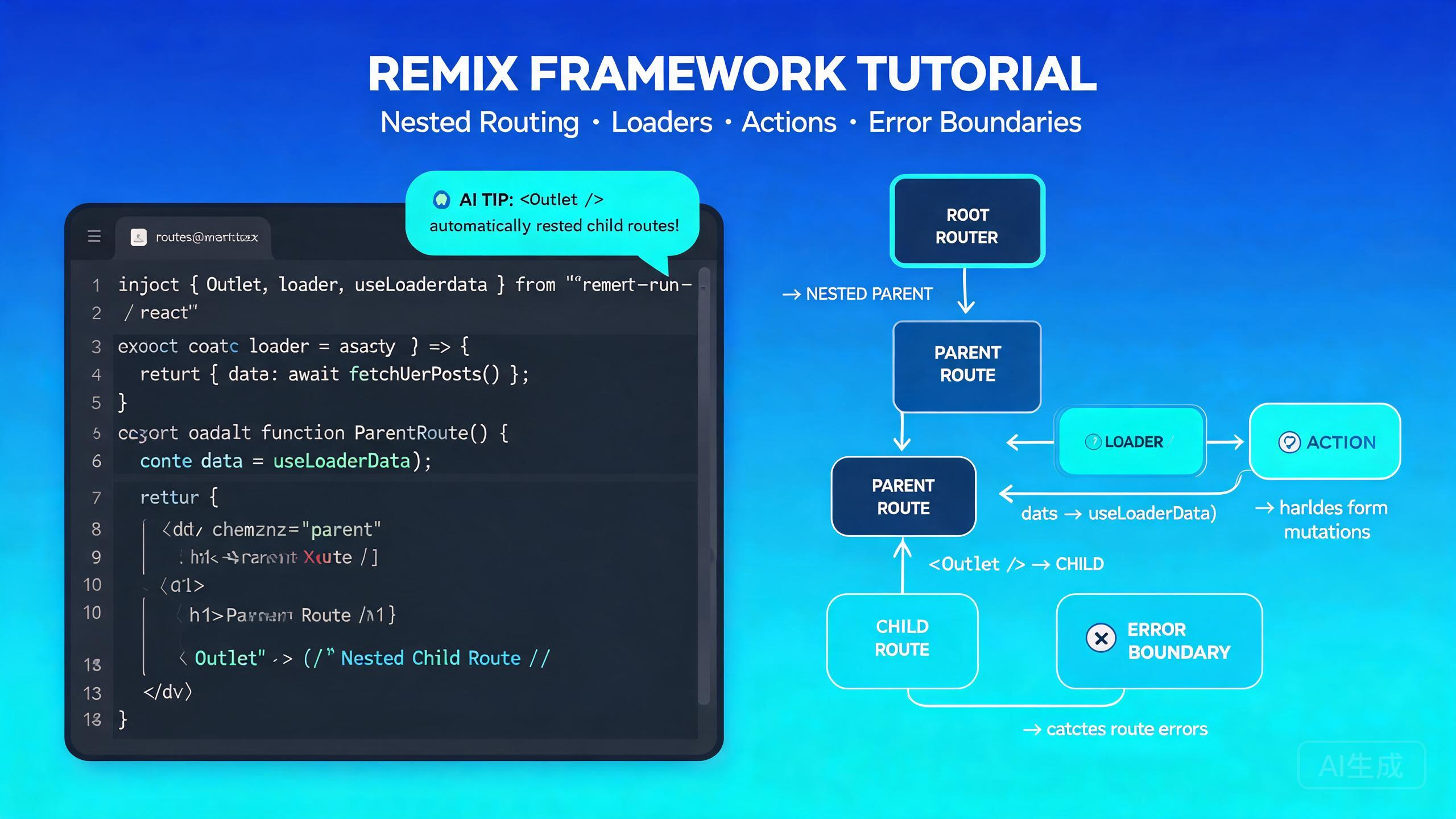
Remix is a full-stack web framework built on React Router that emphasizes progressive enhancement, web standards, and server-side rendering. Remix v2 introduced flat routes, improved error handling, and a simplified data-loading model. Cursor, with its VS Code-compatible foundation and integrated AI assistant, is an ideal editor for Remix development -- it understands .tsx route files, provides IntelliSense for loader return types, and can generate entire route modules from natural-language prompts.
This guide covers the complete Remix development workflow in Cursor: project setup, routing conventions, loaders and actions, nested routes, error boundaries, and AI-assisted route generation.
Setting Up Remix Development in Cursor
Prerequisites
Remix v2 requires Node.js 18 or newer (Node 20 LTS is recommended). Verify your installation:
node --version
npm --version
Cursor's integrated terminal (Ctrl+`) syncs with the Explorer panel, so you can scaffold a project and immediately edit generated files without navigating away from your code.
Installing the Remix Extension
Cursor inherits VS Code extension compatibility. For Remix development, install these extensions from the Extensions view (Ctrl+Shift+X):
- ES7 React/Redux/GraphQL/React-Native snippets -- useful for React component scaffolding.
- Tailwind CSS IntelliSense -- if you use Tailwind for styling.
- Prisma -- if your Remix app uses Prisma for data.
Cursor's built-in TypeScript support handles Remix type inference out of the box, including MetaFunction, LoaderFunction, and ActionFunction types.
Do not install the deprecated "Remix" syntax-highlighting extension. Remix files are standard .tsx/.ts files that Cursor already supports natively. The deprecated extension can conflict with Cursor's TypeScript language server.
Scaffolding a Remix Project
Use the official Remix CLI to create a new project:
npx create-remix@latest my-remix-app --template remix-run/default --no-install --no-git

cd my-remix-app
npm install
Open the project in Cursor:
cursor .
The default project structure:
my-remix-app/
├── app/
│   ├── components/
│   ├── routes/
│   │   └── _index.tsx
│   ├── entry.client.tsx
│   ├── entry.server.tsx
│   ├── root.tsx
│   ├── tailwind.css
│   └── entry.client.tsx
├── public/
├── vite.config.ts
├── tsconfig.json
└── package.json
Ask Cursor to scaffold a complete project: "Create a Remix v2 project with TypeScript, Tailwind CSS, and Prisma. Set up the vite config and a root layout with a navigation bar." Cursor will generate all configuration files and the initial route structure.
Routing Conventions
Remix v2 uses flat file-based routing. Route files in the app/routes/ directory map directly to URL paths.
Basic Routes
| File | URL Path |
|---|---|
app/routes/_index.tsx | / |
app/routes/about.tsx | /about |
app/routes/blog.tsx | /blog |
app/routes/blog.$slug.tsx | /blog/:slug |
Nested Routes with Flat Routes
Nested layouts use the dot notation. A file named app/routes/blog._index.tsx renders inside the app/routes/blog.tsx layout:
app/routes/
├── _index.tsx              → /
├── about.tsx               → /about
├── blog.tsx                → /blog (layout)
├── blog._index.tsx         → /blog (index, renders in blog layout)
├── blog.$slug.tsx          → /blog/:slug (renders in blog layout)
├── blog.new.tsx            → /blog/new
└── blog.edit.$id.tsx       → /blog/edit/:id
Pathless Layout Routes
Use the underscore prefix for layout routes that do not add a URL segment:
app/routes/
├── _auth.tsx               → Layout wrapper (no URL segment)
├── _auth.login.tsx         → /login (renders inside _auth layout)
├── _auth.register.tsx      → /register (renders inside _auth layout)
└── _auth.forgot-password.tsx → /forgot-password
Route Groups with Parentheses
Use parentheses to group routes without affecting the URL:
app/routes/
├── (marketing)/
│   ├── _index.tsx          → /
│   ├── pricing.tsx         → /pricing
│   └── features.tsx        → /features
├── (app)/
│   ├── dashboard.tsx       → /dashboard
│   └── settings.tsx       → /settings
Ask Cursor: "Generate the flat route file structure for a Remix app with public marketing pages (home, pricing, about), an authenticated app section (dashboard, settings, profile), and a blog with individual post pages." Cursor will create all the necessary files with correct naming conventions.
Loaders and Actions
Loaders fetch data on the server before the page renders. Actions handle form submissions and mutations. Both run on the server, giving you direct access to your database and APIs.
Defining a Loader
// app/routes/blog.$slug.tsx
import type { LoaderFunctionArgs, MetaFunction } from '@remix-run/node';
import { json } from '@remix-run/node';
import { useLoaderData } from '@remix-run/react';
import { getPost } from '~/models/post.server';

export const meta: MetaFunction<typeof loader> = ({ data }) => {
  if (!data?.post) {
    return [{ title: 'Post not found' }];
  }
  return [
    { title: data.post.title },
    { name: 'description', content: data.post.excerpt },
  ];
};

export async function loader({ params }: LoaderFunctionArgs) {
  const post = await getPost(params.slug!);

  if (!post) {
    throw new Response('Not Found', { status: 404 });
  }

  return json({ post });
}

export default function BlogPost() {
  const { post } = useLoaderData<typeof loader>();

  return (
    <article>
      <h1>{post.title}</h1>
      <p>{post.content}</p>
    </article>
  );
}
Always type your useLoaderData with typeof loader. This gives you full IntelliSense for the data shape in your component. Without the generic, Cursor cannot provide accurate autocomplete for post.title, post.content, etc.
Defining an Action
Actions handle non-GET requests (POST, PUT, DELETE, PATCH). They pair naturally with HTML forms:
// app/routes/blog.$slug.tsx (continued)
import { Form, redirect, useActionData } from '@remix-run/react';
import type { ActionFunctionArgs } from '@remix-run/node';
import { createComment } from '~/models/comment.server';

interface ActionData {
  errors?: {
    name?: string;
    body?: string;
  };
}

export async function action({ params, request }: ActionFunctionArgs) {
  const formData = await request.formData();
  const name = formData.get('name');
  const body = formData.get('body');

  const errors: ActionData['errors'] = {};

  if (!name || typeof name !== 'string' || name.trim().length < 2) {
    errors.name = 'Name must be at least 2 characters';
  }

  if (!body || typeof body !== 'string' || body.trim().length < 5) {
    errors.body = 'Comment must be at least 5 characters';
  }

  if (Object.keys(errors).length > 0) {
    return json<ActionData>({ errors }, { status: 400 });
  }

  await createComment({
    postId: params.slug!,
    authorName: name as string,
    body: body as string,
  });

  return redirect(`/blog/${params.slug}`);
}

export default function BlogPost() {
  const actionData = useActionData<typeof action>();

  return (
    <article>
      {/* Post content */}
      <section>
        <h2>Leave a comment</h2>
        <Form method="post">
          <div>
            <label htmlFor="name">Name</label>
            <input type="text" name="name" id="name" />
            {actionData?.errors?.name && (
              <p className="error">{actionData.errors.name}</p>
            )}
          </div>
          <div>
            <label htmlFor="body">Comment</label>
            <textarea name="body" id="body" rows={4} />
            {actionData?.errors?.body && (
              <p className="error">{actionData.errors.body}</p>
            )}
          </div>
          <button type="submit">Submit</button>
        </Form>
      </section>
    </article>
  );
}
Ask Cursor: "Create a Remix route with a loader that fetches a list of products from my Prisma database, and an action that handles a search form with query and category filters." Cursor will generate the loader, action, and form UI with proper validation.
Multiple Actions per Route
Use intent fields to handle multiple actions in a single route:
export async function action({ request }: ActionFunctionArgs) {
  const formData = await request.formData();
  const intent = formData.get('intent');

  switch (intent) {
    case 'create':
      return handleCreate(formData);
    case 'update':
      return handleUpdate(formData);
    case 'delete':
      return handleDelete(formData);
    default:
      return json({ error: 'Unknown intent' }, { status: 400 });
  }
}
<Form method="post">
  <input type="hidden" name="intent" value="create" />
  <button type="submit">Create</button>
</Form>

<Form method="post">
  <input type="hidden" name="intent" value="delete" />
  <input type="hidden" name="id" value={item.id} />
  <button type="submit">Delete</button>
</Form>
Nested Routes
Nested routes let you compose pages from parent layouts and child content. The parent route renders an <Outlet /> where child routes appear.
Creating a Layout with Outlet
// app/routes/blog.tsx
import { Outlet, NavLink, useLoaderData } from '@remix-run/react';
import type { LoaderFunctionArgs } from '@remix-run/node';
import { json } from '@remix-run/node';
import { getCategories } from '~/models/category.server';

export async function loader({}: LoaderFunctionArgs) {
  const categories = await getCategories();
  return json({ categories });
}

export default function BlogLayout() {
  const { categories } = useLoaderData<typeof loader>();

  return (
    <div className="blog-layout">
      <nav className="sidebar">
        <h2>Categories</h2>
        <ul>
          {categories.map((cat) => (
            <li key={cat.id}>
              <NavLink to={`/blog/category/${cat.slug}`}>
                {cat.name}
              </NavLink>
            </li>
          ))}
        </ul>
      </nav>
      <main className="content">
        <Outlet />
      </main>
    </div>
  );
}
If your nested route renders a blank page, check that the parent layout includes an <Outlet /> component. Without it, child route content has nowhere to render.
Nested Data Loading
Each route in a nested hierarchy runs its loader in parallel. This means the parent and child loaders execute simultaneously, improving perceived performance:
// app/routes/blog.$slug.tsx
export async function loader({ params }: LoaderFunctionArgs) {
  const post = await getPost(params.slug!);
  return json({ post });
}

// app/routes/blog.tsx (parent)
export async function loader() {
  const categories = await getCategories();
  return json({ categories });
}
Optimistic UI with useNavigation
Track navigation state to show optimistic UI during submissions:
import { useNavigation, Form } from '@remix-run/react';

export default function CreatePost() {
  const navigation = useNavigation();
  const isSubmitting = navigation.state === 'submitting';

  return (
    <Form method="post">
      <input name="title" placeholder="Title" disabled={isSubmitting} />
      <textarea name="content" placeholder="Content" disabled={isSubmitting} />
      <button type="submit" disabled={isSubmitting}>
        {isSubmitting ? 'Creating...' : 'Create Post'}
      </button>
    </Form>
  );
}
Ask Cursor: "Add optimistic UI to my Remix form so the submit button shows a loading state and the form fields are disabled during submission." Cursor will wire up useNavigation and handle the disabled states correctly.
Error Boundaries
Remix v2 introduced per-route error boundaries. If a route throws an error, only that route's error boundary renders -- the rest of the page stays intact.
Route-Level Error Boundary
// app/routes/blog.$slug.tsx
import { isRouteErrorResponse, useRouteError } from '@remix-run/react';

export function ErrorBoundary() {
  const error = useRouteError();

  if (isRouteErrorResponse(error)) {
    if (error.status === 404) {
      return (
        <div>
          <h1>Post not found</h1>
          <p>The blog post you are looking for does not exist.</p>
          <a href="/blog">Back to blog</a>
        </div>
      );
    }
    return (
      <div>
        <h1>Error {error.status}</h1>
        <p>{error.statusText}</p>
      </div>
    );
  }

  if (error instanceof Error) {
    return (
      <div>
        <h1>Unexpected Error</h1>
        <p>{error.message}</p>
      </div>
    );
  }

  return <h1>Unknown error occurred</h1>;
}
Error boundaries must be exported as named exports (export function ErrorBoundary). Default exports are for the route component only. If you export it as default, Remix will not pick it up as an error boundary.
Root Error Boundary
The root layout (app/root.tsx) should also export an ErrorBoundary for catching errors that bubble up:
// app/root.tsx
import { Links, Meta, Outlet, Scripts, useRouteError } from '@remix-run/react';

export function ErrorBoundary() {
  const error = useRouteError();

  return (
    <html lang="en">
      <head>
        <meta charSet="utf-8" />
        <meta name="viewport" content="width=device-width, initial-scale=1" />
        <title>Application Error</title>
        <Links />
      </head>
      <body>
        <main>
          <h1>Something went wrong</h1>
          <p>Please try refreshing the page.</p>
        </main>
        <Scripts />
      </body>
    </html>
  );
}
Handling Errors in Loaders
export async function loader({ params }: LoaderFunctionArgs) {
  const user = await getUser(params.id);

  if (!user) {
    throw new Response('User not found', {
      status: 404,
      statusText: 'Not Found',
    });
  }

  const posts = await getUserPosts(user.id);

  if (posts.length === 0) {
    throw new Response('No posts found', {
      status: 404,
    });
  }

  return json({ user, posts });
}
Ask Cursor: "Add comprehensive error handling to my Remix route. Include a 404 response when the resource is not found, a 500 for database errors, and a route-level error boundary with appropriate UI for each case." Cursor will generate the loader error logic and the error boundary component.
AI-Assisted Route Generation in Cursor
Cursor's AI assistant can generate entire route modules -- including loaders, actions, components, meta functions, and error boundaries -- from a single prompt.
Generating a Full Route from a Prompt
Open Cursor Chat (Ctrl+L) and describe the route:
Create a Remix v2 route at app/routes/tasks.$id.tsx that:
1. Loads a single task from Prisma by ID in the loader
2. Has an action to update the task (title, description, status)
3. Shows a form pre-filled with the task data
4. Validates inputs: title (min 3 chars), description (min 10 chars)
5. Includes a meta function with the task title
6. Has an error boundary for 404 (task not found)
7. Redirects to /tasks after successful update
Cursor will generate a complete route file with the loader, action, form component, meta function, and error boundary. The generated code will use the Remix v2 API (LoaderFunctionArgs, ActionFunctionArgs) and include proper form validation with inline error messages, a status dropdown pre-selected with the task's current value, and a redirect to /tasks on success.
When asking Cursor to generate routes, always specify the Remix version ("v2") and the flat route file path. This ensures Cursor uses the correct API surface (e.g., LoaderFunctionArgs instead of the deprecated LoaderFunction with params).
AI-Assisted Resource Routes
Resource routes return data without rendering UI -- perfect for API endpoints:
Create a Remix resource route at app/routes/api.health.tsx that returns
JSON with status "ok", server uptime, and current timestamp. Support GET only.
// app/routes/api.health.tsx
import type { LoaderFunctionArgs } from '@remix-run/node';
import { json } from '@remix-run/node';

export async function loader({}: LoaderFunctionArgs) {
  return json({
    status: 'ok',
    uptime: process.uptime(),
    timestamp: new Date().toISOString(),
  });
}
Testing and Deployment
Deploying to Vercel
Install the Vercel adapter:
npm install @remix-run/vercel
Configure vite.config.ts:
import { vitePlugin as remix } from '@remix-run/dev';
import { defineConfig } from 'vite';
import tsconfigPaths from 'vite-tsconfig-paths';

export default defineConfig({
  plugins: [
    remix({
      future: {
        v3_fetcherPersist: true,
        v3_relativeSplatPath: true,
        v3_throwAbortReason: true,
        v3_singleFetch: true,
        v3_lazyRouteDiscovery: true,
      },
    }),
    tsconfigPaths(),
  ],
});
Before deploying, test the production build locally with npm run build && npm start. Server-side code that works in dev mode may behave differently in production -- especially code that relies on process.env variables or Node.js built-in modules that the deployment platform may not support.
Conclusion
Remix v2 paired with Cursor creates a powerful full-stack development environment. The framework's emphasis on web standards, progressive enhancement, and nested routing maps cleanly to the file system, and Cursor's AI assistant can scaffold entire routes -- including loaders, actions, error boundaries, and forms -- from natural-language descriptions. Start with the flat route conventions, build your data layer with typed loaders and validated actions, add nested layouts with <Outlet />, and let Cursor generate the repetitive boilerplate so you can focus on your application's business logic.