Cursor での Drizzle ORM 開発:完全ガイド
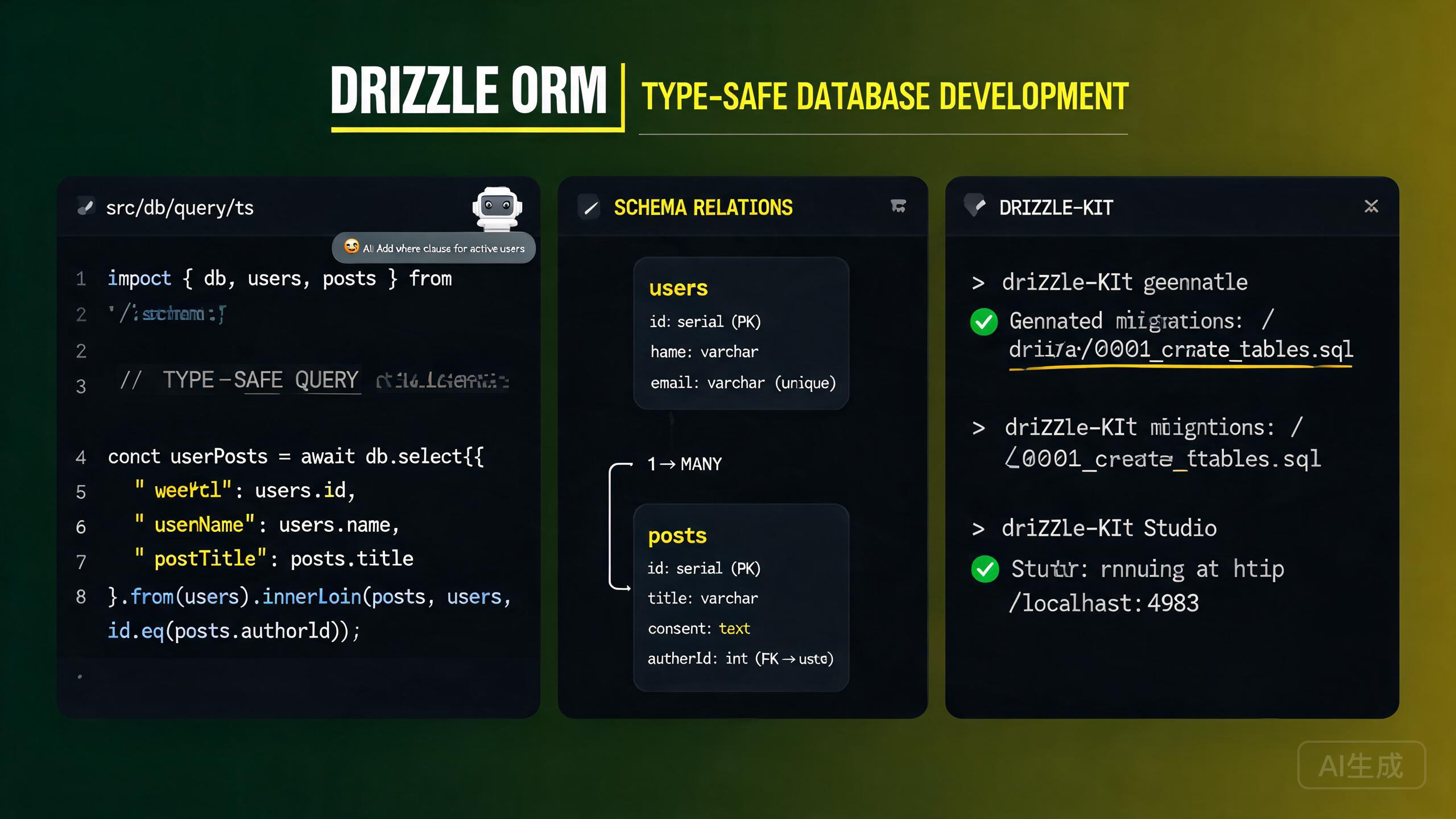
Drizzle ORM は、重いランタイムのオーバーヘッドなしで型安全な SQL クエリを提供する軽量な TypeScript ファースト ORM です。従来の ORM とは異なり、Drizzle はコンパイル時に完全な型安全性を維持しながら SQL の完全な制御を提供します。Drizzle は PostgreSQL、MySQL、SQLite を統一された API サーフェスでサポートしています。Cursor は、統合された AI アシスタントと組み込みの TypeScript 言語サーバーにより、Drizzle 開発に理想的なエディタです。スキーマ定義の完全な IntelliSense を提供し、クエリビルダーを自動補完し、自然言語の記述から完全なスキーマとクエリを生成できます。
このガイドでは、Cursor での完全な Drizzle 開発ワークフローをカバーします:インストールとセットアップ、スキーマ定義、drizzle-kit によるマイグレーション、型安全クエリ、リレーション、AI 支援クエリ構築。
Cursor での Drizzle のインストールとセットアップ
前提条件
Drizzle は Node.js 18 以上が必要で、PostgreSQL、MySQL、SQLite で動作します。Node.js のバージョンを確認:
node --version
Cursor の組み込み TypeScript 言語サーバーは、Drizzle スキーマとクエリのリアルタイム型チェックを提供します。コードを実行する前にインラインで型エラーを確認でき、Drizzle の高度に型付けされたクエリビルダーには特に価値があります。
依存関係のインストール
Drizzle ORM と drizzle-kit CLI ツールをインストール:
# For PostgreSQL
npm install drizzle-orm pg
npm install drizzle-kit --save-dev

# For MySQL
npm install drizzle-orm mysql2
npm install drizzle-kit --save-dev

# For SQLite (better-sqlite3)
npm install drizzle-orm better-sqlite3
npm install drizzle-kit --save-dev

# For SQLite (libSQL/Turso)
npm install drizzle-orm @libsql/client
npm install drizzle-kit --save-dev
.env にデータベース接続文字列を設定:
# .env
DATABASE_URL="postgresql://user:password@localhost:5432/mydb"
drizzle-kit の設定
プロジェクトルートに drizzle.config.ts ファイルを作成:
// drizzle.config.ts
import { defineConfig } from 'drizzle-kit';

export default defineConfig({
  schema: './src/db/schema.ts',
  out: './drizzle',
  dialect: 'postgresql',
  dbCredentials: {
    url: process.env.DATABASE_URL!,
  },
  verbose: true,
  strict: true,
});
MySQL を使用する場合は、設定で dialect: 'mysql' を設定してください。SQLite を使用する場合は dialect: 'sqlite' を設定してください。dialect フィールドは drizzle-kit がマイグレーション用にどの SQL フレーバーを生成するかを決定します。不正確な方言はデータベースで失敗するマイグレーションファイルを生成します。
データベースクライアントの作成
// src/db/client.ts
import { drizzle } from 'drizzle-orm/node-postgres';
import { Pool } from 'pg';
import * as schema from './schema';

const pool = new Pool({
  connectionString: process.env.DATABASE_URL!,
});

export const db = drizzle(pool, { schema });
export type DB = typeof db;
常にスキーマオブジェクトをインポートして drizzle() コンストラクタに渡してください。これによりリレーショナルクエリ API(db.query.users.findMany())が有効になり、完全な型安全性でネストされたデータ取得が可能になります。
スキーマ定義
Drizzle スキーマは TypeScript ファイルでビルダー関数を使用して定義されます。各関数は SQL の列タイプにマッピングされます。
テーブルの定義
// src/db/schema.ts
import {
  pgTable,
  uuid,
  varchar,
  text,
  boolean,
  integer,
  timestamp,
  enum,
  pgEnum,
} from 'drizzle-orm/pg-core';
import { relations } from 'drizzle-orm';

// Enums
export const userRoleEnum = pgEnum('user_role', ['admin', 'member', 'viewer']);

// Users table
export const users = pgTable('users', {
  id: uuid('id').defaultRandom().primaryKey(),
  email: varchar('email', { length: 255 }).notNull().unique(),
  name: varchar('name', { length: 100 }),
  role: userRoleEnum('role').default('member').notNull(),
  avatarUrl: text('avatar_url'),
  createdAt: timestamp('created_at').defaultNow().notNull(),
  updatedAt: timestamp('updated_at').defaultNow().notNull(),
});

// Posts table
export const posts = pgTable('posts', {
  id: uuid('id').defaultRandom().primaryKey(),
  title: varchar('title', { length: 200 }).notNull(),
  content: text('content'),
  published: boolean('published').default(false).notNull(),
  viewCount: integer('view_count').default(0).notNull(),
  authorId: uuid('author_id').references(() => users.id, { onDelete: 'cascade' }),
  createdAt: timestamp('created_at').defaultNow().notNull(),
  updatedAt: timestamp('updated_at').defaultNow().notNull(),
});

// Profiles table
export const profiles = pgTable('profiles', {
  id: uuid('id').defaultRandom().primaryKey(),
  bio: text('bio'),
  userId: uuid('user_id').references(() => users.id, { onDelete: 'cascade' }).unique(),
  createdAt: timestamp('created_at').defaultNow().notNull(),
});
一般的な列タイプ(PostgreSQL)
| Drizzle 関数 | SQL タイプ | 備考 |
|---|---|---|
uuid() | UUID | 自動生成には .defaultRandom() を使用 |
varchar({ length: n }) | VARCHAR(n) | 可変長文字列 |
text() | TEXT | 無制限長文字列 |
integer() | INTEGER | 32ビット整数 |
boolean() | BOOLEAN | true/false |
timestamp() | TIMESTAMP | 自動入力には .defaultNow() を使用 |
jsonb() | JSONB | 構造化データ |
serial() | SERIAL | 自動増分整数 |
pgEnum() | ENUM | PostgreSQL 列挙型 |
decimal() | DECIMAL | 固定小数点数 |
Cursor に依頼:「PostgreSQL 用の Drizzle スキーマを生成して。User、Post、Comment、Tag モデルを含めて。UUID 主キー、タイムスタンプ、一対多と多対多のリレーションを設定して。」Cursor が正しいインポートとリレーション定義を含む検証済み TypeScript スキーマを生成します。
リレーションの定義
Drizzle リレーションは relations() 関数を使用してテーブルとは別に定義されます。データベーススキーマには影響しません。リレーショナルクエリ API のみを設定します:
// src/db/schema.ts (continued)
import { relations } from 'drizzle-orm';

export const usersRelations = relations(users, ({ one, many }) => ({
  profile: one(profiles, {
    fields: [users.id],
    references: [profiles.userId],
  }),
  posts: many(posts),
}));

export const postsRelations = relations(posts, ({ one, many }) => ({
  author: one(users, {
    fields: [posts.authorId],
    references: [users.id],
  }),
  comments: many(comments),
}));

export const profilesRelations = relations(profiles, ({ one }) => ({
  user: one(users, {
    fields: [profiles.userId],
    references: [users.id],
  }),
}));

export const comments = pgTable('comments', {
  id: uuid('id').defaultRandom().primaryKey(),
  content: text('content').notNull(),
  authorId: uuid('author_id').references(() => users.id, { onDelete: 'cascade' }),
  postId: uuid('post_id').references(() => posts.id, { onDelete: 'cascade' }),
  createdAt: timestamp('created_at').defaultNow().notNull(),
});

export const commentsRelations = relations(comments, ({ one }) => ({
  author: one(users, {
    fields: [comments.authorId],
    references: [users.id],
  }),
  post: one(posts, {
    fields: [comments.postId],
    references: [posts.id],
  }),
}));
Drizzle リレーションはクエリ API 専用であり、データベースに外部キー制約を作成しません。実際の外部キーはテーブル定義で .references() を使用して定義されます。relations() でリレーションを定義してもテーブルで .references() を忘れた場合、リレーショナルクエリは動作しますが、データベースは参照整合性を強制しません。
drizzle-kit によるマイグレーション
drizzle-kit はスキーマ定義と現在のデータベース状態を比較して SQL マイグレーションファイルを生成します。
マイグレーションの生成
npx drizzle-kit generate
drizzle/ ディレクトリ(drizzle.config.ts で設定)に SQL マイグレーションファイルが作成されます:
-- drizzle/0000_initial_migration.sql
CREATE TYPE "user_role" AS ENUM('admin', 'member', 'viewer');

CREATE TABLE "users" (
  "id" uuid PRIMARY KEY DEFAULT gen_random_uuid() NOT NULL,
  "email" varchar(255) NOT NULL,
  "name" varchar(100),
  "role" "user_role" DEFAULT 'member' NOT NULL,
  "avatar_url" text,
  "created_at" timestamp DEFAULT now() NOT NULL,
  "updated_at" timestamp DEFAULT now() NOT NULL,
  CONSTRAINT "users_email_unique" UNIQUE("email")
);

CREATE TABLE "posts" (
  "id" uuid PRIMARY KEY DEFAULT gen_random_uuid() NOT NULL,
  "title" varchar(200) NOT NULL,
  "content" text,
  "published" boolean DEFAULT false NOT NULL,
  "view_count" integer DEFAULT 0 NOT NULL,
  "author_id" uuid,
  "created_at" timestamp DEFAULT now() NOT NULL,
  "updated_at" timestamp DEFAULT now() NOT NULL
);

ALTER TABLE "posts" ADD COLUMN "author_id" uuid REFERENCES "users"("id") ON DELETE CASCADE;
マイグレーションの適用
npx drizzle-kit migrate
保留中のすべてのマイグレーションファイルが順番にデータベースに適用されます。
スキーマ変更のたびに npx drizzle-kit generate を使用し、migrate を実行する前に生成された SQL を確認してください。Drizzle のマイグレーション生成は優れていますが完璧ではありません。列のリネームや型変更などの複雑な操作では特に、SQL が意図通りか確認してください。
スキーマ変更の直接プッシュ
迅速なプロトタイピングのために、マイグレーションファイルを生成せずにスキーマ変更をデータベースに直接プッシュできます:
npx drizzle-kit push
スキーマをデータベースと即座に同期します。
drizzle-kit push はマイグレーションファイルをバイパスして直接変更を適用します。開発には便利ですが、本番では使用しないでください。バージョン管理されたマイグレーション履歴を維持するため、本番デプロイには常に generate + migrate を使用してください。
マイグレーションジャーナル
drizzle-kit は適用されたマイグレーションを追跡する meta/_journal.json ファイルを管理します:
[
  {
    "version": "5",
    "idx": 0,
    "when": 1700000000000,
    "tag": "initial_migration",
    "breakpoints": true
  }
]
型安全クエリ
Drizzle のクエリビルダーは完全に型付けされています。記述するすべてのクエリはコンパイル時にチェックされ、Cursor の IntelliSense がテーブル名、列、演算子の自動補完を提供します。
SELECT クエリ
import { eq, and, gte, lte, desc, asc, sql } from 'drizzle-orm';
import { db } from './client';
import { users, posts, profiles } from './schema';

// Select specific columns
const userEmails = await db
  .select({ id: users.id, email: users.email, name: users.name })
  .from(users);

// Select with filtering
const publishedPosts = await db
  .select()
  .from(posts)
  .where(eq(posts.published, true))
  .orderBy(desc(posts.createdAt))
  .limit(10);

// Select with multiple conditions
const recentPosts = await db
  .select()
  .from(posts)
  .where(
    and(
      eq(posts.published, true),
      gte(posts.createdAt, new Date('2024-01-01')),
      lte(posts.createdAt, new Date('2024-12-31'))
    )
  )
  .orderBy(desc(posts.viewCount), asc(posts.createdAt));
JOIN
// Inner join: posts with their authors
const postsWithAuthors = await db
  .select({
    postId: posts.id,
    title: posts.title,
    authorName: users.name,
    authorEmail: users.email,
  })
  .from(posts)
  .innerJoin(users, eq(posts.authorId, users.id))
  .where(eq(posts.published, true));

// Left join: users with optional profiles
const usersWithProfiles = await db
  .select({
    userId: users.id,
    email: users.email,
    bio: profiles.bio,
  })
  .from(users)
  .leftJoin(profiles, eq(users.id, profiles.userId));
INSERT クエリ
// Insert a single record
const [newUser] = await db
.insert(users)
.values({
name: 'New User',
role: 'member',
})
.returning();
// Insert multiple records
const newPosts = await db
.insert(posts)
.values([
{ title: 'Post 1', content: 'Content 1', authorId: userId },
{ title: 'Post 2', content: 'Content 2', authorId: userId },
])
.returning({ id: posts.id, title: posts.title });
// Insert with conflict handling (upsert)
const [upsertedUser] = await db
.insert(users)
.onConflictDoUpdate({
target: users.email,
set: { name: 'Updated Name', updatedAt: new Date() },
})
.returning();
Cursor に依頼:「メールが存在しない場合は新しいユーザーを挿入し、存在する場合は名前と avatarUrl を更新する Drizzle upsert クエリを書いて。挿入/更新されたレコードを返して。」Cursor が onConflictDoUpdate 構文を正しく生成します。
UPDATE と DELETE
// Update records
const [updatedPost] = await db
  .update(posts)
  .set({ title: 'Updated Title', viewCount: sql`${posts.viewCount} + 1` })
  .where(eq(posts.id, postId))
  .returning();

// Delete records
await db.delete(posts).where(eq(posts.authorId, deletedUserId));

// Delete with condition
const deletedCount = await db
  .delete(posts)
  .where(and(eq(posts.published, false), lt(posts.createdAt, thirtyDaysAgo)))
  .returning();
リレーショナルクエリ API
Drizzle のリレーショナルクエリ API はネストされたデータを取得するための宣言的な方法を提供します:
// Fetch a user with their profile and posts
const userWithData = await db.query.users.findFirst({
with: {
profile: true,
posts: {
where: eq(posts.published, true),
orderBy: desc(posts.createdAt),
limit: 5,
with: {
comments: {
with: {
author: {
columns: { id: true, name: true, avatarUrl: true },
},
},
},
},
},
},
});
// Fetch all published posts with author and comments
const allPosts = await db.query.posts.findMany({
where: eq(posts.published, true),
orderBy: desc(posts.createdAt),
limit: 20,
with: {
author: {
columns: { id: true, name: true, email: true },
},
comments: {
orderBy: desc(comments.createdAt),
with: {
author: true,
},
},
},
});
リレーショナルクエリ API(db.query.*)を使用するには、スキーマを drizzle() コンストラクタに渡す必要があります:drizzle(pool, { schema })。スキーマがないと、db.query 名前空間は undefined になり、すべてのリレーショナルクエリがランタイムエラーをスローします。
集計と GROUP BY
import { count, sql } from 'drizzle-orm';

// Count posts per author
const postCounts = await db
  .select({
    authorId: posts.authorId,
    authorName: users.name,
    postCount: count(posts.id),
  })
  .from(posts)
  .innerJoin(users, eq(posts.authorId, users.id))
  .where(eq(posts.published, true))
  .groupBy(posts.authorId, users.name)
  .orderBy(desc(count(posts.id)))
  .limit(5);

// Sum and average
const stats = await db
  .select({
    totalViews: sql<number>`sum(${posts.viewCount})`,
    avgViews: sql<number>`avg(${posts.viewCount})`,
    postCount: count(posts.id),
  })
  .from(posts)
  .where(eq(posts.published, true));
トランザクション
Drizzle はコールバックベースとステートメントベースの両方のトランザクションをサポートしています:
// Callback-based transaction
const result = await db.transaction(async (tx) => {
const [newUser] = await tx
.insert(users)
.returning();
const [newPost] = await tx
.insert(posts)
.values({
title: 'First Post',
content: 'Hello',
authorId: newUser.id,
published: true,
})
.returning();
await tx
.insert(profiles)
.values({ bio: 'Author bio', userId: newUser.id })
.returning();
return { user: newUser, post: newPost };
});
Cursor に依頼:「ユーザーを作成し、ワークスペースのメンバーとして割り当て、デフォルトプロジェクトを作成する Drizzle トランザクションを書いて。エラー時はロールバックして。」Cursor が適切なエラー伝播付きのコールバックベースのトランザクションを生成します。
Cursor での AI 支援クエリ構築
Cursor の AI アシスタントは、自然言語の記述から複雑な Drizzle クエリ、スキーマ定義、マイグレーション戦略を生成できます。
プロンプトからのクエリ生成
Cursor Chat(Ctrl+L)を開いて必要なものを記述:
Write a Drizzle ORM query to fetch the top 10 most-viewed published posts
from the last 30 days, including each post's author name and email, the
count of comments, and the count of likes. Order by view count descending.
Use the relational query API (db.query.posts.findMany).
const thirtyDaysAgo = new Date();
thirtyDaysAgo.setDate(thirtyDaysAgo.getDate() - 30);

const topPosts = await db.query.posts.findMany({
  where: and(
    eq(posts.published, true),
    gte(posts.createdAt, thirtyDaysAgo)
  ),
  orderBy: desc(posts.viewCount),
  limit: 10,
  with: {
    author: {
      columns: { id: true, name: true, email: true },
    },
  },
  extras: {
    commentCount: sql<number>`(
      SELECT count(*) FROM comments WHERE comments.post_id = posts.id
    )`.as('commentCount'),
    likeCount: sql<number>`(
      SELECT count(*) FROM likes WHERE likes.post_id = posts.id
    )`.as('likeCount'),
  },
});
Cursor に Drizzle クエリの生成を依頼する際は、クエリビルダー API(db.select().from())かリレーショナルクエリ API(db.query.*.findMany())のどちらが必要か指定してください。2つの API は異なる構文とトレードオフを持ちます。クエリビルダーはより多くの SQL 制御を提供し、リレーショナル API はより宣言的です。
記述からのスキーマ生成
Generate a Drizzle schema for a multi-tenant SaaS application using
PostgreSQL. Include: Tenant, User (with tenantId), Subscription (with
plan enum: FREE/PRO/ENTERPRISE), ApiKey, and Webhook table. Use UUIDs,
timestamps, proper foreign keys with cascade delete, and add indexes on
tenantId columns.
AI 支援スキーママイグレーション
スキーマをリファクタリングする際、Cursor に助けを求めてください:
I need to add a "soft delete" feature to my Drizzle schema. Add a
"deleted_at" timestamp column to the posts and comments tables that is
nullable. Then update my existing queries to filter out soft-deleted
records by default. Show me how to generate the migration.
Cursor は以下を行います:
- 両方のテーブルに
deletedAt列を追加。 - SELECT クエリを更新して
isNull(posts.deletedAt)フィルタを追加。 - drizzle-kit マイグレーションコマンドを生成。
ソフトデリート列を追加する際、deletedAt でフィルタリングしない既存のクエリはソフトデリートされたレコードを返します。スキーマ変更後に Cursor にすべてのクエリを監査させ、ソフトデリートされたデータが漏洩しないようにしてください。
パフォーマンスとベストプラクティス
インデックス戦略
import { index } from 'drizzle-orm/pg-core';

export const posts = pgTable(
  'posts',
  {
    id: uuid('id').defaultRandom().primaryKey(),
    title: varchar('title', { length: 200 }).notNull(),
    authorId: uuid('author_id').references(() => users.id),
    published: boolean('published').default(false).notNull(),
    createdAt: timestamp('created_at').defaultNow().notNull(),
  },
  (table) => ({
    authorIdx: index('posts_author_id_idx').on(table.authorId),
    publishedIdx: index('posts_published_created_idx').on(
      table.published,
      table.createdAt
    ),
  })
);
コネクションプーリング
import { Pool } from 'pg';
import { drizzle } from 'drizzle-orm/node-postgres';

const pool = new Pool({
  connectionString: process.env.DATABASE_URL!,
  max: 20,
  idleTimeoutMillis: 30000,
  connectionTimeoutMillis: 2000,
});

export const db = drizzle(pool, { schema, logger: true });
サーバーレス環境(Vercel、AWS Lambda)では、PgBouncer のようなコネクションプーラーや @neondatabase/serverless のようなサーバーレスドライバーを使用してください。各関数インスタンスが独自のプールを作成するため、直接的な PostgreSQL 接続はサーバーレスではスケールしません。データベースの接続制限を枯渇させます。
プリペアドステートメント
import { sql } from 'drizzle-orm';

const findPostsByAuthor = db
  .select()
  .from(posts)
  .where(and(eq(posts.authorId, sql.placeholder('authorId')), eq(posts.published, true)))
  .prepare('findPostsByAuthor');

const result = await findPostsByAuthor.execute({ authorId: userId });
まとめ
Drizzle ORM と Cursor の組み合わせにより、強力で型安全なデータベース開発体験が生まれます。TypeScript ネイティブのスキーマ定義により SQL の完全な制御が得られ、Cursor の言語サーバーがリアルタイムで型エラーをキャッチします。drizzle-kit は本番用の generate と migrate コマンド、迅速なプロトタイピング用の push による信頼性の高いマイグレーションワークフローを提供します。二重のクエリ API(ビルダースタイルの db.select().from() と宣言的な db.query.*.findMany())により、各クエリに適切な抽象化レベルを選択できます。Cursor の AI アシスタントは、複雑なドメインの完全なスキーマの生成から、JOIN、集計、トランザクションを含む最適化されたクエリの作成まで、すべてのステップを加速します。TypeScript でスキーマを定義し、drizzle-kit を設定し、スキーマ進化に generate と migrate を使用し、Cursor に型安全クエリを構築させて、アプリケーションロジックに集中しましょう。