在 Cursor 中部署 AWS:完整指南
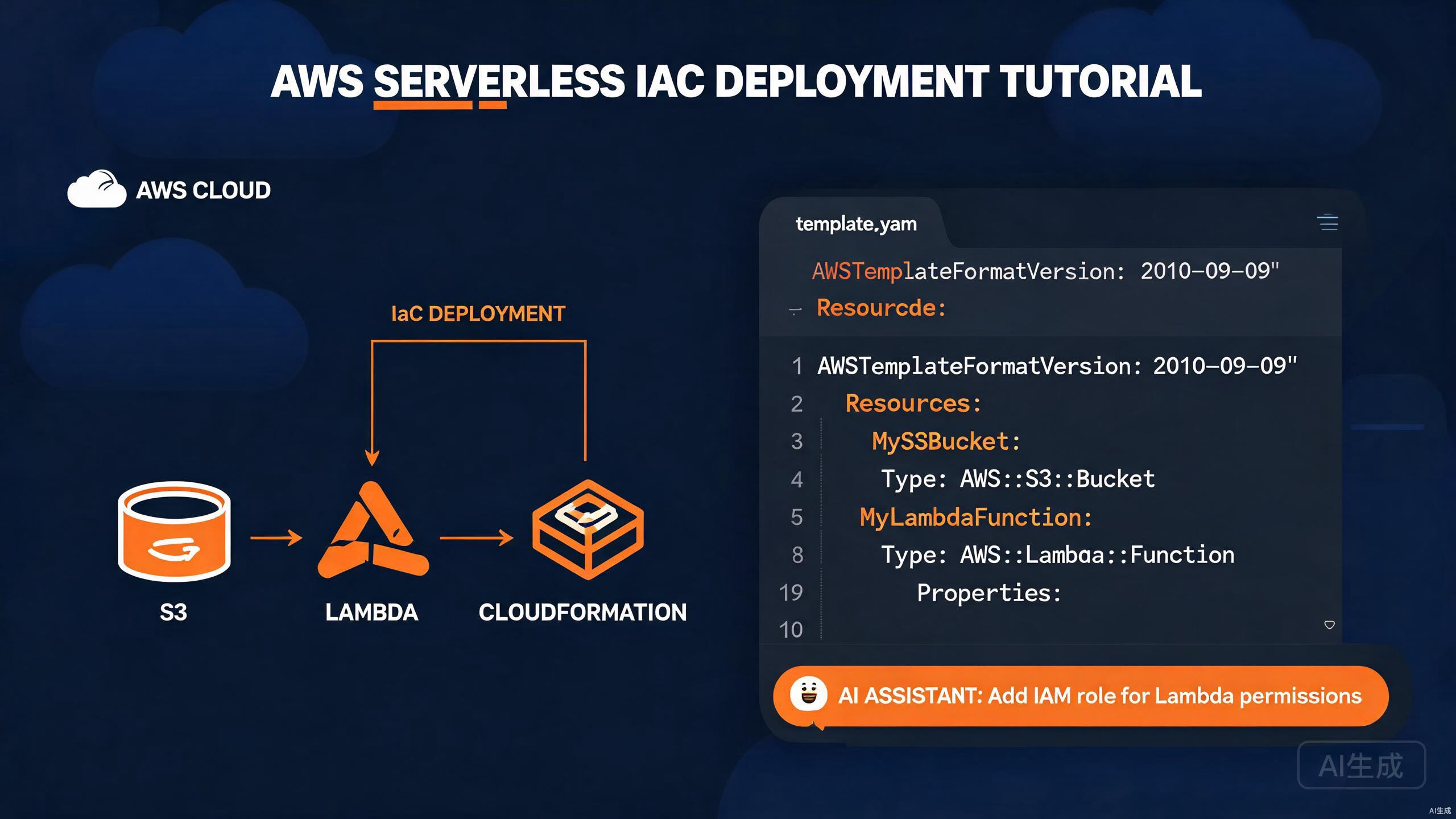
Amazon Web Services (AWS) 是采用最广泛的云平台,提供计算、存储、数据库和数十种高级托管服务。将应用程序部署到 AWS 涉及编写基础设施代码、打包函数、管理存储和编排发布工作流。Cursor 凭借其 AI 助手和丰富的扩展生态系统,是 AWS 开发的强大环境——它可以从自然语言提示生成 Lambda 处理程序、CloudFormation 模板和部署脚本。
本指南将带你了解在 Cursor 中完整的 AWS 部署工作流:集成 AWS SDK、构建和部署 Lambda 函数、使用 S3 进行存储、编写 CloudFormation 基础设施即代码,以及使用 AI 加速每一步。
在 Cursor 中设置 AWS 工具链
安装 AWS Toolkit 扩展
AWS Toolkit 扩展将 AWS 资源浏览、Lambda 本地执行、CloudWatch Logs 查看和 SAM(无服务器应用模型)支持直接引入 Cursor。
- 打开扩展视图(
Ctrl+Shift+X)。 - 搜索 "AWS Toolkit"。
- 点击 Install。
安装后,AWS 图标出现在活动栏中。该扩展提供:
- Lambda、S3、CloudFormation 和 DynamoDB 的资源浏览器。
- 使用 SAM CLI 的本地 Lambda 调用。
- Step Functions 可视化工具。
- CloudWatch Logs 流式传输。
- CDK 和 SAM 项目脚手架。
AWS Toolkit 需要在你的机器上配置 AWS 凭证。Cursor 读取与 AWS CLI 相同的凭证文件(~/.aws/credentials),因此任何现有的配置文件都可以直接使用。
配置 AWS 凭证
使用 AWS CLI 创建凭证配置文件:
npm install -g aws-cli
aws configure
交互式提示会收集:
AWS Access Key ID [None]: AKIAIOSFODNN7EXAMPLE
AWS Secret Access Key [None]: wJalrXUtnFEMI/K7MDENG/bPxRfiCYEXAMPLEKEY
Default region name [None]: us-east-1
Default output format [None]: json
对于多账户设置,创建命名配置文件:
# ~/.aws/credentials
[default]
aws_access_key_id = AKIAIOSFODNN7EXAMPLE
aws_secret_access_key = wJalrXUtnFEMI/K7MDENG/bPxRfiCYEXAMPLEKEY

[production]
aws_access_key_id = AKIAPRODUCTIONKEY
aws_secret_access_key = productionsecretkeyexample
# ~/.aws/config
[profile production]
region = us-west-2
output = json
切勿将 AWS 凭证提交到版本控制。将 .aws/ 添加到 .gitignore,并优先使用 IAM 角色或短期 STS 令牌而非长期访问密钥。对于生产环境,使用 aws-vault 管理带 MFA 的凭证。
安装 AWS SAM CLI
无服务器应用模型 (SAM) CLI 让你构建、本地测试和部署基于 Lambda 的应用程序:
# Windows (使用 winget)
winget install AWS.SAM-CLI

# macOS (使用 Homebrew)
brew install aws-sam-cli

# 验证
sam --version
集成 AWS SDK
安装 JavaScript SDK
对于 Node.js 应用程序,安装模块化的 AWS SDK v3:
npm install @aws-sdk/client-s3 @aws-sdk/client-lambda @aws-sdk/client-dynamodb
AWS SDK v3 是模块化的——你只需安装需要的客户端,与单体 v2 SDK 相比,这大幅减少了包大小。每个服务都是 @aws-sdk/client-* 下的独立包。
配置 SDK 客户端
// lib/aws/clients.ts
import { S3Client } from '@aws-sdk/client-s3';
import { LambdaClient } from '@aws-sdk/client-lambda';
import { DynamoDBClient } from '@aws-sdk/client-dynamodb';

const region = process.env.AWS_REGION ?? 'us-east-1';

export const s3Client = new S3Client({ region });
export const lambdaClient = new LambdaClient({ region });
export const dynamoClient = new DynamoDBClient({ region });
对于特定环境的凭证(在 CI 中有用):
import { fromIni } from '@aws-sdk/credential-providers';

export const s3Client = new S3Client({
  region,
  credentials: fromIni({ profile: 'production' }),
});
构建和部署 Lambda 函数
生成 Lambda 处理程序
使用 Cursor 的 AI 生成 Lambda 处理程序。打开 Ctrl+K 并提示:
Create an AWS Lambda handler in TypeScript using the @types/aws-lambda
package. It should accept an API Gateway proxy event, validate the JSON body
against a Zod schema, and return a 200 response with the processed result.
Include structured logging and error handling.
生成的处理程序:
// src/handlers/createUser.ts
import { APIGatewayProxyEvent, APIGatewayProxyResult } from 'aws-lambda';
import { z } from 'zod';

const userSchema = z.object({
  name: z.string().min(1),
  email: z.string().email(),
  age: z.number().int().min(0).optional(),
});

export const handler = async (
  event: APIGatewayProxyEvent
): Promise<APIGatewayProxyResult> => {
  console.log('Received event:', JSON.stringify(event, null, 2));

  try {
    const body = JSON.parse(event.body ?? '{}');
    const parsed = userSchema.parse(body);

    const user = {
      id: crypto.randomUUID(),
      ...parsed,
      createdAt: new Date().toISOString(),
    };

    return {
      statusCode: 201,
      headers: { 'Content-Type': 'application/json' },
      body: JSON.stringify(user),
    };
  } catch (error) {
    console.error('Error processing request:', error);

    if (error instanceof z.ZodError) {
      return {
        statusCode: 400,
        body: JSON.stringify({ message: 'Validation failed', errors: error.errors }),
      };
    }

    return {
      statusCode: 500,
      body: JSON.stringify({ message: 'Internal server error' }),
    };
  }
};
使用 SAM 进行本地测试
为 SAM 创建 template.yaml:
AWSTemplateFormatVersion: '2010-09-09'
Transform: AWS::Serverless-2016-10-31
Description: User service Lambda

Resources:
  CreateUserFunction:
    Type: AWS::Serverless::Function
    Properties:
      CodeUri: dist/handlers
      Handler: createUser.handler
      Runtime: nodejs20.x
      MemorySize: 256
      Timeout: 30
      Events:
        CreateUser:
          Type: Api
          Properties:
            Path: /users
            Method: POST
      Environment:
        Variables:
          TABLE_NAME: !Ref UsersTable

  UsersTable:
    Type: AWS::DynamoDB::Table
    Properties:
      TableName: users
      BillingMode: PAY_PER_REQUEST
      AttributeDefinitions:
        - AttributeName: id
          AttributeType: S
      KeySchema:
        - AttributeName: id
          KeyType: HASH

Outputs:
  ApiUrl:
    Value: !Sub 'https://${ServerlessRestApi}.execute-api.${AWS::Region}.amazonaws.com/Prod/users'
使用示例事件在本地调用函数:
sam build
sam local invoke CreateUserFunction --event events/createUser.json
示例事件文件:
{
"httpMethod": "POST",
"headers": { "Content-Type": "application/json" }
}
Cursor 中的 AWS Toolkit 扩展为 Lambda 函数添加了"Run Locally"命令。在 AWS Explorer 面板中右键单击函数,选择 Invoke on AWS 或 Run Locally 进行测试,无需离开编辑器。
使用 SAM 部署
# 首次部署(引导式)
sam deploy --guided

# 后续部署
sam deploy --stack-name user-service --capabilities CAPABILITY_IAM
引导式提示收集:
Stack Name [sam-app]: user-service
AWS Region [us-east-1]: us-east-1
Confirm changes before deploy [Y/n]: Y
Allow SAM CLI IAM role creation [Y/n]: Y
Disable rollback [Y/n]: n
Save arguments to configuration file [Y/n]: Y
SAM 部署会自动创建 IAM 角色。在确认之前仔细审查变更集摘要——配置不当的角色可能授予过于宽泛的权限,违反生产环境中的最小权限原则。
使用 S3 进行存储
上传文件到 S3
// src/storage/upload.ts
import { s3Client } from '../aws/clients';
import { PutObjectCommand, GetObjectCommand } from '@aws-sdk/client-s3';
import { getSignedUrl } from '@aws-sdk/s3-request-presigner';

const BUCKET = process.env.UPLOAD_BUCKET ?? 'my-app-uploads';

export async function uploadFile(
  key: string,
  body: Buffer,
  contentType: string
): Promise<string> {
  const command = new PutObjectCommand({
    Bucket: BUCKET,
    Key: key,
    Body: body,
    ContentType: contentType,
  });

  await s3Client.send(command);
  return `s3://${BUCKET}/${key}`;
}

export async function getDownloadUrl(key: string, expiresIn = 3600): Promise<string> {
  const command = new GetObjectCommand({ Bucket: BUCKET, Key: key });
  return getSignedUrl(s3Client, command, { expiresIn });
}
流式传输大文件
对于大文件上传,使用分片上传:
// src/storage/multipart.ts
import { s3Client } from '../aws/clients';
import {
  CreateMultipartUploadCommand,
  UploadPartCommand,
  CompleteMultipartUploadCommand,
} from '@aws-sdk/client-s3';
import { createReadStream } from 'fs';

const BUCKET = process.env.UPLOAD_BUCKET ?? 'my-app-uploads';

export async function uploadLargeFile(key: string, filePath: string): Promise<void> {
  const create = await s3Client.send(
    new CreateMultipartUploadCommand({ Bucket: BUCKET, Key: key })
  );
  const uploadId = create.UploadId!;

  const partSize = 5 * 1024 * 1024; // 5 MB minimum
  const stream = createReadStream(filePath, { highWaterMark: partSize });
  const parts: { ETag: string; PartNumber: number }[] = [];
  let partNumber = 1;

  for await (const chunk of stream) {
    const upload = await s3Client.send(
      new UploadPartCommand({
        Bucket: BUCKET,
        Key: key,
        UploadId: uploadId,
        PartNumber: partNumber,
        Body: chunk,
      })
    );
    parts.push({ ETag: upload.ETag!, PartNumber: partNumber });
    partNumber++;
  }

  await s3Client.send(
    new CompleteMultipartUploadCommand({
      Bucket: BUCKET,
      Key: key,
      UploadId: uploadId,
      MultipartUpload: { Parts: parts },
    })
  );
}
使用 Cursor 的 AI 生成预签名 URL 流程。提示:"创建一个 Lambda 函数,生成预签名的 S3 上传 URL,验证文件扩展名,并将元数据存储在 DynamoDB 中。"
CloudFormation 基础设施即代码
编写 CloudFormation 模板
CloudFormation 让你用声明式 YAML 或 JSON 定义整个基础设施。Cursor 的 AI 擅长从描述生成模板。
Web 应用程序栈的示例模板:
# templates/webapp.yaml
AWSTemplateFormatVersion: '2010-09-09'
Description: Production web application stack

Parameters:
  Environment:
    Type: String
    Default: production
    AllowedValues: [staging, production]

  DomainName:
    Type: String
    Description: Custom domain name

Resources:
  ApplicationBucket:
    Type: AWS::S3::Bucket
    Properties:
      BucketName: !Sub '${AWS::StackName}-app-${Environment}'
      VersioningConfiguration:
        Status: Enabled
      LifecycleConfiguration:
        Rules:
          - Id: ExpireOldVersions
            Status: Enabled
            NoncurrentVersionExpirationInDays: 90
      PublicAccessBlockConfiguration:
        BlockPublicAcls: true
        BlockPublicPolicy: true
        IgnorePublicAcls: true
        RestrictPublicBuckets: true

  CloudFrontDistribution:
    Type: AWS::CloudFront::Distribution
    Properties:
      DistributionConfig:
        Enabled: true
        DefaultRootObject: index.html
        Origins:
          - DomainName: !GetAtt ApplicationBucket.RegionalDomainName
            Id: S3Origin
            S3OriginConfig: {}
        DefaultCacheBehavior:
          TargetOriginId: S3Origin
          ViewerProtocolPolicy: redirect-to-https
          AllowedMethods: [GET, HEAD]
          CachedMethods: [GET, HEAD]
          ForwardedValues:
            QueryString: false
        PriceClass: PriceClass_100
        ViewerCertificate:
          CloudFrontDefaultCertificate: true

  ApiGateway:
    Type: AWS::ApiGateway::RestApi
    Properties:
      Name: !Sub '${AWS::StackName}-api'
      EndpointConfiguration:
        Types: [REGIONAL]

Outputs:
  WebsiteUrl:
    Value: !Sub 'https://${CloudFrontDistribution.DomainName}'
    Description: URL of the deployed website
部署 CloudFormation 栈
# 验证模板
aws cloudformation validate-template --template-body file://templates/webapp.yaml

# 创建栈
aws cloudformation create-stack \
  --stack-name webapp-production \
  --template-body file://templates/webapp.yaml \
  --parameters ParameterKey=Environment,ParameterValue=production \
               ParameterKey=DomainName,ParameterValue=app.example.com \
  --capabilities CAPABILITY_NAMED_IAM

# 监控部署
aws cloudformation describe-stacks --stack-name webapp-production

# 更新栈
aws cloudformation update-stack \
  --stack-name webapp-production \
  --template-body file://templates/webapp.yaml \
  --parameters ParameterKey=Environment,ParameterValue=production \
               ParameterKey=DomainName,ParameterValue=app.example.com \
  --capabilities CAPABILITY_NAMED_IAM
CloudFormation 更新可能替换资源。具有 UpdateReplacePolicy: Retain 的资源在替换后保留,但没有它的任何资源在删除栈时都会被删除。在应用之前始终审查变更集:
aws cloudformation create-change-set --stack-name webapp-production --change-set-name my-change --template-body file://templates/webapp.yaml
aws cloudformation describe-change-set --stack-name webapp-production --change-set-name my-change
使用 CDK 作为替代方案
AWS Cloud Development Kit (CDK) 让你用 TypeScript 编写基础设施。Cursor 的 AI 可以自然地生成 CDK 构造。
// lib/webapp-stack.ts
import * as cdk from 'aws-cdk-lib';
import * as s3 from 'aws-cdk-lib/aws-s3';
import * as cloudfront from 'aws-cdk-lib/aws-cloudfront';
import * as lambda from 'aws-cdk-lib/aws-lambda';
import * as apigateway from 'aws-cdk-lib/aws-apigateway';
import { Construct } from 'constructs';

export class WebappStack extends cdk.Stack {
  constructor(scope: Construct, id: string, props?: cdk.StackProps) {
    super(scope, id, props);

    const bucket = new s3.Bucket(this, 'AppBucket', {
      versioned: true,
      encryption: s3.BucketEncryption.S3_MANAGED,
      blockPublicAccess: s3.BlockPublicAccess.BLOCK_ALL,
      lifecycleRules: [
        { id: 'ExpireOldVersions', noncurrentVersionExpiration: cdk.Duration.days(90) },
      ],
    });

    const distribution = new cloudfront.CloudFrontWebDistribution(this, 'Distribution', {
      originConfigs: {
        s3: {
          s3OriginSource: { s3BucketSource: bucket },
          behaviors: [{ isDefaultBehavior: true }],
        },
      },
    });

    const api = new apigateway.LambdaRestApi(this, 'Api', {
      handler: new lambda.Function(this, 'Handler', {
        runtime: lambda.Runtime.NODEJS_20_X,
        code: lambda.Code.fromAsset('dist/handlers'),
        handler: 'index.handler',
      }),
    });

    new cdk.CfnOutput(this, 'WebsiteUrl', {
      value: `https://${distribution.distributionDomainName}`,
    });
  }
}
使用 CDK 部署:
cdk synth
cdk deploy
AI 辅助基础设施生成
从提示生成模板
Cursor 擅长将自然语言描述转化为基础设施代码。打开聊天(Ctrl+Shift+P → "Cursor: New Chat")并描述你的需求:
Generate a CloudFormation template for a serverless blog API. It should
include: an API Gateway with /posts and /posts/{id} routes, Lambda
functions for CRUD operations, a DynamoDB table with a GSI on the
authorId attribute, and an S3 bucket for media uploads with CORS
configured. Use least-privilege IAM roles.
Cursor 生成完整的 YAML 模板。仔细审查 IAM 策略,然后通过要求更严格的权限或额外资源来细化。
使用 AI 生成 IAM 策略时,始终明确要求"最小权限"策略。模糊的提示倾向于在 Resource: '*' 上生成 Action: '*' 的策略,这是严重的安全风险。
生成 CDK 构造
对于 TypeScript 原生团队,提示 Cursor 生成 CDK 代码而非原始 CloudFormation:
Create a CDK construct called ServerlessApi that provisions an API
Gateway, three Lambda functions (get, create, delete), and a DynamoDB
table with on-demand billing. Expose the API URL as a construct property.
重构基础设施
Cursor 可以重构现有基础设施。常见转换:
- 将原始 CloudFormation YAML 转换为 CDK TypeScript。
- 将单体模板拆分为嵌套栈。
- 为有状态资源添加
DeletionPolicy: Retain以便漂移检测。 - 用托管策略替换内联 IAM 策略。
部署工作流和 CI 集成
GitHub Actions 部署
创建 .github/workflows/deploy.yml 在推送到 main 时部署:
name: Deploy to AWS

on:
  push:
    branches: [main]

jobs:
  deploy:
    runs-on: ubuntu-latest
    permissions:
      id-token: write
      contents: read

    steps:
      - uses: actions/checkout@v4

      - name: Configure AWS credentials
        uses: aws-actions/configure-aws-credentials@v4
        with:
          role-to-assume: arn:aws:iam::123456789012:role/github-actions-deploy
          aws-region: us-east-1

      - name: Setup Node.js
        uses: actions/setup-node@v4
        with:
          node-version: 20
          cache: npm

      - name: Install dependencies
        run: npm ci

      - name: Build
        run: npm run build

      - name: Run tests
        run: npm test

      - name: SAM build
        run: sam build

      - name: Deploy
        run: sam deploy --stack-name ${{ vars.STACK_NAME }} --no-confirm-changeset --no-fail-on-empty-changeset --capabilities CAPABILITY_IAM
切勿将 AWS 访问密钥存储为 GitHub Actions 密钥。使用 OIDC 联合身份验证和 role-to-assume,如上所示。这消除了长期凭证并符合 AWS 安全最佳实践。
使用 Lambda 别名进行蓝绿部署
Lambda 别名启用版本之间的流量转移,实现蓝绿部署:
# 发布新版本
aws lambda publish-version --function-name user-service

# 更新别名,将 10% 流量指向新版本
aws lambda update-alias \
  --function-name user-service \
  --name production \
  --routing-config AdditionalVersionWeights='{"2":0.1}'

# 验证后提升到 100%
aws lambda update-alias \
  --function-name user-service \
  --name production \
  --function-version 2 \
  --routing-config AdditionalVersionWeights='{}'
监控和调试
CloudWatch Logs 流式传输
AWS Toolkit 将 CloudWatch Logs 流式传输到 Cursor。在 AWS Explorer 中:
- 展开 CloudWatch Logs。
- 选择日志组(例如
/aws/lambda/user-service)。 - 右键单击并选择 View Log Stream。
日志出现在只读编辑器标签页中并实时更新。
在 Lambda 处理程序中使用结构化日志——JSON 格式的日志可在 CloudWatch Logs Insights 中查询:
console.log(JSON.stringify({
  level: 'info',
  message: 'User created',
  userId: user.id,
  timestamp: new Date().toISOString(),
}));
X-Ray 追踪
在 Lambda 上启用 X-Ray 追踪以可视化请求流:
Resources:
  CreateUserFunction:
    Type: AWS::Serverless::Function
    Properties:
      CodeUri: dist/handlers
      Handler: createUser.handler
      Runtime: nodejs20.x
      Tracing: Active
安装追踪 SDK:
npm install @aws-lambda-powertools/tracer
// src/handlers/createUser.ts
import { Tracer } from '@aws-lambda-powertools/tracer';
import { captureLambdaHandler } from '@aws-lambda-powertools/tracer/middleware';

const tracer = new Tracer({ serviceName: 'user-service' });

export const handler = captureLambdaHandler(tracer)(
  async (event) => {
    // ... handler logic
  }
);
在 Cursor 中开发 AWS 的最佳实践
项目结构
project/
  ├── src/
  │   ├── handlers/        # Lambda 入口点
  │   ├── lib/             # 共享业务逻辑
  │   ├── aws/             # SDK 客户端配置
  │   └── storage/         # S3 和存储工具
  ├── templates/           # CloudFormation YAML
  ├── lib/                 # CDK 构造(如果使用 CDK)
  ├── events/              # 示例 Lambda 事件负载
  ├── tests/
  ├── template.yaml        # SAM 模板
  └── samconfig.toml       # SAM 配置
环境管理
为开发、预发布和生产使用独立的 AWS 账户。使用配置文件管理它们:
export AWS_PROFILE=production
sam deploy --stack-name webapp-production
成本优化
- 对流量不可预测的 DynamoDB 表使用
PAY_PER_REQUEST计费。 - 设置 S3 生命周期规则,将不常访问的对象转移到更便宜的存储类别。
- 仅对延迟敏感的函数启用 Lambda Provisioned Concurrency。
Cursor 的 AI 可以审计你的 CloudFormation 模板的成本。提示:"审查此模板并建议成本优化。识别任何过度配置的资源并推荐合理调整大小。"
安全检查清单
- 在所有存储桶上启用 S3 Block Public Access。
- 对静态敏感数据使用 KMS 加密。
- 应用最小权限 IAM 策略——切勿使用
Action: '*'。 - 启用 CloudTrail 进行审计日志记录。
- 每 90 天轮换访问密钥,或使用 IAM 角色消除它们。
常见陷阱及如何避免
硬编码 ARN 和区域
避免在代码中直接嵌入 ARN——它们在不同账户和区域间会失效:
// 错误
const tableArn = 'arn:aws:dynamodb:us-east-1:123456789012:table/users';

// 正确 — 通过环境变量传递
const tableName = process.env.TABLE_NAME!;
忘记 IAM 权限
常见的部署失败是 Lambda 函数缺少访问资源的权限。函数部署成功但在运行时因 AccessDenied 错误失败。始终使用 SAM 在本地测试,并在部署后检查 CloudWatch Logs。
忽略冷启动
Lambda 冷启动可能为空闲后的第一个请求增加延迟。通过以下方式缓解:
- 使用更小的部署包。
- 为延迟敏感的函数预置并发。
- 将初始化代码保留在处理函数之外。
预置并发即使在没有请求服务时也会产生费用。仔细监控使用情况,并为开发环境禁用它。
总结
Cursor 通过结合 AWS Toolkit 进行资源管理、SAM CLI 进行本地测试、CloudFormation 和 CDK 进行基础设施即代码,以及 AI 助手生成处理程序、模板和部署工作流来简化 AWS 部署。首先安装 AWS Toolkit 和 SAM CLI,创建一个 Lambda 函数,让 Cursor 的 AI 加速你的基础设施编写。始终审查 IAM 策略以确保最小权限,在 CI 部署中使用 OIDC,并使用 CloudWatch Logs 和 X-Ray 进行监控,以保持你的 AWS 应用程序安全和可观察。