AWS Deployment in Cursor: A Complete Guide
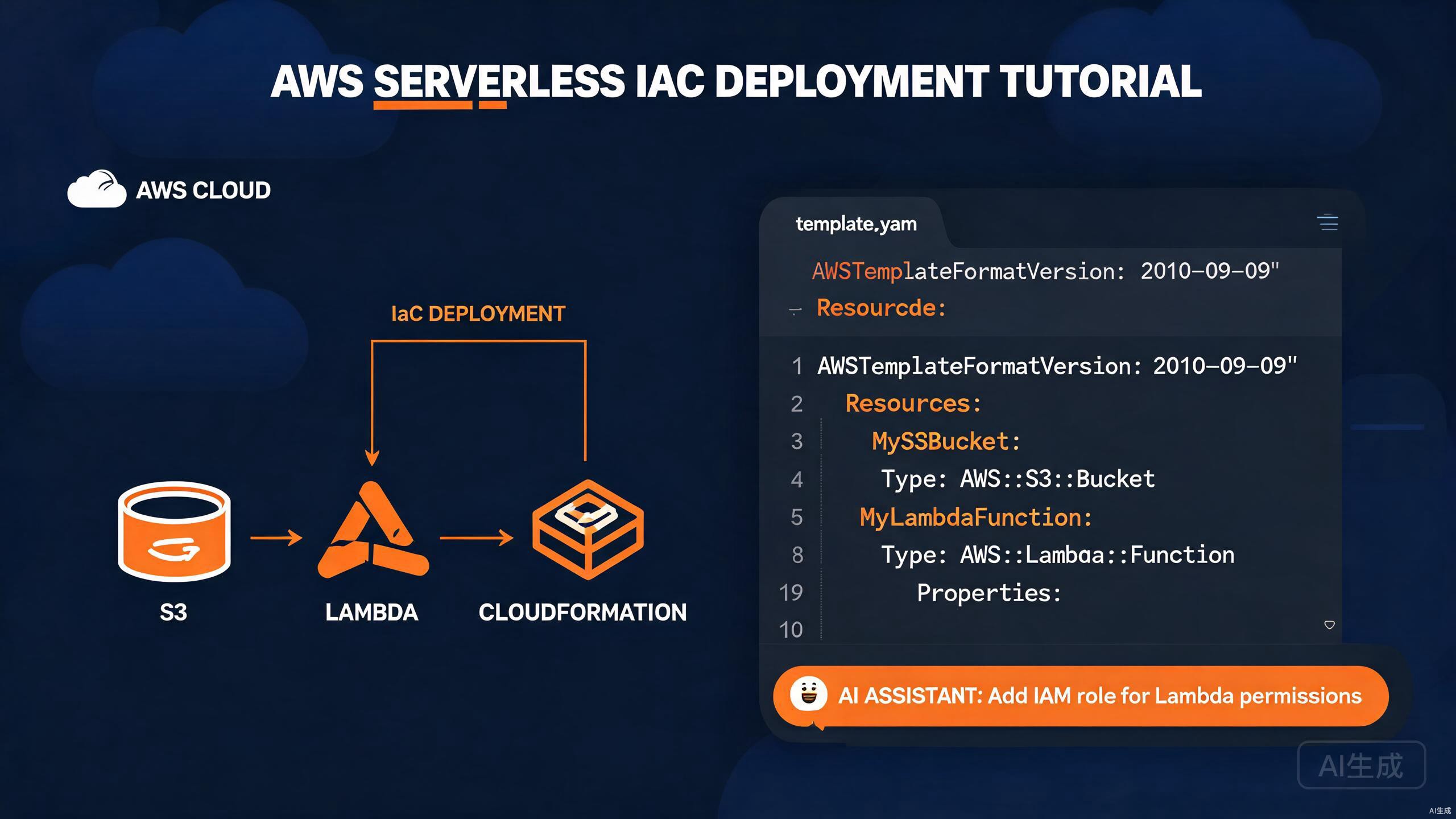
Amazon Web Services (AWS) is the most widely adopted cloud platform, offering compute, storage, databases, and dozens of higher-level managed services. Deploying applications to AWS involves writing infrastructure code, packaging functions, managing storage, and orchestrating release workflows. Cursor, with its AI assistant and rich extension ecosystem, is a powerful environment for AWS development — it can scaffold Lambda handlers, generate CloudFormation templates, and write deployment scripts from natural-language prompts.
This guide walks you through the complete AWS deployment workflow in Cursor: integrating the AWS SDK, building and deploying Lambda functions, working with S3 for storage, authoring CloudFormation infrastructure as code, and using AI to accelerate every step.
Setting Up the AWS Toolchain in Cursor
Installing the AWS Toolkit Extension
The AWS Toolkit extension brings AWS resource browsing, Lambda local execution, CloudWatch Logs viewing, and SAM (Serverless Application Model) support directly into Cursor.
- Open the Extensions view (
Ctrl+Shift+X). - Search for "AWS Toolkit".
- Click Install.
Once installed, the AWS icon appears in the activity bar. The extension provides:
- A resource browser for Lambda, S3, CloudFormation, and DynamoDB.
- Local Lambda invocation with the SAM CLI.
- Step Functions visualizer.
- CloudWatch Logs streaming.
- CDK and SAM project scaffolding.
The AWS Toolkit requires AWS credentials to be configured on your machine. Cursor reads the same credentials file (~/.aws/credentials) as the AWS CLI, so any existing profiles work out of the box.
Configuring AWS Credentials
Create a credentials profile using the AWS CLI:
npm install -g aws-cli
aws configure
The interactive prompt collects:
AWS Access Key ID [None]: AKIAIOSFODNN7EXAMPLE
AWS Secret Access Key [None]: wJalrXUtnFEMI/K7MDENG/bPxRfiCYEXAMPLEKEY
Default region name [None]: us-east-1
Default output format [None]: json
For multi-account setups, create named profiles:
# ~/.aws/credentials
[default]
aws_access_key_id = AKIAIOSFODNN7EXAMPLE
aws_secret_access_key = wJalrXUtnFEMI/K7MDENG/bPxRfiCYEXAMPLEKEY

[production]
aws_access_key_id = AKIAPRODUCTIONKEY
aws_secret_access_key = productionsecretkeyexample
# ~/.aws/config
[profile production]
region = us-west-2
output = json
Never commit AWS credentials to version control. Add .aws/ to .gitignore, and prefer IAM roles or short-lived STS tokens over long-lived access keys. For production, use aws-vault to manage credentials with MFA.
Installing the AWS SAM CLI
The Serverless Application Model (SAM) CLI lets you build, test locally, and deploy Lambda-based applications:
# Windows (using winget)
winget install AWS.SAM-CLI

# macOS (using Homebrew)
brew install aws-sam-cli

# Verify
sam --version
Integrating the AWS SDK
Installing the SDK for JavaScript
For Node.js applications, install the modular AWS SDK v3:
npm install @aws-sdk/client-s3 @aws-sdk/client-lambda @aws-sdk/client-dynamodb
AWS SDK v3 is modular — you install only the clients you need, which dramatically reduces bundle size compared to the monolithic v2 SDK. Each service is a separate package under @aws-sdk/client-*.
Configuring the SDK Client
// lib/aws/clients.ts
import { S3Client } from '@aws-sdk/client-s3';
import { LambdaClient } from '@aws-sdk/client-lambda';
import { DynamoDBClient } from '@aws-sdk/client-dynamodb';

const region = process.env.AWS_REGION ?? 'us-east-1';

export const s3Client = new S3Client({ region });
export const lambdaClient = new LambdaClient({ region });
export const dynamoClient = new DynamoDBClient({ region });
For environment-specific credentials (useful in CI):
import { fromIni } from '@aws-sdk/credential-providers';

export const s3Client = new S3Client({
  region,
  credentials: fromIni({ profile: 'production' }),
});
Building and Deploying Lambda Functions
Scaffolding a Lambda Handler
Use Cursor's AI to scaffold a Lambda handler. Open Ctrl+K and prompt:
Create an AWS Lambda handler in TypeScript using the @types/aws-lambda
package. It should accept an API Gateway proxy event, validate the JSON body
against a Zod schema, and return a 200 response with the processed result.
Include structured logging and error handling.
The generated handler:
// src/handlers/createUser.ts
import { APIGatewayProxyEvent, APIGatewayProxyResult } from 'aws-lambda';
import { z } from 'zod';

const userSchema = z.object({
  name: z.string().min(1),
  email: z.string().email(),
  age: z.number().int().min(0).optional(),
});

export const handler = async (
  event: APIGatewayProxyEvent
): Promise<APIGatewayProxyResult> => {
  console.log('Received event:', JSON.stringify(event, null, 2));

  try {
    const body = JSON.parse(event.body ?? '{}');
    const parsed = userSchema.parse(body);

    const user = {
      id: crypto.randomUUID(),
      ...parsed,
      createdAt: new Date().toISOString(),
    };

    return {
      statusCode: 201,
      headers: { 'Content-Type': 'application/json' },
      body: JSON.stringify(user),
    };
  } catch (error) {
    console.error('Error processing request:', error);

    if (error instanceof z.ZodError) {
      return {
        statusCode: 400,
        body: JSON.stringify({ message: 'Validation failed', errors: error.errors }),
      };
    }

    return {
      statusCode: 500,
      body: JSON.stringify({ message: 'Internal server error' }),
    };
  }
};
Local Testing with SAM
Create a template.yaml for SAM:
AWSTemplateFormatVersion: '2010-09-09'
Transform: AWS::Serverless-2016-10-31
Description: User service Lambda

Resources:
  CreateUserFunction:
    Type: AWS::Serverless::Function
    Properties:
      CodeUri: dist/handlers
      Handler: createUser.handler
      Runtime: nodejs20.x
      MemorySize: 256
      Timeout: 30
      Events:
        CreateUser:
          Type: Api
          Properties:
            Path: /users
            Method: POST
      Environment:
        Variables:
          TABLE_NAME: !Ref UsersTable

  UsersTable:
    Type: AWS::DynamoDB::Table
    Properties:
      TableName: users
      BillingMode: PAY_PER_REQUEST
      AttributeDefinitions:
        - AttributeName: id
          AttributeType: S
      KeySchema:
        - AttributeName: id
          KeyType: HASH

Outputs:
  ApiUrl:
    Value: !Sub 'https://${ServerlessRestApi}.execute-api.${AWS::Region}.amazonaws.com/Prod/users'
Invoke the function locally with a sample event:
sam build
sam local invoke CreateUserFunction --event events/createUser.json
Sample event file:
{
"httpMethod": "POST",
"headers": { "Content-Type": "application/json" }
}
The AWS Toolkit extension in Cursor adds a "Run Locally" command for Lambda functions. Right-click a function in the AWS Explorer panel and choose Invoke on AWS or Run Locally to test without leaving the editor.
Deploying with SAM
# First-time deploy (guided)
sam deploy --guided

# Subsequent deploys
sam deploy --stack-name user-service --capabilities CAPABILITY_IAM
The guided prompt collects:
Stack Name [sam-app]: user-service
AWS Region [us-east-1]: us-east-1
Confirm changes before deploy [Y/n]: Y
Allow SAM CLI IAM role creation [Y/n]: Y
Disable rollback [Y/n]: n
Save arguments to configuration file [Y/n]: Y
SAM deployments create IAM roles automatically. Review the changeset summary carefully before confirming — a misconfigured role can grant overly broad permissions that violate least-privilege principles in production.
Working with S3 for Storage
Uploading Files to S3
// src/storage/upload.ts
import { s3Client } from '../aws/clients';
import { PutObjectCommand, GetObjectCommand } from '@aws-sdk/client-s3';
import { getSignedUrl } from '@aws-sdk/s3-request-presigner';

const BUCKET = process.env.UPLOAD_BUCKET ?? 'my-app-uploads';

export async function uploadFile(
  key: string,
  body: Buffer,
  contentType: string
): Promise<string> {
  const command = new PutObjectCommand({
    Bucket: BUCKET,
    Key: key,
    Body: body,
    ContentType: contentType,
  });

  await s3Client.send(command);
  return `s3://${BUCKET}/${key}`;
}

export async function getDownloadUrl(key: string, expiresIn = 3600): Promise<string> {
  const command = new GetObjectCommand({ Bucket: BUCKET, Key: key });
  return getSignedUrl(s3Client, command, { expiresIn });
}
Streaming Large Files
For large uploads, use multipart upload:
// src/storage/multipart.ts
import { s3Client } from '../aws/clients';
import {
  CreateMultipartUploadCommand,
  UploadPartCommand,
  CompleteMultipartUploadCommand,
} from '@aws-sdk/client-s3';
import { createReadStream } from 'fs';

const BUCKET = process.env.UPLOAD_BUCKET ?? 'my-app-uploads';

export async function uploadLargeFile(key: string, filePath: string): Promise<void> {
  const create = await s3Client.send(
    new CreateMultipartUploadCommand({ Bucket: BUCKET, Key: key })
  );
  const uploadId = create.UploadId!;

  const partSize = 5 * 1024 * 1024; // 5 MB minimum
  const stream = createReadStream(filePath, { highWaterMark: partSize });
  const parts: { ETag: string; PartNumber: number }[] = [];
  let partNumber = 1;

  for await (const chunk of stream) {
    const upload = await s3Client.send(
      new UploadPartCommand({
        Bucket: BUCKET,
        Key: key,
        UploadId: uploadId,
        PartNumber: partNumber,
        Body: chunk,
      })
    );
    parts.push({ ETag: upload.ETag!, PartNumber: partNumber });
    partNumber++;
  }

  await s3Client.send(
    new CompleteMultipartUploadCommand({
      Bucket: BUCKET,
      Key: key,
      UploadId: uploadId,
      MultipartUpload: { Parts: parts },
    })
  );
}
Use Cursor's AI to generate presigned-URL flows. Prompt: "Create a Lambda function that generates a presigned S3 upload URL, validates the file extension, and stores metadata in DynamoDB."
CloudFormation Infrastructure as Code
Writing CloudFormation Templates
CloudFormation lets you define your entire infrastructure in declarative YAML or JSON. Cursor's AI is excellent at generating templates from descriptions.
Example template for a web application stack:
# templates/webapp.yaml
AWSTemplateFormatVersion: '2010-09-09'
Description: Production web application stack

Parameters:
  Environment:
    Type: String
    Default: production
    AllowedValues: [staging, production]

  DomainName:
    Type: String
    Description: Custom domain name

Resources:
  ApplicationBucket:
    Type: AWS::S3::Bucket
    Properties:
      BucketName: !Sub '${AWS::StackName}-app-${Environment}'
      VersioningConfiguration:
        Status: Enabled
      LifecycleConfiguration:
        Rules:
          - Id: ExpireOldVersions
            Status: Enabled
            NoncurrentVersionExpirationInDays: 90
      PublicAccessBlockConfiguration:
        BlockPublicAcls: true
        BlockPublicPolicy: true
        IgnorePublicAcls: true
        RestrictPublicBuckets: true

  CloudFrontDistribution:
    Type: AWS::CloudFront::Distribution
    Properties:
      DistributionConfig:
        Enabled: true
        DefaultRootObject: index.html
        Origins:
          - DomainName: !GetAtt ApplicationBucket.RegionalDomainName
            Id: S3Origin
            S3OriginConfig: {}
        DefaultCacheBehavior:
          TargetOriginId: S3Origin
          ViewerProtocolPolicy: redirect-to-https
          AllowedMethods: [GET, HEAD]
          CachedMethods: [GET, HEAD]
          ForwardedValues:
            QueryString: false
        PriceClass: PriceClass_100
        ViewerCertificate:
          CloudFrontDefaultCertificate: true

  ApiGateway:
    Type: AWS::ApiGateway::RestApi
    Properties:
      Name: !Sub '${AWS::StackName}-api'
      EndpointConfiguration:
        Types: [REGIONAL]

Outputs:
  WebsiteUrl:
    Value: !Sub 'https://${CloudFrontDistribution.DomainName}'
    Description: URL of the deployed website
Deploying CloudFormation Stacks
# Validate the template
aws cloudformation validate-template --template-body file://templates/webapp.yaml

# Create the stack
aws cloudformation create-stack \
  --stack-name webapp-production \
  --template-body file://templates/webapp.yaml \
  --parameters ParameterKey=Environment,ParameterValue=production \
               ParameterKey=DomainName,ParameterValue=app.example.com \
  --capabilities CAPABILITY_NAMED_IAM

# Monitor the deployment
aws cloudformation describe-stacks --stack-name webapp-production

# Update the stack
aws cloudformation update-stack \
  --stack-name webapp-production \
  --template-body file://templates/webapp.yaml \
  --parameters ParameterKey=Environment,ParameterValue=production \
               ParameterKey=DomainName,ParameterValue=app.example.com \
  --capabilities CAPABILITY_NAMED_IAM
CloudFormation updates can replace resources. Resources with UpdateReplacePolicy: Retain survive replacement, but any resource without it is deleted when the stack is deleted. Always review the change set before applying:
aws cloudformation create-change-set --stack-name webapp-production --change-set-name my-change --template-body file://templates/webapp.yaml
aws cloudformation describe-change-set --stack-name webapp-production --change-set-name my-change
Using CDK as an Alternative
The AWS Cloud Development Kit (CDK) lets you write infrastructure in TypeScript. Cursor's AI generates CDK constructs naturally.
// lib/webapp-stack.ts
import * as cdk from 'aws-cdk-lib';
import * as s3 from 'aws-cdk-lib/aws-s3';
import * as cloudfront from 'aws-cdk-lib/aws-cloudfront';
import * as lambda from 'aws-cdk-lib/aws-lambda';
import * as apigateway from 'aws-cdk-lib/aws-apigateway';
import { Construct } from 'constructs';

export class WebappStack extends cdk.Stack {
  constructor(scope: Construct, id: string, props?: cdk.StackProps) {
    super(scope, id, props);

    const bucket = new s3.Bucket(this, 'AppBucket', {
      versioned: true,
      encryption: s3.BucketEncryption.S3_MANAGED,
      blockPublicAccess: s3.BlockPublicAccess.BLOCK_ALL,
      lifecycleRules: [
        { id: 'ExpireOldVersions', noncurrentVersionExpiration: cdk.Duration.days(90) },
      ],
    });

    const distribution = new cloudfront.CloudFrontWebDistribution(this, 'Distribution', {
      originConfigs: {
        s3: {
          s3OriginSource: { s3BucketSource: bucket },
          behaviors: [{ isDefaultBehavior: true }],
        },
      },
    });

    const api = new apigateway.LambdaRestApi(this, 'Api', {
      handler: new lambda.Function(this, 'Handler', {
        runtime: lambda.Runtime.NODEJS_20_X,
        code: lambda.Code.fromAsset('dist/handlers'),
        handler: 'index.handler',
      }),
    });

    new cdk.CfnOutput(this, 'WebsiteUrl', {
      value: `https://${distribution.distributionDomainName}`,
    });
  }
}
Deploy with CDK:
cdk synth
cdk deploy
AI-Assisted Infrastructure Generation
Generating Templates from Prompts
Cursor excels at turning natural-language descriptions into infrastructure code. Open a chat (Ctrl+Shift+P → "Cursor: New Chat") and describe what you need:
Generate a CloudFormation template for a serverless blog API. It should
include: an API Gateway with /posts and /posts/{id} routes, Lambda
functions for CRUD operations, a DynamoDB table with a GSI on the
authorId attribute, and an S3 bucket for media uploads with CORS
configured. Use least-privilege IAM roles.
Cursor produces a complete YAML template. Review the IAM policies carefully, then refine by asking for tighter permissions or additional resources.
When generating IAM policies with AI, always ask for "least-privilege" policies explicitly. Vague prompts tend to produce policies with Action: '*' on Resource: '*', which is a serious security risk.
Generating CDK Constructs
For TypeScript-native teams, prompt Cursor to generate CDK code instead of raw CloudFormation:
Create a CDK construct called ServerlessApi that provisions an API
Gateway, three Lambda functions (get, create, delete), and a DynamoDB
table with on-demand billing. Expose the API URL as a construct property.
Refactoring Infrastructure
Cursor can refactor existing infrastructure. Common transformations:
- Convert raw CloudFormation YAML to CDK TypeScript.
- Split a monolithic template into nested stacks.
- Add drift-detection-friendly
DeletionPolicy: Retainto stateful resources. - Replace inline IAM policies with managed policies.
Deployment Workflows and CI Integration
GitHub Actions Deployment
Create .github/workflows/deploy.yml to deploy on push to main:
name: Deploy to AWS

on:
  push:
    branches: [main]

jobs:
  deploy:
    runs-on: ubuntu-latest
    permissions:
      id-token: write
      contents: read

    steps:
      - uses: actions/checkout@v4

      - name: Configure AWS credentials
        uses: aws-actions/configure-aws-credentials@v4
        with:
          role-to-assume: arn:aws:iam::123456789012:role/github-actions-deploy
          aws-region: us-east-1

      - name: Setup Node.js
        uses: actions/setup-node@v4
        with:
          node-version: 20
          cache: npm

      - name: Install dependencies
        run: npm ci

      - name: Build
        run: npm run build

      - name: Run tests
        run: npm test

      - name: SAM build
        run: sam build

      - name: Deploy
        run: sam deploy --stack-name ${{ vars.STACK_NAME }} --no-confirm-changeset --no-fail-on-empty-changeset --capabilities CAPABILITY_IAM
Never store AWS access keys as GitHub Actions secrets. Use OIDC federation with role-to-assume, as shown above. This eliminates long-lived credentials and aligns with AWS security best practices.
Blue-Green Deployments with Lambda Aliases
Lambda aliases enable traffic shifting between versions for blue-green deployments:
# Publish a new version
aws lambda publish-version --function-name user-service

# Update the alias to point 10% to the new version
aws lambda update-alias \
  --function-name user-service \
  --name production \
  --routing-config AdditionalVersionWeights='{"2":0.1}'

# Promote to 100% after validation
aws lambda update-alias \
  --function-name user-service \
  --name production \
  --function-version 2 \
  --routing-config AdditionalVersionWeights='{}'
Monitoring and Debugging
CloudWatch Logs Streaming
The AWS Toolkit streams CloudWatch Logs into Cursor. In the AWS Explorer:
- Expand CloudWatch Logs.
- Select a log group (e.g.,
/aws/lambda/user-service). - Right-click and choose View Log Stream.
Logs appear in a read-only editor tab with live updates.
Use structured logging in your Lambda handlers — JSON-formatted logs are queryable in CloudWatch Logs Insights:
console.log(JSON.stringify({
  level: 'info',
  message: 'User created',
  userId: user.id,
  timestamp: new Date().toISOString(),
}));
X-Ray Tracing
Enable X-Ray tracing on Lambda to visualize request flows:
Resources:
  CreateUserFunction:
    Type: AWS::Serverless::Function
    Properties:
      CodeUri: dist/handlers
      Handler: createUser.handler
      Runtime: nodejs20.x
      Tracing: Active
Install the tracing SDK:
npm install @aws-lambda-powertools/tracer
// src/handlers/createUser.ts
import { Tracer } from '@aws-lambda-powertools/tracer';
import { captureLambdaHandler } from '@aws-lambda-powertools/tracer/middleware';

const tracer = new Tracer({ serviceName: 'user-service' });

export const handler = captureLambdaHandler(tracer)(
  async (event) => {
    // ... handler logic
  }
);
Best Practices for AWS Development in Cursor
Project Structure
project/
  ├── src/
  │   ├── handlers/        # Lambda entry points
  │   ├── lib/             # Shared business logic
  │   ├── aws/             # SDK client configuration
  │   └── storage/         # S3 and storage utilities
  ├── templates/           # CloudFormation YAML
  ├── lib/                 # CDK constructs (if using CDK)
  ├── events/              # Sample Lambda event payloads
  ├── tests/
  ├── template.yaml        # SAM template
  └── samconfig.toml       # SAM configuration
Environment Management
Use separate AWS accounts for development, staging, and production. Manage them with profiles:
export AWS_PROFILE=production
sam deploy --stack-name webapp-production
Cost Optimization
- Use
PAY_PER_REQUESTbilling for DynamoDB tables with unpredictable traffic. - Set S3 lifecycle rules to transition infrequently accessed objects to cheaper storage classes.
- Enable Lambda Provisioned Concurrency only for latency-critical functions.
Cursor's AI can audit your CloudFormation templates for cost. Prompt: "Review this template and suggest cost optimizations. Identify any over-provisioned resources and recommend right-sizing."
Security Checklist
- Enable S3 Block Public Access on all buckets.
- Use KMS encryption for sensitive data at rest.
- Apply least-privilege IAM policies — never use
Action: '*'. - Enable CloudTrail for audit logging.
- Rotate access keys every 90 days, or eliminate them with IAM roles.
Common Pitfalls and How to Avoid Them
Hardcoding ARNs and Regions
Avoid embedding ARNs directly in code — they break across accounts and regions:
// WRONG
const tableArn = 'arn:aws:dynamodb:us-east-1:123456789012:table/users';

// CORRECT — pass via environment variable
const tableName = process.env.TABLE_NAME!;
Forgetting IAM Permissions
A common deployment failure is a Lambda function lacking permission to access a resource. The function deploys successfully but fails at runtime with an AccessDenied error. Always test locally with SAM and check CloudWatch Logs after deployment.
Ignoring Cold Starts
Lambda cold starts can add latency to the first request after idle. Mitigate by:
- Using smaller deployment packages.
- Provisioning concurrency for latency-sensitive functions.
- Keeping the initialization code outside the handler function.
Provisioned concurrency incurs charges even when no requests are served. Monitor usage carefully and disable it for development environments.
Summary
Cursor streamlines AWS deployment by combining the AWS Toolkit for resource management, the SAM CLI for local testing, CloudFormation and CDK for infrastructure as code, and the AI assistant for generating handlers, templates, and deployment workflows. Start by installing the AWS Toolkit and SAM CLI, scaffold a Lambda function, and let Cursor's AI accelerate your infrastructure authoring. Always review IAM policies for least privilege, use OIDC for CI deployments, and monitor with CloudWatch Logs and X-Ray to keep your AWS applications secure and observable.