使用 Cursor Cloud Agents API 和 SDK
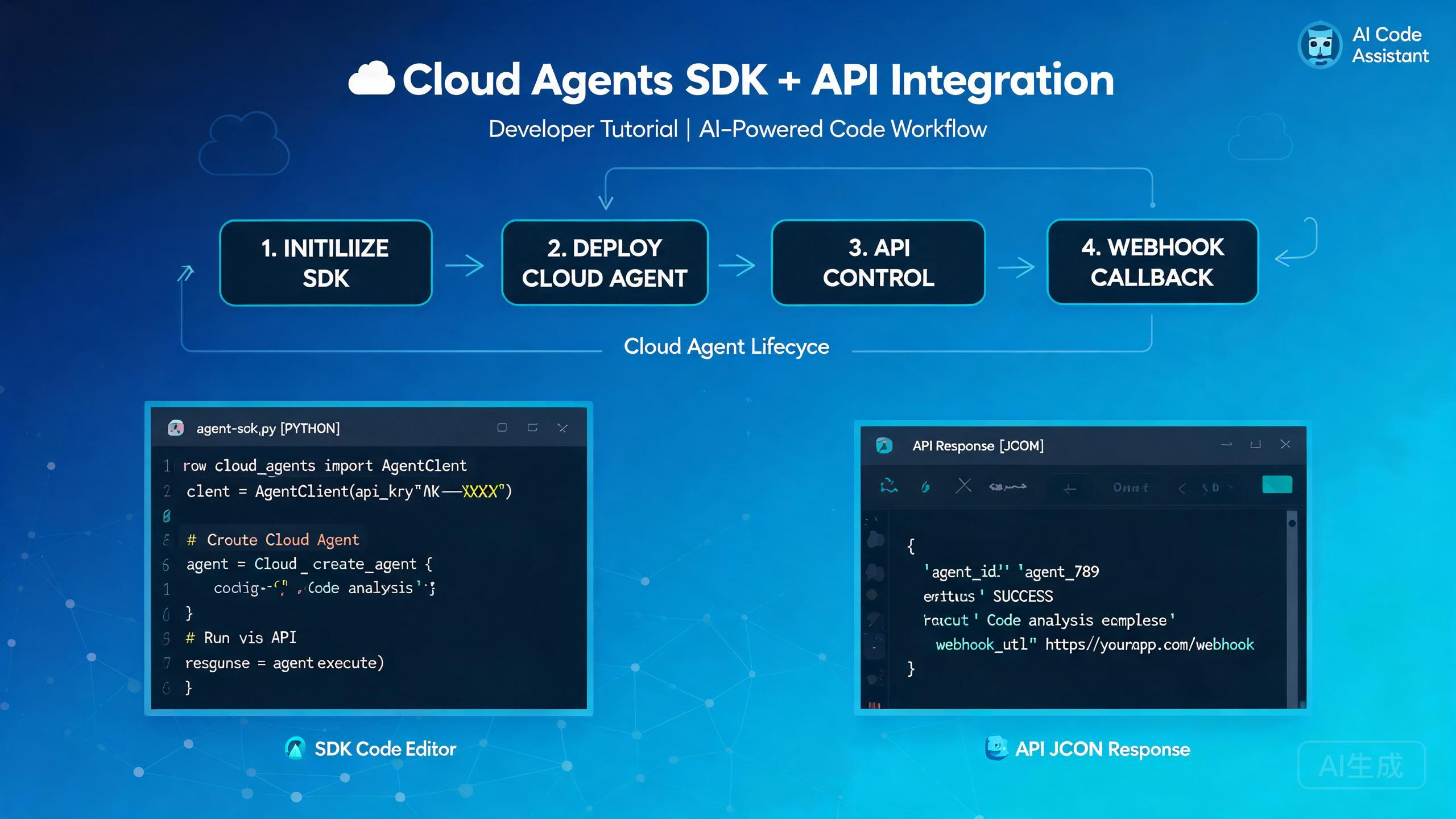
Cursor Cloud Agents API 和 SDK 让你能够以编程方式控制云端编码智能体。你不再需要从编辑器中手动启动和监控智能体,而是可以启动它们、在运行中途引导它们、捕获其屏幕输出,并在任务完成时接收 Webhook 回调。本指南将带你了解身份验证、生命周期管理、SDK 集成模式,以及从真实开发者经验中总结的故障排除技巧。
前提条件与设置
在集成 Cloud Agents API 之前,请确保你已具备以下条件:
- 已启用 Cloud Agents 访问权限的 Cursor 账户
- 从 Cursor 设置面板生成的 API 密钥
- Node.js 18 或更高版本(用于 TypeScript/JavaScript SDK)
- 对异步编程模式的基本了解
将 API 密钥存储在环境变量中,而不是硬编码在代码里。开发时使用 .env 文件,生产环境中使用密钥管理器。
安装 SDK
从公共仓库安装 Cursor Cloud Agents SDK:
npm install @cursor/cloud-agents-sdk
# or
yarn add @cursor/cloud-agents-sdk
# or
pnpm add @cursor/cloud-agents-sdk
通过检查包版本来验证安装:
npx @cursor/cloud-agents-sdk --version
API 身份验证
每个对 Cloud Agents API 的请求都需要 Bearer 令牌。SDK 在初始化客户端时会自动处理此过程:
import { CursorCloudClient } from "@cursor/cloud-agents-sdk";

const client = new CursorCloudClient({
  apiKey: process.env.CURSOR_API_KEY,
  // 可选:覆盖默认 API 端点
  endpoint: "https://api.cursor.sh/v1",
  // 可选:为所有操作设置默认超时时间
  timeout: 300000, // 5 分钟
});
如果你更倾向于使用原生 HTTP 调用而非 SDK,可以手动添加请求头:
import os
import requests

headers = {
    "Authorization": f"Bearer {os.environ['CURSOR_API_KEY']}",
    "Content-Type": "application/json",
}

response = requests.post(
    "https://api.cursor.sh/v1/agents",
    headers=headers,
    json={
        "repo": "https://github.com/my-org/my-repo",
        "branch": "feature/auth-refactor",
        "task": "Refactor the authentication module to use JWT",
    },
)
print(response.json())
切勿将 API 密钥提交到版本控制系统中。如果密钥泄露,请立即从 Cursor 面板撤销并生成新密钥。定期轮换密钥。
云端智能体生命周期
云端智能体会经历一个明确定义的生命周期。理解每个状态有助于你构建健壮的自动化流水线。
生命周期状态
| 状态 | 描述 |
|---|---|
queued | 智能体已创建,正在等待云资源槽位 |
running | 智能体正在积极执行任务 |
paused | 智能体已被运行中途引导或手动干预暂停 |
completed | 智能体已成功完成任务 |
failed | 智能体遇到了无法恢复的错误 |
cancelled | 智能体被用户或超时取消 |
创建新智能体
const agent = await client.agents.create({
  repo: "https://github.com/my-org/my-repo",
  branch: "feature/payment-gateway",
  task: "Integrate Stripe payment gateway with proper error handling",
  // 可选设置
  model: "cursor-agent-pro",
  maxSteps: 50,
  autoMerge: false,
  environment: {
    STRIPE_SECRET_KEY: process.env.STRIPE_SECRET_KEY,
  },
});

console.log(`Agent created with ID: ${agent.id}`);
console.log(`Initial status: ${agent.status}`);
监控智能体状态
你可以轮询智能体状态或订阅实时更新:
// 轮询方式
async function waitForCompletion(agentId: string) {
  while (true) {
    const status = await client.agents.get(agentId);
    console.log(`[${new Date().toISOString()}] Status: ${status.state}`);

    if (status.state === "completed") {
      return status;
    }
    if (status.state === "failed" || status.state === "cancelled") {
      throw new Error(`Agent ended in state: ${status.state}`);
    }

    await new Promise((resolve) => setTimeout(resolve, 10000)); // 10 秒轮询
  }
}

// 流式方式(推荐)
const stream = await client.agents.stream(agent.id, (event) => {
  console.log(`Event: ${event.type}`, event.data);
});

stream.on("step", (data) => {
  console.log(`Agent step: ${data.description}`);
});

stream.on("file_change", (data) => {
  console.log(`File modified: ${data.path}`);
});

stream.on("error", (data) => {
  console.error(`Agent error: ${data.message}`);
});
优先使用流式方式而非轮询方式。它可以减少 API 调用次数,提供更低延迟的更新,并避免长时间运行的任务中的速率限制问题。
运行中途引导
Cloud Agents API 最强大的功能之一是能够在智能体运行期间进行引导。这让你可以在不重新开始的情况下纠正方向、添加上下文或改变方向。
发送引导消息
const steerResult = await client.agents.steer(agent.id, {
  message: "Stop using the mock data approach. Please connect to the real database using the connection string in the .env file.",
  // 可选:附加文件引用
  attachments: ["src/config/database.ts"],
  // 可选:运行中途更换模型
  model: "cursor-agent-pro",
});

console.log(`Steer accepted: ${steerResult.accepted}`);
console.log(`Agent now running with updated context`);
常见引导场景
运行中途引导在以下几种情况中非常有用:
- 纠正错误方法:智能体开始编写模拟测试,而你想要的是集成测试。
- 添加缺失上下文:智能体不知道你上周创建的共享工具模块。
- 改变范围:你希望智能体还为其刚编写的代码添加文档。
- 强制约束:智能体即将修改预期范围之外的文件。
// 示例:引导添加文档范围
await client.agents.steer(agent.id, {
  message: "Great progress on the API endpoints. Now also add JSDoc comments to every exported function and update the README with the new endpoint list.",
});

// 示例:引导强制安全边界
await client.agents.steer(agent.id, {
  message: "Do not modify any files in the src/legacy/ directory. Those are deprecated modules scheduled for removal.",
});
引导消息是异步处理的。从发送引导到智能体采纳之间存在短暂的时间窗口。不要快速连续发送多个冲突的引导消息,因为这可能会使智能体感到困惑并导致不一致的行为。
暂停和恢复智能体
// 暂停运行中的智能体
await client.agents.pause(agent.id);
console.log("Agent paused");

// 查看当前状态
const state = await client.agents.get(agent.id);
console.log("Files changed so far:", state.filesChanged);

// 准备就绪后恢复
await client.agents.resume(agent.id);
console.log("Agent resumed");
RecordScreen API
RecordScreen API 在特定时刻捕获云端智能体屏幕的视觉快照。这对于调试、审计和构建可视化仪表板非常有价值。
截取屏幕截图
// 截取单张屏幕截图
const screenshot = await client.agents.recordScreen(agent.id, {
  format: "png",
  // 可选:仅捕获某个区域
  region: { x: 0, y: 0, width: 1920, height: 1080 },
  // 可选:包含光标位置叠加
  showCursor: true,
});

// 截图以 base64 字符串返回
const fs = require("fs");
fs.writeFileSync(`agent-${agent.id}-screenshot.png`, Buffer.from(screenshot.data, "base64"));
console.log(`Screenshot saved. Size: ${screenshot.width}x${screenshot.height}`);
录制视频片段
// 开始屏幕录制
const recording = await client.agents.recordScreen(agent.id, {
  mode: "video",
  duration: 30000, // 30 秒
  fps: 15,
  format: "webm",
});

// 录制返回可下载的 URL
console.log(`Recording available at: ${recording.url}`);
console.log(`Recording expires at: ${recording.expiresAt}`);
RecordScreen 故障排除
RecordScreen 调用可能因多种原因失败。以下是最常见的问题及其解决方案:
如果智能体不处于 running 状态,RecordScreen 会返回 409 Conflict 错误。在尝试捕获其屏幕之前,请确保智能体正在运行。如果智能体已被暂停或完成,你无法录制其屏幕。
// 带错误处理的安全 RecordScreen 包装器
async function safeRecordScreen(agentId: string, options: any) {
  const agent = await client.agents.get(agentId);

  if (agent.state !== "running") {
    console.warn(`Cannot record screen: agent is in ${agent.state} state`);
    return null;
  }

  try {
    return await client.agents.recordScreen(agentId, options);
  } catch (error: any) {
    if (error.code === "SCREEN_CAPTURE_UNAVAILABLE") {
      console.error("Screen capture is not available for this agent configuration.");
      console.error("Make sure the agent was launched with screen capture enabled.");
    } else if (error.code === "RATE_LIMITED") {
      console.error("Too many screen capture requests. Please wait before retrying.");
      console.log(`Retry after: ${error.retryAfter} seconds`);
    } else {
      throw error;
    }
    return null;
  }
}
要在创建智能体时启用屏幕捕获,请设置 screenCapture 选项:
const agent = await client.agents.create({
  repo: "https://github.com/my-org/my-repo",
  branch: "main",
  task: "Fix the flaky integration tests",
  screenCapture: {
    enabled: true,
    autoCapture: true, // 在每一步自动捕获
    captureInterval: 5000, // 每 5 秒捕获一次
  },
});
启用 autoCapture 可生成智能体工作的可视化时间线。你可以在稍后回放整个会话以进行调试或合规审查。请注意,这会增加存储使用量,并可能略微影响智能体性能。
Webhook 回调
Webhook 让你能够在智能体事件发生时接收实时通知。这对于构建自动化 CI/CD 流水线和监控仪表板至关重要。
注册 Webhook
const webhook = await client.webhooks.create({
  url: "https://my-app.com/api/cursor-webhook",
  events: [
    "agent.created",
    "agent.step_completed",
    "agent.completed",
    "agent.failed",
    "agent.steer_received",
  ],
  // 可选:添加用于签名验证的密钥
  secret: process.env.WEBHOOK_SECRET,
});

console.log(`Webhook registered with ID: ${webhook.id}`);
处理 Webhook 载荷
以下是一个接收并验证 Webhook 回调的 Express 端点示例:
const express = require("express");
const crypto = require("crypto");
const app = express();
app.use(express.raw({ type: "application/json" }));

app.post("/api/cursor-webhook", (req, res) => {
  // 验证 Webhook 签名
  const signature = req.headers["x-cursor-signature"];
  const expectedSignature = crypto
    .createHmac("sha256", process.env.WEBHOOK_SECRET)
    .update(req.body)
    .digest("hex");

  if (signature !== expectedSignature) {
    return res.status(401).send("Invalid signature");
  }

  const event = JSON.parse(req.body.toString());

  switch (event.type) {
    case "agent.created":
      console.log(`Agent ${event.data.agentId} created for repo ${event.data.repo}`);
      break;

    case "agent.step_completed":
      console.log(`Agent ${event.data.agentId} completed step ${event.data.stepNumber}`);
      console.log(`  Files changed: ${event.data.filesChanged.join(", ")}`);
      break;

    case "agent.completed":
      console.log(`Agent ${event.data.agentId} completed successfully`);
      console.log(`  Pull request: ${event.data.pullRequestUrl}`);
      // 触发下游 CI 流水线
      triggerCIPipeline(event.data.agentId);
      break;

    case "agent.failed":
      console.error(`Agent ${event.data.agentId} failed: ${event.data.error}`);
      // 向团队频道发送告警
      sendAlert(event.data);
      break;
  }

  // 始终以 200 响应以确认接收
  res.status(200).send("OK");
});

app.listen(3000, () => {
  console.log("Webhook server listening on port 3000");
});
务必验证 Webhook 签名。如果没有签名验证,攻击者可能会向你的端点发送伪造的 Webhook 载荷。x-cursor-signature 请求头包含使用你的 Webhook 密钥签名的原始请求体的 HMAC-SHA256 哈希值。
Webhook 重试行为
如果你的端点未在 10 秒内以 200 状态码响应,API 将重试投递。重试计划如下:
| 尝试次数 | 延迟 |
|---|---|
| 第 1 次重试 | 1 分钟 |
| 第 2 次重试 | 5 分钟 |
| 第 3 次重试 | 30 分钟 |
| 第 4 次重试 | 2 小时 |
| 最终 | 12 小时 |
在最终尝试之后,Webhook 投递将被标记为失败,你需要通过 API 手动检查智能体状态。
如果你的 Webhook 处理涉及长时间运行的操作,请立即以 200 响应并将工作推送到后台队列。这可以避免超时并确保可靠的 Webhook 投递。
SDK 集成模式
模式 1:CI/CD 流水线集成
当 Pull Request 被打开时自动生成云端智能体:
import { CursorCloudClient } from "@cursor/cloud-agents-sdk";

const client = new CursorCloudClient({
  apiKey: process.env.CURSOR_API_KEY,
});

export async function onPullRequestOpened(pr: any) {
  const agent = await client.agents.create({
    repo: pr.repositoryUrl,
    branch: pr.headBranch,
    task: `Review and improve this pull request. Focus on: ${pr.description}`,
    autoMerge: false,
    screenCapture: { enabled: true },
  });

  // 在 PR 上评论并附上智能体链接
  await pr.addComment(
    `A Cursor Cloud Agent is now reviewing this PR. ` +
    `Track progress: https://cursor.sh/agents/${agent.id}`
  );

  return agent;
}
模式 2:多智能体编排
在不同任务上并行运行多个智能体:
async function runParallelAgents(repo: string) {
  const tasks = [
    "Write unit tests for the authentication module",
    "Write unit tests for the payment module",
    "Write integration tests for the API endpoints",
    "Update API documentation with OpenAPI specs",
  ];

  const agents = await Promise.all(
    tasks.map((task) =>
      client.agents.create({
        repo,
        branch: "main",
        task,
        model: "cursor-agent-pro",
      })
    )
  );

  console.log(`Launched ${agents.length} agents in parallel`);

  // 等待所有智能体完成
  const results = await Promise.allSettled(
    agents.map((agent) => waitForCompletion(agent.id))
  );

  // 汇总结果
  results.forEach((result, index) => {
    if (result.status === "fulfilled") {
      console.log(`Task ${index + 1}: Completed - ${result.value.filesChanged.length} files changed`);
    } else {
      console.error(`Task ${index + 1}: Failed - ${result.reason.message}`);
    }
  });
}
并行运行多个智能体会快速消耗云资源。请监控你的使用量,并为每个智能体设置合理的 maxSteps 限制以控制成本。在启动大批量智能体之前,请检查你的计划的并发智能体限制。
模式 3:人工审核环节
将 Webhook 与运行中途引导结合,创建人工审核检查点:
// 当智能体到达某一步骤时,暂停以进行人工审核
const stream = await client.agents.stream(agent.id, async (event) => {
  if (event.type === "step" && event.data.stepNumber === 10) {
    // 暂停智能体以进行人工审核
    await client.agents.pause(agent.id);

    // 向审核频道发送通知
    await sendSlackNotification({
      channel: "#code-review",
      text: `Agent ${agent.id} has paused for review. Check the changes before resuming.`,
    });

    // 人工审核员将手动恢复或引导智能体
  }
});
模式 4:自动错误恢复
async function runWithRetry(repo: string, task: string, maxRetries = 3) {
  for (let attempt = 1; attempt <= maxRetries; attempt++) {
    const agent = await client.agents.create({
      repo,
      branch: "main",
      task,
      maxSteps: 30,
    });

    try {
      const result = await waitForCompletion(agent.id);

      if (result.state === "completed") {
        return result;
      }
    } catch (error) {
      console.error(`Attempt ${attempt} failed: ${error.message}`);

      if (attempt < maxRetries) {
        // 用错误上下文引导下一次尝试
        task = `${task}\n\nPrevious attempt failed with: ${error.message}. Please avoid this approach.`;
      }
    }
  }

  throw new Error(`Agent failed after ${maxRetries} attempts`);
}
常见问题故障排除
智能体卡在排队状态
如果智能体长时间保持在 queued 状态,通常意味着所有云资源槽位已被占用。
// 检查你的账户当前使用量
const usage = await client.usage.get();
console.log(`Active agents: ${usage.activeAgents}/${usage.maxConcurrentAgents}`);
console.log(`Queue length: ${usage.queueLength}`);

if (usage.activeAgents >= usage.maxConcurrentAgents) {
  console.log("All slots are in use. Consider upgrading your plan or waiting for agents to complete.");
}
SDK 身份验证错误
如果你收到 401 Unauthorized 错误,请验证以下几点:
- 你的 API 密钥有效且未被撤销
- 该密钥已启用
cloud-agents权限范围 - 你正在使用正确的端点 URL
- 环境变量已正确加载
// 调试身份验证
const client = new CursorCloudClient({
  apiKey: process.env.CURSOR_API_KEY,
});

try {
  const me = await client.auth.verify();
  console.log("Authentication successful");
  console.log(`Account: ${me.accountName}`);
  console.log(`Plan: ${me.plan}`);
  console.log(`Scopes: ${me.scopes.join(", ")}`);
} catch (error) {
  console.error("Authentication failed:", error.message);
  console.log("Check your API key and ensure it has the 'cloud-agents' scope.");
}
Webhook 投递失败
如果 Webhook 未到达你的端点:
- 验证 Webhook URL 是否可公开访问(不是 localhost)
- 确认你的服务器在 10 秒内返回 200
- 检查你的 SSL 证书是否有效
- 确保你的防火墙允许来自 Cursor IP 范围的入站连接
// 测试 Webhook 端点可达性
const test = await client.webhooks.test(webhook.id);
console.log(`Test result: ${test.status}`);
console.log(`Response time: ${test.responseTime}ms`);
if (test.error) {
  console.error(`Error: ${test.error}`);
}
在开发期间使用 webhook.site 或 ngrok 等服务来快速测试 Webhook 投递,而无需部署完整的服务器。这有助于隔离问题是出在你的端点还是 Webhook 配置上。
最佳实践总结
以下是使用 Cursor Cloud Agents API 和 SDK 进行构建时应遵循的最佳实践清单:
- 始终将 API 密钥存储在环境变量或密钥管理器中
- 使用流式方式而非轮询方式获取实时更新
- 在每个端点上实施 Webhook 签名验证
- 设置合理的
maxSteps限制以控制成本并防止智能体失控 - 使用运行中途引导来纠正方向,而不是重新启动智能体
- 为关键任务启用屏幕捕获以进行调试和审计追踪
- 在重试失败的 API 调用时实施指数退避策略
- 监控并发智能体使用量以避免队列饥饿
- 在上线之前使用内置测试端点测试 Webhook 端点
- 记录所有智能体事件以进行事后分析和合规审查
注意速率限制。API 强制执行每分钟 100 次请求的默认限制。如果超过此限制,你将收到 429 Too Many Requests 响应。实施带有抖动的指数退避策略以优雅地处理速率限制重试。
总结
Cursor Cloud Agents API 和 SDK 提供了强大的编程接口,用于大规模自动化编码任务。通过结合智能体生命周期管理、运行中途引导、RecordScreen API 和 Webhook 回调,你可以构建复杂的自动化流水线,与现有开发工作流程无缝集成。
从简单的单智能体设置开始,随着信心的增长,逐步添加 Webhook 集成、并行编排和人工审核检查点。SDK 的 TypeScript 优先设计使其易于集成到现代 Node.js 应用中,而原生 HTTP API 支持任何编程语言。