Using Cursor Cloud Agents API and SDK
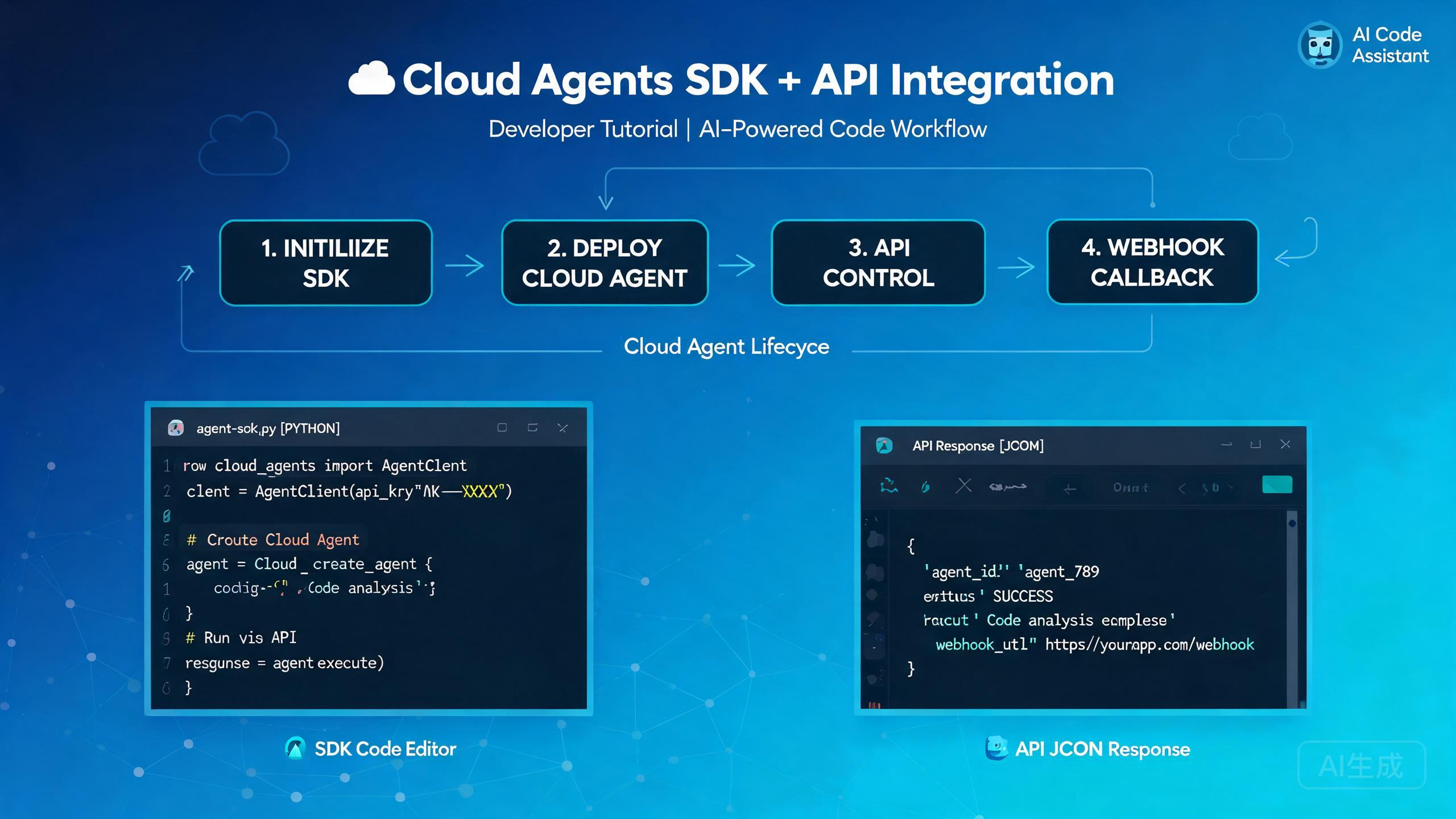
The Cursor Cloud Agents API and SDK give you programmatic control over cloud-based coding agents. Instead of manually launching and monitoring agents from the editor, you can start them, steer them mid-run, capture their screen output, and receive webhook callbacks when tasks complete. This guide walks through authentication, lifecycle management, SDK integration patterns, and troubleshooting tips gathered from real developer experiences.
Prerequisites and Setup
Before integrating with the Cloud Agents API, make sure you have the following in place:
- A Cursor account with Cloud Agents access enabled
- An API key generated from your Cursor settings dashboard
- Node.js 18 or higher (for the TypeScript/JavaScript SDK)
- A basic understanding of async programming patterns
Store your API key in an environment variable rather than hardcoding it. Use a .env file during development and a secrets manager in production.
Installing the SDK
Install the Cursor Cloud Agents SDK from the public registry:
npm install @cursor/cloud-agents-sdk
# or
yarn add @cursor/cloud-agents-sdk
# or
pnpm add @cursor/cloud-agents-sdk
Verify the installation by checking the package version:
npx @cursor/cloud-agents-sdk --version
API Authentication
Every request to the Cloud Agents API requires a bearer token. The SDK handles this automatically when you initialize a client:
import { CursorCloudClient } from "@cursor/cloud-agents-sdk";

const client = new CursorCloudClient({
  apiKey: process.env.CURSOR_API_KEY,
  // Optional: override the default API endpoint
  endpoint: "https://api.cursor.sh/v1",
  // Optional: set a default timeout for all operations
  timeout: 300000, // 5 minutes
});
If you prefer raw HTTP calls instead of the SDK, include the header manually:
import os
import requests

headers = {
    "Authorization": f"Bearer {os.environ['CURSOR_API_KEY']}",
    "Content-Type": "application/json",
}

response = requests.post(
    "https://api.cursor.sh/v1/agents",
    headers=headers,
    json={
        "repo": "https://github.com/my-org/my-repo",
        "branch": "feature/auth-refactor",
        "task": "Refactor the authentication module to use JWT",
    },
)
print(response.json())
Never commit your API key to version control. If a key is exposed, revoke it immediately from the Cursor dashboard and generate a new one. Rotate keys on a regular schedule.
Cloud Agent Lifecycle
A cloud agent progresses through a well-defined lifecycle. Understanding each state helps you build robust automation pipelines.
Lifecycle States
| State | Description |
|---|---|
queued | The agent has been created and is waiting for a cloud slot |
running | The agent is actively executing the task |
paused | The agent has been paused by a mid-run steer or manual intervention |
completed | The agent finished the task successfully |
failed | The agent encountered an error it could not recover from |
cancelled | The agent was cancelled by the user or a timeout |
Creating a New Agent
const agent = await client.agents.create({
  repo: "https://github.com/my-org/my-repo",
  branch: "feature/payment-gateway",
  task: "Integrate Stripe payment gateway with proper error handling",
  // Optional settings
  model: "cursor-agent-pro",
  maxSteps: 50,
  autoMerge: false,
  environment: {
    STRIPE_SECRET_KEY: process.env.STRIPE_SECRET_KEY,
  },
});

console.log(`Agent created with ID: ${agent.id}`);
console.log(`Initial status: ${agent.status}`);
Monitoring Agent Status
You can poll the agent status or subscribe to real-time updates:
// Polling approach
async function waitForCompletion(agentId: string) {
  while (true) {
    const status = await client.agents.get(agentId);
    console.log(`[${new Date().toISOString()}] Status: ${status.state}`);

    if (status.state === "completed") {
      return status;
    }
    if (status.state === "failed" || status.state === "cancelled") {
      throw new Error(`Agent ended in state: ${status.state}`);
    }

    await new Promise((resolve) => setTimeout(resolve, 10000)); // 10s poll
  }
}

// Streaming approach (recommended)
const stream = await client.agents.stream(agent.id, (event) => {
  console.log(`Event: ${event.type}`, event.data);
});

stream.on("step", (data) => {
  console.log(`Agent step: ${data.description}`);
});

stream.on("file_change", (data) => {
  console.log(`File modified: ${data.path}`);
});

stream.on("error", (data) => {
  console.error(`Agent error: ${data.message}`);
});
Prefer the streaming approach over polling. It reduces API calls, provides lower latency updates, and avoids rate-limit issues during long-running tasks.
Mid-Run Steering
One of the most powerful features of the Cloud Agents API is the ability to steer an agent while it is actively running. This lets you correct course, add context, or change direction without starting over.
Sending a Steer Message
const steerResult = await client.agents.steer(agent.id, {
  message: "Stop using the mock data approach. Please connect to the real database using the connection string in the .env file.",
  // Optional: attach a file reference
  attachments: ["src/config/database.ts"],
  // Optional: change the model mid-run
  model: "cursor-agent-pro",
});

console.log(`Steer accepted: ${steerResult.accepted}`);
console.log(`Agent now running with updated context`);
Common Steer Scenarios
Mid-run steering is useful in several situations:
- Correcting a wrong approach: The agent starts writing mock tests when you wanted integration tests.
- Adding missing context: The agent does not know about a shared utility module you created last week.
- Changing scope: You want the agent to also add documentation for the code it just wrote.
- Enforcing constraints: The agent is about to modify files outside the intended scope.
// Example: Steering to add documentation scope
await client.agents.steer(agent.id, {
  message: "Great progress on the API endpoints. Now also add JSDoc comments to every exported function and update the README with the new endpoint list.",
});

// Example: Steering to enforce a security boundary
await client.agents.steer(agent.id, {
  message: "Do not modify any files in the src/legacy/ directory. Those are deprecated modules scheduled for removal.",
});
Steer messages are processed asynchronously. There is a brief window between sending the steer and the agent incorporating it. Do not send multiple conflicting steer messages in rapid succession, as this can confuse the agent and lead to inconsistent behavior.
Pausing and Resuming Agents
// Pause a running agent
await client.agents.pause(agent.id);
console.log("Agent paused");

// Review the current state
const state = await client.agents.get(agent.id);
console.log("Files changed so far:", state.filesChanged);

// Resume when ready
await client.agents.resume(agent.id);
console.log("Agent resumed");
RecordScreen API
The RecordScreen API captures visual snapshots of the cloud agent's screen at specific moments. This is invaluable for debugging, auditing, and building visual dashboards.
Capturing a Screenshot
// Capture a single screenshot
const screenshot = await client.agents.recordScreen(agent.id, {
  format: "png",
  // Optional: capture only a region
  region: { x: 0, y: 0, width: 1920, height: 1080 },
  // Optional: include cursor position overlay
  showCursor: true,
});

// The screenshot is returned as a base64 string
const fs = require("fs");
fs.writeFileSync(`agent-${agent.id}-screenshot.png`, Buffer.from(screenshot.data, "base64"));
console.log(`Screenshot saved. Size: ${screenshot.width}x${screenshot.height}`);
Recording a Video Clip
// Start a screen recording
const recording = await client.agents.recordScreen(agent.id, {
  mode: "video",
  duration: 30000, // 30 seconds
  fps: 15,
  format: "webm",
});

// The recording returns a downloadable URL
console.log(`Recording available at: ${recording.url}`);
console.log(`Recording expires at: ${recording.expiresAt}`);
Troubleshooting RecordScreen Failures
RecordScreen calls can fail for several reasons. Here are the most common issues and their solutions:
RecordScreen returns a 409 Conflict error if the agent is not in the running state. Make sure the agent is actively running before attempting to capture its screen. If the agent was paused or completed, you cannot record its screen.
// Safe RecordScreen wrapper with error handling
async function safeRecordScreen(agentId: string, options: any) {
  const agent = await client.agents.get(agentId);

  if (agent.state !== "running") {
    console.warn(`Cannot record screen: agent is in ${agent.state} state`);
    return null;
  }

  try {
    return await client.agents.recordScreen(agentId, options);
  } catch (error: any) {
    if (error.code === "SCREEN_CAPTURE_UNAVAILABLE") {
      console.error("Screen capture is not available for this agent configuration.");
      console.error("Make sure the agent was launched with screen capture enabled.");
    } else if (error.code === "RATE_LIMITED") {
      console.error("Too many screen capture requests. Please wait before retrying.");
      console.log(`Retry after: ${error.retryAfter} seconds`);
    } else {
      throw error;
    }
    return null;
  }
}
To enable screen capture when creating an agent, set the screenCapture option:
const agent = await client.agents.create({
  repo: "https://github.com/my-org/my-repo",
  branch: "main",
  task: "Fix the flaky integration tests",
  screenCapture: {
    enabled: true,
    autoCapture: true, // Automatically capture at each step
    captureInterval: 5000, // Capture every 5 seconds
  },
});
Enabling autoCapture generates a visual timeline of the agent's work. You can replay the entire session later for debugging or compliance reviews. Be aware that this increases storage usage and may affect agent performance slightly.
Webhook Callbacks
Webhooks let you receive real-time notifications when agent events occur. This is essential for building automated CI/CD pipelines and monitoring dashboards.
Registering a Webhook
const webhook = await client.webhooks.create({
  url: "https://my-app.com/api/cursor-webhook",
  events: [
    "agent.created",
    "agent.step_completed",
    "agent.completed",
    "agent.failed",
    "agent.steer_received",
  ],
  // Optional: add a secret for signature verification
  secret: process.env.WEBHOOK_SECRET,
});

console.log(`Webhook registered with ID: ${webhook.id}`);
Handling Webhook Payloads
Here is an example Express endpoint that receives and verifies webhook callbacks:
const express = require("express");
const crypto = require("crypto");
const app = express();
app.use(express.raw({ type: "application/json" }));

app.post("/api/cursor-webhook", (req, res) => {
  // Verify the webhook signature
  const signature = req.headers["x-cursor-signature"];
  const expectedSignature = crypto
    .createHmac("sha256", process.env.WEBHOOK_SECRET)
    .update(req.body)
    .digest("hex");

  if (signature !== expectedSignature) {
    return res.status(401).send("Invalid signature");
  }

  const event = JSON.parse(req.body.toString());

  switch (event.type) {
    case "agent.created":
      console.log(`Agent ${event.data.agentId} created for repo ${event.data.repo}`);
      break;

    case "agent.step_completed":
      console.log(`Agent ${event.data.agentId} completed step ${event.data.stepNumber}`);
      console.log(`  Files changed: ${event.data.filesChanged.join(", ")}`);
      break;

    case "agent.completed":
      console.log(`Agent ${event.data.agentId} completed successfully`);
      console.log(`  Pull request: ${event.data.pullRequestUrl}`);
      // Trigger downstream CI pipeline
      triggerCIPipeline(event.data.agentId);
      break;

    case "agent.failed":
      console.error(`Agent ${event.data.agentId} failed: ${event.data.error}`);
      // Send alert to team channel
      sendAlert(event.data);
      break;
  }

  // Always respond with 200 to acknowledge receipt
  res.status(200).send("OK");
});

app.listen(3000, () => {
  console.log("Webhook server listening on port 3000");
});
Always verify webhook signatures. Without signature verification, an attacker could send forged webhook payloads to your endpoint. The x-cursor-signature header contains an HMAC-SHA256 hash of the raw request body signed with your webhook secret.
Webhook Retry Behavior
If your endpoint does not respond with a 200 status within 10 seconds, the API retries the delivery. The retry schedule is:
| Attempt | Delay |
|---|---|
| 1st retry | 1 minute |
| 2nd retry | 5 minutes |
| 3rd retry | 30 minutes |
| 4th retry | 2 hours |
| Final | 12 hours |
After the final attempt, the webhook delivery is marked as failed and you will need to check the agent status manually via the API.
If your webhook processing involves long-running operations, respond with 200 immediately and push the work to a background queue. This avoids timeouts and ensures reliable webhook delivery.
SDK Integration Patterns
Pattern 1: CI/CD Pipeline Integration
Automatically spawn a cloud agent when a pull request is opened:
import { CursorCloudClient } from "@cursor/cloud-agents-sdk";

const client = new CursorCloudClient({
  apiKey: process.env.CURSOR_API_KEY,
});

export async function onPullRequestOpened(pr: any) {
  const agent = await client.agents.create({
    repo: pr.repositoryUrl,
    branch: pr.headBranch,
    task: `Review and improve this pull request. Focus on: ${pr.description}`,
    autoMerge: false,
    screenCapture: { enabled: true },
  });

  // Comment on the PR with the agent link
  await pr.addComment(
    `A Cursor Cloud Agent is now reviewing this PR. ` +
    `Track progress: https://cursor.sh/agents/${agent.id}`
  );

  return agent;
}
Pattern 2: Multi-Agent Orchestration
Run multiple agents in parallel on different tasks:
async function runParallelAgents(repo: string) {
  const tasks = [
    "Write unit tests for the authentication module",
    "Write unit tests for the payment module",
    "Write integration tests for the API endpoints",
    "Update API documentation with OpenAPI specs",
  ];

  const agents = await Promise.all(
    tasks.map((task) =>
      client.agents.create({
        repo,
        branch: "main",
        task,
        model: "cursor-agent-pro",
      })
    )
  );

  console.log(`Launched ${agents.length} agents in parallel`);

  // Wait for all agents to complete
  const results = await Promise.allSettled(
    agents.map((agent) => waitForCompletion(agent.id))
  );

  // Summarize results
  results.forEach((result, index) => {
    if (result.status === "fulfilled") {
      console.log(`Task ${index + 1}: Completed - ${result.value.filesChanged.length} files changed`);
    } else {
      console.error(`Task ${index + 1}: Failed - ${result.reason.message}`);
    }
  });
}
Running multiple agents in parallel consumes cloud resources quickly. Monitor your usage and set a reasonable maxSteps limit for each agent to control costs. Check your plan's concurrent agent limit before launching large batches.
Pattern 3: Human-in-the-Loop Review
Combine webhooks with mid-run steering to create a human review checkpoint:
// When the agent reaches a certain step, pause for human review
const stream = await client.agents.stream(agent.id, async (event) => {
  if (event.type === "step" && event.data.stepNumber === 10) {
    // Pause the agent for human review
    await client.agents.pause(agent.id);

    // Send a notification to the review channel
    await sendSlackNotification({
      channel: "#code-review",
      text: `Agent ${agent.id} has paused for review. Check the changes before resuming.`,
    });

    // The human reviewer will manually resume or steer the agent
  }
});
Pattern 4: Automated Error Recovery
async function runWithRetry(repo: string, task: string, maxRetries = 3) {
  for (let attempt = 1; attempt <= maxRetries; attempt++) {
    const agent = await client.agents.create({
      repo,
      branch: "main",
      task,
      maxSteps: 30,
    });

    try {
      const result = await waitForCompletion(agent.id);

      if (result.state === "completed") {
        return result;
      }
    } catch (error) {
      console.error(`Attempt ${attempt} failed: ${error.message}`);

      if (attempt < maxRetries) {
        // Steer the next attempt with the error context
        task = `${task}\n\nPrevious attempt failed with: ${error.message}. Please avoid this approach.`;
      }
    }
  }

  throw new Error(`Agent failed after ${maxRetries} attempts`);
}
Troubleshooting Common Issues
Agent Stuck in Queued State
If an agent remains in the queued state for an extended period, it usually means all cloud slots are occupied.
// Check your account's current usage
const usage = await client.usage.get();
console.log(`Active agents: ${usage.activeAgents}/${usage.maxConcurrentAgents}`);
console.log(`Queue length: ${usage.queueLength}`);

if (usage.activeAgents >= usage.maxConcurrentAgents) {
  console.log("All slots are in use. Consider upgrading your plan or waiting for agents to complete.");
}
SDK Authentication Errors
If you receive a 401 Unauthorized error, verify the following:
- Your API key is valid and has not been revoked
- The key has the
cloud-agentsscope enabled - You are using the correct endpoint URL
- The environment variable is properly loaded
// Debug authentication
const client = new CursorCloudClient({
  apiKey: process.env.CURSOR_API_KEY,
});

try {
  const me = await client.auth.verify();
  console.log("Authentication successful");
  console.log(`Account: ${me.accountName}`);
  console.log(`Plan: ${me.plan}`);
  console.log(`Scopes: ${me.scopes.join(", ")}`);
} catch (error) {
  console.error("Authentication failed:", error.message);
  console.log("Check your API key and ensure it has the 'cloud-agents' scope.");
}
Webhook Delivery Failures
If webhooks are not arriving at your endpoint:
- Verify the webhook URL is publicly accessible (not localhost)
- Confirm your server returns 200 within 10 seconds
- Check that your SSL certificate is valid
- Ensure your firewall allows inbound connections from Cursor's IP ranges
// Test webhook endpoint reachability
const test = await client.webhooks.test(webhook.id);
console.log(`Test result: ${test.status}`);
console.log(`Response time: ${test.responseTime}ms`);
if (test.error) {
  console.error(`Error: ${test.error}`);
}
Use a service like webhook.site or ngrok during development to quickly test webhook delivery without deploying a full server. This helps isolate whether the issue is with your endpoint or the webhook configuration.
Best Practices Summary
Here is a checklist of best practices to follow when building with the Cursor Cloud Agents API and SDK:
- Always store API keys in environment variables or a secrets manager
- Use streaming over polling for real-time updates
- Implement webhook signature verification on every endpoint
- Set reasonable
maxStepslimits to control costs and prevent runaway agents - Use mid-run steering to correct course rather than restarting agents
- Enable screen capture for debugging and audit trails on critical tasks
- Implement exponential backoff when retrying failed API calls
- Monitor your concurrent agent usage to avoid queue starvation
- Test webhook endpoints with the built-in test endpoint before going live
- Log all agent events for post-mortem analysis and compliance
Be mindful of rate limits. The API enforces a default limit of 100 requests per minute. If you exceed this limit, you receive a 429 Too Many Requests response. Implement exponential backoff with jitter to handle rate-limit retries gracefully.
Conclusion
The Cursor Cloud Agents API and SDK provide a powerful programmatic interface for automating coding tasks at scale. By combining agent lifecycle management, mid-run steering, the RecordScreen API, and webhook callbacks, you can build sophisticated automation pipelines that integrate seamlessly with your existing development workflow.
Start with a simple single-agent setup, then gradually add webhook integration, parallel orchestration, and human-in-the-loop review checkpoints as your confidence grows. The SDK's TypeScript-first design makes it easy to integrate into modern Node.js applications, while the raw HTTP API supports any programming language.