Web Scraping in Cursor: A Complete Guide
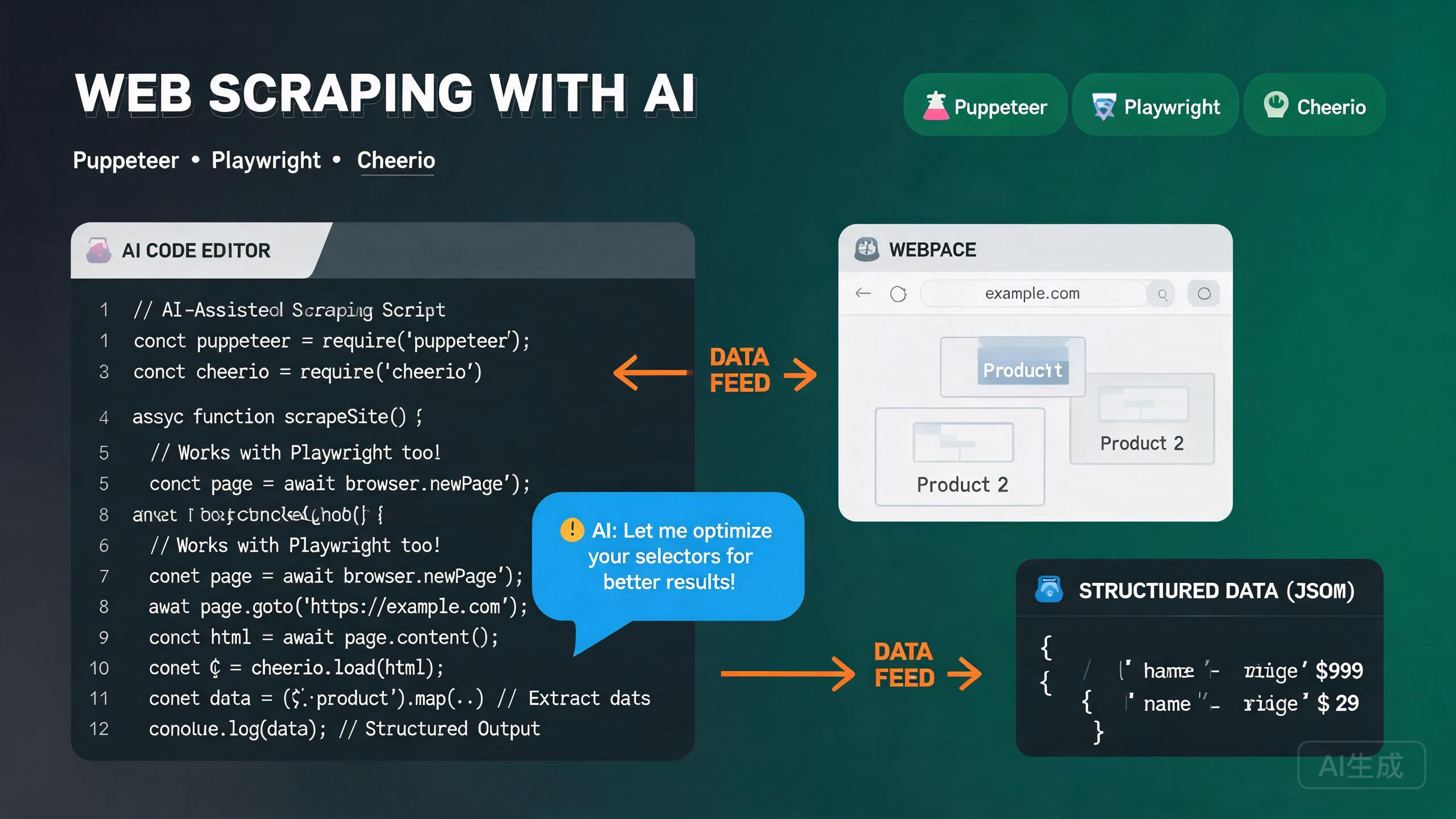
Web scraping is the process of programmatically extracting data from websites. It powers price monitoring, lead generation, news aggregation, market research, and data collection for machine learning. The Node.js ecosystem offers three dominant tools: Puppeteer for headless Chrome automation, Playwright for cross-browser automation, and Cheerio for fast HTML parsing. Cursor, with its integrated AI assistant and built-in TypeScript language server, is an excellent editor for scraping projects -- it provides IntelliSense for browser APIs, auto-completes selector chains, and can generate extraction logic from natural-language descriptions of web pages.
This guide covers the complete web scraping workflow in Cursor: choosing the right tool, setting up Puppeteer and Playwright, parsing HTML with Cheerio, implementing extraction patterns, bypassing anti-bot measures, and leveraging AI-assisted extraction.
Choosing the Right Tool
Each scraping tool has distinct strengths. Understanding when to use each one is the foundation of an effective scraping strategy.
| Tool | Best For | Browser | Speed | Complexity |
|---|---|---|---|---|
| Cheerio | Static HTML, fast parsing | None | Very fast | Low |
| Puppeteer | Dynamic JS-rendered pages | Chrome/Chromium | Medium | Medium |
| Playwright | Cross-browser, modern SPAs | Chrome, Firefox, WebKit | Medium | Medium-High |
| Puppeteer + Cheerio | Hybrid approach | Chrome | Fast | Medium |
Ask Cursor: "I need to scrape a website. The data I need is rendered by JavaScript after the page loads. Which tool should I use and why?" Cursor will recommend Puppeteer or Playwright and explain why Cheerio alone cannot capture dynamically rendered content.
Setting Up a Scraping Project in Cursor
Project Initialization
mkdir web-scraper && cd web-scraper
npm init -y
npm install typescript tsx @types/node --save-dev
npx tsc --init
Use tsx for running TypeScript scraping scripts directly without a separate build step. Run npx tsx scraper.ts from Cursor's integrated terminal (Ctrl+`) to test scripts immediately.
Installing Puppeteer
npm install puppeteer
Puppeteer downloads a bundled Chromium by default. Verify the installation:
// test-puppeteer.ts
import puppeteer from 'puppeteer';

const browser = await puppeteer.launch({ headless: true });
const page = await browser.newPage();
await page.goto('https://example.com');
console.log(await page.title());
await browser.close();
Installing Playwright
npm install playwright
npx playwright install  # Downloads browser binaries
Verify:
// test-playwright.ts
import { chromium } from 'playwright';

const browser = await chromium.launch({ headless: true });
const page = await browser.newPage();
await page.goto('https://example.com');
console.log(await page.title());
await browser.close();
Installing Cheerio
npm install cheerio
Cheerio parses HTML strings without a browser, making it the fastest option for static pages:
// test-cheerio.ts
import * as cheerio from 'cheerio';

const html = '<div class="item"><h2>Title</h2><span class="price">$9.99</span></div>';
const $ = cheerio.load(html);
console.log($('.item h2').text());     // "Title"
console.log($('.item .price').text());  // "$9.99"
Cheerio cannot execute JavaScript. If the target page renders content dynamically via client-side JS (React, Vue, etc.), Cheerio will see only the initial HTML skeleton. Use Puppeteer or Playwright for these sites.
Scraping with Puppeteer
Puppeteer provides a high-level API to control Chrome or Chromium. It is ideal for scraping JavaScript-rendered pages, handling logins, and interacting with page elements.
Basic Page Scraping
// scrape-products-puppeteer.ts
import puppeteer from 'puppeteer';
import * as cheerio from 'cheerio';

interface Product {
  name: string;
  price: string;
  rating: string;
  url: string;
}

async function scrapeProducts(): Promise<Product[]> {
  const browser = await puppeteer.launch({
    headless: true,
    args: ['--no-sandbox', '--disable-setuid-sandbox'],
  });

  try {
    const page = await browser.newPage();

    // Set a realistic viewport
    await page.setViewport({ width: 1920, height: 1080 });

    // Set a realistic user agent
    await page.setUserAgent(
      'Mozilla/5.0 (Windows NT 10.0; Win64; x64) AppleWebKit/537.36 (KHTML, like Gecko) Chrome/125.0.0.0 Safari/537.36'
    );

    // Navigate and wait for the product grid to render
    await page.goto('https://example-store.com/products', {
      waitUntil: 'networkidle2',
      timeout: 30000,
    });

    // Wait for the product cards to appear
    await page.waitForSelector('.product-card', { timeout: 10000 });

    // Scroll to trigger lazy-loaded content
    await autoScroll(page);

    // Extract data from the page
    const products = await page.evaluate(() =>
      Array.from(document.querySelectorAll('.product-card')).map((card) => ({
        name: card.querySelector('.product-name')?.textContent?.trim() ?? '',
        price: card.querySelector('.product-price')?.textContent?.trim() ?? '',
        rating: card.querySelector('.product-rating')?.textContent?.trim() ?? '',
        url: card.querySelector('a')?.href ?? '',
      }))
    );

    return products;
  } finally {
    await browser.close();
  }
}

async function autoScroll(page: puppeteer.Page) {
  await page.evaluate(async () => {
    await new Promise<void>((resolve) => {
      let totalHeight = 0;
      const distance = 100;
      const timer = setInterval(() => {
        window.scrollBy(0, distance);
        totalHeight += distance;
        if (totalHeight >= document.body.scrollHeight) {
          clearInterval(timer);
          resolve();
        }
      }, 100);
    });
  });
}

const products = await scrapeProducts();
console.log(`Scraped ${products.length} products`);
console.log(products[0]);
The autoScroll function is essential for infinite-scroll pages. Many sites load products lazily as you scroll. Without scrolling, Puppeteer captures only the initially loaded items.
Handling Pagination
async function scrapeAllPages(baseUrl: string): Promise<Product[]> {
  const browser = await puppeteer.launch({ headless: true });
  const page = await browser.newPage();
  const allProducts: Product[] = [];
  let currentPage = 1;
  let hasNextPage = true;

  try {
    while (hasNextPage) {
      await page.goto(`${baseUrl}?page=${currentPage}`, { waitUntil: 'networkidle2' });
      await page.waitForSelector('.product-card', { timeout: 10000 });

      const products = await page.evaluate(() =>
        Array.from(document.querySelectorAll('.product-card')).map((card) => ({
          name: card.querySelector('.product-name')?.textContent?.trim() ?? '',
          price: card.querySelector('.product-price')?.textContent?.trim() ?? '',
          rating: card.querySelector('.product-rating')?.textContent?.trim() ?? '',
          url: card.querySelector('a')?.href ?? '',
        }))
      );
      allProducts.push(...products);

      hasNextPage = await page.evaluate(
        () => document.querySelector('.pagination .next:not(.disabled)') !== null
      );
      currentPage++;
      await new Promise((r) => setTimeout(r, 2000));
    }
  } finally {
    await browser.close();
  }
  return allProducts;
}
Always add delays between page requests. Scraping too fast can trigger rate limiting, IP bans, or CAPTCHA challenges. A 1-3 second delay between requests is a good starting point. For larger crawls, use a proxy rotation service.
Handling Login-Protected Pages
async function scrapeLoggedInPage(email: string, password: string) {
  const browser = await puppeteer.launch({ headless: false }); // Show browser for debugging
  const page = await browser.newPage();

  try {
    await page.goto('https://example.com/login', { waitUntil: 'networkidle2' });
    await page.type('#email', email, { delay: 50 });
    await page.type('#password', password, { delay: 50 });

    await Promise.all([
      page.waitForNavigation({ waitUntil: 'networkidle2' }),
      page.click('#submit'),
    ]);

    // Verify login success
    const isLoggedIn = await page.evaluate(() => !document.querySelector('.login-error'));
    if (!isLoggedIn) throw new Error('Login failed');

    // Scrape the protected page
    await page.goto('https://example.com/dashboard', { waitUntil: 'networkidle2' });
    return await page.evaluate(() => document.querySelector('.dashboard-data')?.textContent);
  } finally {
    await browser.close();
  }
}
Scraping with Playwright
Playwright is Microsoft's cross-browser automation tool. It supports Chromium, Firefox, and WebKit, and has a more modern API than Puppeteer.
Basic Playwright Scraping
// scrape-playwright.ts
import { chromium } from 'playwright';

interface Article {
  title: string;
  author: string;
  date: string;
  summary: string;
  url: string;
}

async function scrapeArticles(): Promise<Article[]> {
  const browser = await chromium.launch({ headless: true });
  const context = await browser.newContext({
    userAgent: 'Mozilla/5.0 (Windows NT 10.0; Win64; x64) AppleWebKit/537.36',
    viewport: { width: 1920, height: 1080 },
  });

  const page = await context.newPage();

  try {
    await page.goto('https://example-blog.com', {
      waitUntil: 'domcontentloaded',
      timeout: 30000,
    });

    // Wait for articles to load
    await page.waitForSelector('.article-card', { timeout: 10000 });

    const articles = await page.$$eval('.article-card', (cards) =>
      cards.map((card) => ({
        title: card.querySelector('.article-title')?.textContent?.trim() ?? '',
        author: card.querySelector('.article-author')?.textContent?.trim() ?? '',
        date: card.querySelector('.article-date')?.textContent?.trim() ?? '',
        summary: card.querySelector('.article-summary')?.textContent?.trim() ?? '',
        url: card.querySelector('a')?.href ?? '',
      }))
    );

    return articles;
  } finally {
    await browser.close();
  }
}
Scraping SPAs with Network Interception
Playwright can intercept network requests to capture API responses directly, avoiding the need to parse rendered HTML:
async function scrapeViaAPI() {
  const browser = await chromium.launch({ headless: true });
  const context = await browser.newContext();
  const page = await context.newPage();

  const apiResponses: any[] = [];

  // Intercept API responses
  page.on('response', async (response) => {
    if (response.url().includes('/api/products') && response.status() === 200) {
      const json = await response.json();
      apiResponses.push(json);
    }
  });

  await page.goto('https://example-store.com', { waitUntil: 'networkidle' });

  await browser.close();

  // Now you have the raw JSON data, no HTML parsing needed
  return apiResponses;
}
Network interception is the most reliable way to scrape modern SPAs. Instead of parsing rendered HTML, you capture the JSON API responses that the page fetches. Ask Cursor: "Intercept the XHR requests on this page and extract the product data from the API response." Cursor will generate the Playwright response listener.
Parsing HTML with Cheerio
Cheerio provides a jQuery-like API for parsing HTML strings. It is 10-100x faster than browser-based scraping because it does not render pages or execute JavaScript.
Fetching and Parsing
// scrape-cheerio.ts
import * as cheerio from 'cheerio';

interface Book {
  title: string;
  price: number;
  availability: string;
  rating: number;
}

async function scrapeBooks(): Promise<Book[]> {
  const response = await fetch('https://books.toscrape.com/', {
    headers: {
      'User-Agent': 'Mozilla/5.0 (Windows NT 10.0; Win64; x64) AppleWebKit/537.36',
    },
  });

  const html = await response.text();
  const $ = cheerio.load(html);

  const books: Book[] = [];

  $('.product_pod').each((_, element) => {
    const $el = $(element);
    const title = $el.find('h3 a').attr('title') ?? '';
    const priceText = $el.find('.price_color').text();
    const price = parseFloat(priceText.replace(/[^0-9.]/g, ''));
    const availability = $el.find('.instock').text().trim();

    // Parse rating from class name (e.g., "star-rating Three" -> 3)
    const ratingClass = $el.find('.star-rating').attr('class') ?? '';
    const ratingMap: Record<string, number> = {
      One: 1, Two: 2, Three: 3, Four: 4, Five: 5,
    };
    const ratingWord = ratingClass.split(' ')[1];
    const rating = ratingMap[ratingWord] ?? 0;

    books.push({ title, price, availability, rating });
  });

  return books;
}
Cheerio Selector Patterns
Cheerio uses jQuery-like selectors: $('.class') for classes, $('#id') for IDs, $('a[href*="/product/"]') for attribute matching, and methods like .parent(), .siblings(), .children(), .text(), .html(), and .attr() for DOM traversal and extraction.
If you know jQuery selectors, you know Cheerio. Ask Cursor: "Write a Cheerio selector chain to extract all product names, prices, and image URLs from this HTML structure" and paste the HTML. Cursor will generate the correct selectors.
Data Extraction Patterns
Extracting Structured Data from Tables
async function scrapeTable(): Promise<Record<string, string>[]> {
  const response = await fetch('https://example.com/data-table');
  const html = await response.text();
  const $ = cheerio.load(html);

  // Get headers
  const headers: string[] = [];
  $('table thead th').each((_, el) => {
    headers.push($(el).text().trim().toLowerCase().replace(/\s+/g, '_'));
  });

  // Extract rows
  const rows: Record<string, string>[] = [];
  $('table tbody tr').each((_, rowEl) => {
    const cells: string[] = [];
    $(rowEl).find('td').each((_, cellEl) => {
      cells.push($(cellEl).text().trim());
    });

    const row: Record<string, string> = {};
    headers.forEach((header, index) => {
      row[header] = cells[index] ?? '';
    });
    rows.push(row);
  });

  return rows;
}
Extracting JSON-LD Data
Many websites embed structured data in JSON-LD format. This is the most reliable extraction method when available:
import * as cheerio from 'cheerio';

async function scrapeJsonLd(url: string) {
  const response = await fetch(url);
  const html = await response.text();
  const $ = cheerio.load(html);

  const jsonLdData: any[] = [];

  $('script[type="application/ld+json"]').each((_, el) => {
    try {
      const data = JSON.parse($(el).contents().text());
      if (Array.isArray(data)) {
        jsonLdData.push(...data);
      } else {
        jsonLdData.push(data);
      }
    } catch (e) {
      console.warn('Failed to parse JSON-LD:', e);
    }
  });

  return jsonLdData;
}

// Usage
const structuredData = await scrapeJsonLd('https://example.com/product/123');
// structuredData[0] might contain: { "@type": "Product", "name": "...", "offers": { "price": "..." } }
JSON-LD is the easiest and most reliable way to extract structured data. Ask Cursor: "Check if this page has JSON-LD structured data and extract the product information from it." If the site uses schema.org markup, Cursor will parse it without fragile CSS selectors.
Saving Extracted Data
import { writeFileSync } from 'fs';

// Save to JSON
function saveToJson(data: any[], filename: string) {
  writeFileSync(filename, JSON.stringify(data, null, 2));
  console.log(`Saved ${data.length} records to ${filename}`);
}

// Save to CSV
function saveToCsv(data: Record<string, any>[], filename: string) {
  if (data.length === 0) return;
  const headers = Object.keys(data[0]);
  const csvLines = [
    headers.join(','),
    ...data.map((row) =>
      headers.map((h) => `"${String(row[h] ?? '').replace(/"/g, '""')}"`).join(',')
    ),
  ];
  writeFileSync(filename, csvLines.join('\n'));
}
Anti-Bot Bypass Techniques
Modern websites deploy anti-bot protection (Cloudflare, reCAPTCHA, Datadome, PerimeterX) to detect and block automated scraping. Here are strategies to bypass common protections.
Setting Realistic Headers
const headers = {
  'User-Agent': 'Mozilla/5.0 (Windows NT 10.0; Win64; x64) AppleWebKit/537.36 (KHTML, like Gecko) Chrome/125.0.0.0 Safari/537.36',
  'Accept': 'text/html,application/xhtml+xml,application/xml;q=0.9,*/*;q=0.8',
  'Accept-Language': 'en-US,en;q=0.9',
  'Accept-Encoding': 'gzip, deflate, br',
  'Connection': 'keep-alive',
  'Upgrade-Insecure-Requests': '1',
};

const response = await fetch(url, { headers });
Using Puppeteer-Stealth
npm install puppeteer-extra puppeteer-extra-plugin-stealth
import puppeteer from 'puppeteer-extra';
import StealthPlugin from 'puppeteer-extra-plugin-stealth';

puppeteer.use(StealthPlugin());

const browser = await puppeteer.launch({ headless: true });
const page = await browser.newPage();

// The stealth plugin patches common detection vectors:
// - navigator.webdriver = false
// - chrome.runtime object
// - permissions API
// - plugins array
// - languages array
// - WebGL vendor/renderer

await page.goto('https://bot-protected-site.com');
Stealth plugins help but are not a silver bullet. Sophisticated anti-bot services like Cloudflare Turnstile use TLS fingerprinting, behavioral analysis, and challenge-response mechanisms that go beyond simple navigator property checks. For production scraping of heavily protected sites, consider commercial proxy services with built-in CAPTCHA solving.
Using Proxies
// Puppeteer with proxy
const browser = await puppeteer.launch({
  headless: true,
  args: [
    `--proxy-server=http://${proxyHost}:${proxyPort}`,
    '--no-sandbox',
  ],
});

await page.authenticate({
  username: proxyUsername,
  password: proxyPassword,
});

// Playwright with proxy
const browser = await chromium.launch({
  headless: true,
  proxy: {
    server: `http://${proxyHost}:${proxyPort}`,
    username: proxyUsername,
    password: proxyPassword,
  },
});
Rotating User Agents
const userAgents = [
  'Mozilla/5.0 (Windows NT 10.0; Win64; x64) AppleWebKit/537.36 (KHTML, like Gecko) Chrome/125.0.0.0 Safari/537.36',
  'Mozilla/5.0 (Macintosh; Intel Mac OS X 10_15_7) AppleWebKit/537.36 (KHTML, like Gecko) Chrome/124.0.0.0 Safari/537.36',
  'Mozilla/5.0 (Windows NT 10.0; Win64; x64; rv:126.0) Gecko/20100101 Firefox/126.0',
  'Mozilla/5.0 (Macintosh; Intel Mac OS X 10_15_7) AppleWebKit/605.1.15 (KHTML, like Gecko) Version/17.5 Safari/605.1.15',
];

const randomUA = userAgents[Math.floor(Math.random() * userAgents.length)];
await page.setUserAgent(randomUA);
Handling Delays and Human-Like Behavior
async function humanLikeScroll(page: puppeteer.Page) {
  const totalHeight = await page.evaluate(() => document.body.scrollHeight);
  let scrolled = 0;
  while (scrolled < totalHeight) {
    const scrollAmount = Math.floor(Math.random() * 200) + 100;
    await page.evaluate((y) => window.scrollBy(0, y), scrollAmount);
    scrolled += scrollAmount;
    await new Promise((r) => setTimeout(r, Math.random() * 1500 + 500));
  }
}

async function randomMouseMovement(page: puppeteer.Page) {
  await page.mouse.move(Math.random() * 800, Math.random() * 600);
  await new Promise((r) => setTimeout(r, Math.random() * 500 + 200));
  await page.mouse.move(Math.random() * 800, Math.random() * 600);
}
Ask Cursor: "Make my Puppeteer scraper behave more like a human. Add random mouse movements, variable scroll speeds, and random delays between actions." Cursor will generate the behavioral mimicry functions and integrate them into your scraping flow.
AI-Assisted Extraction in Cursor
Cursor's AI assistant can generate scraping logic from page descriptions, identify selectors from HTML snippets, and debug failed extractions.
Generating Selectors from HTML
Open Cursor Chat (Ctrl+L) and paste an HTML snippet:
Here is a product card's HTML structure:

<div class="product-item" data-id="123">
  <img src="/img/product.jpg" alt="Product Name" />
  <h3 class="product-title">Product Name</h3>
  <span class="price-current">$29.99</span>
  <span class="price-original">$49.99</span>
  <span class="rating" data-rating="4.5">4.5 stars</span>
  <span class="stock">In Stock</span>
</div>

Generate a Cheerio extraction function with a typed interface.
Include: productId, name, currentPrice, originalPrice, rating, stockStatus, imageUrl.
Cursor will generate:
interface ScrapedProduct {
  productId: string;
  name: string;
  currentPrice: number;
  originalPrice: number;
  rating: number;
  stockStatus: string;
  imageUrl: string;
}

function extractProduct($: cheerio.CheerioAPI, element: any): ScrapedProduct {
  const $el = $(element);
  const parsePrice = (sel: string) =>
    parseFloat($el.find(sel).text().replace(/[^0-9.]/g, '')) || 0;

  return {
    productId: $el.attr('data-id') ?? '',
    name: $el.find('.product-title').text().trim(),
    currentPrice: parsePrice('.price-current'),
    originalPrice: parsePrice('.price-original'),
    rating: parseFloat($el.find('.rating').attr('data-rating') ?? '0') || 0,
    stockStatus: $el.find('.stock').text().trim(),
    imageUrl: $el.find('img').attr('src') ?? '',
  };
}
When asking Cursor to generate selectors, always paste a representative HTML sample. This ensures the selectors match the actual DOM structure rather than a guess. Cursor will also identify edge cases like missing optional fields and add fallbacks.
AI-Assisted Debugging
When your scraper returns empty results, ask Cursor to help:
My Puppeteer scraper is returning an empty array. The selector
".product-card" should match elements but page.evaluate returns [].
Here is my code. The page loads successfully and I can see the elements
in the browser. What could be wrong?
Cursor will identify common issues:
- The selector might be inside a shadow DOM.
- The content might be in an iframe.
- The page might use a different selector after a recent redesign.
- The
waitUntiloption might not be sufficient.
Websites change their HTML structure frequently. A scraper that works today may break tomorrow. Build your scrapers defensively: use multiple fallback selectors, log extraction failures, and set up monitoring to detect when selectors stop matching.
Best Practices and Ethics
Respecting robots.txt
async function checkRobotsTxt(url: string): Promise<boolean> {
  const robotsUrl = `${new URL(url).origin}/robots.txt`;
  try {
    const robotsTxt = await (await fetch(robotsUrl)).text();
    const path = new URL(url).pathname;
    for (const line of robotsTxt.split('\n')) {
      if (line.trim().toLowerCase().startsWith('disallow:')) {
        const disallowed = line.split(':')[1].trim();
        if (disallowed && path.startsWith(disallowed)) return false;
      }
    }
    return true;
  } catch {
    return true; // If robots.txt doesn't exist, assume allowed
  }
}
Always check robots.txt before scraping. It is the standard protocol for websites to declare which pages may be scraped. Violating robots.txt can lead to IP bans and legal issues. Use the checkRobotsTxt function above before any scraping operation.
Rate Limiting
async function rateLimitedDelay() {
  const delay = Math.random() * 2000 + 1000; // 1-3 second delay
  await new Promise((r) => setTimeout(r, delay));
}

// Usage: call between each page request
await rateLimitedDelay();
Conclusion
Web scraping in Cursor combines the power of Puppeteer, Playwright, and Cheerio with AI-assisted code generation. Cheerio is your go-to for fast static HTML parsing, Puppeteer handles JavaScript-rendered pages with Chrome automation, and Playwright offers cross-browser support and network interception for modern SPAs. Anti-bot techniques -- stealth plugins, proxy rotation, and human-like behavior -- help you access protected sites, while Cursor's AI assistant generates selectors from HTML snippets, debugs failed extractions, and writes complete scraping pipelines from natural-language descriptions. Start by choosing the right tool for your target, build defensively with fallback selectors and rate limiting, always respect robots.txt, and let Cursor generate the extraction logic so you can focus on data quality and pipeline reliability.