在 Cursor 中的 Web 爬虫:完整指南
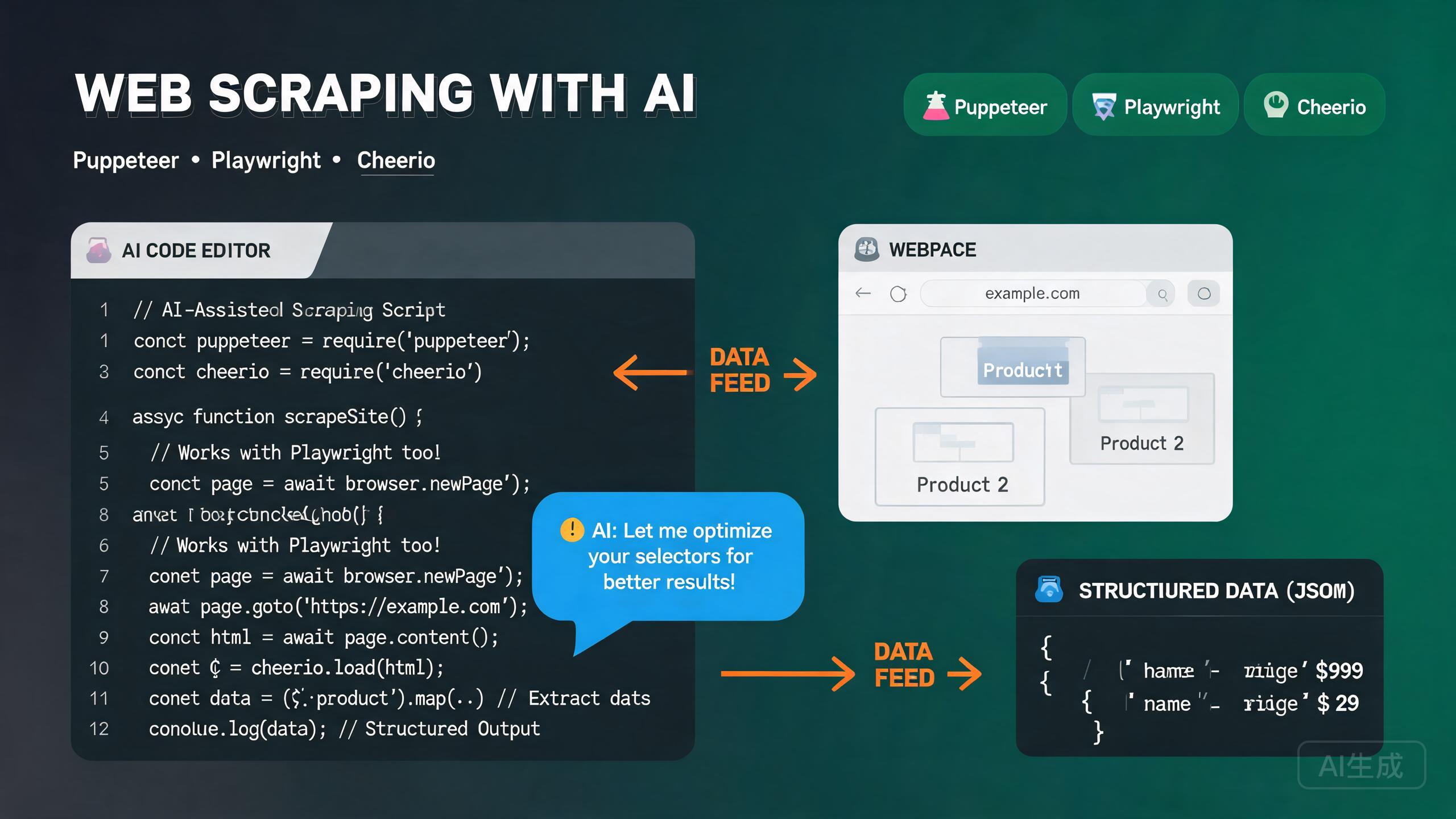
Web 爬虫是以编程方式从网站提取数据的过程。它支持价格监控、潜在客户开发、新闻聚合、市场研究以及机器学习的数据收集。Node.js 生态系统提供了三个主流工具:用于无头 Chrome 自动化的 Puppeteer、用于跨浏览器自动化的 Playwright 以及用于快速 HTML 解析的 Cheerio。Cursor 凭借其集成的 AI 助手和内置的 TypeScript 语言服务器,是爬虫项目的优秀编辑器——它为浏览器 API 提供 IntelliSense,自动补全选择器链,并能从网页的自然语言描述生成提取逻辑。
本指南涵盖在 Cursor 中完整的 Web 爬虫工作流:选择合适的工具、设置 Puppeteer 和 Playwright、使用 Cheerio 解析 HTML、实现提取模式、绕过反爬虫措施以及利用 AI 辅助提取。
选择合适的工具
每个爬虫工具都有各自的优势。了解何时使用每个工具是有效爬虫策略的基础。
| 工具 | 最适合 | 浏览器 | 速度 | 复杂度 |
|---|---|---|---|---|
| Cheerio | 静态 HTML,快速解析 | 无 | 非常快 | 低 |
| Puppeteer | 动态 JS 渲染页面 | Chrome/Chromium | 中等 | 中等 |
| Playwright | 跨浏览器,现代 SPA | Chrome、Firefox、WebKit | 中等 | 中高 |
| Puppeteer + Cheerio | 混合方案 | Chrome | 快 | 中等 |
问 Cursor:"我需要爬取一个网站。我需要的数据是在页面加载后由 JavaScript 渲染的。我应该使用哪个工具以及为什么?" Cursor 会推荐 Puppeteer 或 Playwright,并解释为什么 Cheerio 单独无法捕获动态渲染的内容。
在 Cursor 中设置爬虫项目
项目初始化
mkdir web-scraper && cd web-scraper
npm init -y
npm install typescript tsx @types/node --save-dev
npx tsc --init
使用 tsx 直接运行 TypeScript 爬虫脚本,无需单独的构建步骤。从 Cursor 的集成终端(Ctrl+`)运行 npx tsx scraper.ts 来立即测试脚本。
安装 Puppeteer
npm install puppeteer
Puppeteer 默认下载捆绑的 Chromium。验证安装:
// test-puppeteer.ts
import puppeteer from 'puppeteer';

const browser = await puppeteer.launch({ headless: true });
const page = await browser.newPage();
await page.goto('https://example.com');
console.log(await page.title());
await browser.close();
安装 Playwright
npm install playwright
npx playwright install  # Downloads browser binaries
验证:
// test-playwright.ts
import { chromium } from 'playwright';

const browser = await chromium.launch({ headless: true });
const page = await browser.newPage();
await page.goto('https://example.com');
console.log(await page.title());
await browser.close();
安装 Cheerio
npm install cheerio
Cheerio 无需浏览器即可解析 HTML 字符串,使其成为静态页面最快的选择:
// test-cheerio.ts
import * as cheerio from 'cheerio';

const html = '<div class="item"><h2>Title</h2><span class="price">$9.99</span></div>';
const $ = cheerio.load(html);
console.log($('.item h2').text());     // "Title"
console.log($('.item .price').text());  // "$9.99"
Cheerio 无法执行 JavaScript。如果目标页面通过客户端 JS(React、Vue 等)动态渲染内容,Cheerio 只能看到初始 HTML 骨架。对于这些网站,请使用 Puppeteer 或 Playwright。
使用 Puppeteer 爬虫
Puppeteer 提供高层 API 来控制 Chrome 或 Chromium。它非常适合爬取 JavaScript 渲染的页面、处理登录和与页面元素交互。
基本页面爬取
// scrape-products-puppeteer.ts
import puppeteer from 'puppeteer';
import * as cheerio from 'cheerio';

interface Product {
  name: string;
  price: string;
  rating: string;
  url: string;
}

async function scrapeProducts(): Promise<Product[]> {
  const browser = await puppeteer.launch({
    headless: true,
    args: ['--no-sandbox', '--disable-setuid-sandbox'],
  });

  try {
    const page = await browser.newPage();

    // Set a realistic viewport
    await page.setViewport({ width: 1920, height: 1080 });

    // Set a realistic user agent
    await page.setUserAgent(
      'Mozilla/5.0 (Windows NT 10.0; Win64; x64) AppleWebKit/537.36 (KHTML, like Gecko) Chrome/125.0.0.0 Safari/537.36'
    );

    // Navigate and wait for the product grid to render
    await page.goto('https://example-store.com/products', {
      waitUntil: 'networkidle2',
      timeout: 30000,
    });

    // Wait for the product cards to appear
    await page.waitForSelector('.product-card', { timeout: 10000 });

    // Scroll to trigger lazy-loaded content
    await autoScroll(page);

    // Extract data from the page
    const products = await page.evaluate(() =>
      Array.from(document.querySelectorAll('.product-card')).map((card) => ({
        name: card.querySelector('.product-name')?.textContent?.trim() ?? '',
        price: card.querySelector('.product-price')?.textContent?.trim() ?? '',
        rating: card.querySelector('.product-rating')?.textContent?.trim() ?? '',
        url: card.querySelector('a')?.href ?? '',
      }))
    );

    return products;
  } finally {
    await browser.close();
  }
}

async function autoScroll(page: puppeteer.Page) {
  await page.evaluate(async () => {
    await new Promise<void>((resolve) => {
      let totalHeight = 0;
      const distance = 100;
      const timer = setInterval(() => {
        window.scrollBy(0, distance);
        totalHeight += distance;
        if (totalHeight >= document.body.scrollHeight) {
          clearInterval(timer);
          resolve();
        }
      }, 100);
    });
  });
}

const products = await scrapeProducts();
console.log(`Scraped ${products.length} products`);
console.log(products[0]);
autoScroll 函数对于无限滚动页面至关重要。许多网站在你滚动时延迟加载产品。不滚动的话,Puppeteer 只能捕获初始加载的项目。
处理分页
async function scrapeAllPages(baseUrl: string): Promise<Product[]> {
  const browser = await puppeteer.launch({ headless: true });
  const page = await browser.newPage();
  const allProducts: Product[] = [];
  let currentPage = 1;
  let hasNextPage = true;

  try {
    while (hasNextPage) {
      await page.goto(`${baseUrl}?page=${currentPage}`, { waitUntil: 'networkidle2' });
      await page.waitForSelector('.product-card', { timeout: 10000 });

      const products = await page.evaluate(() =>
        Array.from(document.querySelectorAll('.product-card')).map((card) => ({
          name: card.querySelector('.product-name')?.textContent?.trim() ?? '',
          price: card.querySelector('.product-price')?.textContent?.trim() ?? '',
          rating: card.querySelector('.product-rating')?.textContent?.trim() ?? '',
          url: card.querySelector('a')?.href ?? '',
        }))
      );
      allProducts.push(...products);

      hasNextPage = await page.evaluate(
        () => document.querySelector('.pagination .next:not(.disabled)') !== null
      );
      currentPage++;
      await new Promise((r) => setTimeout(r, 2000));
    }
  } finally {
    await browser.close();
  }
  return allProducts;
}
始终在页面请求之间添加延迟。爬取太快会触发速率限制、IP 封禁或 CAPTCHA 挑战。请求之间 1-3 秒的延迟是一个好的起点。对于更大规模的爬取,使用代理轮换服务。
处理需要登录的页面
async function scrapeLoggedInPage(email: string, password: string) {
  const browser = await puppeteer.launch({ headless: false }); // Show browser for debugging
  const page = await browser.newPage();

  try {
    await page.goto('https://example.com/login', { waitUntil: 'networkidle2' });
    await page.type('#email', email, { delay: 50 });
    await page.type('#password', password, { delay: 50 });

    await Promise.all([
      page.waitForNavigation({ waitUntil: 'networkidle2' }),
      page.click('#submit'),
    ]);

    // Verify login success
    const isLoggedIn = await page.evaluate(() => !document.querySelector('.login-error'));
    if (!isLoggedIn) throw new Error('Login failed');

    // Scrape the protected page
    await page.goto('https://example.com/dashboard', { waitUntil: 'networkidle2' });
    return await page.evaluate(() => document.querySelector('.dashboard-data')?.textContent);
  } finally {
    await browser.close();
  }
}
使用 Playwright 爬虫
Playwright 是微软的跨浏览器自动化工具。它支持 Chromium、Firefox 和 WebKit,并具有比 Puppeteer 更现代的 API。
基本 Playwright 爬取
// scrape-playwright.ts
import { chromium } from 'playwright';

interface Article {
  title: string;
  author: string;
  date: string;
  summary: string;
  url: string;
}

async function scrapeArticles(): Promise<Article[]> {
  const browser = await chromium.launch({ headless: true });
  const context = await browser.newContext({
    userAgent: 'Mozilla/5.0 (Windows NT 10.0; Win64; x64) AppleWebKit/537.36',
    viewport: { width: 1920, height: 1080 },
  });

  const page = await context.newPage();

  try {
    await page.goto('https://example-blog.com', {
      waitUntil: 'domcontentloaded',
      timeout: 30000,
    });

    // Wait for articles to load
    await page.waitForSelector('.article-card', { timeout: 10000 });

    const articles = await page.$$eval('.article-card', (cards) =>
      cards.map((card) => ({
        title: card.querySelector('.article-title')?.textContent?.trim() ?? '',
        author: card.querySelector('.article-author')?.textContent?.trim() ?? '',
        date: card.querySelector('.article-date')?.textContent?.trim() ?? '',
        summary: card.querySelector('.article-summary')?.textContent?.trim() ?? '',
        url: card.querySelector('a')?.href ?? '',
      }))
    );

    return articles;
  } finally {
    await browser.close();
  }
}
通过网络拦截爬取 SPA
Playwright 可以拦截网络请求直接捕获 API 响应,避免解析渲染后的 HTML:
async function scrapeViaAPI() {
  const browser = await chromium.launch({ headless: true });
  const context = await browser.newContext();
  const page = await context.newPage();

  const apiResponses: any[] = [];

  // Intercept API responses
  page.on('response', async (response) => {
    if (response.url().includes('/api/products') && response.status() === 200) {
      const json = await response.json();
      apiResponses.push(json);
    }
  });

  await page.goto('https://example-store.com', { waitUntil: 'networkidle' });

  await browser.close();

  // Now you have the raw JSON data, no HTML parsing needed
  return apiResponses;
}
网络拦截是爬取现代 SPA 最可靠的方式。你无需解析渲染后的 HTML,而是捕获页面获取的 JSON API 响应。问 Cursor:"拦截此页面上的 XHR 请求并从 API 响应中提取产品数据。" Cursor 会生成 Playwright 响应监听器。
使用 Cheerio 解析 HTML
Cheerio 提供类似 jQuery 的 API 来解析 HTML 字符串。它比基于浏览器的爬取快 10-100 倍,因为它不渲染页面或执行 JavaScript。
获取和解析
// scrape-cheerio.ts
import * as cheerio from 'cheerio';

interface Book {
  title: string;
  price: number;
  availability: string;
  rating: number;
}

async function scrapeBooks(): Promise<Book[]> {
  const response = await fetch('https://books.toscrape.com/', {
    headers: {
      'User-Agent': 'Mozilla/5.0 (Windows NT 10.0; Win64; x64) AppleWebKit/537.36',
    },
  });

  const html = await response.text();
  const $ = cheerio.load(html);

  const books: Book[] = [];

  $('.product_pod').each((_, element) => {
    const $el = $(element);
    const title = $el.find('h3 a').attr('title') ?? '';
    const priceText = $el.find('.price_color').text();
    const price = parseFloat(priceText.replace(/[^0-9.]/g, ''));
    const availability = $el.find('.instock').text().trim();

    // Parse rating from class name (e.g., "star-rating Three" -> 3)
    const ratingClass = $el.find('.star-rating').attr('class') ?? '';
    const ratingMap: Record<string, number> = {
      One: 1, Two: 2, Three: 3, Four: 4, Five: 5,
    };
    const ratingWord = ratingClass.split(' ')[1];
    const rating = ratingMap[ratingWord] ?? 0;

    books.push({ title, price, availability, rating });
  });

  return books;
}
Cheerio 选择器模式
Cheerio 使用类似 jQuery 的选择器:$('.class') 选择类,$('#id') 选择 ID,$('a[href*="/product/"]') 进行属性匹配,以及 .parent()、.siblings()、.children()、.text()、.html() 和 .attr() 等方法进行 DOM 遍历和提取。
如果你了解 jQuery 选择器,你就了解 Cheerio。问 Cursor:"编写一个 Cheerio 选择器链来从这个 HTML 结构中提取所有产品名称、价格和图片 URL" 并粘贴 HTML。Cursor 会生成正确的选择器。
数据提取模式
从表格提取结构化数据
async function scrapeTable(): Promise<Record<string, string>[]> {
  const response = await fetch('https://example.com/data-table');
  const html = await response.text();
  const $ = cheerio.load(html);

  // Get headers
  const headers: string[] = [];
  $('table thead th').each((_, el) => {
    headers.push($(el).text().trim().toLowerCase().replace(/\s+/g, '_'));
  });

  // Extract rows
  const rows: Record<string, string>[] = [];
  $('table tbody tr').each((_, rowEl) => {
    const cells: string[] = [];
    $(rowEl).find('td').each((_, cellEl) => {
      cells.push($(cellEl).text().trim());
    });

    const row: Record<string, string> = {};
    headers.forEach((header, index) => {
      row[header] = cells[index] ?? '';
    });
    rows.push(row);
  });

  return rows;
}
提取 JSON-LD 数据
许多网站以 JSON-LD 格式嵌入结构化数据。这是最可靠的提取方法(当可用时):
import * as cheerio from 'cheerio';

async function scrapeJsonLd(url: string) {
  const response = await fetch(url);
  const html = await response.text();
  const $ = cheerio.load(html);

  const jsonLdData: any[] = [];

  $('script[type="application/ld+json"]').each((_, el) => {
    try {
      const data = JSON.parse($(el).contents().text());
      if (Array.isArray(data)) {
        jsonLdData.push(...data);
      } else {
        jsonLdData.push(data);
      }
    } catch (e) {
      console.warn('Failed to parse JSON-LD:', e);
    }
  });

  return jsonLdData;
}

// Usage
const structuredData = await scrapeJsonLd('https://example.com/product/123');
// structuredData[0] might contain: { "@type": "Product", "name": "...", "offers": { "price": "..." } }
JSON-LD 是提取结构化数据最简单、最可靠的方式。问 Cursor:"检查此页面是否有 JSON-LD 结构化数据并从中提取产品信息。" 如果网站使用 schema.org 标记,Cursor 会无需脆弱的 CSS 选择器即可解析。
保存提取的数据
import { writeFileSync } from 'fs';

// Save to JSON
function saveToJson(data: any[], filename: string) {
  writeFileSync(filename, JSON.stringify(data, null, 2));
  console.log(`Saved ${data.length} records to ${filename}`);
}

// Save to CSV
function saveToCsv(data: Record<string, any>[], filename: string) {
  if (data.length === 0) return;
  const headers = Object.keys(data[0]);
  const csvLines = [
    headers.join(','),
    ...data.map((row) =>
      headers.map((h) => `"${String(row[h] ?? '').replace(/"/g, '""')}"`).join(',')
    ),
  ];
  writeFileSync(filename, csvLines.join('\n'));
}
反爬虫绕过技术
现代网站部署反爬虫保护(Cloudflare、reCAPTCHA、Datadome、PerimeterX)来检测和阻止自动化爬取。以下是绕过常见保护的策略。
设置真实的请求头
const headers = {
  'User-Agent': 'Mozilla/5.0 (Windows NT 10.0; Win64; x64) AppleWebKit/537.36 (KHTML, like Gecko) Chrome/125.0.0.0 Safari/537.36',
  'Accept': 'text/html,application/xhtml+xml,application/xml;q=0.9,*/*;q=0.8',
  'Accept-Language': 'en-US,en;q=0.9',
  'Accept-Encoding': 'gzip, deflate, br',
  'Connection': 'keep-alive',
  'Upgrade-Insecure-Requests': '1',
};

const response = await fetch(url, { headers });
使用 Puppeteer-Stealth
npm install puppeteer-extra puppeteer-extra-plugin-stealth
import puppeteer from 'puppeteer-extra';
import StealthPlugin from 'puppeteer-extra-plugin-stealth';

puppeteer.use(StealthPlugin());

const browser = await puppeteer.launch({ headless: true });
const page = await browser.newPage();

// The stealth plugin patches common detection vectors:
// - navigator.webdriver = false
// - chrome.runtime object
// - permissions API
// - plugins array
// - languages array
// - WebGL vendor/renderer

await page.goto('https://bot-protected-site.com');
隐身插件有帮助但并非万全之策。像 Cloudflare Turnstile 这样复杂的反爬虫服务使用 TLS 指纹识别、行为分析和挑战-响应机制,这些超越了简单的 navigator 属性检查。对于重度保护网站的生产级爬取,考虑使用内置 CAPTCHA 解决的商业代理服务。
使用代理
// Puppeteer with proxy
const browser = await puppeteer.launch({
  headless: true,
  args: [
    `--proxy-server=http://${proxyHost}:${proxyPort}`,
    '--no-sandbox',
  ],
});

await page.authenticate({
  username: proxyUsername,
  password: proxyPassword,
});

// Playwright with proxy
const browser = await chromium.launch({
  headless: true,
  proxy: {
    server: `http://${proxyHost}:${proxyPort}`,
    username: proxyUsername,
    password: proxyPassword,
  },
});
轮换 User Agent
const userAgents = [
  'Mozilla/5.0 (Windows NT 10.0; Win64; x64) AppleWebKit/537.36 (KHTML, like Gecko) Chrome/125.0.0.0 Safari/537.36',
  'Mozilla/5.0 (Macintosh; Intel Mac OS X 10_15_7) AppleWebKit/537.36 (KHTML, like Gecko) Chrome/124.0.0.0 Safari/537.36',
  'Mozilla/5.0 (Windows NT 10.0; Win64; x64; rv:126.0) Gecko/20100101 Firefox/126.0',
  'Mozilla/5.0 (Macintosh; Intel Mac OS X 10_15_7) AppleWebKit/605.1.15 (KHTML, like Gecko) Version/17.5 Safari/605.1.15',
];

const randomUA = userAgents[Math.floor(Math.random() * userAgents.length)];
await page.setUserAgent(randomUA);
处理延迟和类人行为
async function humanLikeScroll(page: puppeteer.Page) {
  const totalHeight = await page.evaluate(() => document.body.scrollHeight);
  let scrolled = 0;
  while (scrolled < totalHeight) {
    const scrollAmount = Math.floor(Math.random() * 200) + 100;
    await page.evaluate((y) => window.scrollBy(0, y), scrollAmount);
    scrolled += scrollAmount;
    await new Promise((r) => setTimeout(r, Math.random() * 1500 + 500));
  }
}

async function randomMouseMovement(page: puppeteer.Page) {
  await page.mouse.move(Math.random() * 800, Math.random() * 600);
  await new Promise((r) => setTimeout(r, Math.random() * 500 + 200));
  await page.mouse.move(Math.random() * 800, Math.random() * 600);
}
问 Cursor:"让我的 Puppeteer 爬虫更像人类行为。添加随机鼠标移动、可变滚动速度和操作之间的随机延迟。" Cursor 会生成行为模仿函数并将它们集成到你的爬取流程中。
在 Cursor 中 AI 辅助提取
Cursor 的 AI 助手可以从页面描述生成爬取逻辑、从 HTML 片段识别选择器以及调试失败的提取。
从 HTML 生成选择器
打开 Cursor Chat(Ctrl+L)并粘贴 HTML 片段:
Here is a product card's HTML structure:

<div class="product-item" data-id="123">
  <img src="/img/product.jpg" alt="Product Name" />
  <h3 class="product-title">Product Name</h3>
  <span class="price-current">$29.99</span>
  <span class="price-original">$49.99</span>
  <span class="rating" data-rating="4.5">4.5 stars</span>
  <span class="stock">In Stock</span>
</div>

Generate a Cheerio extraction function with a typed interface.
Include: productId, name, currentPrice, originalPrice, rating, stockStatus, imageUrl.
Cursor 会生成:
interface ScrapedProduct {
  productId: string;
  name: string;
  currentPrice: number;
  originalPrice: number;
  rating: number;
  stockStatus: string;
  imageUrl: string;
}

function extractProduct($: cheerio.CheerioAPI, element: any): ScrapedProduct {
  const $el = $(element);
  const parsePrice = (sel: string) =>
    parseFloat($el.find(sel).text().replace(/[^0-9.]/g, '')) || 0;

  return {
    productId: $el.attr('data-id') ?? '',
    name: $el.find('.product-title').text().trim(),
    currentPrice: parsePrice('.price-current'),
    originalPrice: parsePrice('.price-original'),
    rating: parseFloat($el.find('.rating').attr('data-rating') ?? '0') || 0,
    stockStatus: $el.find('.stock').text().trim(),
    imageUrl: $el.find('img').attr('src') ?? '',
  };
}
让 Cursor 生成选择器时,始终粘贴有代表性的 HTML 样本。这确保选择器匹配实际的 DOM 结构而非猜测。Cursor 还会识别缺失可选字段等边缘情况并添加回退方案。
AI 辅助调试
当你的爬虫返回空结果时,请 Cursor 帮忙:
My Puppeteer scraper is returning an empty array. The selector
".product-card" should match elements but page.evaluate returns [].
Here is my code. The page loads successfully and I can see the elements
in the browser. What could be wrong?
Cursor 会识别常见问题:
- 选择器可能在 shadow DOM 中。
- 内容可能在 iframe 中。
- 页面可能在最近重新设计后使用了不同的选择器。
waitUntil选项可能不够。
网站经常更改其 HTML 结构。今天可用的爬虫明天可能会失效。以防御性方式构建你的爬虫:使用多个回退选择器、记录提取失败并设置监控以检测选择器何时停止匹配。
最佳实践和道德
尊重 robots.txt
async function checkRobotsTxt(url: string): Promise<boolean> {
  const robotsUrl = `${new URL(url).origin}/robots.txt`;
  try {
    const robotsTxt = await (await fetch(robotsUrl)).text();
    const path = new URL(url).pathname;
    for (const line of robotsTxt.split('\n')) {
      if (line.trim().toLowerCase().startsWith('disallow:')) {
        const disallowed = line.split(':')[1].trim();
        if (disallowed && path.startsWith(disallowed)) return false;
      }
    }
    return true;
  } catch {
    return true; // If robots.txt doesn't exist, assume allowed
  }
}
爬取前始终检查 robots.txt。它是网站声明哪些页面可以被爬取的标准协议。违反 robots.txt 可能导致 IP 封禁和法律问题。在任何爬取操作之前使用上面的 checkRobotsTxt 函数。
速率限制
async function rateLimitedDelay() {
  const delay = Math.random() * 2000 + 1000; // 1-3 second delay
  await new Promise((r) => setTimeout(r, delay));
}

// Usage: call between each page request
await rateLimitedDelay();
总结
在 Cursor 中的 Web 爬虫结合了 Puppeteer、Playwright 和 Cheerio 的强大功能以及 AI 辅助代码生成。Cheerio 是快速静态 HTML 解析的首选,Puppeteer 通过 Chrome 自动化处理 JavaScript 渲染页面,Playwright 为现代 SPA 提供跨浏览器支持和网络拦截。反爬虫技术——隐身插件、代理轮换和类人行为——帮助你访问受保护的网站,而 Cursor 的 AI 助手从 HTML 片段生成选择器、调试失败的提取并从自然语言描述编写完整的爬取管道。从为你的目标选择合适的工具开始,以回退选择器和速率限制进行防御性构建,始终尊重 robots.txt,让 Cursor 生成提取逻辑,这样你就可以专注于数据质量和管道可靠性。