在 Cursor 中的 Drizzle ORM 开发:完整指南
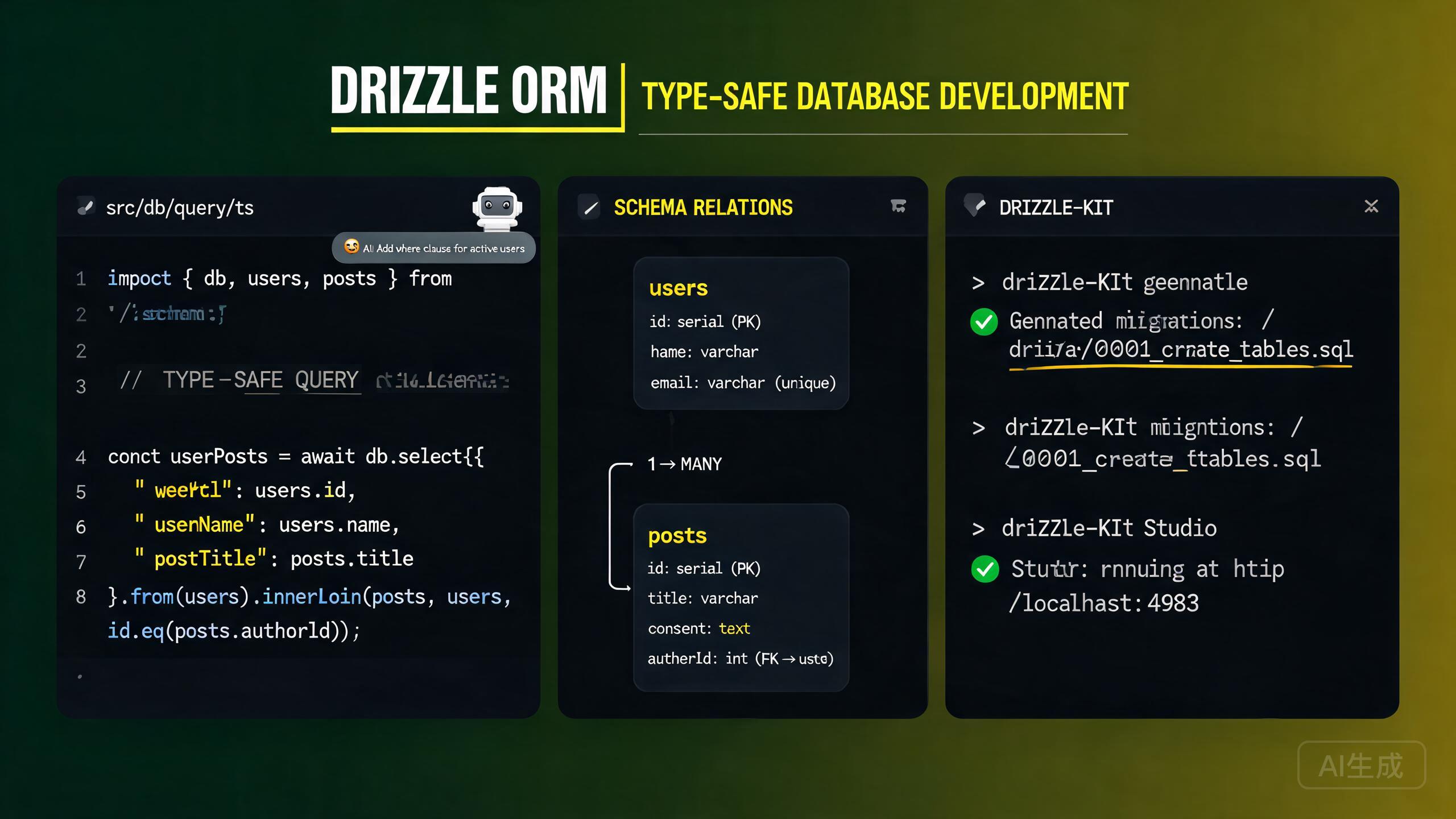
Drizzle ORM 是一个轻量级的 TypeScript 优先 ORM,提供类型安全的 SQL 查询而无需沉重运行时的开销。与传统 ORM 不同,Drizzle 让你完全控制 SQL,同时在编译时保持完整的类型安全。Drizzle 支持 PostgreSQL、MySQL 和 SQLite,并具有统一的 API 界面。Cursor 凭借其集成的 AI 助手和内置的 TypeScript 语言服务器,是 Drizzle 开发的理想编辑器——它为模式定义提供完整的 IntelliSense,自动补全查询构建器,并能从自然语言描述生成完整的模式和查询。
本指南涵盖在 Cursor 中完整的 Drizzle 开发工作流:安装和设置、模式定义、使用 drizzle-kit 的迁移、类型安全查询、关系以及 AI 辅助查询构建。
在 Cursor 中安装和设置 Drizzle
前置条件
Drizzle 需要 Node.js 18 或更新版本,适用于 PostgreSQL、MySQL 或 SQLite。验证你的 Node.js 版本:
node --version
Cursor 内置的 TypeScript 语言服务器为 Drizzle 模式和查询提供实时类型检查。你甚至可以在运行代码之前就内联看到类型错误,这对于 Drizzle 高度类型化的查询构建器特别有价值。
安装依赖
安装 Drizzle ORM 和 drizzle-kit CLI 工具:
# For PostgreSQL
npm install drizzle-orm pg
npm install drizzle-kit --save-dev

# For MySQL
npm install drizzle-orm mysql2
npm install drizzle-kit --save-dev

# For SQLite (better-sqlite3)
npm install drizzle-orm better-sqlite3
npm install drizzle-kit --save-dev

# For SQLite (libSQL/Turso)
npm install drizzle-orm @libsql/client
npm install drizzle-kit --save-dev
在 .env 中设置数据库连接字符串:
# .env
DATABASE_URL="postgresql://user:password@localhost:5432/mydb"
配置 drizzle-kit
在项目根目录创建 drizzle.config.ts 文件:
// drizzle.config.ts
import { defineConfig } from 'drizzle-kit';

export default defineConfig({
  schema: './src/db/schema.ts',
  out: './drizzle',
  dialect: 'postgresql',
  dbCredentials: {
    url: process.env.DATABASE_URL!,
  },
  verbose: true,
  strict: true,
});
如果你使用 MySQL,在配置中设置 dialect: 'mysql'。如果你使用 SQLite,设置 dialect: 'sqlite'。dialect 字段决定 drizzle-kit 为迁移生成哪种 SQL 方言。不正确的方言会生成在你的数据库上失败的迁移文件。
创建数据库客户端
// src/db/client.ts
import { drizzle } from 'drizzle-orm/node-postgres';
import { Pool } from 'pg';
import * as schema from './schema';

const pool = new Pool({
  connectionString: process.env.DATABASE_URL!,
});

export const db = drizzle(pool, { schema });
export type DB = typeof db;
始终导入并将你的模式对象传递给 drizzle() 构造函数。这启用了关系查询 API(db.query.users.findMany()),它提供完全类型安全的嵌套数据获取。
模式定义
Drizzle 模式使用构建器函数在 TypeScript 文件中定义。每个函数映射到一种 SQL 列类型。
定义表
// src/db/schema.ts
import {
  pgTable,
  uuid,
  varchar,
  text,
  boolean,
  integer,
  timestamp,
  enum,
  pgEnum,
} from 'drizzle-orm/pg-core';
import { relations } from 'drizzle-orm';

// Enums
export const userRoleEnum = pgEnum('user_role', ['admin', 'member', 'viewer']);

// Users table
export const users = pgTable('users', {
  id: uuid('id').defaultRandom().primaryKey(),
  email: varchar('email', { length: 255 }).notNull().unique(),
  name: varchar('name', { length: 100 }),
  role: userRoleEnum('role').default('member').notNull(),
  avatarUrl: text('avatar_url'),
  createdAt: timestamp('created_at').defaultNow().notNull(),
  updatedAt: timestamp('updated_at').defaultNow().notNull(),
});

// Posts table
export const posts = pgTable('posts', {
  id: uuid('id').defaultRandom().primaryKey(),
  title: varchar('title', { length: 200 }).notNull(),
  content: text('content'),
  published: boolean('published').default(false).notNull(),
  viewCount: integer('view_count').default(0).notNull(),
  authorId: uuid('author_id').references(() => users.id, { onDelete: 'cascade' }),
  createdAt: timestamp('created_at').defaultNow().notNull(),
  updatedAt: timestamp('updated_at').defaultNow().notNull(),
});

// Profiles table
export const profiles = pgTable('profiles', {
  id: uuid('id').defaultRandom().primaryKey(),
  bio: text('bio'),
  userId: uuid('user_id').references(() => users.id, { onDelete: 'cascade' }).unique(),
  createdAt: timestamp('created_at').defaultNow().notNull(),
});
常用列类型(PostgreSQL)
| Drizzle 函数 | SQL 类型 | 说明 |
|---|---|---|
uuid() | UUID | 使用 .defaultRandom() 自动生成 |
varchar({ length: n }) | VARCHAR(n) | 可变长度字符串 |
text() | TEXT | 无限长度字符串 |
integer() | INTEGER | 32 位整数 |
boolean() | BOOLEAN | 真/假 |
timestamp() | TIMESTAMP | 使用 .defaultNow() 自动填充 |
jsonb() | JSONB | 结构化数据 |
serial() | SERIAL | 自增整数 |
pgEnum() | ENUM | PostgreSQL 枚举类型 |
decimal() | DECIMAL | 定点数 |
问 Cursor:"为 PostgreSQL 生成 Drizzle 模式,包含 User、Post、Comment 和 Tag 模型。使用 UUID 主键,包含时间戳,并设置一对多和多对多关系。" Cursor 会生成一个经过验证的 TypeScript 模式,带有正确的导入和关系定义。
定义关系
Drizzle 关系使用 relations() 函数与表分开定义。它们不影响数据库模式——它们仅配置关系查询 API:
// src/db/schema.ts (continued)
import { relations } from 'drizzle-orm';

export const usersRelations = relations(users, ({ one, many }) => ({
  profile: one(profiles, {
    fields: [users.id],
    references: [profiles.userId],
  }),
  posts: many(posts),
}));

export const postsRelations = relations(posts, ({ one, many }) => ({
  author: one(users, {
    fields: [posts.authorId],
    references: [users.id],
  }),
  comments: many(comments),
}));

export const profilesRelations = relations(profiles, ({ one }) => ({
  user: one(users, {
    fields: [profiles.userId],
    references: [users.id],
  }),
}));

export const comments = pgTable('comments', {
  id: uuid('id').defaultRandom().primaryKey(),
  content: text('content').notNull(),
  authorId: uuid('author_id').references(() => users.id, { onDelete: 'cascade' }),
  postId: uuid('post_id').references(() => posts.id, { onDelete: 'cascade' }),
  createdAt: timestamp('created_at').defaultNow().notNull(),
});

export const commentsRelations = relations(comments, ({ one }) => ({
  author: one(users, {
    fields: [comments.authorId],
    references: [users.id],
  }),
  post: one(posts, {
    fields: [comments.postId],
    references: [posts.id],
  }),
}));
Drizzle 关系纯粹用于查询 API,不会在数据库中创建外键约束。实际的外键在表定义中使用 .references() 定义。如果你在 relations() 中定义了关系但忘记在表中添加 .references(),关系查询会工作但数据库不会强制引用完整性。
使用 drizzle-kit 进行迁移
drizzle-kit 通过比较你的模式定义与当前数据库状态来生成 SQL 迁移文件。
生成迁移
npx drizzle-kit generate
这会在 drizzle/ 目录中创建 SQL 迁移文件(如 drizzle.config.ts 中所配置):
-- drizzle/0000_initial_migration.sql
CREATE TYPE "user_role" AS ENUM('admin', 'member', 'viewer');

CREATE TABLE "users" (
  "id" uuid PRIMARY KEY DEFAULT gen_random_uuid() NOT NULL,
  "email" varchar(255) NOT NULL,
  "name" varchar(100),
  "role" "user_role" DEFAULT 'member' NOT NULL,
  "avatar_url" text,
  "created_at" timestamp DEFAULT now() NOT NULL,
  "updated_at" timestamp DEFAULT now() NOT NULL,
  CONSTRAINT "users_email_unique" UNIQUE("email")
);

CREATE TABLE "posts" (
  "id" uuid PRIMARY KEY DEFAULT gen_random_uuid() NOT NULL,
  "title" varchar(200) NOT NULL,
  "content" text,
  "published" boolean DEFAULT false NOT NULL,
  "view_count" integer DEFAULT 0 NOT NULL,
  "author_id" uuid,
  "created_at" timestamp DEFAULT now() NOT NULL,
  "updated_at" timestamp DEFAULT now() NOT NULL
);

ALTER TABLE "posts" ADD COLUMN "author_id" uuid REFERENCES "users"("id") ON DELETE CASCADE;
应用迁移
npx drizzle-kit migrate
这会按顺序将所有待处理的迁移文件应用到你的数据库。
每次模式更改后使用 npx drizzle-kit generate,然后在运行 migrate 之前审查生成的 SQL。Drizzle 的迁移生成很出色但并非完美——始终验证 SQL 是否符合你的意图,特别是对于列重命名或类型更改等复杂操作。
直接推送模式更改
对于快速原型开发,你可以直接将模式更改推送到数据库而不生成迁移文件:
npx drizzle-kit push
这会立即将你的模式与数据库同步。
drizzle-kit push 绕过迁移文件并直接应用更改。这对于开发很好但不应在生产中使用。始终在生产部署中使用 generate + migrate 来维护版本化的迁移历史。
迁移日志
drizzle-kit 维护一个 meta/_journal.json 文件来跟踪已应用的迁移:
[
  {
    "version": "5",
    "idx": 0,
    "when": 1700000000000,
    "tag": "initial_migration",
    "breakpoints": true
  }
]
类型安全查询
Drizzle 的查询构建器是完全类型化的。你编写的每个查询都在编译时检查,Cursor 的 IntelliSense 为表名、列和操作符提供自动补全。
查询查询
import { eq, and, gte, lte, desc, asc, sql } from 'drizzle-orm';
import { db } from './client';
import { users, posts, profiles } from './schema';

// Select specific columns
const userEmails = await db
  .select({ id: users.id, email: users.email, name: users.name })
  .from(users);

// Select with filtering
const publishedPosts = await db
  .select()
  .from(posts)
  .where(eq(posts.published, true))
  .orderBy(desc(posts.createdAt))
  .limit(10);

// Select with multiple conditions
const recentPosts = await db
  .select()
  .from(posts)
  .where(
    and(
      eq(posts.published, true),
      gte(posts.createdAt, new Date('2024-01-01')),
      lte(posts.createdAt, new Date('2024-12-31'))
    )
  )
  .orderBy(desc(posts.viewCount), asc(posts.createdAt));
连接
// Inner join: posts with their authors
const postsWithAuthors = await db
  .select({
    postId: posts.id,
    title: posts.title,
    authorName: users.name,
    authorEmail: users.email,
  })
  .from(posts)
  .innerJoin(users, eq(posts.authorId, users.id))
  .where(eq(posts.published, true));

// Left join: users with optional profiles
const usersWithProfiles = await db
  .select({
    userId: users.id,
    email: users.email,
    bio: profiles.bio,
  })
  .from(users)
  .leftJoin(profiles, eq(users.id, profiles.userId));
插入查询
// Insert a single record
const [newUser] = await db
.insert(users)
.values({
name: 'New User',
role: 'member',
})
.returning();
// Insert multiple records
const newPosts = await db
.insert(posts)
.values([
{ title: 'Post 1', content: 'Content 1', authorId: userId },
{ title: 'Post 2', content: 'Content 2', authorId: userId },
])
.returning({ id: posts.id, title: posts.title });
// Insert with conflict handling (upsert)
const [upsertedUser] = await db
.insert(users)
.onConflictDoUpdate({
target: users.email,
set: { name: 'Updated Name', updatedAt: new Date() },
})
.returning();
问 Cursor:"编写一个 Drizzle upsert 查询,如果邮箱不存在则插入新用户,如果存在则更新名称和 avatarUrl。返回插入/更新的记录。" Cursor 会正确生成 onConflictDoUpdate 语法。
更新和删除
// Update records
const [updatedPost] = await db
  .update(posts)
  .set({ title: 'Updated Title', viewCount: sql`${posts.viewCount} + 1` })
  .where(eq(posts.id, postId))
  .returning();

// Delete records
await db.delete(posts).where(eq(posts.authorId, deletedUserId));

// Delete with condition
const deletedCount = await db
  .delete(posts)
  .where(and(eq(posts.published, false), lt(posts.createdAt, thirtyDaysAgo)))
  .returning();
关系查询 API
Drizzle 的关系查询 API 提供了一种声明式方式来获取嵌套数据:
// Fetch a user with their profile and posts
const userWithData = await db.query.users.findFirst({
with: {
profile: true,
posts: {
where: eq(posts.published, true),
orderBy: desc(posts.createdAt),
limit: 5,
with: {
comments: {
with: {
author: {
columns: { id: true, name: true, avatarUrl: true },
},
},
},
},
},
},
});
// Fetch all published posts with author and comments
const allPosts = await db.query.posts.findMany({
where: eq(posts.published, true),
orderBy: desc(posts.createdAt),
limit: 20,
with: {
author: {
columns: { id: true, name: true, email: true },
},
comments: {
orderBy: desc(comments.createdAt),
with: {
author: true,
},
},
},
});
关系查询 API(db.query.*)要求你将模式传递给 drizzle() 构造函数:drizzle(pool, { schema })。如果没有模式,db.query 命名空间将为 undefined,所有关系查询都会抛出运行时错误。
聚合和分组
import { count, sql } from 'drizzle-orm';

// Count posts per author
const postCounts = await db
  .select({
    authorId: posts.authorId,
    authorName: users.name,
    postCount: count(posts.id),
  })
  .from(posts)
  .innerJoin(users, eq(posts.authorId, users.id))
  .where(eq(posts.published, true))
  .groupBy(posts.authorId, users.name)
  .orderBy(desc(count(posts.id)))
  .limit(5);

// Sum and average
const stats = await db
  .select({
    totalViews: sql<number>`sum(${posts.viewCount})`,
    avgViews: sql<number>`avg(${posts.viewCount})`,
    postCount: count(posts.id),
  })
  .from(posts)
  .where(eq(posts.published, true));
事务
Drizzle 支持基于回调和基于语句的事务:
// Callback-based transaction
const result = await db.transaction(async (tx) => {
const [newUser] = await tx
.insert(users)
.returning();
const [newPost] = await tx
.insert(posts)
.values({
title: 'First Post',
content: 'Hello',
authorId: newUser.id,
published: true,
})
.returning();
await tx
.insert(profiles)
.values({ bio: 'Author bio', userId: newUser.id })
.returning();
return { user: newUser, post: newPost };
});
问 Cursor:"编写一个 Drizzle 事务,创建用户、将用户分配为工作区成员,并创建一个默认项目。在任何错误时回滚。" Cursor 会生成带有正确错误传播的基于回调的事务。
在 Cursor 中 AI 辅助查询构建
Cursor 的 AI 助手可以从自然语言描述生成复杂的 Drizzle 查询、模式定义和迁移策略。
从提示生成查询
打开 Cursor Chat(Ctrl+L)并描述你的需求:
Write a Drizzle ORM query to fetch the top 10 most-viewed published posts
from the last 30 days, including each post's author name and email, the
count of comments, and the count of likes. Order by view count descending.
Use the relational query API (db.query.posts.findMany).
const thirtyDaysAgo = new Date();
thirtyDaysAgo.setDate(thirtyDaysAgo.getDate() - 30);

const topPosts = await db.query.posts.findMany({
  where: and(
    eq(posts.published, true),
    gte(posts.createdAt, thirtyDaysAgo)
  ),
  orderBy: desc(posts.viewCount),
  limit: 10,
  with: {
    author: {
      columns: { id: true, name: true, email: true },
    },
  },
  extras: {
    commentCount: sql<number>`(
      SELECT count(*) FROM comments WHERE comments.post_id = posts.id
    )`.as('commentCount'),
    likeCount: sql<number>`(
      SELECT count(*) FROM likes WHERE likes.post_id = posts.id
    )`.as('likeCount'),
  },
});
让 Cursor 生成 Drizzle 查询时,指定你想要查询构建器 API(db.select().from())还是关系查询 API(db.query.*.findMany())。两个 API 有不同的语法和权衡——查询构建器给你更多 SQL 控制权,而关系 API 更声明式。
从描述生成模式
Generate a Drizzle schema for a multi-tenant SaaS application using
PostgreSQL. Include: Tenant, User (with tenantId), Subscription (with
plan enum: FREE/PRO/ENTERPRISE), ApiKey, and Webhook table. Use UUIDs,
timestamps, proper foreign keys with cascade delete, and add indexes on
tenantId columns.
AI 辅助模式迁移
在重构模式时,向 Cursor 寻求帮助:
I need to add a "soft delete" feature to my Drizzle schema. Add a
"deleted_at" timestamp column to the posts and comments tables that is
nullable. Then update my existing queries to filter out soft-deleted
records by default. Show me how to generate the migration.
Cursor 会:
- 在两个表中添加
deletedAt列。 - 更新查询以添加
isNull(posts.deletedAt)过滤器。 - 生成 drizzle-kit 迁移命令。
添加软删除列时,未按 deletedAt 过滤的现有查询将返回软删除的记录。在模式更改后请 Cursor 审计所有查询,确保没有泄露软删除数据。
性能和最佳实践
索引策略
import { index } from 'drizzle-orm/pg-core';

export const posts = pgTable(
  'posts',
  {
    id: uuid('id').defaultRandom().primaryKey(),
    title: varchar('title', { length: 200 }).notNull(),
    authorId: uuid('author_id').references(() => users.id),
    published: boolean('published').default(false).notNull(),
    createdAt: timestamp('created_at').defaultNow().notNull(),
  },
  (table) => ({
    authorIdx: index('posts_author_id_idx').on(table.authorId),
    publishedIdx: index('posts_published_created_idx').on(
      table.published,
      table.createdAt
    ),
  })
);
连接池
import { Pool } from 'pg';
import { drizzle } from 'drizzle-orm/node-postgres';

const pool = new Pool({
  connectionString: process.env.DATABASE_URL!,
  max: 20,
  idleTimeoutMillis: 30000,
  connectionTimeoutMillis: 2000,
});

export const db = drizzle(pool, { schema, logger: true });
在无服务器环境(Vercel、AWS Lambda)中,使用 PgBouncer 等连接池或 @neondatabase/serverless 等无服务器驱动程序。直接 PostgreSQL 连接在无服务器中扩展性不佳,因为每个函数实例创建自己的池,会耗尽数据库的连接限制。
预处理语句
import { sql } from 'drizzle-orm';

const findPostsByAuthor = db
  .select()
  .from(posts)
  .where(and(eq(posts.authorId, sql.placeholder('authorId')), eq(posts.published, true)))
  .prepare('findPostsByAuthor');

const result = await findPostsByAuthor.execute({ authorId: userId });
总结
Drizzle ORM 与 Cursor 的结合创造了强大的、类型安全的数据库开发体验。TypeScript 原生模式定义让你完全控制 SQL,而 Cursor 的语言服务器实时捕获类型错误。drizzle-kit 提供了可靠的迁移工作流,generate 和 migrate 命令用于生产,push 用于快速原型开发。双重查询 API——构建器风格的 db.select().from() 和声明式的 db.query.*.findMany()——让你为每个查询选择合适的抽象级别。Cursor 的 AI 助手加速了每一步,从为复杂领域生成完整模式到编写带有连接、聚合和事务的优化查询。从用 TypeScript 定义模式开始,配置 drizzle-kit,使用 generate 和 migrate 进行模式演变,让 Cursor 构建类型安全查询,这样你就可以专注于应用程序逻辑。