Drizzle ORM Development in Cursor: A Complete Guide
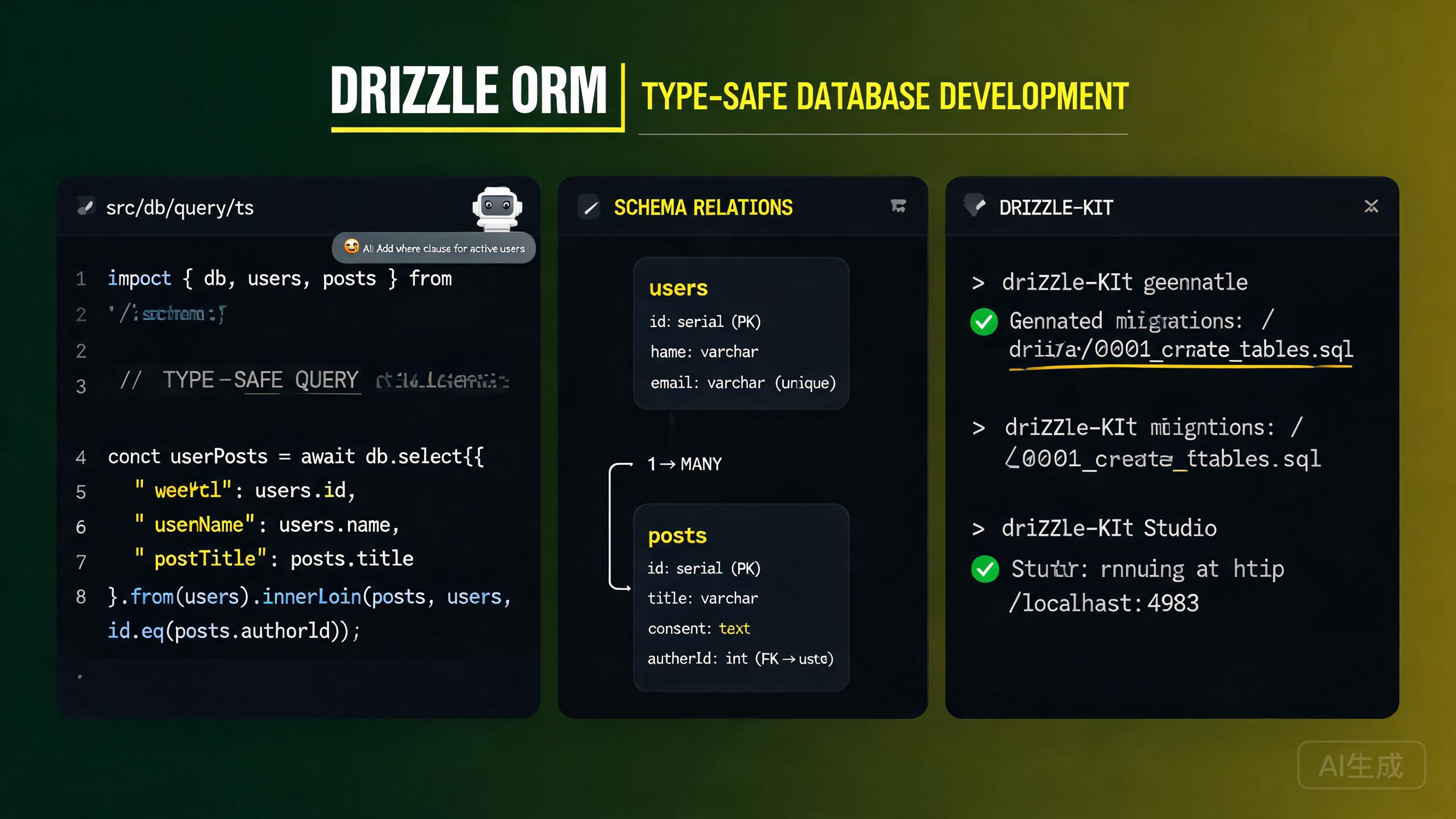
Drizzle ORM is a lightweight, TypeScript-first ORM that provides type-safe SQL queries without the overhead of a heavy runtime. Unlike traditional ORMs, Drizzle gives you full SQL control while maintaining complete type safety at compile time. Drizzle supports PostgreSQL, MySQL, and SQLite with a unified API surface. Cursor, with its integrated AI assistant and built-in TypeScript language server, is an ideal editor for Drizzle development -- it provides full IntelliSense for schema definitions, auto-completes query builders, and can generate complete schemas and queries from natural-language descriptions.
This guide covers the complete Drizzle development workflow in Cursor: installation and setup, schema definition, migrations with drizzle-kit, type-safe queries, relations, and AI-assisted query building.
Installing and Setting Up Drizzle in Cursor
Prerequisites
Drizzle requires Node.js 18 or newer and works with PostgreSQL, MySQL, or SQLite. Verify your Node.js version:
node --version
Cursor's built-in TypeScript language server provides real-time type checking for Drizzle schemas and queries. You see type errors inline before you even run your code, which is especially valuable for Drizzle's heavily-typed query builders.
Installing Dependencies
Install Drizzle ORM and the drizzle-kit CLI tool:
# For PostgreSQL
npm install drizzle-orm pg
npm install drizzle-kit --save-dev

# For MySQL
npm install drizzle-orm mysql2
npm install drizzle-kit --save-dev

# For SQLite (better-sqlite3)
npm install drizzle-orm better-sqlite3
npm install drizzle-kit --save-dev

# For SQLite (libSQL/Turso)
npm install drizzle-orm @libsql/client
npm install drizzle-kit --save-dev
Set your database connection string in .env:
# .env
DATABASE_URL="postgresql://user:password@localhost:5432/mydb"
Configuring drizzle-kit
Create a drizzle.config.ts file in your project root:
// drizzle.config.ts
import { defineConfig } from 'drizzle-kit';

export default defineConfig({
  schema: './src/db/schema.ts',
  out: './drizzle',
  dialect: 'postgresql',
  dbCredentials: {
    url: process.env.DATABASE_URL!,
  },
  verbose: true,
  strict: true,
});
If you are using MySQL, set dialect: 'mysql' in the config. If you are using SQLite, set dialect: 'sqlite'. The dialect field determines which SQL flavor drizzle-kit generates for migrations. An incorrect dialect will produce migration files that fail on your database.
Creating the Database Client
// src/db/client.ts
import { drizzle } from 'drizzle-orm/node-postgres';
import { Pool } from 'pg';
import * as schema from './schema';

const pool = new Pool({
  connectionString: process.env.DATABASE_URL!,
});

export const db = drizzle(pool, { schema });
export type DB = typeof db;
Always import and pass your schema object to the drizzle() constructor. This enables the relational query API (db.query.users.findMany()) which provides nested data fetching with full type safety.
Schema Definition
Drizzle schemas are defined in TypeScript files using builder functions. Each function maps to a SQL column type.
Defining Tables
// src/db/schema.ts
import {
  pgTable,
  uuid,
  varchar,
  text,
  boolean,
  integer,
  timestamp,
  enum,
  pgEnum,
} from 'drizzle-orm/pg-core';
import { relations } from 'drizzle-orm';

// Enums
export const userRoleEnum = pgEnum('user_role', ['admin', 'member', 'viewer']);

// Users table
export const users = pgTable('users', {
  id: uuid('id').defaultRandom().primaryKey(),
  email: varchar('email', { length: 255 }).notNull().unique(),
  name: varchar('name', { length: 100 }),
  role: userRoleEnum('role').default('member').notNull(),
  avatarUrl: text('avatar_url'),
  createdAt: timestamp('created_at').defaultNow().notNull(),
  updatedAt: timestamp('updated_at').defaultNow().notNull(),
});

// Posts table
export const posts = pgTable('posts', {
  id: uuid('id').defaultRandom().primaryKey(),
  title: varchar('title', { length: 200 }).notNull(),
  content: text('content'),
  published: boolean('published').default(false).notNull(),
  viewCount: integer('view_count').default(0).notNull(),
  authorId: uuid('author_id').references(() => users.id, { onDelete: 'cascade' }),
  createdAt: timestamp('created_at').defaultNow().notNull(),
  updatedAt: timestamp('updated_at').defaultNow().notNull(),
});

// Profiles table
export const profiles = pgTable('profiles', {
  id: uuid('id').defaultRandom().primaryKey(),
  bio: text('bio'),
  userId: uuid('user_id').references(() => users.id, { onDelete: 'cascade' }).unique(),
  createdAt: timestamp('created_at').defaultNow().notNull(),
});
Common Column Types (PostgreSQL)
| Drizzle Function | SQL Type | Notes |
|---|---|---|
uuid() | UUID | Use .defaultRandom() for auto-generation |
varchar({ length: n }) | VARCHAR(n) | Variable-length string |
text() | TEXT | Unlimited-length string |
integer() | INTEGER | 32-bit integer |
boolean() | BOOLEAN | True/false |
timestamp() | TIMESTAMP | Use .defaultNow() for auto-fill |
jsonb() | JSONB | Structured data |
serial() | SERIAL | Auto-incrementing integer |
pgEnum() | ENUM | PostgreSQL enum type |
decimal() | DECIMAL | Fixed-point number |
Ask Cursor: "Generate a Drizzle schema for PostgreSQL with User, Post, Comment, and Tag models. Use UUID primary keys, include timestamps, and set up one-to-many and many-to-many relations." Cursor will produce a validated TypeScript schema with correct imports and relation definitions.
Defining Relations
Drizzle relations are defined separately from tables using the relations() function. They do not affect the database schema -- they only configure the relational query API:
// src/db/schema.ts (continued)
import { relations } from 'drizzle-orm';

export const usersRelations = relations(users, ({ one, many }) => ({
  profile: one(profiles, {
    fields: [users.id],
    references: [profiles.userId],
  }),
  posts: many(posts),
}));

export const postsRelations = relations(posts, ({ one, many }) => ({
  author: one(users, {
    fields: [posts.authorId],
    references: [users.id],
  }),
  comments: many(comments),
}));

export const profilesRelations = relations(profiles, ({ one }) => ({
  user: one(users, {
    fields: [profiles.userId],
    references: [users.id],
  }),
}));

export const comments = pgTable('comments', {
  id: uuid('id').defaultRandom().primaryKey(),
  content: text('content').notNull(),
  authorId: uuid('author_id').references(() => users.id, { onDelete: 'cascade' }),
  postId: uuid('post_id').references(() => posts.id, { onDelete: 'cascade' }),
  createdAt: timestamp('created_at').defaultNow().notNull(),
});

export const commentsRelations = relations(comments, ({ one }) => ({
  author: one(users, {
    fields: [comments.authorId],
    references: [users.id],
  }),
  post: one(posts, {
    fields: [comments.postId],
    references: [posts.id],
  }),
}));
Drizzle relations are purely for the query API and do not create foreign key constraints in the database. The actual foreign key is defined in the table definition using .references(). If you define a relation in relations() but forget the .references() in the table, the relational query will work but the database will not enforce referential integrity.
Migrations with drizzle-kit
drizzle-kit generates SQL migration files by comparing your schema definition with the current database state.
Generating Migrations
npx drizzle-kit generate
This creates a SQL migration file in the drizzle/ directory (as configured in drizzle.config.ts):
-- drizzle/0000_initial_migration.sql
CREATE TYPE "user_role" AS ENUM('admin', 'member', 'viewer');

CREATE TABLE "users" (
  "id" uuid PRIMARY KEY DEFAULT gen_random_uuid() NOT NULL,
  "email" varchar(255) NOT NULL,
  "name" varchar(100),
  "role" "user_role" DEFAULT 'member' NOT NULL,
  "avatar_url" text,
  "created_at" timestamp DEFAULT now() NOT NULL,
  "updated_at" timestamp DEFAULT now() NOT NULL,
  CONSTRAINT "users_email_unique" UNIQUE("email")
);

CREATE TABLE "posts" (
  "id" uuid PRIMARY KEY DEFAULT gen_random_uuid() NOT NULL,
  "title" varchar(200) NOT NULL,
  "content" text,
  "published" boolean DEFAULT false NOT NULL,
  "view_count" integer DEFAULT 0 NOT NULL,
  "author_id" uuid,
  "created_at" timestamp DEFAULT now() NOT NULL,
  "updated_at" timestamp DEFAULT now() NOT NULL
);

ALTER TABLE "posts" ADD COLUMN "author_id" uuid REFERENCES "users"("id") ON DELETE CASCADE;
Applying Migrations
npx drizzle-kit migrate
This applies all pending migration files to your database in order.
Use npx drizzle-kit generate after every schema change, then review the generated SQL before running migrate. Drizzle's migration generation is excellent but not perfect -- always verify that the SQL matches your intent, especially for complex operations like column renames or type changes.
Pushing Schema Changes Directly
For rapid prototyping, you can push schema changes directly to the database without generating migration files:
npx drizzle-kit push
This synchronizes your schema with the database immediately.
drizzle-kit push bypasses migration files and applies changes directly. This is great for development but should never be used in production. Always use generate + migrate for production deployments to maintain a versioned migration history.
Migration Journal
drizzle-kit maintains a meta/_journal.json file that tracks applied migrations:
[
  {
    "version": "5",
    "idx": 0,
    "when": 1700000000000,
    "tag": "initial_migration",
    "breakpoints": true
  }
]
Type-Safe Queries
Drizzle's query builder is fully typed. Every query you write is checked at compile time, and Cursor's IntelliSense provides autocomplete for table names, columns, and operators.
Select Queries
import { eq, and, gte, lte, desc, asc, sql } from 'drizzle-orm';
import { db } from './client';
import { users, posts, profiles } from './schema';

// Select specific columns
const userEmails = await db
  .select({ id: users.id, email: users.email, name: users.name })
  .from(users);

// Select with filtering
const publishedPosts = await db
  .select()
  .from(posts)
  .where(eq(posts.published, true))
  .orderBy(desc(posts.createdAt))
  .limit(10);

// Select with multiple conditions
const recentPosts = await db
  .select()
  .from(posts)
  .where(
    and(
      eq(posts.published, true),
      gte(posts.createdAt, new Date('2024-01-01')),
      lte(posts.createdAt, new Date('2024-12-31'))
    )
  )
  .orderBy(desc(posts.viewCount), asc(posts.createdAt));
Joins
// Inner join: posts with their authors
const postsWithAuthors = await db
  .select({
    postId: posts.id,
    title: posts.title,
    authorName: users.name,
    authorEmail: users.email,
  })
  .from(posts)
  .innerJoin(users, eq(posts.authorId, users.id))
  .where(eq(posts.published, true));

// Left join: users with optional profiles
const usersWithProfiles = await db
  .select({
    userId: users.id,
    email: users.email,
    bio: profiles.bio,
  })
  .from(users)
  .leftJoin(profiles, eq(users.id, profiles.userId));
Insert Queries
// Insert a single record
const [newUser] = await db
.insert(users)
.values({
name: 'New User',
role: 'member',
})
.returning();
// Insert multiple records
const newPosts = await db
.insert(posts)
.values([
{ title: 'Post 1', content: 'Content 1', authorId: userId },
{ title: 'Post 2', content: 'Content 2', authorId: userId },
])
.returning({ id: posts.id, title: posts.title });
// Insert with conflict handling (upsert)
const [upsertedUser] = await db
.insert(users)
.onConflictDoUpdate({
target: users.email,
set: { name: 'Updated Name', updatedAt: new Date() },
})
.returning();
Ask Cursor: "Write a Drizzle upsert query that inserts a new user if the email does not exist, or updates the name and avatarUrl if it does. Return the inserted/updated record." Cursor will generate the onConflictDoUpdate syntax correctly.
Update and Delete
// Update records
const [updatedPost] = await db
  .update(posts)
  .set({ title: 'Updated Title', viewCount: sql`${posts.viewCount} + 1` })
  .where(eq(posts.id, postId))
  .returning();

// Delete records
await db.delete(posts).where(eq(posts.authorId, deletedUserId));

// Delete with condition
const deletedCount = await db
  .delete(posts)
  .where(and(eq(posts.published, false), lt(posts.createdAt, thirtyDaysAgo)))
  .returning();
Relational Query API
Drizzle's relational query API provides a declarative way to fetch nested data:
// Fetch a user with their profile and posts
const userWithData = await db.query.users.findFirst({
with: {
profile: true,
posts: {
where: eq(posts.published, true),
orderBy: desc(posts.createdAt),
limit: 5,
with: {
comments: {
with: {
author: {
columns: { id: true, name: true, avatarUrl: true },
},
},
},
},
},
},
});
// Fetch all published posts with author and comments
const allPosts = await db.query.posts.findMany({
where: eq(posts.published, true),
orderBy: desc(posts.createdAt),
limit: 20,
with: {
author: {
columns: { id: true, name: true, email: true },
},
comments: {
orderBy: desc(comments.createdAt),
with: {
author: true,
},
},
},
});
The relational query API (db.query.*) requires that you pass your schema to the drizzle() constructor: drizzle(pool, { schema }). Without the schema, the db.query namespace will be undefined and all relational queries will throw a runtime error.
Aggregations and Group By
import { count, sql } from 'drizzle-orm';

// Count posts per author
const postCounts = await db
  .select({
    authorId: posts.authorId,
    authorName: users.name,
    postCount: count(posts.id),
  })
  .from(posts)
  .innerJoin(users, eq(posts.authorId, users.id))
  .where(eq(posts.published, true))
  .groupBy(posts.authorId, users.name)
  .orderBy(desc(count(posts.id)))
  .limit(5);

// Sum and average
const stats = await db
  .select({
    totalViews: sql<number>`sum(${posts.viewCount})`,
    avgViews: sql<number>`avg(${posts.viewCount})`,
    postCount: count(posts.id),
  })
  .from(posts)
  .where(eq(posts.published, true));
Transactions
Drizzle supports both callback-based and statement-based transactions:
// Callback-based transaction
const result = await db.transaction(async (tx) => {
const [newUser] = await tx
.insert(users)
.returning();
const [newPost] = await tx
.insert(posts)
.values({
title: 'First Post',
content: 'Hello',
authorId: newUser.id,
published: true,
})
.returning();
await tx
.insert(profiles)
.values({ bio: 'Author bio', userId: newUser.id })
.returning();
return { user: newUser, post: newPost };
});
Ask Cursor: "Write a Drizzle transaction that creates a user, assigns them to a workspace as a member, and creates a default project. Roll back on any error." Cursor will generate the callback-based transaction with proper error propagation.
AI-Assisted Query Building in Cursor
Cursor's AI assistant can generate complex Drizzle queries, schema definitions, and migration strategies from natural-language descriptions.
Generating Queries from Prompts
Open Cursor Chat (Ctrl+L) and describe what you need:
Write a Drizzle ORM query to fetch the top 10 most-viewed published posts
from the last 30 days, including each post's author name and email, the
count of comments, and the count of likes. Order by view count descending.
Use the relational query API (db.query.posts.findMany).
const thirtyDaysAgo = new Date();
thirtyDaysAgo.setDate(thirtyDaysAgo.getDate() - 30);

const topPosts = await db.query.posts.findMany({
  where: and(
    eq(posts.published, true),
    gte(posts.createdAt, thirtyDaysAgo)
  ),
  orderBy: desc(posts.viewCount),
  limit: 10,
  with: {
    author: {
      columns: { id: true, name: true, email: true },
    },
  },
  extras: {
    commentCount: sql<number>`(
      SELECT count(*) FROM comments WHERE comments.post_id = posts.id
    )`.as('commentCount'),
    likeCount: sql<number>`(
      SELECT count(*) FROM likes WHERE likes.post_id = posts.id
    )`.as('likeCount'),
  },
});
When asking Cursor to generate Drizzle queries, specify whether you want the query builder API (db.select().from()) or the relational query API (db.query.*.findMany()). The two APIs have different syntax and trade-offs -- the query builder gives you more SQL control while the relational API is more declarative.
Generating Schemas from Descriptions
Generate a Drizzle schema for a multi-tenant SaaS application using
PostgreSQL. Include: Tenant, User (with tenantId), Subscription (with
plan enum: FREE/PRO/ENTERPRISE), ApiKey, and Webhook table. Use UUIDs,
timestamps, proper foreign keys with cascade delete, and add indexes on
tenantId columns.
AI-Assisted Schema Migration
When refactoring your schema, ask Cursor for help:
I need to add a "soft delete" feature to my Drizzle schema. Add a
"deleted_at" timestamp column to the posts and comments tables that is
nullable. Then update my existing queries to filter out soft-deleted
records by default. Show me how to generate the migration.
Cursor will:
- Add the
deletedAtcolumn to both tables. - Update select queries to add
isNull(posts.deletedAt)filters. - Generate the drizzle-kit migration command.
When adding soft-delete columns, existing queries that do not filter by deletedAt will return soft-deleted records. Ask Cursor to audit all your queries after the schema change to ensure none leak soft-deleted data.
Performance and Best Practices
Indexing Strategy
import { index } from 'drizzle-orm/pg-core';

export const posts = pgTable(
  'posts',
  {
    id: uuid('id').defaultRandom().primaryKey(),
    title: varchar('title', { length: 200 }).notNull(),
    authorId: uuid('author_id').references(() => users.id),
    published: boolean('published').default(false).notNull(),
    createdAt: timestamp('created_at').defaultNow().notNull(),
  },
  (table) => ({
    authorIdx: index('posts_author_id_idx').on(table.authorId),
    publishedIdx: index('posts_published_created_idx').on(
      table.published,
      table.createdAt
    ),
  })
);
Connection Pooling
import { Pool } from 'pg';
import { drizzle } from 'drizzle-orm/node-postgres';

const pool = new Pool({
  connectionString: process.env.DATABASE_URL!,
  max: 20,
  idleTimeoutMillis: 30000,
  connectionTimeoutMillis: 2000,
});

export const db = drizzle(pool, { schema, logger: true });
In serverless environments (Vercel, AWS Lambda), use a connection pooler like PgBouncer or a serverless driver like @neondatabase/serverless. Direct PostgreSQL connections do not scale well in serverless because each function instance creates its own pool, exhausting the database's connection limit.
Prepared Statements
import { sql } from 'drizzle-orm';

const findPostsByAuthor = db
  .select()
  .from(posts)
  .where(and(eq(posts.authorId, sql.placeholder('authorId')), eq(posts.published, true)))
  .prepare('findPostsByAuthor');

const result = await findPostsByAuthor.execute({ authorId: userId });
Conclusion
Drizzle ORM paired with Cursor creates a powerful, type-safe database development experience. The TypeScript-native schema definition gives you full SQL control while Cursor's language server catches type errors in real time. drizzle-kit provides a reliable migration workflow with generate and migrate commands for production, and push for rapid prototyping. The dual query API -- builder-style db.select().from() and declarative db.query.*.findMany() -- lets you choose the right level of abstraction for each query. Cursor's AI assistant accelerates every step, from generating complete schemas for complex domains to writing optimized queries with joins, aggregations, and transactions. Start by defining your schema in TypeScript, configure drizzle-kit, use generate and migrate for schema evolution, and let Cursor build the type-safe queries so you can focus on your application logic.