Cursor 中的 WebAssembly 开发:Rust、AssemblyScript 与浏览器集成
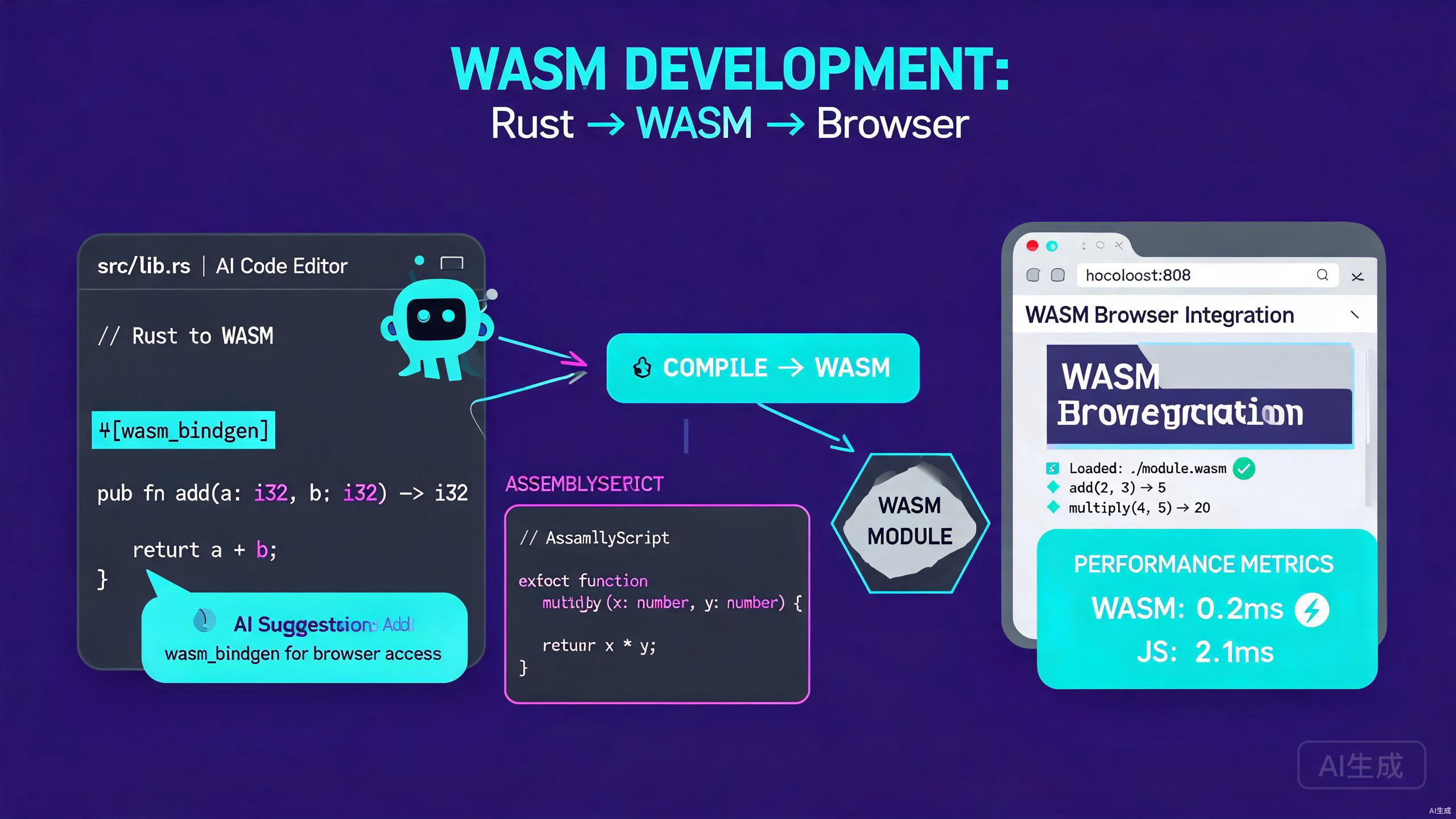
WebAssembly(WASM)通过让编译后的代码与 JavaScript 一起运行,为浏览器带来了接近原生的性能。Cursor 是一款 AI 驱动的 IDE 编辑器,通过搭建 Rust 和 AssemblyScript 项目、生成 wasm-pack 配置以及利用 AI 辅助优化热点循环,加速 WebAssembly 开发。本指南涵盖从项目设置到浏览器集成的完整工作流程。
前提条件
在开始之前,请确保你已安装以下内容:
- Cursor(建议使用最新版本)作为你的 IDE 编辑器
- Rust 工具链(
rustup、cargo),用于 Rust 到 WASM 的编译 - Node.js 18 或更高版本,用于 JavaScript 工具和 AssemblyScript
- wasm-pack,用于将 Rust 构建为 WebAssembly 包
- 现代浏览器(Chrome、Firefox 或 Edge)用于测试
如果你没有 Rust 工具链,Cursor 的集成终端可以安装它。运行 Rust 安装程序,然后使用 rustup target add wasm32-unknown-unknown 添加 WASM 目标。使用 cargo install wasm-pack 安装 wasm-pack,或使用官方安装脚本。
在 Cursor 中使用 Rust 开发 WebAssembly
Rust 是面向 WebAssembly 最流行的语言,因为它的性能、安全性和一流的工具支持。Cursor 帮助你搭建、构建和调试 Rust WASM 模块。
创建 Rust WASM 项目
在 Cursor 中打开一个新文件夹,使用 AI 聊天生成项目:
Scaffold a Rust project for WebAssembly that:
- Uses wasm-bindgen to bridge Rust and JavaScript
- Exports a function that adds two numbers
- Exports a function that reverses a string
- Includes a Cargo.toml configured for cdylib
- Has a unit test file
Cursor 生成标准的 Rust WASM 结构:
rust-wasm-app/
  src/
    lib.rs
    utils.rs
  tests/
    web.rs
  Cargo.toml
生成的 Cargo.toml:
[package]
name = "rust-wasm-app"
version = "0.1.0"
edition = "2021"

[lib]
crate-type = ["cdylib", "rlib"]

[dependencies]
wasm-bindgen = "0.2"
serde = { version = "1", features = ["derive"] }
serde-wasm-bindgen = "0.6"

[dev-dependencies]
wasm-bindgen-test = "0.3"

[profile.release]
opt-level = "s"
lto = true
codegen-units = 1
生成的 src/lib.rs:
use wasm_bindgen::prelude::*;

#[wasm_bindgen]
pub fn add(a: i32, b: i32) -> i32 {
    a + b
}

#[wasm_bindgen]
pub fn reverse_string(input: &str) -> String {
    input.chars().rev().collect()
}

#[wasm_bindgen]
pub fn factorial(n: u32) -> u64 {
    (1..=n as u64).product()
}
使用 wasm-pack 构建
Cursor 的终端使运行 wasm-pack 变得无缝。让 AI 创建构建脚本:
Create a build script that runs wasm-pack with the correct target and
output directory, then copies the generated pkg folder into a web folder.
Cursor 生成 build.sh:
#!/usr/bin/env bash
set -e

echo "Building Rust to WebAssembly..."
wasm-pack build --target web --out-dir pkg

echo "Copying package to web folder..."
mkdir -p web/pkg
cp -r pkg/* web/pkg/

echo "Build complete. Open web/index.html in a browser."
从 Cursor 的终端运行它:
chmod +x build.sh
./build.sh
为 WASM 编写测试
Rust WASM 函数可以使用 wasm-bindgen-test 进行测试。Cursor 生成测试文件:
use rust_wasm_app::{add, reverse_string, factorial};
use wasm_bindgen_test::*;

#[wasm_bindgen_test]
fn test_add() {
    assert_eq!(add(2, 3), 5);
    assert_eq!(add(-1, 1), 0);
}

#[wasm_bindgen_test]
fn test_reverse_string() {
    assert_eq!(reverse_string("cursor"), "rosruc");
    assert_eq!(reverse_string(""), "");
}

#[wasm_bindgen_test]
fn test_factorial() {
    assert_eq!(factorial(0), 1);
    assert_eq!(factorial(5), 120);
    assert_eq!(factorial(10), 3628800);
}
在 Cursor 的终端中运行测试:
wasm-pack test --headless --firefox
WebAssembly 测试在浏览器引擎中运行,而不是作为原生 Rust 测试。运行 wasm-pack test 时,你必须使用 --chrome、--firefox 或 --safari 指定浏览器。如果浏览器未安装,测试会静默失败并显示连接错误。如果你将错误输出粘贴到 Cursor 的 AI 聊天中,它可以帮助诊断这些故障。
在 Cursor 中开发 AssemblyScript
AssemblyScript 将类似 TypeScript 的语法直接编译为 WebAssembly,对于已经熟悉 TypeScript 的开发者来说是一个极佳的选择。由于语法与 TypeScript 重叠,Cursor 为 AssemblyScript 提供了强大的支持。
设置 AssemblyScript 项目
创建一个新文件夹并让 Cursor 搭建 AssemblyScript 项目:
Scaffold an AssemblyScript project that:
- Has an assembly/index.ts entry file
- Exports functions for image processing (grayscale, invert)
- Includes an asconfig.json for release builds
- Has a package.json with the assemblyscript dependency
Cursor 生成:
assemblyscript-app/
  assembly/
    index.ts
    image.ts
  asconfig.json
  package.json
  index.html
assembly/index.ts:
export function grayscale(
  pixels: Uint8Array,
  width: i32,
  height: i32
): Uint8Array {
  const result = new Uint8Array(pixels.length);
  for (let i = 0; i < pixels.length; i += 4) {
    const r = pixels[i];
    const g = pixels[i + 1];
    const b = pixels[i + 2];
    const gray = <u8>((r * 77 + g * 150 + b * 29) >> 8);
    result[i] = gray;
    result[i + 1] = gray;
    result[i + 2] = gray;
    result[i + 3] = pixels[i + 3]; // preserve alpha
  }
  return result;
}

export function invert(pixels: Uint8Array): Uint8Array {
  const result = new Uint8Array(pixels.length);
  for (let i = 0; i < pixels.length; i += 4) {
    result[i] = 255 - pixels[i];
    result[i + 1] = 255 - pixels[i + 1];
    result[i + 2] = 255 - pixels[i + 2];
    result[i + 3] = pixels[i + 3];
  }
  return result;
}
asconfig.json:
{
  "entries": ["assembly/index.ts"],
  "targets": {
    "release": {
      "optimizeLevel": 3,
      "shrinkLevel": 0,
      "converge": false,
      "noAssert": false
    },
    "debug": {
      "debug": true
    }
  },
  "options": {
    "exportRuntime": true,
    "exportMemory": true
  }
}
构建 AssemblyScript
使用 Cursor 的终端安装依赖并构建:
npm install
npx asc assembly/index.ts --target release --outFile build/release.wasm
AssemblyScript 语法与 TypeScript 非常接近,因此 Cursor 的 TypeScript 语言服务器提供了有用的行内诊断。主要区别是 AssemblyScript 需要显式数字类型,如 i32、u8 和 f64。询问 Cursor:"将这个 TypeScript 函数转换为有效的 AssemblyScript,"它会正确标注类型。
浏览器集成
只有当你能从浏览器加载并调用 WebAssembly 时,它才有用。Cursor 可以为 Rust 和 AssemblyScript 模块生成 JavaScript 胶水代码。
加载 Rust WASM 模块
让 Cursor 创建一个加载 Rust 包的 HTML 页面:
Create a web/index.html that:
- Loads the wasm module using the web target
- Calls the add and reverse_string functions
- Displays the results on the page
- Includes error handling for failed module loading
Cursor 生成 web/index.html:
<!DOCTYPE html>
<html lang="en">
<head>
  <meta charset="UTF-8" />
  <title>Cursor WASM Demo</title>
</head>
<body>
  <h1>WebAssembly in Cursor</h1>
  <p>Add result: <span id="add-result"></span></p>
  <p>Reverse result: <span id="reverse-result"></span></p>
  <p>Factorial result: <span id="factorial-result"></span></p>

  <script type="module">
    import init, { add, reverse_string, factorial } from './pkg/rust_wasm_app.js';

    async function run() {
      try {
        await init();
        document.getElementById('add-result').textContent = add(40, 2);
        document.getElementById('reverse-result').textContent = reverse_string('hello');
        document.getElementById('factorial-result').textContent = factorial(10);
      } catch (err) {
        console.error('Failed to load WASM module:', err);
      }
    }

    run();
  </script>
</body>
</html>
加载 AssemblyScript 模块
AssemblyScript 生成一个独立的 .wasm 文件,你需要手动实例化。Cursor 生成加载器:
async function loadAssemblyScriptModule() {
  const response = await fetch('build/release.wasm');
  const bytes = await response.arrayBuffer();
  const { instance } = await WebAssembly.instantiate(bytes, {
    env: {
      abort: (msg, file, line, column) => {
        console.error(`Abort at ${file}:${line}:${column}: ${msg}`);
      },
    },
  });
  return instance.exports;
}

const exports = await loadAssemblyScriptModule();
const grayPixels = exports.grayscale(rgbaPixels, width, height);
在 JavaScript 和 WASM 之间共享内存
对于图像处理等性能关键操作,避免复制数据。使用 WebAssembly 的线性内存直接共享内存。Cursor 生成内存桥接:
// JavaScript side
function processImageWithWasm(wasmExports, imageData) {
  const { __new, __pin, __unpin, grayscale } = wasmExports;
  const ptr = __new(imageData.length, 1); // 1 = Uint8Array id
  const wasmMemory = new Uint8Array(wasmExports.memory.buffer);
  wasmMemory.set(imageData, ptr);
  const resultPtr = grayscale(ptr, width, height);
  __pin(resultPtr);
  const result = wasmMemory.slice(
    resultPtr,
    resultPtr + imageData.length
  );
  __unpin(resultPtr);
  return result;
}
WebAssembly 线性内存可能会在分配过程中增长,这会使你持有的任何 JavaScript TypedArray 视图失效。在任何可能分配内存的 WASM 函数之后,始终从 wasmExports.memory.buffer 重新创建视图。如果你在输出中看到随机垃圾数据,过时的内存视图几乎总是原因。
AI 辅助的 WASM 优化
Cursor 的 AI 在优化性能关键的 WASM 代码方面特别有效,因为它可以推理内存布局、SIMD 指令和算法复杂度。
优化热点循环
在 Rust 或 AssemblyScript 代码中选择一个循环并询问 Cursor:
Optimize this loop for WebAssembly. Use SIMD where possible and
minimize memory allocations inside the loop.
Cursor 使用 Rust 中的 std::simd 将标量循环重写为向量化版本:
use std::simd::{f32x4, SimdFloat};

#[wasm_bindgen]
pub fn dot_product_simd(a: &[f32], b: &[f32]) -> f32 {
    let mut sum = f32x4::splat(0.0);
    let chunks = a.chunks_exact(4).zip(b.chunks_exact(4));
    for (a_chunk, b_chunk) in chunks {
        let va = f32x4::from_slice(a_chunk);
        let vb = f32x4::from_slice(b_chunk);
        sum += va * vb;
    }
    let mut total = sum.reduce_sum();
    let remainder = a.len() % 4;
    for i in (a.len() - remainder)..a.len() {
        total += a[i] * b[i];
    }
    total
}
减小二进制大小
大型 WASM 二进制文件会减慢页面加载。让 Cursor 分析你的二进制文件:
My WebAssembly binary is 1.2 MB. Suggest Cargo.toml and code changes
to reduce the binary size for web delivery.
Cursor 推荐 profile 调整和死代码消除:
[profile.release]
opt-level = "z"      # optimize for size
lto = true           # link-time optimization
codegen-units = 1    # single codegen unit
panic = "abort"      # no unwinding tables
strip = true         # strip symbols
// Avoid formatting and panicking code in hot paths
#[cfg(not(feature = "debug"))]
#[panic_handler]
fn panic_handler(_: &core::panic::PanicInfo) -> ! {
    loop {}
}
使用 wasm-opt 作为后构建步骤进行额外的大小缩减。询问 Cursor:"在我的构建脚本中使用 -Oz 添加 wasm-opt 步骤,"它会在 wasm-pack 步骤之后插入该命令。这通常可以再缩减最终二进制文件的 10% 到 20%。
在 Cursor 中调试 WebAssembly
调试 WASM 比调试 JavaScript 更难,因为错误以原始陷阱形式出现。Cursor 提供了几种策略。
Rust WASM 的 Source Map
启用 source map,以便 Cursor 和浏览器开发者工具将 WASM 帧映射回 Rust 源码:
wasm-pack build --target web -- --features console_error_panic_hook
在你的 lib.rs 中,安装一个向浏览器控制台打印信息的 panic 钩子:
use console_error_panic_hook::set_once as set_panic_hook;

#[wasm_bindgen(start)]
pub fn init() {
    set_panic_hook();
    console_log::init_with_level(log::Level::Info).ok();
}
将这些依赖添加到 Cargo.toml:
[dependencies]
console_error_panic_hook = "0.1"
console_log = "1"
log = "0.4"
AI 驱动的错误诊断
当 WASM 模块抛出 RuntimeError: unreachable 时,将堆栈跟踪粘贴到 Cursor 的聊天中:
My WASM module crashes with "RuntimeError: unreachable executed"
when processing large arrays. Here is the Rust source and the JS
loader. Find the bug.
Cursor 精确定位差一错误、整数溢出和非对齐内存访问等导致陷阱的原因。
常见模式和代码片段
以下是 Cursor 可以按需为你的 WASM 项目生成的可复用模式。
传递结构化数据
要在 JavaScript 和 Rust 之间传递复杂对象,使用 serde-wasm-bindgen:
use serde::{Serialize, Deserialize};
use serde_wasm_bindgen::{from_value, to_value};
use wasm_bindgen::prelude::*;
#[derive(Serialize, Deserialize)]
pub struct Point {
pub x: f64,
pub y: f64,
}
#[wasm_bindgen]
pub fn compute_centroid(points_js: JsValue) -> Result<JsValue, JsValue> {
let points: Vec<Point> = from_value(points_js)
.map_err(|e| JsValue::from_str(&format!("Deserialization error: {}", e)))?;
if points.is_empty() {
return Err(JsValue::from_str("Cannot compute centroid of empty set"));
}
let (sum_x, sum_y) = points.iter()
.fold((0.0, 0.0), |(sx, sy), p| (sx + p.x, sy + p.y));
let centroid = Point {
x: sum_x / points.len() as f64,
y: sum_y / points.len() as f64,
};
to_value(¢roid)
.map_err(|e| JsValue::from_str(&format!("Serialization error: {}", e)))
}
节流来自 JavaScript 的调用
在紧密动画循环中调用的 WASM 函数仍然可能阻塞主线程。使用 Web Worker 来卸载繁重的计算。Cursor 生成 worker 脚手架:
// worker.js
import init, { process_image } from './pkg/rust_wasm_app.js';

self.onmessage = async (event) => {
  await init();
  const { pixels, width, height } = event.data;
  const result = process_image(pixels, width, height);
  self.postMessage({ result }, [result.buffer]);
};
// main.js
const worker = new Worker(new URL('./worker.js', import.meta.url), {
  type: 'module',
});
worker.onmessage = (event) => {
  drawProcessedPixels(event.data.result);
};
worker.postMessage({ pixels, width, height });
使用传输列表([result.buffer])传输 ArrayBuffer 是避免在主线程和 Worker 之间复制大型缓冲区的唯一方法。在多兆字节图像上忘记传输列表会导致每条消息都完整复制,这会破坏使用 WebAssembly 的性能优势。
最佳实践总结
在 Cursor 中构建 WebAssembly 应用程序时,请遵循以下原则:
- 选择正确的语言:Rust 用于性能和安全,AssemblyScript 用于类似 TypeScript 的学习曲线。
- 最小化 JS-WASM 边界:更少、更大的调用优于多次小调用。
- 共享内存而非复制缓冲区,用于图像和音频等大型数据。
- 在 release profile 中启用大小优化,并在构建后运行
wasm-opt。 - 使用 Web Worker处理任何超过几毫秒的计算,以避免阻塞 UI。
- 安装 panic 钩子,以便运行时错误显示可读消息而非不透明的陷阱。
通过将 WebAssembly 的性能与 Cursor 的 AI 驱动代码生成相结合,你可以用通常样板代码的一小部分交付高性能浏览器模块。清晰地描述你的意图,让 Cursor 搭建项目和胶水代码,并将精力集中在重要的算法上。