在 Cursor 中设置 CI/CD 流水线:完整指南
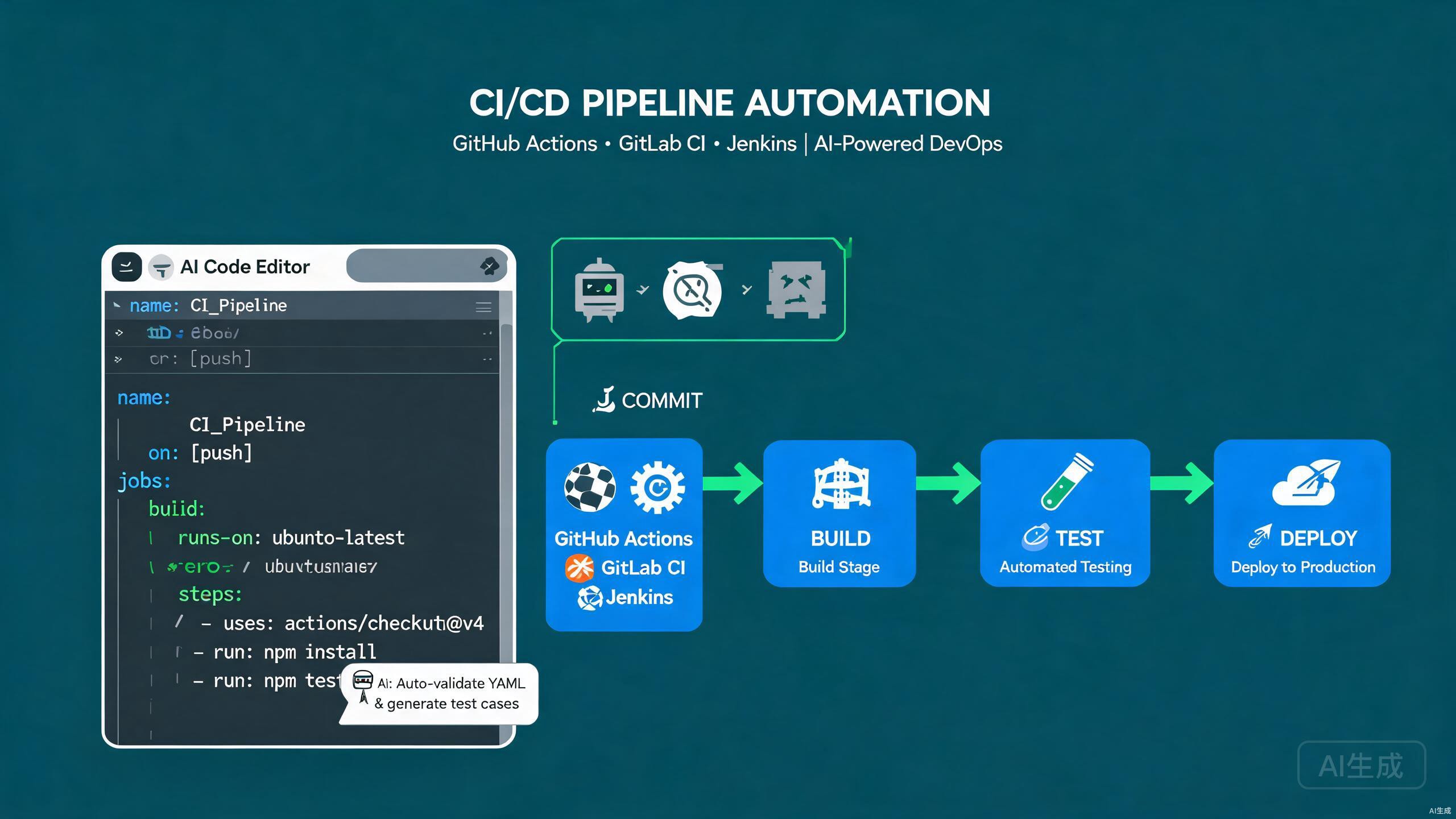
持续集成和持续部署(CI/CD)流水线自动化构建、测试和发布流程,让团队安全频繁地交付代码。现代 CI/CD 涵盖多个平台——GitHub Actions 用于 GitHub 托管项目,GitLab CI 用于 GitLab 仓库,Jenkins 用于自托管、高度可定制的流水线。Cursor 凭借其集成的 AI 助手和 VS Code 兼容的扩展模型,是编写和维护流水线配置的优秀编辑器。它可以从自然语言提示生成工作流,验证 YAML 语法,并在项目演进时重构流水线。
本指南涵盖 Cursor 中的完整 CI/CD 工作流:配置 GitHub Actions、GitLab CI 和 Jenkins,集成自动化测试,利用 AI 生成和优化流水线配置,以及遵循安全可靠自动化的最佳实践。
在 Cursor 中设置 CI/CD 工具
必备扩展
Cursor 继承了 VS Code 的扩展生态系统。安装这些扩展以简化流水线编写:
- YAML(由 Red Hat 提供)——为 GitHub Actions、GitLab CI 和 Docker Compose 文件提供架构验证。
- GitHub Actions——工作流文件的语法高亮和代码片段。
- GitLab Workflow——GitLab CI 验证和 MR 管理。
- Docker——Dockerfile 编写和镜像构建助手。
YAML 扩展会自动下载已知文件类型的 JSON 架构。当你创建 .github/workflows/deploy.yml 时,Cursor 会根据官方 GitHub Actions 架构验证结构,并为每个字段提供自动补全。
CI/CD 项目结构
支持 CI/CD 的项目通常包括:
project/
  ├── .github/
  │   └── workflows/
  │       ├── ci.yml
  │       └── deploy.yml
  ├── .gitlab/
  │   └── ci/
  │       └── templates.yml
  ├── .jenkins/
  │   └── Jenkinsfile
  ├── src/
  ├── tests/
  ├── Dockerfile
  ├── docker-compose.yml
  └── package.json
GitHub Actions
创建你的第一个工作流
GitHub Actions 使用 .github/workflows/ 中的 YAML 文件。基本的 CI 工作流在每次推送和拉取请求时运行:
# .github/workflows/ci.yml
name: CI

on:
  push:
    branches: [main, develop]
  pull_request:
    branches: [main]

permissions:
  contents: read

jobs:
  test:
    runs-on: ubuntu-latest
    steps:
      - name: Checkout code
        uses: actions/checkout@v4

      - name: Setup Node.js
        uses: actions/setup-node@v4
        with:
          node-version: 20
          cache: npm

      - name: Install dependencies
        run: npm ci

      - name: Lint
        run: npm run lint

      - name: Type check
        run: npm run type-check

      - name: Run tests
        run: npm test -- --coverage

      - name: Upload coverage
        if: always()
        uses: actions/upload-artifact@v4
        with:
          name: coverage-report
          path: coverage/
          retention-days: 14
在 CI 中使用 npm ci 而非 npm install。ci 命令从锁文件安装确切版本,产生可重现的构建,并在锁文件漂移时快速失败。
矩阵构建
使用矩阵跨多个 Node.js 版本和操作系统进行测试:
jobs:
  test:
    runs-on: ${{ matrix.os }}
    strategy:
      fail-fast: false
      matrix:
        os: [ubuntu-latest, windows-latest, macos-latest]
        node-version: [18, 20, 22]
    steps:
      - uses: actions/checkout@v4
      - uses: actions/setup-node@v4
        with:
          node-version: ${{ matrix.node-version }}
          cache: npm
      - run: npm ci
      - run: npm test
缓存依赖
通过缓存依赖和构建输出来加速工作流:
- name: Cache npm
  uses: actions/cache@v4
  with:
    path: |
      ~/.npm
      node_modules
    key: ${{ runner.os }}-node-${{ hashFiles('**/package-lock.json') }}
    restore-keys: |
      ${{ runner.os }}-node-
仅基于 package-lock.json 哈希的缓存键在锁文件变化时会失效。在键中包含操作系统和 Node 版本以避免运行器环境之间的交叉污染。
可复用工作流
将大型工作流拆分为可复用组件:
# .github/workflows/reusable-test.yml
name: Reusable Test

on:
  workflow_call:
    inputs:
      node-version:
        required: true
        type: string

jobs:
  test:
    runs-on: ubuntu-latest
    steps:
      - uses: actions/checkout@v4
      - uses: actions/setup-node@v4
        with:
          node-version: ${{ inputs.node-version }}
          cache: npm
      - run: npm ci
      - run: npm test
从另一个工作流调用:
jobs:
  test:
    uses: ./.github/workflows/reusable-test.yml
    with:
      node-version: 20
部署工作流
仅在 main 分支上运行的部署作业:
# .github/workflows/deploy.yml
name: Deploy

on:
  push:
    branches: [main]

jobs:
  deploy:
    runs-on: ubuntu-latest
    needs: test
    environment:
      name: production
      url: https://app.example.com
    steps:
      - uses: actions/checkout@v4

      - name: Configure AWS credentials
        uses: aws-actions/configure-aws-credentials@v4
        with:
          role-to-assume: arn:aws:iam::123456789012:role/github-deploy
          aws-region: us-east-1

      - name: Login to ECR
        uses: aws-actions/amazon-ecr-login@v2

      - name: Build and push
        uses: docker/build-push-action@v6
        with:
          context: .
          push: true
          tags: |
            123456789012.dkr.ecr.us-east-1.amazonaws.com/app:latest
            123456789012.dkr.ecr.us-east-1.amazonaws.com/app:${{ github.sha }}

      - name: Deploy to ECS
        run: |
          aws ecs update-service --cluster app-cluster --service app-service --force-new-deployment
为生产部署使用 GitHub Environments 配合必需的审核者。这在部署作业运行前添加了人工审批门控,防止意外发布。
GitLab CI
配置 .gitlab-ci.yml
GitLab CI 使用仓库根目录下的单个 .gitlab-ci.yml:
# .gitlab-ci.yml
stages:
  - lint
  - test
  - build
  - deploy

variables:
  NODE_VERSION: "20"
  IMAGE_TAG: $CI_COMMIT_SHORT_SHA

cache:
  key:
    files:
      - package-lock.json
  paths:
    - node_modules/

lint:
  stage: lint
  image: node:${NODE_VERSION}
  script:
    - npm ci
    - npm run lint
  rules:
    - if: $CI_PIPELINE_SOURCE == "merge_request_event"

test:
  stage: test
  image: node:${NODE_VERSION}
  script:
    - npm ci
    - npm test -- --coverage
  artifacts:
    reports:
      coverage_report:
        coverage_format: cobertura
        path: coverage/cobertura-coverage.xml
  coverage: '/Lines\s*:\s*(\d+\.\d+)%/'

build:
  stage: build
  image: docker:24
  services:
    - docker:24-dind
  script:
    - docker build -t $CI_REGISTRY_IMAGE:$IMAGE_TAG .
    - docker login -u $CI_REGISTRY_USER -p $CI_REGISTRY_PASSWORD $CI_REGISTRY
    - docker push $CI_REGISTRY_IMAGE:$IMAGE_TAG
  rules:
    - if: $CI_COMMIT_BRANCH == "main"

deploy:production:
  stage: deploy
  image: registry.gitlab.com/gitlab-org/cloud-deploy/aws-ecs:latest
  script:
    - ecs update-task-definition --cluster app-cluster --service app-service --image $CI_REGISTRY_IMAGE:$IMAGE_TAG
  environment:
    name: production
    url: https://app.example.com
  rules:
    - if: $CI_COMMIT_BRANCH == "main"
  when: manual
GitLab CI 的 rules 关键字替代了旧的 only/except 语法。使用 rules 配合 if 条件精细控制作业何时运行,并结合 changes 仅在相关文件修改时触发作业。
GitLab CI 模板
将复杂流水线拆分为包含文件:
# .gitlab/ci/test.yml
.test-template:
  stage: test
  image: node:${NODE_VERSION}
  before_script:
    - npm ci
  script:
    - npm test
包含它们:
include:
  - local: .gitlab/ci/test.yml

unit-test:
  extends: .test-template
  script:
    - npm run test:unit
并行和矩阵作业
test:
  stage: test
  image: node:${NODE_VERSION}
  parallel:
    matrix:
      - NODE_VERSION: ["18", "20", "22"]
        OS: ["alpine", "slim"]
  script:
    - npm ci
    - npm test
Jenkins
编写 Jenkinsfile
Jenkins 流水线使用 Jenkinsfile 中基于 Groovy 的 DSL:
// Jenkinsfile
pipeline {
    agent {
        docker {
            image 'node:20-alpine'
            args '-v $HOME/.npm:/root/.npm'
        }
    }

    environment {
        NODE_ENV = 'production'
        DOCKER_IMAGE = "registry.example.com/app:${env.BUILD_NUMBER}"
    }

    options {
        timeout(time: 30, unit: 'MINUTES')
        disableConcurrentBuilds()
        buildDiscarder(logRotator(numToKeepStr: '20'))
    }

    stages {
        stage('Checkout') {
            steps {
                checkout scm
            }
        }

        stage('Install') {
            steps {
                sh 'npm ci'
            }
        }

        stage('Lint') {
            steps {
                sh 'npm run lint'
            }
        }

        stage('Test') {
            steps {
                sh 'npm test -- --coverage'
            }
            post {
                always {
                    junit 'reports/junit.xml'
                    publishHTML(target: [
                        reportDir: 'coverage/lcov-report',
                        reportFiles: 'index.html',
                        reportName: 'Coverage Report'
                    ])
                }
            }
        }

        stage('Build') {
            steps {
                sh 'npm run build'
            }
        }

        stage('Deploy') {
            when {
                branch 'main'
            }
            steps {
                sh "docker build -t ${DOCKER_IMAGE} ."
                sh "docker push ${DOCKER_IMAGE}"
                sh "kubectl rollout restart deployment/app -n production"
            }
        }
    }

    post {
        failure {
            emailext subject: "Build failed: ${env.JOB_NAME} #${env.BUILD_NUMBER}",
                     body: "Check the build at ${env.BUILD_URL}",
                     to: '[email protected]'
        }
        success {
            slackSend channel: '#deploys',
                      message: "Build succeeded: ${env.JOB_NAME} #${env.BUILD_NUMBER}"
        }
    }
}
Jenkinsfile 以 Jenkins 控制器的权限运行。切勿使用 sh 调用包含不可信输入的命令,并始终引用插值变量以防止 shell 注入。
声明式 vs 脚本式流水线
上面的示例使用声明式语法。对于复杂逻辑,可切换到脚本块:
stage('Conditional Deploy') {
    steps {
        script {
            def env = params.ENVIRONMENT
            if (env == 'production') {
                input(message: 'Approve production deployment?', ok: 'Deploy')
            }
            sh "./deploy.sh ${env}"
        }
    }
}
Jenkins 共享库
对于可复用的流水线逻辑,定义共享库:
// vars/npmPipeline.groovy
def call(Map config = [:]) {
    pipeline {
        agent any
        stages {
            stage('Install') {
                steps {
                    sh 'npm ci'
                }
            }
            stage('Test') {
                steps {
                    sh 'npm test'
                }
            }
            stage('Build') {
                steps {
                    sh 'npm run build'
                }
            }
        }
    }
}
在 Jenkinsfile 中使用:
@Library('my-shared-lib') _

npmPipeline(nodeVersion: '20')
流水线中的自动化测试
单元测试
- name: Run unit tests
  run: npm run test:unit -- --reporter=junit --outputFile=reports/junit.xml
在 GitHub Actions 中发布结果:
- name: Publish test results
  uses: dorny/test-reporter@v1
  if: always()
  with:
    name: Unit Tests
    path: reports/junit.xml
    reporter: java-junit
集成测试
针对数据库服务容器运行集成测试:
jobs:
  integration:
    runs-on: ubuntu-latest
    services:
      postgres:
        image: postgres:16
        env:
          POSTGRES_PASSWORD: test
          POSTGRES_DB: app_test
        ports:
          - 5432:5432
        options: >-
          --health-cmd pg_isready
          --health-interval 10s
          --health-timeout 5s
          --health-retries 5
    steps:
      - uses: actions/checkout@v4
      - uses: actions/setup-node@v4
        with:
          node-version: 20
      - run: npm ci
      - run: npm run test:integration
        env:
          DATABASE_URL: postgresql://postgres:test@localhost:5432/app_test
GitHub Actions 中的服务容器为集成测试提供一次性数据库。始终包含健康检查(--health-cmd),以便测试在数据库准备好之前不会启动。
端到端测试
在 CI 中运行 Playwright E2E 测试:
e2e:
  runs-on: ubuntu-latest
  steps:
    - uses: actions/checkout@v4
    - uses: actions/setup-node@v4
      with:
        node-version: 20
    - run: npm ci
    - name: Install Playwright browsers
      run: npx playwright install --with-deps
    - name: Run E2E tests
      run: npx playwright test
    - name: Upload report
      if: always()
      uses: actions/upload-artifact@v4
      with:
        name: playwright-report
        path: playwright-report/
安全扫描
添加依赖和代码扫描:
- name: Run audit
  run: npm audit --audit-level=high

- name: CodeQL analysis
  uses: github/codeql-action/init@v3
  with:
    languages: javascript-typescript

- name: Perform analysis
  uses: github/codeql-action/analyze@v3

- name: Trivy container scan
  uses: aquasecurity/trivy-action@master
  with:
    image-ref: app:latest
    severity: CRITICAL,HIGH
AI 辅助流水线配置
从提示生成工作流
Cursor 的 AI 从描述生成完整的流水线文件。在新的 .yml 文件中打开 Ctrl+K 并提示:
Create a GitHub Actions workflow that: runs on push to main and on PRs,
sets up Node 20, installs dependencies with npm ci, runs lint, type-check,
and tests with coverage, builds a Docker image, pushes it to GitHub
Container Registry, and deploys to a Kubernetes cluster using kubectl.
Use caching and environment protections.
Cursor 生成完整有效的工作流。审查权限和密钥,然后通过要求矩阵测试或 Slack 通知来细化。
在为 CI/CD 配置编写提示时,指定确切的平台和版本。"GitHub Actions with Node 20 and Docker buildx" 产生比"a CI pipeline for my Node app"好得多的输出。
优化现有流水线
Cursor 可以分析并优化缓慢的流水线。高亮工作流文件并提示:
Analyze this GitHub Actions workflow and suggest optimizations to reduce
runtime. Identify: missing cache opportunities, jobs that could run in
parallel, oversized images, and unnecessary steps.
AI 建议的常见优化:
- 添加依赖缓存。
- 将 lint、测试和构建拆分为并行作业。
- 使用 Docker 层缓存。
- 取消同一分支的过时运行。
生成流水线测试
在推送前使用 act 在本地运行 GitHub Actions:
# 安装 act
brew install act

# 本地运行特定工作流
act -j test -W .github/workflows/ci.yml
提示 Cursor:"生成一组测试事件和模拟密钥,用于在本地用 act 运行此工作流。"
密钥管理
GitHub Actions 密钥
将密钥存储在仓库或环境设置中,切勿在代码中:
- name: Deploy
  env:
    API_KEY: ${{ secrets.API_KEY }}
    DATABASE_URL: ${{ secrets.DATABASE_URL }}
  run: ./deploy.sh
GitHub 会在日志中遮盖密钥值,但如果密钥作为更大字符串的一部分出现,结构化日志可能会泄露它们。避免记录可能包含令牌的完整请求体,并仅在 env 或 with 中使用 secrets 上下文——切勿在可能被回显的 run 脚本中使用。
GitLab CI 变量
deploy:
  variables:
    DATABASE_URL: $CI_DATABASE_URL
  script:
    - ./deploy.sh
在 GitLab UI 中将变量标记为"masked"和"protected",使其仅出现在受保护分支中。
Jenkins 凭据
使用凭据存储而非环境变量:
withCredentials([string(credentialsId: 'api-key', variable: 'API_KEY')]) {
    sh './deploy.sh'
}
Cursor 中 CI/CD 的最佳实践
保持流水线快速
- 缓存依赖和构建输出。
- 并行运行独立作业。
- 对镜像构建使用 Docker 层缓存。
- 推送新提交时取消进行中的运行。
concurrency:
  group: ${{ github.workflow }}-${{ github.ref }}
  cancel-in-progress: true
快速失败且响亮
- 在测试之前运行 lint 和类型检查。
- 在一个失败使其余测试无效的矩阵作业上使用
fail-fast: true。 - 失败时发送通知(Slack、邮件、Teams)。
固定操作版本
# 避免 — latest 可能意外中断
- uses: actions/checkout@v4
# 推荐 — 固定到提交 SHA 以保证可重现性
将第三方操作固定到完整提交 SHA,而非标签。标签可以被维护者移动,这是供应链安全风险。SHA 固定保证运行的精确代码。
使用环境进行提升
GitHub Environments 提供保护规则、必需的审核者和部署跟踪:
deploy:staging:
  environment: staging

deploy:production:
  needs: deploy:staging
  environment:
    name: production
    url: https://app.example.com
调试流水线
重新运行失败的作业
GitHub Actions 允许你仅重新运行失败的作业,节省时间和计算资源:
gh run rerun <run-id> --failed
启用调试日志志
- name: Debug step
  env:
    ACTIONS_STEP_DEBUG: true
  run: echo "Detailed logs enabled"
将仓库密钥 ACTIONS_STEP_DEBUG 设置为 true 以获取详细运行器日志。
本地验证 YAML
使用 Cursor 的 YAML 扩展在输入时验证语法。对于更深入的验证,使用 actionlint:
brew install actionlint
actionlint .github/workflows/*.yml
Cursor 可以通过任务配置在保存时运行 actionlint。添加一个 .vscode/tasks.json 条目,在当前文件上运行 actionlint 并在问题面板中显示错误。
常见陷阱及如何避免
过时缓存
永不过期的缓存可能掩盖依赖变化。始终在键中包含锁文件哈希:
key: ${{ runner.os }}-npm-${{ hashFiles('**/package-lock.json') }}
无限作业增长
没有日志轮换,旧构建会累积。配置保留:
# GitHub: 在仓库设置中设置
# Jenkins:
options {
    buildDiscarder(logRotator(numToKeepStr: '20'))
}
制品缺少 if: always()
失败作业中的制品默认不上传。添加 if: always() 以在失败时也捕获测试报告和覆盖率。
在部署步骤上小心使用 if: always()——你不希望在测试失败后部署。使用特定条件如 if: success() && github.ref == 'refs/heads/main'。
日志中的密钥
切勿 echo 密钥。即使被遮盖,当密钥是其他输出的子字符串时也会发生部分泄露。使用密钥扫描工具并手动审查首次部署的日志。
总结
Cursor 是编写和维护跨 GitHub Actions、GitLab CI 和 Jenkins 的 CI/CD 流水线的强大编辑器。YAML 扩展提供架构验证,服务容器启用集成测试,AI 助手从自然语言提示生成、优化和调试流水线配置。首先创建 CI 工作流,添加自动化测试和安全扫描,让 Cursor 的 AI 处理重复配置,而你专注于交付可靠、快速和安全的部署。