在 Cursor 中的 Astro 框架开发:完整指南
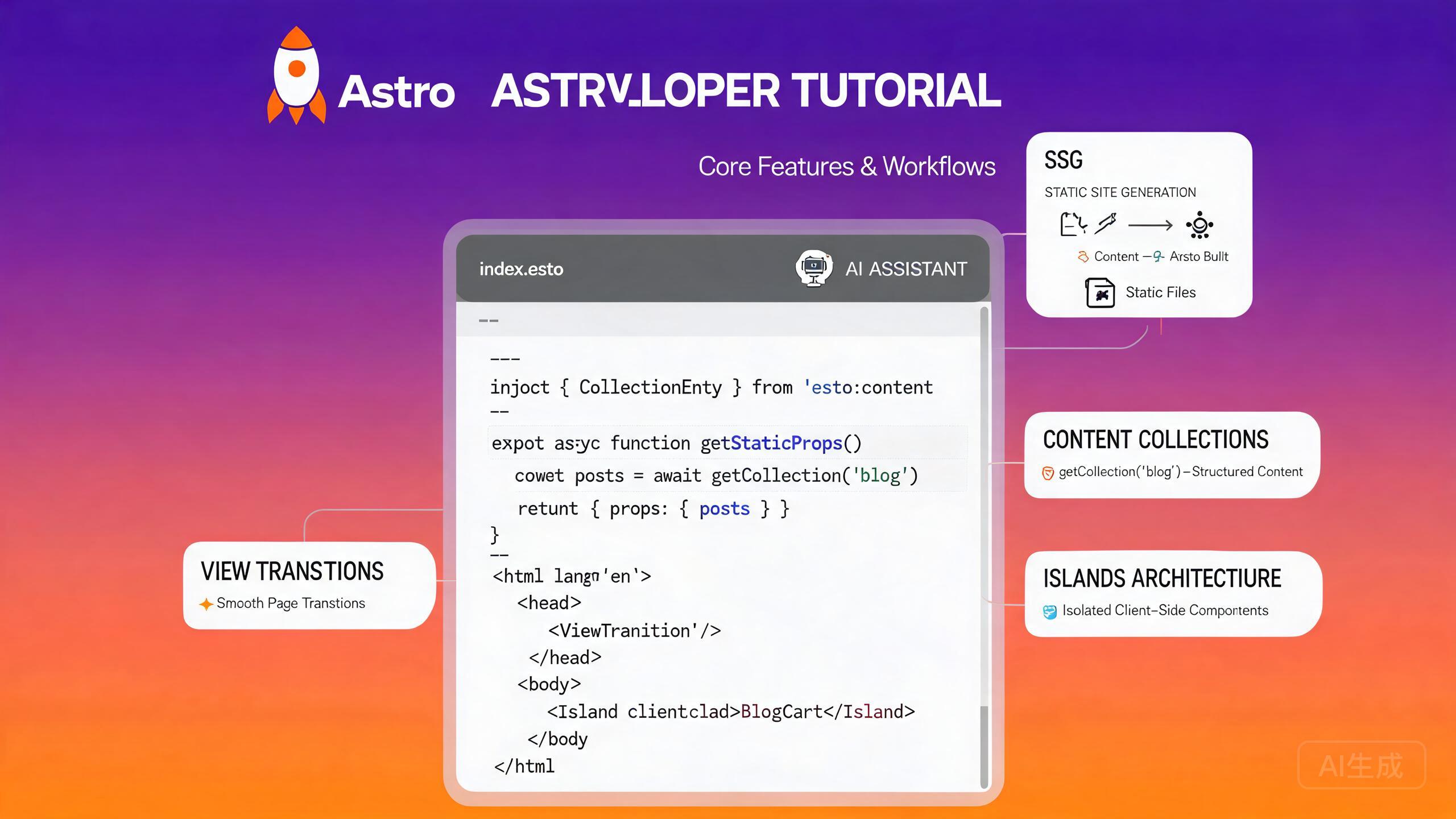
Astro 是一个专为内容驱动网站设计的现代 Web 框架,默认输出零 JavaScript。Astro 4+ 引入了升级版的 Content Layer API、更快的开发服务器性能以及官方 View Transitions 支持。Cursor 凭借其 VS Code 兼容的基础架构和集成的 AI 助手,是 Astro 开发的优秀编辑器——它能理解 .astro 文件,为 frontmatter 和组件属性提供 IntelliSense,并能通过自然语言提示生成组件、集合和集成。
本指南涵盖在 Cursor 中完整的 Astro 开发工作流:项目设置、内容集合、View Transitions API、岛屿架构、集成以及 AI 辅助组件生成。
在 Cursor 中设置 Astro 开发
前置条件
Astro 4+ 需要 Node.js 18.14.1 或更新版本(推荐使用 Node 20 LTS)。验证你的安装:
node --version
npm --version
如果需要更新版本,请使用 fnm 或 nvm:
fnm install 20
fnm use 20
Cursor 的集成终端(Ctrl+`)会保持当前工作目录与资源管理器面板同步,因此你可以搭建项目并立即打开生成的文件,无需切换上下文。
安装 Astro 语言工具
Cursor 依赖官方 Astro 扩展来提供语言支持。从扩展视图(Ctrl+Shift+X)安装:
- 搜索 "Astro"。
- 安装由 Astro 团队发布的扩展。
- 如有提示,重新加载 Cursor。
该扩展提供:
.astro文件的语法高亮。- 通过
@astrojs/language-server提供诊断和类型检查。 - 通过 Prettier 和
prettier-plugin-astro包进行格式化。 - 组件导入、属性和 frontmatter 表达式的 IntelliSense。
如果你之前安装了社区版 Astro 扩展,请在安装官方扩展之前禁用它。冲突的扩展会导致重复诊断和不可靠的格式化。
搭建 Astro 项目
使用官方 create-astro CLI 引导新项目:
# 使用最小模板创建新项目
npm create astro@latest my-astro-site -- --template minimal --no-install --no-git --typescript strict

cd my-astro-site
npm install
在 Cursor 中打开项目文件夹:
cursor .
默认项目结构如下:
my-astro-site/
├── src/
│   ├── components/
│   ├── layouts/
│   │   └── Layout.astro
│   ├── pages/
│   │   └── index.astro
│   └── styles/
│       └── global.css
├── public/
├── astro.config.mjs
├── tsconfig.json
└── package.json
让 Cursor 为你搭建一个完整项目:"创建一个支持 TypeScript、Tailwind CSS 和 MDX 的 Astro 4 项目。" Cursor 会一步生成配置文件并安装依赖。
使用内容集合
内容集合是 Astro 管理本地内容(如博客文章、文档和产品列表)的类型安全方式。Astro 4 引入的 Content Layer API 为本地文件、外部 API 和 CMS 集成提供了统一接口。
定义集合
在 src/content/config.ts 中创建集合模式:
import { defineCollection, z } from 'astro:content';
import { glob } from 'astro/loaders';

const blog = defineCollection({
  loader: glob({ pattern: '**/*.md', base: './src/content/blog' }),
  schema: ({ image }) =>
    z.object({
      title: z.string(),
      description: z.string(),
      pubDate: z.coerce.date(),
      updatedDate: z.coerce.date().optional(),
      author: z.string().default('Anonymous'),
      tags: z.array(z.string()).default([]),
      cover: image().optional(),
      draft: z.boolean().default(false),
    }),
});

const docs = defineCollection({
  loader: glob({ pattern: '**/*.md', base: './src/content/docs' }),
  schema: z.object({
    title: z.string(),
    order: z.number(),
    section: z.string(),
  }),
});

export const collections = { blog, docs };
问 Cursor:"为产品目录生成一个内容集合模式,包含名称、价格、描述、图片数组和类别枚举。" Cursor 理解 Zod,会生成带有适当验证器的有效模式。
编写内容条目
在集合目录中创建 Markdown 文件:
---
title: "Getting Started with Astro 4"
description: "Learn the new Content Layer API and View Transitions in Astro 4."
pubDate: 2024-06-15
author: "Jane Doe"
tags: ["astro", "tutorial"]
cover: "../../assets/blog/astro-cover.jpg"
---

Astro 4 brings a faster dev server, improved Content Layer API,
and native View Transitions support.
在页面中查询集合
使用 getCollection 获取完全类型安全的条目:
---
// src/pages/blog/index.astro
import { getCollection } from 'astro:content';
import Layout from '../../layouts/Layout.astro';

const posts = (await getCollection('blog'))
  .filter((post) => !post.data.draft)
  .sort((a, b) => b.data.pubDate.valueOf() - a.data.pubDate.valueOf());
---

<Layout title="Blog">
  <main>
    <h1>Blog</h1>
    <ul>
      {posts.map((post) => (
        <li>
          <a href={`/blog/${post.id}/`}>
            <time datetime={post.data.pubDate.toISOString()}>
              {post.data.pubDate.toLocaleDateString('en-US')}
            </time>
            {post.data.title}
          </a>
        </li>
      ))}
    </ul>
  </main>
</Layout>
使用 Content Layer API 构建 URL 时,始终使用 post.id(而非 post.slug)。slug 字段在 Astro 3 和 Astro 4 之间行为不同——id 是 Astro 4+ 中稳定的唯一标识符。
动态内容页面
为每个集合条目生成单独的页面:
---
// src/pages/blog/[...id].astro
import { getCollection, render } from 'astro:content';
import Layout from '../../layouts/Layout.astro';

export async function getStaticPaths() {
  const posts = await getCollection('blog');
  return posts.map((post) => ({
    params: { id: post.id },
    props: { post },
  }));
}

const { post } = Astro.props;
const { Content } = await render(post);
---

<Layout title={post.data.title}>
  <article>
    <header>
      <h1>{post.data.title}</h1>
      <p>By {post.data.author}</p>
    </header>
    <Content />
  </article>
</Layout>
View Transitions API
Astro 的 <ClientRouter /> 组件(原 <ViewTransitions />)为客户端导航启用原生浏览器 View Transitions,无需完整的 SPA 框架。
启用 View Transitions
将组件添加到你的基础布局中:
---
// src/layouts/Layout.astro
import { ClientRouter } from 'astro:transitions';

interface Props {
  title: string;
}

const { title } = Astro.props;
---

<!doctype html>
<html lang="en">
  <head>
    <meta charset="UTF-8" />
    <meta name="viewport" content="width=device-width, initial-scale=1.0" />
    <title>{title}</title>
    <ClientRouter />
  </head>
  <body>
    <slot />
  </body>
</html>
页面过渡动画
使用 CSS view-transition-name 定义命名过渡目标:
/* src/styles/global.css */
::view-transition-old(root) {
  animation: fade-out 0.3s ease;
}

::view-transition-new(root) {
  animation: fade-in 0.3s ease;
}

@keyframes fade-out {
  to { opacity: 0; }
}

@keyframes fade-in {
  from { opacity: 0; }
}

/* Named transition for a hero image */
.hero-image {
  view-transition-name: hero-image;
}

::view-transition-old(hero-image) {
  animation: scale-down 0.4s ease;
}

::view-transition-new(hero-image) {
  animation: scale-up 0.4s ease;
}
问 Cursor:"为我的 Astro 站点添加 View Transitions,导航使用滑入效果,内容使用交叉淡入淡出。" Cursor 会生成 CSS 关键帧并解释如何使用 view-transition-name 将它们作用于特定元素。
生命周期事件
在客户端脚本中监听过渡事件:
<script>
  document.addEventListener('astro:page-load', () => {
    console.log('New page loaded after transition');
    initAnalytics();
  });

  document.addEventListener('astro:before-swap', (event) => {
    // Modify the new document before it swaps in
    const newDoc = event.newDocument;
    const theme = localStorage.getItem('theme') ?? 'light';
    newDoc.documentElement.dataset.theme = theme;
  });

  document.addEventListener('astro:after-swap', () => {
    console.log('DOM swapped, scripts re-executed');
  });
</script>
.astro 文件中的客户端脚本由 Astro 的打包器处理。如果你需要一个脚本在每次 View Transitions 导航时都运行,请监听 astro:page-load 事件,而不是依赖顶层代码(后者只在首次加载时执行)。
岛屿架构
Astro 的岛屿架构允许你在静态 HTML 中嵌入交互组件(React、Vue、Svelte、Solid 等)。只有岛屿组件会发送 JavaScript——页面其余部分保持静态。
添加 UI 框架集成
安装 React 集成:
npx astro add react
此命令会自动修改 astro.config.mjs:
import { defineConfig } from 'astro/config';
import react from '@astrojs/react';

export default defineConfig({
  integrations: [react()],
});
创建交互式岛屿
创建一个 React 组件:
// src/components/Counter.tsx
import { useState } from 'react';

interface CounterProps {
  initialCount?: number;
  step?: number;
}

export default function Counter({ initialCount = 0, step = 1 }: CounterProps) {
  const [count, setCount] = useState(initialCount);

  return (
    <div className="counter">
      <button onClick={() => setCount((c) => c - step)}>-</button>
      <span>{count}</span>
      <button onClick={() => setCount((c) => c + step)}>+</button>
    </div>
  );
}
在 Astro 页面中使用 client: 指令来水合岛屿:
---
// src/pages/index.astro
import Layout from '../layouts/Layout.astro';
import Counter from '../components/Counter.tsx';
---

<Layout title="Home">
  <h1>Welcome</h1>

  <!-- Hydrates on page load -->
  <Counter client:load initialCount={0} step={2} />

  <!-- Hydrates when visible in viewport -->
  <Counter client:visible initialCount={10} />

  <!-- Hydrates on idle -->
  <Counter client:idle initialCount={5} />

  <!-- Hydrates on media query match -->
  <Counter client:media="(max-width: 768px)" initialCount={0} />

  <!-- No hydration -- server-rendered only -->
  <Counter initialCount={100} />
</Layout>
问 Cursor:"创建一个 React 岛屿用于邮件订阅表单,包含邮箱验证,并在我的 Astro 布局中以 client:visible 方式渲染。" Cursor 会生成组件、处理表单状态、添加验证并将其接入你的布局文件。
选择合适的水合指令
| 指令 | 使用场景 |
|---|---|
client:load | 立即需要的交互(导航、搜索) |
client:idle | 在浏览器空闲时加载的低优先级小部件 |
client:visible | 滚动到视口时水合的折叠下方小部件 |
client:media | 仅在特定屏幕尺寸下加载的组件 |
client:only | 完全跳过服务端渲染(适用于仅浏览器 API) |
谨慎使用 client:only。使用此指令渲染的组件会跳过服务端渲染,这意味着它们不会出现在初始 HTML 中。这会影响 SEO 并导致布局偏移。仅对首次渲染时依赖 window 或 localStorage 等仅浏览器 API 的组件使用。
集成与生态系统
Astro 集成通过额外功能扩展框架。Cursor 的 AI 可以帮助你快速配置和排查集成问题。
Tailwind CSS 集成
npx astro add tailwind
这会安装 @tailwindcss/vite 并配置 Vite 插件。创建一个包含 Tailwind 导入的 CSS 文件:
/* src/styles/global.css */
@import "tailwindcss";
在布局中导入样式表:
---
// src/layouts/Layout.astro
import '../styles/global.css';
---
问 Cursor:"为我的 Astro 项目设置 Tailwind CSS v4 并创建一个响应式导航栏组件。" Cursor 会配置 Vite 插件、生成 CSS 入口并使用工具类构建响应式导航。
MDX 集成
npx astro add mdx
在内容集合中使用 .mdx 文件,在 Markdown 中嵌入交互组件:
---
title: "Interactive Blog Post"
description: "A post with embedded React components."
pubDate: 2024-06-20
---

import Counter from '../components/Counter.tsx';

This is a paragraph in MDX.

<Counter client:visible initialCount={0} />

More content after the island.
Sitemap 和 RSS 集成
npx astro add sitemap
npx astro add rss
在 astro.config.mjs 中配置:
import { defineConfig } from 'astro/config';
import sitemap from '@astrojs/sitemap';
import mdx from '@astrojs/mdx';

export default defineConfig({
  site: 'https://example.com',
  integrations: [mdx(), sitemap()],
});
在独立端点中生成 RSS 订阅源:
// src/pages/rss.xml.ts
import rss from '@astrojs/rss';
import { getCollection } from 'astro:content';

export async function GET(context) {
  const posts = await getCollection('blog');
  return rss({
    title: 'My Astro Blog',
    description: 'Latest posts',
    site: context.site,
    items: posts
      .filter((post) => !post.data.draft)
      .sort((a, b) => b.data.pubDate.valueOf() - a.data.pubDate.valueOf())
      .map((post) => ({
        title: post.data.title,
        description: post.data.description,
        pubDate: post.data.pubDate,
        link: `/blog/${post.id}/`,
      })),
    customData: '<language>en-us</language>',
  });
}
在 Cursor 中 AI 辅助组件生成
Cursor 的 AI 助手擅长从自然语言描述生成 Astro 组件、布局和集合模式。
从提示生成组件
打开 Cursor Chat(Ctrl+L)或使用内联编辑(Ctrl+I)并描述你的需求:
Generate an Astro component for a responsive pricing table with three tiers:
Starter ($9), Pro ($29), and Enterprise ($99). Include a "Popular" badge on
the Pro tier, feature lists with checkmarks, and CTA buttons. Use Tailwind
classes and accept props for the tier data.
Cursor 会生成一个完全类型化、带样式的组件:
---
// src/components/PricingTable.astro
interface PricingTier {
  name: string;
  price: number;
  description: string;
  features: string[];
  popular?: boolean;
  ctaText: string;
  ctaLink: string;
}

interface Props {
  tiers: PricingTier[];
}

const { tiers } = Astro.props;
---

<section class="py-12">
  <div class="grid grid-cols-1 md:grid-cols-3 gap-8 max-w-5xl mx-auto">
    {tiers.map((tier) => (
      <div
        class:list={[
          'relative rounded-2xl border p-8',
          tier.popular
            ? 'border-blue-500 shadow-xl scale-105'
            : 'border-gray-200',
        ]}
      >
        {tier.popular && (
          <span class="absolute -top-3 left-1/2 -translate-x-1/2 rounded-full bg-blue-500 px-4 py-1 text-sm text-white font-semibold">
            Popular
          </span>
        )}
        <h3 class="text-xl font-bold">{tier.name}</h3>
        <p class="text-gray-500 text-sm mt-1">{tier.description}</p>
        <p class="text-4xl font-bold mt-4">
          ${tier.price}<span class="text-base font-normal text-gray-500">/mo</span>
        </p>
        <ul class="mt-6 space-y-3">
          {tier.features.map((feature) => (
            <li class="flex items-center gap-2">
              <svg class="w-5 h-5 text-green-500" fill="none" viewBox="0 0 24 24" stroke="currentColor" stroke-width="2">
                <path stroke-linecap="round" stroke-linejoin="round" d="M5 13l4 4L19 7" />
              </svg>
              {feature}
            </li>
          ))}
        </ul>
        <a
          href={tier.ctaLink}
          class:list={[
            'mt-8 block rounded-lg py-3 text-center font-semibold transition-colors',
            tier.popular
              ? 'bg-blue-500 text-white hover:bg-blue-600'
              : 'bg-gray-100 text-gray-900 hover:bg-gray-200',
          ]}
        >
          {tier.ctaText}
        </a>
      </div>
    ))}
  </div>
</section>
生成组件时,在提示中包含属性接口。这确保 Cursor 生成的类型化属性可以跨页面复用。例如:"创建一个 Card 组件,接受 title、description、href 和可选的 image 属性。"
AI 辅助布局生成
让 Cursor 生成一个可复用的布局:
Create a base Astro layout with a sticky header containing a logo, navigation
links (Home, Blog, About, Contact), and a theme toggle button. Include a footer
with social links and copyright. Add View Transitions and a dark mode toggle
using a script that reads from localStorage.
AI 辅助集成配置
Cursor 可以帮助排查集成问题。如果你的 Tailwind 类未生效,请询问:
My Tailwind CSS v4 classes are not being applied in my Astro project.
Here is my astro.config.mjs and global.css. What is wrong?
Cursor 会分析配置、检查常见问题(缺少 Vite 插件、不正确的导入路径、内容配置)并建议修复方案。
使用 Cursor 的 AI 修改 astro.config.mjs 时,始终检查生成的 integrations 数组。集成必须以正确的顺序列出——例如,如果 MDX 页面应包含在站点地图中,mdx() 应在 sitemap() 之前。
构建和部署
静态站点生成
Astro 默认输出静态内容。构建站点:
npm run build
输出位于 dist/ 目录。在本地预览生产构建:
npm run preview
服务端渲染(SSR)
对于动态内容,启用 SSR 模式:
// astro.config.mjs
import { defineConfig } from 'astro/config';
import node from '@astrojs/node';

export default defineConfig({
  output: 'server',
  adapter: node({ mode: 'standalone' }),
});
混合渲染
Astro 4 支持混合渲染,允许你混合使用静态和服务端渲染页面:
// astro.config.mjs
export default defineConfig({
  output: 'hybrid',
});
使用 export const prerender = false; 将单个页面标记为服务端渲染。
调试和性能
分析打包大小
安装打包分析器:
npm install -D astro-bundle-analyzer
将其添加到集成中:
import bundleAnalyzer from 'astro-bundle-analyzer';

export default defineConfig({
  integrations: [bundleAnalyzer()],
});
问 Cursor:"我的 Astro 构建发送了太多 JavaScript。分析我的组件并告诉我哪些岛屿可以从 client:load 改为 client:visible 或 client:idle。" Cursor 会审查你的组件使用情况并推荐水合指令优化。
图片优化
使用 Astro 内置的 <Image> 组件进行自动优化:
---
import { Image } from 'astro:assets';
import heroImage from '../assets/hero.jpg';
---

<Image
  src={heroImage}
  alt="Hero image"
  width={1200}
  height={600}
  loading="eager"
  formats={['avif', 'webp']}
  quality={80}
/>
远程图片需要 config.image.service 条目或 img.config 设置。如果你看到关于远程图片域的构建错误,请在 astro.config.mjs 中的 image.domains 或 image.remotePatterns 下添加允许的域名。
总结
Astro 4+ 与 Cursor 的结合为构建快速、内容驱动的网站创造了强大的开发环境。零 JS 默认输出、类型安全的内容集合、View Transitions 和岛屿架构的组合意味着你在不牺牲开发体验的情况下获得出色的性能。Cursor 的 AI 助手加速了每一步——从搭建和模式设计到组件生成和集成排查。从最小模板开始,为你的结构化数据添加内容集合,仅在需要时引入交互式岛屿,让 Cursor 生成样板代码,这样你就可以专注于内容和设计。