在 Cursor 中的 Prisma ORM 开发:完整指南
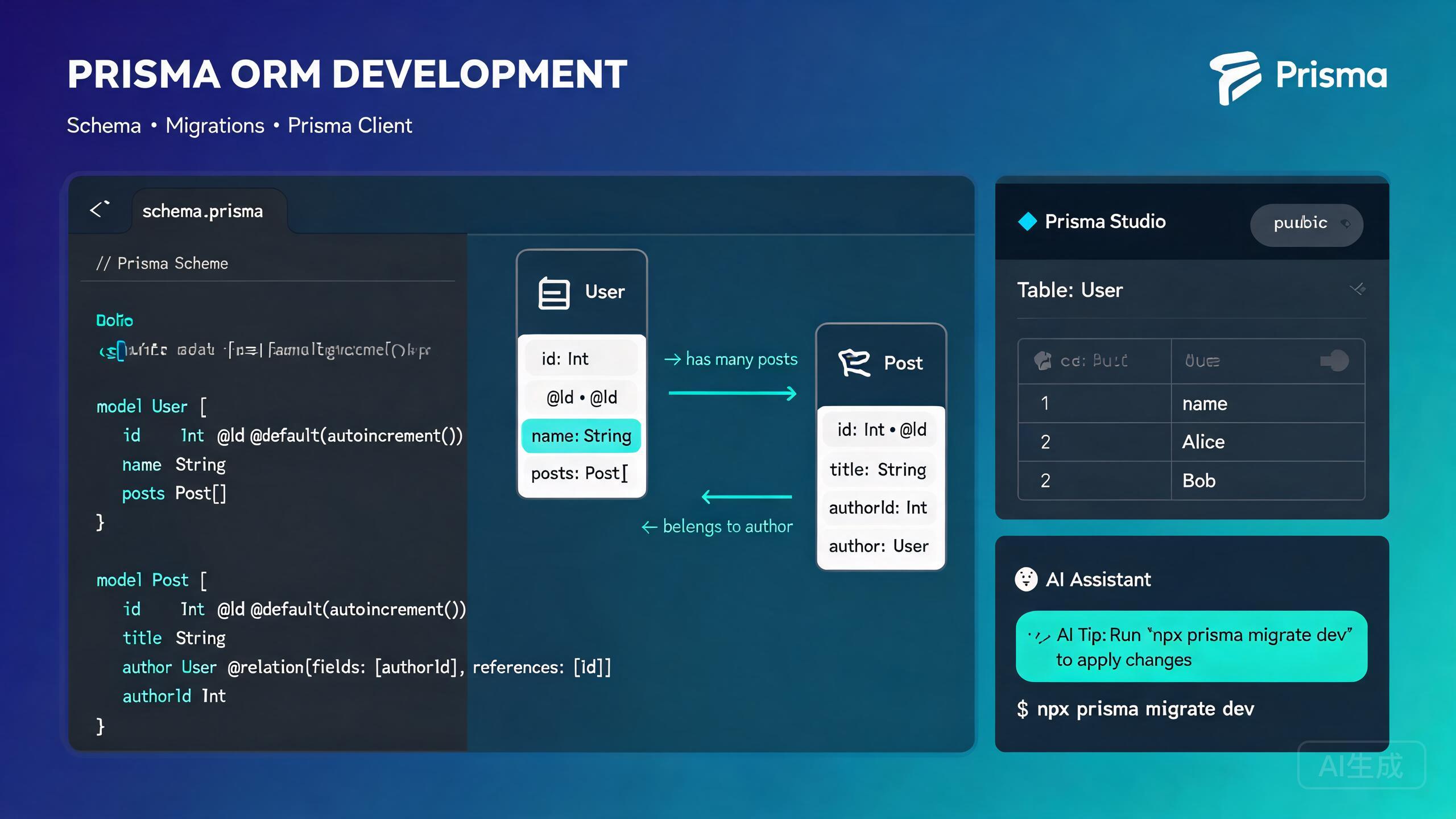
Prisma 是下一代 TypeScript ORM,提供类型安全的数据库客户端、声明式模式迁移和名为 Prisma Studio 的可视化数据库浏览器。Prisma 消除了样板数据库访问代码,并在编译时捕获查询错误。Cursor 凭借其集成的 AI 助手和 VS Code 兼容的基础架构,是 Prisma 开发的优秀编辑器——它为 Prisma 模式语言提供 IntelliSense,自动补全 Prisma Client 查询,并能从自然语言描述生成完整的模式。
本指南涵盖在 Cursor 中完整的 Prisma 开发工作流:安装和设置、模式设计、迁移、Prisma Client 查询、关系、Prisma Studio 以及 AI 辅助模式生成。
在 Cursor 中安装和设置 Prisma
前置条件
Prisma 适用于 Node.js 18+ 并支持 PostgreSQL、MySQL、SQLite、MongoDB 和 SQL Server。验证你的 Node.js 版本:
node --version
Cursor 的集成终端(Ctrl+`)与资源管理器面板保持同步。你可以运行 Prisma CLI 命令并立即看到生成的文件出现在文件树中。
安装 Prisma 扩展
Cursor 继承了 VS Code 扩展兼容性。从扩展视图(Ctrl+Shift+X)安装官方 Prisma 扩展:
- 搜索 "Prisma"。
- 安装由 Prisma 发布的扩展。
- 如有提示,重新加载 Cursor。
该扩展提供:
.prisma模式文件的语法高亮。- 保存时自动格式化。
- 模型字段、属性和关系的 IntelliSense。
- 模式错误的内联验证。
- 快速修复的代码操作。
如果未安装 Prisma 扩展,Cursor 会将 .prisma 文件视为纯文本。你将失去语法高亮、自动补全和错误检测。在编辑模式文件之前,始终安装官方扩展。
在项目中初始化 Prisma
安装 Prisma CLI 并初始化新的 Prisma 设置:
npm install prisma --save-dev
npm install @prisma/client

npx prisma init
这会创建:
prisma/schema.prisma-- 主模式文件。.env-- 带有DATABASE_URL占位符的环境文件。
在 .env 中设置你的数据库连接字符串:
# .env
DATABASE_URL="postgresql://user:password@localhost:5432/mydb?schema=public"
问 Cursor:"在我的项目中使用 PostgreSQL 设置 Prisma。创建带有 User 模式的模式文件并配置数据库连接。" Cursor 会运行初始化命令、生成模式并设置 .env 文件。
模式设计
Prisma 模式是数据库结构的唯一真实来源。它定义模型、关系、枚举和数据源配置。
理解模式文件
// prisma/schema.prisma

// Generator: tells Prisma how to generate the client
generator client {
  provider = "prisma-client-js"
  previewFeatures = ["fullTextSearch", "postgresqlExtensions"]
}

// Datasource: database connection
datasource db {
  provider = "postgresql"
  url      = env("DATABASE_URL")
  extensions = [pgcrypto, postgis]
}

// Model: maps to a database table
model User {
  id        String   @id @default(uuid())
  email     String   @unique
  name      String?
  role      Role     @default(USER)
  posts     Post[]
  profile   Profile?
  createdAt DateTime @default(now())
  updatedAt DateTime @updatedAt
}

model Post {
  id          String   @id @default(uuid())
  title       String
  content     String?
  published   Boolean  @default(false)
  viewCount   Int      @default(0)
  author      User     @relation(fields: [authorId], references: [id])
  authorId    String
  categories  Category[]
  createdAt   DateTime @default(now())
  updatedAt   DateTime @updatedAt

  @@index([authorId])
  @@index([published])
}

model Category {
  id    String @id @default(uuid())
  name  String @unique
  posts Post[]
}

model Profile {
  id      String   @id @default(uuid())
  bio     String?
  user    User     @relation(fields: [userId], references: [id])
  userId  String   @unique
}

enum Role {
  USER
  ADMIN
  EDITOR
}
常用字段属性
| 属性 | 描述 |
|---|---|
@id | 将字段标记为主键 |
@default(uuid()) | 插入时自动生成 UUID |
@default(autoincrement()) | 自增整数(MySQL/PostgreSQL) |
@unique | 在字段上强制唯一性 |
@updatedAt | 记录更新时自动更新时间戳 |
@relation | 定义模型之间的关系 |
@map | 将字段映射到不同名称的列 |
@@index | 在字段上创建数据库索引 |
@@unique | 复合唯一约束 |
@@map | 将模型映射到不同名称的表 |
问 Cursor:"为电子商务平台生成 Prisma 模式,包含 User、Product、Order、OrderItem 和 Category 模型。包含适当的关系、索引以及订单状态和产品可用性的枚举。" Cursor 会生成一个完整、经过验证的模式,带有正确的关系语法。
关系
Prisma 支持一对一、一对多和多对多关系。
一对一:
model User {
  id      String   @id @default(uuid())
  profile Profile?
}

model Profile {
  id     String @id @default(uuid())
  user   User   @relation(fields: [userId], references: [id])
  userId String @unique
}
一对多:
model User {
  id    String @id @default(uuid())
  posts Post[]
}

model Post {
  id       String @id @default(uuid())
  author   User   @relation(fields: [authorId], references: [id])
  authorId String
}
多对多(隐式):
model Post {
  id         String     @id @default(uuid())
  categories Category[]
}

model Category {
  id    String @id @default(uuid())
  posts Post[]
}
多对多(显式,在连接表上添加额外字段):
model Post {
  id       String      @id @default(uuid())
  tags     PostTag[]
}

model Tag {
  id    String   @id @default(uuid())
  posts PostTag[]
}

model PostTag {
  post      Post   @relation(fields: [postId], references: [id])
  postId    String
  tag       Tag    @relation(fields: [tagId], references: [id])
  tagId     String
  assignedAt DateTime @default(now())

  @@id([postId, tagId])
}
使用隐式多对多关系时,Prisma 会自动生成一个隐藏的连接表。你无法向这个隐藏表添加额外字段(如 assignedAt 或 createdBy)。如果你需要在关系上添加元数据,请使用如上所示的显式连接表。
迁移
Prisma Migrate 以版本化、可逆的方式创建和应用数据库模式更改。
创建你的第一个迁移
定义模式后,创建初始迁移:
npx prisma migrate dev --name init
此命令:
- 在
prisma/migrations/中生成 SQL 迁移文件。 - 将迁移应用到你的数据库。
- 重新生成 Prisma Client。
使用描述性的迁移名称:npx prisma migrate dev --name add_order_status_enum。这些名称出现在迁移历史中,帮助你跟踪模式演变。
修改模式
当你更改模式时,创建新的迁移:
# After editing schema.prisma
npx prisma migrate dev --name add_post_view_count
Prisma 检测你的模式和数据库之间的差异,生成迁移并应用。
生产环境的迁移工作流
对于生产数据库,使用 prisma migrate deploy,它应用待处理迁移而不重置数据:
# Apply migrations in production
npx prisma migrate deploy
切勿对生产数据库运行 prisma migrate dev。dev 命令在检测到模式漂移时会重置数据库。在生产环境中始终使用 migrate deploy。
重置数据库
在开发过程中,你可能需要重置数据库并重新应用所有迁移:
npx prisma migrate reset
这会删除所有数据和表,然后从头重新应用所有迁移。
填充数据库
创建填充脚本用初始数据填充数据库:
// prisma/seed.ts
import { PrismaClient } from '@prisma/client';
const prisma = new PrismaClient();
async function main() {
// Create users
const alice = await prisma.user.create({
data: {
name: 'Alice Johnson',
role: 'ADMIN',
profile: {
create: {
bio: 'Software engineer and blogger',
},
},
},
});
const bob = await prisma.user.create({
data: {
name: 'Bob Smith',
role: 'USER',
},
});
// Create posts
const post1 = await prisma.post.create({
data: {
title: 'Getting Started with Prisma',
content: 'Prisma is a type-safe ORM...',
published: true,
author: { connect: { id: alice.id } },
},
});
const post2 = await prisma.post.create({
data: {
title: 'Advanced Prisma Relations',
content: 'Relations in Prisma...',
published: true,
author: { connect: { id: alice.id } },
},
});
console.log('Seed data created successfully');
}
main()
.catch((e) => {
console.error(e);
process.exit(1);
})
.finally(async () => {
await prisma.$disconnect();
});
在 package.json 中配置 seed 命令:
{
  "prisma": {
    "seed": "tsx prisma/seed.ts"
  }
}
运行 seed:
npx prisma db seed
问 Cursor:"为我的 Prisma 模式创建填充脚本,包含 5 个用户、20 篇文章和 10 个类别。确保有些文章未发布,有些用户有个人资料而有些没有。" Cursor 会生成一个测试所有关系类型的现实填充脚本。
Prisma Client 查询
Prisma Client 是自动生成的、类型安全的查询构建器,替代传统 ORM 模型和原始 SQL。
实例化客户端
创建单例实例以避免在开发中出现多个连接:
// lib/prisma.ts
import { PrismaClient } from '@prisma/client';

const globalForPrisma = globalThis as unknown as {
  prisma: PrismaClient | undefined;
};

export const prisma =
  globalForPrisma.prisma ??
  new PrismaClient({
    log: ['query', 'info', 'warn', 'error'],
  });

if (process.env.NODE_ENV !== 'production') {
  globalForPrisma.prisma = prisma;
}
在使用热模块重载的开发中,每次文件更改都创建新的 PrismaClient 会导致连接池耗尽。上面的单例模式通过在 globalThis 上缓存实例来防止这种情况。
CRUD 操作
创建:
// Create a single record
const user = await prisma.user.create({
data: {
name: 'Charlie Brown',
profile: {
create: {
bio: 'New user bio',
},
},
},
});
// Create multiple records
const users = await prisma.user.createMany({
data: [
],
});
读取:
// Find a single record
const user = await prisma.user.findUnique({
include: { profile: true, posts: true },
});
// Find multiple records with filtering and sorting
const publishedPosts = await prisma.post.findMany({
where: { published: true },
orderBy: { createdAt: 'desc' },
take: 10,
skip: 0,
include: {
author: {
select: { id: true, name: true, email: true },
},
},
});
// Count records
const totalPosts = await prisma.post.count({
where: { published: true },
});
更新:
// Update a single record
const updatedPost = await prisma.post.update({
  where: { id: postId },
  data: {
    title: 'Updated Title',
    viewCount: { increment: 1 },
  },
});

// Update multiple records
const result = await prisma.post.updateMany({
  where: { published: false, authorId: userId },
  data: { published: true },
});
删除:
// Delete a single record
const deletedUser = await prisma.user.delete({
  where: { id: userId },
});

// Delete multiple records
const result = await prisma.post.deleteMany({
  where: { authorId: userId, published: false },
});
高级过滤
const posts = await prisma.post.findMany({
  where: {
    AND: [
      { published: true },
      {
        OR: [
          { title: { contains: 'prisma', mode: 'insensitive' } },
          { content: { contains: 'orm', mode: 'insensitive' } },
        ],
      },
    ],
    createdAt: {
      gte: new Date('2024-01-01'),
      lte: new Date('2024-12-31'),
    },
    author: {
      role: { in: ['ADMIN', 'EDITOR'] },
    },
  },
  orderBy: [{ viewCount: 'desc' }, { createdAt: 'desc' }],
});
事务
// Interactive transaction
const result = await prisma.$transaction(async (tx) => {
const author = await tx.user.create({
});
const post = await tx.post.create({
data: {
title: 'My First Post',
content: 'Hello world',
authorId: author.id,
},
});
await tx.profile.create({
data: {
bio: 'New author profile',
userId: author.id,
},
});
return { author, post };
});
问 Cursor:"编写一个 Prisma 事务,在两个用户之间转移积分。从发送者扣除,添加到接收者,并创建转移记录。如果发送者余额不足则回滚。" Cursor 会生成带有正确错误处理的交互式事务。
分页
// Offset-based pagination
const page = 1;
const pageSize = 10;

const [posts, totalCount] = await prisma.$transaction([
  prisma.post.findMany({
    where: { published: true },
    orderBy: { createdAt: 'desc' },
    skip: (page - 1) * pageSize,
    take: pageSize,
    include: { author: true },
  }),
  prisma.post.count({ where: { published: true } }),
]);

const totalPages = Math.ceil(totalCount / pageSize);
Prisma Studio
Prisma Studio 是在浏览器中运行的可视化数据库浏览器。它让你无需编写查询即可查看、创建、更新和删除记录。
启动 Prisma Studio
npx prisma studio
这会在 http://localhost:5555 打开浏览器界面,你可以:
- 浏览模式中定义的所有模型。
- 在可排序、可过滤的表中查看记录。
- 使用表单界面创建新记录。
- 通过点击单元格编辑现有记录。
- 通过确认对话框删除记录。
- 按字段值过滤和搜索记录。
Prisma Studio 在开发调试中非常有价值。无需编写临时查询,启动 Studio、检查你的数据并进行快速编辑。它会实时反映更改。
Prisma Studio 直接写入你的数据库。在对生产数据库使用时要小心——删除或编辑没有撤销功能。在 Studio 中进行手动更改之前,始终备份数据。
在 Studio 中过滤
Prisma Studio 支持按以下方式过滤:
- 字段名(选择任意列)。
- 过滤操作符(等于、不等于、包含、开头是、结尾是等)。
- 用 AND/OR 逻辑组合的多个过滤器。
在 Cursor 中 AI 辅助模式生成
Cursor 的 AI 助手擅长从自然语言描述生成 Prisma 模式、查询和迁移策略。
从描述生成模式
打开 Cursor Chat(Ctrl+L)并描述你的数据模型:
Generate a Prisma schema for a project management application with these models:
- User (id, email, name, avatar, role enum: ADMIN/MEMBER/VIEWER)
- Workspace (id, name, slug, ownerId)
- Project (id, name, description, workspaceId, status enum)
- Task (id, title, description, status, priority, assigneeId, projectId, dueDate)
- Comment (id, content, authorId, taskId)
- Label (id, name, color, projectId)
Include all necessary relations, indexes on foreign keys, and timestamps.
Use PostgreSQL with UUID primary keys.
Cursor 会生成一个包含所有模型、关系、枚举和索引的完整模式。生成的模式包含 User、Workspace、Project、Task、Comment 和 Label 模型,具有正确的外键关系、复合唯一约束以及所有外键列上的数据库索引。
让 Cursor 生成模式时,指定数据库提供程序(PostgreSQL、MySQL 等)、主键类型(UUID 还是自增)以及是否需要索引。这确保生成的模式正确使用数据库特定功能。
AI 辅助查询生成
让 Cursor 编写复杂查询:
Write a Prisma query to fetch the top 5 most active users in a workspace,
sorted by the number of completed tasks. Include each user's name, email,
avatar, and task count. Only count tasks created in the last 30 days.
const thirtyDaysAgo = new Date();
thirtyDaysAgo.setDate(thirtyDaysAgo.getDate() - 30);

const topUsers = await prisma.user.findMany({
  where: {
    assignedTasks: {
      some: {
        status: 'DONE',
        createdAt: { gte: thirtyDaysAgo },
        project: { workspaceId },
      },
    },
  },
  select: {
    id: true,
    name: true,
    email: true,
    avatar: true,
    _count: {
      select: {
        assignedTasks: {
          where: {
            status: 'DONE',
            createdAt: { gte: thirtyDaysAgo },
          },
        },
      },
    },
  },
  orderBy: {
    assignedTasks: {
      _count: 'desc',
    },
  },
  take: 5,
});
Prisma 的 _count 配合嵌套过滤可能会生成昂贵的 SQL 查询。始终检查生成的 SQL(使用 new PrismaClient({ log: ['query'] }) 启用查询日志)并添加适当的数据库索引以避免全表扫描。
总结
Prisma 与 Cursor 的结合创造了简化的数据库开发体验。声明式模式文件作为唯一的真实来源,迁移为模式演变提供了安全路径,类型安全的 Prisma Client 在编译时捕获查询错误,Prisma Studio 提供了数据检查的可视化界面。Cursor 的 AI 助手加速了每一步——从为复杂领域模型生成完整模式到编写带有嵌套 include 和聚合的优化查询。从安装 Prisma 扩展开始,用正确的关系和索引定义你的模型,在开发期间使用 migrate dev 在生产中使用 migrate deploy,让 Cursor 生成重复的样板代码,这样你就可以专注于应用程序的数据层。