CI/CD Pipeline Setup in Cursor: A Complete Guide
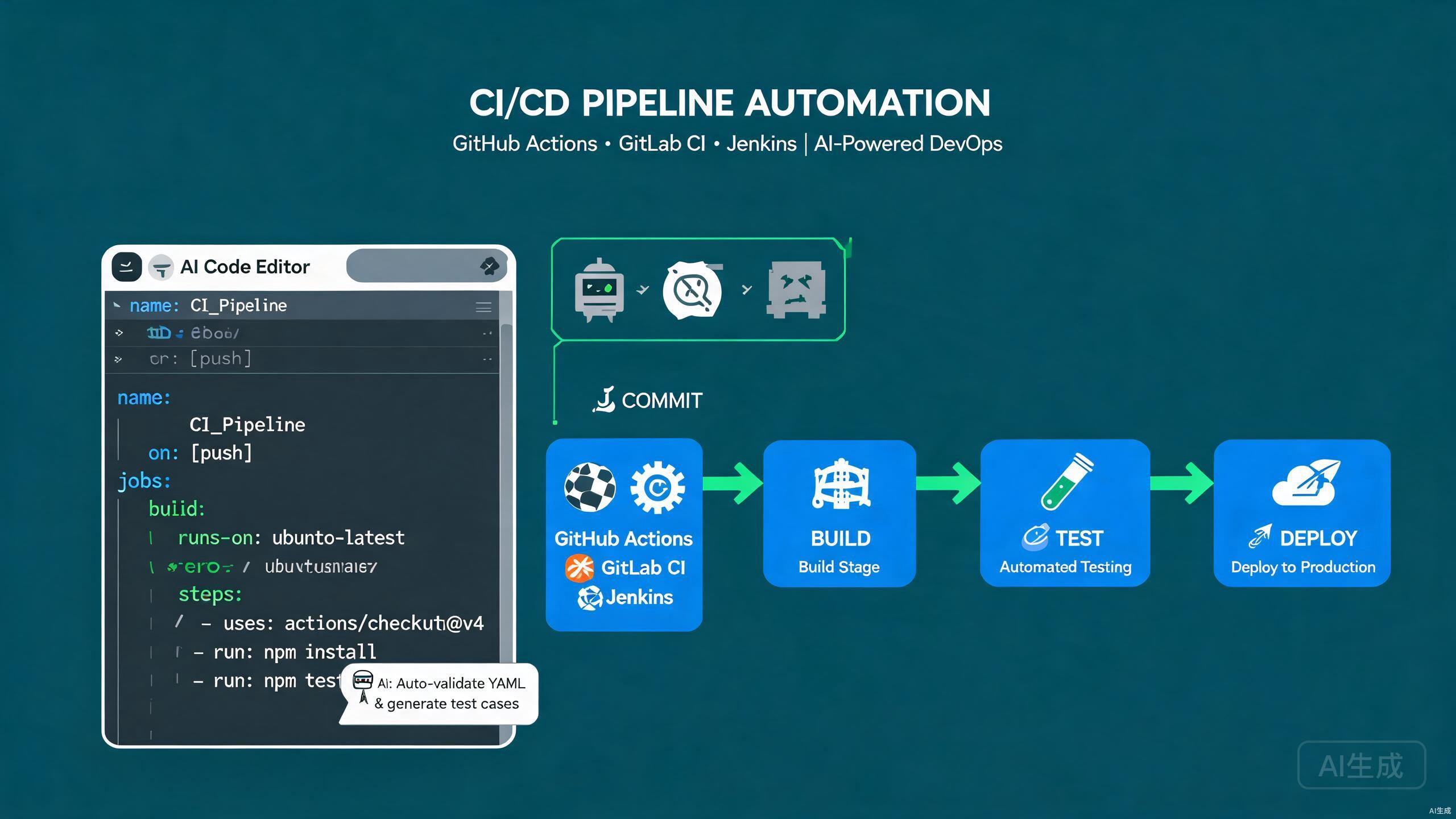
Continuous Integration and Continuous Deployment (CI/CD) pipelines automate the build, test, and release process, letting teams ship code safely and frequently. Modern CI/CD spans multiple platforms — GitHub Actions for GitHub-hosted projects, GitLab CI for GitLab repositories, and Jenkins for self-hosted, highly customizable pipelines. Cursor, with its integrated AI assistant and VS Code-compatible extension model, is an excellent editor for authoring and maintaining pipeline configurations. It can generate workflows from natural-language prompts, validate YAML syntax, and refactor pipelines as your project evolves.
This guide covers the complete CI/CD workflow in Cursor: configuring GitHub Actions, GitLab CI, and Jenkins, integrating automated testing, leveraging AI to generate and optimize pipeline config, and following best practices for secure, reliable automation.
Setting Up CI/CD Tooling in Cursor
Essential Extensions
Cursor inherits VS Code's extension ecosystem. Install these to streamline pipeline authoring:
- YAML (by Red Hat) — schema validation for GitHub Actions, GitLab CI, and Docker Compose files.
- GitHub Actions — syntax highlighting and snippets for workflow files.
- GitLab Workflow — GitLab CI validation and MR management.
- Docker — Dockerfile authoring and image building helpers.
The YAML extension automatically downloads JSON schemas for well-known file types. When you create .github/workflows/deploy.yml, Cursor validates the structure against the official GitHub Actions schema and offers autocompletion for every field.
Project Structure for CI/CD
A CI/CD-ready project typically includes:
project/
  ├── .github/
  │   └── workflows/
  │       ├── ci.yml
  │       └── deploy.yml
  ├── .gitlab/
  │   └── ci/
  │       └── templates.yml
  ├── .jenkins/
  │   └── Jenkinsfile
  ├── src/
  ├── tests/
  ├── Dockerfile
  ├── docker-compose.yml
  └── package.json
GitHub Actions
Creating Your First Workflow
GitHub Actions uses YAML files in .github/workflows/. A basic CI workflow runs on every push and pull request:
# .github/workflows/ci.yml
name: CI

on:
  push:
    branches: [main, develop]
  pull_request:
    branches: [main]

permissions:
  contents: read

jobs:
  test:
    runs-on: ubuntu-latest
    steps:
      - name: Checkout code
        uses: actions/checkout@v4

      - name: Setup Node.js
        uses: actions/setup-node@v4
        with:
          node-version: 20
          cache: npm

      - name: Install dependencies
        run: npm ci

      - name: Lint
        run: npm run lint

      - name: Type check
        run: npm run type-check

      - name: Run tests
        run: npm test -- --coverage

      - name: Upload coverage
        if: always()
        uses: actions/upload-artifact@v4
        with:
          name: coverage-report
          path: coverage/
          retention-days: 14
Use npm ci instead of npm install in CI. The ci command installs exact versions from the lockfile, producing reproducible builds and failing fast on lockfile drift.
Matrix Builds
Test across multiple Node.js versions and operating systems with a matrix:
jobs:
  test:
    runs-on: ${{ matrix.os }}
    strategy:
      fail-fast: false
      matrix:
        os: [ubuntu-latest, windows-latest, macos-latest]
        node-version: [18, 20, 22]
    steps:
      - uses: actions/checkout@v4
      - uses: actions/setup-node@v4
        with:
          node-version: ${{ matrix.node-version }}
          cache: npm
      - run: npm ci
      - run: npm test
Caching Dependencies
Speed up workflows by caching dependencies and build outputs:
- name: Cache npm
  uses: actions/cache@v4
  with:
    path: |
      ~/.npm
      node_modules
    key: ${{ runner.os }}-node-${{ hashFiles('**/package-lock.json') }}
    restore-keys: |
      ${{ runner.os }}-node-
Cache keys based only on package-lock.json hash will miss when the lockfile changes. Include the OS and Node version in the key to avoid cross-contamination between runner environments.
Reusable Workflows
Break large workflows into reusable components:
# .github/workflows/reusable-test.yml
name: Reusable Test

on:
  workflow_call:
    inputs:
      node-version:
        required: true
        type: string

jobs:
  test:
    runs-on: ubuntu-latest
    steps:
      - uses: actions/checkout@v4
      - uses: actions/setup-node@v4
        with:
          node-version: ${{ inputs.node-version }}
          cache: npm
      - run: npm ci
      - run: npm test
Call it from another workflow:
jobs:
  test:
    uses: ./.github/workflows/reusable-test.yml
    with:
      node-version: 20
Deployment Workflow
A deployment job that runs only on the main branch:
# .github/workflows/deploy.yml
name: Deploy

on:
  push:
    branches: [main]

jobs:
  deploy:
    runs-on: ubuntu-latest
    needs: test
    environment:
      name: production
      url: https://app.example.com
    steps:
      - uses: actions/checkout@v4

      - name: Configure AWS credentials
        uses: aws-actions/configure-aws-credentials@v4
        with:
          role-to-assume: arn:aws:iam::123456789012:role/github-deploy
          aws-region: us-east-1

      - name: Login to ECR
        uses: aws-actions/amazon-ecr-login@v2

      - name: Build and push
        uses: docker/build-push-action@v6
        with:
          context: .
          push: true
          tags: |
            123456789012.dkr.ecr.us-east-1.amazonaws.com/app:latest
            123456789012.dkr.ecr.us-east-1.amazonaws.com/app:${{ github.sha }}

      - name: Deploy to ECS
        run: |
          aws ecs update-service --cluster app-cluster --service app-service --force-new-deployment
Use GitHub Environments with required reviewers for production deployments. This adds a manual approval gate before the deployment job runs, preventing accidental releases.
GitLab CI
Configuring .gitlab-ci.yml
GitLab CI uses a single .gitlab-ci.yml at the repository root:
# .gitlab-ci.yml
stages:
  - lint
  - test
  - build
  - deploy

variables:
  NODE_VERSION: "20"
  IMAGE_TAG: $CI_COMMIT_SHORT_SHA

cache:
  key:
    files:
      - package-lock.json
  paths:
    - node_modules/

lint:
  stage: lint
  image: node:${NODE_VERSION}
  script:
    - npm ci
    - npm run lint
  rules:
    - if: $CI_PIPELINE_SOURCE == "merge_request_event"

test:
  stage: test
  image: node:${NODE_VERSION}
  script:
    - npm ci
    - npm test -- --coverage
  artifacts:
    reports:
      coverage_report:
        coverage_format: cobertura
        path: coverage/cobertura-coverage.xml
  coverage: '/Lines\s*:\s*(\d+\.\d+)%/'

build:
  stage: build
  image: docker:24
  services:
    - docker:24-dind
  script:
    - docker build -t $CI_REGISTRY_IMAGE:$IMAGE_TAG .
    - docker login -u $CI_REGISTRY_USER -p $CI_REGISTRY_PASSWORD $CI_REGISTRY
    - docker push $CI_REGISTRY_IMAGE:$IMAGE_TAG
  rules:
    - if: $CI_COMMIT_BRANCH == "main"

deploy:production:
  stage: deploy
  image: registry.gitlab.com/gitlab-org/cloud-deploy/aws-ecs:latest
  script:
    - ecs update-task-definition --cluster app-cluster --service app-service --image $CI_REGISTRY_IMAGE:$IMAGE_TAG
  environment:
    name: production
    url: https://app.example.com
  rules:
    - if: $CI_COMMIT_BRANCH == "main"
  when: manual
GitLab CI's rules keyword replaces the older only/except syntax. Use rules with if conditions for fine-grained control over when jobs run, and combine with changes to trigger jobs only when relevant files are modified.
GitLab CI Templates
Break complex pipelines into include files:
# .gitlab/ci/test.yml
.test-template:
  stage: test
  image: node:${NODE_VERSION}
  before_script:
    - npm ci
  script:
    - npm test
Include them:
include:
  - local: .gitlab/ci/test.yml

unit-test:
  extends: .test-template
  script:
    - npm run test:unit
Parallel and Matrix Jobs
test:
  stage: test
  image: node:${NODE_VERSION}
  parallel:
    matrix:
      - NODE_VERSION: ["18", "20", "22"]
        OS: ["alpine", "slim"]
  script:
    - npm ci
    - npm test
Jenkins
Writing a Jenkinsfile
Jenkins pipelines use Groovy-based DSL in a Jenkinsfile:
// Jenkinsfile
pipeline {
    agent {
        docker {
            image 'node:20-alpine'
            args '-v $HOME/.npm:/root/.npm'
        }
    }

    environment {
        NODE_ENV = 'production'
        DOCKER_IMAGE = "registry.example.com/app:${env.BUILD_NUMBER}"
    }

    options {
        timeout(time: 30, unit: 'MINUTES')
        disableConcurrentBuilds()
        buildDiscarder(logRotator(numToKeepStr: '20'))
    }

    stages {
        stage('Checkout') {
            steps {
                checkout scm
            }
        }

        stage('Install') {
            steps {
                sh 'npm ci'
            }
        }

        stage('Lint') {
            steps {
                sh 'npm run lint'
            }
        }

        stage('Test') {
            steps {
                sh 'npm test -- --coverage'
            }
            post {
                always {
                    junit 'reports/junit.xml'
                    publishHTML(target: [
                        reportDir: 'coverage/lcov-report',
                        reportFiles: 'index.html',
                        reportName: 'Coverage Report'
                    ])
                }
            }
        }

        stage('Build') {
            steps {
                sh 'npm run build'
            }
        }

        stage('Deploy') {
            when {
                branch 'main'
            }
            steps {
                sh "docker build -t ${DOCKER_IMAGE} ."
                sh "docker push ${DOCKER_IMAGE}"
                sh "kubectl rollout restart deployment/app -n production"
            }
        }
    }

    post {
        failure {
            emailext subject: "Build failed: ${env.JOB_NAME} #${env.BUILD_NUMBER}",
                     body: "Check the build at ${env.BUILD_URL}",
                     to: '[email protected]'
        }
        success {
            slackSend channel: '#deploys',
                      message: "Build succeeded: ${env.JOB_NAME} #${env.BUILD_NUMBER}"
        }
    }
}
Jenkinsfiles run with the permissions of the Jenkins controller. Never use sh to invoke commands that include untrusted input, and always quote interpolated variables to prevent shell injection.
Declarative vs Scripted Pipeline
The example above uses declarative syntax. For complex logic, drop into scripted blocks:
stage('Conditional Deploy') {
    steps {
        script {
            def env = params.ENVIRONMENT
            if (env == 'production') {
                input(message: 'Approve production deployment?', ok: 'Deploy')
            }
            sh "./deploy.sh ${env}"
        }
    }
}
Jenkins Shared Libraries
For reusable pipeline logic, define a shared library:
// vars/npmPipeline.groovy
def call(Map config = [:]) {
    pipeline {
        agent any
        stages {
            stage('Install') {
                steps {
                    sh 'npm ci'
                }
            }
            stage('Test') {
                steps {
                    sh 'npm test'
                }
            }
            stage('Build') {
                steps {
                    sh 'npm run build'
                }
            }
        }
    }
}
Use it in a Jenkinsfile:
@Library('my-shared-lib') _

npmPipeline(nodeVersion: '20')
Automated Testing in Pipelines
Unit Tests
- name: Run unit tests
  run: npm run test:unit -- --reporter=junit --outputFile=reports/junit.xml
Publish results in GitHub Actions:
- name: Publish test results
  uses: dorny/test-reporter@v1
  if: always()
  with:
    name: Unit Tests
    path: reports/junit.xml
    reporter: java-junit
Integration Tests
Run integration tests against a database service container:
jobs:
  integration:
    runs-on: ubuntu-latest
    services:
      postgres:
        image: postgres:16
        env:
          POSTGRES_PASSWORD: test
          POSTGRES_DB: app_test
        ports:
          - 5432:5432
        options: >-
          --health-cmd pg_isready
          --health-interval 10s
          --health-timeout 5s
          --health-retries 5
    steps:
      - uses: actions/checkout@v4
      - uses: actions/setup-node@v4
        with:
          node-version: 20
      - run: npm ci
      - run: npm run test:integration
        env:
          DATABASE_URL: postgresql://postgres:test@localhost:5432/app_test
Service containers in GitHub Actions provide disposable databases for integration tests. Always include health checks (--health-cmd) so your tests don't start before the database is ready.
End-to-End Tests
Run Playwright E2E tests in CI:
e2e:
  runs-on: ubuntu-latest
  steps:
    - uses: actions/checkout@v4
    - uses: actions/setup-node@v4
      with:
        node-version: 20
    - run: npm ci
    - name: Install Playwright browsers
      run: npx playwright install --with-deps
    - name: Run E2E tests
      run: npx playwright test
    - name: Upload report
      if: always()
      uses: actions/upload-artifact@v4
      with:
        name: playwright-report
        path: playwright-report/
Security Scanning
Add dependency and code scanning:
- name: Run audit
  run: npm audit --audit-level=high

- name: CodeQL analysis
  uses: github/codeql-action/init@v3
  with:
    languages: javascript-typescript

- name: Perform analysis
  uses: github/codeql-action/analyze@v3

- name: Trivy container scan
  uses: aquasecurity/trivy-action@master
  with:
    image-ref: app:latest
    severity: CRITICAL,HIGH
AI-Assisted Pipeline Configuration
Generating Workflows from Prompts
Cursor's AI generates complete pipeline files from descriptions. Open Ctrl+K in a new .yml file and prompt:
Create a GitHub Actions workflow that: runs on push to main and on PRs,
sets up Node 20, installs dependencies with npm ci, runs lint, type-check,
and tests with coverage, builds a Docker image, pushes it to GitHub
Container Registry, and deploys to a Kubernetes cluster using kubectl.
Use caching and environment protections.
Cursor produces a complete, valid workflow. Review the permissions and secrets, then refine by asking for matrix testing or Slack notifications.
When prompting for CI/CD config, specify the exact platform and version. "GitHub Actions with Node 20 and Docker buildx" produces far better output than "a CI pipeline for my Node app".
Optimizing Existing Pipelines
Cursor can analyze and optimize slow pipelines. Highlight the workflow file and prompt:
Analyze this GitHub Actions workflow and suggest optimizations to reduce
runtime. Identify: missing cache opportunities, jobs that could run in
parallel, oversized images, and unnecessary steps.
Common optimizations the AI suggests:
- Add dependency caching.
- Split lint, test, and build into parallel jobs.
- Use Docker layer caching.
- Cancel obsolete runs for the same branch.
Generating Pipeline Tests
Use act to run GitHub Actions locally before pushing:
# Install act
brew install act

# Run a specific workflow locally
act -j test -W .github/workflows/ci.yml
Prompt Cursor: "Generate a set of test events and mock secrets for running this workflow locally with act."
Secrets Management
GitHub Actions Secrets
Store secrets in repository or environment settings, never in code:
- name: Deploy
  env:
    API_KEY: ${{ secrets.API_KEY }}
    DATABASE_URL: ${{ secrets.DATABASE_URL }}
  run: ./deploy.sh
GitHub masks secret values in logs, but structured logging can leak them if a secret appears as part of a larger string. Avoid logging full request bodies that may contain tokens, and use the secrets context only in env or with — never in run scripts where they could be echoed.
GitLab CI Variables
deploy:
  variables:
    DATABASE_URL: $CI_DATABASE_URL
  script:
    - ./deploy.sh
Mark variables as "masked" and "protected" in the GitLab UI so they only appear in protected branches.
Jenkins Credentials
Use the Credentials Store instead of environment variables:
withCredentials([string(credentialsId: 'api-key', variable: 'API_KEY')]) {
    sh './deploy.sh'
}
Best Practices for CI/CD in Cursor
Keep Pipelines Fast
- Cache dependencies and build outputs.
- Run independent jobs in parallel.
- Use Docker layer caching for image builds.
- Cancel in-progress runs when a new commit is pushed.
concurrency:
  group: ${{ github.workflow }}-${{ github.ref }}
  cancel-in-progress: true
Fail Fast and Loud
- Run lint and type-check before tests.
- Use
fail-fast: trueon matrix jobs where one failure invalidates the rest. - Send notifications on failure (Slack, email, Teams).
Pin Action Versions
# AVOID — latest can break unexpectedly
- uses: actions/checkout@v4
# PREFER — pin to a commit SHA for reproducibility
Pin third-party actions to a full commit SHA, not a tag. Tags can be moved by maintainers, which is a supply-chain security risk. SHA pinning guarantees the exact code that runs.
Use Environments for Promotion
GitHub Environments provide protection rules, required reviewers, and deployment tracking:
deploy:staging:
  environment: staging

deploy:production:
  needs: deploy:staging
  environment:
    name: production
    url: https://app.example.com
Debugging Pipelines
Re-run Failed Jobs
GitHub Actions lets you re-run only failed jobs, saving time and compute:
gh run rerun <run-id> --failed
Enable Debug Logging
- name: Debug step
  env:
    ACTIONS_STEP_DEBUG: true
  run: echo "Detailed logs enabled"
Set the repository secret ACTIONS_STEP_DEBUG to true for verbose runner logs.
Validate YAML Locally
Use Cursor's YAML extension to validate syntax as you type. For deeper validation, use actionlint:
brew install actionlint
actionlint .github/workflows/*.yml
Cursor can run actionlint on save with a tasks configuration. Add a .vscode/tasks.json entry that runs actionlint on the current file and surfaces errors in the Problems panel.
Common Pitfalls and How to Avoid Them
Stale Caches
A cache that never invalidates can mask dependency changes. Always include the lockfile hash in the key:
key: ${{ runner.os }}-npm-${{ hashFiles('**/package-lock.json') }}
Unbounded Job Growth
Without log rotation, old builds accumulate. Configure retention:
# GitHub: set in repository settings
# Jenkins:
options {
    buildDiscarder(logRotator(numToKeepStr: '20'))
}
Missing if: always() on Artifacts
Artifacts in a failing job are not uploaded by default. Add if: always() to capture test reports and coverage even on failure.
Be careful with if: always() on deployment steps — you do not want to deploy after a failed test. Use specific conditions like if: success() && github.ref == 'refs/heads/main'.
Secrets in Logs
Never echo secrets. Even masked, partial leaks occur when secrets are substrings of other output. Use secret-scanning tools and review logs manually for the first deployment.
Summary
Cursor is a powerful editor for authoring and maintaining CI/CD pipelines across GitHub Actions, GitLab CI, and Jenkins. The YAML extension provides schema validation, service containers enable integration testing, and the AI assistant generates, optimizes, and debugs pipeline configurations from natural-language prompts. Start by scaffolding a CI workflow, add automated testing and security scanning, and let Cursor's AI handle the repetitive configuration while you focus on shipping reliable, fast, and secure deployments.