WebAssembly Development in Cursor: Rust, AssemblyScript, and Browser Integration
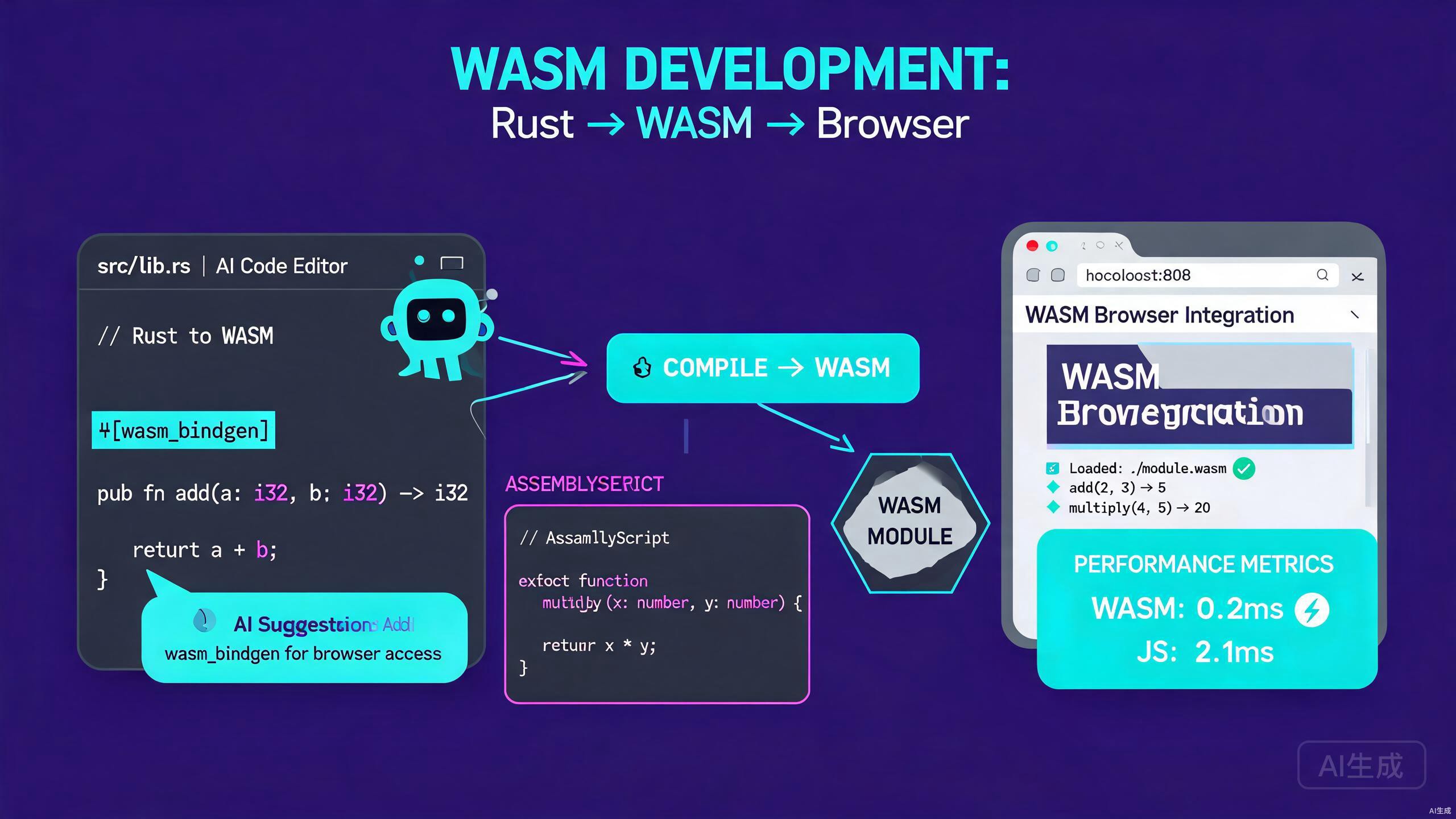
WebAssembly (WASM) brings near-native performance to the browser by letting you run compiled code alongside JavaScript. Cursor, an AI-powered IDE editor, accelerates WebAssembly development by scaffolding Rust and AssemblyScript projects, generating wasm-pack configurations, and optimizing hot loops with AI assistance. This guide covers the full workflow from project setup to browser integration.
Prerequisites
Make sure you have the following installed before you start:
- Cursor (latest version recommended) as your IDE editor
- Rust toolchain (
rustup,cargo) for Rust-to-WASM compilation - Node.js 18 or higher for the JavaScript tooling and AssemblyScript
- wasm-pack for building Rust into WebAssembly packages
- A modern browser (Chrome, Firefox, or Edge) for testing
If you do not have the Rust toolchain, Cursor's integrated terminal can install it. Run the Rust installer, then add the WASM target with rustup target add wasm32-unknown-unknown. Install wasm-pack with cargo install wasm-pack or use the official installer script.
Rust to WebAssembly with Cursor
Rust is the most popular language for targeting WebAssembly because of its performance, safety, and first-class tooling. Cursor helps you scaffold, build, and debug Rust WASM modules.
Creating a Rust WASM Project
Open a new folder in Cursor and use the AI chat to generate a project:
Scaffold a Rust project for WebAssembly that:
- Uses wasm-bindgen to bridge Rust and JavaScript
- Exports a function that adds two numbers
- Exports a function that reverses a string
- Includes a Cargo.toml configured for cdylib
- Has a unit test file
Cursor generates the standard Rust WASM structure:
rust-wasm-app/
  src/
    lib.rs
    utils.rs
  tests/
    web.rs
  Cargo.toml
The generated Cargo.toml:
[package]
name = "rust-wasm-app"
version = "0.1.0"
edition = "2021"

[lib]
crate-type = ["cdylib", "rlib"]

[dependencies]
wasm-bindgen = "0.2"
serde = { version = "1", features = ["derive"] }
serde-wasm-bindgen = "0.6"

[dev-dependencies]
wasm-bindgen-test = "0.3"

[profile.release]
opt-level = "s"
lto = true
codegen-units = 1
The generated src/lib.rs:
use wasm_bindgen::prelude::*;

#[wasm_bindgen]
pub fn add(a: i32, b: i32) -> i32 {
    a + b
}

#[wasm_bindgen]
pub fn reverse_string(input: &str) -> String {
    input.chars().rev().collect()
}

#[wasm_bindgen]
pub fn factorial(n: u32) -> u64 {
    (1..=n as u64).product()
}
Building with wasm-pack
Cursor's terminal makes running wasm-pack seamless. Ask the AI to create a build script:
Create a build script that runs wasm-pack with the correct target and
output directory, then copies the generated pkg folder into a web folder.
Cursor generates build.sh:
#!/usr/bin/env bash
set -e

echo "Building Rust to WebAssembly..."
wasm-pack build --target web --out-dir pkg

echo "Copying package to web folder..."
mkdir -p web/pkg
cp -r pkg/* web/pkg/

echo "Build complete. Open web/index.html in a browser."
Run it from Cursor's terminal:
chmod +x build.sh
./build.sh
Writing Tests for WASM
Rust WASM functions can be tested with wasm-bindgen-test. Cursor generates the test file:
use rust_wasm_app::{add, reverse_string, factorial};
use wasm_bindgen_test::*;

#[wasm_bindgen_test]
fn test_add() {
    assert_eq!(add(2, 3), 5);
    assert_eq!(add(-1, 1), 0);
}

#[wasm_bindgen_test]
fn test_reverse_string() {
    assert_eq!(reverse_string("cursor"), "rosruc");
    assert_eq!(reverse_string(""), "");
}

#[wasm_bindgen_test]
fn test_factorial() {
    assert_eq!(factorial(0), 1);
    assert_eq!(factorial(5), 120);
    assert_eq!(factorial(10), 3628800);
}
Run the tests in Cursor's terminal:
wasm-pack test --headless --firefox
WebAssembly tests run inside a browser engine, not as native Rust tests. You must specify a browser with --chrome, --firefox, or --safari when running wasm-pack test. If the browser is not installed, the tests fail silently with a connection error. Cursor's AI can help diagnose these failures if you paste the error output.
AssemblyScript Development in Cursor
AssemblyScript compiles a TypeScript-like syntax directly to WebAssembly, making it an excellent choice for developers who are already comfortable with TypeScript. Cursor provides strong support for AssemblyScript because the syntax overlaps with TypeScript.
Setting Up an AssemblyScript Project
Create a new folder and ask Cursor to scaffold an AssemblyScript project:
Scaffold an AssemblyScript project that:
- Has an assembly/index.ts entry file
- Exports functions for image processing (grayscale, invert)
- Includes an asconfig.json for release builds
- Has a package.json with the assemblyscript dependency
Cursor generates:
assemblyscript-app/
  assembly/
    index.ts
    image.ts
  asconfig.json
  package.json
  index.html
The assembly/index.ts:
export function grayscale(
  pixels: Uint8Array,
  width: i32,
  height: i32
): Uint8Array {
  const result = new Uint8Array(pixels.length);
  for (let i = 0; i < pixels.length; i += 4) {
    const r = pixels[i];
    const g = pixels[i + 1];
    const b = pixels[i + 2];
    const gray = <u8>((r * 77 + g * 150 + b * 29) >> 8);
    result[i] = gray;
    result[i + 1] = gray;
    result[i + 2] = gray;
    result[i + 3] = pixels[i + 3]; // preserve alpha
  }
  return result;
}

export function invert(pixels: Uint8Array): Uint8Array {
  const result = new Uint8Array(pixels.length);
  for (let i = 0; i < pixels.length; i += 4) {
    result[i] = 255 - pixels[i];
    result[i + 1] = 255 - pixels[i + 1];
    result[i + 2] = 255 - pixels[i + 2];
    result[i + 3] = pixels[i + 3];
  }
  return result;
}
The asconfig.json:
{
  "entries": ["assembly/index.ts"],
  "targets": {
    "release": {
      "optimizeLevel": 3,
      "shrinkLevel": 0,
      "converge": false,
      "noAssert": false
    },
    "debug": {
      "debug": true
    }
  },
  "options": {
    "exportRuntime": true,
    "exportMemory": true
  }
}
Building AssemblyScript
Install dependencies and build with Cursor's terminal:
npm install
npx asc assembly/index.ts --target release --outFile build/release.wasm
AssemblyScript syntax is very close to TypeScript, so Cursor's TypeScript language server provides helpful inline diagnostics. The main difference is that AssemblyScript requires explicit numeric types like i32, u8, and f64. Ask Cursor, "Convert this TypeScript function to valid AssemblyScript," and it will annotate types correctly.
Browser Integration
WebAssembly is only useful when you can load and call it from the browser. Cursor can generate the JavaScript glue code for both Rust and AssemblyScript modules.
Loading a Rust WASM Module
Ask Cursor to create an HTML page that loads the Rust package:
Create a web/index.html that:
- Loads the wasm module using the web target
- Calls the add and reverse_string functions
- Displays the results on the page
- Includes error handling for failed module loading
Cursor generates web/index.html:
<!DOCTYPE html>
<html lang="en">
<head>
  <meta charset="UTF-8" />
  <title>Cursor WASM Demo</title>
</head>
<body>
  <h1>WebAssembly in Cursor</h1>
  <p>Add result: <span id="add-result"></span></p>
  <p>Reverse result: <span id="reverse-result"></span></p>
  <p>Factorial result: <span id="factorial-result"></span></p>

  <script type="module">
    import init, { add, reverse_string, factorial } from './pkg/rust_wasm_app.js';

    async function run() {
      try {
        await init();
        document.getElementById('add-result').textContent = add(40, 2);
        document.getElementById('reverse-result').textContent = reverse_string('hello');
        document.getElementById('factorial-result').textContent = factorial(10);
      } catch (err) {
        console.error('Failed to load WASM module:', err);
      }
    }

    run();
  </script>
</body>
</html>
Loading an AssemblyScript Module
AssemblyScript produces a standalone .wasm file that you instantiate manually. Cursor generates the loader:
async function loadAssemblyScriptModule() {
  const response = await fetch('build/release.wasm');
  const bytes = await response.arrayBuffer();
  const { instance } = await WebAssembly.instantiate(bytes, {
    env: {
      abort: (msg, file, line, column) => {
        console.error(`Abort at ${file}:${line}:${column}: ${msg}`);
      },
    },
  });
  return instance.exports;
}

const exports = await loadAssemblyScriptModule();
const grayPixels = exports.grayscale(rgbaPixels, width, height);
Sharing Memory Between JavaScript and WASM
For performance-critical operations like image processing, avoid copying data. Share memory directly using WebAssembly's linear memory. Cursor generates a memory bridge:
// JavaScript side
function processImageWithWasm(wasmExports, imageData) {
  const { __new, __pin, __unpin, grayscale } = wasmExports;
  const ptr = __new(imageData.length, 1); // 1 = Uint8Array id
  const wasmMemory = new Uint8Array(wasmExports.memory.buffer);
  wasmMemory.set(imageData, ptr);
  const resultPtr = grayscale(ptr, width, height);
  __pin(resultPtr);
  const result = wasmMemory.slice(
    resultPtr,
    resultPtr + imageData.length
  );
  __unpin(resultPtr);
  return result;
}
WebAssembly linear memory can grow during allocation, which invalidates any JavaScript TypedArray views you hold. Always re-create views from wasmExports.memory.buffer after any WASM function that might allocate memory. If you see random garbage in your output, a stale memory view is almost always the cause.
AI-Assisted WASM Optimization
Cursor's AI is particularly effective at optimizing performance-critical WASM code because it can reason about memory layout, SIMD instructions, and algorithmic complexity.
Optimizing Hot Loops
Select a loop in your Rust or AssemblyScript code and ask Cursor:
Optimize this loop for WebAssembly. Use SIMD where possible and
minimize memory allocations inside the loop.
Cursor rewrites a scalar loop into a vectorized version using std::simd in Rust:
use std::simd::{f32x4, SimdFloat};

#[wasm_bindgen]
pub fn dot_product_simd(a: &[f32], b: &[f32]) -> f32 {
    let mut sum = f32x4::splat(0.0);
    let chunks = a.chunks_exact(4).zip(b.chunks_exact(4));
    for (a_chunk, b_chunk) in chunks {
        let va = f32x4::from_slice(a_chunk);
        let vb = f32x4::from_slice(b_chunk);
        sum += va * vb;
    }
    let mut total = sum.reduce_sum();
    let remainder = a.len() % 4;
    for i in (a.len() - remainder)..a.len() {
        total += a[i] * b[i];
    }
    total
}
Reducing Binary Size
Large WASM binaries slow page loads. Ask Cursor to analyze your binary:
My WebAssembly binary is 1.2 MB. Suggest Cargo.toml and code changes
to reduce the binary size for web delivery.
Cursor recommends profile adjustments and dead-code elimination:
[profile.release]
opt-level = "z"      # optimize for size
lto = true           # link-time optimization
codegen-units = 1    # single codegen unit
panic = "abort"      # no unwinding tables
strip = true         # strip symbols
// Avoid formatting and panicking code in hot paths
#[cfg(not(feature = "debug"))]
#[panic_handler]
fn panic_handler(_: &core::panic::PanicInfo) -> ! {
    loop {}
}
Use wasm-opt as a post-build step for additional size reduction. Ask Cursor, "Add a wasm-opt pass to my build script using -Oz," and it will insert the command after the wasm-pack step. This typically shaves another 10 to 20 percent off the final binary.
Debugging WebAssembly in Cursor
Debugging WASM is harder than debugging JavaScript because errors surface as raw traps. Cursor provides several strategies.
Source Maps for Rust WASM
Enable source maps so Cursor and browser devtools map WASM frames back to Rust source:
wasm-pack build --target web -- --features console_error_panic_hook
In your lib.rs, install a panic hook that prints to the browser console:
use console_error_panic_hook::set_once as set_panic_hook;

#[wasm_bindgen(start)]
pub fn init() {
    set_panic_hook();
    console_log::init_with_level(log::Level::Info).ok();
}
Add these dependencies to Cargo.toml:
[dependencies]
console_error_panic_hook = "0.1"
console_log = "1"
log = "0.4"
AI-Powered Error Diagnosis
When a WASM module throws a RuntimeError: unreachable, paste the stack trace into Cursor's chat:
My WASM module crashes with "RuntimeError: unreachable executed"
when processing large arrays. Here is the Rust source and the JS
loader. Find the bug.
Cursor pinpoints off-by-one errors, integer overflows, and unaligned memory access that cause traps.
Common Patterns and Snippets
Here are reusable patterns Cursor can generate on demand for your WASM projects.
Passing Structured Data
To pass complex objects between JavaScript and Rust, use serde-wasm-bindgen:
use serde::{Serialize, Deserialize};
use serde_wasm_bindgen::{from_value, to_value};
use wasm_bindgen::prelude::*;
#[derive(Serialize, Deserialize)]
pub struct Point {
pub x: f64,
pub y: f64,
}
#[wasm_bindgen]
pub fn compute_centroid(points_js: JsValue) -> Result<JsValue, JsValue> {
let points: Vec<Point> = from_value(points_js)
.map_err(|e| JsValue::from_str(&format!("Deserialization error: {}", e)))?;
if points.is_empty() {
return Err(JsValue::from_str("Cannot compute centroid of empty set"));
}
let (sum_x, sum_y) = points.iter()
.fold((0.0, 0.0), |(sx, sy), p| (sx + p.x, sy + p.y));
let centroid = Point {
x: sum_x / points.len() as f64,
y: sum_y / points.len() as f64,
};
to_value(¢roid)
.map_err(|e| JsValue::from_str(&format!("Serialization error: {}", e)))
}
Throttling Calls from JavaScript
WASM functions called in tight animation loops can still block the main thread. Use a Web Worker to offload heavy computation. Cursor generates the worker scaffold:
// worker.js
import init, { process_image } from './pkg/rust_wasm_app.js';

self.onmessage = async (event) => {
  await init();
  const { pixels, width, height } = event.data;
  const result = process_image(pixels, width, height);
  self.postMessage({ result }, [result.buffer]);
};
// main.js
const worker = new Worker(new URL('./worker.js', import.meta.url), {
  type: 'module',
});
worker.onmessage = (event) => {
  drawProcessedPixels(event.data.result);
};
worker.postMessage({ pixels, width, height });
Transferring ArrayBuffers with the transfer list ([result.buffer]) is the only way to avoid copying large buffers between the main thread and a Worker. Forgetting the transfer list on a multi-megabyte image causes a full copy on every message, which destroys the performance benefit of using WebAssembly in the first place.
Best Practices Summary
Follow these principles when building WebAssembly applications in Cursor:
- Choose the right language: Rust for performance and safety, AssemblyScript for a TypeScript-like learning curve.
- Minimize the JS-WASM boundary: fewer, larger calls outperform many small ones.
- Share memory instead of copying buffers for large data like images and audio.
- Enable size optimization in your release profile and run
wasm-optpost-build. - Use Web Workers for any computation that takes more than a few milliseconds to avoid blocking the UI.
- Install panic hooks so runtime errors surface readable messages instead of opaque traps.
By combining WebAssembly's performance with Cursor's AI-powered code generation, you can ship high-performance browser modules with a fraction of the usual boilerplate. Describe your intent clearly, let Cursor scaffold the project and glue code, and focus your energy on the algorithms that matter.