AI Prompt Engineering for Cursor
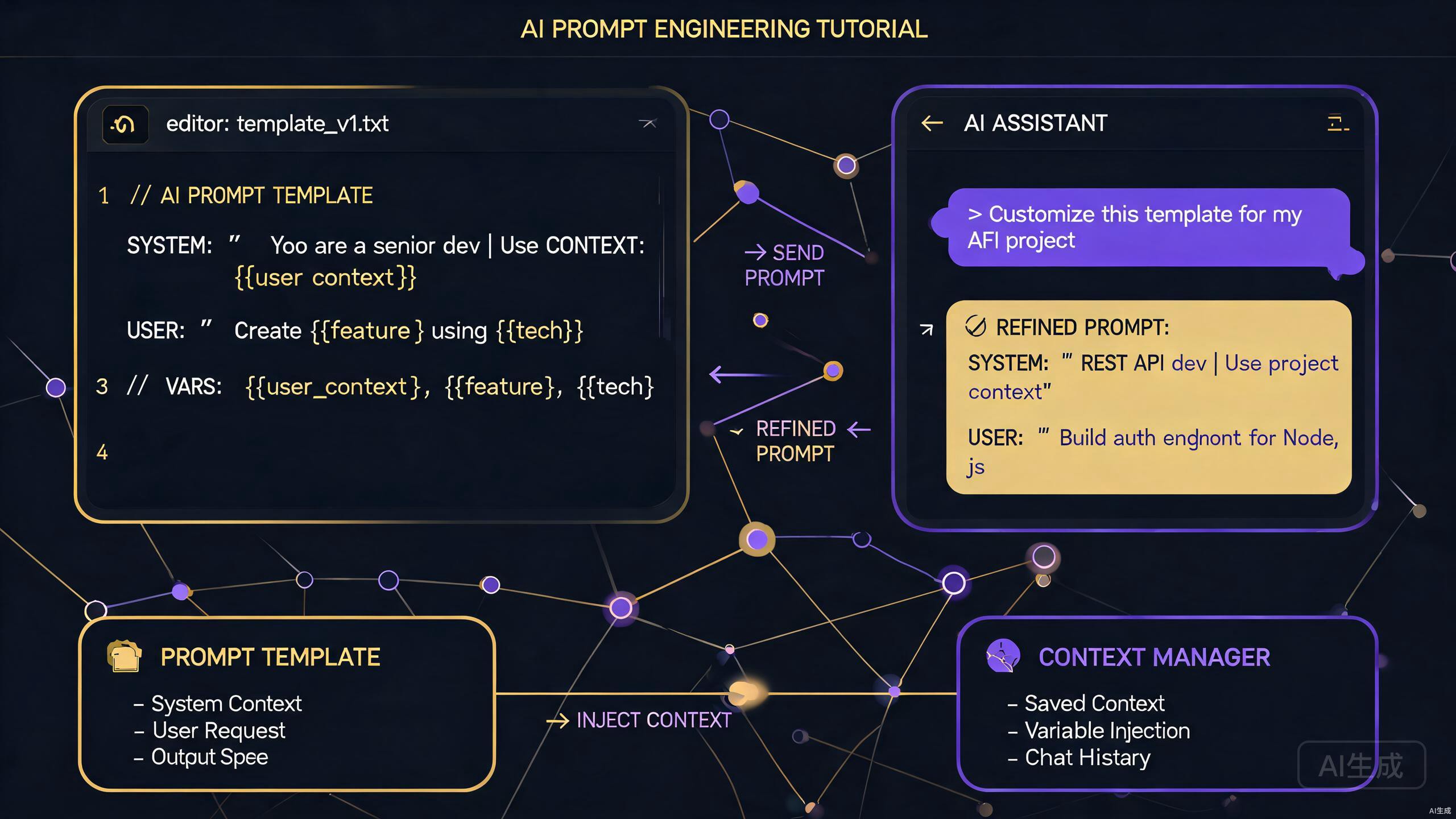
Cursor is more than an IDE editor; it is an intelligent coding partner powered by advanced language models. The quality of AI-generated code, explanations, and suggestions in Cursor depends heavily on how you communicate with it. This guide teaches you the art and science of prompt engineering specifically for the Cursor environment, covering effective prompt writing, context management, system prompts, and reusable templates.
Understanding Cursor's AI Architecture
Before crafting prompts, it is essential to understand how Cursor processes your requests. Cursor integrates large language models directly into the editing experience, using a combination of:
- Inline completions: Real-time suggestions based on cursor position and surrounding code
- Chat interface: Conversational interactions for complex tasks and explanations
- Command palette actions: Quick AI operations on selected code blocks
- Composer: Multi-file editing and generation based on high-level descriptions
Each interaction mode benefits from different prompting strategies. Inline completions rely heavily on local context, while the chat interface allows for detailed instructions and follow-up questions.
The models behind Cursor understand code semantics, project structure, and common programming patterns. However, they are not mind readers. Clear, structured prompts yield significantly better results than vague requests.
Writing Effective Prompts
The difference between a mediocre and an exceptional AI response often comes down to prompt quality. In Cursor, effective prompts share common characteristics that you can learn to apply consistently.
Be Specific and Concrete
Vague prompts produce vague results. Always specify the exact behavior you want, including input formats, output formats, and edge cases.
Compare these two prompts for the same task:
Vague:
Write a function to handle users.
Specific:
Write a TypeScript function named `getActiveUsers` that:
- Accepts an array of User objects and a Date threshold
- Returns only users where lastLoginDate >= threshold
- Sorts results by lastLoginDate descending
- Includes JSDoc documentation
- Handles empty arrays gracefully by returning an empty array
The specific prompt gives Cursor enough constraints to generate production-ready code on the first attempt. The vague prompt requires multiple follow-up iterations.
Provide Context and Constraints
Cursor's AI operates within the context of your open files, but explicit context in your prompt improves accuracy. Mention relevant technologies, frameworks, and architectural decisions.
When asking Cursor to generate a React component, include:
Create a React component for a user profile card using:
- TypeScript with strict mode
- Tailwind CSS for styling
- React Query for data fetching
- Zod for form validation
- Accessible ARIA labels for screen readers
This context ensures the generated code aligns with your tech stack rather than using arbitrary alternatives.
Use Cursor's "@" mentions in chat to reference specific files, symbols, or documentation. Typing @file.ts or @MyComponent includes those definitions directly in the prompt context, improving relevance.
Request Explanations Alongside Code
For complex implementations, ask Cursor to explain its reasoning. This helps you verify correctness and learn from the AI's approach.
Implement a custom useDebounce hook in React. Include:
1. The complete TypeScript implementation
2. An explanation of how cleanup prevents memory leaks
3. A usage example with a search input
4. Why this approach is better than useMemo for debouncing
The resulting response includes not just working code but also educational content that improves your understanding.
Context Management Strategies
Cursor's AI has a context window limit, meaning it can only consider a certain amount of text when generating responses. Efficient context management ensures the most relevant information is included.
Selecting Relevant Context
When using Cursor's chat feature, the AI automatically includes open files and recent edits. However, you can optimize this by:
-
Keeping related files open: When working on a feature, keep the relevant model, controller, and test files open so Cursor understands the full picture.
-
Using explicit selections: Highlight specific code blocks before asking questions. Cursor prioritizes selected text over general file context.
-
Minimizing noise: Close irrelevant files before starting a complex AI session. Large configuration files or unrelated modules can consume context budget unnecessarily.
Building Context Iteratively
For multi-step tasks, build context gradually rather than dumping everything at once.
Step 1: "Review the User model in @models/User.ts and identify missing validation rules."

Step 2: "Based on those validation rules, update the Zod schema in @schemas/user.ts."

Step 3: "Now generate unit tests for the updated schema covering all edge cases."
This iterative approach keeps each prompt focused while maintaining continuity through the conversation history.
Long conversations in Cursor's chat can eventually exceed the context window, causing the AI to forget earlier instructions. For very long tasks, summarize key decisions periodically or start a fresh chat with a consolidated context summary.
System Prompts and Personas
System prompts shape the AI's behavior, tone, and expertise level. While Cursor does not expose raw system prompt editing to users, you can achieve similar effects through persistent instructions.
Establishing Coding Standards
At the beginning of a project or chat session, define your coding standards:
For all code generated in this project, please follow these rules:
- Use TypeScript with explicit return types on all functions
- Prefer functional programming patterns over imperative loops
- Use async/await instead of Promise chains
- Include error handling for all async operations
- Follow the existing naming convention: camelCase for variables, PascalCase for types
Cursor will apply these standards consistently across subsequent responses in the same conversation.
Role-Based Prompting
Assign the AI a specific role to get expert-level responses:
Act as a senior security engineer reviewing this authentication middleware.
Identify potential vulnerabilities including:
- Timing attacks
- JWT weaknesses
- Session fixation risks
- CSRF bypass vectors

Provide specific code fixes for each issue found.
Role-based prompts activate domain-specific knowledge and change how the AI prioritizes different aspects of the code.
Tone and Detail Adjustment
Control the verbosity and style of responses:
Provide concise, bullet-point explanations. Focus on practical implications rather than theoretical concepts. Include code examples only when they illustrate a non-obvious pattern.
This is particularly useful when you need quick answers during active development without lengthy prose.
Prompt Templates for Common Tasks
Reusable prompt templates standardize your interactions with Cursor and reduce the mental overhead of formulating requests.
Code Review Template
Review the following code for:
1. Bugs and logical errors
2. Performance issues
3. Security vulnerabilities
4. Type safety problems
5. Maintainability concerns

For each issue, provide:
- The problematic line(s)
- Why it is a problem
- A corrected version

Code to review:
[PASTE CODE HERE]
Refactoring Template
Refactor the following code to improve [SPECIFIC GOAL, e.g., readability/performance/testability].

Requirements:
- Maintain exact functionality
- Use [SPECIFIC PATTERN, e.g., strategy pattern/dependency injection]
- Add unit tests if logic complexity increases
- Preserve all existing JSDoc comments

Original code:
[PASTE CODE HERE]
Test Generation Template
Generate a comprehensive test suite for [FUNCTION/COMPONENT NAME] using [TESTING FRAMEWORK].

Coverage requirements:
- Happy path scenarios
- Edge cases (null, undefined, empty arrays, extreme values)
- Error handling paths
- Async behavior if applicable

Use descriptive test names following the pattern: "should [expected behavior] when [condition]".
Documentation Template
Generate API documentation for the following module following JSDoc/TSDoc standards.

Include:
- Description of each exported function/class
- Parameter types and descriptions
- Return value descriptions
- Thrown exceptions
- Usage examples for complex functions

Module code:
[PASTE CODE HERE]
Store these templates in a prompts.md file within your project repository. Cursor can reference them when you ask: "Use the code review template on @src/utils/auth.ts."
Advanced Prompting Techniques
Beyond basic instructions, several advanced techniques unlock deeper capabilities in Cursor's AI.
Chain-of-Thought Prompting
For complex problem-solving, ask the AI to think step by step:
Implement a rate limiter that:
- Uses a sliding window algorithm
- Supports per-user and per-IP limiting
- Stores counters in Redis with TTL
- Returns appropriate 429 headers

Think through the algorithm step by step before writing code. Consider:
1. How the sliding window tracks requests
2. Redis data structure selection
3. Race condition handling
4. Header calculation logic
Chain-of-thought prompting reduces logical errors by forcing the AI to articulate its reasoning before generating implementation code.
Few-Shot Prompting
Provide examples of desired input/output pairs to guide the AI's output format:
Convert the following error objects into user-friendly messages. Follow this pattern:

Input: { code: "INVALID_EMAIL", field: "email" }
Output: "Please enter a valid email address."

Input: { code: "PASSWORD_TOO_SHORT", field: "password", minLength: 8 }
Output: "Your password must be at least 8 characters long."

Now convert:
Input: { code: "USERNAME_TAKEN", field: "username" }
Output: ?
Few-shot prompting is especially effective for consistent formatting tasks like data transformation, log parsing, and message generation.
Negative Prompting
Explicitly tell the AI what NOT to do:
Generate a CSS module for this component. Do NOT:
- Use inline styles
- Use !important declarations
- Add vendor prefixes (handled by PostCSS)
- Use pixel values for font sizes (use rem instead)
Negative constraints prevent common anti-patterns that the AI might otherwise include by default.
Debugging Prompts
When code does not work as expected, structured debugging prompts help Cursor identify issues faster than generic "fix this" requests.
Error Analysis Prompt
The following error occurs when running [OPERATION]:

[ERROR MESSAGE AND STACK TRACE]

Relevant code:
[CODE SNIPPET]

Explain:
1. The root cause of this error
2. Why it occurs in this specific context
3. The minimal code change to fix it
4. How to prevent similar errors in the future
Behavior Discrepancy Prompt
Expected behavior: [DESCRIPTION]
Actual behavior: [DESCRIPTION]

Code:
[CODE SNIPPET]

Identify where the logic diverges from the expected behavior and provide a corrected implementation.
When debugging with Cursor, paste the complete error message including stack traces. The AI uses line numbers and file references to pinpoint issues more accurately.
Evaluating and Iterating on Prompts
Prompt engineering is an iterative process. Track which prompts produce the best results and refine them over time.
A/B Testing Prompts
For critical code generation tasks, try multiple prompt variations:
Variation A:
Write a function to calculate pagination offsets.
Variation B:
Write a TypeScript utility function `calculatePagination` with parameters:
- page: number (1-based, defaults to 1)
- pageSize: number (defaults to 20, max 100)
Returns: { offset: number; limit: number }

Include validation that throws RangeError for invalid inputs.
Compare the outputs and keep the template that produces the most complete, correct result.
Building a Prompt Library
As you discover effective prompts, organize them into a personal or team library:
# Cursor Prompt Library

## React Components
- `react-component`: Create a TypeScript React component with props interface
- `react-hook`: Generate a custom hook with cleanup logic

## Backend
- `express-route`: Generate an Express route handler with validation
- `prisma-query`: Write a Prisma query with proper error handling

## Testing
- `unit-test`: Generate Jest tests for a pure function
- `integration-test`: Create supertest suites for API endpoints
Share this library with your team to standardize AI interactions across your codebase.
Conclusion
Mastering prompt engineering in Cursor transforms the AI from a occasional convenience into a force multiplier for your development workflow. By writing specific prompts, managing context efficiently, using system-level instructions, and building reusable templates, you consistently receive higher-quality code and explanations.
Key takeaways from this guide:
- Specificity beats brevity; always include constraints and context
- Manage context actively by selecting relevant files and building iteratively
- Establish coding standards at the start of conversations
- Use role-based prompting for expert-level analysis
- Create templates for recurring tasks to save time
- Apply advanced techniques like chain-of-thought and few-shot prompting
- Iterate on prompts and build a personal library of effective patterns
The time invested in learning prompt engineering pays dividends through faster development, fewer bugs, and more maintainable code generated by Cursor's AI.