Redis and Caching in Cursor: A Practical Guide
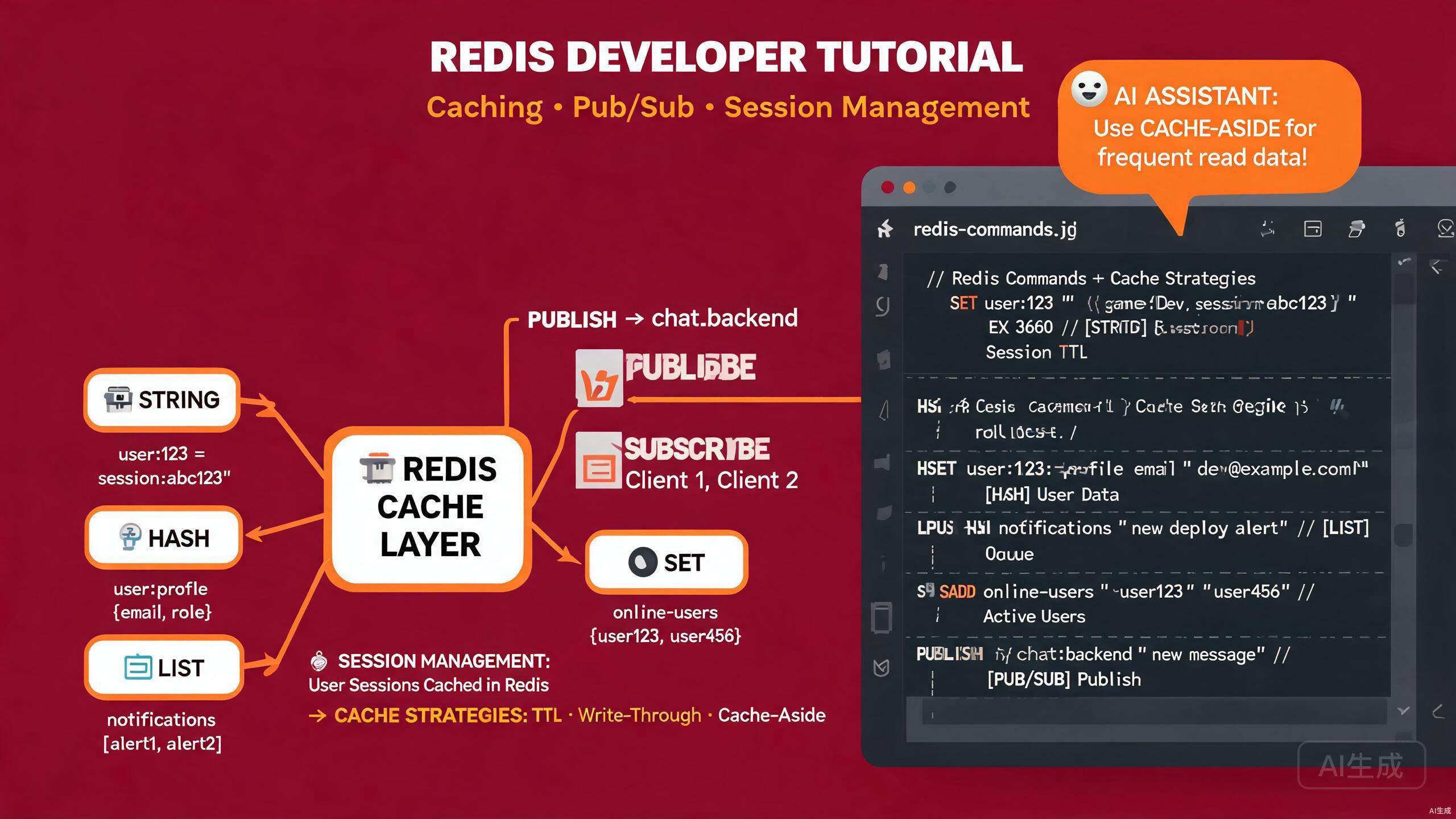
Redis is one of the most popular in-memory data stores, used for caching, real-time messaging, and session management. When paired with Cursor, an AI-powered IDE editor, you can scaffold Redis clients, design cache strategies, and debug pub/sub pipelines faster than ever. This guide walks through setting up a Redis client in Cursor, implementing caching strategies, building pub/sub workflows, and leveraging Cursor's AI to optimize cache performance.
Prerequisites
Before you begin, make sure you have the following:
- Redis installed locally or access to a managed Redis instance (Upstash, Redis Cloud, or AWS ElastiCache)
- Cursor (latest version recommended) as your IDE editor
- Node.js 18 or higher for the JavaScript examples
- Basic familiarity with key-value stores and caching concepts
If you do not have a local Redis server, you can start one quickly using Docker. Open Cursor's integrated terminal and run docker run --name redis-local -p 6379:6379 -d redis:7-alpine. Cursor can also generate a docker-compose.yml with Redis and persistence configured if you ask it.
Setting Up a Redis Client in Cursor
A clean client setup is the foundation of any Redis workflow. Cursor's AI can scaffold a production-ready client wrapper that handles connections, reconnection logic, and environment configuration.
Installing Dependencies
Create a new project directory and open it in Cursor. Install the official Redis client for Node.js:
mkdir redis-cache-app && cd redis-cache-app
npm init -y
npm install ioredis dotenv
npm install -D typescript ts-node @types/node
The ioredis library is preferred over node-redis for most production workloads because it supports clustering, sentinel, and robust reconnection handling out of the box.
Generating a Client Wrapper with AI
Select your project root in Cursor, open the AI chat (Ctrl+L or Cmd+L), and describe what you need:
Create a Redis client wrapper using ioredis that:
- Reads connection details from environment variables
- Supports both single-node and cluster configurations
- Implements reconnection with exponential backoff
- Exposes a singleton instance and a graceful shutdown method
- Is fully typed with TypeScript
Cursor generates a well-structured client module. Here is a typical result:
import Redis, { type Cluster, type RedisOptions } from 'ioredis';
import dotenv from 'dotenv';

dotenv.config();

interface RedisConfig {
  host: string;
  port: number;
  password?: string;
  db?: number;
  useCluster: boolean;
  clusterNodes?: { host: string; port: number }[];
}

function loadConfig(): RedisConfig {
  const useCluster = process.env.REDIS_USE_CLUSTER === 'true';
  return {
    host: process.env.REDIS_HOST || '127.0.0.1',
    port: parseInt(process.env.REDIS_PORT || '6379', 10),
    password: process.env.REDIS_PASSWORD,
    db: parseInt(process.env.REDIS_DB || '0', 10),
    useCluster,
    clusterNodes: useCluster
      ? JSON.parse(process.env.REDIS_CLUSTER_NODES || '[]')
      : undefined,
  };
}

const baseOptions: RedisOptions = {
  enableReadyCheck: true,
  maxRetriesPerRequest: 3,
  retryStrategy: (times) => {
    if (times > 10) {
      console.error('[Redis] Max reconnection attempts reached');
      return null;
    }
    const delay = Math.min(times * 200, 2000);
    console.warn(`[Redis] Reconnecting in ${delay}ms (attempt ${times})`);
    return delay;
  },
  lazyConnect: false,
};

let client: Redis | Cluster;

function createClient(): Redis | Cluster {
  const config = loadConfig();
  if (config.useCluster && config.clusterNodes?.length) {
    return new Redis.Cluster(config.clusterNodes, {
      redisOptions: { ...baseOptions, password: config.password },
    });
  }
  return new Redis({
    host: config.host,
    port: config.port,
    password: config.password,
    db: config.db,
    ...baseOptions,
  });
}

client = createClient();

client.on('connect', () => console.log('[Redis] Connected'));
client.on('error', (err) => console.error('[Redis] Error:', err.message));
client.on('reconnecting', () => console.warn('[Redis] Reconnecting...'));

export async function shutdownRedis(): Promise<void> {
  await client.quit();
  console.log('[Redis] Connection closed gracefully');
}

export default client;
Verifying the Connection
Create a small health check script and run it with Cursor's integrated terminal:
import client, { shutdownRedis } from './redis-client';

async function checkConnection() {
  try {
    const pong = await client.ping();
    console.log('Redis responded:', pong);
    await client.set('cursor:test', 'hello-from-cursor', 'EX', 60);
    const value = await client.get('cursor:test');
    console.log('Stored value:', value);
  } catch (error) {
    console.error('Health check failed:', error);
  } finally {
    await shutdownRedis();
  }
}

checkConnection();
Run the script with npx ts-node src/check-connection.ts. Cursor highlights any type errors inline and suggests fixes as you type.
Never hardcode Redis credentials in your source files. Always use environment variables. Cursor can detect suspicious patterns and flag them; if you see a security warning in the editor, move the secret to a .env file and add .env to .gitignore immediately.
Caching Strategies with Cursor
Caching is the most common use case for Redis. Cursor helps you implement several strategies and choose the right one for each scenario.
Cache-Aside Pattern
The cache-aside pattern is the simplest and most flexible. Your application checks the cache first, and if the data is missing, it fetches from the database and populates the cache.
Ask Cursor to generate a cache-aside helper:
Write a generic cache-aside function in TypeScript that:
- Accepts a cache key, a TTL, and a fallback data-fetcher function
- Returns cached data when available
- Fetches from the fallback on cache miss and stores the result
- Handles errors gracefully without crashing the caller
Cursor produces a reusable utility:
import client from './redis-client';

export async function cacheAside<T>(
  key: string,
  ttlSeconds: number,
  fetcher: () => Promise<T>
): Promise<T> {
  try {
    const cached = await client.get(key);
    if (cached) {
      return JSON.parse(cached) as T;
    }
  } catch (err) {
    console.warn(`[Cache] Read error for key ${key}:`, err);
  }

  const fresh = await fetcher();

  try {
    await client.set(key, JSON.stringify(fresh), 'EX', ttlSeconds);
  } catch (err) {
    console.warn(`[Cache] Write error for key ${key}:`, err);
  }

  return fresh;
}
Use it anywhere you have a slow database query or expensive computation:
import { cacheAside } from './cache-aside';
import { db } from './database';

async function getUserProfile(userId: string) {
  return cacheAside(
    `user:profile:${userId}`,
    300, // 5 minutes
    () => db.user.findUnique({ where: { id: userId } })
  );
}
Write-Through Caching
For data that must always be consistent between the cache and the database, use a write-through strategy. Cursor can generate a wrapper that updates both layers atomically.
export async function writeThrough<T>(
  key: string,
  ttlSeconds: number,
  value: T,
  persist: (value: T) => Promise<void>
): Promise<void> {
  await persist(value);
  await client.set(key, JSON.stringify(value), 'EX', ttlSeconds);
}
Choosing TTL Values
Selecting the right time-to-live (TTL) is critical. Ask Cursor's AI for guidance:
What TTL should I use for caching user sessions, product catalogs,
and real-time analytics counters in a Redis cache?
Cursor explains the trade-offs and can even generate a configuration module:
export const CACHE_TTL = {
  userSession: 60 * 60 * 24, // 24 hours
  productCatalog: 60 * 10, // 10 minutes
  analyticsCounter: 60, // 1 minute
  staticConfig: 60 * 60, // 1 hour
} as const;
Use Cursor's inline chat on a function that is slow. Highlight the function body and ask, "Wrap this with a Redis cache-aside pattern using a 5-minute TTL." Cursor inserts the wrapper and imports automatically, saving you from manual boilerplate.
Pub/Sub Messaging in Cursor
Redis pub/sub is a lightweight way to broadcast events between parts of your application or across services. Cursor simplifies publisher and subscriber scaffolding.
Creating a Publisher
Ask Cursor to create a typed event publisher:
Build a Redis pub/sub publisher in TypeScript that:
- Accepts a channel name and a typed payload
- Serializes the payload to JSON
- Publishes to Redis and logs delivery confirmation
Cursor generates:
import client from './redis-client';

export async function publish<T>(channel: string, payload: T): Promise<number> {
  const message = JSON.stringify({
    payload,
    timestamp: Date.now(),
  });
  const receivers = await client.publish(channel, message);
  console.log(`[Pub] ${channel} delivered to ${receivers} subscriber(s)`);
  return receivers;
}
Creating a Subscriber
Subscribers need their own Redis connection because a connection that is blocked on subscription cannot publish. Cursor handles this distinction when you ask for a subscriber module:
import Redis from 'ioredis';

export function subscribe<T>(
  channel: string,
  handler: (payload: T) => void
): Redis {
  const subscriber = new Redis(process.env.REDIS_URL || 'redis://127.0.0.1:6379');

  subscriber.subscribe(channel);
  subscriber.on('message', (incomingChannel, message) => {
    if (incomingChannel !== channel) return;
    try {
      const { payload } = JSON.parse(message);
      handler(payload as T);
    } catch (err) {
      console.error(`[Sub] Failed to parse message on ${channel}:`, err);
    }
  });

  return subscriber;
}
Building a Real-Time Notification Flow
Combine the publisher and subscriber to create a real-time event pipeline. This example demonstrates an order-processing system:
import { publish } from './publisher';
import { subscribe } from './subscriber';

interface OrderEvent {
  orderId: string;
  status: 'created' | 'paid' | 'shipped';
  total: number;
}

// Subscriber side
subscribe<OrderEvent>('orders', (event) => {
  console.log(`[Inventory] Order ${event.orderId} is ${event.status}`);
  if (event.status === 'paid') {
    // Reserve inventory, trigger fulfillment, etc.
  }
});

// Publisher side
async function createOrder(orderId: string, total: number) {
  await publish<OrderEvent>('orders', {
    orderId,
    status: 'created',
    total,
  });
}
Redis pub/sub delivers messages to currently connected subscribers only. If a subscriber is offline when a message is published, the message is lost. For durable message queues, use Redis Streams instead. Ask Cursor, "Convert this pub/sub example to Redis Streams with consumer groups," and it will generate the XADD, XREADGROUP, and XACK code.
AI-Assisted Cache Optimization
One of Cursor's strengths is analyzing your existing code and suggesting cache improvements. This section covers practical techniques.
Detecting Cache Stampede Risks
Cache stampede occurs when many requests miss the cache simultaneously and overwhelm your database. Ask Cursor to review your caching code:
Analyze my cache-aside usage in src/services and flag any functions
that are vulnerable to cache stampede. Suggest mitigations.
Cursor identifies risky call sites and can implement a probabilistic early expiration or a mutex lock pattern:
export async function cacheAsideSafe<T>(
  key: string,
  ttlSeconds: number,
  fetcher: () => Promise<T>
): Promise<T> {
  const cached = await client.get(key);
  if (cached) {
    const data = JSON.parse(cached);
    // Probabilistic early refresh: 5% chance to refresh early
    if (Math.random() < 0.05) {
      refreshInBackground(key, ttlSeconds, fetcher);
    }
    return data as T;
  }
  return refreshAndReturn(key, ttlSeconds, fetcher);
}

async function refreshAndReturn<T>(
  key: string,
  ttl: number,
  fetcher: () => Promise<T>
): Promise<T> {
  const fresh = await fetcher();
  await client.set(key, JSON.stringify(fresh), 'EX', ttl);
  return fresh;
}

function refreshInBackground<T>(
  key: string,
  ttl: number,
  fetcher: () => Promise<T>
) {
  fetcher()
    .then((fresh) => client.set(key, JSON.stringify(fresh), 'EX', ttl))
    .catch((err) => console.warn('[Cache] Background refresh failed:', err));
}
Generating Cache Keys
Inconsistent cache keys cause subtle bugs. Cursor can standardize your key naming:
Create a cache key builder utility that namespaces keys by feature,
version, and entity so I can invalidate by prefix.
export function buildKey(parts: (string | number)[]): string {
  return parts.join(':');
}

export const cacheKeys = {
  user: {
    profile: (id: string) => buildKey(['v1', 'user', 'profile', id]),
    settings: (id: string) => buildKey(['v1', 'user', 'settings', id]),
  },
  product: {
    catalog: () => buildKey(['v1', 'product', 'catalog']),
    detail: (id: string) => buildKey(['v1', 'product', 'detail', id]),
  },
};
Bulk Invalidation
When underlying data changes, you often need to delete many cached keys at once. Cursor can write a scan-and-delete utility:
import client from './redis-client';

export async function invalidateByPrefix(prefix: string): Promise<number> {
  let cursor = '0';
  let deleted = 0;

  do {
    const [next, keys] = await client.scan(
    cursor,
    'MATCH',
    `${prefix}*`,
    'COUNT',
    100
  );
  cursor = next;
  if (keys.length > 0) {
    await client.del(...keys);
    deleted += keys.length;
  }
  } while (cursor !== '0');

  console.log(`[Cache] Invalidated ${deleted} keys under ${prefix}`);
  return deleted;
}
Use Cursor's Agent mode to perform a cache-key audit across your entire codebase. Prompt it with, "Find all Redis SET and GET calls and verify they use the cacheKeys builder utility." The agent will report any raw string keys that bypass your naming convention.
Session Management with Redis
Redis is an excellent backing store for user sessions because of its low latency and built-in expiration. Cursor can scaffold a complete session module.
Session Store Implementation
Ask Cursor to create an express-session-compatible Redis store:
Implement a session store using ioredis that:
- Creates, reads, updates, and deletes sessions by session ID
- Sets an expiration TTL on each session
- Rotates session IDs on privilege escalation
- Includes a middleware helper for Express
Cursor generates a typed session manager:
import client from './redis-client';
import { randomUUID } from 'crypto';

export interface SessionData {
  userId: string;
  email: string;
  roles: string[];
  createdAt: number;
}

const SESSION_PREFIX = 'session:';
const SESSION_TTL = 60 * 60 * 24 * 7; // 7 days

export async function createSession(data: Omit<SessionData, 'createdAt'>) {
  const sessionId = randomUUID();
  const session: SessionData = { ...data, createdAt: Date.now() };
  await client.set(
    SESSION_PREFIX + sessionId,
    JSON.stringify(session),
    'EX',
    SESSION_TTL
  );
  return { sessionId, session };
}

export async function getSession(sessionId: string): Promise<SessionData | null> {
  const raw = await client.get(SESSION_PREFIX + sessionId);
  if (!raw) return null;
  return JSON.parse(raw) as SessionData;
}

export async function destroySession(sessionId: string): Promise<void> {
  await client.del(SESSION_PREFIX + sessionId);
}

export async function refreshSessionTTL(sessionId: string): Promise<void> {
  await client.expire(SESSION_PREFIX + sessionId, SESSION_TTL);
}

export async function rotateSession(
  oldSessionId: string,
  newData: Omit<SessionData, 'createdAt'>
) {
  const existing = await getSession(oldSessionId);
  if (!existing) throw new Error('Session not found');
  await destroySession(oldSessionId);
  return createSession({ ...newData, createdAt: existing.createdAt });
}
Express Middleware
Cursor can wrap the session manager into an Express middleware:
import type { Request, Response, NextFunction } from 'express';
import { getSession, refreshSessionTTL } from './session-store';

declare module 'express-serve-static-core' {
  interface Request {
    session?: Awaited<ReturnType<typeof getSession>>;
  }
}

export async function sessionMiddleware(
  req: Request,
  res: Response,
  next: NextFunction
) {
  const sessionId = req.cookies?.sessionId;
  if (sessionId) {
    const session = await getSession(sessionId);
    if (session) {
      req.session = session;
      await refreshSessionTTL(sessionId);
    }
  }
  next();
}
Always rotate the session ID when a user logs in or elevates privileges. Reusing the same session ID after authentication opens the door to session-fixation attacks. Use the rotateSession helper whenever the trust level of a session changes.
Debugging Redis in Cursor
When things go wrong, Cursor's AI accelerates debugging. Here are practical techniques.
Inspecting Key Patterns
Use Cursor's integrated terminal to run ad-hoc Redis commands. Cursor auto-completes Redis commands if you install a Redis syntax extension:
# Count keys by namespace
redis-cli --scan --pattern 'session:*' | wc -l

# Check memory usage
redis-cli INFO memory | grep used_memory_human

# Inspect a specific key's TTL
redis-cli TTL session:abc-123
AI-Powered Log Analysis
When your cache hit rate drops unexpectedly, paste the relevant logs into Cursor's chat and ask:
My Redis cache hit rate dropped from 92% to 60% over the last hour.
Here are the application logs. Identify likely causes and suggest fixes.
Cursor analyzes the logs, points out spikes in cache misses, and recommends TTL adjustments or key-namespace changes.
Best Practices Summary
Keep these principles in mind when working with Redis in Cursor:
- Namespace your keys with a version prefix so you can invalidate by pattern.
- Always set TTLs unless you have a specific reason not to.
- Separate connections for pub/sub subscribers from regular command connections.
- Use connection pooling rather than creating a new client per request.
- Monitor cache hit rate and let Cursor help you tune TTLs based on real traffic.
- Never store secrets in Redis without encryption, and never commit them in source files.
By combining Redis with Cursor's AI-powered editing, you can build robust caching layers, real-time pub/sub pipelines, and secure session management with significantly less boilerplate. The key is to describe your intent clearly in the AI chat, let Cursor generate the scaffolding, and then review and refine the output before shipping.