GraphQL API Development in Cursor
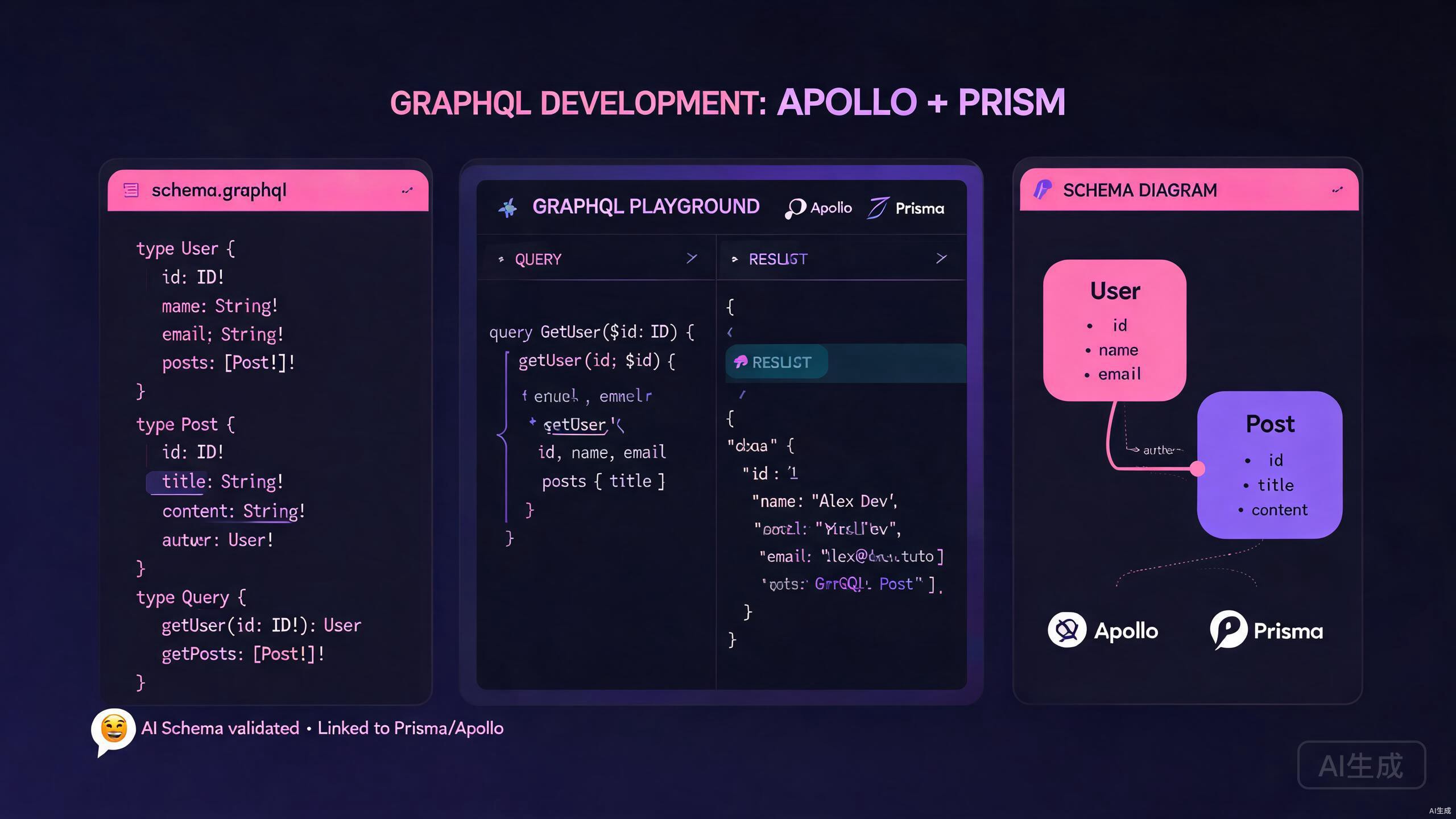
GraphQL has revolutionized how we build APIs by allowing clients to request exactly the data they need. When combined with Cursor, an AI-powered IDE editor, your GraphQL development workflow becomes significantly faster and more intelligent. This guide covers everything from schema design to production-ready resolver implementation using Cursor's advanced features.
Introduction to GraphQL in Cursor
Cursor provides an exceptional environment for GraphQL development through its intelligent code completion, AI-powered code generation, and deep understanding of schema relationships. Whether you are building a new API from scratch or maintaining an existing one, Cursor's features help you write better GraphQL code with less effort.
The integration between Cursor and GraphQL tooling allows you to:
- Generate schemas from TypeScript types automatically
- Receive intelligent suggestions for resolver implementations
- Validate queries against your schema in real time
- Refactor large schemas with AI assistance
- Generate documentation directly from your code
Before diving into the implementation details, ensure you have the following tools installed in your workspace:
- Node.js 18 or higher
- Cursor IDE (latest version recommended)
- A GraphQL client extension for testing queries
Setting Up Your GraphQL Project
A well-structured project is essential for scalable GraphQL development. Cursor excels at helping you organize your codebase from the very beginning.
Start by creating a new project directory and initializing it with your preferred package manager. Open Cursor in this directory and create the following folder structure:
src/
  schema/
    typeDefs.ts
    resolvers/
      index.ts
      userResolver.ts
      postResolver.ts
  prisma/
    schema.prisma
  server.ts
This structure separates concerns clearly and allows Cursor's AI to understand the boundaries between schema definitions, resolver logic, and database models. When you open this structure in Cursor, the editor automatically indexes all type relationships and provides cross-file suggestions.
Install the core dependencies for an Apollo Server and Prisma setup:
npm install @apollo/server graphql
npm install @prisma/client
npm install -D prisma typescript ts-node @types/node
After installation, initialize Prisma within your project. Cursor's terminal integration makes this seamless, and the AI can help debug any configuration issues that arise during setup.
Use Cursor's inline chat to ask questions about package compatibility. For example, select your package.json and ask, "Are these GraphQL dependencies compatible with the latest Apollo Server version?" Cursor will analyze the versions and suggest updates.
Designing Schemas with AI Assistance
Schema design is the foundation of any GraphQL API. Cursor's AI capabilities make this process more intuitive by suggesting types, fields, and relationships based on your application's requirements.
Creating Type Definitions
Begin by defining your core types in src/schema/typeDefs.ts. Cursor provides intelligent autocompletion for GraphQL SDL (Schema Definition Language) syntax, including built-in scalars, directives, and custom types.
export const typeDefs = `#graphql
  type User {
    id: ID!
    email: String!
    name: String
    posts: [Post!]!
    createdAt: String!
    updatedAt: String!
  }

  type Post {
    id: ID!
    title: String!
    content: String!
    published: Boolean!
    author: User!
    createdAt: String!
    updatedAt: String!
  }

  type Query {
    users: [User!]!
    user(id: ID!): User
    posts: [Post!]!
    post(id: ID!): Post
  }

  type Mutation {
    createUser(email: String!, name: String): User!
    createPost(title: String!, content: String!, authorId: ID!): Post!
    publishPost(id: ID!): Post!
    deletePost(id: ID!): Post!
  }
`;
When you type type definitions in Cursor, the editor recognizes GraphQL syntax and offers context-aware suggestions. The AI understands relationships between types and can suggest missing fields when you define a new entity.
Generating Schemas from Prisma Models
One of the most powerful workflows in Cursor is generating GraphQL schemas directly from your Prisma models. After defining your database schema in prisma/schema.prisma, you can use Cursor's AI chat to convert these models into GraphQL type definitions.
Here is an example Prisma schema:
generator client {
  provider = "prisma-client-js"
}

datasource db {
  provider = "postgresql"
  url      = env("DATABASE_URL")
}

model User {
  id        String   @id @default(uuid())
  email     String   @unique
  name      String?
  posts     Post[]
  createdAt DateTime @default(now())
  updatedAt DateTime @updatedAt
}

model Post {
  id        String   @id @default(uuid())
  title     String
  content   String
  published Boolean  @default(false)
  authorId  String
  author    User     @relation(fields: [authorId], references: [id])
  createdAt DateTime @default(now())
  updatedAt DateTime @updatedAt
}
Select the Prisma schema in Cursor and use the AI chat feature with a prompt like: "Generate corresponding GraphQL type definitions for these Prisma models, including Query and Mutation types." Cursor will produce accurate SDL that mirrors your database structure.
Always review AI-generated schemas for business logic requirements that may not be captured in database models. The AI understands structure but may miss domain-specific validation rules or custom scalars that your application requires.
Implementing Resolvers in Cursor
Resolvers are where your GraphQL API comes to life. Cursor's TypeScript integration makes writing type-safe resolvers significantly more productive.
Writing Type-Safe Resolvers
Create your resolver files with full TypeScript support. Cursor understands the relationship between your schema and resolver types, offering autocompletion for parent objects, arguments, and context.
import { PrismaClient } from '@prisma/client';

const prisma = new PrismaClient();

export const userResolver = {
  Query: {
    users: async () => {
      return await prisma.user.findMany({
        include: { posts: true },
      });
    },

    user: async (_: unknown, { id }: { id: string }) => {
      return await prisma.user.findUnique({
        where: { id },
        include: { posts: true },
      });
    },
  },

  User: {
    posts: async (parent: { id: string }) => {
      return await prisma.post.findMany({
        where: { authorId: parent.id },
      });
    },
  },

  Mutation: {
    createUser: async (
      _: unknown,
      { email, name }: { email: string; name?: string }
    ) => {
      return await prisma.user.create({
        data: { email, name },
      });
    },
  },
};
Cursor's IntelliSense provides accurate type information for resolver arguments based on your schema definitions. When you hover over parameters or return values, you see the exact GraphQL types mapped to TypeScript.
Using AI to Generate Complex Resolvers
For complex resolver logic involving data transformation, aggregation, or third-party API calls, Cursor's AI generation is invaluable. Select a portion of your schema and ask Cursor to generate the corresponding resolver implementation.
For example, given this advanced schema definition:
type Query {
  searchPosts(query: String!, filters: PostFilters): SearchResult!
}

input PostFilters {
  publishedOnly: Boolean
  dateFrom: String
  dateTo: String
  authorIds: [ID!]
}

type SearchResult {
  posts: [Post!]!
  totalCount: Int!
  hasMore: Boolean!
}
You can prompt Cursor with: "Implement a resolver for searchPosts that filters by the provided criteria, supports pagination with a default limit of 20, and returns the total count and hasMore flag." The AI will generate a complete implementation using Prisma's filtering API.
searchPosts: async (
  _: unknown,
  {
    query,
    filters,
  }: {
    query: string;
    filters?: {
      publishedOnly?: boolean;
      dateFrom?: string;
      dateTo?: string;
      authorIds?: string[];
    };
  },
  context: { userId?: string }
) => {
  const limit = 20;
  const where: any = {
    OR: [
      { title: { contains: query, mode: 'insensitive' } },
      { content: { contains: query, mode: 'insensitive' } },
    ],
  };

  if (filters?.publishedOnly) {
    where.published = true;
  }

  if (filters?.dateFrom || filters?.dateTo) {
    where.createdAt = {};
    if (filters.dateFrom) where.createdAt.gte = new Date(filters.dateFrom);
    if (filters.dateTo) where.createdAt.lte = new Date(filters.dateTo);
  }

  if (filters?.authorIds?.length) {
    where.authorId = { in: filters.authorIds };
  }

  const [posts, totalCount] = await Promise.all([
    prisma.post.findMany({
      where,
      take: limit,
      include: { author: true },
    }),
    prisma.post.count({ where }),
  ]);

  return {
    posts,
    totalCount,
    hasMore: totalCount > limit,
  };
},
When generating complex resolvers, always review the Prisma queries for N+1 problems. Cursor's AI often generates basic implementations that may not include DataLoader patterns for batch loading related entities.
Apollo Server Integration
Connecting your schema and resolvers to Apollo Server is straightforward with Cursor's assistance. The editor helps you configure the server with proper TypeScript types and middleware.
Setting Up the Server
Create your server.ts file with Apollo Server 4 configuration:
import { ApolloServer } from '@apollo/server';
import { startStandaloneServer } from '@apollo/server/standalone';
import { typeDefs } from './schema/typeDefs';
import { resolvers } from './schema/resolvers';

interface MyContext {
  token?: string;
  userId?: string;
}

const server = new ApolloServer<MyContext>({
  typeDefs,
  resolvers,
});

const { url } = await startStandaloneServer(server, {
  listen: { port: 4000 },
  context: async ({ req }): Promise<MyContext> => {
    const token = req.headers.authorization || '';
    // Add authentication logic here
    return { token };
  },
});

console.log(`Server ready at: ${url}`);
Cursor provides autocomplete for Apollo Server APIs and helps you maintain correct typing throughout the configuration. The AI can also suggest middleware patterns for authentication, logging, and error handling.
Adding Custom Scalars and Directives
Advanced GraphQL APIs often require custom scalars for specialized data types. Cursor helps you implement these with full type safety.
import { GraphQLScalarType, Kind } from 'graphql';

export const dateScalar = new GraphQLScalarType({
  name: 'Date',
  description: 'Custom Date scalar',
  serialize(value: unknown) {
    if (value instanceof Date) {
      return value.toISOString();
    }
    throw Error('GraphQL Date Scalar serializer expected a Date object');
  },
  parseValue(value: unknown) {
    if (typeof value === 'string') {
      return new Date(value);
    }
    throw new Error('GraphQL Date Scalar parser expected a string');
  },
  parseLiteral(ast) {
    if (ast.kind === Kind.STRING) {
      return new Date(ast.value);
    }
    return null;
  },
});
When you define custom scalars, Cursor's TypeScript language server ensures that your serialize and parse functions handle the correct types, preventing runtime errors.
Prisma Integration Best Practices
The combination of Prisma and GraphQL in Cursor creates a powerful full-stack development experience. This section covers best practices for integrating these technologies effectively.
Generating Prisma Client Types
After modifying your Prisma schema, run the generate command. Cursor's terminal integration captures the output, and if there are errors, the AI can help you fix schema syntax issues.
npx prisma generate
The generated Prisma Client types integrate seamlessly with Cursor's IntelliSense. When writing resolvers, you get full autocomplete for model fields, filter options, and relation queries.
Handling Relations with DataLoader
To avoid the N+1 query problem in GraphQL resolvers, integrate DataLoader into your Cursor project. The AI can help you set up batch loading functions that Prisma will execute efficiently.
import DataLoader from 'dataloader';
import { PrismaClient, User } from '@prisma/client';

const prisma = new PrismaClient();

export const createUserLoader = () => {
  return new DataLoader<string, User | null>(async (userIds) => {
    const users = await prisma.user.findMany({
      where: { id: { in: [...userIds] } },
    });

    const userMap = new Map(users.map((user) => [user.id, user]));
    return userIds.map((id) => userMap.get(id) || null);
  });
};
In your server context, initialize the loaders and pass them to resolvers:
interface MyContext {
  userLoader: ReturnType<typeof createUserLoader>;
  postLoader: ReturnType<typeof createPostLoader>;
}

const { url } = await startStandaloneServer(server, {
  listen: { port: 4000 },
  context: async (): Promise<MyContext> => {
    return {
      userLoader: createUserLoader(),
      postLoader: createPostLoader(),
    };
  },
});
DataLoader instances should be created per-request to avoid caching issues between different users. Cursor's AI sometimes suggests singleton patterns for loaders; always verify that your implementation creates fresh instances for each GraphQL request.
AI Query Generation and Testing
One of Cursor's standout features is its ability to generate and test GraphQL queries based on your schema. This accelerates both development and debugging workflows.
Generating Queries from Schema
Select your type definitions in Cursor and ask the AI to generate sample queries and mutations. This is particularly useful for frontend developers who need to understand the available API surface.
For the User and Post schema above, Cursor might generate:
query GetUserWithPosts($userId: ID!) {
  user(id: $userId) {
    id
    email
    name
    posts {
      id
      title
      published
      createdAt
    }
  }
}

mutation CreateNewPost($title: String!, $content: String!, $authorId: ID!) {
  createPost(title: $title, content: $content, authorId: $authorId) {
    id
    title
    author {
      id
      name
    }
  }
}
These generated queries are fully typed and validated against your schema, reducing the likelihood of frontend integration errors.
Testing Resolvers with Generated Queries
Use Cursor's AI to generate comprehensive test suites for your resolvers. Select a resolver function and prompt: "Generate Jest tests for this resolver including mock Prisma calls and edge cases."
import { userResolver } from './userResolver';
import { PrismaClient } from '@prisma/client';
jest.mock('@prisma/client', () => {
const mockPrisma = {
user: {
findMany: jest.fn(),
findUnique: jest.fn(),
create: jest.fn(),
},
};
return { PrismaClient: jest.fn(() => mockPrisma) };
});
describe('User Resolver', () => {
const prisma = new PrismaClient();
beforeEach(() => {
jest.clearAllMocks();
});
it('should return all users with their posts', async () => {
const mockUsers = [
];
(prisma.user.findMany as jest.Mock).mockResolvedValue(mockUsers);
const result = await userResolver.Query.users();
expect(prisma.user.findMany).toHaveBeenCalledWith({
include: { posts: true },
});
expect(result).toEqual(mockUsers);
});
it('should return a single user by id', async () => {
(prisma.user.findUnique as jest.Mock).mockResolvedValue(mockUser);
const result = await userResolver.Query.user(null, { id: '1' });
expect(prisma.user.findUnique).toHaveBeenCalledWith({
where: { id: '1' },
include: { posts: true },
});
expect(result).toEqual(mockUser);
});
});
Error Handling and Validation
Robust GraphQL APIs require comprehensive error handling. Cursor helps you implement consistent error patterns across your resolvers.
Custom Error Classes
Define custom error classes that extend Apollo's GraphQL error types:
import { GraphQLError } from 'graphql';

export class AuthenticationError extends GraphQLError {
  constructor(message: string = 'Not authenticated') {
    super(message, {
      extensions: { code: 'UNAUTHENTICATED', http: { status: 401 } },
    });
  }
}

export class ValidationError extends GraphQLError {
  constructor(message: string) {
    super(message, {
      extensions: { code: 'VALIDATION_FAILED', http: { status: 400 } },
    });
  }
}

export class NotFoundError extends GraphQLError {
  constructor(resource: string) {
    super(`${resource} not found`, {
      extensions: { code: 'NOT_FOUND', http: { status: 404 } },
    });
  }
}
Use these errors in your resolvers with Cursor's autocomplete support:
user: async (_: unknown, { id }: { id: string }) => {
  const user = await prisma.user.findUnique({
    where: { id },
    include: { posts: true },
  });

  if (!user) {
    throw new NotFoundError('User');
  }

  return user;
},
Create an error plugin for Apollo Server that logs errors and formats them for the client. Cursor can generate this plugin based on your custom error classes.
Conclusion
Developing GraphQL APIs in Cursor combines the power of a modern IDE with intelligent AI assistance. From schema design to resolver implementation, testing, and deployment, Cursor streamlines every aspect of GraphQL development.
Key takeaways from this guide:
- Use Cursor's AI to generate schemas from Prisma models and TypeScript types
- Leverage TypeScript integration for type-safe resolver development
- Implement DataLoader patterns to prevent N+1 queries
- Generate tests and queries automatically from your schema definitions
- Maintain consistent error handling with custom error classes
As you continue building with GraphQL and Cursor, experiment with the AI chat features for refactoring large schemas, optimizing database queries, and generating documentation. The combination of human expertise and AI assistance produces APIs that are robust, performant, and maintainable.