Code Performance Optimization in Cursor
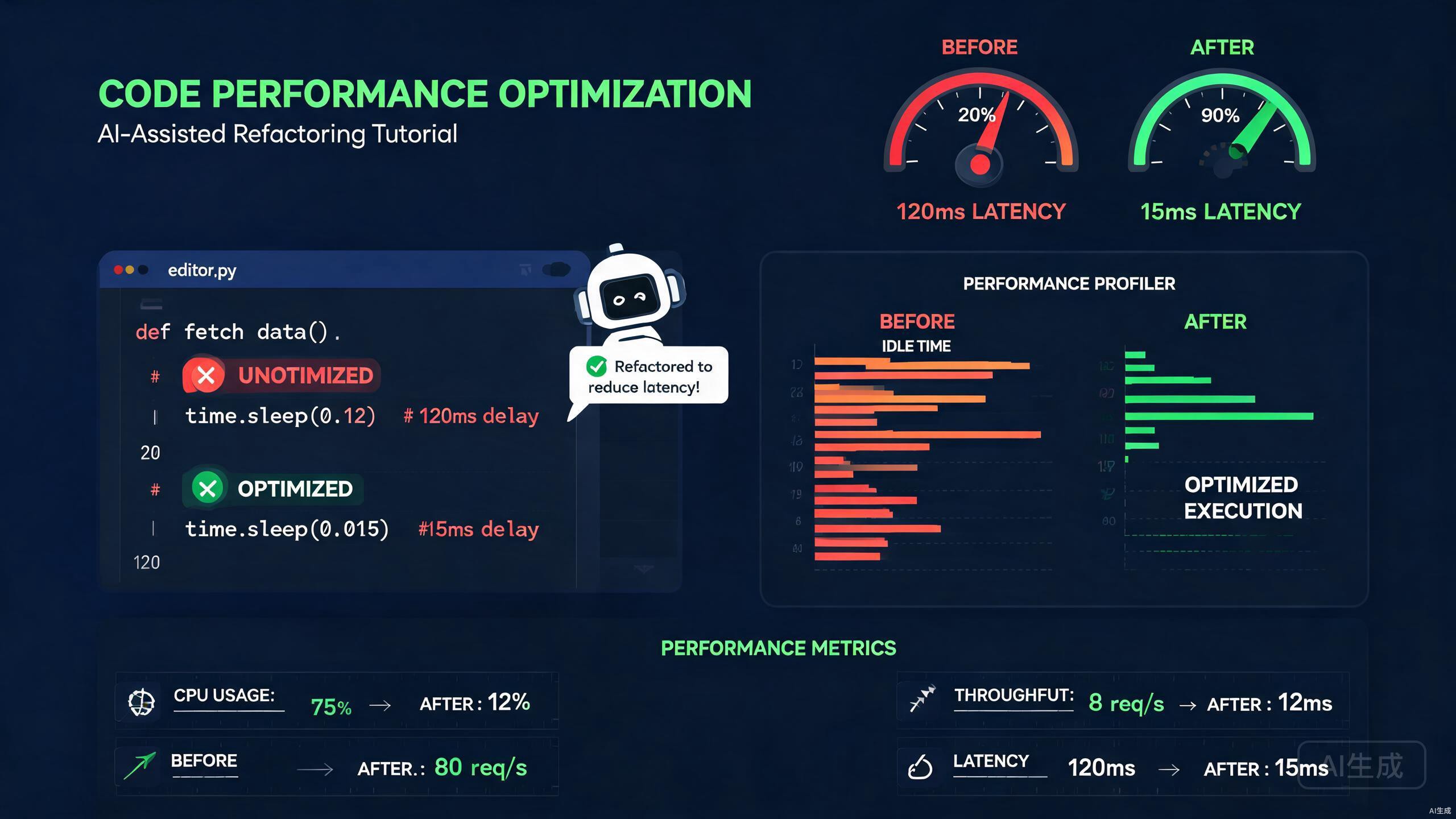
Performance is not an afterthought; it is a core requirement for modern applications. Cursor, an AI-powered IDE editor, transforms performance optimization from a reactive debugging chore into a proactive development practice. This guide explores profiling techniques, bottleneck detection, AI-assisted refactoring for speed, and memory optimization strategies within the Cursor environment.
Introduction to Performance Optimization in Cursor
Cursor integrates AI capabilities directly into the editor, enabling developers to identify performance issues during the writing phase rather than after deployment. The editor analyzes code patterns, suggests algorithmic improvements, and helps you understand the computational complexity of your implementations.
Key performance optimization workflows in Cursor include:
- Real-time complexity analysis for functions and algorithms
- AI-powered suggestions for faster data structures
- Integration with profiling tools for bottleneck visualization
- Automated refactoring for loop optimization and async patterns
- Memory leak detection and heap analysis guidance
This guide assumes familiarity with JavaScript/TypeScript and basic algorithm concepts. All examples are written in TypeScript and executed in Node.js environments.
Setting Up the Performance Workspace
Before optimizing, you need a structured environment where Cursor can analyze your code effectively. Organize your project to separate production code, benchmarks, and profiling scripts.
Create the following structure in your Cursor workspace:
src/
  algorithms/
    search.ts
    sort.ts
    dataProcessing.ts
  benchmarks/
    search.bench.ts
    sort.bench.ts
  profiling/
    cpu-profile.ts
    memory-profile.ts
Install the necessary benchmarking and profiling libraries:
npm install -D benchmark autocannon clinic
npm install -D @types/benchmark
Cursor's AI understands the purpose of each directory when structured conventionally. When you open a file in the benchmarks folder, the editor automatically suggests benchmark templates and comparison patterns.
Ask Cursor's AI: "Generate a benchmark setup for comparing array search implementations" and it will create a complete Benchmark.js suite with statistical reporting.
Profiling and Bottleneck Detection
Identifying where your code spends most of its execution time is the first step toward optimization. Cursor helps you set up profiling tools and interpret their results.
CPU Profiling with Node.js
Node.js includes built-in CPU profiling capabilities through the --cpu-prof flag. Cursor's terminal integration makes running these profiles seamless, and the AI helps interpret the generated .cpuprofile files.
Create a profiling script at profiling/cpu-profile.ts:
function slowAlgorithm(n: number): number {
  let sum = 0;
  for (let i = 0; i < n; i++) {
    for (let j = 0; j < n; j++) {
      sum += i * j;
    }
  }
  return sum;
}

function optimizedAlgorithm(n: number): number {
  // Mathematical optimization: sum of i from 0 to n-1 is n(n-1)/2
  const sumI = (n * (n - 1)) / 2;
  const sumJ = (n * (n - 1)) / 2;
  return sumI * sumJ;
}

console.time('slow');
slowAlgorithm(10000);
console.timeEnd('slow');

console.time('optimized');
optimizedAlgorithm(10000);
console.timeEnd('optimized');
Run the profiler from Cursor's integrated terminal:
node --cpu-prof profiling/cpu-profile.ts
After execution, load the generated .cpuprofile file into Chrome DevTools or use Cursor's AI to analyze it. Select the profile file and ask: "Identify the bottleneck in this CPU profile and suggest optimizations." Cursor will highlight the hot paths and recommend specific improvements.
Using Clinic.js for Visual Profiling
Clinic.js provides visual profiling tools that are especially effective when combined with Cursor's file analysis. Install and configure Clinic.js:
npm install -D clinic
Create a script to profile your API server:
import { createServer } from 'http';

const server = createServer((req, res) => {
  const data = new Array(100000).fill(0).map((_, i) => ({
    id: i,
    value: Math.random(),
  }));

  // Inefficient filtering
  const filtered = data.filter((item) => item.value > 0.5);

  res.writeHead(200, { 'Content-Type': 'application/json' });
  res.end(JSON.stringify({ count: filtered.length }));
});

server.listen(3000, () => {
  console.log('Server running on port 3000');
});
Run the Doctor tool from Clinic.js:
npx clinic doctor -- node profiling/server.ts
The output includes event loop latency, CPU usage, and memory consumption graphs. Open the generated HTML report in your browser and share insights with Cursor's AI by asking: "Based on this Clinic.js report, what are the main performance issues and how do I fix them?"
Profiling results can vary significantly between development and production environments. Always validate optimizations under production-like load using tools such as Autocannon or k6 before deploying changes.
AI Refactoring for Speed
Cursor's AI refactoring capabilities are particularly powerful for performance optimization. The editor can rewrite algorithms, suggest better data structures, and parallelize operations while maintaining code correctness.
Algorithmic Complexity Reduction
One of the most impactful optimizations is reducing time complexity. Cursor's AI recognizes common patterns and suggests mathematically equivalent but computationally cheaper alternatives.
Consider this inefficient array processing function:
function findDuplicates(items: string[]): string[] {
  const duplicates: string[] = [];
  for (let i = 0; i < items.length; i++) {
    for (let j = i + 1; j < items.length; j++) {
      if (items[i] === items[j] && !duplicates.includes(items[i])) {
        duplicates.push(items[i]);
      }
    }
  }
  return duplicates;
}
Select this function in Cursor and use the AI chat with the prompt: "Refactor this function for better time complexity." The AI will generate an optimized version:
function findDuplicatesOptimized(items: string[]): string[] {
  const seen = new Set<string>();
  const duplicates = new Set<string>();

  for (const item of items) {
    if (seen.has(item)) {
      duplicates.add(item);
    } else {
      seen.add(item);
    }
  }

  return Array.from(duplicates);
}
The complexity drops from O(n^3) to O(n), a dramatic improvement for large datasets. Cursor explains the transformation and highlights why the Set data structure is more appropriate than nested loops with array inclusion checks.
Async Operation Optimization
Modern applications rely heavily on asynchronous operations. Cursor's AI identifies opportunities for parallelization and batching that developers might overlook.
Here is a sequential async pattern that wastes time:
async function fetchUserData(userIds: string[]) {
  const results = [];
  for (const id of userIds) {
    const user = await fetch(`/api/users/${id}`);
    const posts = await fetch(`/api/users/${id}/posts`);
    results.push({ user: await user.json(), posts: await posts.json() });
  }
  return results;
}
Ask Cursor to optimize this function. The AI produces:
async function fetchUserDataOptimized(userIds: string[]) {
  return Promise.all(
    userIds.map(async (id) => {
      const [userResponse, postsResponse] = await Promise.all([
        fetch(`/api/users/${id}`),
        fetch(`/api/users/${id}/posts`),
      ]);

      const [user, posts] = await Promise.all([
        userResponse.json(),
        postsResponse.json(),
      ]);

      return { user, posts };
    })
  );
}
This version parallelizes both the user and post requests across all IDs, reducing total execution time from O(n * sequential_delay) to approximately O(max_single_request_time).
Use Cursor's inline diff view to compare the original and refactored code side by side. This helps you understand the transformation and verify that error handling requirements are preserved.
Memory Optimization Strategies
Memory leaks and excessive allocation are silent performance killers. Cursor helps you identify problematic patterns and implement memory-efficient alternatives.
Detecting Memory Leaks
Memory leaks often stem from unintended references that prevent garbage collection. Cursor's AI recognizes common leak patterns such as uncleared timers, event listeners, and closure captures.
Consider this leaky pattern in a React-like component:
class DataProvider {
  private listeners: Set<(data: any) => void> = new Set();
  private intervalId: NodeJS.Timeout | null = null;

  startPolling() {
    this.intervalId = setInterval(() => {
      this.fetchData();
    }, 5000);
  }

  addListener(callback: (data: any) => void) {
    this.listeners.add(callback);
  }

  private fetchData() {
    fetch('/api/data')
      .then((res) => res.json())
      .then((data) => {
        this.listeners.forEach((listener) => listener(data));
      });
  }
}
Select this code and ask Cursor: "Identify memory leaks in this class and provide a fixed version." The AI will point out that intervalId is never cleared and listeners are never removed, then generate:
class DataProvider {
  private listeners: Set<(data: any) => void> = new Set();
  private intervalId: NodeJS.Timeout | null = null;
  private abortController: AbortController | null = null;

  startPolling() {
    this.stopPolling();
    this.abortController = new AbortController();
    this.intervalId = setInterval(() => {
      this.fetchData();
    }, 5000);
  }

  stopPolling() {
    if (this.intervalId) {
      clearInterval(this.intervalId);
      this.intervalId = null;
    }
    if (this.abortController) {
      this.abortController.abort();
      this.abortController = null;
    }
  }

  addListener(callback: (data: any) => void) {
    this.listeners.add(callback);
    return () => {
      this.listeners.delete(callback);
    };
  }

  private fetchData() {
    if (!this.abortController) return;

    fetch('/api/data', { signal: this.abortController.signal })
      .then((res) => res.json())
      .then((data) => {
        this.listeners.forEach((listener) => listener(data));
      })
      .catch((err) => {
        if (err.name !== 'AbortError') {
          console.error('Fetch error:', err);
        }
      });
  }

  destroy() {
    this.stopPolling();
    this.listeners.clear();
  }
}
The improved version includes proper cleanup methods, returns unsubscribe functions, and uses AbortController to cancel in-flight requests.
Efficient Data Structures
Choosing the right data structure has profound implications for memory usage. Cursor's AI suggests alternatives when it detects inefficient patterns.
For frequent membership testing, use a Set instead of an Array:
// Inefficient: O(n) lookup, high memory overhead for large arrays
const userIdsArray: string[] = ['user-1', 'user-2', 'user-3'];
function isAuthorizedArray(userId: string): boolean {
  return userIdsArray.includes(userId);
}

// Efficient: O(1) lookup, optimized memory layout
const userIdsSet: Set<string> = new Set(['user-1', 'user-2', 'user-3']);
function isAuthorizedSet(userId: string): boolean {
  return userIdsSet.has(userId);
}
For large numeric arrays with contiguous ranges, consider typed arrays:
// Standard array: flexible but memory-intensive
const scores: number[] = new Array(1000000).fill(0);

// Typed array: fixed type, compact memory, faster access
const scoresTyped = new Int32Array(1000000);
Typed arrays have fixed length and homogeneous types. Do not use them for collections of mixed types or when you need dynamic resizing without explicit buffer management.
Benchmarking Optimizations
After refactoring, rigorous benchmarking validates that your changes actually improve performance. Cursor helps you write statistically meaningful benchmarks.
Writing Reliable Benchmarks
Use the Benchmark.js library to compare implementations:
import Benchmark from 'benchmark';

const suite = new Benchmark.Suite();

const testData = new Array(10000).fill(0).map(() =>
  Math.random().toString(36).substring(7)
);

suite
  .add('findDuplicates#original', () => {
    const duplicates: string[] = [];
    for (let i = 0; i < testData.length; i++) {
      for (let j = i + 1; j < testData.length; j++) {
        if (testData[i] === testData[j] && !duplicates.includes(testData[i])) {
          duplicates.push(testData[i]);
        }
      }
    }
  })
  .add('findDuplicates#optimized', () => {
    const seen = new Set<string>();
    const duplicates = new Set<string>();
    for (const item of testData) {
      if (seen.has(item)) {
        duplicates.add(item);
      } else {
        seen.add(item);
      }
    }
  })
  .on('cycle', (event: Benchmark.Event) => {
    console.log(String(event.target));
  })
  .on('complete', function (this: Benchmark.Suite) {
    console.log('Fastest is ' + this.filter('fastest').map('name'));
  })
  .run({ async: true });
Run this benchmark in Cursor's terminal and share the output with the AI. Ask: "Interpret these benchmark results and determine if the optimization is statistically significant." Cursor will explain the ops/second metrics, margin of error, and sample size considerations.
Load Testing APIs
For server-side optimizations, use Autocannon to measure request throughput before and after changes:
npx autocannon -c 100 -d 30 http://localhost:3000/api/data
Store baseline results in your repository and compare them after each optimization pass. Cursor's AI can parse Autocannon JSON output and summarize latency percentiles and throughput improvements.
Database Query Optimization
Database queries are a common source of performance bottlenecks. Cursor's AI analyzes query patterns and suggests indexing strategies, query rewrites, and caching approaches.
Analyzing Slow Queries
When working with Prisma or raw SQL, Cursor can help identify inefficient queries. Given this Prisma query:
const users = await prisma.user.findMany({
  include: {
    posts: {
      include: {
        comments: true,
        tags: true,
      },
    },
  },
});
Cursor's AI flags the deeply nested includes as a potential performance issue. It suggests:
// Use select to limit returned fields
const users = await prisma.user.findMany({
  select: {
    id: true,
    name: true,
    posts: {
      select: {
        id: true,
        title: true,
        published: true,
      },
      where: { published: true },
      take: 10,
      orderBy: { createdAt: 'desc' },
    },
  },
  take: 50,
});
The optimized version reduces data transfer, leverages database-level filtering, and implements pagination.
Ask Cursor: "Suggest database indexes for this Prisma schema based on the query patterns in my resolvers." The AI will analyze your queries and recommend composite indexes that match your filtering and sorting criteria.
Conclusion
Performance optimization in Cursor is an integrated experience that combines profiling tools, AI-powered refactoring, and rigorous benchmarking. By leveraging the editor's capabilities, you can identify bottlenecks earlier, implement optimizations faster, and validate improvements with confidence.
Key takeaways from this guide:
- Profile before optimizing to ensure you target real bottlenecks
- Use Cursor's AI to refactor algorithms and reduce complexity
- Parallelize async operations and batch requests where possible
- Implement proper cleanup to prevent memory leaks
- Benchmark every optimization to verify its impact
- Optimize database queries with selective fields and pagination
With these techniques, your applications will deliver the speed and responsiveness that users expect, all while maintaining clean, maintainable code within the Cursor IDE.