Regex and Pattern Matching in Cursor: Syntax, Capture Groups, and AI-Assisted Generation
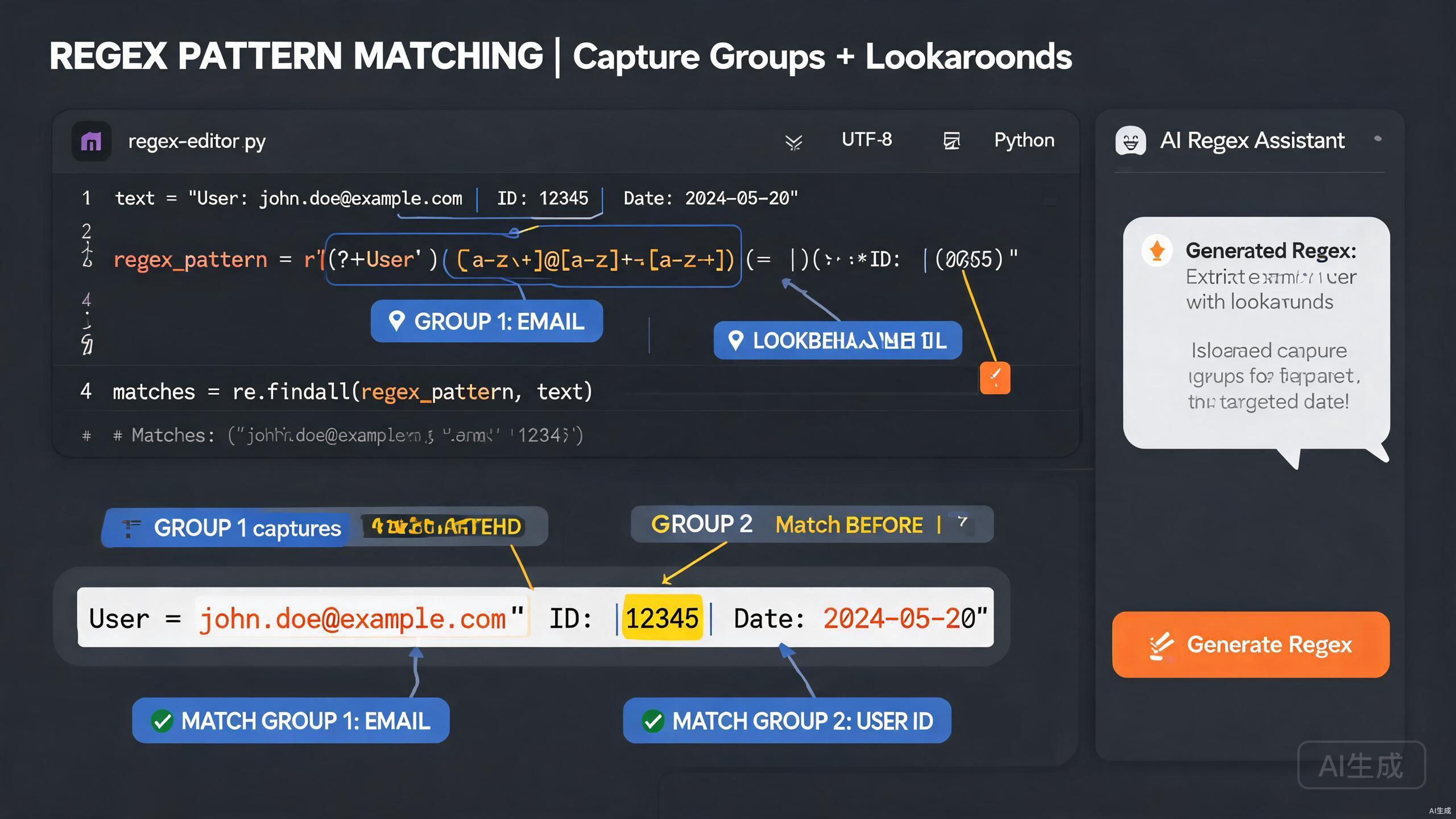
Regular expressions (regex) are a compact, powerful way to match, validate, and extract text. They are also famously hard to read and easy to get wrong. Cursor, an AI-powered IDE editor, makes working with regex far more approachable by generating patterns from plain-English descriptions, explaining cryptic expressions, and testing them against sample input. This guide covers regex syntax, capture groups, lookahead and lookbehind assertions, AI-assisted regex generation, and a library of common validation patterns.
Prerequisites
Before you begin, make sure you have the following:
- Cursor (latest version recommended) as your IDE editor
- A programming environment with a regex engine (JavaScript, Python, or Rust)
- Basic familiarity with string manipulation concepts
Cursor's AI is excellent at explaining and generating regex, but it is not a substitute for understanding the fundamentals. Always review generated patterns against your test cases, because regex engines differ slightly across languages. A pattern that works in JavaScript may behave differently in Python or Rust.
Regex Syntax Fundamentals
Understanding the building blocks of regex lets you read and debug patterns confidently. Cursor can explain any pattern, but knowing the vocabulary helps you write better prompts.
Characters and Metacharacters
Here are the core regex building blocks:
| Construct | Meaning |
|---|---|
. | Any character except newline |
\d | A digit (0 to 9) |
\w | A word character (letter, digit, underscore) |
\s | Whitespace (space, tab, newline) |
\D, \W, \S | Negated versions of the above |
^ | Start of string (or line in multiline mode) |
$ | End of string (or line in multiline mode) |
\b | Word boundary |
Quantifiers
Quantifiers control how many times a token may repeat:
| Quantifier | Meaning |
|---|---|
* | Zero or more |
+ | One or more |
? | Zero or one |
{n} | Exactly n |
{n,} | n or more |
{n,m} | Between n and m |
Character Classes and Alternation
Square brackets define a set of allowed characters, and the pipe defines alternatives:
const vowelPattern = /[aeiou]/;       // any single vowel
const hexPattern = /[0-9a-fA-F]/;     // any hex digit
const colorPattern = /red|green|blue/; // one of three words
Generating a First Pattern
Ask Cursor to generate a pattern from a description:
Write a regex that matches a US phone number in the format (XXX) XXX-XXXX
where X is a digit. Add named capture groups for the area code and the
local number. Explain each part.
Cursor returns the pattern with an explanation:
// Pattern: /^\((?<areaCode>\d{3})\) (?<localNumber>\d{3}-\d{4})$/
const phonePattern = /^\((?<areaCode>\d{3})\) (?<localNumber>\d{3}-\d{4})$/;

const match = '(555) 123-4567'.match(phonePattern);
console.log(match.groups.areaCode);     // "555"
console.log(match.groups.localNumber);   // "123-4567"
Cursor explains: \( matches a literal opening parenthesis, \d{3} matches exactly three digits, (?<areaCode>...) is a named capture group, and \) matches the closing parenthesis.
Parentheses have two meanings in regex: grouping and capturing. To group without capturing, use (?:...). Forgetting the ?: creates unnecessary capture groups that can shift your group indices and cause subtle off-by-one bugs when you index groups by number.
Capture Groups and Backreferences
Capture groups let you extract parts of a match and reuse them later in the pattern. Cursor generates and refines capture groups precisely.
Numbered Capture Groups
// Extract date components from YYYY-MM-DD
const datePattern = /(\d{4})-(\d{2})-(\d{2})/;
const match = '2025-08-17'.match(datePattern);
console.log(match[1]); // year: "2025"
console.log(match[2]); // month: "08"
console.log(match[3]); // day: "17"
Named Capture Groups
Named groups are far more readable than numbered ones, especially in long patterns. Ask Cursor to convert a pattern:
Convert this regex to use named capture groups instead of numbered ones:
/(\d{4})-(\d{2})-(\d{2})T(\d{2}):(\d{2}):(\d{2})/
Cursor rewrites it:
const isoPattern = /(?<year>\d{4})-(?<month>\d{2})-(?<day>\d{2})T(?<hour>\d{2}):(?<minute>\d{2}):(?<second>\d{2})/;
const m = '2025-08-17T14:30:00'.match(isoPattern);
console.log(m.groups.year, m.groups.month, m.groups.day); // "2025" "08" "17"
Backreferences
Backreferences let a pattern match the same text that an earlier group captured. A classic example is matching repeated words:
// Find doubled words like "the the"
const doubledWord = /\b(\w+)\s+\1\b/gi;
const text = 'I went to the the store and bought a a apple.';
console.log(text.replace(doubledWord, '$1'));
// "I went to the store and bought a apple."
The \1 refers to whatever the first capture group matched, so the pattern only succeeds when the second word is identical to the first.
Non-Capturing Groups
When you need grouping for alternation or quantifiers but do not need the captured text, use a non-capturing group to avoid polluting the match array:
// Match "color" or "colour" without capturing the optional "u"
const colorPattern = /colou?r/;
const ukPattern = /col(?:ou)?r/; // non-capturing variant
Ask Cursor to audit a complex regex for unnecessary capture groups. Prompt: "Find capture groups in this pattern that are not used and convert them to non-capturing groups." Cleaner groups make your code more predictable and slightly faster.
Lookahead and Lookbehind
Lookahead and lookbehind are zero-width assertions that check for context without consuming characters. They are essential for validation without extraction.
Positive Lookahead
Positive lookahead (?=...) asserts that what follows matches without including it in the result. A common use is password validation:
// At least 8 chars, one uppercase, one digit
const strongPassword = /^(?=.*[A-Z])(?=.*\d).{8,}$/;
console.log(strongPassword.test('Abcdefg1')); // true
console.log(strongPassword.test('password')); // false
Each (?=...) checks a condition from the start of the string, then the .{8,} matches the actual password characters.
Negative Lookahead
Negative lookahead (?!...) asserts that what follows does not match:
// Match "java" not followed by "script"
const javaNotScript = /\bjava(?!script)\b/i;
console.log(javaNotScript.test('I love java'));           // true
console.log(javaNotScript.test('I love javascript'));     // false
Positive and Negative Lookbehind
Lookbehind (?<=...) and (?<!...) check what precedes the current position. Use them to extract context-dependent matches:
// Extract dollar amounts after the $ sign
const pricePattern = /(?<=\$)\d+(\.\d{2})?/g;
console.log('$19.99 and $5'.match(pricePattern)); // ["19.99", "5"]

// Match "cat" not preceded by "wild "
const domesticCat = /(?<!wild )cat\b/;
console.log(domesticCat.test('my cat'));         // true
console.log(domesticCat.test('a wild cat'));      // false
Lookbehind support varies across engines. JavaScript added lookbehind in ES2018, so older browsers and runtimes reject patterns with (?<=...). Rust's regex crate does not support lookbehind at all. If you target Rust, ask Cursor to rewrite lookbehind patterns without it, usually by capturing the preceding context in a group.
Generating Context-Sensitive Patterns
Ask Cursor to build a pattern with assertions:
Write a regex that matches every word in a sentence except the
words "the", "a", and "an". Use negative lookahead and word
boundaries. Provide test cases.
Cursor returns:
const contentWord = /\b(?!the\b|a\b|an\b)\b[a-z]+/gi;
const sentence = 'the quick brown fox jumps over a lazy dog';
console.log(sentence.match(contentWord));
// ["quick", "brown", "fox", "jumps", "over", "lazy", "dog"]
AI-Assisted Regex Generation
Cursor's standout capability is turning plain-English requirements into tested regex. This section shows practical workflows.
Generating from a Specification
Describe your matching rules in detail, including edge cases:
Generate a regex that validates a semver version string with an
optional prerelease tag. Requirements:
- Major, minor, and patch are non-negative integers with no leading zeros
- Prerelease is optional, separated by a hyphen
- Prerelease can contain alphanumeric and dot-separated identifiers
- Examples: 1.0.0, 2.14.3-alpha, 3.0.0-beta.1, 0.0.1-rc.2.exp
- Invalid: 01.0.0, 1.0, 1.0.0-, 2.x.3
Cursor produces a well-commented pattern:
// Major: 0 or [1-9]\d*
// Minor and Patch: same as Major
// Prerelease: -(identifier)(.identifier)* where identifier = [0-9A-Za-z-]+
const semverPattern = /^(0|[1-9]\d*)\.(0|[1-9]\d*)\.(0|[1-9]\d*)(?:-([0-9A-Za-z-]+(?:\.[0-9A-Za-z-]+)*))?$/;

const tests = [
  ['1.0.0', true],
  ['2.14.3-alpha', true],
  ['3.0.0-beta.1', true],
  ['0.0.1-rc.2.exp', true],
  ['01.0.0', false],
  ['1.0', false],
  ['1.0.0-', false],
  ['2.x.3', false],
];

tests.forEach(([input, expected]) => {
  console.log(input, semverPattern.test(input) === expected ? 'PASS' : 'FAIL');
});
Explaining Cryptic Patterns
Paste a regex you found online and ask Cursor to explain it:
Explain this regex and rewrite it with comments and named groups:
/^(?:(?:25[0-5]|2[0-4]\d|[01]?\d\d?)\.){3}(?:25[0-5]|2[0-4]\d|[01]?\d\d?)$/
Cursor breaks it down:
// IPv4 address validator
// Each octet matches: 0-9 | 00-99 | 100-199 | 200-249 | 250-255
const octet = '(?:25[0-5]|2[0-4]\\d|[01]?\\d\\d?)';
const ipv4Pattern = new RegExp(`^(?:${octet}\\.){3}${octet}$`);

// With named groups for readability
const ipv4Named = /^(?<o1>25[0-5]|2[0-4]\d|[01]?\d\d?)\.(?<o2>25[0-5]|2[0-4]\d|[01]?\d\d?)\.(?<o3>25[0-5]|2[0-4]\d|[01]?\d\d?)\.(?<o4>25[0-5]|2[0-4]\d|[01]?\d\d?)$/;
const m = '192.168.1.1'.match(ipv4Named);
console.log(m.groups); // { o1: "192", o2: "168", o3: "1", o4: "1" }
Cursor explains that 25[0-5] matches 250 to 255, 2[0-4]\d matches 200 to 249, and [01]?\d\d? matches 0 to 199.
Debugging Failing Patterns
When a regex does not match as expected, describe the problem:
My regex /^\d{4}-\d{2}-\d{2}$/ should match "2025-08-17" but my
function returns null. Here is my code. Find the bug.
Cursor spots common mistakes like a missing g flag, a global regex object reused across calls, or an escaped character issue, and explains the fix.
Common Validation Patterns
Cursor can generate a reusable library of validated patterns. Here is a practical collection.
Email Validation
// Pragmatic email validation (RFC 5322 fully compliant regex is impractical)
const emailPattern = /^[a-zA-Z0-9._%+-]+@[a-zA-Z0-9.-]+\.[a-zA-Z]{2,}$/;
console.log(emailPattern.test('invalid@@test')); // false
Do not over-validate email addresses with regex. The only reliable check is sending a confirmation email. Use a permissive regex to catch obvious typos, then verify deliverability. Ask Cursor, "Write a permissive email regex and a function that also checks the MX record exists," for a balanced approach.
URL Validation
const urlPattern = /^https?:\/\/(www\.)?[-a-zA-Z0-9@:%._+~#=]{1,256}\.[a-zA-Z0-9()]{1,6}\b([-a-zA-Z0-9@:%_+.~#?&//=]*)$/;
console.log(urlPattern.test('https://www.example.com/path?q=1')); // true
Slug Validation
// URL-safe slug: lowercase letters, digits, hyphens, no leading/trailing hyphen
const slugPattern = /^[a-z0-9]+(?:-[a-z0-9]+)*$/;
console.log(slugPattern.test('how-to-use-cursor')); // true
console.log(slugPattern.test('-invalid-slug'));     // false
Hex Color
// 3 or 6 digit hex with optional leading #
const hexPattern = /^#?([0-9a-fA-F]{3}|[0-9a-fA-F]{6})$/;
console.log(hexPattern.test('#fff'));  // true
console.log(hexPattern.test('FF5733')); // true
Strong Password
// Min 8 chars, at least one uppercase, lowercase, digit, and symbol
const passwordPattern = /^(?=.*[a-z])(?=.*[A-Z])(?=.*\d)(?=.*[^A-Za-z0-9]).{8,}$/;
console.log(passwordPattern.test('Curs0r!de')); // true
Extracting and Replacing Text
Regex is not just for validation; it excels at extraction and transformation.
Extracting All Matches
// Extract all hashtags from a social post
const hashtagPattern = /#[\w]+/g;
const post = 'Loving #Cursor IDE and #regex today! #coding';
console.log(post.match(hashtagPattern)); // ["#Cursor", "#regex", "#coding"]
Transforming with Replace and Capture Groups
// Convert kebab-case to camelCase
const kebabToCamel = /-([a-z])/g;
const result = 'font-size-in-cursor'.replace(kebabToCamel, (_, c) => c.toUpperCase());
console.log(result); // "fontSizeInCursor"
Templating with Named Groups
// Replace {{ var }} placeholders with values from a context object
const templatePattern = /{{\s*(?<key>\w+)\s*}}/g;
function render(template, context) {
  return template.replace(templatePattern, (_, key) => context[key] ?? '');
}
console.log(render('Hello {{ name }}, you have {{ count }} tasks', { name: 'Sam', count: 3 }));
// "Hello Sam, you have 3 tasks"
The regex replace function runs the replacement for every match. If your context object is large and your template is in a hot path, precompile the pattern and cache the context lookup. Also guard against undefined values to avoid the literal string "undefined" appearing in your output.
Performance and Safety
Poorly written regex can cause catastrophic backtracking, where the engine takes exponential time on certain inputs. This is a real security risk (ReDoS).
Detecting Catastrophic Backtracking
Ask Cursor to analyze a pattern:
Check this regex for catastrophic backtracking (ReDoS) risk and
rewrite it safely: /^(a+)+$/
Cursor explains that nested quantifiers like (a+)+ create exponential backtracking on input like aaaaaaaaaaaaaaaaaaaa!, then provides a safe alternative:
// Safe alternative: anchored single quantifier
const safePattern = /^a+$/;
Using Anchors and Atomic Groups
Always anchor patterns when you expect the full string to match. When supported, use atomic groups (?>...) to prevent backtracking:
// Possessive quantifier equivalent in JS (no native support, use lookahead trick)
const possessiveDigit = /(?=(\d++))\1/;
For untrusted input, always set a timeout on regex execution or use a library that supports bounded execution. Ask Cursor, "Add a timeout wrapper to my regex test function using a Web Worker," to prevent a malicious input from freezing your application.
Best Practices Summary
Keep these principles in mind when working with regex in Cursor:
- Prefer named capture groups over numbered ones for readability.
- Use non-capturing groups
(?:...)when you do not need the captured text. - Anchor your patterns with
^and$when validating full strings. - Escape special characters when interpolating user input into a pattern.
- Test against positive and negative cases to catch edge conditions.
- Watch for catastrophic backtracking in patterns with nested quantifiers.
- Add comments to complex patterns using the
xflag or named groups.
By combining solid regex fundamentals with Cursor's AI-powered generation and explanation, you can write, test, and maintain pattern-matching code with confidence. Describe your intent clearly, let Cursor produce and explain the pattern, then validate it against a thorough set of test cases before shipping.