Python Data Science in Cursor: A Comprehensive Guide
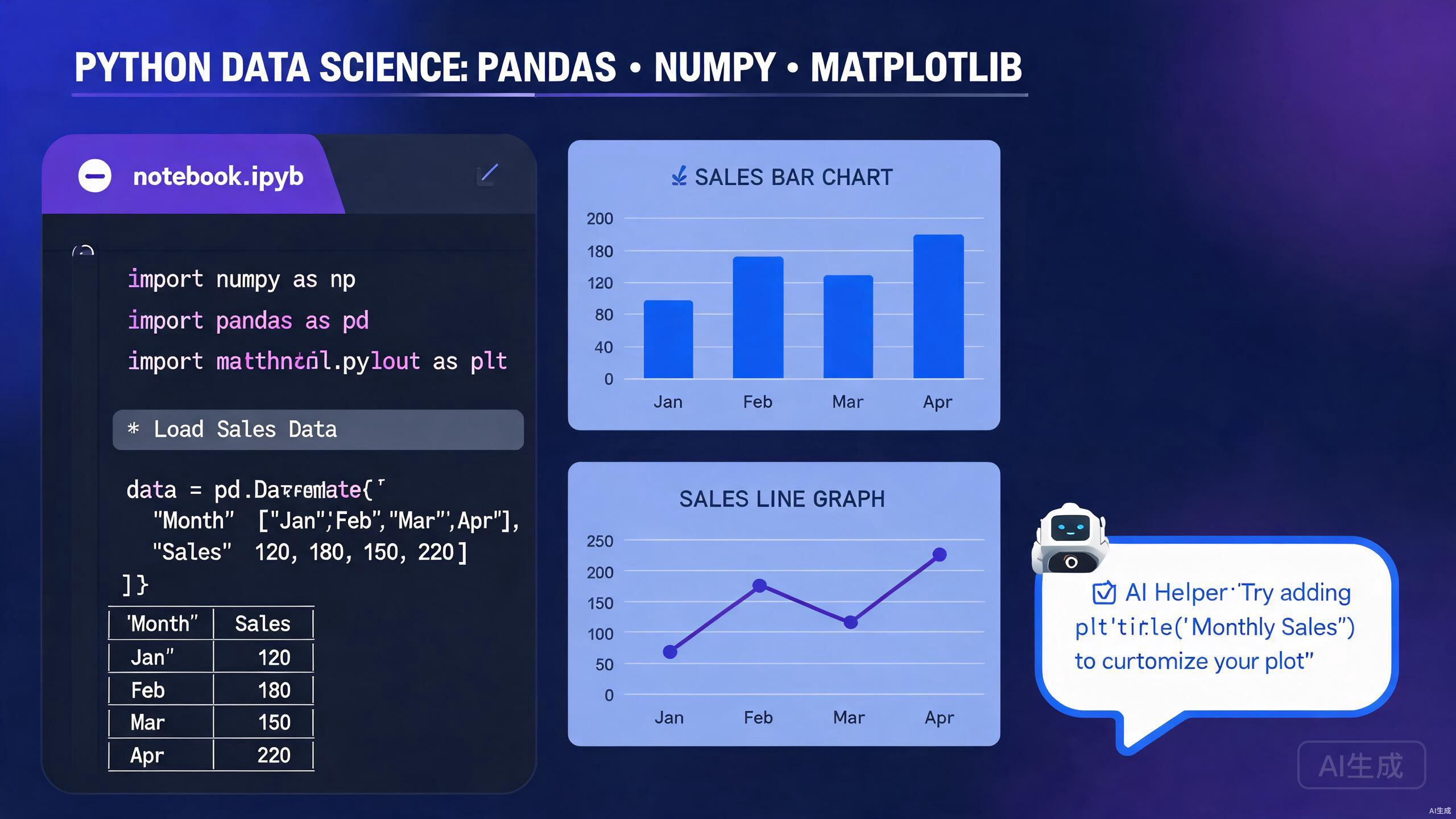
Data science demands rapid experimentation, powerful visualization, and reproducible workflows. Cursor brings these together by combining a world-class code editor with AI-assisted analysis, native Jupyter support, and seamless integration with the Python data science stack. This guide walks you through setting up your environment and leveraging Cursor's unique features for pandas, NumPy, Matplotlib, and beyond.
Setting Up the Data Science Environment
A reliable Python environment is the foundation of any data science project. Cursor makes environment management straightforward through integrated terminal support and virtual environment detection.
Python Installation and Virtual Environments
Verify your Python installation in Cursor's terminal:
python --version
Create a dedicated virtual environment for your project:
python -m venv .venv
source .venv/bin/activate  # On Windows: .venv\Scripts\activate
Cursor automatically detects .venv in your workspace root and offers to select it as the active interpreter. Look for the Python version indicator in the status bar.
Installing Core Data Science Libraries
Install the essential stack using pip:
pip install pandas numpy matplotlib seaborn scikit-learn jupyterlab
For deep learning workflows, add PyTorch or TensorFlow:
pip install torch torchvision torchaudio
Lock your dependencies for reproducibility:
pip freeze > requirements.txt
Avoid mixing conda and pip in the same environment unless you understand the dependency resolution implications. Stick to one package manager per project to prevent conflicts.
Configuring Cursor for Python
Install the official Python extension in Cursor for IntelliSense, linting, and formatting. Recommended settings for data science:
{
  "python.analysis.typeCheckingMode": "basic",
  "python.formatting.provider": "black",
  "python.linting.enabled": true,
  "python.linting.pylintEnabled": false,
  "python.linting.ruffEnabled": true,
  "jupyter.askForKernelRestart": false,
  "jupyter.interactiveWindow.creationMode": "perFile"
}
Jupyter Notebooks in Cursor
Jupyter notebooks are central to exploratory data analysis. Cursor provides first-class notebook support with AI assistance, variable inspection, and export capabilities.
Creating and Running Notebooks
Create a new notebook via the Command Palette (Ctrl+Shift+P) by selecting "Jupyter: Create New Jupyter Notebook". Cursor opens the .ipynb file with a rich interface showing code cells, markdown, and outputs inline.
Select your kernel from the top-right dropdown. Cursor lists all available Python interpreters and conda environments automatically.
Use keyboard shortcuts to speed up notebook workflows: Shift+Enter runs the current cell, A inserts a cell above, and B inserts a cell below when in command mode.
AI-Assisted Cell Generation
Describe your analysis goal in a markdown cell, then ask Cursor's AI to generate the corresponding Python code. For example:
## Goal: Load the Titanic dataset, handle missing ages with median imputation,
## and visualize survival rates by passenger class
Cursor generates:
import pandas as pd
import seaborn as sns
import matplotlib.pyplot as plt

df = pd.read_csv("titanic.csv")
df['Age'] = df['Age'].fillna(df['Age'].median())

plt.figure(figsize=(10, 6))
sns.barplot(data=df, x='Pclass', y='Survived', hue='Sex')
plt.title('Survival Rates by Passenger Class and Gender')
plt.ylabel('Survival Rate')
plt.show()
Variable Inspector and Data Viewer
After running cells, use the Variables pane to inspect DataFrames, arrays, and model objects. Click on a DataFrame variable to open a spreadsheet-like data viewer with sorting and filtering. This eliminates the need for repeated df.head() calls.
Large DataFrames can consume significant memory when opened in the data viewer. For datasets exceeding a few million rows, consider sampling or aggregating before visual inspection.
Converting Between Scripts and Notebooks
Cursor supports converting .py scripts to .ipynb notebooks and vice versa. Use the Command Palette to run "Jupyter: Export Current Python File as Jupyter Notebook". This is useful when you need to transition from experimentation to production-ready scripts.
Data Manipulation with Pandas
Pandas is the workhorse of Python data manipulation. Cursor's autocompletion and AI assistance make DataFrame operations faster and less error-prone.
AI-Generated Data Cleaning Pipelines
Data cleaning is often repetitive. Let Cursor generate entire pipelines from natural language descriptions:
# Clean the sales dataset: remove duplicates, parse dates,
# standardize column names to snake_case, and filter out negative revenue
Cursor produces:
import pandas as pd

df = pd.read_csv("sales.csv")
df = df.drop_duplicates()
df['OrderDate'] = pd.to_datetime(df['OrderDate'], errors='coerce')
df.columns = df.columns.str.lower().str.replace(' ', '_')
df = df[df['revenue'] >= 0]
Complex Transformations and Grouping
For advanced operations like multi-level grouping and window functions, Cursor's inline suggestions shine:
monthly_stats = (
    df.groupby([df['order_date'].dt.to_period('M'), 'region'])
    .agg(
        total_revenue=('revenue', 'sum'),
        avg_order_value=('revenue', 'mean'),
        order_count=('order_id', 'nunique')
    )
    .reset_index()
)
When writing complex pandas chains, break them into multiple lines with parentheses. Cursor formats these beautifully and provides better autocompletion at each step.
Handling Missing Data Strategically
Missing data requires domain knowledge. Ask Cursor for strategies specific to your dataset:
# For numeric columns: median imputation
# For categorical columns: mode imputation
# For datetime columns: forward fill

numeric_cols = df.select_dtypes(include=['number']).columns
categorical_cols = df.select_dtypes(include=['object']).columns
datetime_cols = df.select_dtypes(include=['datetime64']).columns

df[numeric_cols] = df[numeric_cols].fillna(df[numeric_cols].median())
df[categorical_cols] = df[categorical_cols].fillna(df[categorical_cols].mode().iloc[0])
df[datetime_cols] = df[datetime_cols].ffill()
Numerical Computing with NumPy
NumPy provides the numerical backbone for Python data science. Cursor helps you write vectorized, efficient array operations.
Array Creation and Manipulation
Cursor's autocompletion for NumPy is extensive. Generate arrays and perform transformations:
import numpy as np

# Create a 3D array representing image batches
images = np.random.rand(32, 224, 224, 3)  # batch, height, width, channels

# Normalize pixel values to [0, 1]
normalized = (images - images.min()) / (images.max() - images.min())

# Transpose for a different library's expected format
transposed = normalized.transpose(0, 3, 1, 2)  # NCHW format
Broadcasting and Vectorization
Avoid Python loops by leveraging NumPy's broadcasting. If you are unsure how to vectorize an operation, describe it to Cursor:
# Vectorized calculation of Euclidean distance from a centroid
centroid = np.array([5.0, 3.0])
points = np.random.rand(1000, 2)

distances = np.sqrt(np.sum((points - centroid) ** 2, axis=1))
NumPy's implicit broadcasting can produce unexpected shapes. Always verify output array dimensions with .shape after complex operations.
Integration with Pandas
NumPy functions work seamlessly with pandas Series and DataFrames:
# Apply a NumPy universal function to a DataFrame column
df['log_revenue'] = np.log1p(df['revenue'])

# Boolean indexing with compound conditions
high_value = df[
    (np.abs(df['revenue'] - df['revenue'].mean()) > 2 * df['revenue'].std()) |
    (df['quantity'] > 100)
]
Visualization with Matplotlib and Seaborn
Effective visualization turns data into insight. Cursor's inline plot rendering and AI suggestions accelerate your visualization workflow.
Creating Publication-Quality Plots
Cursor renders Matplotlib figures directly below code cells in notebooks. Generate complex multi-panel figures:
import matplotlib.pyplot as plt
import seaborn as sns

fig, axes = plt.subplots(2, 2, figsize=(14, 10))

# Distribution plot
sns.histplot(data=df, x='revenue', kde=True, ax=axes[0, 0])
axes[0, 0].set_title('Revenue Distribution')

# Correlation heatmap
corr = df[['revenue', 'quantity', 'discount']].corr()
sns.heatmap(corr, annot=True, cmap='coolwarm', ax=axes[0, 1])
axes[0, 1].set_title('Feature Correlations')

# Box plot by category
sns.boxplot(data=df, x='category', y='revenue', ax=axes[1, 0])
axes[1, 0].set_title('Revenue by Category')

# Time series
monthly = df.groupby(df['order_date'].dt.to_period('M'))['revenue'].sum()
monthly.plot(ax=axes[1, 1], marker='o')
axes[1, 1].set_title('Monthly Revenue Trend')

plt.tight_layout()
plt.show()
Save figures in multiple formats for different use cases: plt.savefig('figure.png', dpi=300) for presentations and plt.savefig('figure.pdf') for publications.
Interactive Visualizations
For dashboards and interactive exploration, integrate Plotly:
import plotly.express as px

fig = px.scatter(
    df, x='quantity', y='revenue', color='category',
    size='discount', hover_data=['product_name'],
    title='Revenue vs Quantity by Category'
)
fig.show()
Cursor renders Plotly charts interactively in the notebook output area, complete with zooming, panning, and tooltips.
AI-Suggested Visualizations
Not sure which chart to use? Ask Cursor:
I have a dataset with customer churn, tenure, and monthly charges.
What visualizations would best reveal churn drivers?
Cursor might suggest Kaplan-Meier curves, cohort tables, or SHAP summary plots depending on your analysis context.
Machine Learning Workflows
From preprocessing to model evaluation, Cursor streamlines machine learning development with scikit-learn and beyond.
Preprocessing and Feature Engineering
Use Cursor to generate complete preprocessing pipelines:
from sklearn.compose import ColumnTransformer
from sklearn.preprocessing import StandardScaler, OneHotEncoder
from sklearn.impute import SimpleImputer

numeric_features = ['age', 'income', 'tenure']
categorical_features = ['gender', 'region', 'plan_type']

preprocessor = ColumnTransformer(
    transformers=[
        ('num', StandardScaler(), numeric_features),
        ('cat', OneHotEncoder(handle_unknown='ignore'), categorical_features)
    ]
)
Model Training and Evaluation
Cursor can scaffold training loops and evaluation metrics:
from sklearn.model_selection import train_test_split, cross_val_score
from sklearn.ensemble import RandomForestClassifier
from sklearn.metrics import classification_report, confusion_matrix

X_train, X_test, y_train, y_test = train_test_split(X, y, test_size=0.2, random_state=42)

clf = RandomForestClassifier(n_estimators=100, random_state=42)
clf.fit(X_train, y_train)

y_pred = clf.predict(X_test)
print(classification_report(y_test, y_pred))
Always separate training and test data before any preprocessing. Fitting transformers on the full dataset leads to data leakage and over-optimistic performance estimates.
Hyperparameter Tuning
Generate hyperparameter search grids with Cursor's assistance:
from sklearn.model_selection import GridSearchCV

param_grid = {
    'n_estimators': [50, 100, 200],
    'max_depth': [None, 10, 20, 30],
    'min_samples_split': [2, 5, 10]
}

grid_search = GridSearchCV(
    RandomForestClassifier(random_state=42),
    param_grid,
    cv=5,
    scoring='f1_macro',
    n_jobs=-1
)
grid_search.fit(X_train, y_train)
print(f"Best parameters: {grid_search.best_params_}")
AI-Driven Data Analysis
Cursor's AI capabilities extend beyond code generation to statistical reasoning and analytical guidance.
Exploratory Data Analysis with Natural Language
Upload a dataset and ask Cursor to perform EDA:
Analyze the customer.csv file. Show me the distribution of customer lifetime value,
identify outliers, and suggest segments for targeted marketing.
Cursor generates a sequence of cells computing descriptive statistics, visualizations, and clustering suggestions.
Automated Insight Generation
For time-series data, Cursor can propose decomposition, anomaly detection, and forecasting:
from statsmodels.tsa.seasonal import seasonal_decompose

result = seasonal_decompose(df['sales'], model='multiplicative', period=12)
result.plot()
plt.show()
Documenting Analysis in Markdown
Data science is collaborative. Use Cursor to generate Markdown summaries of your findings alongside code:
## Key Findings

- **Revenue Distribution**: Right-skewed with a long tail of high-value transactions
- **Seasonality**: Clear Q4 peak in sales, suggesting holiday-driven demand
- **Churn Predictors**: Tenure < 6 months and monthly charges > $70 are strongest indicators
Conclusion
Cursor redefines Python data science by merging interactive computing, AI assistance, and professional code editing into a single environment. Whether you are cleaning messy datasets in pandas, training models in scikit-learn, or crafting visualizations in Matplotlib, Cursor accelerates every step. Master Jupyter notebook integration, leverage AI for boilerplate generation, and always validate your analytical assumptions. With Cursor, your data science workflow becomes faster, more reproducible, and deeply integrated with intelligent assistance.