Kubernetes and DevOps in Cursor: The Definitive Guide
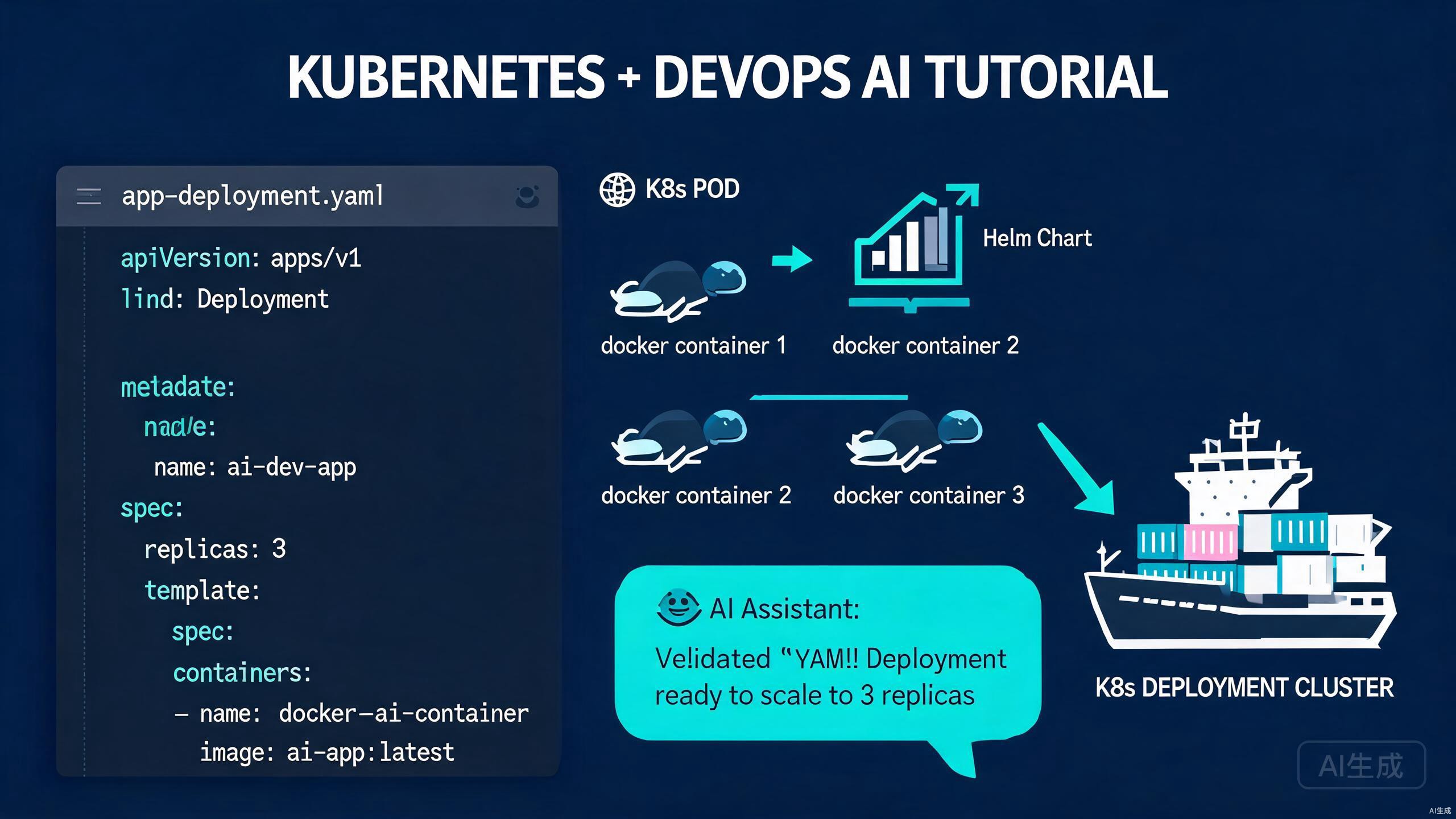
Kubernetes is the cornerstone of modern cloud-native infrastructure. Managing YAML manifests, Helm charts, and container deployments requires precision and repetition. Cursor transforms this experience with schema-aware YAML editing, AI manifest generation, kubectl integration, and intelligent debugging for your DevOps workflows.
Setting Up Your DevOps Environment in Cursor
A well-configured environment is essential for managing Kubernetes resources efficiently. Cursor provides the tools you need for YAML, shell scripting, and container tooling.
Installing Required Tools
Ensure the following tools are installed and accessible from Cursor's terminal:
kubectl version --client
helm version
docker --version
If any tool is missing, install them via your package manager or official installers. Configure kubectl to connect to your cluster:
kubectl config current-context
kubectl get nodes
Use multiple kubeconfig files for different environments (dev, staging, production). Set the KUBECONFIG environment variable in Cursor's terminal to switch contexts quickly.
Installing Extensions for DevOps
Enhance Cursor with these extensions:
- YAML: Schema validation, formatting, and auto-completion for Kubernetes manifests
- Kubernetes: View cluster resources, stream logs, and forward ports from the sidebar
- Docker: Manage images, containers, and registries
- Helm: IntelliSense for Helm templates and values files
The Kubernetes extension requires a valid kubeconfig. If you see connection errors, verify your context and cluster accessibility from the terminal before troubleshooting the extension.
Configuring Cursor for YAML and Shell
Add these settings for optimal DevOps editing:
{
  "yaml.schemas": {
    "kubernetes": "*.yaml"
  },
  "yaml.format.enable": true,
  "editor.tabSize": 2,
  "editor.insertSpaces": true,
  "files.associations": {
    "*.tpl": "helm"
  },
  "terminal.integrated.defaultProfile.windows": "PowerShell"
}
These settings enable Kubernetes schema validation, consistent indentation, and proper syntax highlighting for Helm templates.
YAML Editing and Validation
Kubernetes speaks YAML, and Cursor speaks it fluently. Schema validation, intelligent completion, and AI generation reduce errors and accelerate manifest authoring.
Schema-Aware YAML Completion
When you start typing a Kubernetes resource, Cursor suggests valid fields based on the official OpenAPI schema:
apiVersion: apps/v1
kind: Deployment
metadata:
  name: web-application
  labels:
    app: web
spec:
  replicas: 3
  selector:
    matchLabels:
      app: web
  template:
    metadata:
      labels:
        app: web
    spec:
      containers:
        - name: nginx
          image: nginx:1.25-alpine
          ports:
            - containerPort: 80
          resources:
            requests:
              memory: "128Mi"
              cpu: "100m"
            limits:
              memory: "256Mi"
              cpu: "200m"
Hover over any field to see the Kubernetes API documentation inline. This saves constant trips to the official docs.
Validating Manifests Before Deployment
Catch errors before they reach the cluster. Use Cursor's terminal to validate manifests:
kubectl apply --dry-run=client -f deployment.yaml
kubectl apply --dry-run=server -f deployment.yaml
The --dry-run=server flag validates against the actual cluster API server, catching namespace or quota issues that client-side validation misses.
Dry-run does not validate webhooks or admission controllers that may reject manifests during actual deployment. Always test in a non-production environment first.
Multi-Resource YAML Files
Organize related resources in a single file using document separators:
---
apiVersion: v1
kind: Namespace
metadata:
  name: production
---
apiVersion: apps/v1
kind: Deployment
metadata:
  namespace: production
  name: api-server
# ...
---
apiVersion: v1
kind: Service
metadata:
  namespace: production
  name: api-service
# ...
Cursor's YAML extension validates each document independently, showing errors only for the relevant section.
AI Manifest Generation
Writing Kubernetes manifests from scratch is tedious. Cursor's AI generates complete, validated resources from natural language descriptions.
Generating Deployments and Services
Describe your application and let Cursor generate the manifests:
Create a Deployment for a Node.js app with 2 replicas,
expose it on port 3000, and add a LoadBalancer Service.
Include resource limits and a liveness probe on /health.
Cursor outputs:
apiVersion: apps/v1
kind: Deployment
metadata:
  name: nodejs-app
spec:
  replicas: 2
  selector:
    matchLabels:
      app: nodejs-app
  template:
    metadata:
      labels:
        app: nodejs-app
    spec:
      containers:
        - name: app
          image: nodejs-app:latest
          ports:
            - containerPort: 3000
          resources:
            limits:
              memory: "512Mi"
              cpu: "500m"
            requests:
              memory: "256Mi"
              cpu: "250m"
          livenessProbe:
            httpGet:
              path: /health
              port: 3000
            initialDelaySeconds: 10
            periodSeconds: 5
---
apiVersion: v1
kind: Service
metadata:
  name: nodejs-service
spec:
  type: LoadBalancer
  selector:
    app: nodejs-app
  ports:
    - protocol: TCP
      port: 80
      targetPort: 3000
Generating ConfigMaps and Secrets
Manage configuration and sensitive data:
apiVersion: v1
kind: ConfigMap
metadata:
  name: app-config
data:
  database_url: "postgres://db:5432/myapp"
  log_level: "info"
  max_connections: "100"
---
apiVersion: v1
kind: Secret
metadata:
  name: db-credentials
type: Opaque
stringData:
  username: admin
  password: supersecretpassword
Never commit plain-text Secrets to version control. Use sealed-secrets, external-secrets, or a secret management tool. Cursor can generate SealedSecret manifests if you describe your encryption workflow.
Network Policies and RBAC
For security-hardened clusters, Cursor generates NetworkPolicies and RBAC rules:
apiVersion: networking.k8s.io/v1
kind: NetworkPolicy
metadata:
  name: api-isolation
  namespace: production
spec:
  podSelector:
    matchLabels:
      app: api-server
  policyTypes:
    - Ingress
    - Egress
  ingress:
    - from:
        - namespaceSelector:
            matchLabels:
              name: frontend
      ports:
        - protocol: TCP
          port: 8080
  egress:
    - to:
        - podSelector:
            matchLabels:
              app: database
      ports:
        - protocol: TCP
          port: 5432
Helm Chart Development
Helm is the package manager for Kubernetes. Cursor's templating support and AI assistance make chart authoring and maintenance efficient.
Chart Structure and Templates
A Helm chart follows this structure:
mychart/
  Chart.yaml
  values.yaml
  templates/
    _helpers.tpl
    deployment.yaml
    service.yaml
    ingress.yaml
  charts/
Cursor provides IntelliSense for Helm template functions and values references. When typing {{ .Values. }}, Cursor suggests available keys from values.yaml.
AI-Generated Helm Templates
Ask Cursor to convert a static manifest into a reusable Helm template:
Convert this Deployment into a Helm template that accepts
replica count, image tag, and resource limits from values.yaml
Cursor generates:
{{- define "mychart.deployment" -}}
apiVersion: apps/v1
kind: Deployment
metadata:
  name: {{ include "mychart.fullname" . }}
  labels:
    {{- include "mychart.labels" . | nindent 4 }}
spec:
  replicas: {{ .Values.replicaCount }}
  selector:
    matchLabels:
      {{- include "mychart.selectorLabels" . | nindent 6 }}
  template:
    metadata:
      labels:
        {{- include "mychart.selectorLabels" . | nindent 8 }}
    spec:
      containers:
        - name: {{ .Chart.Name }}
          image: "{{ .Values.image.repository }}:{{ .Values.image.tag | default .Chart.AppVersion }}"
          resources:
            {{- toYaml .Values.resources | nindent 12 }}
{{- end }}
Values File Management
Maintain clean values files with defaults and documentation:
# Default values for mychart
replicaCount: 1

image:
  repository: nginx
  pullPolicy: IfNotPresent
  tag: ""

resources:
  limits:
    cpu: 100m
    memory: 128Mi
  requests:
    cpu: 100m
    memory: 128Mi

autoscaling:
  enabled: false
  minReplicas: 1
  maxReplicas: 100
  targetCPUUtilizationPercentage: 80
Always quote string values that could be interpreted as numbers or booleans. Unquoted yes, no, or 1.10 can cause unexpected type coercion in Helm templates.
kubectl Integration and Cluster Operations
Cursor's terminal is your gateway to the cluster. Execute kubectl commands, view logs, and manage resources without leaving the editor.
Essential kubectl Workflows
Deploy manifests directly from the terminal:
kubectl apply -f k8s/
kubectl rollout status deployment/web-application
kubectl get pods -l app=web -w
Stream logs for debugging:
kubectl logs -f deployment/web-application --all-containers=true
kubectl logs -f pod/web-app-7d9f4b8c5-x2z9a -c nginx
Use kubectl get events --sort-by='.lastTimestamp' -w to watch cluster events in real time. This often reveals scheduling, image pull, or resource constraint issues faster than pod logs.
Port Forwarding and Debugging
Access cluster services locally for development:
kubectl port-forward svc/database 5432:5432
kubectl port-forward pod/debug-pod 8080:8080
For interactive debugging, spawn a temporary pod with debugging tools:
kubectl run debug --rm -it --image=nicolaka/netshoot -- /bin/bash
Context and Namespace Management
Switch contexts and set default namespaces to avoid accidental changes:
kubectl config use-context staging
kubectl config set-context --current --namespace=production
In Cursor, add these as shell aliases or scripts for one-command context switching.
Advanced DevOps Workflows
Beyond basic manifest editing, Cursor supports infrastructure-as-code, CI/CD pipelines, and GitOps workflows.
Terraform and Infrastructure as Code
If you provision clusters with Terraform, Cursor's HCL extension provides syntax highlighting and validation. Use the AI chat to generate Terraform modules:
resource "kubernetes_deployment" "app" {
  metadata {
    name = "web-application"
    labels = {
      app = "web"
    }
  }

  spec {
    replicas = 3

    selector {
      match_labels = {
        app = "web"
      }
    }

    template {
      metadata {
        labels = {
          app = "web"
        }
      }

      spec {
        container {
          image = "nginx:1.25"
          name  = "nginx"

          port {
            container_port = 80
          }
        }
      }
    }
  }
}
CI/CD Pipeline Generation
Cursor generates CI/CD configurations for popular platforms. A GitHub Actions workflow for Kubernetes deployment might look like:
name: Deploy to Kubernetes

on:
  push:
    branches: [main]

jobs:
  deploy:
    runs-on: ubuntu-latest
    steps:
      - uses: actions/checkout@v4

      - name: Set up kubectl
        uses: azure/setup-kubectl@v3

      - name: Configure kubeconfig
        run: echo "${{ secrets.KUBECONFIG }}" | base64 -d > kubeconfig

      - name: Deploy manifests
        run: |
          export KUBECONFIG=kubeconfig
          kubectl apply -f k8s/
          kubectl rollout status deployment/web-app
Never commit raw kubeconfig files to version control. Use secrets management and short-lived tokens for CI/CD authentication.
GitOps with Argo CD
For GitOps workflows, Cursor helps you write Argo CD Application manifests:
apiVersion: argoproj.io/v1alpha1
kind: Application
metadata:
  name: production-app
  namespace: argocd
spec:
  project: default
  source:
    repoURL: https://github.com/myorg/gitops-repo.git
    targetRevision: HEAD
    path: overlays/production
  destination:
    server: https://kubernetes.default.svc
    namespace: production
  syncPolicy:
    automated:
      prune: true
      selfHeal: true
    syncOptions:
      - CreateNamespace=true
Conclusion
Cursor is a formidable tool for Kubernetes and DevOps practitioners. By combining intelligent YAML editing, AI manifest generation, Helm templating support, and seamless kubectl integration, Cursor reduces the cognitive load of managing cloud-native infrastructure. Validate early with dry-runs, generate secure defaults with AI, and always version-control your manifests. Whether you are deploying a simple web app or managing a multi-cluster GitOps platform, Cursor accelerates your path from code to production.