Flutter Development in Cursor: The Complete Guide
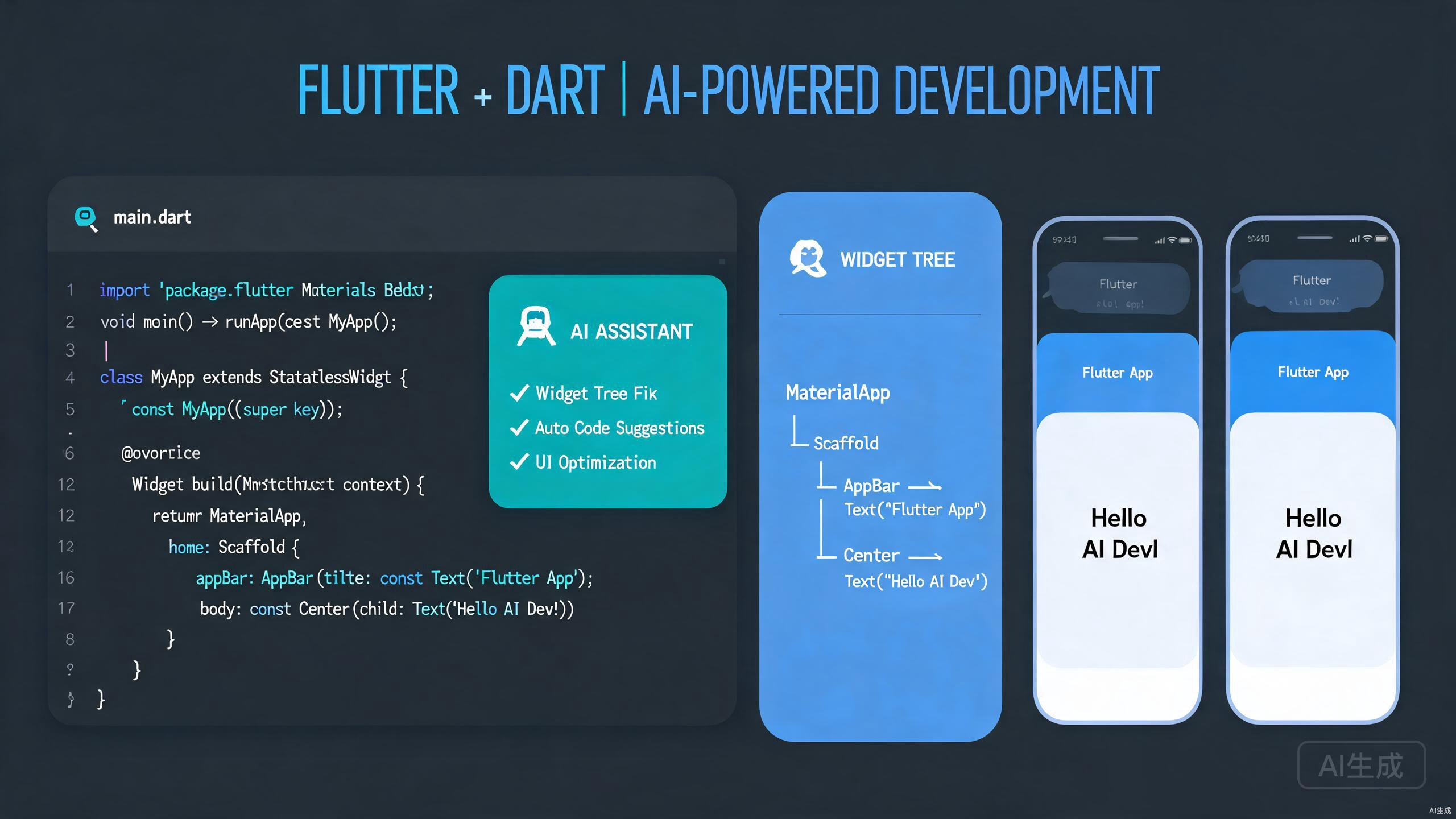
Flutter empowers developers to build natively compiled applications for mobile, web, and desktop from a single codebase. When combined with Cursor's AI-native editing experience, Flutter development becomes even more intuitive. This guide covers Dart programming in Cursor, leveraging hot reload, constructing widgets efficiently, and using AI to generate and refine user interfaces.
Setting Up Flutter in Cursor
A properly configured Flutter environment ensures smooth development across all target platforms. Cursor inherits VS Code's Flutter and Dart extensions, providing a familiar yet enhanced workflow.
Installing Flutter and Dart SDKs
Verify your installation in Cursor's terminal:
flutter doctor
This command checks for the Flutter SDK, Android toolchain, Xcode (on macOS), and connected devices. Address any issues reported before proceeding.
Run flutter doctor -v for verbose output if you encounter path or permission issues. Cursor's terminal retains your shell environment, so PATH configurations apply immediately.
Installing Extensions in Cursor
Install the following extensions from Cursor's marketplace:
- Flutter: Full Flutter support including device selection, emulator launching, and project scaffolding
- Dart: Language support for Dart with IntelliSense, refactoring, and Flutter-specific assists
These extensions enable code snippets, widget wrapping assists, and automatic imports.
Ensure only one Dart/Flutter extension set is active. Conflicting extensions can cause duplicate diagnostics and broken code completion.
Project Initialization and Structure
Create a new Flutter project from Cursor's terminal:
flutter create my_app
cd my_app
A standard Flutter project contains:
my_app/
  android/
  ios/
  lib/
    main.dart
  test/
  pubspec.yaml
The lib/ directory holds your Dart code, while pubspec.yaml manages dependencies and assets.
Dart Programming in Cursor
Dart is the language powering Flutter. Cursor's AI features help you write clean, type-safe Dart code with minimal boilerplate.
Leveraging AI for Dart Code Generation
Describe a widget or function in natural language, and Cursor generates idiomatic Dart:
// A reusable card widget that displays a title, subtitle, and trailing icon
Cursor produces:
import 'package:flutter/material.dart';

class InfoCard extends StatelessWidget {
  final String title;
  final String subtitle;
  final IconData icon;
  final VoidCallback? onTap;

  const InfoCard({
    super.key,
    required this.title,
    required this.subtitle,
    required this.icon,
    this.onTap,
  });

  @override
  Widget build(BuildContext context) {
    return Card(
      elevation: 2,
      child: ListTile(
        leading: Icon(icon, color: Theme.of(context).primaryColor),
        title: Text(title, style: Theme.of(context).textTheme.titleMedium),
        subtitle: Text(subtitle),
        trailing: const Icon(Icons.chevron_right),
        onTap: onTap,
      ),
    );
  }
}
Use super.key in all widget constructors. Cursor's Dart snippets include this by default, ensuring your widgets follow modern Flutter conventions.
Null Safety and Type Inference
Dart's null safety prevents runtime null reference errors. Cursor highlights nullable and non-nullable types:
String? userName;        // Nullable
late String displayName; // Non-nullable, initialized later
final String id = 'abc'; // Non-nullable, immutable
When migrating legacy code, ask Cursor's AI chat:
Convert this function to use null safety and proper type annotations
Async Patterns and Streams
Flutter relies heavily on asynchronous programming. Cursor generates async/await patterns and Stream builders:
Future<List<Product>> fetchProducts() async {
  final response = await http.get(Uri.parse('/api/products'));
  if (response.statusCode == 200) {
    final List<dynamic> data = jsonDecode(response.body);
    return data.map((json) => Product.fromJson(json)).toList();
  }
  throw Exception('Failed to load products');
}
For reactive UI updates with streams:
StreamBuilder<List<Order>>(
  stream: orderRepository.watchOrders(),
  builder: (context, snapshot) {
    if (snapshot.connectionState == ConnectionState.waiting) {
      return const CircularProgressIndicator();
    }
    if (snapshot.hasError) {
      return ErrorWidget(snapshot.error!);
    }
    return OrderList(orders: snapshot.data ?? []);
  },
)
Widget Building and UI Composition
Flutter's widget tree is powerful but can become verbose. Cursor's assists and AI generation streamline widget construction.
Hot Reload and Iterative Development
Hot reload is Flutter's killer feature. In Cursor, press r in the terminal running flutter run to instantly see code changes. This works for most UI changes, method bodies, and widget properties.
Hot reload preserves app state. For changes to main(), global variables, or static fields, use hot restart (R) instead.
Widget Wrapping and Refactoring
The Flutter extension in Cursor provides quick fixes for common widget operations. Place your cursor on a widget and use the lightbulb menu to:
- Wrap with Container
- Wrap with Center
- Wrap with Padding
- Extract Widget
- Remove Widget
These assists keep your widget tree readable without manual cut-and-paste.
Building Complex Layouts with AI
Describe a layout in plain English and let Cursor generate the widget tree:
A profile screen with a circular avatar at the top center,
followed by the user's name and bio, then a grid of photo thumbnails,
and a floating action button to edit the profile
Cursor assembles:
class ProfileScreen extends StatelessWidget {
  const ProfileScreen({super.key});

  @override
  Widget build(BuildContext context) {
    return Scaffold(
      body: CustomScrollView(
        slivers: [
          SliverToBoxAdapter(
            child: Column(
              children: [
                const SizedBox(height: 40),
                CircleAvatar(
                  radius: 60,
                  backgroundImage: NetworkImage('https://example.com/avatar.jpg'),
                ),
                const SizedBox(height: 16),
                Text(
                  'Jane Doe',
                  style: Theme.of(context).textTheme.headlineSmall,
                ),
                const SizedBox(height: 8),
                Padding(
                  padding: const EdgeInsets.symmetric(horizontal: 32),
                  child: Text(
                    'Mobile developer and open source enthusiast.',
                    textAlign: TextAlign.center,
                    style: Theme.of(context).textTheme.bodyMedium,
                  ),
                ),
                const SizedBox(height: 24),
              ],
            ),
          ),
          SliverPadding(
            padding: const EdgeInsets.all(16),
            sliver: SliverGrid(
              gridDelegate: const SliverGridDelegateWithFixedCrossAxisCount(
                crossAxisCount: 3,
                crossAxisSpacing: 8,
                mainAxisSpacing: 8,
              ),
              delegate: SliverChildBuilderDelegate(
                (context, index) => ClipRRect(
                  borderRadius: BorderRadius.circular(8),
                  child: Image.network(
                    'https://example.com/photo_$index.jpg',
                    fit: BoxFit.cover,
                  ),
                ),
                childCount: 12,
              ),
            ),
          ),
        ],
      ),
      floatingActionButton: FloatingActionButton(
        onPressed: () => Navigator.pushNamed(context, '/edit-profile'),
        child: const Icon(Icons.edit),
      ),
    );
  }
}
Responsive and Adaptive Design
Build layouts that adapt to different screen sizes:
class ResponsiveLayout extends StatelessWidget {
  const ResponsiveLayout({super.key});

  @override
  Widget build(BuildContext context) {
    final width = MediaQuery.of(context).size.width;

    if (width > 1200) {
      return const DesktopLayout();
    } else if (width > 600) {
      return const TabletLayout();
    }
    return const MobileLayout();
  }
}
Consider using LayoutBuilder instead of MediaQuery when you need to respond to the constraints of a specific parent widget rather than the full screen.
State Management
State management is critical in Flutter. Cursor helps you implement patterns from simple setState to advanced solutions like Riverpod and Bloc.
AI-Generated State Management Boilerplate
Ask Cursor to scaffold a Riverpod provider:
import 'package:flutter_riverpod/flutter_riverpod.dart';

final authProvider = StateNotifierProvider<AuthNotifier, AuthState>((ref) {
  return AuthNotifier(ref.read(authRepositoryProvider));
});

class AuthState {
  final User? user;
  final bool isLoading;
  final String? error;

  const AuthState({this.user, this.isLoading = false, this.error});

  AuthState copyWith({User? user, bool? isLoading, String? error}) {
    return AuthState(
      user: user ?? this.user,
      isLoading: isLoading ?? this.isLoading,
      error: error ?? this.error,
    );
  }
}

class AuthNotifier extends StateNotifier<AuthState> {
  final AuthRepository _repository;

  AuthNotifier(this._repository) : super(const AuthState());

  Future<void> signIn(String email, String password) async {
    state = state.copyWith(isLoading: true, error: null);
    try {
      final user = await _repository.signIn(email, password);
      state = state.copyWith(user: user, isLoading: false);
    } catch (e) {
      state = state.copyWith(error: e.toString(), isLoading: false);
    }
  }
}
Integrating with UI
Consume providers in your widgets:
class LoginScreen extends ConsumerWidget {
  const LoginScreen({super.key});

  @override
  Widget build(BuildContext context, WidgetRef ref) {
    final authState = ref.watch(authProvider);

    return Scaffold(
      body: authState.isLoading
          ? const Center(child: CircularProgressIndicator())
          : LoginForm(
              onSubmit: (email, password) {
                ref.read(authProvider.notifier).signIn(email, password);
              },
              error: authState.error,
            ),
    );
  }
}
Avoid calling ref.read inside build methods for state that affects rendering. Use ref.watch to ensure the widget rebuilds when state changes.
AI-Powered UI Generation
Cursor's AI goes beyond code completion to generate entire screens, themes, and animations from descriptions.
Generating Screens from Descriptions
Describe a screen and let Cursor generate the complete implementation:
A settings screen with sections for Account, Notifications, and Appearance.
Each section has toggle switches and navigation rows.
Use a light theme with Material 3 design.
Cursor generates a fully structured screen with SwitchListTile, ListTile navigation, and proper section dividers.
Theme and Color Scheme Generation
Generate a complete ThemeData configuration:
final appTheme = ThemeData(
  useMaterial3: true,
  colorScheme: ColorScheme.fromSeed(
    seedColor: const Color(0xFF6750A4),
    brightness: Brightness.light,
  ),
  textTheme: const TextTheme(
    headlineLarge: TextStyle(fontSize: 32, fontWeight: FontWeight.bold),
    bodyLarge: TextStyle(fontSize: 16, height: 1.5),
  ),
  cardTheme: CardTheme(
    elevation: 0,
    shape: RoundedRectangleBorder(borderRadius: BorderRadius.circular(12)),
  ),
);
Animation and Motion
Cursor can scaffold animations using AnimatedContainer, Hero, and explicit animation controllers:
class AnimatedButton extends StatefulWidget {
  const AnimatedButton({super.key});

  @override
  State<AnimatedButton> createState() => _AnimatedButtonState();
}

class _AnimatedButtonState extends State<AnimatedButton>
    with SingleTickerProviderStateMixin {
  late AnimationController _controller;

  @override
  void initState() {
    super.initState();
    _controller = AnimationController(
      duration: const Duration(milliseconds: 300),
      vsync: this,
    );
  }

  @override
  Widget build(BuildContext context) {
    return GestureDetector(
      onTapDown: (_) => _controller.forward(),
      onTapUp: (_) => _controller.reverse(),
      child: ScaleTransition(
        scale: Tween<double>(begin: 1.0, end: 0.95).animate(_controller),
        child: ElevatedButton(
          onPressed: () {},
          child: const Text('Press Me'),
        ),
      ),
    );
  }

  @override
  void dispose() {
    _controller.dispose();
    super.dispose();
  }
}
Always dispose animation controllers, stream subscriptions, and text editing controllers in the dispose() method to prevent memory leaks.
Testing and Debugging Flutter Apps
Quality Flutter apps require comprehensive testing. Cursor supports unit, widget, and integration testing with AI-assisted test generation.
Widget Testing
Generate widget tests that verify UI behavior:
import 'package:flutter_test/flutter_test.dart';
import 'package:my_app/main.dart';

void main() {
  testWidgets('Counter increments smoke test', (WidgetTester tester) async {
    await tester.pumpWidget(const MyApp());

    expect(find.text('0'), findsOneWidget);
    expect(find.text('1'), findsNothing);

    await tester.tap(find.byIcon(Icons.add));
    await tester.pump();

    expect(find.text('0'), findsNothing);
    expect(find.text('1'), findsOneWidget);
  });
}
Debugging Layout Issues
Use Flutter's built-in debugging tools within Cursor:
- Debug Paint: Press
pin the terminal to visualize padding, margins, and alignments - Widget Inspector: Launch DevTools from the Flutter extension to explore the widget tree
- Performance Overlay: Press
Pto see frame rendering times
Layout overflow errors are common in Flutter. When you see a yellow-and-black striped error, use the Widget Inspector to identify the constrained container and adjust Expanded, Flexible, or SingleChildScrollView usage.
Conclusion
Flutter development in Cursor combines the expressive power of Dart widgets with AI-driven productivity. From instant UI generation and hot reload iteration to robust state management and testing, Cursor accelerates every phase of cross-platform development. Embrace the AI chat for rapid prototyping, use widget assists to keep your code clean, and always test on real devices before release. With Cursor as your Flutter IDE, building beautiful apps for any screen becomes faster and more enjoyable.